基于华为openEuler搭建Raneto知识库系统
- 前言
- 一、相关服务介绍
-
- [1.1 openEuler系统介绍](#1.1 openEuler系统介绍)
- [1.2 Raneto介绍](#1.2 Raneto介绍)
- 二、本次实践介绍
-
- [2.1 本次实践介绍](#2.1 本次实践介绍)
- [2.2 本次环境规划](#2.2 本次环境规划)
- 三、本地环境检查
-
- [3.1 检查Docker服务状态](#3.1 检查Docker服务状态)
- [3.2 检查Docker版本](#3.2 检查Docker版本)
- [3.3 检查docker compose 版本](#3.3 检查docker compose 版本)
- 四、拉取Raneto镜像
- 五、部署Raneto应用
-
- [5.1 创建挂载目录](#5.1 创建挂载目录)
- [5.2 新建及编辑配置文件](#5.2 新建及编辑配置文件)
- [5.3 编辑docker-compose.yaml文件](#5.3 编辑docker-compose.yaml文件)
- [5.3 创建Raneto容器](#5.3 创建Raneto容器)
- [5.4 检查Raneto容器状态](#5.4 检查Raneto容器状态)
- [5.5 检查Raneto容器日志](#5.5 检查Raneto容器日志)
- [5.6 安全设置](#5.6 安全设置)
- 六、访问Raneto服务
- 七、Raneto基本使用
-
- [7.1 上传文档](#7.1 上传文档)
- [7.2 在线浏览文档内容](#7.2 在线浏览文档内容)
- 八、总结
前言
随着企业对知识管理与文档协作需求的不断提升,构建一个高效、稳定且易于维护的知识库系统变得尤为重要。华为 openEuler 操作系统作为面向企业应用的高性能 Linux 发行版,为各类应用提供了坚实的基础平台。Raneto 作为一款基于 Node.js 的轻量级 Markdown 知识库系统,具备部署简单、使用灵活的特点。结合 openEuler 与 Raneto,不仅可以充分发挥华为根技术的性能优势,还能为企业打造一个安全可控、自主可信的知识管理平台。
一、相关服务介绍
1.1 openEuler系统介绍
- 简介
openEuler是华为发起并主导的一个开源操作系统项目,它基于Linux内核开发,致力于为企业级应用提供安全、稳定、可靠的操作环境。自2019年正式开源以来,openEuler迅速吸引了全球众多开发者和技术爱好者的关注,并逐渐形成了一个活跃的开源社区。该系统不仅支持多种处理器架构(如x86、ARM等),而且通过持续的技术创新,在性能优化、安全性增强以及容器化支持等方面展现了显著的优势。
- 主要特点
- 开源性:openEuler遵循开源协议,允许任何个人或组织自由获取、使用、修改及分发系统代码,这极大地促进了技术创新与共享。
- 高性能与稳定性:通过对Linux内核进行深度优化,openEuler能够提供出色的运行效率和稳定性,满足企业级应用场景的需求。
- 安全性:提供了包括安全启动、数据加密在内的多重安全保障措施,确保用户数据的安全性。
- 容器化支持:兼容Docker和Kubernetes等容器技术,便于开发者构建、部署和管理容器化应用。
- 丰富的生态系统:拥有庞大的开发者社区和丰富的软件库,为用户提供广泛的软件支持和服务。
1.2 Raneto介绍
- Raneto 简介
Raneto是一个基于 Node.js 构建的开源 Markdown 知识库 Wiki 系统,允许用户通过浏览器创建和管理文档内容,适合用于构建文档中心、知识库或内部维基。
- 主要特点
- 基于文件的内容管理:所有内容以 Markdown 文件形式存储,便于版本控制和本地编辑。
- 支持文件名与内容搜索:提供全文搜索功能,方便用户快速查找所需信息。
- 内置浏览器端 Markdown 编辑器:用户可直接在浏览器中创建和编辑 Markdown 文档。
- 登录系统保护编辑权限:提供用户认证机制,确保只有授权用户可进行内容编辑。
- 简洁轻量的设计:系统架构简单、易于部署和维护,资源占用低。
二、本次实践介绍
2.1 本次实践介绍
1.本次实践环境为个人测试环境,生产环境请谨慎;
2.本次实践主要是在openEuler系统下搭建Raneto知识库。
2.2 本次环境规划
本次环境规划如下所示:
| 服务器 | HostName | IP地址 | 操作系统 | 内核版本 | 部署项目 | 部署版本 |
|---|---|---|---|---|---|---|
| VM虚拟机 | openEuler | 192.168.3.83 | openEuler 24.03 (LTS) | 6.6.0-28.0.0.34.oe2403.x86_64 | Raneto | 0.17.6 |
三、本地环境检查
3.1 检查Docker服务状态
检查Docker服务是否正常运行,确保Docker正常运行。
bash
[root@openEuler ~]# systemctl status docker
● docker.service - Docker Application Container Engine
     Loaded: loaded (/usr/lib/systemd/system/docker.service; enabled; preset: disabled)
     Active: active (running) since Sat 2025-03-29 20:58:28 CST; 1 day 20h ago
TriggeredBy: ● docker.socket
       Docs: https://docs.docker.com
   Main PID: 1382 (dockerd)
      Tasks: 10
     Memory: 115.9M ()
     CGroup: /system.slice/docker.service
             └─1382 /usr/bin/dockerd -H fd:// --containerd=/run/containerd/containerd.sock
3.2 检查Docker版本
检查Docker版本,当前安装版本为
26.1.3。
bash
[root@openEuler ~]# docker -v
Docker version 26.1.3, build b72abbb
3.3 检查docker compose 版本
检查Docker compose版本,确保2.0以上版本。
bash
[root@openEuler ~]# docker compose version
Docker Compose version v2.27.0
四、拉取Raneto镜像
执行以下命令,拉取Raneto容器镜像。
bash
[root@openEuler ~]#docker pull raneto/raneto:0.17.6
0.17.6: Pulling from raneto/raneto
7264a8db6415: Pull complete
d68f2f1a5d31: Pull complete
e7e6b7606c1a: Pull complete
904e9a84b7a0: Pull complete
83d029c9aec8: Pull complete
77646b668941: Pull complete
3a837d7b585e: Pull complete
Digest: sha256:32b7ddfd6fa705bf820643d31de0f48112e1865d9f06ae29a74ad48671498ccb
Status: Downloaded newer image for raneto/raneto:0.17.6
docker.io/raneto/raneto:0.17.6
五、部署Raneto应用
5.1 创建挂载目录
执行以下命令,创建Coolmonitor部署目录
/data/raneto。
bash
mkdir -p /data/raneto/{config,content} && cd /data/raneto目录授权说明:由于当前为本地测试环境,可暂时授予完全权限;但请在生产环境中谨慎配置权限,确保安全性。
bash
chmod -R 777 /data/raneto/5.2 新建及编辑配置文件
在config/config.js配置文件中,编辑以下内容:
bash
vim config/config.js
bash
// Modules
import path from 'node:path';
// Which Theme to Use?
//
// Local Directory Example (for development or custom themes)
// const theme_dir = path.join(__dirname, 'themes');
// const theme_name = 'my-theme-directory';
//
// Themes from NPM
// use "dist" as the theme name for modules (for now)
const __dirname = import.meta.dirname;
const theme_dir = path.join(
__dirname,
'..',
'node_modules',
'@raneto/theme-default',
);
const theme_name = 'dist';
const config = {
// Your site title (format: page_title - site_title)
site_title: 'Raneto Docs',
// The base URL of your site (can use %base_url% in Markdown files)
// This should be the full path to your Raneto installation:
// example 1: https://raneto.mydomain.com
// example 2: https://www.mydomain.com/raneto
// Do not include a trailing "/"
// Leave this as an empty string to use the default
base_url: '',
nowrap: true,
// Path Prefix
// If you are running Raneto on a subpath of your domain, add it here
// Leave it blank if you are not sure
//
// Example: if you are running Raneto at http://www.mydomain.com/raneto
// then you would enter '/raneto' below
path_prefix: '',
// Used for the "Get in touch" page footer link
support_email: '',
// Footer Text / Copyright
copyright: `Copyright © ${new Date().getFullYear()} - <a href="https://raneto.com" target="_blank">Powered by Raneto</a>`,
// Excerpt length (used in search)
excerpt_length: 400,
// The meta value by which to sort pages (value should be an integer)
// If this option is blank pages will be sorted alphabetically
page_sort_meta: 'sort',
// Should categories be sorted numerically (true) or alphabetically (false)
// If true category folders need to contain a "sort" file with an integer value
category_sort: true,
// Controls behavior of home page if meta ShowOnHome is not present. If set to true
// all categories or files that do not specify ShowOnHome meta property will be shown
show_on_home_default: true,
// Controls behavior of the menu if meta ShowOnMenu is not present. If set to true
// all categories or files that do not specify ShowOnMenu meta property will be shown
show_on_menu_default: true,
// Theme (see top of file)
theme_dir,
theme_name,
// Specify the path of your content folder where all your '.md' files are located
// Fix: Cannot be an absolute path
content_dir: path.join(__dirname, '..', 'content', 'pages'),
// Where is the public directory or document root?
public_dir: path.join(theme_dir, theme_name, 'public'),
// The base URL of your images folder,
// Relative to config.public_dir
// (can use %image_url% in Markdown files)
image_url: '/images',
// Add your analytics tracking code (including script tags)
analytics: '',
// Set to true to enable the web editor
allow_editing: true,
// Set to true to enable HTTP Basic Authentication
authentication: true,
// If editing is enabled, set this to true to only authenticate for editing, not for viewing
authentication_for_edit: true,
// If authentication is enabled, set this to true to enable authentication for reading too
authentication_for_read: false,
// Google OAuth
googleoauth: false,
google_group_restriction: {
enabled: false,
api_key: 'GOOGLE_API_KEY',
group_name: 'GOOGLE_GROUP_NAME',
},
oauth2: {
client_id: 'GOOGLE_CLIENT_ID',
client_secret: 'GOOGLE_CLIENT_SECRET',
callback: 'http://localhost:3000/auth/google/callback',
hostedDomain: 'google.com',
},
secret: 'someCoolSecretRightHere',
// ##### WARNING #####
// You MUST change the username and password for security
// Do NOT use "admin" as a username as it's easily guessed.
// You are encouraged to use tools to generate a password
// Preferably, use a local password manager
// If you absolutely must use an online tool, here are some suggestions
// https://bitwarden.com/password-generator/
// https://www.grc.com/passwords.htm
 credentials: [
    {
      username: 'admin',
      password: 'password',
    },
    {
      username: 'admin2',
      password: 'password',
    },
  ],
locale: 'zh',

  // Support search with extra languages
  searchExtraLanguages: ['zh'],
// Sets the format for datetime's
datetime_format: 'Do MMM YYYY',
// Set to true to render suitable layout for RTL languages
rtl_layout: false,
// Edit Home Page title, description, etc.
home_meta: {
// title : 'Custom Home Title',
// description : 'Custom Home Description'
},
// variables: [
// {
// name: 'test_variable',
// content: 'test variable'
// },
// {
// name: 'test_variable_2',
// content: 'test variable 2'
// }
// ]
// Set to true to enable generation of table of contents
table_of_contents: false,
// Configure generation of table of contents (see markdown-toc's docs for details on available options)
table_of_contents_options: {
// append: 'Table of contents appendix',
// maxdepth: 6,
// firsth1: true,
},
menu_on_pages: true,
menu_on_page_collapsible: true,
};
// Exports
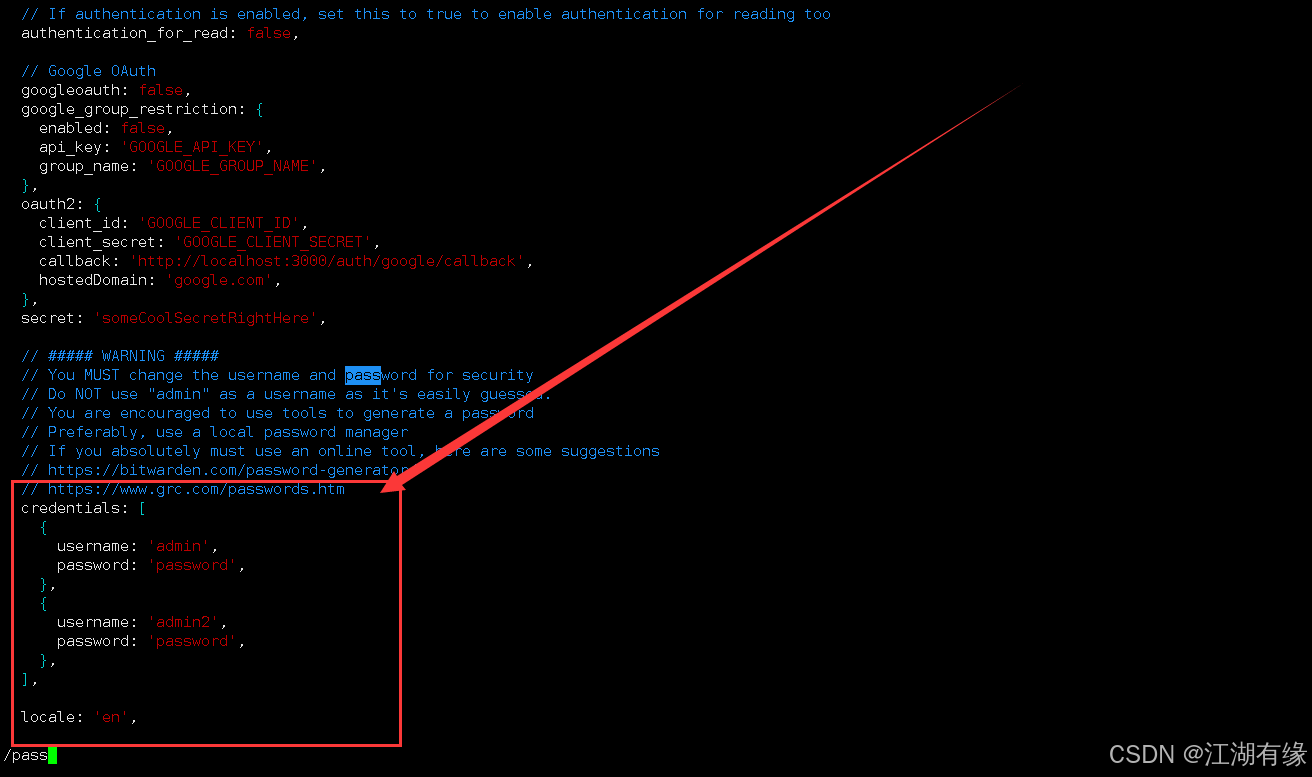
export default config;在config.js文件中,我们可以修改三处地方:
- 站点名称
bash
site_title: 'Raneto Docs',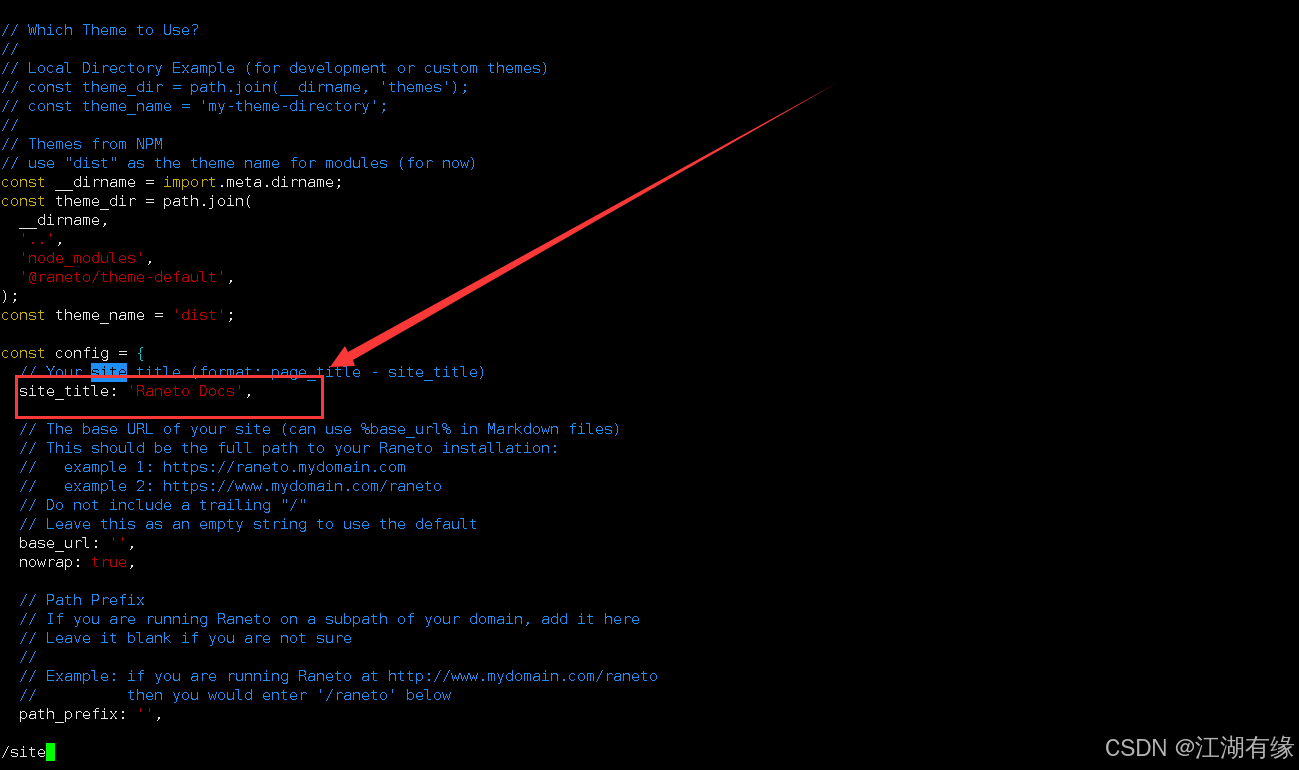
- 登录用户名和密码
bash
credentials: [
{
username: 'admin',
password: 'password',
},
{
username: 'admin2',
password: 'password',
},
],
- 支持中文语言
bash
locale: 'zh',
// Support search with extra languages
searchExtraLanguages: ['zh'],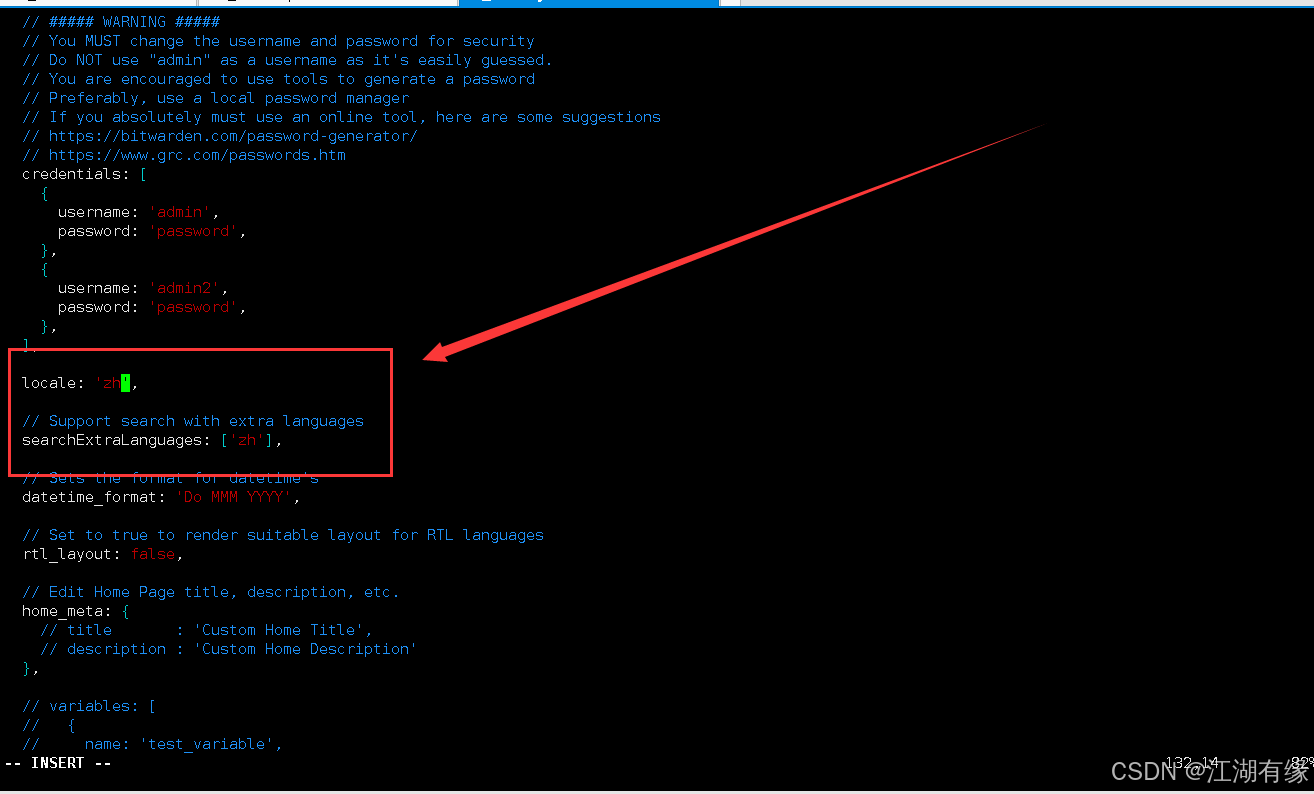
5.3 编辑docker-compose.yaml文件
本次实践部署使用docker compose方式,编辑docker-compose.yaml文件。部署文件中的宿主机映射端口可自定义修改,注意防止宿主机端口冲突。
bash
vim docker-compose.yaml
yaml
version: "3.6"

services:
  raneto:
    image: raneto/raneto:latest
    container_name: raneto
    restart: always
    ports:
      - 7860:3000
    volumes:
      - /data/raneto/config:/opt/raneto/config
      - /data/raneto/content:/opt/raneto/content
5.3 创建Raneto容器
执行以下命令,使用docker-compose.yaml文件创建Raneto容器。
bash
docker compose up -d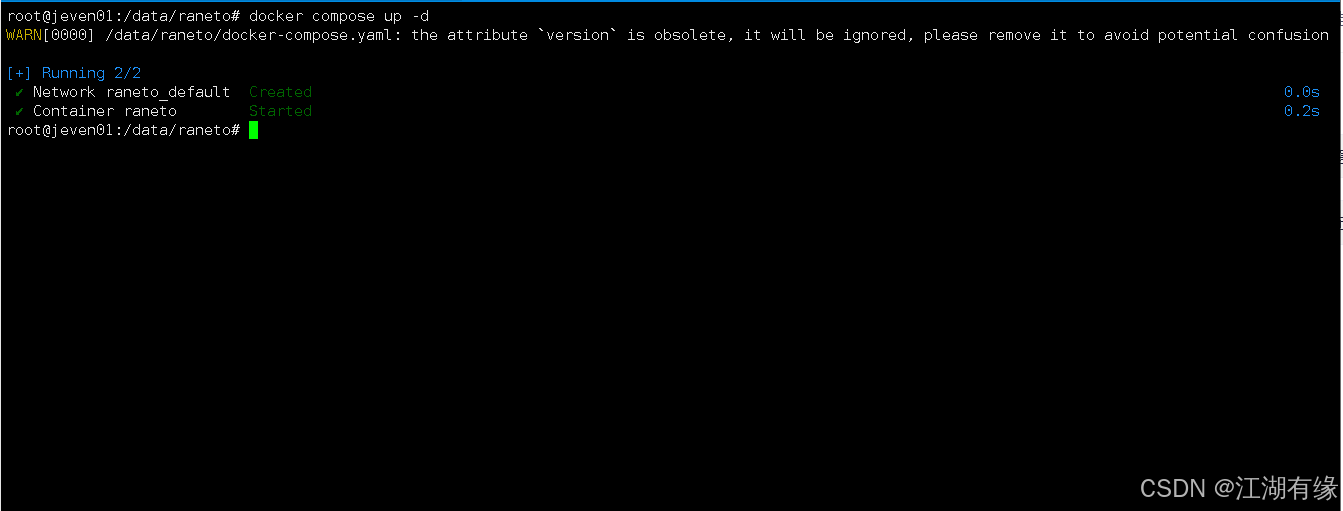
5.4 检查Raneto容器状态
检查Raneto容器状态,确保Raneto容器正常启动。
bash
[root@openEuler raneto]# docker compose ps
WARN[0000] /data/raneto/docker-compose.yaml: the attribute `version` is obsolete, it will be ignored, please remove it to avoid potential confusion
NAME      IMAGE                  COMMAND                  SERVICE   CREATED          STATUS          PORTS
raneto    raneto/raneto:latest   "docker-entrypoint.s..."   raneto    23 seconds ago   Up 23 seconds   0.0.0.0:7860->3000/tcp, [::]:7860->3000/tcp
5.5 检查Raneto容器日志
检查Raneto容器日志,确保Raneto服务正常运行。
bash
[root@openEuler raneto]# docker compose logs
WARN[0000] /data/raneto/docker-compose.yaml: the attribute `version` is obsolete, it will be ignored, please remove it to avoid potential confusion
raneto  |
raneto  | > raneto@0.17.8 start
raneto  | > node server.js
raneto  |
raneto  | HTTP server listening on port 3000
5.6 安全设置
- 关闭selinux
bash
setenforce 0
sed -i 's/SELINUX=enforcing/SELINUX=disabled/' /etc/selinux/config- 停止本地防火墙
bash
systemctl stop firewalld
systemctl disable firewalld
六、访问Raneto服务
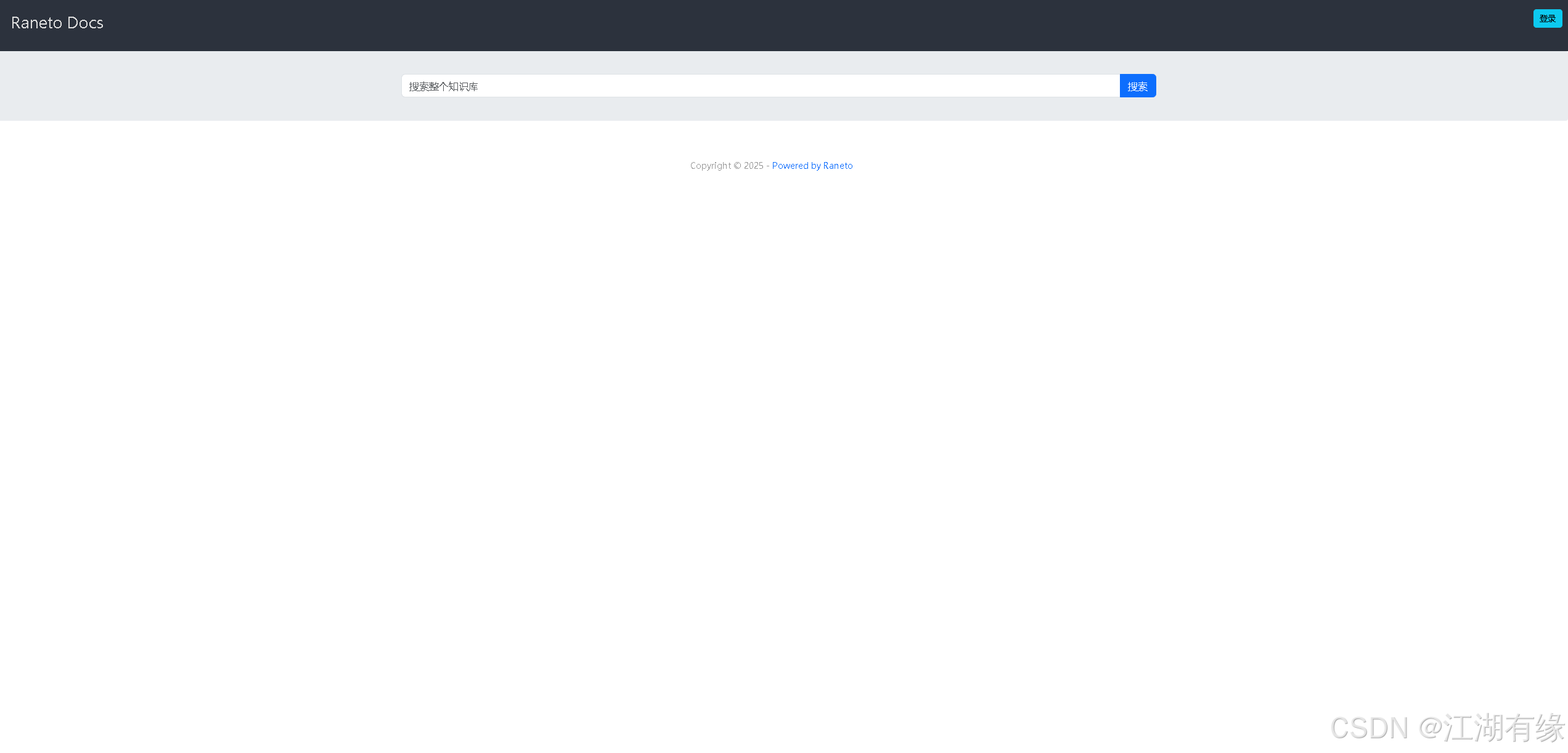
访问地址:http://服务器IP地址:7860,将IP替换为自己服务器的IP地址,进入到Raneto初始页。如果无法访问,则检查服务器防火墙是否设置,云服务器的安全组端口是否放行等。
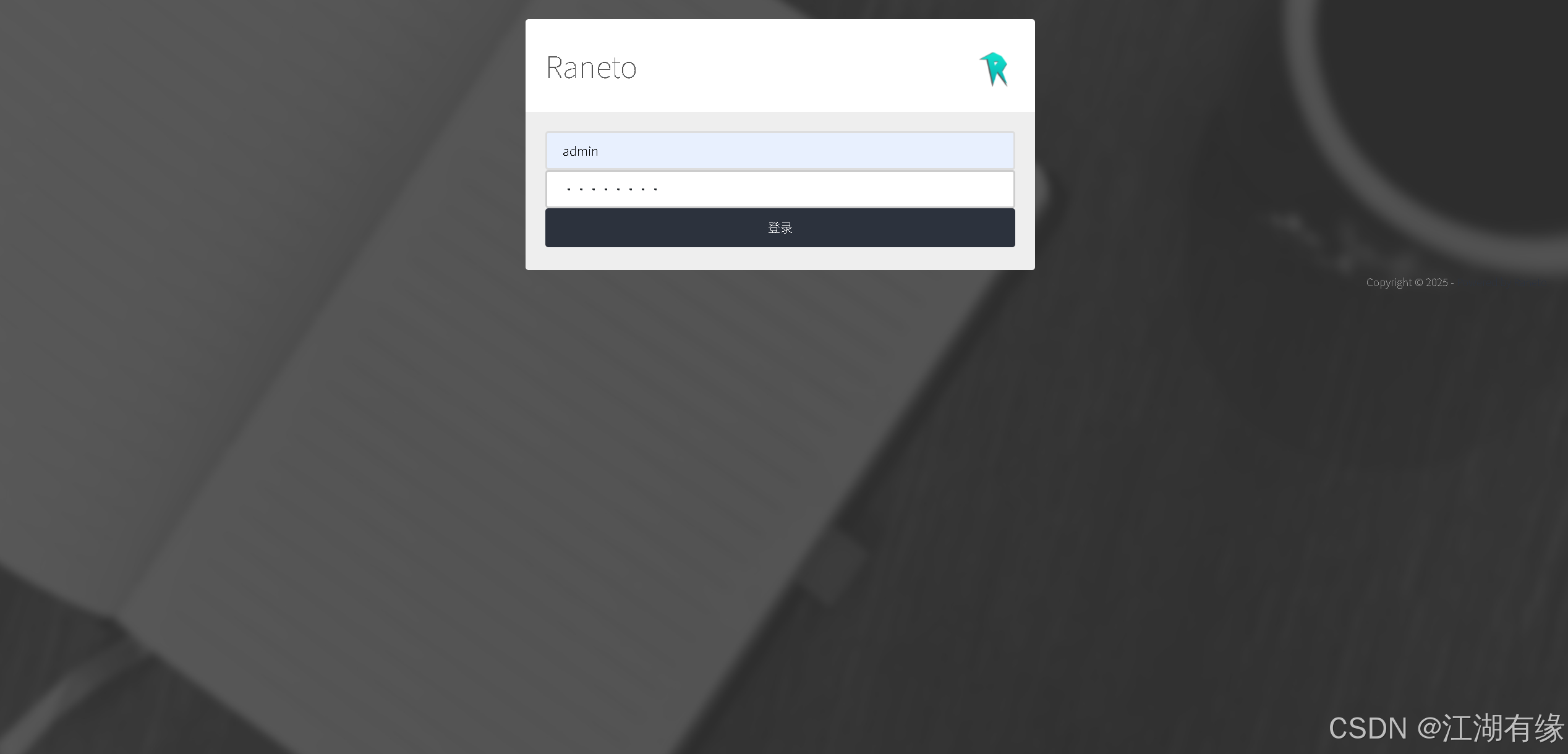
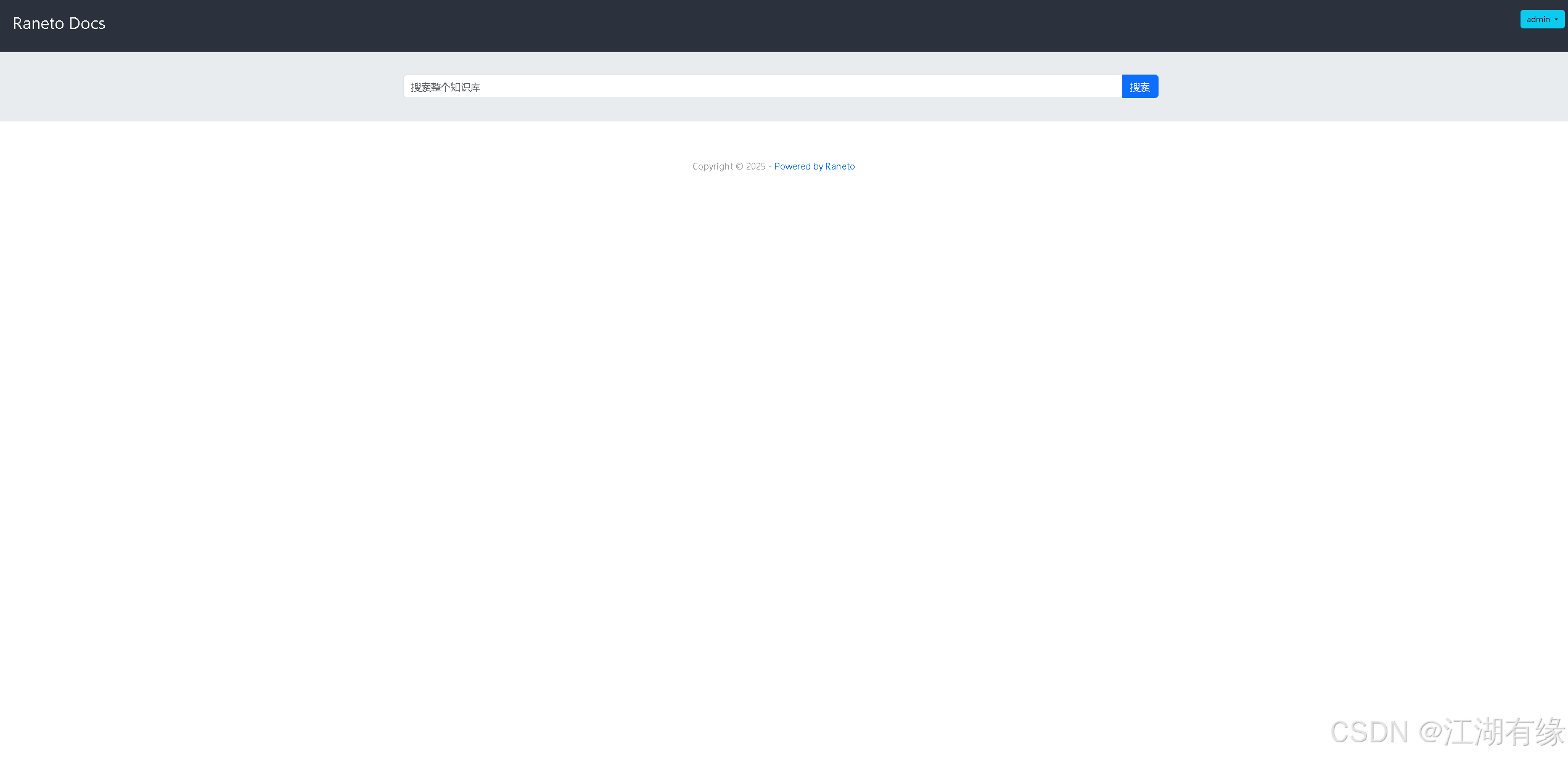
我们在配置文件中定义的默认账号密码为admin/password,登录即可。
七、Raneto基本使用
7.1 上传文档
将 Markdown 格式文件上传至宿主机的
/data/raneto/content/pages目录后,刷新页面即可立即在 Raneto 知识库中查看或编辑该内容。
bash
root@jeven01:/data/raneto# mkdir -p content/pages
root@jeven01:/data/raneto# cd content/pages/
root@jeven01:/data/raneto/content/pages# ll
total 20
drwxr-xr-x 2 root root 4096 Jul 23 10:04 ./
drwxrwxrwx 3 root root 4096 Jul 23 10:03 ../
-rw-r--r-- 1 root root 8410 Jul 23 10:04 Linux系统之部署envlinks极简个人导航页.md
root@jeven01:/data/raneto/content/pages#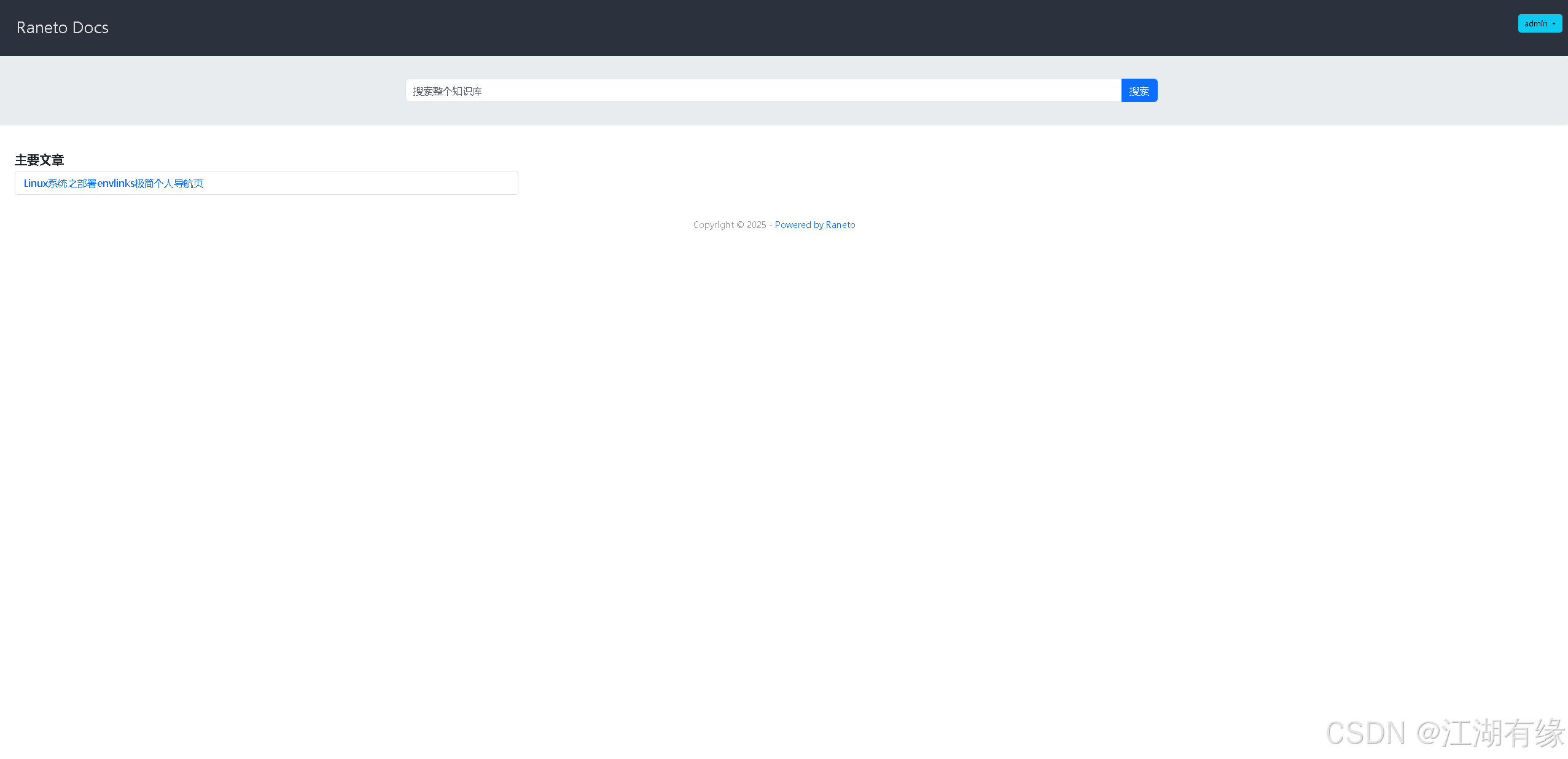
7.2 在线浏览文档内容
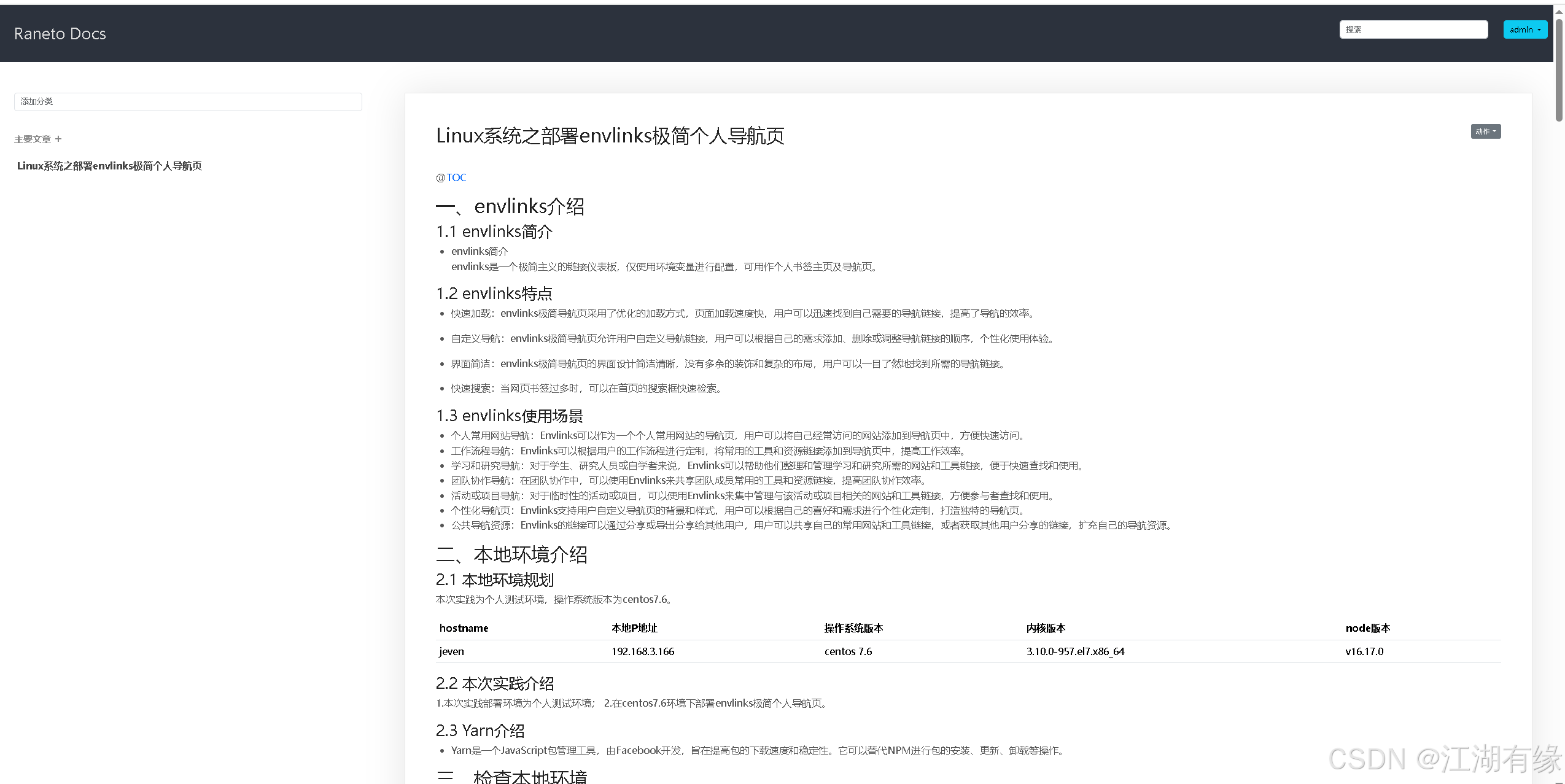
双击文章名称,即可在线浏览该文档内容,效果如下所示:
八、总结
通过在 openEuler 上部署 Raneto,我们实现了一个高效、稳定且具备自主可控能力的知识库系统。整个过程体现了 openEuler 对应用生态的良好支持,也展示了其作为企业级操作系统的强大适应性。借助华为根技术的底层优化与安全保障,系统运行更加流畅可靠。未来,结合更多华为技术生态组件,可进一步拓展该平台在企业内部的应用深度与广度。