7年以前,一个德国人写的roller furnace辊底炉报告程序。要改下报告的格式,我给反编译出来c#和js代码,遇到俩问题。
Cannot GET
单页面访问正常。
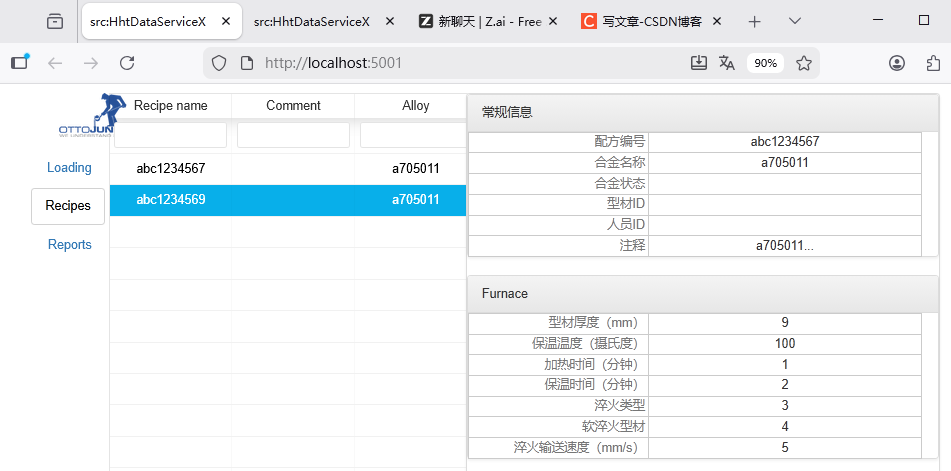
但是c#里面要用Puppeteer打印报告,通过url访问,总是报错Cannot GET。
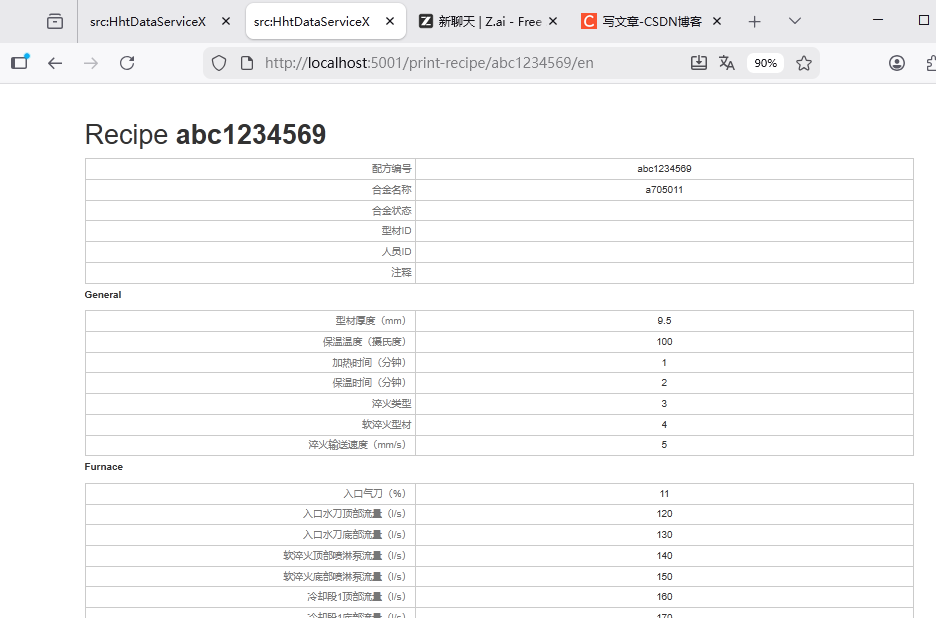
主要是库版本和配置文件webpack.config.js的写法要一致。
配置文件:
javascript
const path = require('path');
const HtmlWebpackPlugin = require('html-webpack-plugin');
const { CleanWebpackPlugin } = require('clean-webpack-plugin');
const MiniCssExtractPlugin = require('mini-css-extract-plugin');

module.exports = {
  mode: 'development', //production
  entry: {
    app: './src/index.js'
  },
  output: {
    filename: 'js/[name].[hash].js',
    path: path.resolve(__dirname, 'dist'),
	publicPath: '/'
  },

  devtool: 'source-map',
  devServer: {
    port: 3000,
    hot: true,
    historyApiFallback: {
        disableDotRule: true
    },
  },

  module: {
    rules: [
      {
        test: /\.css$/,
        use: [
          MiniCssExtractPlugin.loader,
          'css-loader'
        ]
      },
      {
        test: /\.(png|jpg|gif)$/,
        use: [
          {
            loader: 'file-loader',
            options: {
              name: '[name].[hash].[ext]',
              // 2. 修改图片输出路径为 dist/media/
              outputPath: 'media/'
            }
          }
        ]
      },
      {
        test: /\.(woff|woff2|ttf|eot|svg)$/,
        use: {
          loader: "file-loader",
          options: {
            name: "[name].[hash].[ext]",
            // 3. 修改字体输出路径为 dist/media/ (与图片合并)
            outputPath: "media/"
          }
        }
      },
      {
        test: /\.js$/,
        exclude: /node_modules/,
        use: {
          loader: 'babel-loader',
          options: {
            presets: ["@babel/preset-env", "@babel/preset-react"]
          }
        }
      }
    ]
  },

  optimization: {
    splitChunks: {
      chunks: 'all',
      cacheGroups: {
        vendors: {
          test: /[\\/]node_modules[\\/]/,
          name: 'vendors',
          chunks: 'all',
        },
      },
    },
  },

  plugins: [
    new CleanWebpackPlugin(),

    // 4. 修改 CSS 输出路径为 dist/css/
    new MiniCssExtractPlugin({
      filename: 'css/[name].[hash].css',
      chunkFilename: 'css/[id].[contenthash].css'
    }),

    new HtmlWebpackPlugin({
      title: 'Webpack 4 Demo',
      filename: 'index.html',
      template: './src/index.html',
      // 保持 HTML 在 dist 根目录
      minify: {
        collapseWhitespace: true,
        removeComments: true,
        removeRedundantAttributes: true,
        removeScriptTypeAttributes: true,
        removeStyleLinkTypeAttributes: true,
        useShortDoctype: true
      }
    })
  ]
};
package.json
javascript
{
  "dependencies": {
    "@babel/core": "^7.5.5",
    "@handsontable/react": "^2.0.0",
    "babel-loader": "^8.1.0",
    "bootstrap": "^3.3.7",
    "command-line-args": "^5.1.1",
    "connect-history-api-fallback": "^2.0.0",
    "core-js": "^3.23.3",
    "d3": "^5.7.0",
    "d3-axis": "^1.0.12",
    "handsontable": "^6.2.2",
    "pikaday": "^1.5.1",
    "react": "^16.5.2",
    "react-app-polyfill": "^3.0.0",
    "react-bootstrap": "^0.32.4",
    "react-dom": "^16.5.2",
    "react-localization": "^1.0.17",
    "react-router": "^5.1.2",
    "react-router-dom": "^5.1.2",
    "react-table": "^6.7.6",
    "source-map": "^0.7.6"
  },
  "devDependencies": {
    "@babel/preset-env": "^7.29.0",
    "@babel/preset-react": "^7.28.5",
    "@webpack-cli/serve": "^1.5.1",
    "clean-webpack-plugin": "^3.0.0",
    "css-loader": "^2.1.1",
    "file-loader": "^4.3.0",
    "html-webpack-plugin": "^4.0.1",
    "mini-css-extract-plugin": "^1.3.9",
    "react-scripts": "^2.1.8",
    "style-loader": "^1.3.0",
    "webpack": "^4.29.6",
    "webpack-cli": "^4.10.0",
    "webpack-dev-server": "^4.15.2"
  },
  "scripts": {
    "start": "webpack-dev-server --open",
    "dev": "webpack-dev-server"
  }
}
用npm安装包,它总是安最新包最后提示包关系理解不了。
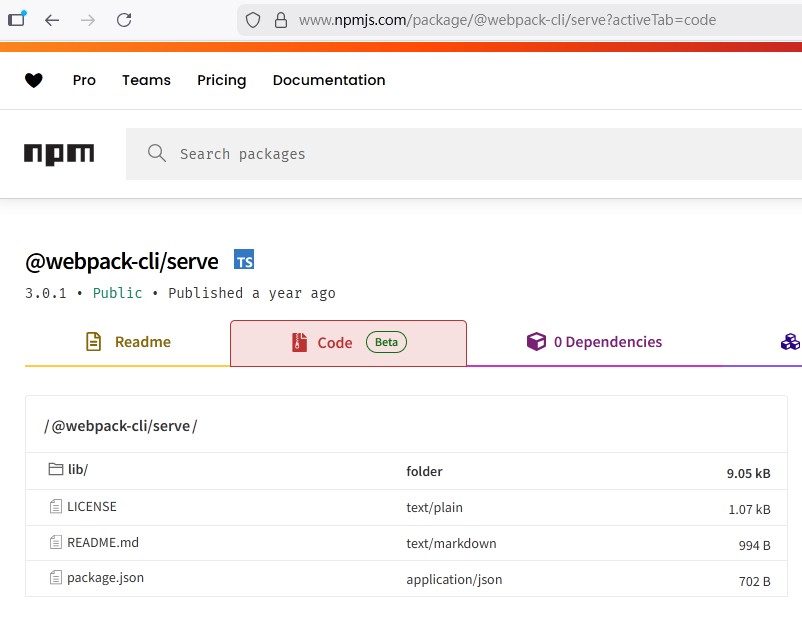
在NPM网站里搜索包名,在package.json里直接看它依赖,手动安装版本。
recipename参数传递
PrintRecipe.js
javascript
  componentDidMount() {
    console.log("PrintRecipe component did mount");
    console.log("Recipe name: " + this.props.match.params.recipename);
    this.loadRecipe(this.props.match.params.recipename);
  }
App.js
javascript
<Route exact path='/print-recipe/:recipename/:language' component={PrintRecipe} />this.props.match.params.recipename的recipename要与router路径中的:recipename相符。