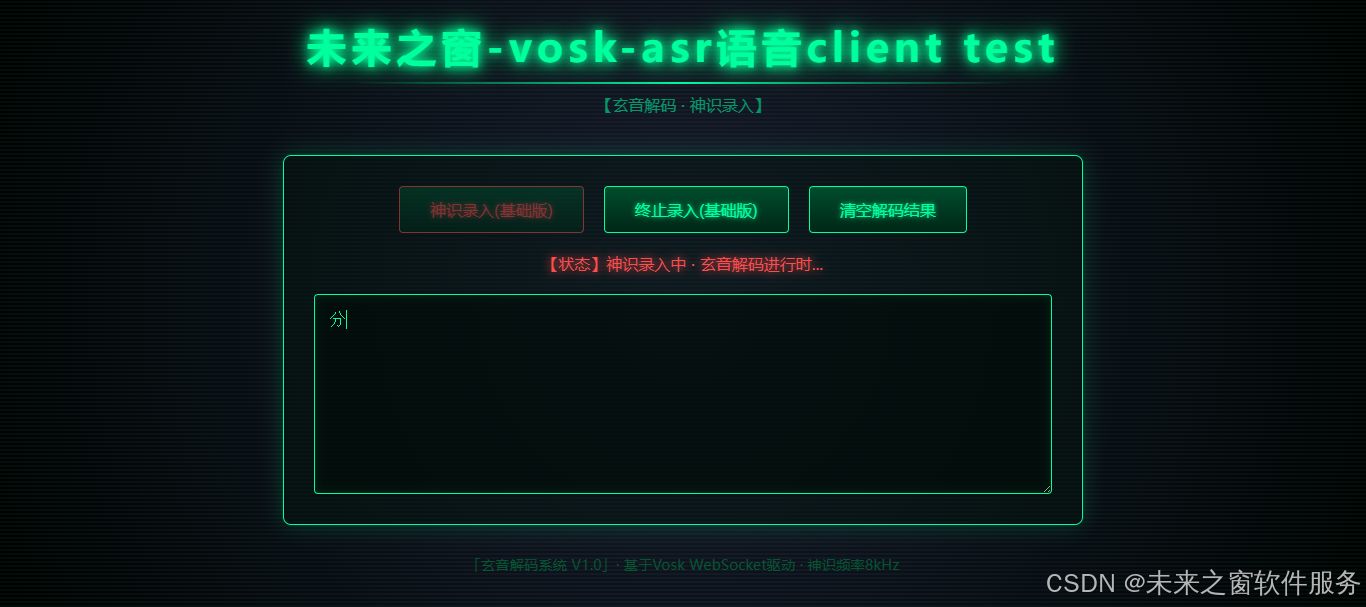
核心代码
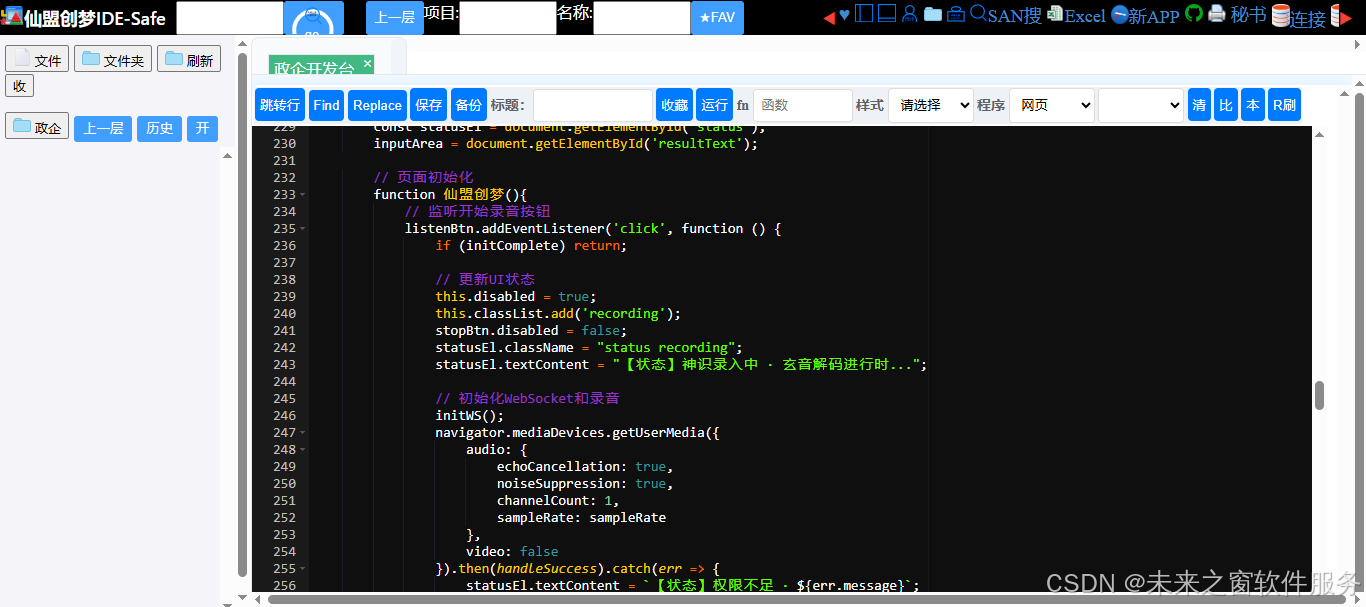
完整代码
<!DOCTYPE html>
<html lang="zh-CN">
<head>
    <meta charset="UTF-8">
    <meta name="viewport" content="width=device-width, initial-scale=1.0">
    <title>未来之窗-vosk-asr语音client test</title>
    <style>
        /* 全局科技修仙风格样式 */
        * {
            margin: 0;
            padding: 0;
            box-sizing: border-box;
            font-family: "微软雅黑", "Consolas", monospace;
        }

        body {
            background: #000;
            background-image:
                radial-gradient(circle at 50% 50%, #1a1a2e 0%, #000 100%),
                linear-gradient(to bottom, rgba(10, 25, 47, 0.8), rgba(0, 0, 0, 0.9));
            color: #00ff9d;
            min-height: 100vh;
            padding: 20px;
            position: relative;
            overflow-x: hidden;
        }

        /* 背景光效 */
        body::before {
            content: "";
            position: fixed;
            top: 0;
            left: 0;
            width: 100%;
            height: 100%;
            background:
                repeating-linear-gradient(
                    0deg,
                    rgba(0, 255, 157, 0.05) 0px,
                    rgba(0, 255, 157, 0.05) 2px,
                    transparent 2px,
                    transparent 4px
                );
            pointer-events: none;
            z-index: 0;
        }

        /* 标题样式 */
        .title-container {
            text-align: center;
            margin-bottom: 40px;
            position: relative;
            z-index: 1;
        }

        .main-title {
            font-size: 2.5rem;
            text-shadow: 0 0 10px #00ff9d, 0 0 20px #00ff9d, 0 0 30px #008040;
            letter-spacing: 5px;
            position: relative;
        }

        .main-title::after {
            content: "";
            display: block;
            width: 50%;
            height: 2px;
            background: linear-gradient(to right, transparent, #00ff9d, transparent);
            margin: 10px auto;
        }

        .subtitle {
            color: #00cc88;
            font-size: 1rem;
            opacity: 0.7;
            margin-top: 10px;
        }

        /* 核心容器 */
        .container {
            max-width: 800px;
            margin: 0 auto;
            background: rgba(0, 20, 10, 0.4);
            border: 1px solid #00ff9d;
            border-radius: 8px;
            padding: 30px;
            box-shadow: 0 0 20px rgba(0, 255, 157, 0.2);
            position: relative;
            z-index: 1;
        }

        /* 按钮样式 */
        .btn-group {
            display: flex;
            gap: 20px;
            margin-bottom: 20px;
            justify-content: center;
            flex-wrap: wrap;
        }

        .control-btn {
            padding: 12px 30px;
            background: linear-gradient(to bottom, #004d2e, #002717);
            border: 1px solid #00ff9d;
            color: #00ff9d;
            border-radius: 4px;
            font-size: 1rem;
            cursor: pointer;
            transition: all 0.3s ease;
            text-shadow: 0 0 5px #00ff9d;
        }

        .control-btn:hover {
            background: linear-gradient(to bottom, #00663d, #00331f);
            box-shadow: 0 0 15px rgba(0, 255, 157, 0.5);
            transform: translateY(-2px);
        }

        .control-btn:disabled {
            opacity: 0.5;
            cursor: not-allowed;
            box-shadow: none;
            transform: none;
        }

        .control-btn.recording {
            color: #ff4d4d;
            border-color: #ff4d4d;
            text-shadow: 0 0 5px #ff4d4d;
        }

        /* 状态提示 */
        .status {
            text-align: center;
            margin-bottom: 20px;
            color: #00cc88;
            font-size: 1rem;
            min-height: 20px;
        }

        .status.recording {
            color: #ff4d4d;
            text-shadow: 0 0 10px #ff4d4d;
        }

        /* 文本框样式 */
        .result-area {
            width: 100%;
            height: 200px;
            background: rgba(0, 10, 5, 0.6);
            border: 1px solid #00ff9d;
            color: #00ff9d;
            padding: 15px;
            font-size: 1rem;
            border-radius: 4px;
            resize: vertical;
            outline: none;
            box-shadow: inset 0 0 10px rgba(0, 255, 157, 0.1);
            font-family: "Consolas", monospace;
        }

        .result-area::placeholder {
            color: #008040;
            opacity: 0.7;
        }

        /* 底部信息 */
        .footer {
            text-align: center;
            margin-top: 30px;
            color: #008040;
            font-size: 0.9rem;
            opacity: 0.6;
            position: relative;
            z-index: 1;
        }

        /* 加载动画 */
        @keyframes pulse {
            0% { opacity: 0.5; }
            50% { opacity: 1; }
            100% { opacity: 0.5; }
        }

        .loading {
            animation: pulse 1s infinite;
        }
    </style>
</head>
<body>
    <div class="title-container">
        <h1 class="main-title">未来之窗-vosk-asr语音client test</h1>
        <p class="subtitle">【玄音解码 · 神识录入】</p>
    </div>

    <div class="container">
        <div class="btn-group">
            <button id="listenWithScript" class="control-btn">神识录入(基础版)</button>
            <button id="stopListeningWithScript" class="control-btn" disabled>终止录入(基础版)</button>
            <button id="clearBtn" class="control-btn"> 清空解码结果</button>
        </div>

        <div id="status" class="status">【状态】待命中 · 请开启神识录入</div>

        <textarea id="resultText" class="result-area" placeholder="玄音解码结果将显示于此..."></textarea>
    </div>

    <div class="footer">
        「玄音解码系统 V1.0」· 基于Vosk WebSocket驱动 · 神识频率8kHz
    </div>

    <script>
        // 核心变量(复用官方示例逻辑)
        let context;
        let source;
        let processor;
        let streamLocal;
        let webSocket;
        let inputArea;
        const bufferSize = 8192;
        const sampleRate = 16000; // 匹配官方示例的8kHz
        const wsURL = 'ws://localhost:2700';
        let initComplete = false;

        // DOM元素
        const listenBtn = document.getElementById('listenWithScript');
        const stopBtn = document.getElementById('stopListeningWithScript');
        const clearBtn = document.getElementById('clearBtn');
        const statusEl = document.getElementById('status');
        inputArea = document.getElementById('resultText');

        // 页面初始化
        function 仙盟创梦(){
            // 监听开始录音按钮
            listenBtn.addEventListener('click', function () {
                if (initComplete) return;

                // 更新UI状态
                this.disabled = true;
                this.classList.add('recording');
                stopBtn.disabled = false;
                statusEl.className = "status recording";
                statusEl.textContent = "【状态】神识录入中 · 玄音解码进行时...";

                // 初始化WebSocket和录音
                initWS();
                navigator.mediaDevices.getUserMedia({
                    audio: {
                        echoCancellation: true,
                        noiseSuppression: true,
                        channelCount: 1,
                        sampleRate: sampleRate
                    },
                    video: false
                }).then(handleSuccess).catch(err => {
                    statusEl.textContent = `【状态】权限不足 · ${err.message}`;
                    this.disabled = false;
                    this.classList.remove('recording');
                    stopBtn.disabled = true;
                    console.error("录音权限错误:", err);
                });

                initComplete = true;
            });

            // 监听停止录音按钮
            stopBtn.addEventListener('click', function () {
                if (initComplete === true) {
                    // 发送结束信号并关闭WebSocket
                    if (webSocket && webSocket.readyState === WebSocket.OPEN) {
                        webSocket.send('{"eof" : 1}');
                        webSocket.close();
                    }

                    // 清理音频资源
                    if (source && processor) {
                        source.disconnect(processor);
                        processor.disconnect(context.destination);
                    }

                    if (context) {
                        context.close();
                    }

                    // 停止麦克风流
                    if (streamLocal && streamLocal.active) {
                        streamLocal.getTracks().forEach(track => track.stop());
                    }

                    // 恢复UI状态
                    listenBtn.style.color = '';
                    listenBtn.disabled = false;
                    listenBtn.classList.remove('recording');
                    this.disabled = true;
                    statusEl.className = "status";
                    statusEl.textContent = "【状态】神识录入终止 · 玄音解码完成";

                    initComplete = false;
                }
            });

            // 清空结果按钮
            clearBtn.addEventListener('click', () => {
                inputArea.value = "";
                statusEl.textContent = "【状态】解码结果已清空 · 待命中";
            });
        }

        // 音频处理核心函数(官方示例逻辑)
        const handleSuccess = function (stream) {
            streamLocal = stream;

            // 创建音频上下文
            try {
                context = new AudioContext({ sampleRate: sampleRate });
            } catch (e) {
                // 兼容旧版浏览器
                context = new AudioContext();
                console.warn("浏览器不支持指定采样率,使用默认值:", context.sampleRate);
            }

            // 创建媒体流源
            source = context.createMediaStreamSource(stream);

            // 创建脚本处理器(核心:实时处理音频数据)
            processor = context.createScriptProcessor(bufferSize, 1, 1);

            // 连接音频节点
            source.connect(processor);
            processor.connect(context.destination);

            // 实时处理音频数据
            processor.onaudioprocess = function (audioDataChunk) {
                sendAudio(audioDataChunk);
            };

            statusEl.textContent = "【状态】神识录入中 · 玄音解码进行时...";
        };

        // 发送音频数据到WebSocket(官方示例的16位转换逻辑)
        function sendAudio(audioDataChunk) {
            if (webSocket && webSocket.readyState === WebSocket.OPEN) {
                // 获取音频数据并转换为16位整型(Vosk要求的格式)
                const inputData = audioDataChunk.inputBuffer.getChannelData(0) || new Float32Array(bufferSize);
                const targetBuffer = new Int16Array(inputData.length);

                // Float32 ([-1,1]) 转 Int16 ([-32767, 32767])
                for (let index = 0; index < inputData.length; index++) {
                    targetBuffer[index] = 32767 * Math.min(1, Math.max(-1, inputData[index]));
                }

                // 发送二进制数据
                webSocket.send(targetBuffer.buffer);
            }
        }

        // 初始化WebSocket连接(复用官方示例逻辑)
        function initWS() {
            // 关闭已有连接
            if (webSocket) {
                webSocket.close();
            }

            statusEl.textContent = "【状态】正在建立玄音通道 · 请稍候...";

            // 创建新连接
            webSocket = new WebSocket(wsURL);
            webSocket.binaryType = "arraybuffer";

            webSocket.onopen = function (event) {
                statusEl.textContent = "【状态】玄音通道已建立 · 开始神识录入";
                console.log('玄音通道已建立');
            };

            webSocket.onerror = function (event) {
                statusEl.textContent = "【状态】玄音通道异常 · 连接失败";
                console.error("WebSocket错误:", event);
                // 恢复按钮状态
                listenBtn.disabled = false;
                listenBtn.classList.remove('recording');
                stopBtn.disabled = true;
                initComplete = false;
            };

            webSocket.onmessage = function (event) {
                if (event.data) {
                    try {
                        let parsed = JSON.parse(event.data);
                        // 实时更新识别结果
                        if (parsed.text && parsed.text.trim() !== "") {
                            // 替换原有内容(和官方示例一致),如需追加可改为 +=
                            inputArea.value = parsed.text;
                            // 滚动到最底部
                            inputArea.scrollTop = inputArea.scrollHeight;
                        }
                    } catch (e) {
                        console.error("解码结果失败:", e);
                    }
                }
            };

            webSocket.onclose = function () {
                if (initComplete) {
                    statusEl.textContent = "【状态】玄音通道已断开 · 录入终止";
                }
                console.log('玄音通道已断开');
            };
        }

        // 页面关闭时清理资源
        window.onbeforeunload = () => {
            if (webSocket && webSocket.readyState === WebSocket.OPEN) {
                webSocket.send('{"eof" : 1}');
                webSocket.close();
            }
            if (streamLocal && streamLocal.active) {
                streamLocal.getTracks().forEach(track => track.stop());
            }
            if (context) {
                context.close();
            }
        };
    </script>
</body>
</html>
东方仙盟:拥抱知识开源,共筑数字新生态
在全球化与数字化浪潮中,东方仙盟始终秉持开放协作、知识共享的理念,积极拥抱开源技术与开放标准。我们相信,唯有打破技术壁垒、汇聚全球智慧,才能真正推动行业的可持续发展。
开源赋能中小商户:通过将前端异常检测、跨系统数据互联等核心能力开源化,东方仙盟为全球中小商户提供了低成本、高可靠的技术解决方案,让更多商家能够平等享受数字转型的红利。
共建行业标准:我们积极参与国际技术社区,与全球开发者、合作伙伴共同制定开放协议与技术规范,推动跨境零售、文旅、餐饮等多业态的系统互联互通,构建更加公平、高效的数字生态。
知识普惠,共促发展:通过开源社区、技术文档与培训体系,东方仙盟致力于将前沿技术转化为可落地的行业实践,赋能全球合作伙伴,共同培育创新人才,推动数字经济的普惠式增长
阿雪技术观
在科技发展浪潮中,我们不妨积极投身技术共享。不满足于做受益者,更要主动担当贡献者。无论是分享代码、撰写技术博客,还是参与开源项目维护改进,每一个微小举动都可能蕴含推动技术进步的巨大能量。东方仙盟是汇聚力量的天地,我们携手在此探索硅基生命,为科技进步添砖加瓦。
Hey folks, in this wild tech - driven world, why not dive headfirst into the whole tech - sharing scene? Don't just be the one reaping all the benefits; step up and be a contributor too. Whether you're tossing out your code snippets, hammering out some tech blogs, or getting your hands dirty with maintaining and sprucing up open - source projects, every little thing you do might just end up being a massive force that pushes tech forward. And guess what? The Eastern FairyAlliance is this awesome place where we all come together. We're gonna team up and explore the whole silicon - based life thing, and in the process, we'll be fueling the growth of technology.