初级四:为原型注入 AI 能力
作业:
| 名词 | 全称 | 解释 |
|---|---|---|
| API | Application Programming Interface | 应用程序编程接口,定义了软件之间如何交互 |
| Web API | - | 基于 HTTP 协议的 API,用于网络通信 |
| Endpoint | - | 端点,API 的具体地址 |
| HTTP | HyperText Transfer Protocol | Web API 使用的通信协议 |
| GET | - | 获取资源的方法 |
Endpoint(接口路径):API 请求的具体路径,告诉服务器你要访问哪个功能。完整的请求地址通常由"基础 URL + Endpoint路径"构成。例如:
- 文本生成:基础URL (
https://api.service.com) + Endpoint (/v1/chat/completions) = 完整URLhttps://api.service.com/v1/chat/completions - 图像生成:基础URL (
https://api.service.com) + Endpoint (/v1/images/generations) = 完整URLhttps://api.service.com/v1/images/generations
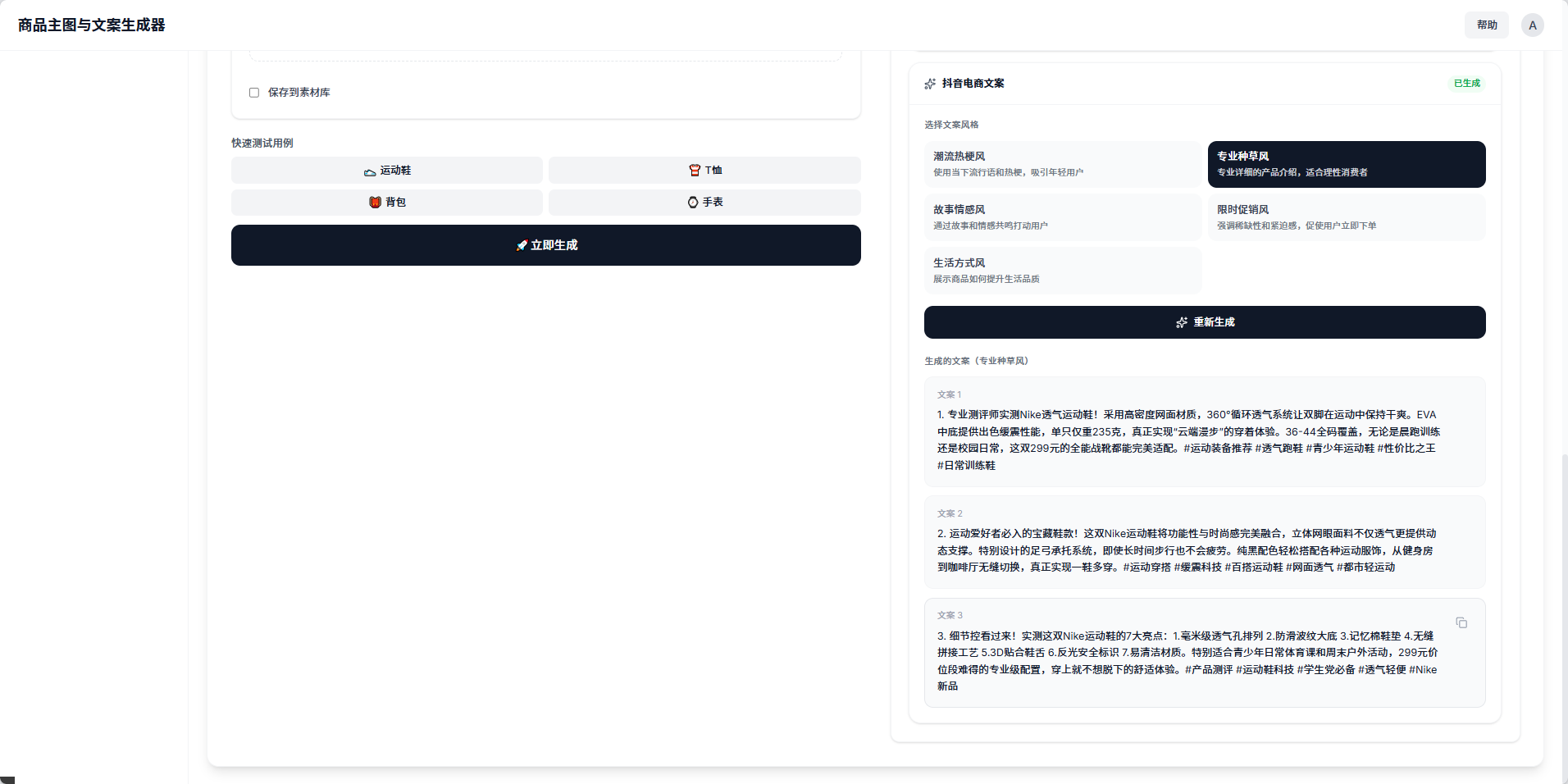
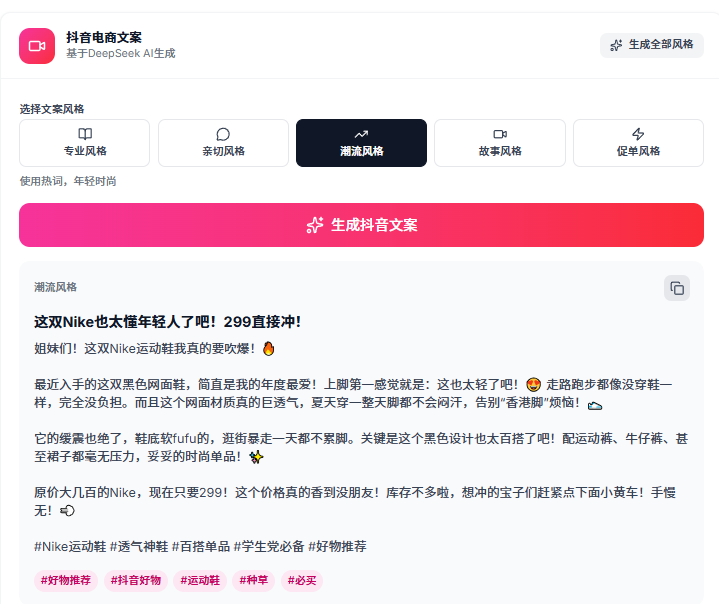
参考这个调用方法,在商品生成网页,帮我生成支持文案生成功能,在生图完成以后,可以基于商品信息,点击后生成对应抖音电商文案,多种风格。
以下参考资料:
api key:sk-xxxxxxxc39aefa1efe
api请求参考:
curl https://api.deepseek.com/chat/completions \
-H "Content-Type: application/json" \
-H "Authorization: Bearer ${DEEPSEEK_API_KEY}" \
-d '{
"model": "deepseek-chat",
"messages": [
{"role": "system", "content": "You are a helpful assistant."},
{"role": "user", "content": "Hello!"}
],
"stream": false
}'
输出:
prompt:
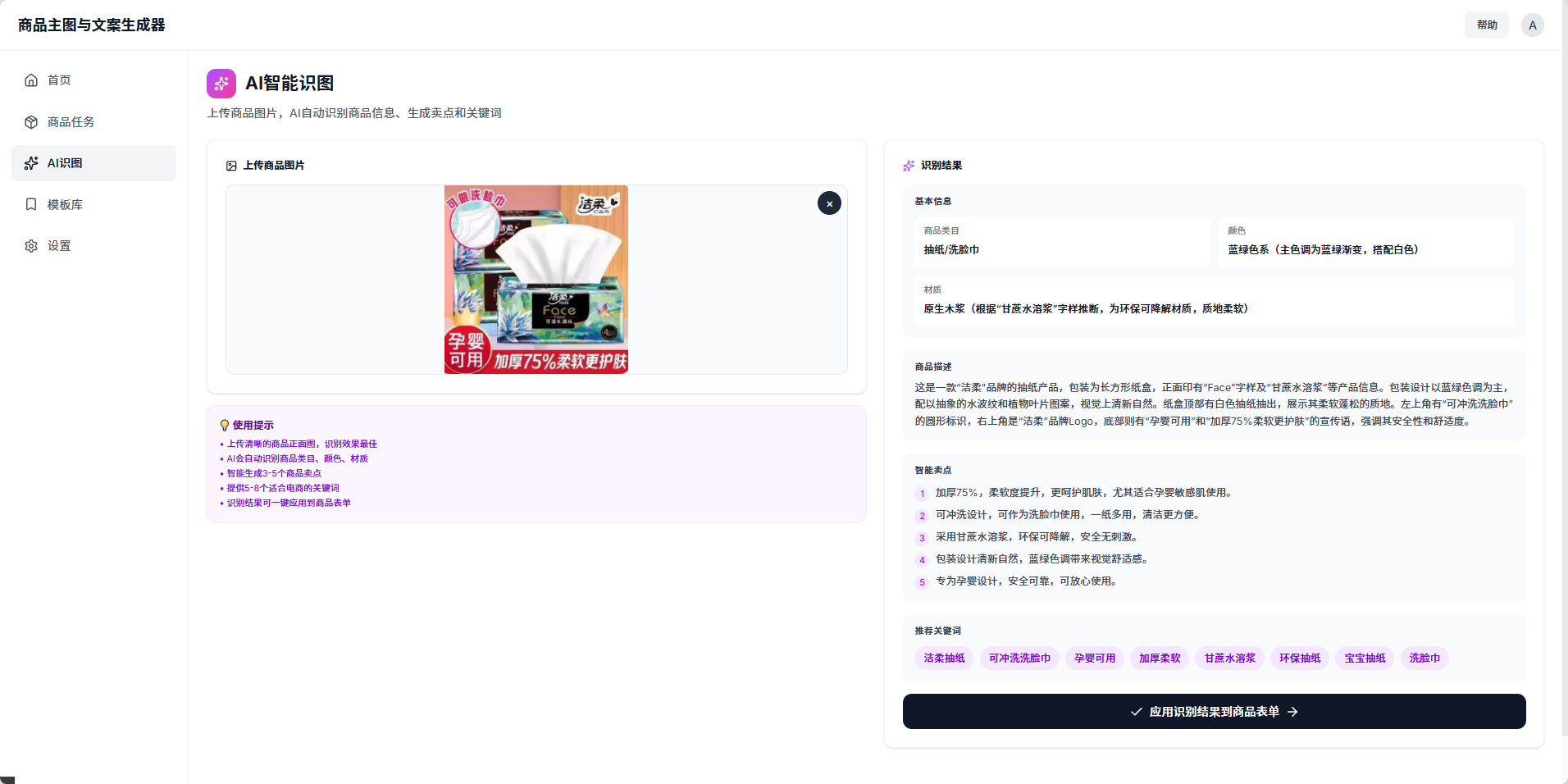
现在我们要增加一个新的功能,接入图像转文字。
基于下面的图生文接口 API ,帮我们实现将上传的图片,自动生成电商卖点文本、关键词的功能
api key:sk-xxxxxxxxxxx
图片转文字参考代码:
from openai import OpenAI
from typing import Dict, Any, List
import base64
import os
SILICONFLOW_API_KEY: str = ""
SILICONFLOW_BASE_URL: str = "https://api.siliconflow.cn/v1/"
MODEL_NAME: str = "Qwen/Qwen3-VL-8B-Instruct"
def encode_image(image_path: str) -> str:
with open(image_path, "rb") as image_file:
return base64.b64encode(image_file.read()).decode('utf-8')
def get_vlm_completion(client: OpenAI, messages: ListDict\[str, Any]) -> str:
response = client.chat.completions.create(
model=MODEL_NAME,
messages=messages,
max_tokens=512,
temperature=0.7,
top_p=0.7,
frequency_penalty=0.5,
stream=False,
n=1
)
return response.choices0.message.content
def caption_image(image_path: str) -> str:
base64_image = encode_image(image_path)
messages = [
{
"role": "user",
"content": [
{
"type": "text",
"text": "Please describe this image in detail."
},
{
"type": "image_url",
"image_url": {
"url": f"data:image/jpeg;base64,{base64_image}"
}
}
]
}
]
client = OpenAI(
api_key=SILICONFLOW_API_KEY,
base_url=SILICONFLOW_BASE_URL
)
return get_vlm_completion(client, messages)
image_path = "images.jpg"
caption = caption_image(image_path)
输出:
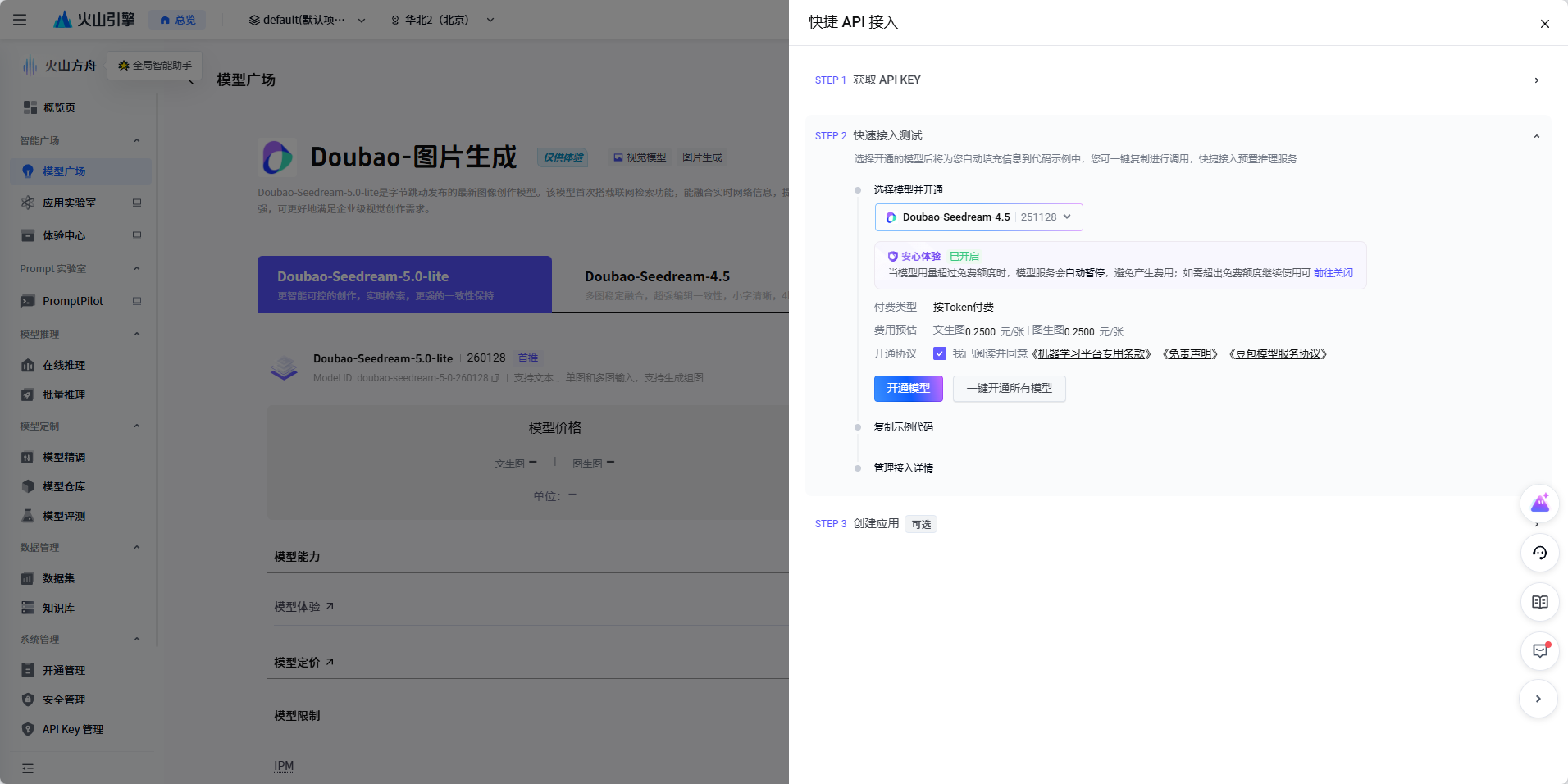
prompt:
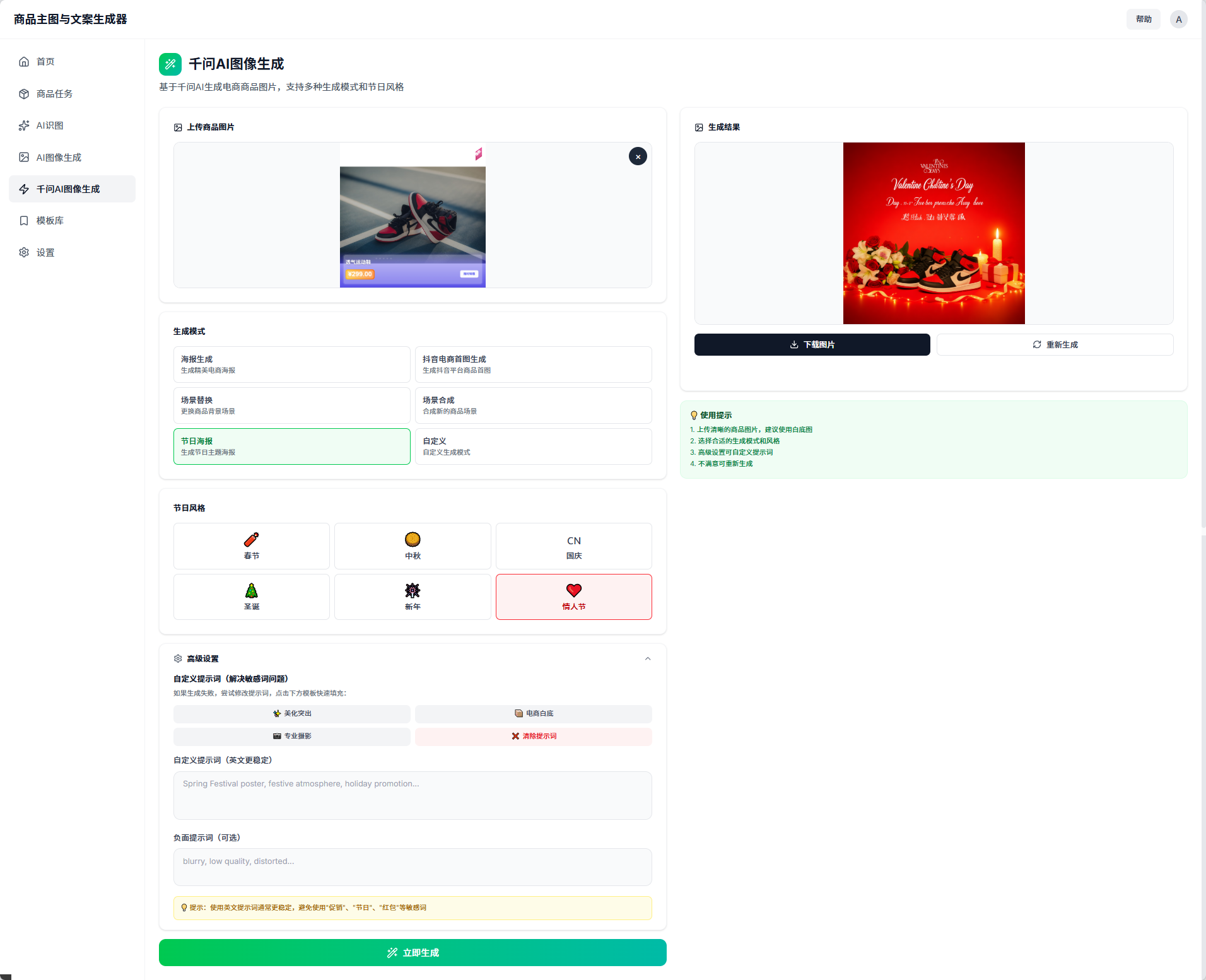
现在我们要增加一个新的功能,AI图像生成工具,请放在首页,和AI识图等一个等级,请你基于下面 API,帮我实现这个工程中,电商业务的常见功能(生成模式有:海报生成、抖音电商首图生成,场景替换,场景合成,节日海报,自定议等等),也有选择风格的选项:春节、中秋、国庆、圣诞、新年,情人节。使用提示是:1、上传清晰的商品图片,建议使用白底图。2、选择合适的生成模式和风格。3、高级设置可自定义提示词。4、不满意可重新生成
另外,不要只显示图片生成失败,每次都显示完整的失败原因,比如图片不匹配、请求错误、超时等等!
API KEY以及图像编辑代码如下:
curl -X POST https://ark.cn-beijing.volces.com/api/v3/images/generations \
-H "Content-Type: application/json" \
-H "Authorization: Bearer xxxxxxx" \
-d '{
"model": "doubao-seedream-4-5-251128",
"prompt": "将图1的服装换为图2的服装",
"image": "https://ark-project.tos-cn-beijing.volces.com/doc_image/seedream4_imagesToimage_1.png", "https://ark-project.tos-cn-beijing.volces.com/doc_image/seedream4_imagesToimage_2.png",
"sequential_image_generation": "disabled",
"response_format": "url",
"size": "2K",
"stream": false,
"watermark": true
}'
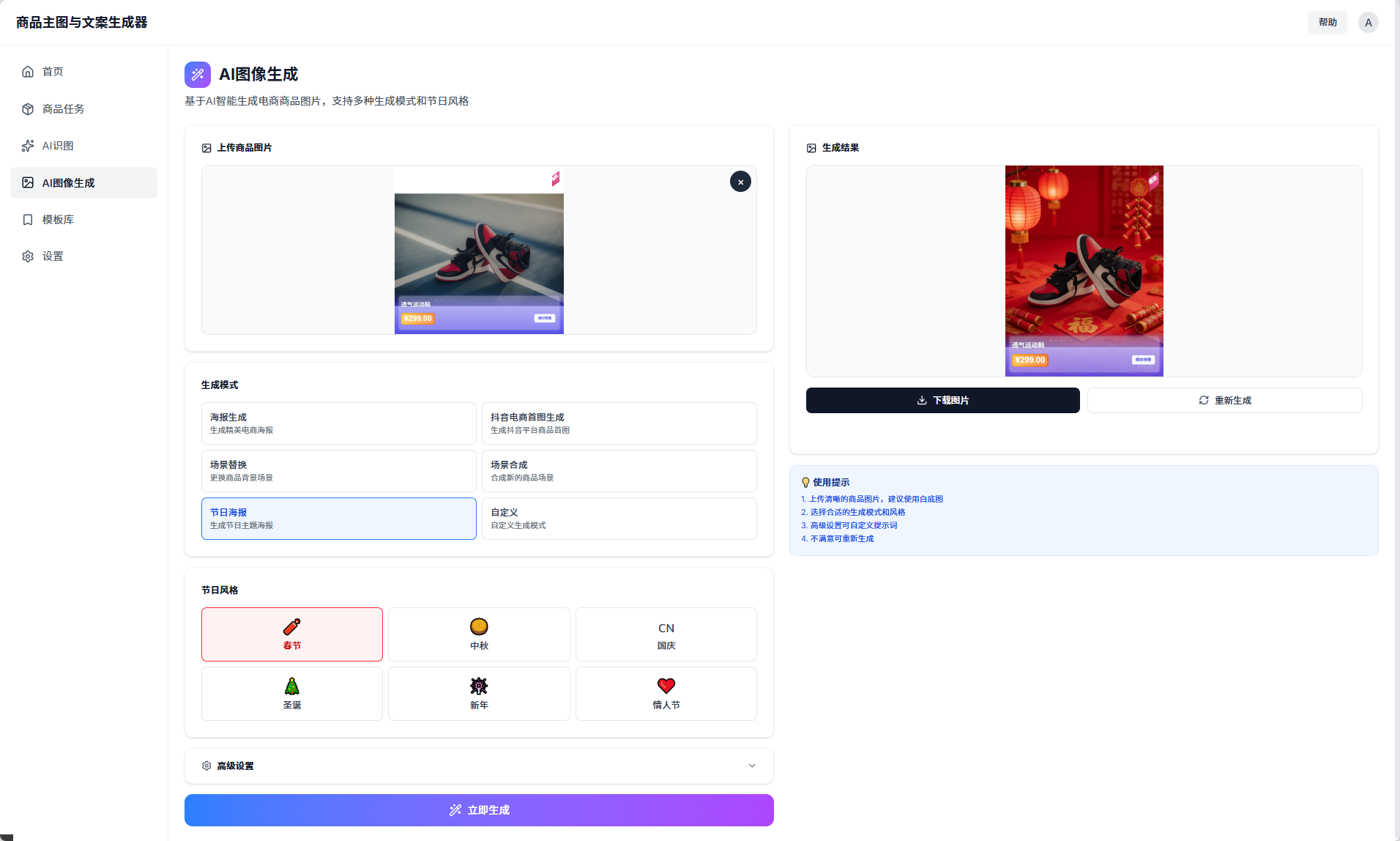
重新修改高级功能选项:
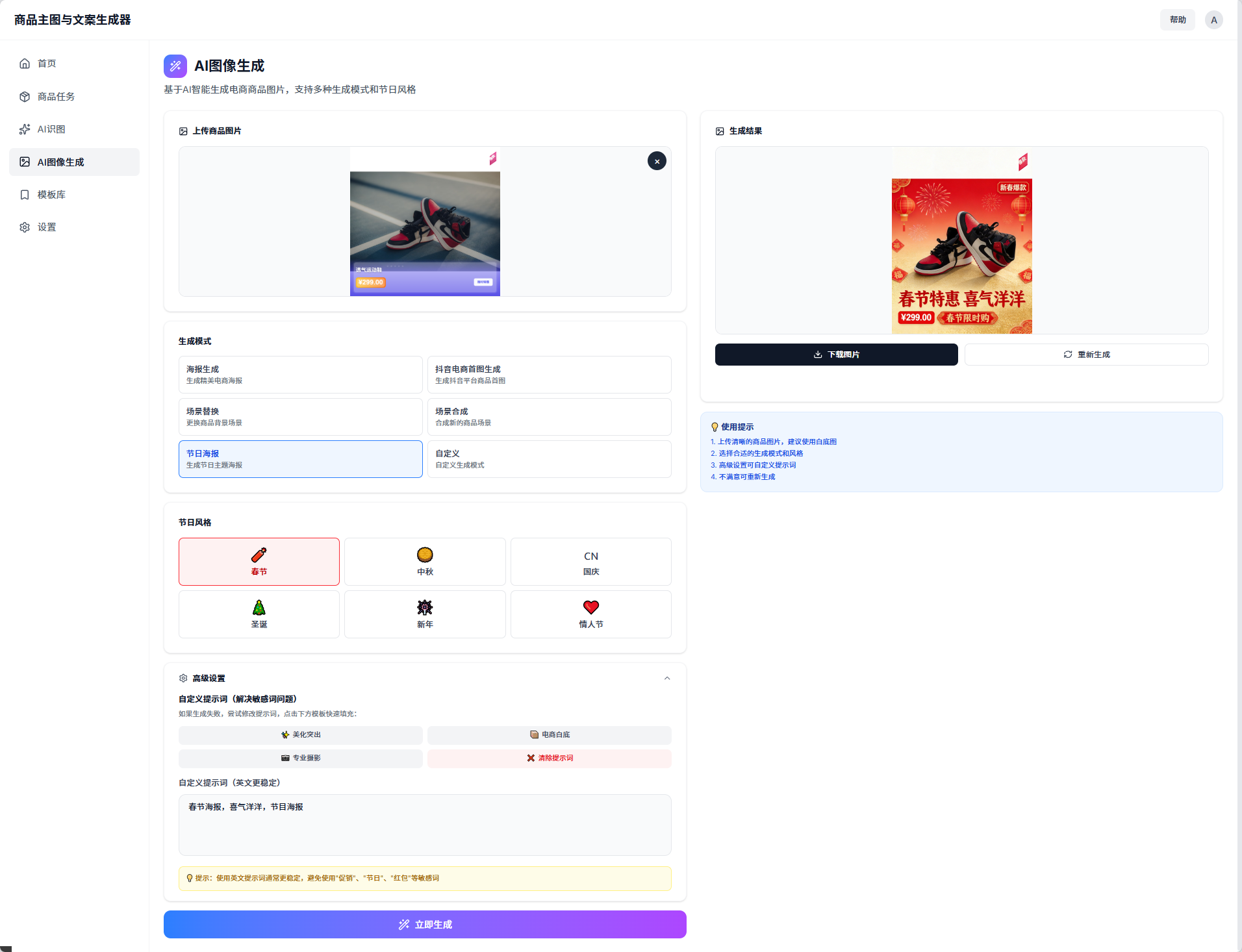
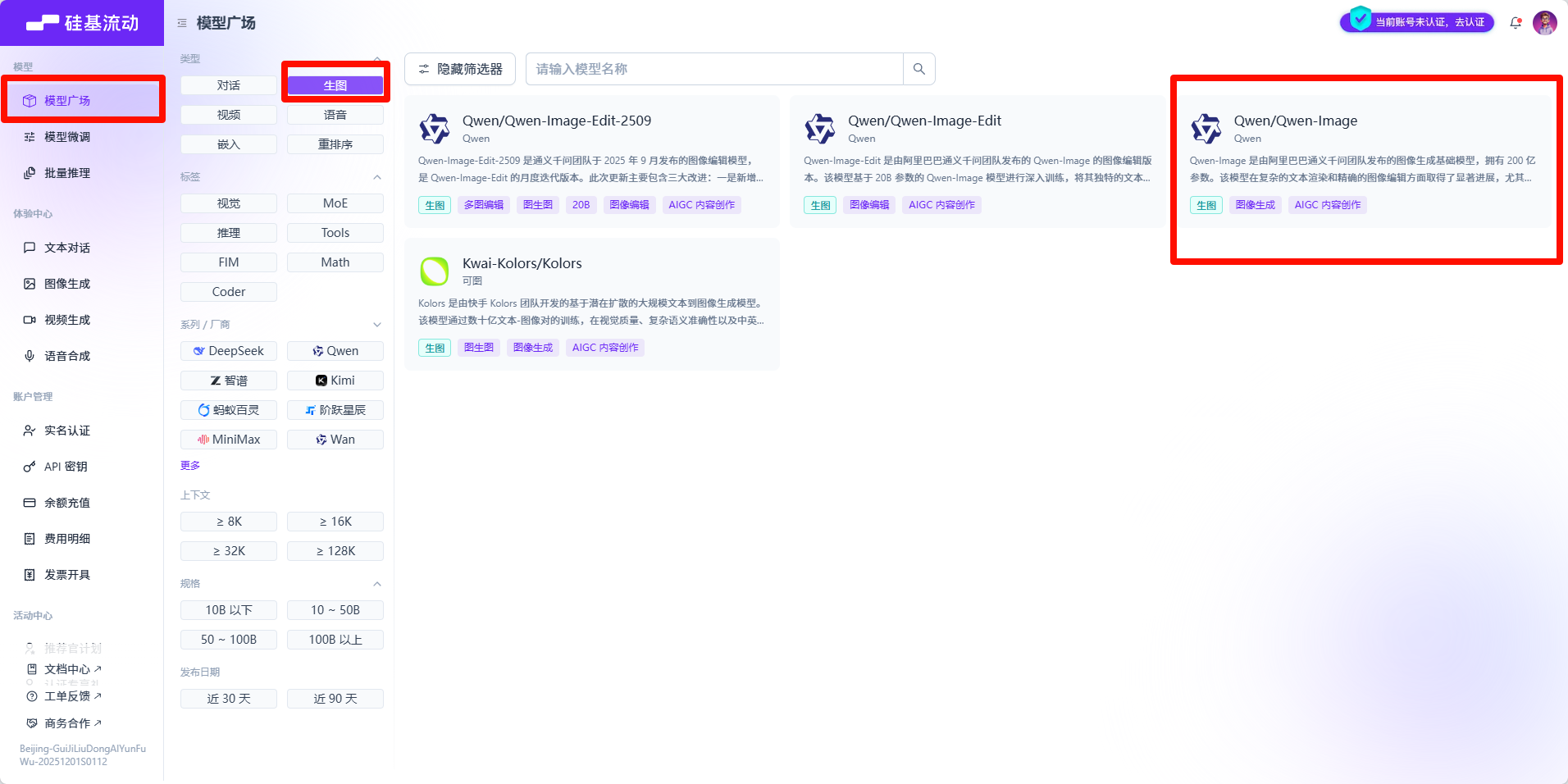
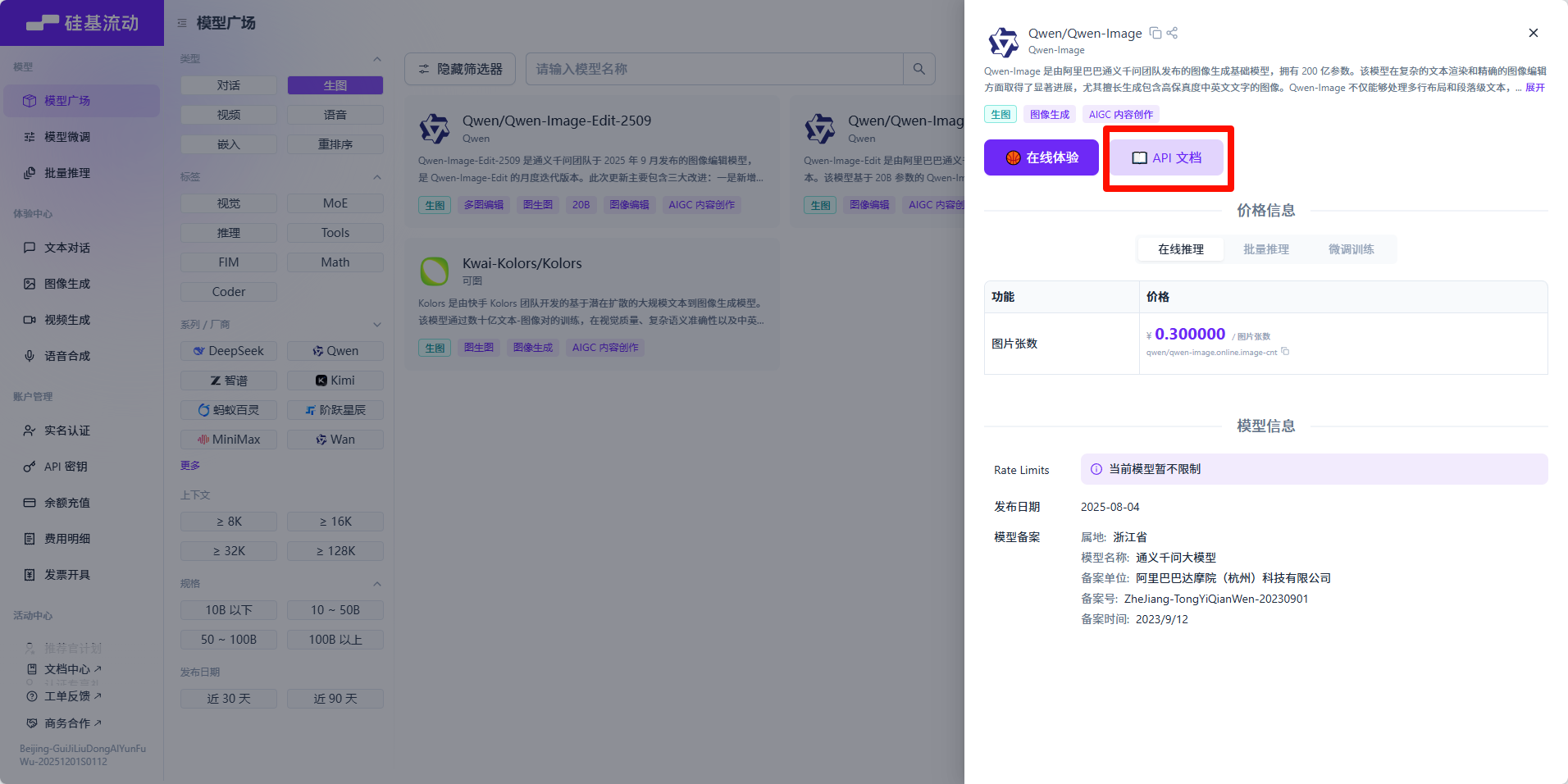
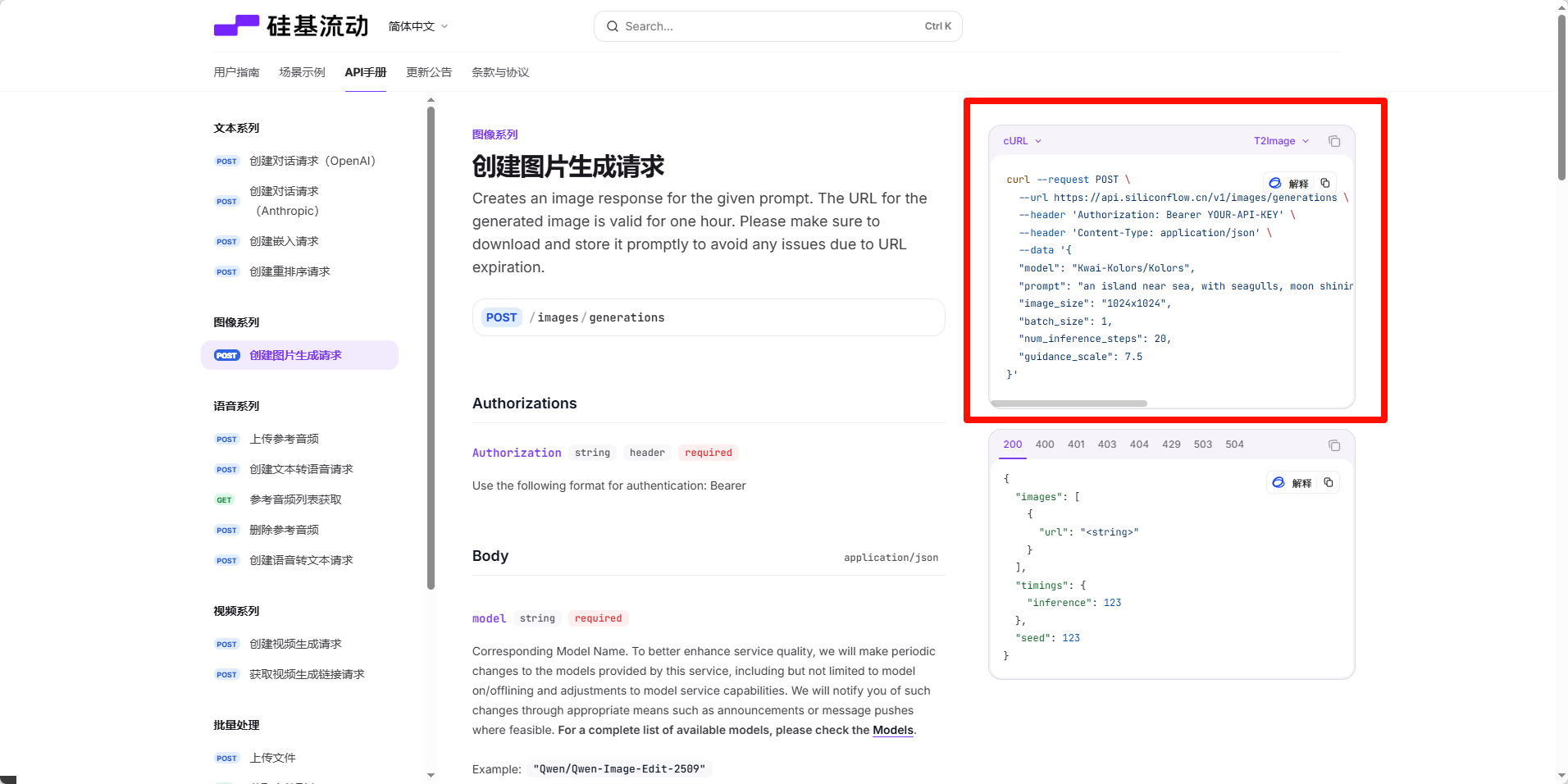
增加千问生图这个功能:(要再想一想老师的提示词是如何来的)
现在我们要增加一个新的功能,千问AI图像生成工具,请放在首页,和AI识图等一个等级,请你基于下面 API,帮我实现这个工程中,电商业务的常见功能(生成模式有:海报生成、抖音电商首图生成,场景替换,场景合成,节日海报,自定议等等),也有选择风格的选项:春节、中秋、国庆、圣诞、新年,情人节。使用提示是:1、上传清晰的商品图片,建议使用白底图。2、选择合适的生成模式和风格。3、高级设置可自定义提示词。4、不满意可重新生成
另外,不要只显示图片生成失败,每次都显示完整的失败原因,比如图片不匹配、请求错误、超时等等!
API KEY以及图像编辑代码如下:
import requests
import os
from typing import Dict, Any, Optional
SILICONFLOW_API_KEY: str = "xxxxxxxxx"
SILICONFLOW_BASE_URL: str = " `https://api.siliconflow.cn/v1/images/generations\` "
QWEN_IMAGE_EDIT_MODEL: str = "Qwen/Qwen-Image-Edit-2509"
def generate_image_edit(
prompt: str,
image: Optionalstr = None,
image2: Optionalstr = None,
image3: Optionalstr = None,
negative_prompt: Optionalstr = None,
cfg: Optionalfloat = 4.0,
seed: Optionalint = None
) -> OptionalDict\[str, Any]:
payload: Dictstr, Any = {
"model": QWEN_IMAGE_EDIT_MODEL,
"prompt": prompt,
}
if image:
payload"image" = image
if image2:
payload"image2" = image2
if image3:
payload"image3" = image3
if negative_prompt:
payload"negative_prompt" = negative_prompt
if cfg is not None:
payload"cfg" = cfg
if seed is not None:
payload"seed" = seed
headers: Dictstr, str = {
"Authorization": f"Bearer {SILICONFLOW_API_KEY}",
"Content-Type": "application/json"
}
try:
response = requests.post(SILICONFLOW_BASE_URL, json=payload, headers=headers)
response.raise_for_status()
return response.json()
except requests.exceptions.RequestException as e:
print(f"Error generating image: {e}")
return None
def save_image_from_url(image_url: str, output_path: str = "image.png") -> bool:
try:
response = requests.get(image_url)
response.raise_for_status()
os.makedirs(os.path.dirname(output_path) if os.path.dirname(output_path) else ".", exist_ok=True)
with open(output_path, "wb") as f:
f.write(response.content)
print(f"Image saved successfully to: {output_path}")
return True
except requests.exceptions.RequestException as e:
print(f"Error downloading image: {e}")
return False
except Exception as e:
print(f"Error saving image: {e}")
return False
prompt: str = "让天空变成傍晚,有月亮和星星,梦幻风格"
negative_prompt: str = "模糊, 低质量, 扭曲"
image_url: str = " `https://inews.gtimg.com/om_bt/Os3eJ8u3SgB3Kd-zrRRhgfR5hUvdwcVPKUTNO6O7sZfUwAA/641\` "
image2_url: Optionalstr = None
image3_url: Optionalstr = None
cfg: float = 4.0
seed: int = 12345
output_path: str = "edited_image.png"
print(f"Generating edited image with prompt: {prompt}")
print(f"Input image: {image_url}")
print(f"CFG: {cfg}, Seed: {seed}")
print("-" * 50)
result = generate_image_edit(
prompt=prompt,
image=image_url,
image2=image2_url,
image3=image3_url,
negative_prompt=negative_prompt,
cfg=cfg,
seed=seed
)
if result and "images" in result:
images = result"images"
if images and len(images) > 0:
image_url_result = images0"url"
print(f"Image edit generated successfully. URL: {image_url_result}")
success = save_image_from_url(image_url_result, output_path)
if success:
print(f"Image saved to: {output_path}")
else:
print("Failed to save image to local file")
else:
print("No images found in response")
else:
print("Image generation failed")
if result:
print(f"Response: {result}")