前言
Thymeleaf 是一个现代化的服务器端 Java 模板引擎,专为 Web 开发而设计。与 JSP 不同,Thymeleaf 模板是纯 HTML 文件,可以直接在浏览器中预览,无需后端服务器支持。这种"自然模板"特性让前端开发和后端开发可以无缝协作。Spring Boot 官方推荐使用 Thymeleaf 作为视图技术,它提供了:
简洁优雅的语法
强大的表达式语言
与 Spring 生态的完美集成
丰富的布局功能
开箱即用的国际化支持
一、环境搭建
1. 创建 Spring Boot 项目
使用 Spring Initializr (https://start.aliyun.com/) 创建项目
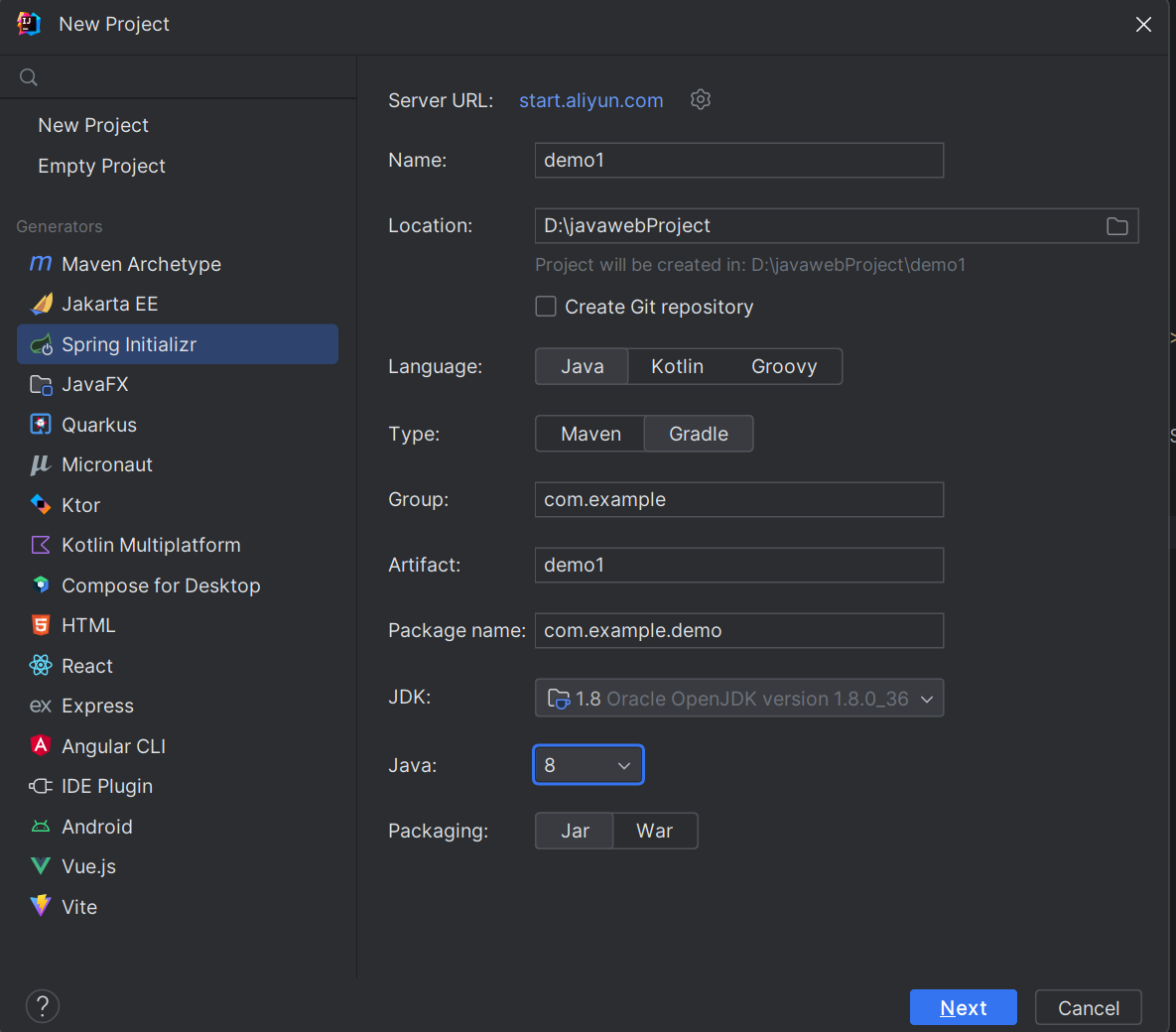
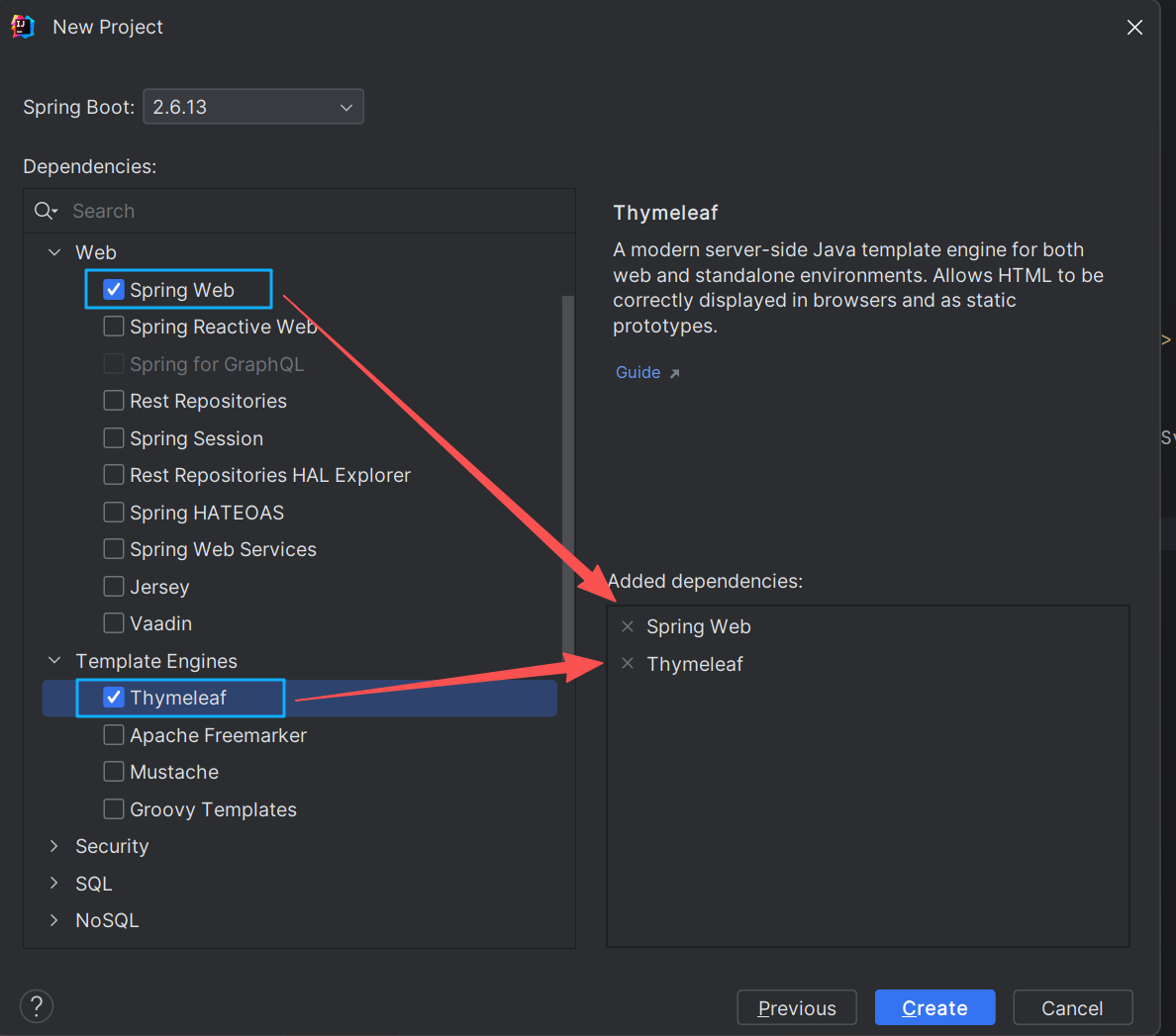
选择以下依赖
生成项目后,打开pom文件可以看到
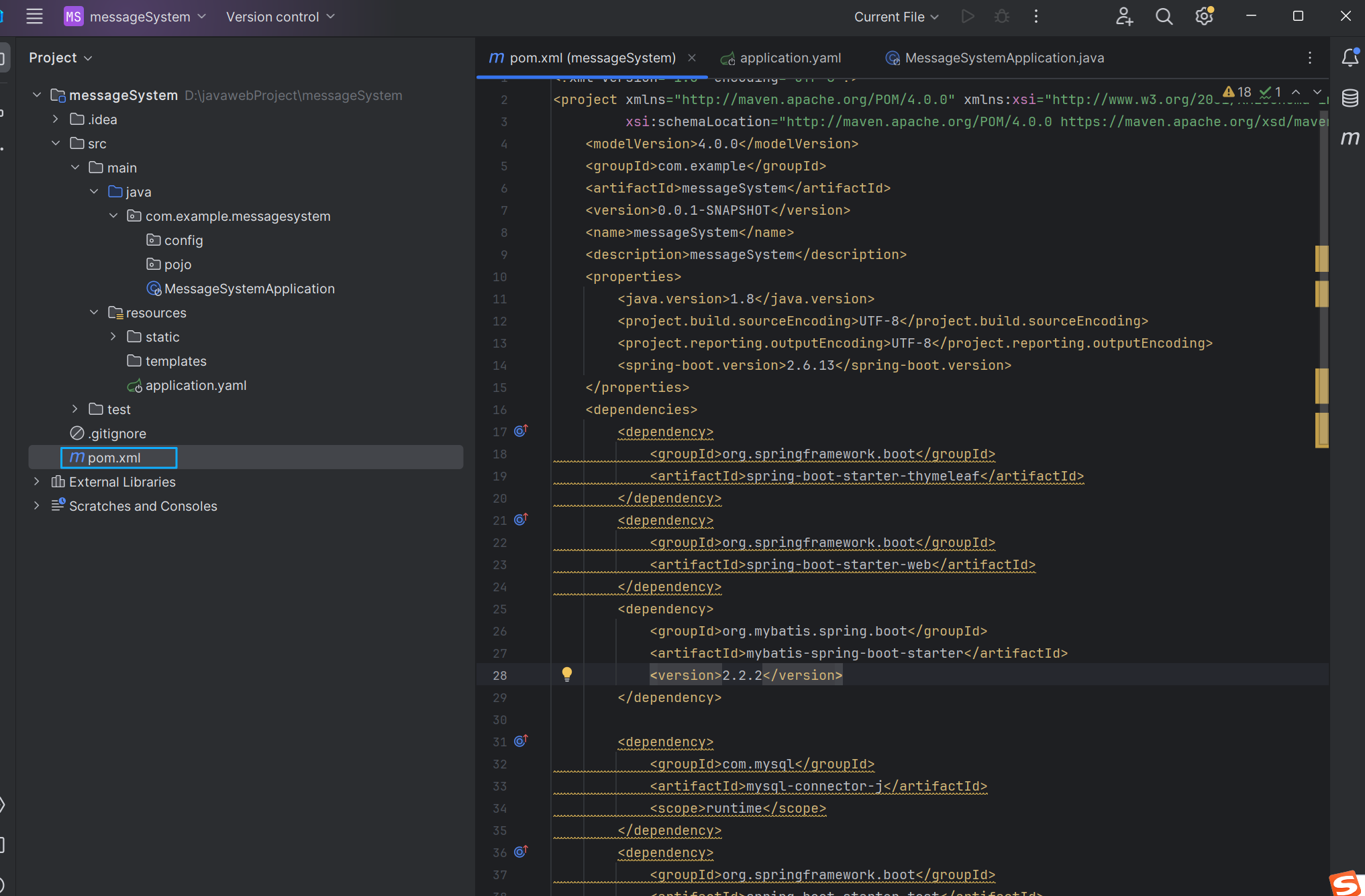
pom文件中自动生成如下依赖:这是Spring Web和Thymeleaf依赖
<dependency>
            <groupId>org.springframework.boot</groupId>
            <artifactId>spring-boot-starter-thymeleaf</artifactId>
</dependency>
<dependency>
            <groupId>org.springframework.boot</groupId>
            <artifactId>spring-boot-starter-web</artifactId>
</dependency>
2.配置项目结构
src
├── main
│   ├── java
│   │   └── com
│   │       └── example
│   │           └── demo
│   │               ├── controller
│   │               ├── model
│   │               └── DemoApplication.java
│   └── resources
│       ├── static   # 静态资源(CSS, JS, 图片,Html)
│       ├── templates # Thymeleaf 模板
│       └── application.properties    #全局文件配置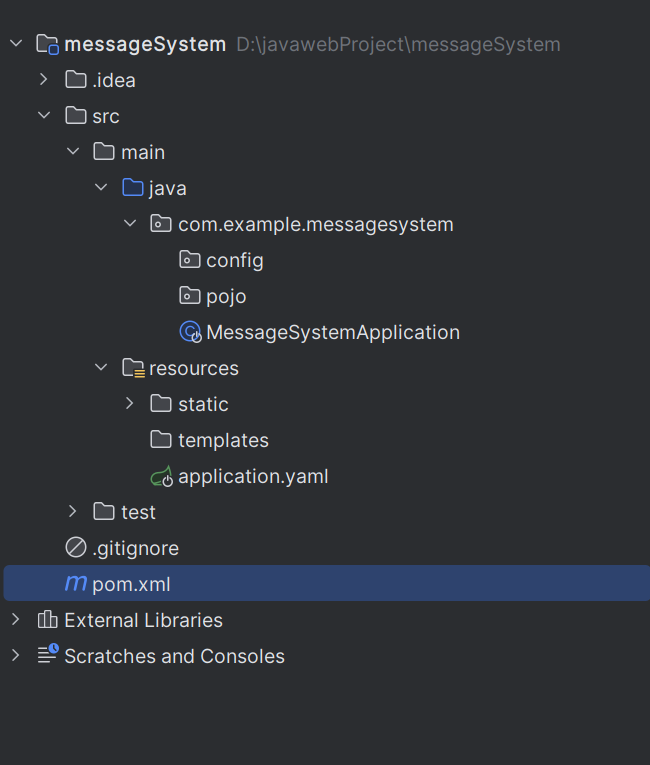
3.全局文件配置
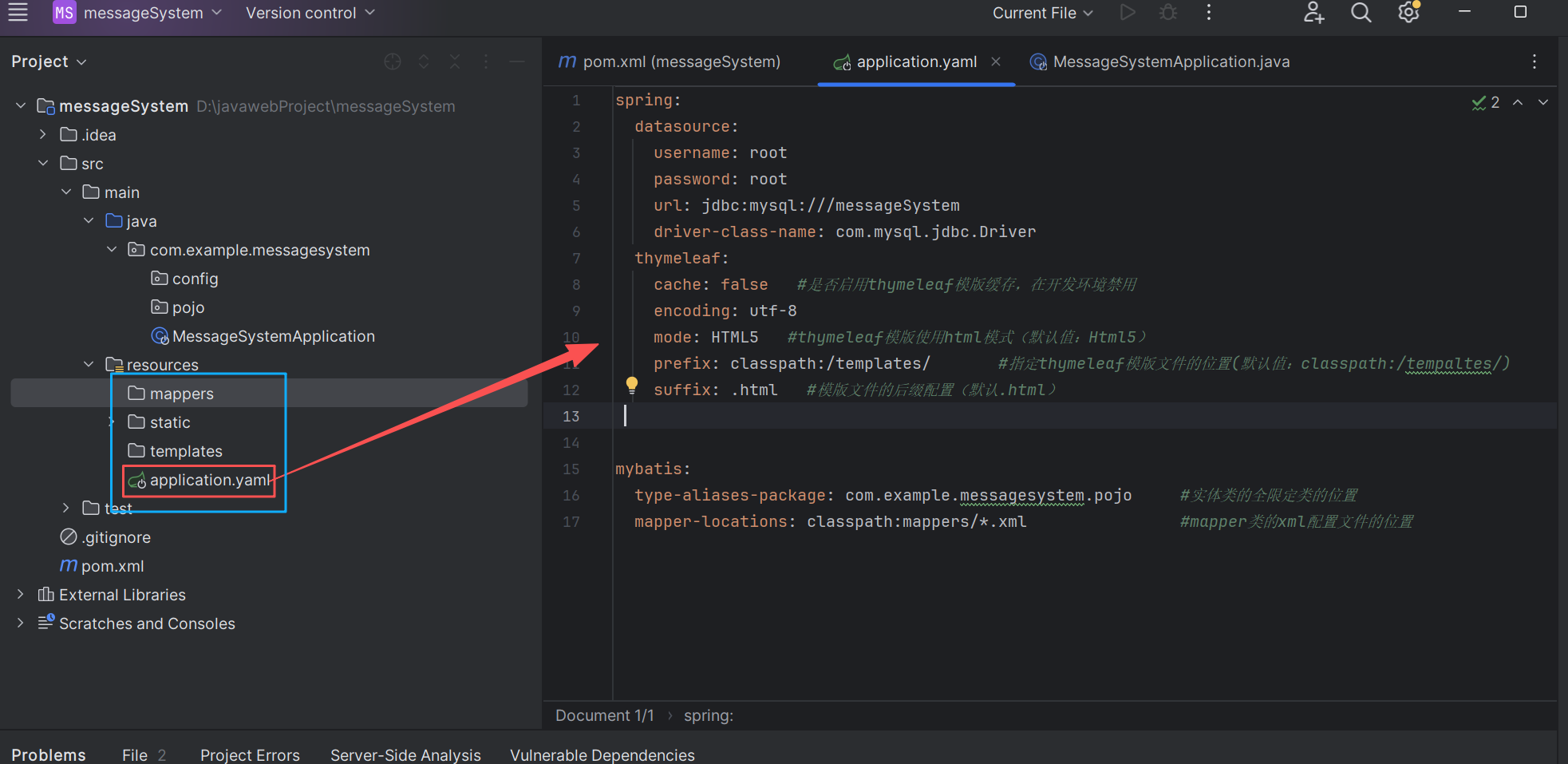
aplication.yaml代码如下:
spring:
  datasource:
    username: root
    password: root
    url: jdbc:mysql:///messageSystem
    driver-class-name: com.mysql.jdbc.Driver
  thymeleaf:
    cache: false   #是否启用thymeleaf模版缓存,在开发环境禁用
    encoding: utf-8
    mode: HTML5   #thymeleaf模版使用html模式(默认值:Html5)
    prefix: classpath:/templates/       #指定thymeleaf模版文件的位置(默认值:classpath:/tempaltes/)
    suffix: .html   #模版文件的后缀配置(默认.html)

mybatis:
  type-aliases-package: com.example.messagesystem.pojo     #实体类的全限定类的位置
  mapper-locations: classpath:mappers/*.xml                #mapper类的xml配置文件的位置
二、编写运行 Thymeleaf 页面
跳转页面的方式有两种:一种是使用控制器,另一种是视图控制器
1. 创建控制器
我们在 Controller 层上都是使用的
@RestController注解,自动会把返回的数据转成 json 格式。但是在使用模板引擎时,Controller 层就不能用@RestController注解了,因为在使用 thymeleaf 模板时,返回的是视图文件名,比如上面的 Controller 中是返回到 index.html 页面,如果使用@RestController的话,会把 index 当作 String 解析了,直接返回到页面了,而不是去找 index.html 页面
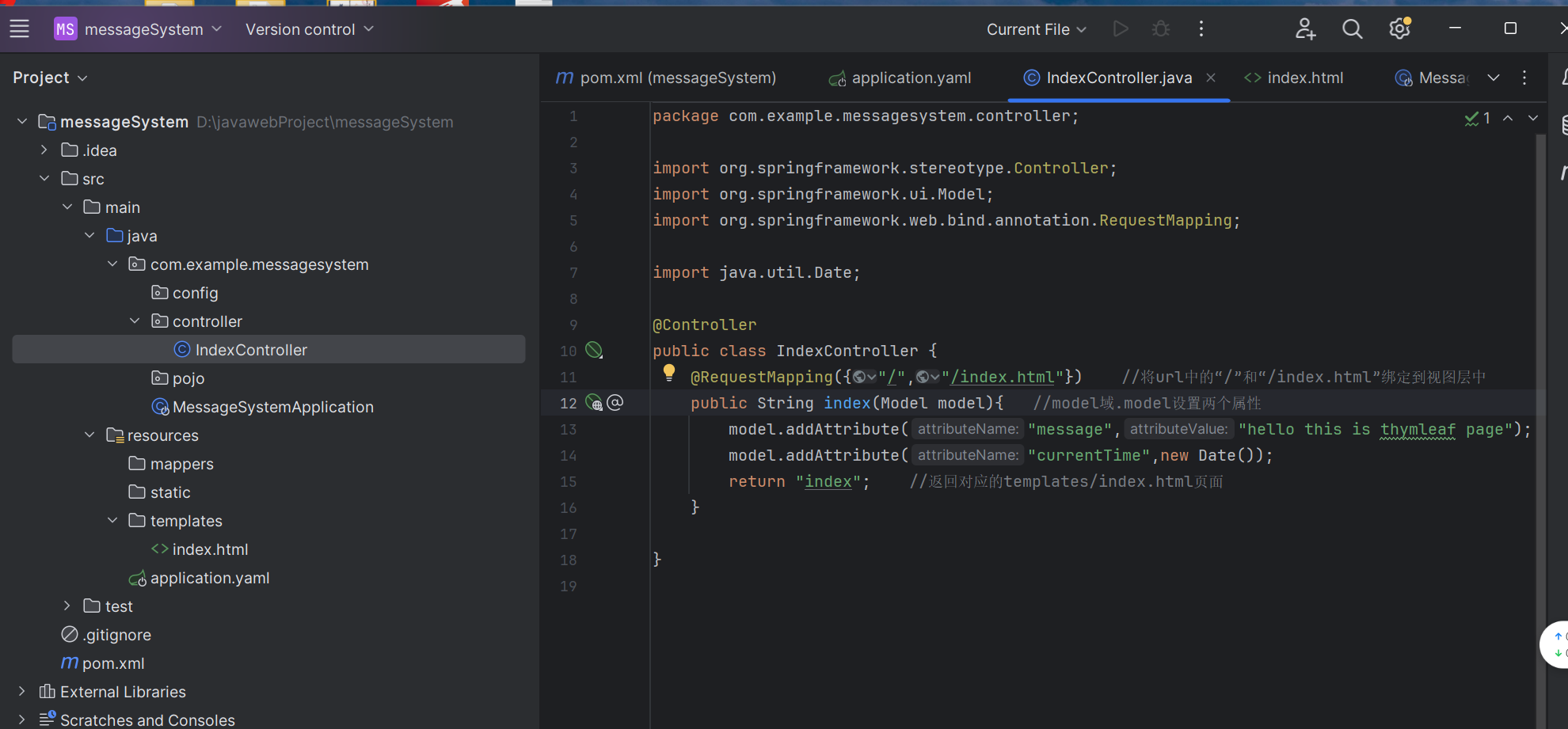
代码如下:
package com.example.messagesystem.controller;
import org.springframework.stereotype.Controller;
import org.springframework.ui.Model;
import org.springframework.web.bind.annotation.RequestMapping;
import java.util.Date;

@Controller
public class IndexController {
    @RequestMapping({"/","/index.html"})    //将url中的"/"和"/index.html"绑定到视图层中
    public String index(Model model){   //model域.model设置两个属性
        model.addAttribute("message","hello this is thymleaf page");
        model.addAttribute("currentTime",new Date());
        return "index";    //返回对应的templates/index.html页面
    }
}
创建模板文件 (templates/index.html)
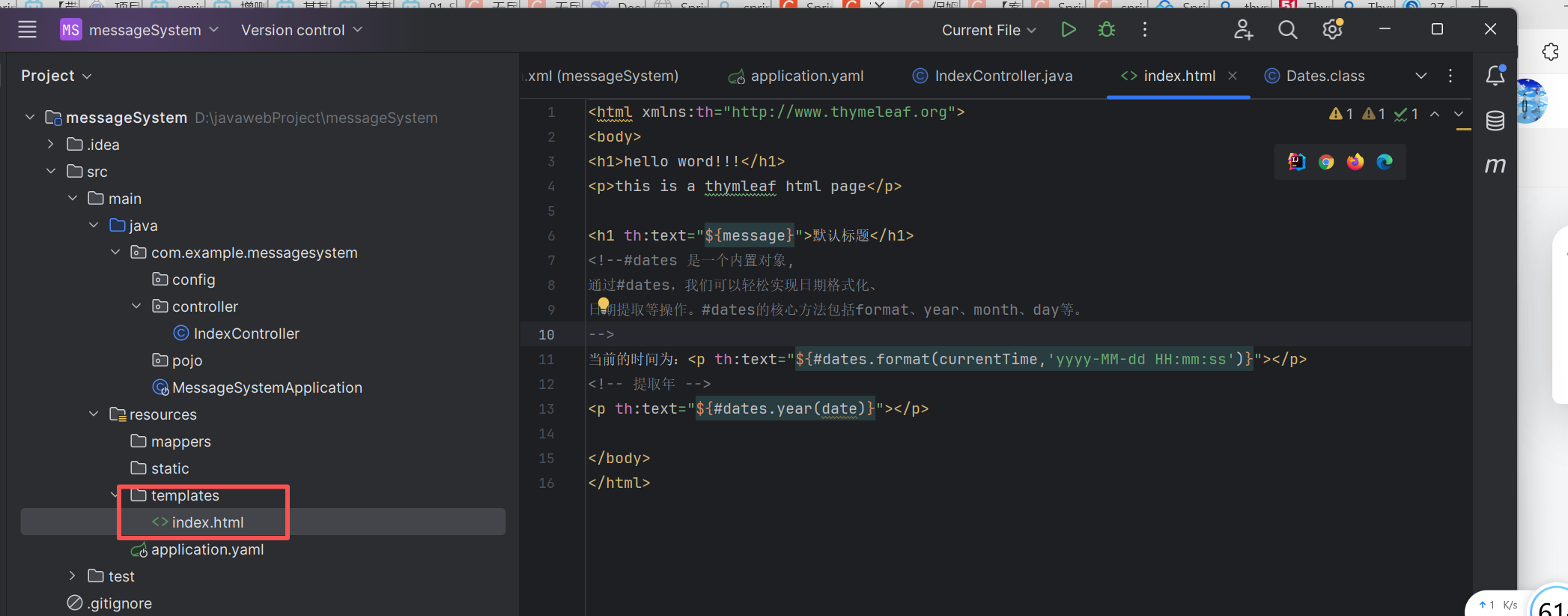
<html xmlns:th="http://www.thymeleaf.org">
<body>
<h1>hello word!!!</h1>
<p>this is a thymleaf html page</p>

<h1 th:text="${message}">默认标题</h1>
<!--#dates 是一个内置对象,
通过#dates,我们可以轻松实现日期格式化、
日期提取等操作。#dates的核心方法包括format、year、month、day等。
-->
当前的时间为:<p th:text="${#dates.format(currentTime,'yyyy-MM-dd HH:mm:ss')}"></p>
<!-- 提取年 -->
<p th:text="${#dates.year(date)}"></p>

<!-- 使用 Thymeleaf 表达式 -->
<div th:if="${not #strings.isEmpty(message)}">
    <p>消息长度:<span th:text="${#strings.length(message)}"></span></p>
</div>

<!-- 链接表达式 -->
<a th:href="@{/about}">关于我们</a>

</body>
</html>
运行并访问
启动应用后访问 http://localhost:8080,显示
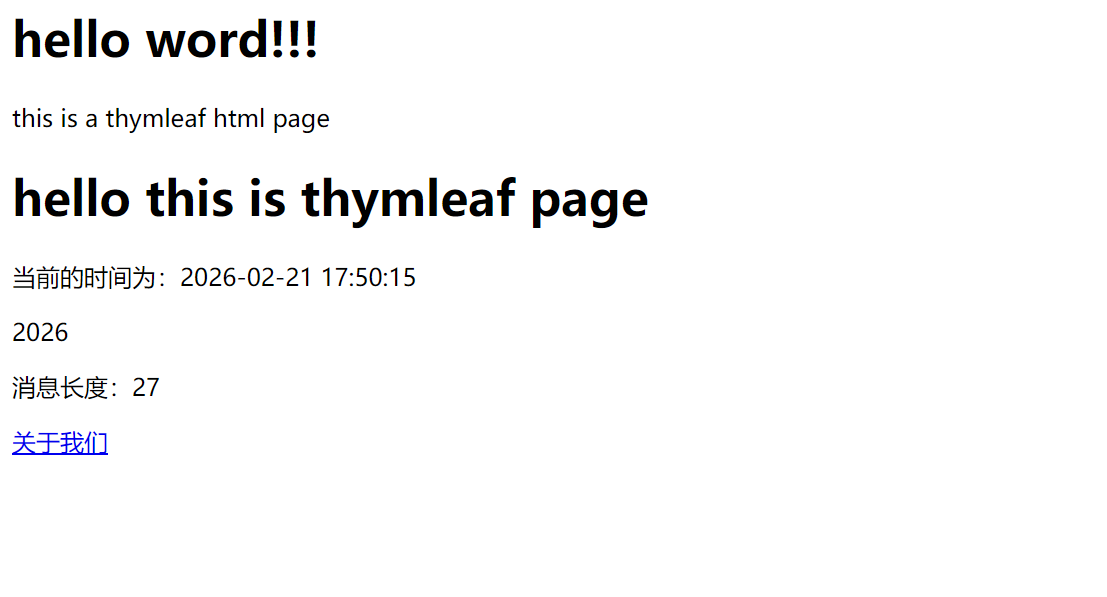
2.视图控制器
使用视图控制器的方式更加简洁,适用于不需要业务逻辑处理的静态页面跳转,例如首页、登录页、错误页等。
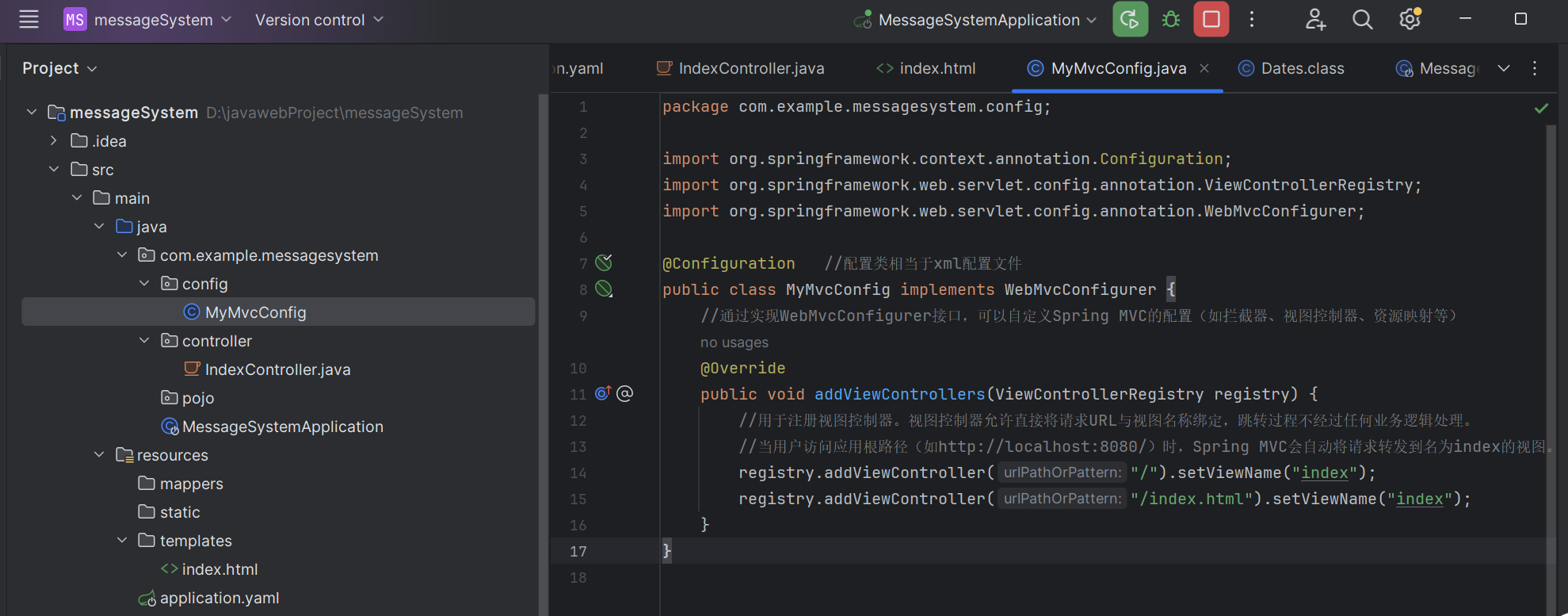
代码如下:
package com.example.messagesystem.config;

import org.springframework.context.annotation.Configuration;
import org.springframework.web.servlet.config.annotation.ViewControllerRegistry;
import org.springframework.web.servlet.config.annotation.WebMvcConfigurer;

@Configuration   //配置类相当于xml配置文件
public class MyMvcConfig implements WebMvcConfigurer {
    //通过实现WebMvcConfigurer接口,可以自定义Spring MVC的配置(如拦截器、视图控制器、资源映射等)
    @Override
    public void addViewControllers(ViewControllerRegistry registry) {
        //用于注册视图控制器。视图控制器允许直接将请求URL与视图名称绑定,跳转过程不经过任何业务逻辑处理。
        //当用户访问应用根路径(如http://localhost:8080/)时,Spring MVC会自动将请求转发到名为index的视图。
        registry.addViewController("/").setViewName("index");
        registry.addViewController("/index.html").setViewName("index");
    }
}
创建模板文件 (templates/index.html)
<html xmlns:th="http://www.thymeleaf.org">
<body>
<h1>hello word!!!</h1>
<p>this is a thymleaf html page</p>

<h1 th:text="${message}">默认标题</h1>
<!--#dates 是一个内置对象,
通过#dates,我们可以轻松实现日期格式化、
日期提取等操作。#dates的核心方法包括format、year、month、day等。
-->
当前的时间为:<p th:text="${#dates.format(currentTime,'yyyy-MM-dd HH:mm:ss')}"></p>
<!-- 提取年 -->
<p th:text="${#dates.year(date)}"></p>

<!-- 使用 Thymeleaf 表达式 -->
<div th:if="${not #strings.isEmpty(message)}">
    <p>消息长度:<span th:text="${#strings.length(message)}"></span></p>
</div>

<!-- 链接表达式 -->
<a th:href="@{/about}">关于我们</a>

</body>
</html>
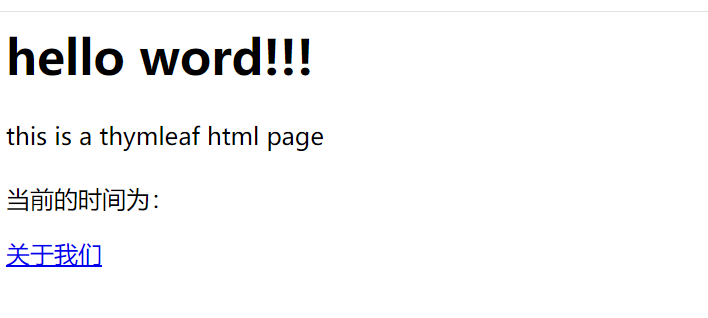
运行并访问
启动应用后访问 http://localhost:8080,显示
注意事项
视图名
"index"需要与实际的模板文件或静态资源对应。例如,在Thymeleaf模板引擎中,它会解析为classpath:/templates/index.html。如果项目中同时存在
@Controller映射相同的URL,控制器中的方法会优先执行(因为视图控制器的优先级较低,仅当没有其他处理器匹配时生效)。
三.Thymeleaf 核心语法
见下一篇博客 Thymeleaf 基本语法和表达式-CSDN博客