测试下runBlocking函数执行流程。
Kotlin
private fun testRunBlocking() {
    Log.d("zxzx", "testRunBlocking start, currThread:${Thread.currentThread().name} ,currTime: " + SimpleDateFormat("yyyy-MM-dd HH:mm:ss").format(Date()))
    fun runBlockingFunction() = runBlocking {
        Log.d("zxzx", "testRunBlocking runBlocking start, currThread:${Thread.currentThread().name} ,currTime: " + SimpleDateFormat("yyyy-MM-dd HH:mm:ss").format(Date()))
        delay(2000L)
        Log.d("zxzx", "testRunBlocking runBlocking end , currThread:${Thread.currentThread().name} , currTime:" + SimpleDateFormat("yyyy-MM-dd HH:mm:ss").format(Date()))
    }

    Log.d("zxzx", "testRunBlocking start 1,  currThread:${Thread.currentThread().name} ,currTime: " + SimpleDateFormat("yyyy-MM-dd HH:mm:ss").format(Date()))
    runBlockingFunction()
    Log.d("zxzx", "testRunBlocking end 1,  currThread:${Thread.currentThread().name} ,currTime: " + SimpleDateFormat("yyyy-MM-dd HH:mm:ss").format(Date()))
}
在主线程调用testRunBlocking函数。 打印:
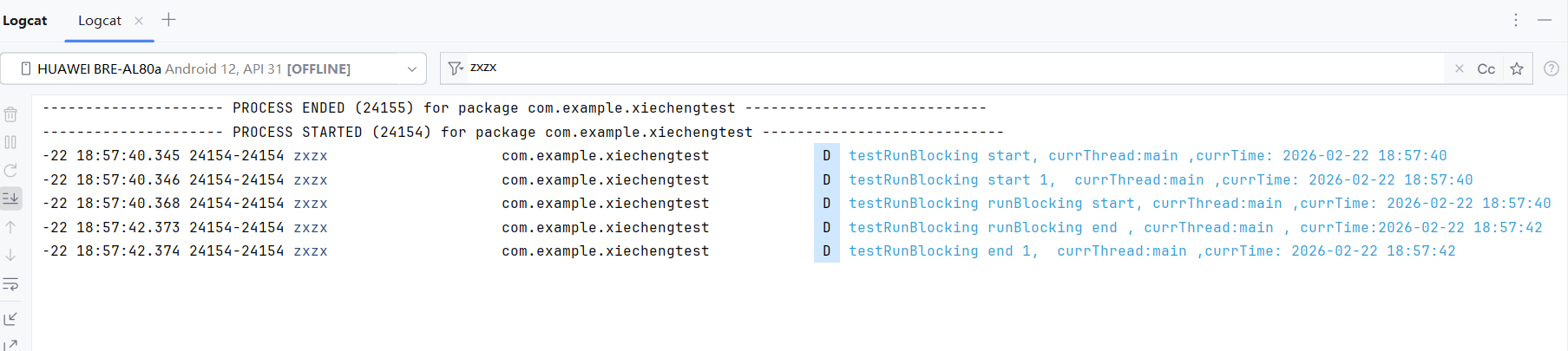
ok. 这里调用RunBlocking函数没有指定上下文, 还是在原来的main函数执行runBlocking的代码块。该代码块后面的代码流程会被阻塞。等runBlocking块执行完之后再执行下面的代码。
再测试下,runBlocking函数传Dispatchers.IO参数,其他都不变。
Kotlin
private fun testRunBlocking2() {
    Log.d("zxzx", "testRunBlocking start, currThread:${Thread.currentThread().name} ,currTime: " + SimpleDateFormat("yyyy-MM-dd HH:mm:ss").format(Date()))
    fun runBlockingFunction() = runBlocking(Dispatchers.IO) {
        Log.d("zxzx", "testRunBlocking runBlocking start, currThread:${Thread.currentThread().name} ,currTime: " + SimpleDateFormat("yyyy-MM-dd HH:mm:ss").format(Date()))
        delay(2000L)
        Log.d("zxzx", "testRunBlocking runBlocking end , currThread:${Thread.currentThread().name} , currTime:" + SimpleDateFormat("yyyy-MM-dd HH:mm:ss").format(Date()))
    }

    Log.d("zxzx", "testRunBlocking start 1,  currThread:${Thread.currentThread().name} ,currTime: " + SimpleDateFormat("yyyy-MM-dd HH:mm:ss").format(Date()))
    runBlockingFunction()
    Log.d("zxzx", "testRunBlocking end 1,  currThread:${Thread.currentThread().name} ,currTime: " + SimpleDateFormat("yyyy-MM-dd HH:mm:ss").format(Date()))
}
还是主线程调用, 日志打印:
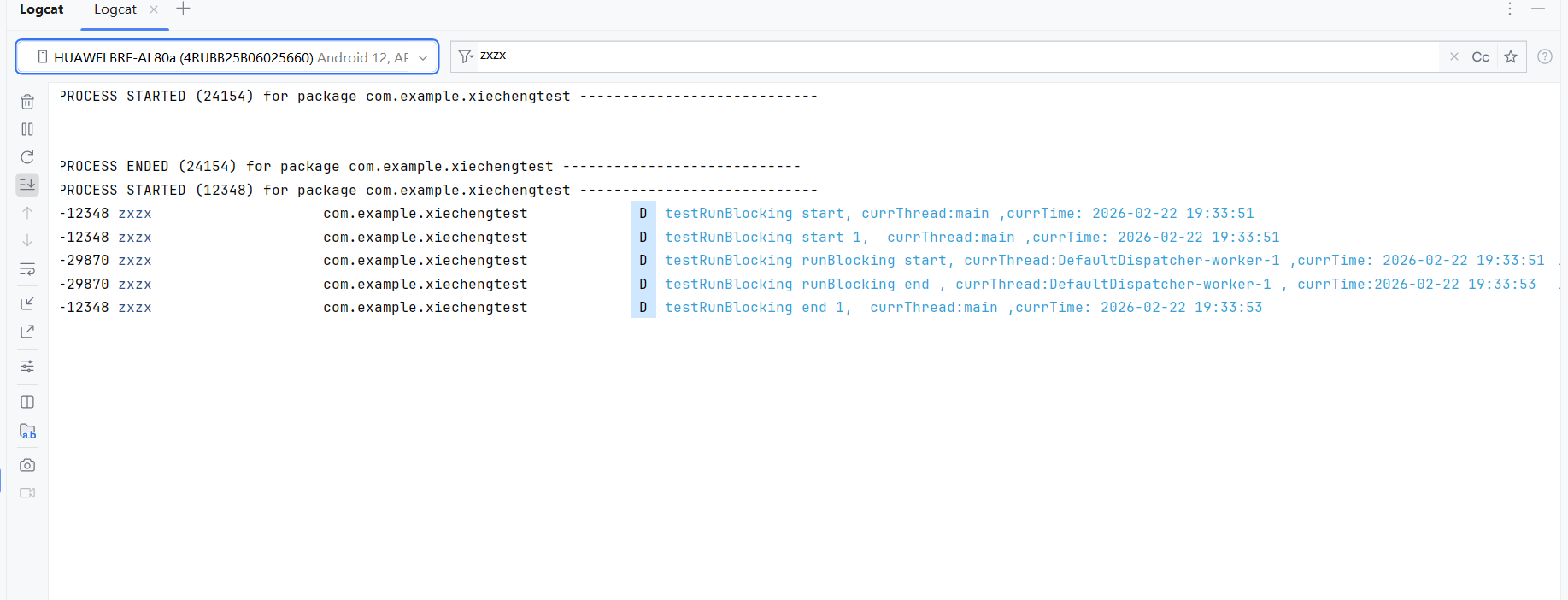
ok. 区别是runBlocking代码块被切换到一个IO线程执行了,执行这个代码块会阻塞主线程,等这个代码块执行完之后再执行下面的代码。