URL编码/解码 核心JS实现
核心功能实现
URL编码/解码工具的核心功能基于JavaScript原生的四个方法:encodeURI、encodeURIComponent、decodeURI 和 decodeURIComponent。这四个方法是浏览器内置的,无需引入任何外部库,直接就可以使用。
在线工具网址:see-tool.com/url-encode-...
工具截图:
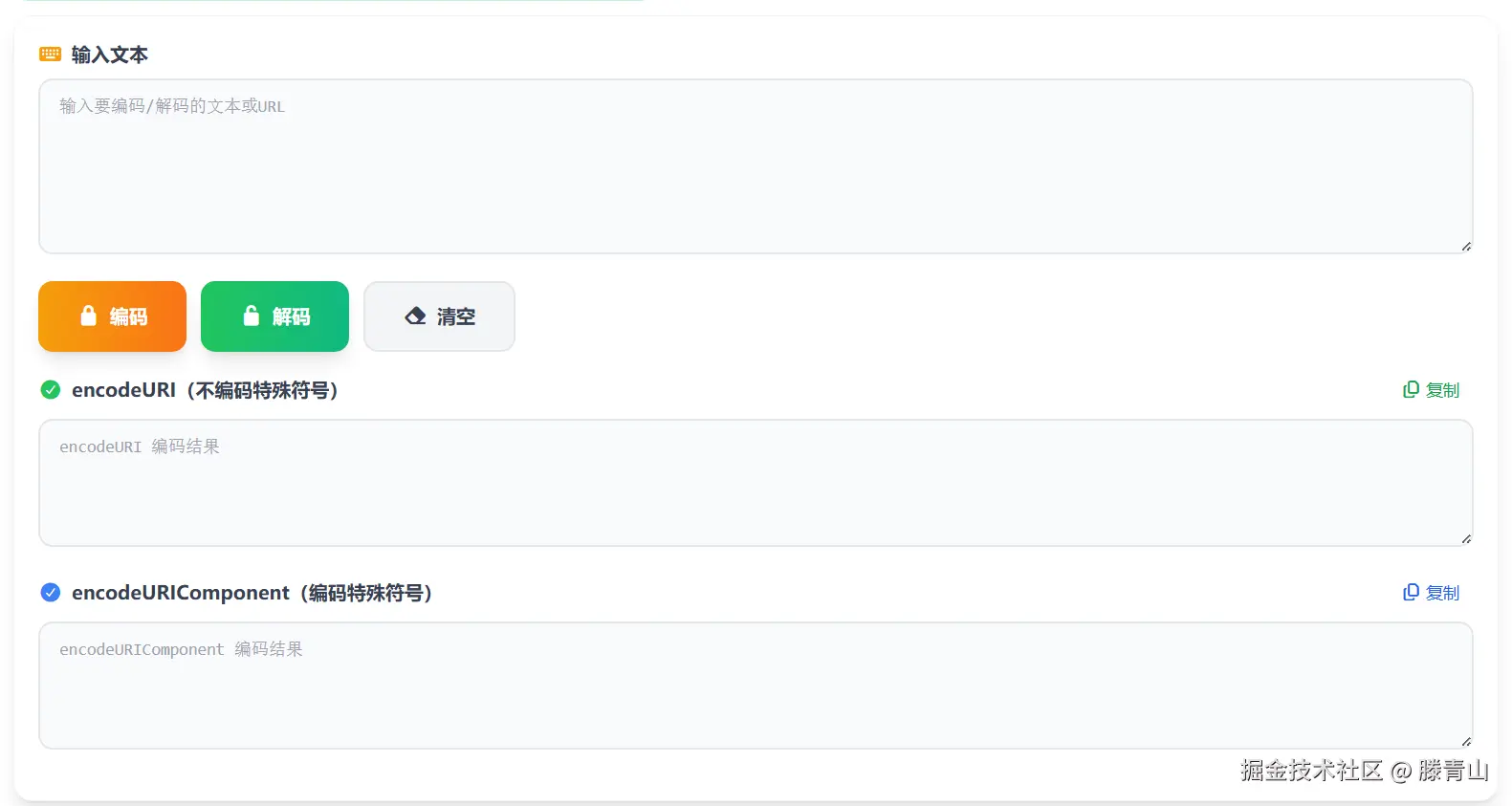
状态管理
使用Vue的响应式数据来管理输入和输出状态,这样当数据变化时,界面会自动更新:
javascript
const inputText = ref('')
const outputText1 = ref('')
const outputText2 = ref('')这里定义了三个响应式变量:inputText 用于存储用户输入的原始文本,outputText1 用于存储 encodeURI 处理后的结果,outputText2 用于存储 encodeURIComponent 处理后的结果。
编码功能
编码功能是整个工具的核心之一。当用户点击编码按钮时,会触发 handleEncode 函数:
javascript
const handleEncode = () => {
  if (!inputText.value.trim()) {
    MessagePlugin.warning(t('urlEncodeDecode.emptyInput'))
    return
  }

  try {
    outputText1.value = encodeURI(inputText.value)
    outputText2.value = encodeURIComponent(inputText.value)
    MessagePlugin.success(t('urlEncodeDecode.encode') + ' ' + t('urlEncodeDecode.copied'))
  } catch (error) {
    console.error('Encode error:', error)
    MessagePlugin.error(t('urlEncodeDecode.encodeError'))
  }
}
这个函数首先检查用户是否输入了内容,如果输入框为空,会显示一个提示消息。然后使用 try-catch 包裹编码逻辑,防止异常导致程序崩溃。编码成功后,会同时生成两种编码结果并显示在界面上,同时给出成功提示。
解码功能
解码功能与编码功能相对应,当用户点击解码按钮时,会触发 handleDecode 函数:
javascript
const handleDecode = () => {
  if (!inputText.value.trim()) {
    MessagePlugin.warning(t('urlEncodeDecode.emptyInput'))
    return
  }

  try {
    outputText1.value = decodeURI(inputText.value)
    outputText2.value = decodeURIComponent(inputText.value)
    MessagePlugin.success(t('urlEncodeDecode.decode') + ' ' + t('urlEncodeDecode.copied'))
  } catch (error) {
    console.error('Decode error:', error)
    MessagePlugin.error(t('urlEncodeDecode.decodeError'))
  }
}
解码函数的结构和编码函数类似,同样先检查输入是否为空,然后尝试使用 decodeURI 和 decodeURIComponent 进行解码。需要注意的是,如果输入的编码字符串格式不正确,解码可能会抛出异常,所以必须使用 try-catch 来捕获错误并给用户友好的提示。
清空功能
清空功能可以一键清除所有输入和输出内容,方便用户重新开始:
javascript
const clearAll = () => {
  inputText.value = ''
  outputText1.value = ''
  outputText2.value = ''
  MessagePlugin.info(t('urlEncodeDecode.clear'))
}
这个函数很简单,就是将三个响应式变量都重置为空字符串,然后显示一个信息提示。
复制功能
复制功能是一个很实用的功能,用户可以一键将编码或解码结果复制到剪贴板:
javascript
const copyResult1 = async () => {
  if (!outputText1.value.trim()) {
    MessagePlugin.warning(t('urlEncodeDecode.noContent'))
    return
  }

  try {
    await navigator.clipboard.writeText(outputText1.value)
    MessagePlugin.success(t('urlEncodeDecode.copied'))
  } catch {
    const textarea = document.createElement('textarea')
    textarea.value = outputText1.value
    document.body.appendChild(textarea)
    textarea.select()
    document.execCommand('copy')
    document.body.removeChild(textarea)
    MessagePlugin.success(t('urlEncodeDecode.copied'))
  }
}
复制功能首先检查是否有内容可复制。然后优先使用现代浏览器的 navigator.clipboard API,这是目前推荐的方式。如果这个 API 不可用(比如在一些旧浏览器中),就会使用降级方案:创建一个临时的 textarea 元素,将内容设置进去,选中后执行 document.execCommand('copy') 命令,最后再移除这个临时元素。无论使用哪种方式,复制成功后都会给用户一个成功提示。
自动聚焦
为了提升用户体验,页面加载时会自动聚焦到输入框,用户可以直接开始输入:
javascript
onMounted(() => {
  if (process.client) {
    const input = document.querySelector('textarea')
    if (input) {
      input.focus()
    }
  }
})
这里使用了 Vue 的 onMounted 生命周期钩子,在组件挂载后执行。首先判断是否在客户端环境(因为 Nuxt.js 支持服务端渲染,服务端没有 DOM),然后找到 textarea 元素并调用 focus() 方法聚焦。
encodeURI 和 encodeURIComponent 的区别
这两个方法虽然都是用来编码 URL 的,但它们的使用场景不同:
encodeURI主要用于编码完整的URL,不会编码URL中的特殊字符(如:/?#[]@!$&'()*+,;=),因为这些字符在 URL 中是有特殊含义的,需要保留。encodeURIComponent会编码所有字符,包括URL中的特殊字符,所以它更适合编码 URL 的参数部分,比如查询字符串的值。
相应的,解码时也需要使用对应的方法:decodeURI 对应 encodeURI,decodeURIComponent 对应 encodeURIComponent。
以上就是URL编码/解码工具的核心JS实现。