一.LVS
1.1 LVS介绍
LVS 是Linux 内核级四层负载均衡的标杆,核心优势是极致性能、低延迟、高稳定,适合承载大规模 TCP/UDP 流量(如数据库、高并发入口)。生产中首选DR 模式,配合 Keepalived 实现高可用,必要时与 Nginx 组合构建 "四层 + 七层" 的完整负载均衡架构。
1.2 LVS概念
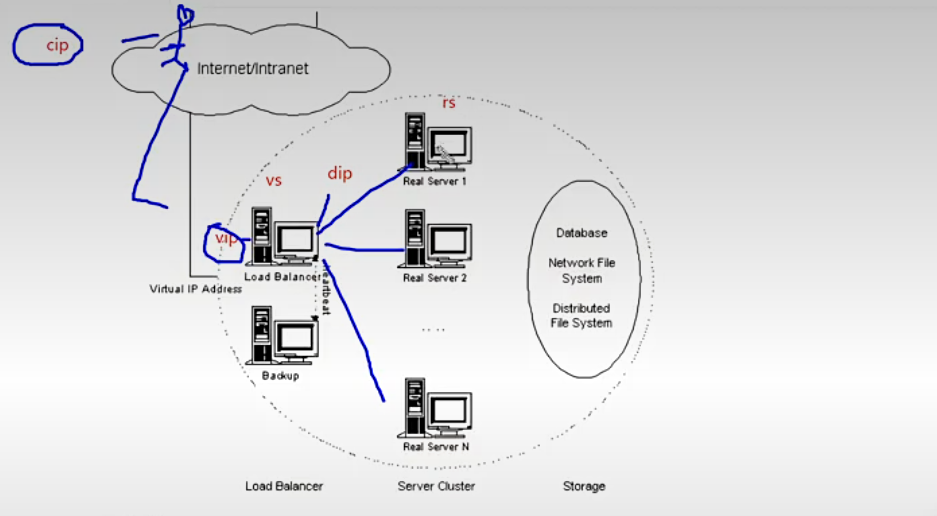
VS:VirtualServer(调度器)
RS:RealServer(真实业务主机)
CIP:ClientIp(客户端主机的ip)
VIP: Virtual serve IP Vs外网的IP (对外开放的让客户访问的ip)
DIP:DirectorIp Vs内网的IP(调度器负责访问内网的ip)
RIP:RealserverIP(真实业务主机IP)
1.2 LVS集群的类型
Ivs-nat:修改请求报文的目标IP,多目标IP的DNAT
lvs-dr: 封装新的MAC地址
Ivs-tun :在原请求IP报文之外新加一个IP首部
Ivs-fullnat:修改请求报文的源和目标IP
1.2.1.nat模式
Ivs-nat:
本质是多目标IP的DNAT,通过将请求报文中的目标地址和目标端口修改为某挑出的RS的RIP和PORT实现转发。
RIP和DIP应在同一个IP网络,且应使用私网地址;RS的网关要指向DIP
请求报文和响应报文都必须经由Director转发,Director易于成为系统瓶颈
支持端口映射,可修改请求报文的目标PORT
VS必须是Linux系统,RS可以是任意OS系统
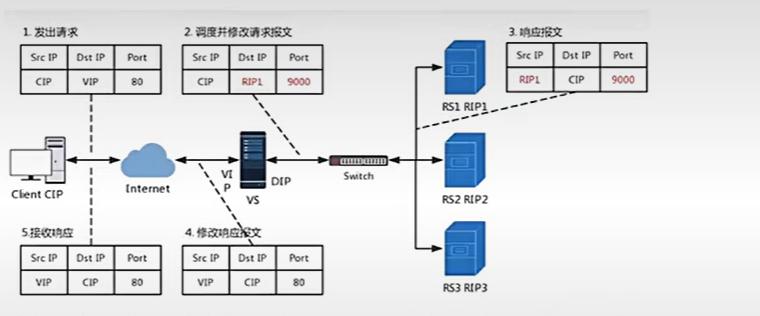
LVS 的 NAT 模式(Network Address Translation,网络地址转换) 是三种工作模式中部署最简单、但性能相对受限的一种,核心是通过 IP 地址改写实现流量转发。
一、核心原理
请求路径:客户端访问 VIP(虚拟服务 IP),Director(调度器)收到请求后,将数据包的目标 IP 从 VIP 改写为选中的 Real Server 的 RIP(真实服务器 IP),然后转发给后端。
响应路径:Real Server 处理完请求后,响应包的源 IP 是 RIP,目标 IP 是客户端 IP。由于 Real Server 的默认网关必须指向 Director,所以响应包会先回到 Director,Director 再将源 IP 从 RIP 改写回 VIP,最后发送给客户端。
关键特点:双向流量都必须经过 Director,Director 既是请求入口,也是响应出口。
1.2.2 LVS实验
实验图示
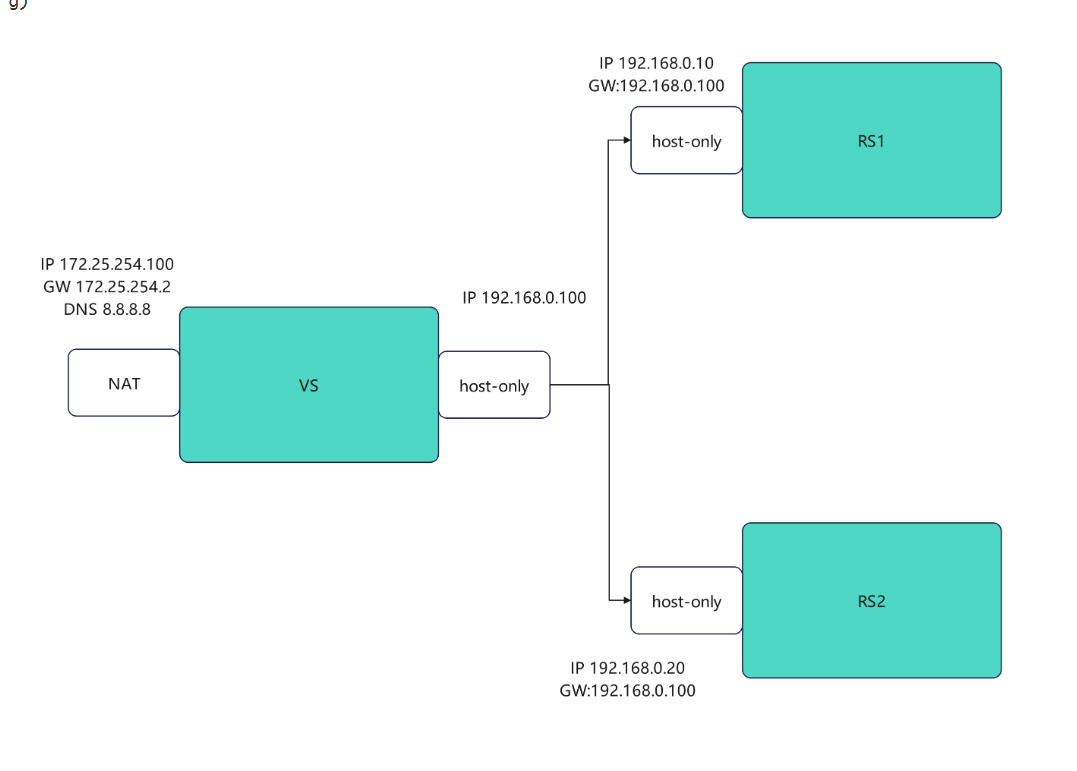
RS1
bash
#设定网络,设定Dip
[root@RS1 ~]# vmset.sh eth0 192.168.20.10 RS1 noroute
[root@RS1 ~]# nmcli connection modify eth0 ipv4.gateway 192.168.20.100
[root@RS1 ~]# nmcli connection reload
[root@RS1 ~]# nmcli connection up eth0
[root@RS1 ~]# route  -n
Kernel IP routing table
Destination     Gateway         Genmask         Flags Metric Ref    Use Iface
0.0.0.0         192.168.20.100   0.0.0.0         UG    100    0        0 eth0
192.168.20.0     0.0.0.0         255.255.255.0   U     100    0        0 eth0
[root@RS1 ~]# dnf install httpd -y
[root@RS1 ~]# systemctl enable --now httpd
[root@RS1 ~]# echo RS1 - 192.168.20.10 > /var/www/html/index.html
RS2
bash
#设定网络,设定Dip
[root@RS2 ~]# vmset.sh eth0 192.168.20.20 RS2 noroute
[root@RS2 ~]# nmcli connection modify eth0 ipv4.gateway 192.168.20.100
[root@RS2 ~]# nmcli connection reload
[root@RS2 ~]# nmcli connection up eth0
[root@RS2 ~]# route  -n
Kernel IP routing table
Destination     Gateway         Genmask         Flags Metric Ref    Use Iface
0.0.0.0         192.168.20.100   0.0.0.0         UG    100    0        0 eth0
192.168.20.0     0.0.0.0         255.255.255.0   U     100    0        0 eth0

[root@RS1 ~]# dnf install httpd -y
[root@RS1 ~]# systemctl enable --now httpd
[root@RS1 ~]# echo RS2 - 192.168.20.20 > /var/www/html/index.html
VSnode
bash
#1,开启内核路由功能,安装ipvsadm
[root@vsnode ~]# dnf install ipvsadm.x86_64
[root@vsnode ~]# echo net.ipv4.ip_forward=1 >> /etc/sysctl.conf
[root@vsnode ~]# sysctl  -p
net.ipv4.ip_forward = 1

#2.编写策略
[root@vsnode ~]# ipvsadm -C
[root@vsnode ~]# ipvsadm -A -t 172.25.254.100:80 -s wrr
[root@vsnode ~]# ipvsadm -a -t 172.25.254.100:80 -r 192.168.0.10:80 -m  -w 1
[root@vsnode ~]# ipvsadm -a -t 172.25.254.100:80 -r 192.168.0.20:80 -m  -w 1
[root@vsnode ~]# ipvsadm -Ln
IP Virtual Server version 1.2.1 (size=4096)
Prot LocalAddress:Port Scheduler Flags
  -> RemoteAddress:Port           Forward Weight ActiveConn InActConn
TCP  172.25.254.100:80 wrr
  -> 192.168.0.10:80              Masq    1      0          0
  -> 192.168.0.20:80              Masq    1      0          0


#测试
[root@vsnode ~]# for i in {1..10};do curl 172.25.254.100;done
RS2 - 192.168.0.20
RS1 - 192.168.0.10
RS2 - 192.168.0.20
RS1 - 192.168.0.10
RS2 - 192.168.0.20
RS1 - 192.168.0.10
RS2 - 192.168.0.20
RS1 - 192.168.0.10
RS2 - 192.168.0.20
RS1 - 192.168.0.10


#更改权重
[root@vsnode ~]# ipvsadm -e -t 172.25.254.100:80 -r 192.168.0.10:80 -m  -w 2
[root@vsnode ~]# ipvsadm -Ln
IP Virtual Server version 1.2.1 (size=4096)
Prot LocalAddress:Port Scheduler Flags
  -> RemoteAddress:Port           Forward Weight ActiveConn InActConn
TCP  172.25.254.100:80 wrr
  -> 192.168.0.10:80              Masq    2      0          5
  -> 192.168.0.20:80              Masq    1      0          5

#测试
[root@vsnode ~]# for i in {1..10};do curl 172.25.254.100;done
RS2 - 192.168.0.20
RS1 - 192.168.0.10
RS1 - 192.168.0.10
RS2 - 192.168.0.20
RS1 - 192.168.0.10
RS1 - 192.168.0.10
RS2 - 192.168.0.20
RS1 - 192.168.0.10
RS1 - 192.168.0.10
RS2 - 192.168.0.20


#监控
[root@vsnode ~]# watch -n 1 ipvsadm -Ln

#配置数据持久化
[root@vsnode ~]# ipvsadm-save -n > /etc/sysconfig/ipvsadm
[root@vsnode ~]# ipvsadm -C
[root@vsnode ~]# systemctl enable --now ipvsadm.service
Created symlink /etc/systemd/system/multi-user.target.wants/ipvsadm.service → /usr/lib/systemd/system/ipvsadm.service.
1.3 ipvsadm命令介绍
bash
集群服务的管理(VS)
ipvsadm -A|E -t|u|fservice-address [-s scheduler] [-p [timeout]]
ipvsadm -A -t 172.25.254.100:80 -s wrr

-A  添加
-E  修改
-t  tcp服务
-u	udp服务
-s	调度算法
-p	设置持久连接超时
-f	firewa1] mask 火墙标记,是一个数字

集群服务中的RealServer的管理
ipvsadm -a|e -t|u|f service-address -r realserver-address [-g|i|m] [-w weight]
ipvsadm -a -t 172.25.254.100:80 -r 192.168.0.10:80 -m  -w 1

-a:添加 realserver(真实服务器)
-e:更改 realserver(真实服务器)
-t:指定 TCP 协议
-u:指定 UDP 协议
-f:防火墙标签(firewall mark)
-r:指定 realserver 地址
-g:启用 直接路由模式(DR)
-i:启用 IPIP 隧道模式(TUN)
-m:启用 NAT 模式
-w:设定权重(weight)
-Z:清空计数器
-C:清空 LVS 策略
-L:查看 LVS 策略
-n:不做解析(显示数字 IP / 端口,不反查域名)
--rate:输出速率信息
1.4 DR模式
LVS 的 DR 模式(Direct Routing,直接路由) 是生产环境中性能最优、最常用的工作模式,核心是通过改写 MAC 地址实现高效转发,避免 Director 成为响应流量的瓶颈。
一、核心原理
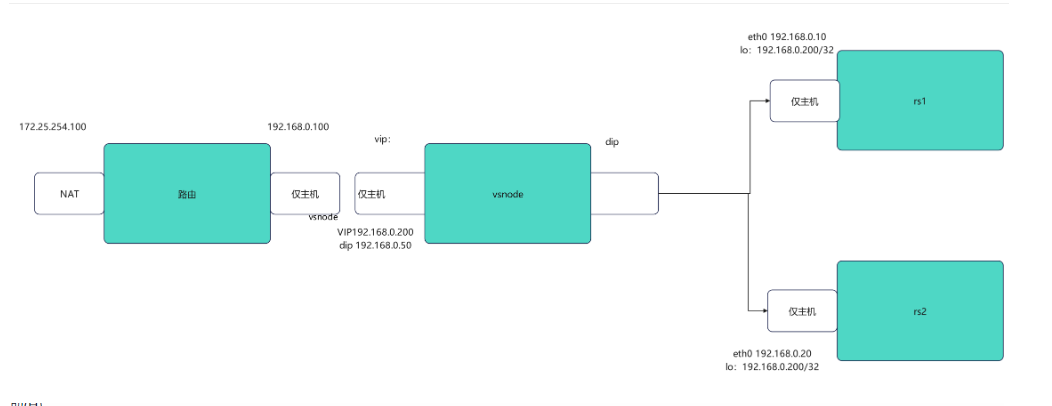
请求路径:客户端访问 VIP(虚拟服务 IP),Director(调度器)收到请求后,仅将数据包的目标 MAC 地址改写为选中的 Real Server 的 MAC 地址,而目标 IP 仍为 VIP,随后将数据包转发到同一二层网络内的 Real Server。
响应路径:Real Server 收到数据包后,发现目标 IP 是自己在 lo 网卡上配置的 VIP,因此直接处理请求。处理完成后,响应包的源 IP 为 VIP,目标 IP 为客户端 IP,直接通过自身的物理网卡发回客户端,不再经过 Director。
关键特点:Director 仅处理入站请求,响应流量直达客户端,极大减轻了 Director 的负载
实验
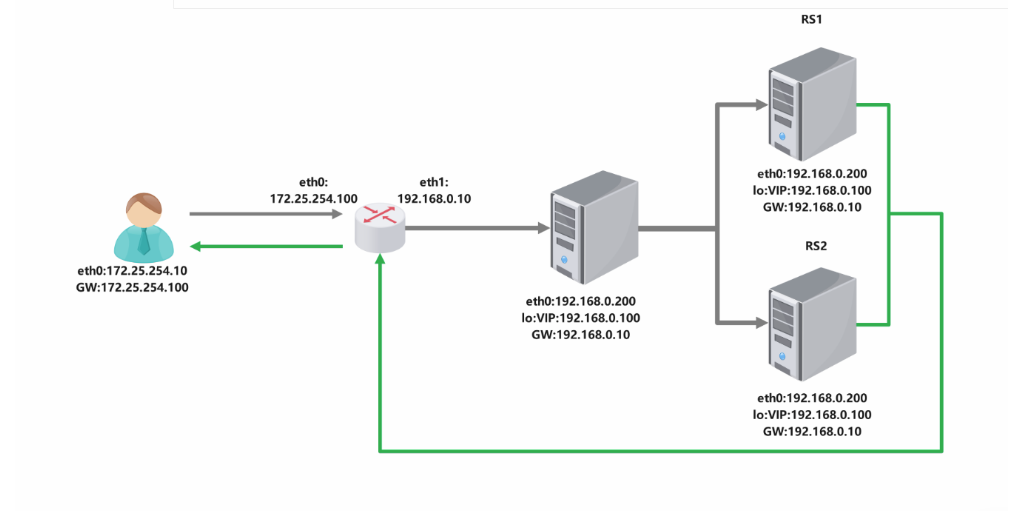
路由器
bash
[root@router ~]# vmset.sh eth0 172.25.254.100 router
[root@router ~]# vmset.sh eth1 192.168.0.100 router noroute、
#设定内核路由功能
[root@router ~]# echo net.ipv4.ip_forward=1 >> /etc/sysctl.conf
[root@router ~]# sysctl  -p
net.ipv4.ip_forward = 1

#数据转发策略,把进来的数据伪装成192.168.0.100/172.25.254.100
[root@router ~]# iptables -t nat -A POSTROUTING -o eth1 -j SNAT --to-source 192.168.0.100
[root@vsnode ~]# iptables -t nat -A POSTROUTING -o eth0 -j SNAT --to-source 172.25.254.100
VSnode
bash
#vsnode 调度器
[root@vsnode ~]# vmset.sh  eth0 192.168.0.50 vsnode  norouter
[root@vsnode ~]# vim /etc/NetworkManager/system-connections/eth0.nmconnection
[connection]
id=eth0
type=ethernet
interface-name=eth0


[ipv4]
method=manual
address1==192.168.0.50/24,192.168.0.100#dip

[root@vsnode ~]# cd  /etc/NetworkManager/system-connections/
[root@vsnode system-connections]#  cp -p eth0.nmconnection lo.nmconnection
[root@vsnode system-connections]# vim lo.nmconnection
[connection]
id=lo
type=loopback
interface-name=lo


[ipv4]
method=manual
address1==127.0.0.1/8
address2=192.168.0.200/32 #vip

[root@RS1 system-connections]# nmcli connection reload
[root@RS1 system-connections]# nmcli connection up eth0
连接已成功激活(D-Bus 活动路径:/org/freedesktop/NetworkManager/ActiveConnection/7)
[root@RS1 system-connections]# nmcli connection up  lo
连接已成功激活(D-Bus 活动路径:/org/freedesktop/NetworkManager/ActiveConnection/8)


#检测
root@vsnode system-connections]# route  -n
Kernel IP routing table
Destination     Gateway         Genmask         Flags Metric Ref    Use Iface
0.0.0.0         192.168.0.100   0.0.0.0         UG    100    0        0 eth0
192.168.0.0     0.0.0.0         255.255.255.0   U     100    0        0 eth0
192.168.0.0     0.0.0.0         255.255.255.0   U     100    0        0 eth0
[root@vsnode system-connections]# ip a
1: lo: <LOOPBACK,UP,LOWER_UP> mtu 65536 qdisc noqueue state UNKNOWN group default qlen 1000
    link/loopback 00:00:00:00:00:00 brd 00:00:00:00:00:00
    inet 127.0.0.1/8 scope host lo
       valid_lft forever preferred_lft forever
    inet 192.168.0.200/32 brd 192.168.0.255 scope global noprefixroute eth0
       valid_lft forever preferred_lft forever
    inet6 ::1/128 scope host
       valid_lft forever preferred_lft forever
2: eth0: <BROADCAST,MULTICAST,UP,LOWER_UP> mtu 1500 qdisc mq state UP group default qlen 1000
    link/ether 00:0c:29:41:e5:8b brd ff:ff:ff:ff:ff:ff
    altname enp3s0
    altname ens160
    inet 192.168.0.50/24 brd 192.168.0.255 scope global secondary noprefixroute eth0
       valid_lft forever preferred_lft forever
    inet6 fe80::e40:8975:6b9:fea8/64 scope link noprefixroute
       valid_lft forever preferred_lft forever

轮询调度
[root@vsnode ~]# dnf install ipvsadm.x86_64
[root@vsnode ~]# ipvsadm -C
[root@vsnode ~]# ipvsadm -A -t 192.168.0.200:80 -s rr
[root@vsnode ~]# ipvsadm -a -t 192.168.0.200:80 -r 192.168.0.10:80 -m  -w 1
[root@vsnode ~]# ipvsadm -a -t 192.168.0.200:80 -r 192.168.0.20:80 -m  -w 1
[root@vsnode ~]# ipvsadm -Ln
IP Virtual Server version 1.2.1 (size=4096)
Prot LocalAddress:Port Scheduler Flags
  -> RemoteAddress:Port           Forward Weight ActiveConn InActConn
TCP  192.168.0.200:80 wrr
  -> 192.168.0.10:80              Masq    1      0          0
  -> 192.168.0.20:80              Masq    1      0          0

[root@vsnode ~]# ipvsadm-save -n > /etc/sysconfig/ipvsadm
[root@vsnode ~]# systemctl enable --now ipvsadm.service
客户端
bash
#客户端
[root@client ~]# vmset.sh  eth0 172.25.254.99 client norouter
连接已成功激活(D-Bus 活动路径:/org/freedesktop/NetworkManager/ActiveConnection/4)
2: eth0: <BROADCAST,MULTICAST,UP,LOWER_UP> mtu 1500 qdisc mq state UP group default qlen 1000
    link/ether 00:0c:29:e5:75:af brd ff:ff:ff:ff:ff:ff
    altname enp3s0
    altname ens160
    inet 172.25.254.99/24 brd 172.25.254.255 scope global noprefixroute eth0
       valid_lft forever preferred_lft forever
    inet6 fe80::20c:29ff:fee5:75af/64 scope link tentative noprefixroute
       valid_lft forever preferred_lft forever
client

[root@client ~]# vim /etc/NetworkManager/system-connections/eth0.nmconnection
[connection]
id=eth0
type=ethernet
interface-name=eth0


[ipv4]
method=manual
address1=172.25.254.99/24,172.25.254.100
dns=8.8.8.8;

[root@client ~]# nmcli connection reload
[root@client ~]# nmcli connection up eth0
连接已成功激活(D-Bus 活动路径:/org/freedesktop/NetworkManager/ActiveConnection/5)
[root@client ~]# route  -n
Kernel IP routing table
Destination     Gateway         Genmask         Flags Metric Ref    Use Iface
0.0.0.0         172.25.254.100  0.0.0.0         UG    100    0        0 eth0
172.25.254.0    0.0.0.0         255.255.255.0   U     100    0        0 eth0


#检测ping通vip
[root@client ~]# ping 192.168.0.200
PING 192.168.0.200 (192.168.0.200) 56(84) 比特的数据。
64 比特,来自 192.168.0.200: icmp_seq=1 ttl=128 时间=1.08 毫秒
RS1
bash
#RS1
[root@RS1 ~]# vmset.sh eth0 192.168.0.10 RS1 noroute
[root@RS1 ~]# nmcli connection modify eth0 ipv4.gateway 192.168.0.100#网关是路由器的那个口
[root@RS1 ~]# nmcli connection reload
[root@RS1 ~]# nmcli connection up eth0
[root@RS1 ~]# route  -n
Kernel IP routing table
Destination     Gateway         Genmask         Flags Metric Ref    Use Iface
0.0.0.0         192.168.0.100   0.0.0.0         UG    100    0        0 eth0
192.168.0.0     0.0.0.0         255.255.255.0   U     100    0        0 eth0

#在lo上设定vip,因为回数据时能直接使用vip地址而不用调度器分配
[root@RS1 ~]# cd /etc/NetworkManager/system-connections/
[root@RS1 system-connections]# cp -p eth0.nmconnection lo.nmconnection
[root@RS1 system-connections]# vim lo.nmconnection
[connection]
id=lo
type=loopback
interface-name=lo

[ethernet]

[ipv4]
address1=127.0.0.1/8
address2=192.168.0.200/32
method=manual

[root@RS1 system-connections]# nmcli connection reload
[root@RS1 system-connections]# nmcli connection up lo
连接已成功激活(D-Bus 活动路径:/org/freedesktop/NetworkManager/ActiveConnection/6)
[root@RS1 system-connections]# ip a
1: lo: <LOOPBACK,UP,LOWER_UP> mtu 65536 qdisc noqueue state UNKNOWN group default qlen 1000
    link/loopback 00:00:00:00:00:00 brd 00:00:00:00:00:00
    inet 127.0.0.1/8 scope host lo
       valid_lft forever preferred_lft forever
    inet 192.168.0.200/32 scope global lo
       valid_lft forever preferred_lft forever
    inet6 ::1/128 scope host
       valid_lft forever preferred_lft forever

 #arp禁止响应
[root@rs1 ~]# echo 1 > /proc/sys/net/ipv4/conf/all/arp_ignore
[root@rs1 ~]# echo 1 > /proc/sys/net/ipv4/conf/lo/arp_ignore
[root@rs1 ~]# echo 2 > /proc/sys/net/ipv4/conf/lo/arp_announce
[root@rs1 ~]# echo 2 > /proc/sys/net/ipv4/conf/all/arp_announce
RS2
bash
#RS2
[root@RS2 ~]# vmset.sh eth0 192.168.0.20 RS2 noroute
[root@RS2 ~]# nmcli connection modify eth0 ipv4.gateway 192.168.0.100
[root@RS2 ~]# nmcli connection reload
[root@RS2 ~]# nmcli connection up eth0
[root@RS2 ~]# route  -n
Kernel IP routing table
Destination     Gateway         Genmask         Flags Metric Ref    Use Iface
0.0.0.0         192.168.0.100   0.0.0.0         UG    100    0        0 eth0
192.168.0.0     0.0.0.0         255.255.255.0   U     100    0        0 eth0

#在lo上设定vip
[root@RS2 ~]# cd /etc/NetworkManager/system-connections/
[root@RS2 system-connections]# cp -p eth0.nmconnection lo.nmconnection
[root@RS2 system-connections]# vim lo.nmconnection
[connection]
id=lo
type=loopback
interface-name=lo

[ethernet]

[ipv4]
address1=127.0.0.1/8
address2=192.168.0.200/32
method=manual

[root@RS2 system-connections]# nmcli connection reload
[root@RS2 system-connections]# nmcli connection up lo
连接已成功激活(D-Bus 活动路径:/org/freedesktop/NetworkManager/ActiveConnection/6)
[root@RS2 system-connections]# ip a
1: lo: <LOOPBACK,UP,LOWER_UP> mtu 65536 qdisc noqueue state UNKNOWN group default qlen 1000
    link/loopback 00:00:00:00:00:00 brd 00:00:00:00:00:00
    inet 127.0.0.1/8 scope host lo
       valid_lft forever preferred_lft forever
    inet 192.168.0.200/32 scope global lo
       valid_lft forever preferred_lft forever
    inet6 ::1/128 scope host
       valid_lft forever preferred_lft forever

#arp禁止响应
[root@rs2 ~]# echo 1 > /proc/sys/net/ipv4/conf/all/arp_ignore
[root@rs2 ~]# echo 1 > /proc/sys/net/ipv4/conf/lo/arp_ignore
[root@rs2 ~]# echo 2 > /proc/sys/net/ipv4/conf/lo/arp_announce
[root@rs2 ~]# echo 2 > /proc/sys/net/ipv4/conf/all/arp_announce
1.5.1静态调度算法
- 轮询(RR,Round Robin)
请求按顺序轮流分配给 RS1/RS2,无权重差异,1:1 分发。
bash
ipvsadm -C && ipvsadm -Z
# 添加VIP虚拟服务,指定算法为rr
ipvsadm -A -t 192.168.0.200:80 -s rr
# 添加RS1/RS2,DR模式指定-g,权重默认1(可省略-w 1)
ipvsadm -a -t 192.168.0.200:80 -r 192.168.0.10 -g
ipvsadm -a -t 192.168.0.200:80 -r 192.168.0.20 -g
# 查看规则(验证)
ipvsadm -Ln
2.加权轮询(WRR,Weighted Round Robin)
按预设权重分发,权重越高,分配到的请求越多(如 RS1 权重 2、RS2 权重 1,分发比例 2:1)。
bash
ipvsadm -C && ipvsadm -Z
ipvsadm -A -t 192.168.0.200:80 -s wrr
# RS1权重2(-w 2)、RS2权重1(-w 1),DR模式-g
ipvsadm -a -t 192.168.0.200:80 -r 192.168.0.10 -g -w 2
ipvsadm -a -t 192.168.0.200:80 -r 192.168.0.20 -g -w 1
ipvsadm -Ln- 源地址哈希(SH,Source Hashing)
根据客户端源 IP哈希计算,同一客户端的所有请求始终分配到同一台 RS,实现会话粘滞。
bash
ipvsadm -C && ipvsadm -Z
ipvsadm -A -t 192.168.0.200:80 -s sh
ipvsadm -a -t 192.168.0.200:80 -r 192.168.0.10 -g
ipvsadm -a -t 192.168.0.200:80 -r 192.168.0.20 -g
ipvsadm -Ln- 目标地址哈希(DH,Destination Hashing)
核心原理
根据请求目标 IP哈希计算(本实验目标 IP 均为 VIP 192.168.0.200),同一目标 IP 的请求始终分配到同一台 RS,适合缓存集群
bash
ipvsadm -C && ipvsadm -Z
ipvsadm -A -t 192.168.0.200:80 -s dh
ipvsadm -a -t 192.168.0.200:80 -r 192.168.0.10 -g
ipvsadm -a -t 192.168.0.200:80 -r 192.168.0.20 -g
ipvsadm -Ln
1.5.2 动态调度
- 最少连接(LC,Least Connections)
核心原理
新请求优先分配给当前活动连接数最少的 RS,不考虑权重。
bash
ipvsadm -C && ipvsadm -Z
ipvsadm -A -t 192.168.0.200:80 -s lc
ipvsadm -a -t 192.168.0.200:80 -r 192.168.0.10 -g
ipvsadm -a -t 192.168.0.200:80 -r 192.168.0.20 -g
ipvsadm -Ln- 加权最少连接(WLC,Weighted Least Connections)
核心原理
LVS默认算法,结合活动连接数 + 权重,按公式活动连接数/权重计算,值越小优先级越高,兼顾负载和服务器性能。
bash
ipvsadm -C && ipvsadm -Z
ipvsadm -A -t 192.168.0.200:80 -s wlc
# 给高性能RS1设权重3,低性能RS2设权重1(即使RS2负载低,也会少分配)
ipvsadm -a -t 192.168.0.200:80 -r 192.168.0.10 -g -w 3
ipvsadm -a -t 192.168.0.200:80 -r 192.168.0.20 -g -w 1
ipvsadm -Ln
3.最短期望延迟(SED,Shortest Expected Delay)
核心原理
WLC 的改进版,公式为(活动连接数+1)/权重,更倾向于权重高的 RS,减少整体请求延迟,适合高权重服务器优先处理请求。
bash
ipvsadm -C && ipvsadm -Z
ipvsadm -A -t 192.168.0.200:80 -s sed
ipvsadm -a -t 192.168.0.200:80 -r 192.168.0.10 -g -w 3
ipvsadm -a -t 192.168.0.200:80 -r 192.168.0.20 -g -w 1
ipvsadm -Ln- 永不排队(NQ,Never Queue)
核心原理
贪心算法,若存在活动连接数为 0 的空闲 RS,直接分配请求给它,无需计算公式;无空闲 RS 时,退化为SED 算法,适合充分利用空闲服务器。
bash
ipvsadm -C && ipvsadm -Z
ipvsadm -A -t 192.168.0.200:80 -s nq
ipvsadm -a -t 192.168.0.200:80 -r 192.168.0.10 -g -w 3
ipvsadm -a -t 192.168.0.200:80 -r 192.168.0.20 -g -w 1
ipvsadm -Ln
1.6利用火墙标记解决轮询错误
1.在rs主机中同时开始http和https两种协议
#在RS1和RS2中开启https
[root@RS1+RS2 ~]# dnf install mod_ssl -y
[root@RS1+RS2 ~]# systemctl restart httpd
[root@RS1+RS2 ~]# systemctl restart httpd
2.在vsnode中添加https的轮询策略
bash
root@vsnode boot]# ip^Cadm -A -t 192.168.0.200:80  -s rr
[root@vsnode boot]# ipvsadm -a -t 192.168.0.200:80 -r 192.168.0.20 -g
[root@vsnode boot]# ipvsadm -a -t 192.168.0.200:80 -r 192.168.0.10 -g
[root@vsnode boot]# ipvsadm -A -t 192.168.0.200:443 -s rr
[root@vsnode boot]# ipvsadm -a -t 192.168.0.200:443 -r 192.168.0.10:443 -g
[root@vsnode boot]# ipvsadm -a -t 192.168.0.200:443 -r 192.168.0.20:443 -g
[root@vsnode boot]# ipvsadm -Ln
IP Virtual Server version 1.2.1 (size=4096)
Prot LocalAddress:Port Scheduler Flags
  -> RemoteAddress:Port           Forward Weight ActiveConn InActConn
TCP  192.168.0.200:80 rr
  -> 192.168.0.10:80              Route   1      0          0
  -> 192.168.0.20:80              Route   1      0          0
TCP  192.168.0.200:443 rr
  -> 192.168.0.10:443             Route   1      0          0
  -> 192.168.0.20:443
3.轮询错误展示
Bash
[root@client ~]# curl  192.168.0.200;curl -k https://192.168.0.200
RS2 - 192.168.0.20
RS2 - 192.168.0.20

#当上述设定完成后http和https是独立的service,轮询会出现重复问题
解决方案:使用火墙标记访问vip的80和443的所有数据包,设定标记为6666,然后对此标记进行负载
[root@vsnode boot]# iptables -t mangle -A PREROUTING -d 192.168.0.200 -p tcp -m multiport --dports 80,443 -j MARK --set-mark  6666

[root@vsnode boot]# ipvsadm -A -f 6666 -s rr
[root@vsnode boot]# ipvsadm  -a -f 6666 -r 192.168.0.10 -g
[root@vsnode boot]# ipvsadm  -a -f 6666 -r 192.168.0.20 -g


#测试:在客户端
[root@client ~]# curl  192.168.0.200;curl -k https://192.168.0.200
RS2 - 192.168.0.20
RS1 - 192.168.0.10
1.7利用持久连接实现会话粘滞
1.设定ipvs调度策略
[root@vsnode ~]# ipvsadm -A -f 6666 -s rr -p 1

[root@vsnode ~]# ipvsadm -Ln
IP Virtual Server version 1.2.1 (size=4096)
Prot LocalAddress:Port Scheduler Flags
  -> RemoteAddress:Port           Forward Weight ActiveConn InActConn
FWM  6666 rr persistent 1
  -> 192.168.0.10:0               Route   1      0          0
  -> 192.168.0.20:0
2,测试:
[root@client ~]# curl  192.168.0.200
RS1 - 192.168.0.10
[root@client ~]# curl  192.168.0.200
RS1 - 192.168.0.10
3.观察
[root@vsnode ~]# watch -n 1 ipvsadm -Lnc
IPVS connection entries
pro expire state       source             virtual            destination
TCP 01:56  FIN_WAIT    172.25.254.99:42420 192.168.0.200:80   192.168.0.20:80
IP  00:57  ASSURED     172.25.254.99:0    0.0.26.10:0        192.168.0.20:0
TCP 01:54  FIN_WAIT    172.25.254.99:46216 192.168.0.200:80   192.168.0.20:80
TCP 01:55  FIN_WAIT    172.25.254.99:46222 192.168.0.200:80   192.168.0.20:80
二.Haproxy
2.1Haproxy简介
HAProxy(High Availability Proxy)是一款开源的四层 + 七层一体化负载均衡与高可用代理软件,专为高并发、高可靠性场景设计,核心作用是将客户端的请求智能分发到后端多台服务器,实现负载分担、故障自动隔离,同时提供健康检查、会话保持、SSL 卸载等实用功能,是搭建企业级服务集群的必备工具。
- 双协议支持,场景全覆盖
四层负载均衡 :针对 TCP/UDP 协议(如 MySQL、Redis、SSH、MQ),基于「IP + 端口」转发流量,配置简洁,性能接近内核态的 LVS;
七层负载均衡 :针对 HTTP/HTTPS/HTTP2 协议,解析应用层信息(URL、域名、请求头、Cookie),实现按路径分流、动静分离、域名转发等精细化调度。
一套配置搞定不同协议、不同业务的负载均衡,无需单独部署多款工具。 - 高性能、低消耗,扛得住高并发
HAProxy 采用单进程 + 多线程的事件驱动模型(基于 epoll/kqueue),无进程切换开销,内存占用极低(正常运行仅几十 MB),单台服务器可轻松支撑十万级并发连接,处理数百万请求 / 秒,在电商秒杀、直播等高并发场景下表现稳定,资源利用率远高于传统代理工具。 - 智能健康检查,保障服务高可用
后端服务器宕机、服务异常是分布式架构的常见问题,HAProxy 提供精细化的主动 + 被动健康检查机制:
主动检查:定时检测后端服务器的端口、HTTP 状态码、自定义 URL,失败达到阈值自动摘除故障节点,恢复后自动上线;
被动检查:监控请求响应状态(如 502/503 错误、超时),实时识别异常服务器并快速切流。
无需人工干预,实现服务故障的自动隔离,保障业务持续可用。 - 轻量灵活,易配置、易维护
配置文件为纯文本格式,语法简洁易懂,核心配置仅需几行,新手也能快速上手;
支持配置热重载,修改配置后无需重启服务,避免业务中断;
无多余依赖,安装包体积小,部署简单,跨 Linux/FreeBSD 等类 Unix 系统,适配各类生产环境。
此外,HAProxy 还支持会话保持(源 IP/Cookie 绑定)、SSL/TLS 卸载(将加密解密工作从后端剥离)、流量限流、真实 IP 透传等实用功能,满足企业级场景的多样化需求。
2.2 Haproxy实验
2.2.1实验环境
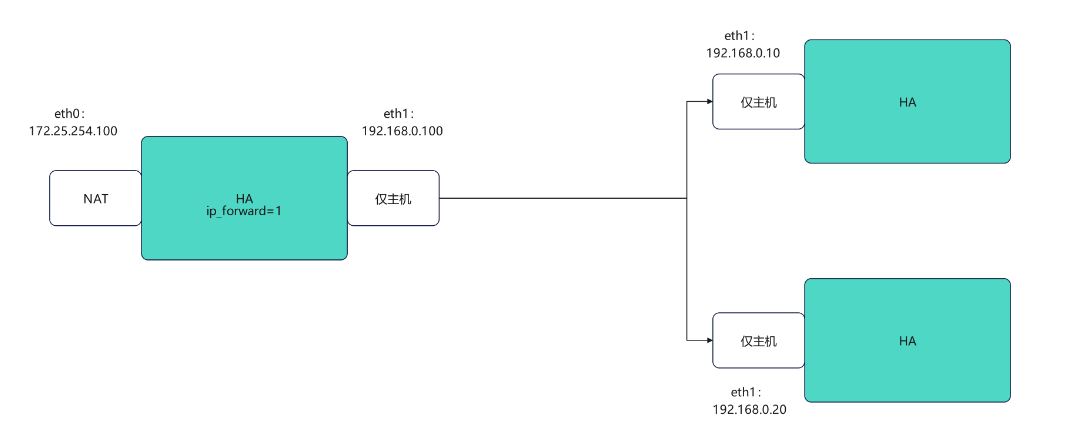
Haproxy主配置文件 /etc/haproxy/haproxy.cfg。
Haproxy
bash
#配置网卡
[root@haproxy ~]# vmset.sh eth0 172.25.254.100 haproxy
连接已成功激活(D-Bus 活动路径:/org/freedesktop/NetworkManager/ActiveConnection/7)
2: eth0: <BROADCAST,MULTICAST,UP,LOWER_UP> mtu 1500 qdisc mq state UP group default qlen 1000
    link/ether 00:0c:29:0c:6f:ee brd ff:ff:ff:ff:ff:ff
    altname enp3s0
    altname ens160
    inet 172.25.254.100/24 brd 172.25.254.255 scope global noprefixroute eth0
       valid_lft forever preferred_lft forever
    inet6 fe80::20c:29ff:fe0c:6fee/64 scope link tentative noprefixroute
       valid_lft forever preferred_lft forever
haproxy
[root@haproxy ~]# vmset.sh eth1 192.168.0.100 haproxy norouter
连接已成功激活(D-Bus 活动路径:/org/freedesktop/NetworkManager/ActiveConnection/8)
3: eth1: <BROADCAST,MULTICAST,UP,LOWER_UP> mtu 1500 qdisc mq state UP group default qlen 1000
    link/ether 00:0c:29:0c:6f:f8 brd ff:ff:ff:ff:ff:ff
    altname enp19s0
    altname ens224
    inet 192.168.0.100/24 brd 192.168.0.255 scope global noprefixroute eth1
       valid_lft forever preferred_lft forever
    inet6 fe80::4ca7:8cde:1244:8df/64 scope link tentative noprefixroute
       valid_lft forever preferred_lft forever
haproxy


#配置内核路由功能
[root@haproxy ~]# echo net.ipv4.ip_forward=1 > /etc/sysctl.conf
[root@haproxy ~]# sysctl -p
net.ipv4.ip_forward = 1

[root@haproxy ~]# dnf install haproxy.x86_64 -y
[root@haproxy ~]# systemctl enable --now haproxy
web1
bash
[root@webserver1 ~]# vmset.sh eth0 192.168.0.10 webserver1 noroute
连接已成功激活(D-Bus 活动路径:/org/freedesktop/NetworkManager/ActiveConnection/4)
2: eth0: <BROADCAST,MULTICAST,UP,LOWER_UP> mtu 1500 qdisc mq state UP group default qlen 1000
    link/ether 00:0c:29:8c:96:72 brd ff:ff:ff:ff:ff:ff
    altname enp3s0
    altname ens160
    inet 192.168.0.10/24 brd 192.168.0.255 scope global noprefixroute eth0
       valid_lft forever preferred_lft forever
    inet6 fe80::20c:29ff:fe8c:9672/64 scope link tentative noprefixroute
       valid_lft forever preferred_lft forever
webserver1

[root@webserver1 ~]# dnf install httpd -y
root@webserver1 ~]# echo webserver1 - 192.168.0.10 > /var/www/html/index.html
[root@webserver1 ~]# systemctl enable --now httpd
Created symlink /etc/systemd/system/multi-user.target.wants/httpd.service → /usr/lib/systemd/system/httpd.service.
web2
bash
[root@webserver2 ~]# vmset.sh eth0 192.168.0.20 webserver2 noroute
连接已成功激活(D-Bus 活动路径:/org/freedesktop/NetworkManager/ActiveConnection/4)
2: eth0: <BROADCAST,MULTICAST,UP,LOWER_UP> mtu 1500 qdisc mq state UP group default qlen 1000
    link/ether 00:0c:29:8c:96:72 brd ff:ff:ff:ff:ff:ff
    altname enp3s0
    altname ens160
    inet 192.168.0.20/24 brd 192.168.0.255 scope global noprefixroute eth0
       valid_lft forever preferred_lft forever
    inet6 fe80::20c:29ff:fe8c:9672/64 scope link tentative noprefixroute
       valid_lft forever preferred_lft forever
webserver2
[root@webserver2 ~]# dnf install httpd -y
[root@webserver2 ~]#  echo webserver2 - 192.168.0.20 > /var/www/html/index.html
[root@webserver2 ~]# systemctl enable --now httpd
Created symlink /etc/systemd/system/multi-user.target.wants/httpd.service → /usr/lib/systemd/system/httpd.service.
验证
bash
#在haproxy中访问
[root@haproxy ~]# curl  192.168.0.10
webserver1 - 192.168.0.10
[root@haproxy ~]# curl  192.168.0.20
webserver2 - 192.168.0.20haproxy基本负载`
bash
#设定vim中tab键的空格个数
[root@haproxy ~]# vim ~/.vimrc
set ts=4 ai

#前后端分开设定
[root@haproxy ~]# vim /etc/haproxy/haproxy.cfg

frontend webcluster
    bind            *:80
    mode            http
    use_backend     webserver-80

backend webserver-80
    server web1 192.168.0.10:80 check inter 3s fall 3 rise 5
    server web2 192.168.0.20:80 check inter 3s fall 3 rise 5

[root@haproxy ~]# systemctl restart haproxy.service

#测试:
[root@haproxy ~]# curl  172.25.254.100
webserver2 - 192.168.0.20
[root@haproxy ~]# curl  172.25.254.100
webserver1 - 192.168.0.10


#用listen方式书写负载均衡
[root@haproxy ~]# vim /etc/haproxy/haproxy.cfg
listen webcluster
    bind        *:80
    mode        http
    server haha 192.168.0.10:80 check inter 3s fall 3 rise 5
    server hehe 192.168.0.20:80 check inter 3s fall 3 rise 5

[root@haproxy ~]# systemctl restart haproxy.service


#测试
[root@haproxy ~]# curl  172.25.254.100
webserver2 - 192.168.0.20
[root@haproxy ~]# curl  172.25.254.100
webserver1 - 192.168.0.10
2.2.2 指定log发送到哪里(指定日志发送到192.168.0.10)
bash
#在192.168.0.10 开启接受日志的端口
[root@webserver1 ~]# vim /etc/rsyslog.conf
 32 module(load="imudp") # needs to be done just once
 33 input(type="imudp" port="514")

[root@webserver1 ~]# systemctl restart rsyslog.service

#测试接受日志端口是否开启
[root@webserver1 ~]# netstat -antlupe | grep rsyslog
udp        0      0 0.0.0.0:514             0.0.0.0:*                           0          74140      30965/rsyslogd
udp6       0      0 :::514                  :::*                                0          74141      30965/rsyslogd


#在haproxy主机中设定日志发送信息
[root@haproxy haproxy]# vim vim /etc/haproxy/haproxy.cfg

log         192.168.0.10 local2
[root@haproxy haproxy]# systemctl restart haproxy.service


#验证
─
[2026-01-23 15:13.54]  ~
[Administrator.DESKTOP-VJ307M3] ➤ curl 172.25.254.100
webserver1 - 192.168.0.10
                                                                                                    ✔
─────────────────────────────────────────────────────────────────────────────────────────────────────
[2026-01-23 15:19.05]  ~
[Administrator.DESKTOP-VJ307M3] ➤ curl 172.25.254.100
webserver2 - 192.168.0.20

[root@webserver1 ~]# cat /var/log/messages

Jan 23 15:19:06 192.168.0.100 haproxy[31310]: 172.25.254.1:9514 [23/Jan/2026:15:19:06.320] webcluster webcluster/haha 0/0/0/1/1 200 273 - - ---- 1/1/0/0/0 0/0 "GET / HTTP/1.1"
Jan 23 15:19:10 192.168.0.100 haproxy[31310]: 172.25.254.1:9519 [23/Jan/2026:15:19:10.095] webcluster webcluster/hehe 0/0/0/0/0 200 273 - - ---- 1/1/0/0/0 0/0 "GET / HTTP/1.1"
2.2.3 haproxy的多进程
bash
#默认haproxy是单进程
[root@haproxy ~]# pstree -p | grep haproxy
           |-haproxy(31439)---haproxy(31441)-+-{haproxy}(31442)
[root@haproxy ~]# vim /etc/haproxy/haproxy.cfg
global
	log 127.0.0.1 local2
	chroot /var/lib/haproxy
	pidfile /var/run/haproxy.pid
	maxconn 100000
	user haproxy
	group haproxy
	daemon
	nbproc      2   #写在这里

[root@haproxy ~]# systemctl restart haproxy.service

#验证
[root@haproxy ~]# pstree -p | grep haproxy
           |-haproxy(31549)-+-haproxy(31551)
           |                `-haproxy(31552)


#多进程cpu绑定
[root@haproxy ~]# vim /etc/haproxy/haproxy.cfg
    nbproc      2
    cpu-map     1 0   #第一个进程绑定cpu的第一个内核
    cpu-map     2 1   #第二个进程绑定cpu的第二个内核
[root@haproxy ~]# systemctl restart haproxy.service


#为不同进程准备不同套接字
[root@haproxy ~]# systemctl stop haproxy.service
[root@haproxy ~]# rm -fr /var/lib/haproxy/stats
[root@haproxy ~]# vim /etc/haproxy/haproxy.cfg
    #stats socket /var/lib/haproxy/stats
    stats socket /var/lib/haproxy/haproxy1  mode 600 level admin process 1
    stats socket /var/lib/haproxy/haporxy2  mode 600 level admin process 1

[root@haproxy ~]# systemctl restart haproxy.service

#效果
[root@haproxy ~]# ll /var/lib/haproxy/
总用量 0
srw------- 1 root root 0  1月 23 15:41 haporxy2
srw------- 1 root root 0  1月 23 15:41 haproxy1
注意多线程不能和多进程同时启用,一个work进程只能开启一个线程
2.2.4 haproxy的多线程
bash
#查看当前haproxy的进程信息
[root@haproxy ~]# pstree -p | grep haproxy
           |-haproxy(31742)-+-haproxy(31744)
           |                `-haproxy(31745)
 #查看haproxy子进程的线程信息
[root@haproxy ~]# cat /proc/31744/status  | grep Threads
Threads:        1

#启用多线程
[root@haproxy ~]# vim /etc/haproxy/haproxy.cfg

	#nbproc     2
    #cpu-map    1 0
    #cpu-map    2 1
    nbthread    2
    # turn on stats unix socket
    stats socket /var/lib/haproxy/stats
    #stats socket /var/lib/haproxy/haproxy1  mode 600 level admin process 1
    #stats socket /var/lib/haproxy/haporxy2  mode 660 level admin process 1

[root@haproxy ~]# systemctl restart haproxy.service

#效果
[root@haproxy ~]# pstree -p | grep haproxy
           |-haproxy(31858)---haproxy(31860)---{haproxy}(31861)

[root@haproxy ~]# cat /proc/31860/status  | grep Threads
Threads:        2
2.2.5 ip透传
bash
#开启ip透传的方式
[root@haproxy ~]# vim /etc/haproxy/haproxy.cfg
。。。忽略。。。。。
defaults
    mode                    http
    log                     global
    option                  httplog
    option                  dontlognull
    option http-server-close
    option forwardfor       except 127.0.0.0/8				#开启haproxy透传功能
    option                  redispatch
    retries                 3
    timeout http-request    10s
    timeout queue           1m
    timeout connect         10s
    timeout client          1m
    timeout server          1m
    timeout http-keep-alive 10s
    timeout check           10s
    maxconn                 3000

#在rs中设定采集透传IP  添加\"%{X-Forwarded-For}i\"
[root@webserver2 ~]#  vim /etc/httpd/conf/httpd.conf
201     LogFormat "%h %l %u %t \"%r\" %>s %b \"%{X-Forwarded-For}i\" \"%{Referer}i\" \"%{User-Agent}i    \"" combined

[root@webserver2 ~]# systemctl restart httpd

#测试效果
[root@webserver2 ~]# cat /etc/httpd/logs/access_log
192.168.0.100 - - [26/Jan/2026:10:10:29 +0800] "GET / HTTP/1.1" 200 26 "172.25.254.1" "-" "curl/7.65.0"
192.168.0.100 - - [26/Jan/2026:10:10:30 +0800] "GET / HTTP/1.1" 200 26 "172.25.254.1" "-" "curl/7.65.0"
192.168.0.100 - - [26/Jan/2026:10:10:30 +0800] "GET / HTTP/1.1" 200 26 "172.25.254.1" "-" "curl/7.65.0"
2.2.6 socat热更新工具
热更新
在服务或软件不停止的情况下更新软件或服务的工作方式,完成对软件不停工更新,典型的热更新设备,usb,在使用usb进行插拔时,电脑系统时不需要停止工作的,这中设备叫热插拔设备,
bash
#安装socat
[root@haproxy ~]# dnf install socat -y
[root@haproxy ~]# socat  -h

#对socket进行授权
[root@haproxy ~]# vim /etc/haproxy/haproxy.cfg
stats socket /var/lib/haproxy/stats mode 600 level admin
[root@haproxy ~]# rm -rf /var/lib/haproxy/*
[root@haproxy ~]# systemctl restart haproxy.service
[root@haproxy ~]# ll /var/lib/haproxy/
总用量 0
srw------- 1 root root 0  1月 25 10:04 stats

[root@haproxy ~]# echo "show servers state"  | socat stdio /var/lib/haproxy/stats
1
# be_id be_name srv_id srv_name srv_addr srv_op_state srv_admin_state srv_uweight srv_iweight srv_time_since_last_change srv_check_status srv_check_result srv_check_health srv_check_state srv_agent_state bk_f_forced_id srv_f_forced_id srv_fqdn srv_port srvrecord srv_use_ssl srv_check_port srv_check_addr srv_agent_addr srv_agent_port
2 webcluster 1 haha 192.168.0.10 2 0 1 1 275 6 3 7 6 0 0 0 - 80 - 0 0 - - 0
2 webcluster 2 hehe 192.168.0.20 2 0 1 1 275 6 3 7 6 0 0 0 - 80 - 0 0 - - 0


[root@haproxy ~]# echo "get  weight webcluster/hehe" | socat  stdio /var/lib/haproxy/stats
1 (initial 1)

[root@haproxy ~]# echo "set  weight  webcluster/hehe 4 " | socat stdio /var/lib/haproxy/stats

[root@haproxy ~]# echo "get  weight webcluster/hehe" | socat  stdio /var/lib/haproxy/stats
4 (initial 1)

#测试
[Administrator.DESKTOP-VJ307M3] ➤ for i in {1..10}; do curl 172.25.254.100; done
webserver2 - 192.168.0.20
webserver2 - 192.168.0.20
webserver1 - 192.168.0.10
webserver2 - 192.168.0.20
webserver2 - 192.168.0.20
webserver2 - 192.168.0.20
webserver2 - 192.168.0.20
webserver1 - 192.168.0.10
webserver2 - 192.168.0.20
webserver2 - 192.168.0.20
2.2.7 静态算法
1.static-rr,
基于权重的轮询调度
不支持运行时利用socat进行权重的动态调整(只支持0和1,不支持其它值)
不支持端服务器慢启动
其后端主机数量没有限制,相当于LVS中的 wrr
慢启动是指在服务器刚刚启动上不会把他所应该承担的访问压力全部给它,而是先给一部分,当没
问题后在给一部分
bash
[root@haproxy ~]# vim /etc/haproxy/haproxy.cfg
listen webcluster
    bind        *:80
    balance     static-rr
    server haha 192.168.0.10:80 check inter 3s fall 3 rise 5 weight 2
    server hehe 192.168.0.20:80 check inter 3s fall 3 rise 5 weight 1


[root@haproxy ~]# systemctl restart haproxy.service

#测试
[Administrator.DESKTOP-VJ307M3] ➤ for i in {1..10}; do curl 172.25.254.100; done
webserver1 - 192.168.0.10
webserver1 - 192.168.0.10
webserver2 - 192.168.0.20
webserver1 - 192.168.0.10
webserver1 - 192.168.0.10
webserver2 - 192.168.0.20
webserver1 - 192.168.0.10
webserver1 - 192.168.0.10
webserver2 - 192.168.0.20
webserver1 - 192.168.0.10


#检测是否支持热更新
[root@haproxy ~]# echo "get  weight webcluster/haha" | socat  stdio /var/lib/haproxy/stats
2 (initial 2)

[root@haproxy ~]# echo "set  weight  webcluster/haha 1  " | socat stdio /var/lib/haproxy/stats       Backend is using a static LB algorithm and only accepts weights '0%' and '100%'
2.first
根据服务器在列表中的位置,自上而下进行调度
其只会当第一台服务器的连接数达到上限,新请求才会分配给下一台服务
其会忽略服务器的权重设置
不支持用socat进行动态修改权重,可以设置0和1,可以设置其它值但无效
bash
[root@haproxy ~]# vim /etc/haproxy/haproxy.cfg
listen webcluster
    bind        *:80
    balance     first
    server haha 192.168.0.10:80 maxconn 1 check inter 3s fall 3 rise 5 weight 2
    server hehe 192.168.0.20:80 check inter 3s fall 3 rise 5 weight 1


[root@haproxy ~]# systemctl restart haproxy.service


#测试:在一个shell中执行持续访问
[Administrator.DESKTOP-VJ307M3] ➤ while true; do curl 172.25.254.100; done
webserver2 - 192.168.0.20
webserver2 - 192.168.0.20
webserver2 - 192.168.0.20
webserver2 - 192.168.0.20
webserver2 - 192.168.0.20
webserver2 - 192.168.0.20
webserver2 - 192.168.0.20
webserver2 - 192.168.0.20
webserver2 - 192.168.0.20
webserver2 - 192.168.0.20
webserver2 - 192.168.0.20
webserver2 - 192.168.0.20
webserver2 - 192.168.0.20
webserver2 - 192.168.0.20
webserver2 - 192.168.0.20
webserver2 - 192.168.0.20
webserver2 - 192.168.0.20
.... .....

#之后把两个server的位置切换在观察
2.2.8 动态算法
1.roundrobin
1. 基于权重的轮询动态调度算法
-
支持权重的运行时调整,不同于lvs中的rr轮训模式,
-
HAProxy中的roundrobin支持慢启动(新加的服务器会逐渐增加转发数),
-
其每个后端backend中最多支持4095个real server,
-
支持对real server权重动态调整,
-
roundrobin为默认调度算法,此算法使用广泛
bash
[root@haproxy ~]# vim /etc/haproxy/haproxy.cfg
listen webcluster
    bind        *:80
    balance     roundrobin
    server haha 192.168.0.10:80 check inter 3s fall 3 rise 5 weight 2
    server hehe 192.168.0.20:80 check inter 3s fall 3 rise 5 weight 1

[root@haproxy ~]# systemctl restart haproxy.service

#测试
[Administrator.DESKTOP-VJ307M3] ➤ for i in {1..10}; do curl 172.25.254.100; done
webserver1 - 192.168.0.10
webserver1 - 192.168.0.10
webserver2 - 192.168.0.20
webserver1 - 192.168.0.10
webserver1 - 192.168.0.10
webserver2 - 192.168.0.20
webserver1 - 192.168.0.10
webserver1 - 192.168.0.10
webserver2 - 192.168.0.20
webserver1 - 192.168.0.10


#动态权重更新

[root@haproxy ~]# echo "get  weight webcluster/haha" | socat  stdio /var/lib/haproxy/stats
2 (initial 2)

[root@haproxy ~]# echo "set  weight  webcluster/haha 1  " | socat stdio /var/lib/haproxy/stats
[root@haproxy ~]# echo "get  weight webcluster/haha" | socat  stdio /var/lib/haproxy/stats
1 (initial 2)

#效果
[Administrator.DESKTOP-VJ307M3] ➤ for i in {1..10}; do curl 172.25.254.100; done
webserver2 - 192.168.0.20
webserver1 - 192.168.0.10
webserver2 - 192.168.0.20
webserver1 - 192.168.0.10
webserver2 - 192.168.0.20
webserver1 - 192.168.0.10
webserver2 - 192.168.0.20
webserver1 - 192.168.0.10
webserver2 - 192.168.0.20
webserver1 - 192.168.0.10
2 leastconn
leastconn加权的最少连接的动态
支持权重的运行时调整和慢启动,即:根据当前连接最少的后端服务器而非权重进行优先调度(新客户
端连接)
比较适合长连接的场景使用,比如:MySQL等场景。
bash
[root@haproxy ~]# vim /etc/haproxy/haproxy.cfg
listen webcluster
    bind        *:80
    balance     leastconn
    server haha 192.168.0.10:80 check inter 3s fall 3 rise 5 weight 2
    server hehe 192.168.0.20:80 check inter 3s fall 3 rise 5 weight 1

[root@haproxy ~]# systemctl restart haproxy.service

[Administrator.DESKTOP-VJ307M3] ➤ for i in {1..10}; do curl 172.25.254.100; done
webserver1 - 192.168.0.10
webserver2 - 192.168.0.20
webserver1 - 192.168.0.10
webserver2 - 192.168.0.20
webserver1 - 192.168.0.10
webserver2 - 192.168.0.20
webserver1 - 192.168.0.10
webserver2 - 192.168.0.20
webserver1 - 192.168.0.10
webserver2 - 192.168.0.20
2.2.9 混合算法
1.source
源地址hash,基于用户源地址hash并将请求转发到后端服务器,后续同一个源地址请求将被转发至同一个后端web服务器。
此方式当后端服务器数据量发生变化时,会导致很多用户的请求转发至新的后端服
务器,默认为静态方式,但是可以通过hash-type支持的选项更改这个算法一般是在不插入Cookie的TCP模式下使用,也可给拒绝会话cookie的客户提供最好的会话粘性,适用于session会话保持但不支持cookie和缓存的场景源地址有两种转发客户端请求到后端服务器的服务器选取计算方式,分别是取模法和一致性hash
bash
#默认静态算法
[root@haproxy ~]# vim /etc/haproxy/haproxy.cfg
listen webcluster
    bind        *:80
    balance     source
    server haha 192.168.0.10:80 check inter 3s fall 3 rise 5 weight 2
    server hehe 192.168.0.20:80 check inter 3s fall 3 rise 5 weight 1

[root@haproxy ~]# systemctl restart haproxy.service


#测试:
[Administrator.DESKTOP-VJ307M3] ➤ for i in {1..10}; do curl 172.25.254.100; done
webserver2 - 192.168.0.20
webserver2 - 192.168.0.20
webserver2 - 192.168.0.20
webserver2 - 192.168.0.20
webserver2 - 192.168.0.20
webserver2 - 192.168.0.20
webserver2 - 192.168.0.20
webserver2 - 192.168.0.20
webserver2 - 192.168.0.20
webserver2 - 192.168.0.20


#source动态算法
[root@haproxy ~]# vim /etc/haproxy/haproxy.cfg
listen webcluster
    bind        *:80
    balance     source
    hash-type 	consistent
    server haha 192.168.0.10:80 check inter 3s fall 3 rise 5 weight 2
    server hehe 192.168.0.20:80 check inter 3s fall 3 rise 5 weight 1

[root@haproxy ~]# systemctl restart haproxy.service


#测试:
[Administrator.DESKTOP-VJ307M3] ➤ for i in {1..10}; do curl 172.25.254.100; done
webserver2 - 192.168.0.20
webserver2 - 192.168.0.20
webserver2 - 192.168.0.20
webserver2 - 192.168.0.20
webserver2 - 192.168.0.20
webserver2 - 192.168.0.20
webserver2 - 192.168.0.20
webserver2 - 192.168.0.20
webserver2 - 192.168.0.20
webserver2 - 192.168.0.20
2.uri
基于对用户请求的URI的左半部分或整个uri做hash,再将hash结果对总权重进行取模后,根据最终结果将请求转发到后端指定服务器
bash
#主备实验环境
[root@webserver1 ~]# echo RS1 - 192.168.0.10 > /var/www/html/index1.html
[root@webserver1 ~]# echo RS1 - 192.168.0.10 > /var/www/html/index2.html
[root@webserver2 ~]# echo RS2 - 192.168.0.20 > /var/www/html/index1.html
[root@webserver2 ~]# echo RS2 - 192.168.0.20 > /var/www/html/index2.html

#设定uri算法
[root@haproxy ~]# vim /etc/haproxy/haproxy.cfg
listen webcluster
    bind        *:80
    balance     uri
    hash-type 	consistent
    server haha 192.168.0.10:80 check inter 3s fall 3 rise 5 weight 2
    server hehe 192.168.0.20:80 check inter 3s fall 3 rise 5 weight 1

[root@haproxy ~]# systemctl restart haproxy.service


#测试:
[Administrator.DESKTOP-VJ307M3] ➤ for i in {1..10}; do curl 172.25.254.100/index.html; done
webserver1 - 192.168.0.10
webserver1 - 192.168.0.10
webserver1 - 192.168.0.10
webserver1 - 192.168.0.10
webserver1 - 192.168.0.10
webserver1 - 192.168.0.10
webserver1 - 192.168.0.10
webserver1 - 192.168.0.10
webserver1 - 192.168.0.10
webserver1 - 192.168.0.10
                                                                                                    ✔
─────────────────────────────────────────────────────────────────────────────────────────────────────
[2026-01-25 14:51.59]  ~
[Administrator.DESKTOP-VJ307M3] ➤ for i in {1..10}; do curl 172.25.254.100/index2.html; done
RS2 - 172.168.0.20
RS2 - 172.168.0.20
RS2 - 172.168.0.20
RS2 - 172.168.0.20
RS2 - 172.168.0.20
RS2 - 172.168.0.20
RS2 - 172.168.0.20
RS2 - 172.168.0.20
RS2 - 172.168.0.20
RS2 - 172.168.0.20
3.url_param
url_param对用户请求的url中的 params 部分中的一个参数key对应的value值作hash计算,并由服务器总权重相除以后派发至某挑出的服务器,后端搜索同一个数据会被调度到同一个服务器,多用与电商通常用于追踪用户,以确保来自同一个用户的请求始终发往同一个real server
如果无没key,将按roundrobin算法
bash
#主备实验环境
[root@webserver1 ~]# echo RS1 - 192.168.0.10 > /var/www/html/index1.html
[root@webserver1 ~]# echo RS1 - 192.168.0.10 > /var/www/html/index2.html
[root@webserver2 ~]# echo RS2 - 192.168.0.20 > /var/www/html/index1.html
[root@webserver2 ~]# echo RS2 - 192.168.0.20 > /var/www/html/index2.html

#设定url_param算法
[root@haproxy ~]# vim /etc/haproxy/haproxy.cfg
listen webcluster
    bind        *:80
    balance     url_param name
    hash-type 	consistent
    server haha 192.168.0.10:80 check inter 3s fall 3 rise 5 weight 2
    server hehe 192.168.0.20:80 check inter 3s fall 3 rise 5 weight 1

[root@haproxy ~]# systemctl restart haproxy.service


#测试:
[Administrator.DESKTOP-VJ307M3] ➤ for i in {1..10}; do curl 172.25.254.100/index.html?name=lee; done
webserver2 - 192.168.0.20
webserver2 - 192.168.0.20
webserver2 - 192.168.0.20
webserver2 - 192.168.0.20
webserver2 - 192.168.0.20
webserver2 - 192.168.0.20
webserver2 - 192.168.0.20
webserver2 - 192.168.0.20
webserver2 - 192.168.0.20
webserver2 - 192.168.0.20

[Administrator.DESKTOP-VJ307M3] ➤ for i in {1..10}; do curl 172.25.254.100/index.html?name=redhat; done
webserver1 - 192.168.0.10
webserver1 - 192.168.0.10
webserver1 - 192.168.0.10
webserver1 - 192.168.0.10
webserver1 - 192.168.0.10
webserver1 - 192.168.0.10
webserver1 - 192.168.0.10
webserver1 - 192.168.0.10
webserver1 - 192.168.0.10
webserver1 - 192.168.0.10
4.hdr
针对用户每个http头部(header)请求中的指定信息做hash,
此处由 name 指定的http首部将会被取出并做hash计算,
然后由服务器总权重取模以后派发至某挑出的服务器,如果无有效值,则会使用默认的轮询调度。
bash
[root@haproxy ~]# vim /etc/haproxy/haproxy.cfg
listen webcluster
    bind        *:80
    balance     hdr(User-Agent)
    hash-type 	consistent
    server haha 192.168.0.10:80 check inter 3s fall 3 rise 5 weight 2
    server hehe 192.168.0.20:80 check inter 3s fall 3 rise 5 weight 1

[root@haproxy ~]# systemctl restart haproxy.service


#测试:
[Administrator.DESKTOP-VJ307M3] ➤ curl -A "lee" 172.25.254.100
webserver2 - 192.168.0.20
                                                                                                    ✔
─────────────────────────────────────────────────────────────────────────────────────────────────────
[2026-01-25 15:00.53]  ~
[Administrator.DESKTOP-VJ307M3] ➤ curl -A "lee" 172.25.254.100
webserver2 - 192.168.0.20
                                                                                                    ✔
─────────────────────────────────────────────────────────────────────────────────────────────────────
[2026-01-25 15:00.54]  ~
[Administrator.DESKTOP-VJ307M3] ➤ curl -A "timinglee" 172.25.254.100
webserver2 - 192.168.0.20
                                                                                                    ✔
─────────────────────────────────────────────────────────────────────────────────────────────────────
[2026-01-25 15:01.00]  ~
[Administrator.DESKTOP-VJ307M3] ➤ curl -A "timing" 172.25.254.100
webserver1 - 192.168.0.10
2.2.10 cookie会话保持
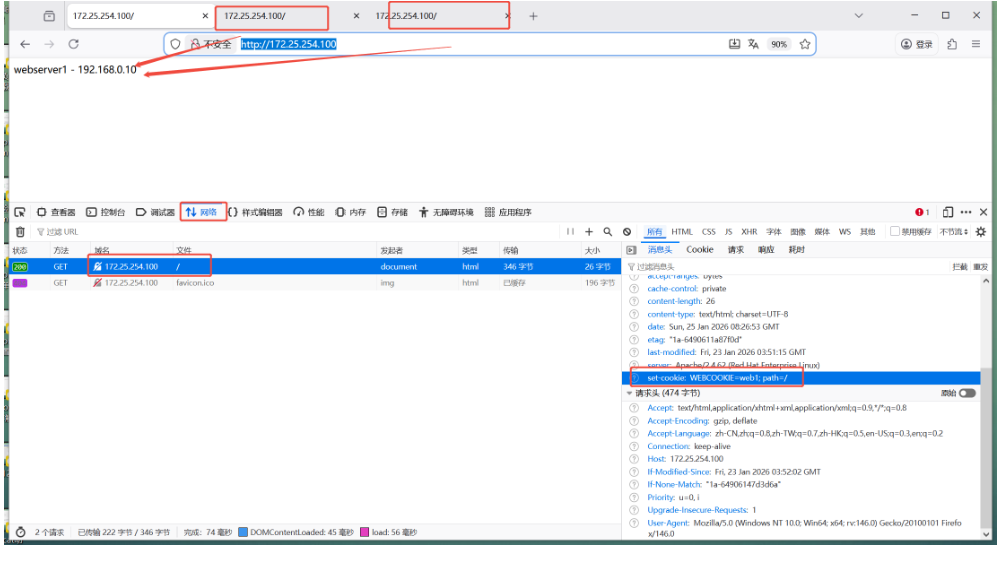
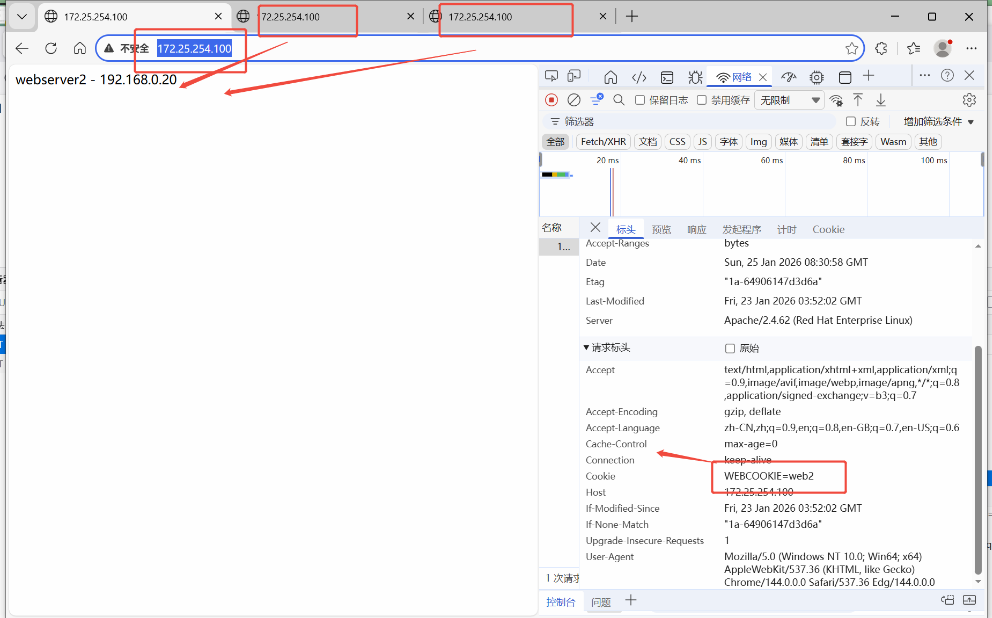
让同一台客户端中同一个浏览器中访问的是同一个服务器
bash
#配合基于cookie的会话保持方法
[root@haproxy ~]# vim /etc/haproxy/haproxy.cfg
listen webcluster
    bind        *:80
    balance     roundrobin
    hash-type   consistent
    cookie WEBCOOKIE insert nocache indirect
    server haha 192.168.0.10:80 cookie web1 check inter 3s fall 3 rise 5 weight 2
    server hehe 192.168.0.20:80 cookie web2 check inter 3s fall 3 rise 5 weight 1

[root@haproxy ~]# systemctl restart haproxy.service
firefox
edge
2.2.11 的状态页
bash
[root@haproxy ~]# vim /etc/haproxy/haproxy.cfg
listen stats
    mode        http
    bind 0.0.0.0:4321
    stats       enable
    log         global
#   stats       refresh
    stats uri   /status
    stats auth  lee:lee
[root@haproxy ~]# systemctl restart haproxy.service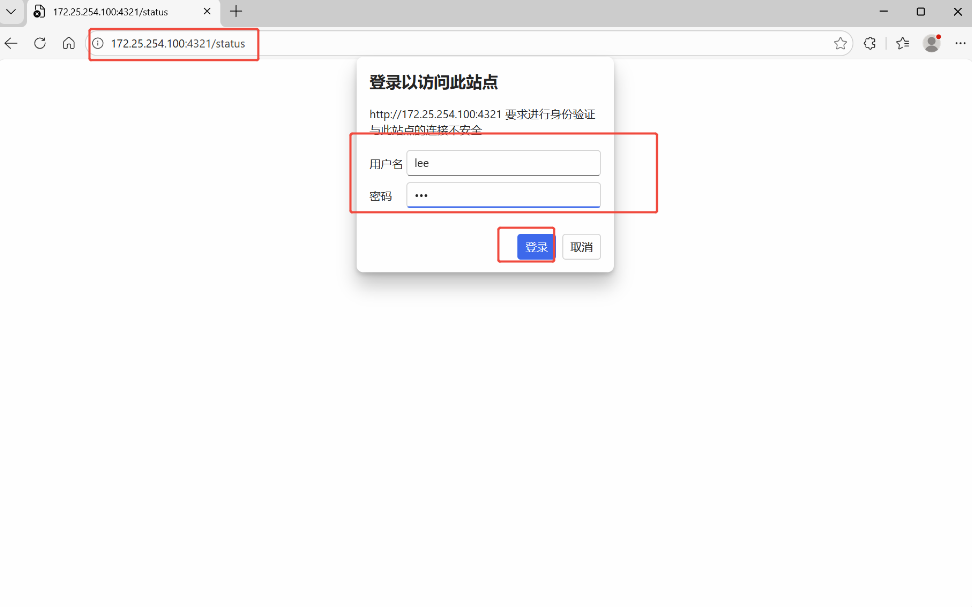
bash
开启自动刷新
[root@haproxy ~]# vim /etc/haproxy/haproxy.cfg
listen stats
    mode        http
    bind 0.0.0.0:4321
    stats       enable
    log         global
    stats       refresh   1
    stats uri   /status
    stats auth  lee:lee
[root@haproxy ~]# systemctl restart haproxy.service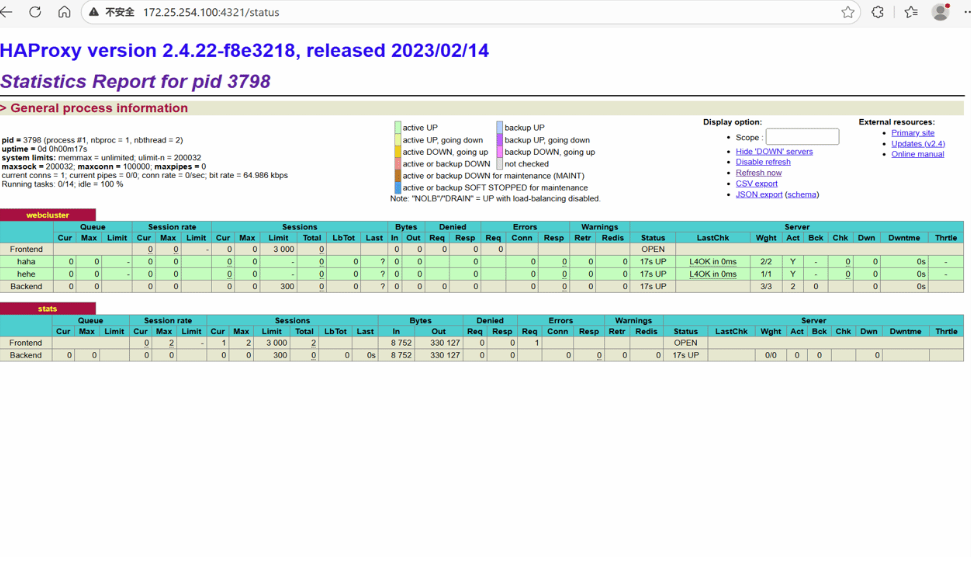
2.2.12 四层IP透传
bash
#环境设置
#在RS中把apache停止
[root@webserver1 ~]# systemctl disable --now httpd
[root@webserver2 ~]# systemctl disable --now httpd

#部署nginx
[root@webserver1 ~]# dnf install nginx -y
[root@webserver2 ~]# dnf install nginx -y
[root@webserver1 ~]# echo RS1 - 192.168.0.10 > /usr/share/nginx/html/index.html
[root@webserver2 ~]# echo RS2 - 192.168.0.20 > /usr/share/nginx/html/index.html
[root@webserver1 ~]# systemctl enable --now nginx
[root@webserver2 ~]# systemctl enable --now nginx

#测环境
[Administrator.DESKTOP-VJ307M3] ➤ for i in {1..5}; do curl 172.25.254.100; done
RS1 - 192.168.0.10
RS2 - 192.168.0.20
RS1 - 192.168.0.10
RS2 - 192.168.0.20
RS1 - 192.168.0.10


#启用nginx的四层访问控制
[root@webserver1 ~]# vim /etc/nginx/nginx.conf
    server {
        listen       80 proxy_protocol;			#启用四层访问控制
        listen       [::]:80;
        server_name  _;
        root         /usr/share/nginx/html;

        # Load configuration files for the default server block.
        include /etc/nginx/default.d/*.conf;

        error_page 404 /404.html;
        location = /404.html {
        }

[root@webserver2 ~]# vim /etc/nginx/nginx.conf
    server {
        listen       80 proxy_protocol;			#启用四层访问控制
        listen       [::]:80;
        server_name  _;
        root         /usr/share/nginx/html;

        # Load configuration files for the default server block.
        include /etc/nginx/default.d/*.conf;

        error_page 404 /404.html;
        location = /404.html {
        }

[root@webserver1 ~]# systemctl restart nginx.service
[root@webserver2 ~]# systemctl restart nginx.service


#测试
Administrator.DESKTOP-VJ307M3] ➤ for i in {1..5}; do curl 172.25.254.100; done
<html><body><h1>502 Bad Gateway</h1>
The server returned an invalid or incomplete response.
</body></html>
<html><body><h1>502 Bad Gateway</h1>
The server returned an invalid or incomplete response.
</body></html>
<html><body><h1>502 Bad Gateway</h1>
The server returned an invalid or incomplete response.
</body></html>
<html><body><h1>502 Bad Gateway</h1>
The server returned an invalid or incomplete response.
</body></html>
<html><body><h1>502 Bad Gateway</h1>
The server returned an invalid or incomplete response.
</body></html>

出现上述报错标识nginx只支持四层访问

#设定haproxy访问4层
[root@haproxy ~]# vim /etc/haproxy/haproxy.cfg
listen webcluster
    bind        *:80
    mode        tcp				#四层访问
    balance     roundrobin
    server haha 192.168.0.10:80 send-proxy check inter 3s fall 3 rise 5 weight 1
    server hehe 192.168.0.20:80 send-proxy check inter 3s fall 3 rise 5 weight 1

[root@haproxy ~]# systemctl restart haproxy.service

#测试四层访问
[Administrator.DESKTOP-VJ307M3] ➤ for i in {1..5}; do curl 172.25.254.100; done
RS1 - 192.168.0.10
RS2 - 192.168.0.20
RS1 - 192.168.0.10
RS2 - 192.168.0.20
RS1 - 192.168.0.10


#设置4层ip透传
[root@webserver1&2 ~]# vim /etc/nginx/nginx.conf

    log_format  main  '$remote_addr - $remote_user [$time_local] "$request" '
                      '"$proxy_protocol_addr"'			#采集透传信息
                      '$status $body_bytes_sent "$http_referer" '
                      '"$http_user_agent" "$http_x_forwarded_for"';


[root@webserver1&2 ~]# systemctl restart nginx.service

#测试
[Administrator.DESKTOP-VJ307M3] ➤ for i in {1..5}; do curl 172.25.254.100; done
RS2 - 192.168.0.20
RS1 - 192.168.0.10
RS2 - 192.168.0.20
RS1 - 192.168.0.10
RS2 - 192.168.0.20


[root@webserver1 ~]# cat /var/log/nginx/access.log
192.168.0.100 - - [26/Jan/2026:10:52:40 +0800] "GET / HTTP/1.1" "172.25.254.1"200 19 "-" "curl/7.65.0" "-"
192.168.0.100 - - [26/Jan/2026:10:53:49 +0800] "GET / HTTP/1.1"  "172.25.254.1"200 19 "-" "curl/7.65.0" "-"
192.168.0.100 - - [26/Jan/2026:10:53:50 +0800] "GET / HTTP/1.1"  "172.25.254.1"200 19 "-" "curl/7.65.0" "-"
192.168.0.100 - - [26/Jan/2026:10:53:50 +0800] "GET / HTTP/1.1"  "172.25.254.1"200 19 "-" "curl/7.65.0" "-"
2.2.13 haproxy的四层负载
RS
bash
#部署mariadb数据库
[root@webserver1+2 ~]# dnf install mariadb-server mariadb  -y
[root@webserver1+1 ~]# vim /etc/my.cnf.d/mariadb-server.cnf
[mysqld]
server_id=10			#设定数据库所在主机的id标识,在20上设定id为20
datadir=/var/lib/mysql
socket=/var/lib/mysql/mysql.sock
log-error=/var/log/mariadb/mariadb.log
pid-file=/run/mariadb/mariadb.pid


#建立远程登录用户并授权
[root@webserver2+1 ~]# mysql
Welcome to the MariaDB monitor.  Commands end with ; or \g.
Your MariaDB connection id is 3
Server version: 10.5.27-MariaDB MariaDB Server

Copyright (c) 2000, 2018, Oracle, MariaDB Corporation Ab and others.

Type 'help;' or '\h' for help. Type '\c' to clear the current input statement.

MariaDB [(none)]>  CREATE USER 'lee'@'%' identified by 'lee';#创建用户
Query OK, 0 rows affected (0.001 sec)

MariaDB [(none)]> CREATE USER 'lee'@'%' identified by 'lee';
MariaDB [(none)]> GRANT ALL ON *.* TO 'lee'@'%';#给予权限
Query OK, 0 rows affected (0.000 sec)

#测试
[root@webserver2 ~]# mysql -ulee -plee -h 192.168.0.20   #测试10时修改ip即可
Welcome to the MariaDB monitor.  Commands end with ; or \g.
Your MariaDB connection id is 4
Server version: 10.5.27-MariaDB MariaDB Server

Copyright (c) 2000, 2018, Oracle, MariaDB Corporation Ab and others.

Type 'help;' or '\h' for help. Type '\c' to clear the current input statement.

MariaDB [(none)]>
haproxy
bash
[root@haproxy ~]# vim /etc/haproxy/haproxy.cfg
listen mariadbcluster
    bind        *:6663
    mode        tcp	#改为tcp
    balance     roundrobin
    server haha 192.168.0.10:3306  check inter 3s fall 3 rise 5 weight 1
    server hehe 192.168.0.20:3306  check inter 3s fall 3 rise 5 weight 1
[root@haproxy ~]# systemctl restart haproxy.service

#检测端口
[root@haproxy ~]# netstat -antlupe  | grep haproxy
tcp        0      0 0.0.0.0:6663            0.0.0.0:*               LISTEN      0          44430      2136/haproxy
tcp        0      0 0.0.0.0:80              0.0.0.0:*               LISTEN      0          44429      2136/haproxy
tcp        0      0 0.0.0.0:4321            0.0.0.0:*               LISTEN      0          44431      2136/haproxy


#测试:
[Administrator.DESKTOP-VJ307M3] ➤ mysql -ulee -plee -h172.25.254.100 -P 6663  #登陆
Welcome to the MariaDB monitor.  Commands end with ; or \g.
Your MariaDB connection id is 7
Server version: 10.5.27-MariaDB MariaDB Server

Copyright (c) 2000, 2017, Oracle, MariaDB Corporation Ab and others.

Type 'help;' or '\h' for help. Type '\c' to clear the current input statement.

MariaDB [(none)]> SELECT @@server_id;#查找是哪一个mysql
+-------------+
| @@server_id |
+-------------+
|          20 |
+-------------+
1 row in set (0.00 sec)

MariaDB [(none)]> quit
Bye
                                                                                                    ✔
─────────────────────────────────────────────────────────────────────────────────────────────────────
[2026-01-26 11:39.31]  ~
[Administrator.DESKTOP-VJ307M3] ➤ mysql -ulee -plee -h172.25.254.100 -P 6663
Welcome to the MariaDB monitor.  Commands end with ; or \g.
Your MariaDB connection id is 8
Server version: 10.5.27-MariaDB MariaDB Server

Copyright (c) 2000, 2017, Oracle, MariaDB Corporation Ab and others.

Type 'help;' or '\h' for help. Type '\c' to clear the current input statement.

MariaDB [(none)]> SELECT @@server_id;#查找
+-------------+
| @@server_id |
+-------------+
|          10 |
+-------------+
1 row in set (0.00 sec)

MariaDB [(none)]>
2.2.14 backup参数(备份)
将后端服务器标记为备份状态,只在所有非备份主机down机时提供服务,
bash
[root@haproxy ~]# vim /etc/haproxy/haproxy.cfg
listen mariadbcluster
    bind        *:6663
    mode        tcp
    balance     roundrobin
    server haha 192.168.0.10:3306  check inter 3s fall 3 rise 5 weight 1
    server hehe 192.168.0.20:3306  check inter 3s fall 3 rise 5 weight 1 backup


[root@haproxy ~]# systemctl restart haproxy.service


#测试
[Administrator.DESKTOP-VJ307M3] ➤ mysql -ulee -plee -h172.25.254.100 -P 6663
Welcome to the MariaDB monitor.  Commands end with ; or \g.
Your MariaDB connection id is 4
Server version: 10.5.27-MariaDB MariaDB Server

Copyright (c) 2000, 2017, Oracle, MariaDB Corporation Ab and others.

Type 'help;' or '\h' for help. Type '\c' to clear the current input statement.

MariaDB [(none)]> SELECT @@server_id;
+-------------+
| @@server_id |
+-------------+
|          10 |
+-------------+
1 row in set (0.00 sec)

MariaDB [(none)]> quit
Bye

[Administrator.DESKTOP-VJ307M3] ➤ mysql -ulee -plee -h172.25.254.100 -P 6663
Welcome to the MariaDB monitor.  Commands end with ; or \g.
Your MariaDB connection id is 4
Server version: 10.5.27-MariaDB MariaDB Server

Copyright (c) 2000, 2017, Oracle, MariaDB Corporation Ab and others.

Type 'help;' or '\h' for help. Type '\c' to clear the current input statement.

MariaDB [(none)]> SELECT @@server_id;
+-------------+
| @@server_id |
+-------------+
|          10 |
+-------------+
1 row in set (0.00 sec)

MariaDB [(none)]> quit
Bye


#关闭10的mariadb并等待1分钟
[root@webserver1 ~]# systemctl stop mariadb
[Administrator.DESKTOP-VJ307M3] ➤ mysql -ulee -plee -h172.25.254.100 -P 6663
ERROR 2013 (HY000): Lost connection to MySQL server at 'reading initial communication packet', system error: 1 "Operation not permitted"    #标识haproxy 没有完成故障转换,需要等待


[Administrator.DESKTOP-VJ307M3] ➤ mysql -ulee -plee -h172.25.254.100 -P 6663
Welcome to the MariaDB monitor.  Commands end with ; or \g.
Your MariaDB connection id is 11
Server version: 10.5.27-MariaDB MariaDB Server

Copyright (c) 2000, 2017, Oracle, MariaDB Corporation Ab and others.

Type 'help;' or '\h' for help. Type '\c' to clear the current input statement.

MariaDB [(none)]> SELECT @@server_id;
+-------------+
| @@server_id |
+-------------+
|          20 |
+-------------+
1 row in set (0.00 sec)

MariaDB [(none)]>


#还原故障主机等待片刻
[root@webserver1 ~]# systemctl start mariadb

[Administrator.DESKTOP-VJ307M3] ➤ mysql -ulee -plee -h172.25.254.100 -P 6663
Welcome to the MariaDB monitor.  Commands end with ; or \g.
Your MariaDB connection id is 4
Server version: 10.5.27-MariaDB MariaDB Server

Copyright (c) 2000, 2017, Oracle, MariaDB Corporation Ab and others.

Type 'help;' or '\h' for help. Type '\c' to clear the current input statement.

MariaDB [(none)]> SELECT @@server_id;
+-------------+
| @@server_id |
+-------------+
|          10 |
+-------------+
1 row in set (0.00 sec)

MariaDB [(none)]>
2.2.15 haproxy自定义错误页面
1.配置sorryserver
正常的所有服务器如果出现宕机,那么客户将被定向到指定的主机中,这个当业务主机出问题时被临时访问的主机叫做sorryserver
bash
#在新主机中安装apache(可以用haproxy主机代替)
[root@haproxy ~]# dnf install httpd -y
[root@haproxy ~]# vim /etc/httpd/conf/httpd.conf
47 Listen 8080
[root@haproxy ~]# systemctl enable --now httpd
Created symlink /etc/systemd/system/multi-user.target.wants/httpd.service → /usr/lib/systemd/system/httpd.service.

[root@haproxy ~]# echo "错误" > /var/www/html/index.html


#配置sorryserver上线、
[root@haproxy ~]# vim /etc/haproxy/haproxy.cfg
listen webcluster
    bind        *:80
    mode        tcp
    balance     roundrobin
    server haha 192.168.0.10:80  check inter 3s fall 3 rise 5 weight 1
    server hehe 192.168.0.20:80  check inter 3s fall 3 rise 5 weight 1
    server wuwu 192.168.0.100:8080  backup					#sorryserver

[root@haproxy ~]# systemctl restart haproxy.service

#测试
[Administrator.DESKTOP-VJ307M3] ➤ curl 172.25.254.100
webserver1 - 192.168.0.10
                                                                                                    ✔
─────────────────────────────────────────────────────────────────────────────────────────────────────
[2026-01-26 14:22.33]  ~
[Administrator.DESKTOP-VJ307M3] ➤ curl 172.25.254.100
webserver2 - 192.168.0.20
                                                                                                    ✔
─────────────────────────────────────────────────────────────────────────────────────────────────────
[2026-01-26 14:22.35]  ~


#关闭两台正常的业务主机
[root@webserver1+2 ~]# systemctl stop httpd


[Administrator.DESKTOP-VJ307M3] ➤ curl 172.25.254.100
错误
2.自定义错误页面
当所有主机包括sorryserver都宕机了,那么haproxy会提供一个默认访问的错误页面,这个错误页面跟报错代码有关,这个页面可以通过定义来机型设置
bash
#出现的错误页面
[root@webserver1+2 ~]# systemctl stop httpd
[root@haproxy ~]# systemctl stop httpd

#所有后端web服务都宕机
[Administrator.DESKTOP-VJ307M3] ➤ curl 172.25.254.100
<html><body><h1>503 Service Unavailable</h1>
No server is available to handle this request.
</body></html>


[root@haproxy ~]# mkdir /errorpage/html/ -p
[root@haproxy ~]# vim /errorpage/html/503.http
HTTP/1.0 503 Service Unavailable
Cache-Control: no-cache
Connection: close
Content-Type: text/html;charset=UTF-8

<html><body><h1>什么动物生气最安静</h1>
大猩猩!!
</body></html>
[root@haproxy ~]# vim /etc/haproxy/haproxy.cfg
defaults
    mode                    http
    log                     global
    option                  httplog
    option                  dontlognull
    option http-server-close
    option forwardfor       except 127.0.0.0/8
    option                  redispatch
    retries                 3
    timeout http-request    10s
    timeout queue           1m
    timeout connect         10s
    timeout client          1m
    timeout server          1m
    timeout http-keep-alive 10s
    timeout check           10s
    maxconn                 3000
    errorfile 503           /errorpage/html/503.http			#error 页面
[root@haproxy ~]# systemctl restart haproxy.service


#测试
[Administrator.DESKTOP-VJ307M3] ➤ curl 172.25.254.100
<html><body><h1>什么动物生气最安静</h1>
大猩猩!!
</body></html>
3.错误指定到特定网站
bash
[root@haproxy ~]# vim /etc/haproxy/haproxy.cfg
defaults
    mode                    http
    log                     global
    option                  httplog
    option                  dontlognull
    option http-server-close
    option forwardfor       except 127.0.0.0/8
    option                  redispatch
    retries                 3
    timeout http-request    10s
    timeout queue           1m
    timeout connect         10s
    timeout client          1m
    timeout server          1m
    timeout http-keep-alive 10s
    timeout check           10s
    maxconn                 3000
    errorloc 503            http://www.baidu.com			#error 页面
[root@haproxy ~]# systemctl restart haproxy.service

#在浏览器中访问
2.2.16 haproxy ACL控制访问
1.做好本地解析
bash
#在浏览器或者curl主机中设定本地解析
在windows中设定解析
#在Linux中设定解析
[Administrator.DESKTOP-VJ307M3] ➤ vim /etc/hosts
172.25.254.100  www.timinglee.org     bbs.timinglee.org    news.timinglee.org   login.timinglee.org  www.lee.org   www.lee.com

#测试
ping  bbs.timinglee.org
2.基础acl展示
bash
#在访问的网址中,所有以.com  结尾的访问10,其他访问20
[root@haproxy ~]# vim /etc/haproxy/haproxy.cfg
frontend webcluster
    bind            *:80
    mode            http

    acl test hdr_end(host) -i .com			#acl列表

    use_backend  webserver-80-web1 if test	#acl列表访问匹配
    default_backend webserver-80-web2		#acl列表访问不匹配

backend webserver-80-web1
    server web1 192.168.0.10:80 check inter 3s fall 3 rise 5

backend webserver-80-web2
    server web2 192.168.0.20:80 check inter 3s fall 3 rise 5


#测试
[2026-01-26 15:50.45]  ~
[Administrator.DESKTOP-VJ307M3] ➤ curl www.lee.com
webserver1 - 192.168.0.10
                                                                                                    ✔
─────────────────────────────────────────────────────────────────────────────────────────────────────
[2026-01-26 15:50.45]  ~
[Administrator.DESKTOP-VJ307M3] ➤ curl www.lee.org
webserver2 - 192.168.0.20


#基于访问头部


    acl head hdr_beg(host) -i bbs.
    use_backend  webserver-80-web1 if head
[root@haproxy ~]# vim /etc/haproxy/haproxy.cfg
frontend webcluster
    bind            *:80
    mode            http

    acl test hdr_end(host) -i .com			#acl列表

    acl head hdr_beg(host) -i bbs.
    use_backend  webserver-80-web1 if head
    default_backend webserver-80-web2

backend webserver-80-web1
    server web1 192.168.0.10:80 check inter 3s fall 3 rise 5

backend webserver-80-web2
    server web2 192.168.0.20:80 check inter 3s fall 3 rise 5


#测试效果


#base参数acl


[root@haproxy ~]# vim /etc/haproxy/haproxy.cfg
frontend webcluster
    bind            *:80
    mode            http

    acl pathdir base_dir -i /lee
    use_backend  webserver-80-web1 if pathdir
    default_backend webserver-80-web2		#acl列表访问不匹配

backend webserver-80-web1
    server web1 192.168.0.10:80 check inter 3s fall 3 rise 5

backend webserver-80-web2
    server web2 192.168.0.20:80 check inter 3s fall 3 rise 5

[root@webserver1+2 ~]# mkdir -p /var/www/html/lee/
[root@webserver1+2 ~]#  mkdir -p /var/www/html/lee/test/


[root@webserver1 ~]# echo lee - 192.168.0.10  > /var/www/html/lee/index.html
[root@webserver1 ~]# echo lee/test - 192.168.0.10 > /var/www/html/lee/test/index.html
[root@webserver2 ~]# echo lee - 192.168.0.20  > /var/www/html/lee/index.html
[root@webserver2 ~]# echo lee/test - 192.168.0.10 > /var/www/html/lee/test/index.html


#测试
[2026-01-26 16:01.56]  ~
[Administrator.DESKTOP-VJ307M3] ➤ curl 172.25.254.100/lee/
lee - 192.168.0.10
                                                                                                    ✔
─────────────────────────────────────────────────────────────────────────────────────────────────────
[2026-01-26 16:01.57]  ~
[Administrator.DESKTOP-VJ307M3] ➤ curl 172.25.254.100/lee/test/
lee/test - 192.168.0.10
                                                                                                    ✔
─────────────────────────────────────────────────────────────────────────────────────────────────────
[2026-01-26 16:02.01]  ~
[Administrator.DESKTOP-VJ307M3] ➤ curl 172.25.254.100/index.html
webserver2 - 192.168.0.20


#acl禁止列表黑名单


[root@haproxy ~]# vim /etc/haproxy/haproxy.cfg
frontend webcluster
    bind            *:80
    mode            http

    acl test hdr_end(host) -i .com			#acl列表

    use_backend  webserver-80-web1 if test	#acl列表访问匹配
    default_backend webserver-80-web2		#acl列表访问不匹配

	acl invalid_src src 172.25.254.1
    http-request deny if invalid_src

backend webserver-80-web1
    server web1 192.168.0.10:80 check inter 3s fall 3 rise 5

backend webserver-80-web2
    server web2 192.168.0.20:80 check inter 3s fall 3 rise 5

#测试:
[Administrator.DESKTOP-VJ307M3] ➤ curl 172.25.254.100
<html><body><h1>403 Forbidden</h1>
Request forbidden by administrative rules.
</body></html>


#禁止列表白名单


[root@haproxy ~]# vim /etc/haproxy/haproxy.cfg
frontend webcluster
    bind            *:80
    mode            http

    acl test hdr_end(host) -i .com			#acl列表

    use_backend  webserver-80-web1 if test	#acl列表访问匹配
    default_backend webserver-80-web2		#acl列表访问不匹配

	acl invalid_src src 172.25.254.1
    http-request deny if ! invalid_src

backend webserver-80-web1
    server web1 192.168.0.10:80 check inter 3s fall 3 rise 5

backend webserver-80-web2
    server web2 192.168.0.20:80 check inter 3s fall 3 rise 5

#测试:
[Administrator.DESKTOP-VJ307M3] ➤ curl 172.25.254.100
webserver2 - 192.168.0.20

[root@haproxy ~]# curl  172.25.254.100
<html><body><h1>403 Forbidden</h1>
Request forbidden by administrative rules.
</body></html>
2.2.17 haproxy全站加密
1.先制作证书
bash
[root@haproxy ~]# mkdir /etc/haproxy/certs/
[root@haproxy ~]# openssl req -newkey rsa:2048 -nodes -sha256  -keyout /etc/haproxy/certs/timinglee.org.key -x509 -days 365 -out /etc/haproxy/certs/timinglee.org.crt


You are about to be asked to enter information that will be incorporated
into your certificate request.
What you are about to enter is what is called a Distinguished Name or a DN.
There are quite a few fields but you can leave some blank
For some fields there will be a default value,
If you enter '.', the field will be left blank.
-----
Country Name (2 letter code) [XX]:CN
State or Province Name (full name) []:Shaanxi
Locality Name (eg, city) [Default City]:Xi'an
Organization Name (eg, company) [Default Company Ltd]:timinglee
Organizational Unit Name (eg, section) []:linux
Common Name (eg, your name or your server's hostname) []:www.timinglee.org
Email Address []:admin@timinglee.org
[root@haproxy ~]# ls /etc/haproxy/certs/
timinglee.org.crt  timinglee.org.key

[root@haproxy ~]# cat /etc/haproxy/certs/timinglee.org.{key,crt} > /etc/haproxy/certs/timinglee.pem
2.全站加密
bash
[root@haproxy ~]# vim /etc/haproxy/haproxy.cfg
frontend webcluster-http
    bind        *:80
    redirect scheme https if ! { ssl_fc }

listen webcluster-https
    bind        *:443 ssl  crt /etc/haproxy/certs/timinglee.pem #公钥和密钥的位置
    mode        http
    balance     roundrobin
    server haha 192.168.0.10:80  check inter 3s fall 3 rise 5 weight 1
    server hehe 192.168.0.20:80  check inter 3s fall 3 rise 5 weight 1


[root@haproxy ~]# systemctl restart haproxy.service

#测试:
[Administrator.DESKTOP-VJ307M3] ➤ curl -v -k -L http://172.25.254.100
*   Trying 172.25.254.100:80...
* TCP_NODELAY set
* Connected to 172.25.254.100 (172.25.254.100) port 80 (#0)
> GET / HTTP/1.1
> Host: 172.25.254.100
> User-Agent: curl/7.65.0
> Accept: */*
>
* Mark bundle as not supporting multiuse
< HTTP/1.1 302 Found
< content-length: 0
< location: https://172.25.254.100/					#转换信息体现
< cache-control: no-cache
<
* Connection #0 to host 172.25.254.100 left intact
* Issue another request to this URL: 'https://172.25.254.100/'
*   Trying 172.25.254.100:443...
* TCP_NODELAY set
* Connected to 172.25.254.100 (172.25.254.100) port 443 (#1)
* ALPN, offering http/1.1
* Cipher selection: ALL:!EXPORT:!EXPORT40:!EXPORT56:!aNULL:!LOW:!RC4:@STRENGTH
* successfully set certificate verify locations:
*   CAfile: /etc/pki/tls/certs/ca-bundle.crt
  CApath: none
* TLSv1.2 (OUT), TLS header, Certificate Status (22):
* TLSv1.2 (OUT), TLS handshake, Client hello (1):
* TLSv1.2 (IN), TLS handshake, Server hello (2):
* TLSv1.2 (IN), TLS handshake, Certificate (11):
* TLSv1.2 (IN), TLS handshake, Server key exchange (12):
* TLSv1.2 (IN), TLS handshake, Server finished (14):
* TLSv1.2 (OUT), TLS handshake, Client key exchange (16):
* TLSv1.2 (OUT), TLS change cipher, Change cipher spec (1):
* TLSv1.2 (OUT), TLS handshake, Finished (20):
* TLSv1.2 (IN), TLS change cipher, Change cipher spec (1):
* TLSv1.2 (IN), TLS handshake, Finished (20):
* SSL connection using TLSv1.2 / ECDHE-RSA-AES256-GCM-SHA384
* ALPN, server did not agree to a protocol
* Server certificate:
*  subject: C=CN; ST=Shaanxi; L=Xi'an; O=timinglee; OU=linux; CN=www.timinglee.org; emailAddress=admin@timinglee.org
*  start date: Jan 26 08:38:57 2026 GMT
*  expire date: Jan 26 08:38:57 2027 GMT
*  issuer: C=CN; ST=Shaanxi; L=Xi'an; O=timinglee; OU=linux; CN=www.timinglee.org; emailAddress=admin@timinglee.org
*  SSL certificate verify result: self signed certificate (18), continuing anyway.
> GET / HTTP/1.1
> Host: 172.25.254.100
> User-Agent: curl/7.65.0
> Accept: */*
>
* Mark bundle as not supporting multiuse
< HTTP/1.1 200 OK
< date: Mon, 26 Jan 2026 08:48:34 GMT
< server: Apache/2.4.62 (Red Hat Enterprise Linux)
< last-modified: Fri, 23 Jan 2026 03:52:02 GMT
< etag: "1a-64906147d3d6a"
< accept-ranges: bytes
< content-length: 26
< content-type: text/html; charset=UTF-8
<
webserver2 - 192.168.0.20
* Connection #1 to host 172.25.254.100 left intact
三.keepalived
3.1 keepzlived介绍
后端部署中,最怕"单点故障"------一台服务器宕机,整个服务就崩了。Keepalived 就是一款轻量工具,核心作用只有一个:避免单点故障,实现服务自动切换,全程不用人工操作
1.做什么
它就像一个"自动切换开关",搭配两台服务器(主服务器+备服务器)使用:
-
正常情况下,主服务器工作,对外提供一个统一的访问地址(叫VIP),客户端只需要访问这个VIP;
-
如果主服务器宕机、服务崩溃,Keepalived 会立刻检测到,自动让备服务器"接手"VIP,继续提供服务;
-
主服务器修复后,会自动抢回VIP,恢复主服务器身份,备服务器回到待命状态。
简单说:有了它,客户端访问服务不会因为一台服务器故障而中断,全程无感知。
2.核心逻辑
Keepalived 的核心是"心跳检测+自动切换",不用懂复杂协议,记住这3点就够:
-
两台服务器(主+备)组成一个小组,共享1个VIP(客户端访问的唯一地址);
-
主服务器会每隔1秒,给备服务器发一个"我还活着"的信号(叫心跳);
-
备服务器没收到这个信号(超过3秒),就判定主服务器挂了,立刻接手VIP,开始工作。
3.2实验
3.2.1 实验环境佳加虚拟路由配置
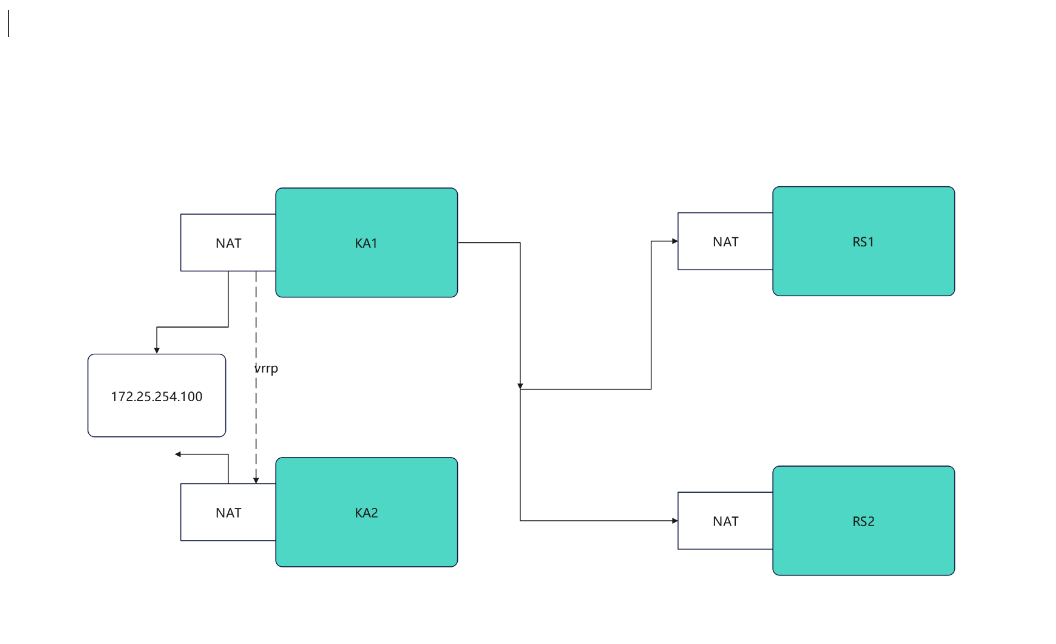
VRRP 虚拟路由器冗余协议
bash
#检测语法是否错误
keepalived -t -f /etc/keepalived/my_keepalived.conf
KA1,KA2
bash
[root@KA1 ~]# vmset.sh eth0 172.25.254.50 KA1
[root@KA2 ~]# vmset.sh eth0 172.25.254.60 KA2


#设定本地解析
[root@KA1 ~]# vim /etc/hosts
127.0.0.1   localhost localhost.localdomain localhost4 localhost4.localdomain4
::1         localhost localhost.localdomain localhost6 localhost6.localdomain6
172.25.254.50     KA1
172.25.254.60     KA2
172.25.254.10     rs1
172.25.254.20     rs2


[root@KA1 ~]# for i in 60 10 20
> do
> scp /etc/hosts 172.25.254.$i:/etc/hosts
> done

#在所有主机中查看/etc/hosts


#在ka1中开启时间同步服务
[root@KA1 ~]# vim /etc/chrony.conf
 26 allow 0.0.0.0/0
 29 local stratum 10

[root@KA1 ~]# systemctl restart chronyd
[root@KA1 ~]# systemctl enable --now chronyd


#在ka2中使用ka1的时间同步服务
[root@KA2 ~]# vim /etc/chrony.conf
pool 172.25.254.50 iburst

[root@KA2 ~]# systemctl restart chronyd
[root@KA2 ~]# systemctl enable --now chronyd

[root@KA2 ~]# chronyc sources -v

  .-- Source mode  '^' = server, '=' = peer, '#' = local clock.
 / .- Source state '*' = current best, '+' = combined, '-' = not combined,
| /             'x' = may be in error, '~' = too variable, '?' = unusable.
||                                                 .- xxxx [ yyyy ] +/- zzzz
||      Reachability register (octal) -.           |  xxxx = adjusted offset,
||      Log2(Polling interval) --.      |          |  yyyy = measured offset,
||                                \     |          |  zzzz = estimated error.
||                                 |    |           \
MS Name/IP address         Stratum Poll Reach LastRx Last sample
===============================================================================
^* KA1                           3   6    17    13   +303ns[+6125ns] +/-   69ms


#Keepalived安装


[root@KA1 ~]# dnf install keepalived.x86_64 -y
[root@KA2 ~]# dnf install keepalived.x86_64 -y


#配置虚拟路由


[root@KA1 ~]# vim /etc/keepalived/keepalived.conf
global_defs {
   notification_email {
     qq@163.com  #keepalived出现问题发送的邮箱
   }
   notification_email_from qq@163.com
   smtp_server 127.0.0.1	#邮件服务器
   smtp_connect_timeout 30
   router_id KA1
   vrrp_skip_check_adv_addr
   #vrrp_strict
   vrrp_garp_interval 1
   vrrp_gna_interval 1
   vrrp_mcast_group4 224.0.0.44   #组播地址
}
vrrp_instance WEB_VIP {
    state MASTER		#类型是主
    interface eth0	#网卡名字
    virtual_router_id 51		##
    priority 100		#优先级,越大越优先
    advert_int 1
    authentication {
        auth_type PASS
        auth_pass 1111
    }
    virtual_ipaddress {			#设置的vip
        172.25.254.100/24 dev eth0 label eth0:0
    }
}

[root@KA1 ~]# systemctl enable --now keepalived.service
Created symlink /etc/systemd/system/multi-user.target.wants/keepalived.service → /usr/lib/systemd/system/keepalived.service.

#在KA2中设定
[root@KA2 ~]# vim /etc/keepalived/keepalived.conf
global_defs {
   notification_email {
     qq@163.com	##
   }
   notification_email_from qq@163.com	##
   smtp_server 127.0.0.1		##
   smtp_connect_timeout 30
   router_id KA1
   vrrp_skip_check_adv_addr
   #vrrp_strict
   vrrp_garp_interval 1
   vrrp_gna_interval 1
   vrrp_mcast_group4 224.0.0.44		##
}
vrrp_instance WEB_VIP {
    state BACKUP		##
    interface eth0		##
    virtual_router_id 51	##要和主的一样
    priority 80		##
    advert_int 1
    authentication {
        auth_type PASS
        auth_pass 1111
    }
    virtual_ipaddress {		##
        172.25.254.100/24 dev eth0 label eth0:0
    }
}

[root@KA2 ~]# systemctl enable --now keepalived.service
Created symlink /etc/systemd/system/multi-user.target.wants/keepalived.service → /usr/lib/systemd/system/keepalived.service.


#验证
[root@KA1 ~]# tcpdump -i eth0 -nn host 224.0.0.44
11:38:46.183386 IP 172.25.254.50 > 224.0.0.44: VRRPv2, Advertisement, vrid 51, prio 100, authtype simple, intvl 1s, length 20
11:38:47.184051 IP 172.25.254.50 > 224.0.0.44: VRRPv2, Advertisement, vrid 51, prio 100, authtype simple, intvl 1s, length 20
11:38:48.184610 IP 172.25.254.50 > 224.0.0.44: VRRPv2, Advertisement, vrid 51, prio 100, authtype simple, intvl 1s, length 20
11:38:49.185084 IP 172.25.254.50 > 224.0.0.44: VRRPv2, Advertisement, vrid 51, prio 100, authtype simple, intvl 1s, length 20


[root@KA1 ~]# ifconfig
eth0: flags=4163<UP,BROADCAST,RUNNING,MULTICAST>  mtu 1500
        inet 172.25.254.50  netmask 255.255.255.0  broadcast 172.25.254.255
        inet6 fe80::3901:aeea:786a:7227  prefixlen 64  scopeid 0x20<link>
        ether 00:0c:29:26:33:d9  txqueuelen 1000  (Ethernet)
        RX packets 5847  bytes 563634 (550.4 KiB)
        RX errors 0  dropped 0  overruns 0  frame 0
        TX packets 5224  bytes 698380 (682.0 KiB)
        TX errors 0  dropped 0 overruns 0  carrier 0  collisions 0

eth0:0: flags=4163<UP,BROADCAST,RUNNING,MULTICAST>  mtu 1500
        inet 172.25.254.100  netmask 255.255.255.0  broadcast 0.0.0.0
        ether 00:0c:29:26:33:d9  txqueuelen 1000  (Ethernet)

lo: flags=73<UP,LOOPBACK,RUNNING>  mtu 65536
        inet 127.0.0.1  netmask 255.0.0.0
        inet6 ::1  prefixlen 128  scopeid 0x10<host>
        loop  txqueuelen 1000  (Local Loopback)
        RX packets 42  bytes 3028 (2.9 KiB)
        RX errors 0  dropped 0  overruns 0  frame 0
        TX packets 42  bytes 3028 (2.9 KiB)
        TX errors 0  dropped 0 overruns 0  carrier 0  collisions 0
RS1,RS2
bash
#部署rs1和rh2(单网卡NAT模式)
[root@rs1 ~]# vmset.sh eth0 172.25.254.10 rs1
[root@rs1 ~]# dnf install httpd -y
[root@rs1 ~]# echo RS1 - 172.25.254.10 > /var/www/html/index.html
[root@rs1 ~]# systemctl enable --now httpd

[root@rs2 ~]# vmset.sh eth0 172.25.254.20 rs2
[root@rs2 ~]# dnf install httpd -y
[root@rs2 ~]# echo RS2 - 172.25.254.20 > /var/www/html/index.html
[root@rs2 ~]# systemctl enable --now httpd


#测试:
[Administrator.DESKTOP-VJ307M3] ➤ curl 172.25.254.10
RS1 - 172.25.254.10
                                                                                                    ✔
─────────────────────────────────────────────────────────────────────────────────────────────────────
[2026-01-28 10:36.42]  ~
[Administrator.DESKTOP-VJ307M3] ➤ curl 172.25.254.20
RS2 - 172.25.254.20
bash
#测试故障
#在一个独立的shell中执行
[root@KA1 ~]# tcpdump -i eth0 -nn host 224.0.0.44

#在kA1中模拟故障
[root@KA1 ~]# systemctl stop keepalived.service

#在KA2中看vip是否被迁移到当前主机
[root@KA2 ~]# ifconfig
eth0: flags=4163<UP,BROADCAST,RUNNING,MULTICAST>  mtu 1500
        inet 172.25.254.60  netmask 255.255.255.0  broadcast 172.25.254.255
        inet6 fe80::26df:35e5:539:56bc  prefixlen 64  scopeid 0x20<link>
        ether 00:0c:29:1e:fd:7a  txqueuelen 1000  (Ethernet)
        RX packets 2668  bytes 237838 (232.2 KiB)
        RX errors 0  dropped 0  overruns 0  frame 0
        TX packets 2229  bytes 280474 (273.9 KiB)
        TX errors 0  dropped 0 overruns 0  carrier 0  collisions 0

eth0:0: flags=4163<UP,BROADCAST,RUNNING,MULTICAST>  mtu 1500
        inet 172.25.254.100  netmask 255.255.255.0  broadcast 0.0.0.0
        ether 00:0c:29:1e:fd:7a  txqueuelen 1000  (Ethernet)

lo: flags=73<UP,LOOPBACK,RUNNING>  mtu 65536
        inet 127.0.0.1  netmask 255.0.0.0
        inet6 ::1  prefixlen 128  scopeid 0x10<host>
        loop  txqueuelen 1000  (Local Loopback)
        RX packets 52  bytes 3528 (3.4 KiB)
        RX errors 0  dropped 0  overruns 0  frame 0
        TX packets 52  bytes 3528 (3.4 KiB)
        TX errors 0  dropped 0 overruns 0  carrier 0  collisions 0
3.2.2 keepalived的日志分离
bash
[root@KA1 ~]# vim /etc/sysconfig/keepalived
KEEPALIVED_OPTIONS="-D -S 6"
[root@KA1 ~]# systemctl restart keepalived.service

[root@KA1 ~]# vim /etc/rsyslog.conf
local6.*                                                /var/log/keepalived.log
[root@KA1 ~]# systemctl restart rsyslog.service


#测试
[root@KA1 log]# ls -l /var/log/keepalived.log
ls: 无法访问 'keepalived.log': 没有那个文件或目录

[root@KA1 log]# ls keepalived.log
keepalived.log
3.2.3 keepalived的独立子配置文件配置
bash
[root@KA1 ~]# vim /etc/keepalived/keepalived.conf
! Configuration File for keepalived

global_defs {
   notification_email {
     timinglee_zln@163.com
   }
   notification_email_from timinglee_zln@163.com
   smtp_server 127.0.0.1
   smtp_connect_timeout 30
   router_id KA1
   vrrp_skip_check_adv_addr
   #vrrp_strict
   vrrp_garp_interval 1
   vrrp_gna_interval 1
   vrrp_mcast_group4 224.0.0.44
}

include /etc/keepalived/conf.d/*.conf			#指定独立子配置文件

[root@KA1 ~]# mkdir  /etc/keepalived/conf.d -p
[root@KA1 ~]# vim /etc/keepalived/conf.d/webvip.conf
vrrp_instance WEB_VIP {
    state MASTER
    interface eth0
    virtual_router_id 51
    priority 100
    advert_int 1
    authentication {
        auth_type PASS
        auth_pass 1111
    }
    virtual_ipaddress {
        172.25.254.100/24 dev eth0 label eth0:0
    }
}

[root@KA1 ~]# keepalived -t -f /etc/keepalived/keepalived.conf
[root@KA1 ~]# systemctl restart keepalived.service
[root@KA1 ~]# ifconfig
eth0: flags=4163<UP,BROADCAST,RUNNING,MULTICAST>  mtu 1500
        inet 172.25.254.50  netmask 255.255.255.0  broadcast 172.25.254.255
        inet6 fe80::3901:aeea:786a:7227  prefixlen 64  scopeid 0x20<link>
        ether 00:0c:29:26:33:d9  txqueuelen 1000  (Ethernet)
        RX packets 17383  bytes 1417554 (1.3 MiB)
        RX errors 0  dropped 0  overruns 0  frame 0
        TX packets 32593  bytes 3135052 (2.9 MiB)
        TX errors 0  dropped 0 overruns 0  carrier 0  collisions 0

eth0:0: flags=4163<UP,BROADCAST,RUNNING,MULTICAST>  mtu 1500
        inet 172.25.254.100  netmask 255.255.255.0  broadcast 0.0.0.0
        ether 00:0c:29:26:33:d9  txqueuelen 1000  (Ethernet)

lo: flags=73<UP,LOOPBACK,RUNNING>  mtu 65536
        inet 127.0.0.1  netmask 255.0.0.0
        inet6 ::1  prefixlen 128  scopeid 0x10<host>
        loop  txqueuelen 1000  (Local Loopback)
        RX packets 118  bytes 6828 (6.6 KiB)
        RX errors 0  dropped 0  overruns 0  frame 0
        TX packets 118  bytes 6828 (6.6 KiB)
        TX errors 0  dropped 0 overruns 0  carrier 0  collisions 0
3.2.4 非抢占模式和延迟抢占
1.默认为抢占模式preempt,即当高优先级的主机恢复在线后,会抢占低先级的主机的master角色,
这样会使vip在KA主机中来回漂移,造成网络抖动,
2.建议设置为非抢占模式 nopreempt ,即高优先级主机恢复后,并不会抢占低优先级主机的master角色
非抢占模块下,如果原主机down机, VIP迁移至的新主机, 后续也发生down时,仍会将VIP迁移回原主机
3.抢占延迟模式,即优先级高的主机恢复后,不会立即抢回VIP,而是延迟一段时间(默认300s)再抢回VIP
1.nopreempt
bash
#ka1主机配置
vrrp_instance VI_1 {
	state BACKUP
	interface eth0
	virtual_router_id 20
	priority 100	 #优先级高
	nopreempt 	#非抢占模式
	advert_int 1
	authentication {
	auth_type PASS
	auth_pass 1111
	}
	virtual_ipaddress {
		172.25.254.100/24 dev eth0 label eth0:0
	}
}

#ka2主机配置
vrrp_instance VI_1 {
	state BACKUP
	interface eth0
	virtual_router_id 20
	priority 80	 #优先级高
	nopreempt 	#非抢占模式
	advert_int 1
	authentication {
	auth_type PASS
	auth_pass 1111
	}
	virtual_ipaddress {
		172.25.254.100/24 dev eth0 label eth0:0
	}
}
2.preempt_delay
bash
#ka1主机配置
vrrp_instance VI_1 {
	state BACKUP
	interface eth0
	virtual_router_id 20
	priority 100	 #优先级高
	preempt_delay 10 #抢占延迟10s
	advert_int 1
	authentication {
	auth_type PASS
	auth_pass 1111
	}
	virtual_ipaddress {
		172.25.254.100/24 dev eth0 label eth0:0
	}
}

#ka2主机配置
vrrp_instance VI_1 {
	state BACKUP
	interface eth0
	virtual_router_id 20
	priority 80	 #优先级高
	preempt_delay 10 #抢占延迟10s
	advert_int 1
	authentication {
	auth_type PASS
	auth_pass 1111
	}
	virtual_ipaddress {
		172.25.254.100/24 dev eth0 label eth0:0
	}
}
3.2.5 单播模式
跨网络不能用组播,要用单播
默认keepalived主机之间利用多播相互通告消息,会造成网络拥塞,可以替换成单播,减少网络流量
启用 vrrp_strict 时,不能启用单播
bash
#master 主机配置
[root@KA1 ~]# vim /etc/keepalived/keepalived.conf
! Configuration File for keepalived
global_defs {
	notification_email {
		594233887@qq.com
	}
	notification_email_from keepalived@KA1.timinglee.org
	smtp_server 127.0.0.1
	smtp_connect_timeout 30
	router_id KA1.timinglee.org
	vrrp_skip_check_adv_addr
	#vrrp_strict			 #注释此参数,与vip单播模式冲突
	vrrp_garp_interval 1
	vrrp_gna_interval 1
	vrrp_ipsets keepalived  #不用组播
}
vrrp_instance VI_1 {
	state MASTER
	interface eth0
	virtual_router_id 20
	priority 100
	advert_int 1
	authentication {
	auth_type PASS
	auth_pass 1111
	}
	virtual_ipaddress {
		172.25.254.100/24 dev eth0 label eth0:0
	}
	unicast_src_ip 172.25.254.20 #本机IP
		unicast_peer {
		172.25.254.30 #指向对方主机IP
		#如果有多个keepalived,再加其它节点的IP
	}
}
##在slave主机中
[root@KA2 ~]# vim /etc/keepalived/keepalived.conf
! Configuration File for keepalived
global_defs {
	notification_email {
		594233887@qq.com
	}
	notification_email_from keepalived@KA1.timinglee.org
	smtp_server 127.0.0.1
	smtp_connect_timeout 30
	router_id KA1.timinglee.org
	vrrp_skip_check_adv_addr
	#vrrp_strict			 #注释此参数,与vip单播模式冲突
	vrrp_garp_interval 0
	vrrp_gna_interval 0
	vrrp_ipsets keepalived
}
vrrp_instance VI_1 {
	state BACKUP
	interface eth0
	virtual_router_id 20
	priority 80
	advert_int 1
	preempt_delay 60
	authentication {
	auth_type PASS
	auth_pass 1111
	}
	virtual_ipaddress {
		172.25.254.100/24 dev eth0 label eth0:0
	}
	unicast_src_ip 172.25.254.30 #本机ip
		unicast_peer {
		172.25.254.20 #对端主机IP
	}
}
3.2.6 邮件告警
1.环境
bash
#安装邮件软件
[root@KA1 ~]#  dnf install s-nail postfix   -y
[root@KA2 ~]#  dnf install s-nail postfix   -y


#启动邮件代理
[root@KA1 ~]# systemctl start postfix.service
[root@KA2 ~]# systemctl start postfix.service

#在Linux主机中配置mailrc(KA1+KA2)
[root@KA1+KA2 ~]# vim /etc/mail.rc
set smtp=smtp.163.com
set smtp-auth=login
set smtp-auth-user=ln@163.com
set smtp-auth-password=TGfdKaJT7
set from=qq@163.com
set ssl-verify=ignore

#测试邮件
[root@KA1 mail]# echo hello | mailx -s test 1122334455@qq.com

[root@KA1 mail]# mailq		#查看邮件队列
Mail queue is empty


[root@KA1 mail]# mail		#查看是否又退信
s-nail version v14.9.22.  Type `?' for help
/var/spool/mail/root: 1 message
▸   1 Mail Delivery Subsys  2026-01-28 16:26   69/2210  "Returned mail: see transcript for details  "
&q 退出


#查看对应邮箱是否有邮件收到
2.告警脚本
bash
[root@KA1 ~]# mkdir  -p /etc/keepalived/scripts
[root@KA2 ~]#  mkdir  -p /etc/keepalived/scripts

#编写告警脚本
[root@KA1+2 ~]#  vim /etc/keepalived/scripts/waring.sh
#!/bin/bash
mail_dest='594233887@qq.com'

mail_send()
{
    mail_subj="$HOSTNAME to be $1 vip 转移"
    mail_mess="`date +%F\ %T`: vrrp 转移,$HOSTNAME 变为 $1"
    echo "$mail_mess" | mail -s "$mail_subj" $mail_dest
}
case $1 in
    master)
    mail_send master
    ;;
    backup)
    mail_send backup
    ;;
    fault)
    mail_send fault
    ;;
    *)
    exit 1
    ;;
esac


[root@KA1+2 ~]# chmod  +x /etc/keepalived/scripts/waring.sh

[root@KA1 ~]# /etc/keepalived/scripts/waring.sh master

#对应邮箱中会出现邮件
3.配置告警
bash
#在KA1和KA2中设定配置文件
! Configuration File for keepalived

global_defs {
   notification_email {
     timinglee_zln@163.com
   }
   notification_email_from timinglee_zln@163.com
   smtp_server 127.0.0.1
   smtp_connect_timeout 30
   router_id KA1
   vrrp_skip_check_adv_addr
   #vrrp_strict
   vrrp_garp_interval 1
   vrrp_gna_interval 1
   vrrp_mcast_group4 224.0.0.44
   enable_script_security
   script_user root
}
vrrp_instance WEB_VIP {
    state MASTER
    interface eth0
    virtual_router_id 51
    priority 100
    advert_int 1
  # unicast_src_ip 172.25.254.50
  # unicast_peer {
  #   172.25.254.60
#   }
    authentication {
        auth_type PASS
        auth_pass 1111
    }
    virtual_ipaddress {
        172.25.254.100/24 dev eth0 label eth0:0
    }
    notify_master "/etc/keepalived/scripts/waring.sh master"
    notify_backup "/etc/keepalived/scripts/waring.sh backup"
    notify_fault "/etc/keepalived/scripts/waring.sh fault"
}


[root@KA1+2 ~]# systemctl restart keepalived.service


#测试
[root@KA1 ~]# systemctl stop keepalived.service		#停止服务后查看邮件
[root@KA1 ~]# systemctl start keepalived.service	#开启服务后查看邮件
3.2.7 多主模式
master/slave的单主架构,同一时间只有一个Keepalived对外提供服务,此主机繁忙,而另一台主机却
很空闲,利用率低下,可以使用master/master的双主架构,解决此问题。
bash
#在KA1中
[root@KA1 ~]# vim /etc/keepalived/keepalived.conf
vrrp_instance WEB_VIP {						#第一个虚拟路由,以master身份设定
    state MASTER
    interface eth0
    virtual_router_id 51
    priority 100
    advert_int 1
    authentication {
        auth_type PASS
        auth_pass 1111
    }
    virtual_ipaddress {
        172.25.254.100/24 dev eth0 label eth0:0
    }
}

vrrp_instance DB_VIP {				#第二个虚拟路由。以backup身份设定
    state BACKUP
    interface eth0
    virtual_router_id 52
    priority 80
    advert_int 1
    authentication {
        auth_type PASS
        auth_pass 1111
    }
    virtual_ipaddress {
        172.25.254.200/24 dev eth0 label eth0:1
    }
}


#KA2中
[root@KA2 ~]# vim /etc/keepalived/keepalived.conf
vrrp_instance WEB_VIP {
    state BACKUP
    interface eth0
    virtual_router_id 51
    preempt_delay 10
    priority 80
    advert_int 1
    authentication {
        auth_type PASS
        auth_pass 1111
    }
    virtual_ipaddress {
      172.25.254.100/24 dev eth0 label eth0:0
    }
}
vrrp_instance DB_VIP {
    state MASTER
    interface eth0
    virtual_router_id 52
    preempt_delay 10
    priority 100
    advert_int 1
    authentication {
        auth_type PASS
        auth_pass 1111
    }
    virtual_ipaddress {
      172.25.254.200/24 dev eth0 label eth0:1
    }
}
[root@KA1 ~]# systemctl restart keepalived.service
[root@KA2 ~]# systemctl restart keepalived.service


#测试
[root@KA1 ~]# ifconfig
eth0: flags=4163<UP,BROADCAST,RUNNING,MULTICAST>  mtu 1500
        inet 172.25.254.50  netmask 255.255.255.0  broadcast 172.25.254.255
        inet6 fe80::3901:aeea:786a:7227  prefixlen 64  scopeid 0x20<link>
        ether 00:0c:29:26:33:d9  txqueuelen 1000  (Ethernet)
        RX packets 38766  bytes 3548249 (3.3 MiB)
        RX errors 0  dropped 0  overruns 0  frame 0
        TX packets 67456  bytes 6209788 (5.9 MiB)
        TX errors 0  dropped 2 overruns 0  carrier 0  collisions 0

eth0:0: flags=4163<UP,BROADCAST,RUNNING,MULTICAST>  mtu 1500
        inet 172.25.254.100  netmask 255.255.255.0  broadcast 0.0.0.0
        ether 00:0c:29:26:33:d9  txqueuelen 1000  (Ethernet)

lo: flags=73<UP,LOOPBACK,RUNNING>  mtu 65536
        inet 127.0.0.1  netmask 255.0.0.0
        inet6 ::1  prefixlen 128  scopeid 0x10<host>
        loop  txqueuelen 1000  (Local Loopback)
        RX packets 782  bytes 60465 (59.0 KiB)
        RX errors 0  dropped 0  overruns 0  frame 0
        TX packets 782  bytes 60465 (59.0 KiB)
        TX errors 0  dropped 0 overruns 0  carrier 0  collisions 0


[root@KA2 ~]# ifconfig
eth0: flags=4163<UP,BROADCAST,RUNNING,MULTICAST>  mtu 1500
        inet 172.25.254.60  netmask 255.255.255.0  broadcast 172.25.254.255
        inet6 fe80::26df:35e5:539:56bc  prefixlen 64  scopeid 0x20<link>
        ether 00:0c:29:1e:fd:7a  txqueuelen 1000  (Ethernet)
        RX packets 46164  bytes 3559703 (3.3 MiB)
        RX errors 0  dropped 0  overruns 0  frame 0
        TX packets 38170  bytes 3306899 (3.1 MiB)
        TX errors 0  dropped 0 overruns 0  carrier 0  collisions 0

eth0:1: flags=4163<UP,BROADCAST,RUNNING,MULTICAST>  mtu 1500
        inet 172.25.254.200  netmask 255.255.255.0  broadcast 0.0.0.0
        ether 00:0c:29:1e:fd:7a  txqueuelen 1000  (Ethernet)

lo: flags=73<UP,LOOPBACK,RUNNING>  mtu 65536
        inet 127.0.0.1  netmask 255.0.0.0
        inet6 ::1  prefixlen 128  scopeid 0x10<host>
        loop  txqueuelen 1000  (Local Loopback)
        RX packets 532  bytes 39588 (38.6 KiB)
        RX errors 0  dropped 0  overruns 0  frame 0
        TX packets 532  bytes 39588 (38.6 KiB)
        TX errors 0  dropped 0 overruns 0  carrier 0  collisions 0


[root@KA1 ~]# systemctl stop keepalived.service
[root@KA2 ~]# ifconfig
eth0: flags=4163<UP,BROADCAST,RUNNING,MULTICAST>  mtu 1500
        inet 172.25.254.60  netmask 255.255.255.0  broadcast 172.25.254.255
        inet6 fe80::26df:35e5:539:56bc  prefixlen 64  scopeid 0x20<link>
        ether 00:0c:29:1e:fd:7a  txqueuelen 1000  (Ethernet)
        RX packets 46204  bytes 3562823 (3.3 MiB)
        RX errors 0  dropped 0  overruns 0  frame 0
        TX packets 38240  bytes 3313319 (3.1 MiB)
        TX errors 0  dropped 0 overruns 0  carrier 0  collisions 0

eth0:0: flags=4163<UP,BROADCAST,RUNNING,MULTICAST>  mtu 1500
        inet 172.25.254.100  netmask 255.255.255.0  broadcast 0.0.0.0
        ether 00:0c:29:1e:fd:7a  txqueuelen 1000  (Ethernet)

eth0:1: flags=4163<UP,BROADCAST,RUNNING,MULTICAST>  mtu 1500
        inet 172.25.254.200  netmask 255.255.255.0  broadcast 0.0.0.0
        ether 00:0c:29:1e:fd:7a  txqueuelen 1000  (Ethernet)


[root@KA2 ~]# systemctl stop keepalived.service
[root@KA1 ~]# ifconfig
eth0: flags=4163<UP,BROADCAST,RUNNING,MULTICAST>  mtu 1500
        inet 172.25.254.50  netmask 255.255.255.0  broadcast 172.25.254.255
        inet6 fe80::3901:aeea:786a:7227  prefixlen 64  scopeid 0x20<link>
        ether 00:0c:29:26:33:d9  txqueuelen 1000  (Ethernet)
        RX packets 39277  bytes 3653121 (3.4 MiB)
        RX errors 0  dropped 0  overruns 0  frame 0
        TX packets 67902  bytes 6264989 (5.9 MiB)
        TX errors 0  dropped 2 overruns 0  carrier 0  collisions 0

eth0:0: flags=4163<UP,BROADCAST,RUNNING,MULTICAST>  mtu 1500
        inet 172.25.254.100  netmask 255.255.255.0  broadcast 0.0.0.0
        ether 00:0c:29:26:33:d9  txqueuelen 1000  (Ethernet)

eth0:1: flags=4163<UP,BROADCAST,RUNNING,MULTICAST>  mtu 1500
        inet 172.25.254.200  netmask 255.255.255.0  broadcast 0.0.0.0
        ether 00:0c:29:26:33:d9  txqueuelen 1000  (Ethernet)
3.2.8 ipvs高可用
RS
bash
[root@rs1+2 ~]# cd /etc/NetworkManager/system-connections/
[root@rs1+2 system-connections]# ls
eth0.nmconnection
[root@rs1+2 system-connections]# cp eth0.nmconnection lo.nmconnection -p
[root@rs1+2 system-connections]# vim lo.nmconnection

[connection]
id=lo
type=loopback
interface-name=lo


[ipv4]
method=manual
address1=127.0.0.1/8
address2=172.25.254.100/32		#vip


[root@rs1+2 system-connections]# nmcli connection reload
[root@rs1+2 system-connections]# nmcli connection up lo
[root@rs1+2 system-connections]# ip a
1: lo: <LOOPBACK,UP,LOWER_UP> mtu 65536 qdisc noqueue state UNKNOWN group default qlen 1000
    link/loopback 00:00:00:00:00:00 brd 00:00:00:00:00:00
    inet 127.0.0.1/8 scope host lo
       valid_lft forever preferred_lft forever
    inet 172.25.254.100/32 scope global lo
       valid_lft forever preferred_lft forever
    inet6 ::1/128 scope host
       valid_lft forever preferred_lft forever
2: eth0: <BROADCAST,MULTICAST,UP,LOWER_UP> mtu 1500 qdisc mq state UP group default qlen 1000
    link/ether 00:0c:29:1a:e2:01 brd ff:ff:ff:ff:ff:ff
    altname enp3s0
    altname ens160
    inet 172.25.254.10/24 brd 172.25.254.255 scope global noprefixroute eth0
       valid_lft forever preferred_lft forever
    inet6 fe80::ac3b:5c1c:bb2a:628e/64 scope link noprefixroute
       valid_lft forever preferred_lft forever


[root@rs1+2 system-connections]# vim /etc/sysctl.conf
net.ipv4.conf.all.arp_ignore=1
net.ipv4.conf.all.arp_announce=2
net.ipv4.conf.lo.arp_announce=2
net.ipv4.conf.lo.arp_ignore=1

[root@rs1+2 system-connections]# sysctl  -p
net.ipv4.conf.all.arp_ignore = 1
net.ipv4.conf.all.arp_announce = 2
net.ipv4.conf.lo.arp_announce = 2
net.ipv4.conf.lo.arp_ignore = 1
Keepalived
bash
#安装ipvsadm
[root@KA1+KA2 ~]# dnf install ipvsadm -y

#在keepalived的所有主机中
[root@KA1 ~]# vim /etc/keepalived/keepalived.conf
virtual_server 172.25.254.100 80 {
    delay_loop 6
    lb_algo rr
    lb_kind DR
    protocol TCP

    real_server 172.25.254.10 80 {
        weight 1
        HTTP_GET {
            url {
              path /
              status_code 200
            }
            connect_timeout 1
            retry 3
            delay_before_retry 1
      }
    }

    real_server 172.25.254.20 80 {
        weight 1
        TCP_CHECK {
          connect_timeout 5
          retry 3
          delay_before_retry 3
          connect_port 80
      }
    }
}

[root@KA1 ~]# systemctl restart keepalived.service
测试
查看后端服务器能不能切换
bash
# 打开一个新的SSH终端连接KA1,执行以下命令
[root@KA1 ~]# watch -n 1 ipvsadm -Ln
IP Virtual Server version 1.2.1 (size=4096)
Prot LocalAddress:Port Scheduler Flags
  -> RemoteAddress:Port           Forward Weight ActiveConn InActConn
TCP  172.25.254.100:80 rr
  -> 172.25.254.10:80            Route   1      0          0
  -> 172.25.254.20:80            Route   1      0          0

# 停止RS1的80端口Web服务
[root@RS1 ~]# systemctl stop httpd
# 可选:确认服务已停止
[root@RS1 ~]# systemctl status httpd


#观测效果(回到 KA1 的 watch 窗口)
 IP Virtual Server version 1.2.1 (size=4096)
Prot LocalAddress:Port Scheduler Flags
  -> RemoteAddress:Port           Forward Weight ActiveConn InActConn
TCP  172.25.254.100:80 rr
  -> 172.25.254.20:80            Route   1      0          0

#恢复 RS1 的 Web 服务,

[root@RS1 ~]# systemctl start httpd

#观测效果(回到 KA1 的 watch 窗口)
IP Virtual Server version 1.2.1 (size=4096)
Prot LocalAddress:Port Scheduler Flags
  -> RemoteAddress:Port           Forward Weight ActiveConn InActConn
TCP  172.25.254.100:80 rr
  -> 172.25.254.10:80            Route   1      0          0
  -> 172.25.254.20:80            Route   1      0          0
查看keepalived能不能切换
bash
#在KA2上,也可以用watch监控
[root@KA2 ~]# watch -n 1 ipvsadm -Ln


#关闭KA1的keepalived服务
[root@KA1 ~]# systemctl stop keepalived.service
# 可选:确认服务已停止
[root@KA1 ~]# systemctl status keepalived.service


#再查看KA2的窗口
IP Virtual Server version 1.2.1 (size=4096)
Prot LocalAddress:Port Scheduler Flags
  -> RemoteAddress:Port           Forward Weight ActiveConn InActConn
TCP  172.25.254.100:80 rr
  -> 172.25.254.10:80            Route   1      0          0
  -> 172.25.254.20:80            Route   1      0          0

#同时可验证 VIP 漂移:在 KA2 执行ip a,能看到172.25.254.100已绑定到网卡(如 eth0);在 KA1 执行ip a,VIP 已消失
关键注意事项 (解决 "访问 VIP 检测不出效果" 的问题)
不要在 KA1/KA2 本机访问 VIP:
DR 模式下,负载均衡器(KA1/KA2)转发请求时修改的是 MAC 地址,本机访问 VIP 会走本地回路,跳过 IPVS 转发逻辑,无法验证真实的负载均衡效果。
✅ 正确做法:用另一台客户端服务器 / 本机(非 KA1/KA2/RS) 访问 VIP(curl 172.25.254.100),多次执行可看到请求轮询分发到 RS1/RS2。
3.2.9 双主模式代理不同业务实现高可用
RS
bash
#安装web
[root@rs1 ~]# vmset.sh eth0 172.25.254.10 rs1
[root@rs1 ~]# dnf install httpd -y
[root@rs1 ~]# echo RS1 - 172.25.254.10 > /var/www/html/index.html
[root@rs1 ~]# systemctl enable --now httpd

[root@rs2 ~]# vmset.sh eth0 172.25.254.20 rs2
[root@rs2 ~]# dnf install httpd -y
[root@rs2 ~]# echo RS2 - 172.25.254.20 > /var/www/html/index.html
[root@rs2 ~]# systemctl enable --now httpd


#在rs中搭建数据库
[root@rs1+2 ~]# dnf install mariadb-server -y
[root@rs1+2 ~]# systemctl enable --now mariadb


#在rs中设定lo添加vip 172.25.254.200/32   172.25.254.100/32
[root@rs1+2 ~]# cd /etc/NetworkManager/system-connections/
[root@rs1+2 system-connections]# ls
eth0.nmconnection
[root@rs1+2 system-connections]# cp eth0.nmconnection lo.nmconnection -p
[root@rs1+2 system-connections]# vim lo.nmconnection

[connection]
id=lo
type=loopback
interface-name=lo


[ipv4]
method=manual
address1=127.0.0.1/8
address2=172.25.254.100/32		#vip
address3=172.25.254.200/32


[root@rs1+2 system-connections]# nmcli connection reload
[root@rs1+2 system-connections]# nmcli connection up lo
[root@rs1+2 system-connections]# ip a
1: lo: <LOOPBACK,UP,LOWER_UP> mtu 65536 qdisc noqueue state UNKNOWN group default qlen 1000
    link/loopback 00:00:00:00:00:00 brd 00:00:00:00:00:00
    inet 127.0.0.1/8 scope host lo
       valid_lft forever preferred_lft forever
    inet 172.25.254.100/32 scope global lo
       valid_lft forever preferred_lft forever
    inet 172.25.254.200/32 scope global lo
       valid_lft forever preferred_lft forever
    inet6 ::1/128 scope host
       valid_lft forever preferred_lft forever
2: eth0: <BROADCAST,MULTICAST,UP,LOWER_UP> mtu 1500 qdisc mq state UP group default qlen 1000
    link/ether 00:0c:29:1a:e2:01 brd ff:ff:ff:ff:ff:ff
    altname enp3s0
    altname ens160
    inet 172.25.254.10/24 brd 172.25.254.255 scope global noprefixroute eth0
       valid_lft forever preferred_lft forever
    inet6 fe80::ac3b:5c1c:bb2a:628e/64 scope link noprefixroute
       valid_lft forever preferred_lft forever


[root@rs1+2 system-connections]# vim /etc/sysctl.conf
net.ipv4.conf.all.arp_ignore=1
net.ipv4.conf.all.arp_announce=2
net.ipv4.conf.lo.arp_announce=2
net.ipv4.conf.lo.arp_ignore=1

[root@rs1+2 system-connections]# sysctl  -p
net.ipv4.conf.all.arp_ignore = 1
net.ipv4.conf.all.arp_announce = 2
net.ipv4.conf.lo.arp_announce = 2
net.ipv4.conf.lo.arp_ignore = 1


[root@rs1+2 ~]# mysql
Welcome to the MariaDB monitor.  Commands end with ; or \g.
Your MariaDB connection id is 3
Server version: 10.5.27-MariaDB MariaDB Server

Copyright (c) 2000, 2018, Oracle, MariaDB Corporation Ab and others.

Type 'help;' or '\h' for help. Type '\c' to clear the current input statement.

MariaDB [(none)]> CREATE USER lee@'%' identified by 'lee';
Query OK, 0 rows affected (0.001 sec)

MariaDB [(none)]> GRANT ALL ON *.* TO lee@'%';
Query OK, 0 rows affected (0.001 sec)

#测试
[root@rs1 ~]# mysql -ulee -plee -h172.25.254.10
Welcome to the MariaDB monitor.  Commands end with ; or \g.
Your MariaDB connection id is 4
Server version: 10.5.27-MariaDB MariaDB Server

Copyright (c) 2000, 2018, Oracle, MariaDB Corporation Ab and others.

Type 'help;' or '\h' for help. Type '\c' to clear the current input statement.

MariaDB [(none)]> quit

[root@rs1 ~]# mysql -ulee -plee -h172.25.254.20
Welcome to the MariaDB monitor.  Commands end with ; or \g.
Your MariaDB connection id is 4
Server version: 10.5.27-MariaDB MariaDB Server

Copyright (c) 2000, 2018, Oracle, MariaDB Corporation Ab and others.

Type 'help;' or '\h' for help. Type '\c' to clear the current input statement.

MariaDB [(none)]> quit
KA
bash
#在KA1中
[root@KA1 ~]# vim /etc/keepalived/keepalived.conf
vrrp_instance WEB_VIP {						#第一个虚拟路由,以master身份设定
    state MASTER
    interface eth0
    virtual_router_id 51
    priority 100
    advert_int 1
    authentication {
        auth_type PASS
        auth_pass 1111
    }
    virtual_ipaddress {
        172.25.254.100/24 dev eth0 label eth0:0
    }
}

vrrp_instance DB_VIP {				#第二个虚拟路由。以backup身份设定
    state BACKUP
    interface eth0
    virtual_router_id 52
    priority 80
    advert_int 1
    authentication {
        auth_type PASS
        auth_pass 1111
    }
    virtual_ipaddress {
        172.25.254.200/24 dev eth0 label eth0:1
    }
}


#KA2中
[root@KA2 ~]# vim /etc/keepalived/keepalived.conf
vrrp_instance WEB_VIP {
    state BACKUP
    interface eth0
    virtual_router_id 51
    preempt_delay 10
    priority 80
    advert_int 1
    authentication {
        auth_type PASS
        auth_pass 1111
    }
    virtual_ipaddress {
      172.25.254.100/24 dev eth0 label eth0:0
    }
}
vrrp_instance DB_VIP {
    state MASTER
    interface eth0
    virtual_router_id 52
    preempt_delay 10
    priority 100
    advert_int 1
    authentication {
        auth_type PASS
        auth_pass 1111
    }
    virtual_ipaddress {
      172.25.254.200/24 dev eth0 label eth0:1
    }
}


#KA1和KA2
[root@KA1+2 ~]# vim /etc/keepalived/keepalived.conf
include /etc/keepalived/conf.d/webserver.conf
include /etc/keepalived/conf.d/datebase.conf

[root@KA1+KA2 ~]# vim /etc/keepalived/conf.d/webserver.conf
virtual_server 172.25.254.100 80 {
    delay_loop 6
    lb_algo rr
    lb_kind DR
    protocol TCP

    real_server 172.25.254.10 80 {
        weight 1
        HTTP_GET {
            url {
              path /
              status_code 200
            }
            connect_timeout 1
            retry 3
            delay_before_retry 1
      }
    }

    real_server 172.25.254.20 80 {
        weight 1
        TCP_CHECK {
          connect_timeout 5
          retry 3
          delay_before_retry 3
          connect_port 80
      }
    }
}
[root@KA1+KA2 ~]# vim /etc/keepalived/conf.d/datebase.conf
virtual_server 172.25.254.200 3306 {
    delay_loop 6
    lb_algo rr
    lb_kind DR
    protocol TCP

    real_server 172.25.254.10 3306 {
        weight 1
        TCP_CHECK {
          connect_timeout 5
          retry 3
          delay_before_retry 3
          connect_port 3306
      }
    }

    real_server 172.25.254.20 3306 {
        weight 1
        TCP_CHECK {
          connect_timeout 5
          retry 3
          delay_before_retry 3
          connect_port 3306
      }
    }
}

[root@KA1+2 ~]# systemctl restart keepalived.service
测试
bash
[root@rs2 ~]# mysql -ulee  -plee  -h172.25.254.200
Welcome to the MariaDB monitor.  Commands end with ; or \g.
Your MariaDB connection id is 89
Server version: 10.5.27-MariaDB MariaDB Server

Copyright (c) 2000, 2018, Oracle, MariaDB Corporation Ab and others.

Type 'help;' or '\h' for help. Type '\c' to clear the current input statement.

MariaDB [(none)]>


[Administrator.DESKTOP-VJ307M3] ➤ curl 172.25.254.100
RS1 - 172.25.254.10
                                                                                                    ✔
─────────────────────────────────────────────────────────────────────────────────────────────────────
[2026-01-29 11:58.55]  ~
[Administrator.DESKTOP-VJ307M3] ➤ curl 172.25.254.100
RS2 - 172.25.254.20
3.2.10 利用VRRP Script 实现全能高可用
1.实验环境
bash
#在KA1和KA2中安装haproxy
[root@KA1+2 ~]# dnf install haproxy-2.4.22-4.el9.x86_64  -y
[root@KA1 ~]# vim /etc/sysctl.conf

[root@KA1+2 ~]# vim /etc/sysctl.conf
net.ipv4.ip_nonlocal_bind=1

[root@KA1+2 ~]# vim /etc/haproxy/haproxy.cfg
listen webserver
    bind 172.25.254.100:80
    mode http
    server web1 172.25.254.10:80 check
    server web2 172.25.254.20:80 check

[root@KA1+2 ~]# systemctl enable --now haproxy.service
2.利用案例理解vrrp_scripts
bash
#在KA1主机中
[root@KA1 ~]# vim /etc/keepalived/scripts/test.sh
#!/bin/bash
[ ! -f "/mnt/lee" ]

[root@KA1 ~]# vim /etc/keepalived/keepalived.conf
vrrp_script check_lee {
    script "/etc/keepalived/scripts/test.sh"
    interval 1
    weight -30
    fall 2
    rise 2
    timeout 2
    user root
}
vrrp_instance DB_VIP {
    state MASTER
    interface eth0
    virtual_router_id 51
    priority 100
    advert_int 1
    authentication {
        auth_type PASS
        auth_pass 1111
    }
    virtual_ipaddress {
        172.25.254.100/24 dev eth0 label eth0:1
    }
    track_script {
        check_lee
    }
}

[root@KA1 ~]# systemctl restart keepalived.service


#测试:
[root@KA1 ~]# ifconfig
eth0: flags=4163<UP,BROADCAST,RUNNING,MULTICAST>  mtu 1500
        inet 172.25.254.50  netmask 255.255.255.0  broadcast 172.25.254.255
        inet6 fe80::3901:aeea:786a:7227  prefixlen 64  scopeid 0x20<link>
        ether 00:0c:29:26:33:d9  txqueuelen 1000  (Ethernet)
        RX packets 98198  bytes 9235557 (8.8 MiB)
        RX errors 0  dropped 0  overruns 0  frame 0
        TX packets 145101  bytes 12247386 (11.6 MiB)
        TX errors 0  dropped 9 overruns 0  carrier 0  collisions 0

eth0:0: flags=4163<UP,BROADCAST,RUNNING,MULTICAST>  mtu 1500
        inet 172.25.254.100  netmask 255.255.255.0  broadcast 0.0.0.0
        ether 00:0c:29:26:33:d9  txqueuelen 1000  (Ethernet)

lo: flags=73<UP,LOOPBACK,RUNNING>  mtu 65536
        inet 127.0.0.1  netmask 255.0.0.0
        inet6 ::1  prefixlen 128  scopeid 0x10<host>
        loop  txqueuelen 1000  (Local Loopback)
        RX packets 932  bytes 72195 (70.5 KiB)
        RX errors 0  dropped 0  overruns 0  frame 0
        TX packets 932  bytes 72195 (70.5 KiB)
        TX errors 0  dropped 0 overruns 0  carrier 0  collisions 0

[root@KA1 ~]# touch /mnt/lee

[root@KA1 ~]# ifconfig
eth0: flags=4163<UP,BROADCAST,RUNNING,MULTICAST>  mtu 1500
        inet 172.25.254.50  netmask 255.255.255.0  broadcast 172.25.254.255
        inet6 fe80::3901:aeea:786a:7227  prefixlen 64  scopeid 0x20<link>
        ether 00:0c:29:26:33:d9  txqueuelen 1000  (Ethernet)
        RX packets 97968  bytes 9216259 (8.7 MiB)
        RX errors 0  dropped 0  overruns 0  frame 0
        TX packets 144858  bytes 12219108 (11.6 MiB)
        TX errors 0  dropped 9 overruns 0  carrier 0  collisions 0

lo: flags=73<UP,LOOPBACK,RUNNING>  mtu 65536
        inet 127.0.0.1  netmask 255.0.0.0
        inet6 ::1  prefixlen 128  scopeid 0x10<host>
        loop  txqueuelen 1000  (Local Loopback)
        RX packets 932  bytes 72195 (70.5 KiB)
        RX errors 0  dropped 0  overruns 0  frame 0
        TX packets 932  bytes 72195 (70.5 KiB)
        TX errors 0  dropped 0 overruns 0  carrier 0  collisions 0

[root@KA1 ~]# rm -fr /mnt/lee

[root@KA1 ~]# ifconfig
eth0: flags=4163<UP,BROADCAST,RUNNING,MULTICAST>  mtu 1500
        inet 172.25.254.50  netmask 255.255.255.0  broadcast 172.25.254.255
        inet6 fe80::3901:aeea:786a:7227  prefixlen 64  scopeid 0x20<link>
        ether 00:0c:29:26:33:d9  txqueuelen 1000  (Ethernet)
        RX packets 98198  bytes 9235557 (8.8 MiB)
        RX errors 0  dropped 0  overruns 0  frame 0
        TX packets 145101  bytes 12247386 (11.6 MiB)
        TX errors 0  dropped 9 overruns 0  carrier 0  collisions 0

eth0:0: flags=4163<UP,BROADCAST,RUNNING,MULTICAST>  mtu 1500
        inet 172.25.254.100  netmask 255.255.255.0  broadcast 0.0.0.0
        ether 00:0c:29:26:33:d9  txqueuelen 1000  (Ethernet)

lo: flags=73<UP,LOOPBACK,RUNNING>  mtu 65536
        inet 127.0.0.1  netmask 255.0.0.0
        inet6 ::1  prefixlen 128  scopeid 0x10<host>
        loop  txqueuelen 1000  (Local Loopback)
        RX packets 932  bytes 72195 (70.5 KiB)
        RX errors 0  dropped 0  overruns 0  frame 0
        TX packets 932  bytes 72195 (70.5 KiB)
        TX errors 0  dropped 0 overruns 0  carrier 0  collisions 0
3.keepalived + haproxy
bash
[root@KA1 ~]# vim /etc/keepalived/scripts/haproxy_check.sh
#!/bin/bash
killall -0 haproxy &> /dev/null

[root@KA1 ~]# chmod +x /etc/keepalived/scripts/haproxy_check.sh
vrrp_script haporxy_check {
    script "/etc/keepalived/scripts/haproxy_check.sh"
    interval 1
    weight -30
    fall 2
    rise 2
    timeout 2
    user root
}
vrrp_instance WEB_VIP {
    state MASTER
    interface eth0
    virtual_router_id 51
    priority 100
    advert_int 1
    authentication {
        auth_type PASS
        auth_pass 1111
    }
    virtual_ipaddress {
        172.25.254.100/24 dev eth0 label eth0:0
    }
    track_script {
        haporxy_check
    }
}

[root@KA1 ~]# systemctl restart keepalived.service


#测试
通过关闭和开启haproxy来观察vip是否迁移
四.nginx
4.1.1 Nginx的源码编译
1.下载软件
bash
[root@Nginx ~]# wget https://nginx.org/download/nginx-1.28.1.tar.gz2.解压
bash
[root@Nginx ~]# tar zxf nginx-1.28.1.tar.gz
[root@Nginx ~]# cd nginx-1.28.1/
[root@Nginx nginx-1.28.1]# ls
auto     CHANGES.ru          conf       contrib          html     man        SECURITY.md
CHANGES  CODE_OF_CONDUCT.md  configure  CONTRIBUTING.md  LICENSE  README.md  src
3.检测环境
bash
#安装依赖性
[root@Nginx ~]# dnf install gcc openssl-devel.x86_64 pcre2-devel.x86_64 zlib-devel -y

[root@Nginx nginx-1.28.1]# ./configure --prefix=/usr/local/nginx --user=nginx --group=nginx --with-http_ssl_module --with-http_v2_module --with-http_realip_module --with-http_stub_status_module --with-http_gzip_static_module --with-pcre --with-stream --with-stream_ssl_module --with-stream_realip_module
4.编译
bash
[root@Nginx nginx-1.28.1]# make
[root@Nginx nginx-1.28.1]# make install
5.nginx启动
bash
#设定环境变量
[root@Nginx sbin]# vim  ~/.bash_profile
export PATH=$PATH:/usr/local/nginx/sbin

[root@Nginx sbin]# source   ~/.bash_profile


[root@Nginx logs]# useradd  -s /sbin/nologin -M nginx
[root@Nginx logs]# nginx
[root@Nginx logs]# ps aux | grep nginx
root       44012  0.0  0.1  14688  2356 ?        Ss   17:01   0:00 nginx: master process nginx
nginx      44013  0.0  0.2  14888  3892 ?        S    17:01   0:00 nginx: worker process
root       44015  0.0  0.1   6636  2176 pts/0    S+   17:01   0:00 grep --color=auto nginx


#测试
[root@Nginx logs]# echo timinglee > /usr/local/nginx/html/index.html

[root@Nginx logs]# curl  172.25.254.100
timinglee
6.启动文件配置
bash
[root@Nginx ~]# vim /lib/systemd/system/nginx.service
[Unit]
Description=The NGINX HTTP and reverse proxy server
After=syslog.target network-online.target remote-fs.target nss-lookup.target
Wants=network-online.target

[Service]
Type=forking
ExecStartPre=/usr/local/nginx/sbin/nginx -t
ExecStart=/usr/local/nginx/sbin/nginx
ExecReload=/usr/local/nginx/sbin/nginx -s reload
ExecStop=/bin/kill -s QUIT $MAINPID
PrivateTmp=true

[Install]
WantedBy=multi-user.target

[root@Nginx ~]# systemctl daemon-reload

#验证
[root@Nginx ~]# systemctl status nginx.service
○ nginx.service - The NGINX HTTP and reverse proxy server
     Loaded: loaded (/usr/lib/systemd/system/nginx.service; disabled; preset: disabled)
     Active: inactive (dead)

[root@Nginx ~]# systemctl enable --now nginx
[root@Nginx ~]# ps aux | grep nginx
root        1839  0.0  0.1  14688  2356 ?        Ss   09:53   0:00 nginx: master process /usr/local/nginx/sbin/nginx
nginx       1840  0.0  0.2  14888  3828 ?        S    09:53   0:00 nginx: worker process

[root@Nginx ~]# reboot
[root@Nginx ~]# systemctl status nginx.service
4.1.2 nginx版本回退和平滑升级
1.下载高版本的软件
bash
[root@Nginx ~]# wget https://nginx.org/download/nginx-1.29.4.tar.gz2.对于新版本的软件进行源码编译并进行平滑升级
bash
#编译nginx隐藏版本
[root@Nginx ~]# tar zxf nginx-1.29.4.tar.gz
[root@Nginx ~]# cd nginx-1.29.4/src/core/
[root@Nginx core]# vim nginx.h
#define nginx_version      1029004   #版本数字编码(1.29.4 → 1*1000000 + 29*1000 + 4 = 1029004)
#define NGINX_VERSION      ""		 #清空字符串版本号
#define NGINX_VER          "TIMINGLEE/" NGINX_VERSION  #自定义版本标识

#文件编辑完成后进行源码编译即可
[root@Nginx core]# cd ../../
[root@Nginx nginx-1.29.4]# ./configure   --prefix=/usr/local/nginx --user=nginx --group=nginx --with-http_ssl_module --with-http_v2_module --with-http_realip_module --with-http_stub_status_module --with-http_gzip_static_module --with-pcre --with-stream --with-stream_ssl_module --with-stream_realip_module

[root@Nginx nginx-1.29.4]# make
[root@Nginx nginx-1.29.4]# cd objs/
[root@Nginx objs]# ls
autoconf.err  nginx    ngx_auto_config.h   ngx_modules.c  src
Makefile      nginx.8  ngx_auto_headers.h  ngx_modules.o


[root@Nginx objs]# cd /usr/local/nginx/sbin/
[root@Nginx sbin]# ls
nginx

[root@Nginx sbin]#cp -p nginx nginx.old

[root@Nginx sbin]# cp -f /root/nginx-1.29.4/objs/nginx  /usr/local/nginx/sbin/nginx

[root@Nginx sbin]# ls /usr/local/nginx/logs/
access.log  error.log  nginx.pid


[root@Nginx sbin]# ps aux | grep nginx
#旧版 Nginx 的主进程
root        1643  0.0  0.1  14688  2360 ?        Ss   09:55   0:00 nginx: master process /usr/local/nginx/sbin/nginx\
#旧版 Nginx 的工作进程
nginx       1644  0.0  0.2  14888  3896 ?        S    09:55   0:00 nginx: worker process


[root@Nginx sbin]# kill -USR2 1643   #nginx master进程id(平滑升级的信号)
#1.告诉旧的 master 进程(1643):启动一个新的 master 进程,使用替换后的新 Nginx 可执行文件(刚编译的、隐藏版本号的那个);
#2.旧进程不会退出,先和新进程共存,确保服务不中断。

[root@Nginx sbin]# ps aux | grep nginx
root        1643  0.0  0.1  14688  2744 ?        Ss   09:55   0:00 nginx: master process /usr/local/nginx/sbin/nginx
nginx       1644  0.0  0.2  14888  3896 ?        S    09:55   0:00 nginx: worker process
root        4919  0.0  0.4  14716  7936 ?        S    10:24   0:00 nginx: master process /usr/local/nginx/sbin/nginx
nginx       4921  0.0  0.2  14916  4156 ?        S    10:24   0:00 nginx: worker process
root        4923  0.0  0.1   6636  2176 pts/0    S+   10:25   0:00 grep --color=auto nginx

[root@Nginx sbin]# ls /usr/local/nginx/logs/
access.log  error.log  nginx.pid  nginx.pid.oldbin

#测试效果
[root@Nginx sbin]# nginx -V
nginx version: TIMINGLEE/  #升级成功,变成前面的编辑的自定义版本标识
built by gcc 11.5.0 20240719 (Red Hat 11.5.0-5) (GCC)
built with OpenSSL 3.2.2 4 Jun 2024
TLS SNI support enabled
configure arguments: --prefix=/usr/local/nginx --user=nginx --group=nginx --with-http_ssl_module --with-http_v2_module --with-http_realip_module --with-http_stub_status_module --with-http_gzip_static_module --with-pcre --with-stream --with-stream_ssl_module --with-stream_realip_module


#回收旧版本子进程
[root@Nginx sbin]# ps aux | grep nginx
root        1643  0.0  0.1  14688  2744 ?        Ss   09:55   0:00 nginx: master process /usr/local/nginx/sbin/nginx
nginx       1644  0.0  0.2  14888  3896 ?        S    09:55   0:00 nginx: worker process
root        4919  0.0  0.4  14716  7936 ?        S    10:24   0:00 nginx: master process /usr/local/nginx/sbin/nginx
nginx       4921  0.0  0.2  14916  4156 ?        S    10:24   0:00 nginx: worker process
root        4929  0.0  0.1   6636  2176 pts/0    S+   10:27   0:00 grep --color=auto nginx
[root@Nginx sbin]# kill -WINCH 1643
[root@Nginx sbin]# ps aux | grep nginx
root        1643  0.0  0.1  14688  2744 ?        Ss   09:55   0:00 nginx: master process /usr/local/nginx/sbin/nginx
root        4919  0.0  0.4  14716  7936 ?        S    10:24   0:00 nginx: master process /usr/local/nginx/sbin/nginx
nginx       4921  0.0  0.2  14916  4156 ?        S    10:24   0:00 nginx: worker process
root        4932  0.0  0.1   6636  2176 pts/0    S+   10:28   0:00 grep --color=auto nginx
3.版本回退|版本回滚
bash
[root@Nginx sbin]# cd /usr/local/nginx/sbin/
[root@Nginx sbin]# cp nginx nginx.new -p
[root@Nginx sbin]# cp nginx.old  nginx -pf
[root@Nginx sbin]# ps aux | grep nginx
root        1643  0.0  0.1  14688  2744 ?        Ss   09:55   0:00 nginx: master process /usr/local/nginx/sbin/nginx
root        4919  0.0  0.4  14716  7936 ?        S    10:24   0:00 nginx: master process /usr/local/nginx/sbin/nginx
nginx       4921  0.0  0.2  14916  4156 ?        S    10:24   0:00 nginx: worker process

[root@Nginx sbin]# kill -HUP 1643 #回退到旧的版本
[root@Nginx sbin]# ps aux | grep nginx
root        1643  0.0  0.1  14688  2744 ?        Ss   09:55   0:00 nginx: master process /usr/local/nginx/sbin/nginx
root        4919  0.0  0.4  14716  7936 ?        S    10:24   0:00 nginx: master process /usr/local/nginx/sbin/nginx
nginx       4921  0.0  0.2  14916  4156 ?        S    10:24   0:00 nginx: worker process
nginx       4963  0.0  0.2  14888  3896 ?        S    10:32   0:00 nginx: worker process
root        4965  0.0  0.1   6636  2176 pts/0    S+   10:32   0:00 grep --color=auto nginx
[root@Nginx sbin]# nginx -V
nginx version: nginx/1.28.1
built by gcc 11.5.0 20240719 (Red Hat 11.5.0-5) (GCC)
built with OpenSSL 3.2.2 4 Jun 2024
TLS SNI support enabled
configure arguments: --prefix=/usr/local/nginx --user=nginx --group=nginx --with-http_ssl_module --with-http_v2_module --with-http_realip_module --with-http_stub_status_module --with-http_gzip_static_module --with-pcre --with-stream --with-stream_ssl_module --with-stream_realip_module

#回收新版本进程
[root@Nginx sbin]# kill -WINCH 4919
[root@Nginx sbin]# ps aux | grep nginx
root        1643  0.0  0.1  14688  2744 ?        Ss   09:55   0:00 nginx: master process /usr/local/nginx/sbin/nginx
root        4919  0.0  0.4  14716  7936 ?        S    10:24   0:00 nginx: master process /usr/local/nginx/sbin/nginx
nginx       4963  0.0  0.2  14888  3896 ?        S    10:32   0:00 nginx: worker process
root        4969  0.0  0.1   6636  2176 pts/0    S+   10:34   0:00 grep --color=auto nginx
4.1.3 Nginx配置文件的管理及优化参数
bash
#以nginx的用户执行nginx


[root@Nginx ~]# vim /usr/local/nginx/conf/nginx.conf
user  nginx;

[root@Nginx ~]# nginx  -t
nginx: the configuration file /usr/local/nginx/conf/nginx.conf syntax is ok
nginx: configuration file /usr/local/nginx/conf/nginx.conf test is successful

[root@Nginx ~]# nginx -s reload

[root@Nginx ~]# ps aux | grep nginx
root        5506  0.0  0.2  14564  3912 ?        Ss   14:40   0:00 nginx: master process /usr/local/nginx/sbin/nginx
nginx       5511  0.0  0.2  14996  4032 ?        S    14:41   0:00 nginx: worker process
bash
#编辑work进程数量


[root@Nginx ~]# vim /usr/local/nginx/conf/nginx.conf
worker_processes  2;  #work数量
[root@Nginx ~]# nginx -s reload
[root@Nginx ~]# ps aux | grep nginx
root        5506  0.0  0.2  14796  4040 ?        Ss   14:40   0:00 nginx: master process /usr/local/nginx/sbin/nginx
nginx       5516  0.0  0.2  15012  4048 ?        S    14:42   0:00 nginx: worker process
nginx       5517  0.0  0.2  15012  4048 ?        S    14:42   0:00 nginx: worker process


#在vmware中更改硬件cpu核心个数,然后重启

[root@Nginx ~]# vim /usr/local/nginx/conf/nginx.conf
worker_processes  auto;
worker_cpu_affinity 0001 0010 0100 1000;

[root@Nginx ~]# ps aux | grep nginx
root         887  0.0  0.1  14564  2212 ?        Ss   14:51   0:00 nginx: master process /usr/local/nginx/sbin/nginx
nginx        889  0.0  0.2  14964  3748 ?        S    14:51   0:00 nginx: worker process
nginx        890  0.0  0.2  14964  3748 ?        S    14:51   0:00 nginx: worker process
nginx        891  0.0  0.2  14964  3748 ?        S    14:51   0:00 nginx: worker process
nginx        892  0.0  0.2  14964  3748 ?        S    14:51   0:00 nginx: worker process


[root@Nginx ~]# ps axo pid,cmd,psr | grep nginx
    887 nginx: master process /usr/   3
   1635 nginx: worker process         0
   1636 nginx: worker process         1
   1637 nginx: worker process         2
   1638 nginx: worker process         3
bash
#编辑最大并发数量


[root@Nginx ~]# vim /usr/local/nginx/conf/nginx.conf
events {
    worker_connections  10000;			#每个worker进程最大并发连接数
    use epoll;
    accept_mutex on;
    multi_accept on;
}

[root@Nginx ~]# nginx -s reload

#测试并发
[root@Nginx ~]# dnf install httpd-tools -y
[root@Nginx ~]# ab  -n 100000 -c5000 http://172.25.254.100/index.html
This is ApacheBench, Version 2.3 <$Revision: 1913912 $>
Copyright 1996 Adam Twiss, Zeus Technology Ltd, http://www.zeustech.net/
Licensed to The Apache Software Foundation, http://www.apache.org/

Benchmarking 172.25.254.100 (be patient)
socket: Too many open files (24)				#并发数量过多导致访问失败


#处理本地文件系统的并发文件数量
[root@Nginx ~]# vim /etc/security/limits.conf
*               -       nofile          100000
*               -       noproc          100000
root			-		nofile			100000
[root@Nginx ~]# sudo -u nginx ulimit -n
100000
[root@Nginx ~]# ulimit  -n 10000
100000

#测试
[root@Nginx ~]# ab  -n 100000 -c10000 http://172.25.254.100/index.html
This is ApacheBench, Version 2.3 <$Revision: 1913912 $>
Copyright 1996 Adam Twiss, Zeus Technology Ltd, http://www.zeustech.net/
Licensed to The Apache Software Foundation, http://www.apache.org/

Benchmarking 172.25.254.100 (be patient)
Completed 10000 requests
Completed 20000 requests
Completed 30000 requests
Completed 40000 requests
Completed 50000 requests
4.1.4 构建nginx下的PC站点(root和alias比较)
root :「拼路径」,适合给站点配置根目录,逻辑是「站点根路径 + 访问路径」
bash
[root@Nginx conf]# cd /usr/local/nginx/conf/
[root@Nginx conf]# mkdir  conf.d
[root@Nginx conf]# vim nginx.conf
#  放在http里server外
82     include "/usr/local/nginx/conf/conf.d/*.conf";

[root@Nginx conf]# nginx -s reload
[root@Nginx conf]# cd conf.d/

[root@Nginx ~]# mkdir  -p /webdata/nginx/timinglee.org/lee/html
[root@Nginx ~]# echo lee.timinglee.org > /webdata/nginx/timinglee.org/lee/html/index.html

[root@Nginx conf.d]# vim vhosts.conf
server {
    listen 80;
    server_name lee.timinglee.org;
    location / {
        root /webdata/nginx/timinglee.org/lee/html;
    }
}

root@Nginx conf.d]# systemctl restart nginx.service

#测试
[root@Nginx conf.d]# vim /etc/hosts
172.25.254.100     Nginx www.timinglee.org lee.timinglee.org

[root@Nginx conf.d]# curl  www.timinglee.org
timinglee
[root@Nginx conf.d]# curl  lee.timinglee.org
lee.timinglee.org


#local示例需要访问lee.timinglee.org/lee/目录
[root@Nginx conf.d]# vim vhosts.conf
server {
    listen 80;
    server_name lee.timinglee.org;
    location / {		    #/webdata/nginx/timinglee.org/lee/html/index.html
        root /webdata/nginx/timinglee.org/lee/html;
    }
    location /lee {			#/webdata/nginx/timinglee.org/lee/html/lee/index.html,lee目录下的html文件
        root /webdata/nginx/timinglee.org/lee/html;
    }

}

[root@Nginx conf.d]# systemctl restart nginx.service
[root@Nginx conf.d]# mkdir  -p /webdata/nginx/timinglee.org/lee/html/lee
[root@Nginx conf.d]# echo lee > /webdata/nginx/timinglee.org/lee/html/lee/index.html
[root@Nginx conf.d]# curl  lee.timinglee.org/lee/
lee
alias :「换路径」,适合把某个 URL 路径直接映射到系统任意文件 / 目录,无拼接逻辑
bash
[root@Nginx conf.d]# vim vhosts.conf
server {
    listen 80;
    server_name lee.timinglee.org;

    location /passwd {				#标识文件		lee.timinglee.org/passwd映射为 /etc/passwd文件里的内容
        alias /etc/passwd;
    }


    location /passwd/ {				#表示目录   lee.timinglee.org/passwd/映射为/mnt/index.html,映射为mnt目录下的html文件
        alias /mnt/;
    }

}

[root@Nginx conf.d]# nginx -s reload
[root@Nginx conf.d]# echo passwd > /mnt/index.html

#测试
[root@Nginx conf.d]# curl  lee.timinglee.org/passwd/
passwd
[root@Nginx conf.d]# curl  lee.timinglee.org/passwd
root:x:0:0:root:/root:/bin/bash
bin:x:1:1:bin:/bin:/sbin/nologin
daemon:x:2:2:daemon:/sbin:/sbin/nologin
4.1.5 长链接
长链接是指客户端与服务器建立一次 TCP 连接后,不立即关闭,而是复用这个连接传输多次请求 / 响应,直到达到超时时间、请求数上限,或主动关闭连接为止;
bash
# 编辑 Nginx 主配置文件
vim /usr/local/nginx/conf/nginx.conf

# 1. 在 http 段(或 server 段)添加/确认长连接配置
http {
    # 其他配置...
    keepalive_timeout  5;    # 关键:长连接空闲超时5秒(无请求则关闭)
    keepalive_requests 100;  # 可选:单个长连接最多处理100个请求(不影响本次测试)
    # 确保没有禁用长连接(比如 Connection: close)
}

# 2. 确保测试域名的 server 配置正常(以 www.timinglee.org 为例)
vim /usr/local/nginx/conf/conf.d/vhosts.conf
server {
    listen 80;
    server_name www.timinglee.org;
    location / {
        root /webdata/nginx/timinglee.org/html;  # 你的站点根目录
        index index.html;
    }
}

# 3. 重载配置生效
nginx -s reload

# 检查 Nginx 配置语法
nginx -t

# 确认站点文件存在(内容要简单,比如你之前的 "timinglee")
echo "timinglee" > /webdata/nginx/timinglee.org/html/index.html
bash
#测试
[root@Nginx ~]# dnf install telnet -y
[root@Nginx ~]# telnet www.timinglee.org 80
Trying 172.25.254.100...
Connected to www.timinglee.org.
Escape character is '^]'.
GET / HTTP/1.1     <<<<
Host: www.timinglee.org    <<<<
							<<<
HTTP/1.1 200 OK
Server: nginx/1.28.1
Date: Sat, 31 Jan 2026 08:27:02 GMT
Content-Type: text/html
Content-Length: 10
Last-Modified: Thu, 29 Jan 2026 09:02:15 GMT
Connection: keep-alive
ETag: "697b2217-a"
Accept-Ranges: bytes

timinglee    显示的页面出现后根据设定的长链接时间会等待,超过时间后会自动退出
Connection closed by foreign host.
长链接次数
bash
[root@Nginx ~]# vim /usr/local/nginx/conf/nginx.conf
keepalive_requests 3;
[root@Nginx ~]# nginx -s reload

#测试
[root@Nginx ~]# telnet  www.timinglee.org 80
Trying 172.25.254.100...
Connected to www.timinglee.org.
Escape character is '^]'.
GET / HTTP/1.1
Host: www.timinglee.org

HTTP/1.1 200 OK					#第一次
Server: nginx/1.28.1
Date: Sat, 31 Jan 2026 08:32:14 GMT
Content-Type: text/html
Content-Length: 10
Last-Modified: Thu, 29 Jan 2026 09:02:15 GMT
Connection: keep-alive
Keep-Alive: timeout=100
ETag: "697b2217-a"
Accept-Ranges: bytes

timinglee
GET / HTTP/1.1
Host: www.timinglee.org

HTTP/1.1 200 OK				#第二次
Server: nginx/1.28.1
Date: Sat, 31 Jan 2026 08:32:24 GMT
Content-Type: text/html
Content-Length: 10
Last-Modified: Thu, 29 Jan 2026 09:02:15 GMT
Connection: keep-alive
Keep-Alive: timeout=100
ETag: "697b2217-a"
Accept-Ranges: bytes

timinglee
GET / HTTP/1.1
Host: www.timinglee.org

HTTP/1.1 200 OK			#第三次
Server: nginx/1.28.1
Date: Sat, 31 Jan 2026 08:32:35 GMT
Content-Type: text/html
Content-Length: 10
Last-Modified: Thu, 29 Jan 2026 09:02:15 GMT
Connection: close
ETag: "697b2217-a"
Accept-Ranges: bytes

timinglee
Connection closed by foreign host.
4.1.6 Location 字符匹配 = ,^~ ,~ / ~*,(无符号)
1. 精确匹配(=)------ 优先级最高
规则:仅匹配「路径完全一致」的请求,多一个字符、少一个字符都不匹配;
bash
[root@Nginx conf]# vim /usr/local/nginx/conf/nginx.conf
#在http 段内(在server 段外)
include "/usr/local/nginx/conf/conf.d/*.conf";

[root@Nginx conf.d]# vim /usr/local/nginx/conf/conf.d/vhosts.conf
server {
    listen 80;
    server_name lee.timinglee.org;
    # 精确匹配 / 路径
    location = / {
        root /webdata/nginx/timinglee.org/lee/html;
    }
    # 精确匹配 /lee 路径(仅匹配 /lee,不匹配 /lee/ 或 /lee/test)
    location = /lee {
        return 200 "精确匹配 /lee";
    }
 	#访问 lee.timinglee.org/ → 匹配 location = /;
	#访问 lee.timinglee.org/lee → 匹配 location = /lee;
	#访问 lee.timinglee.org/lee/ → 不匹配精确规则,走后续匹配。
}- 前缀匹配(^~)------ 优先级第二
规则:匹配「以指定路径开头」的请求,且匹配成功后不再执行正则匹配(跳过后续正则规则);
bash
[root@Nginx conf.d]# vim /usr/local/nginx/conf/conf.d/vhosts.conf

# 前缀匹配 /lee/ 开头的路径,且跳过后续正则
location ^~ /lee/ {		#访问 lee.timinglee.org/lee/test.html → 匹配 ^~ /lee/
    root /webdata/nginx/timinglee.org/lee/html;
}
# 正则匹配 /lee (但因为 ^~ 优先级更高,这个规则不会生效)
location ~ /lee {
    return 200 "正则匹配 /lee";
}- 正则匹配(~ / ~*)------ 优先级第三
符号:
~:区分大小写的正则匹配;
~*:不区分大小写的正则匹配;
规则:按配置文件中「从上到下」的顺序匹配,匹配到第一个符合的正则就停止;
bash
# 区分大小写匹配 .html 后缀的路径
location ~ \.html$ {
    return 200 "匹配小写 .html 文件";
}
# 不区分大小写匹配 .jpg/.JPG 后缀的路径
location ~* \.jpg$ {
    root /webdata/nginx/timinglee.org/lee/images;
}

#访问 lee.timinglee.org/lee/TEST.html → 不匹配 ~ \.html$(区分大小写);
#访问 lee.timinglee.org/lee/photo.JPG → 匹配 ~* \.jpg$(不区分大小写)。
4.普通前缀匹配(无符号)------ 优先级最低
bash
# 普通前缀匹配 / (最短前缀)
location / {
    root /webdata/nginx/timinglee.org/lee/html;
}
# 普通前缀匹配 /lee (更长的前缀)
location /lee {
    root /webdata/nginx/timinglee.org/lee/html;
}

#访问 lee.timinglee.org/lee/ → 匹配更长的 /lee 规则;
#访问 lee.timinglee.org/test.html → 匹配 / 规则;
4.1.7 服务器访问的用户认证
bash
[root@Nginx ~]# htpasswd  -cmb /usr/local/nginx/conf/.htpasswd admin  lee
Adding password for user admin

[root@Nginx conf]# vim /usr/local/nginx/conf/nginx.conf
#在http 段内(在server 段外)
include "/usr/local/nginx/conf/conf.d/*.conf";


[root@Nginx ~]# vim /usr/local/nginx/conf/conf.d/vhosts.conf
server {
    listen 80;
    server_name lee.timinglee.org;
    location /admin {
        root /usr/local/nginx/html;
        auth_basic "login passwd";
        auth_basic_user_file "/usr/local/nginx/conf/.htpasswd";
    }
}

[root@Nginx ~]# systemctl restart nginx.service

#测试:
root@Nginx ~]# curl  lee.timinglee.org/admin/
<html>
<head><title>401 Authorization Required</title></head>
<body>
<center><h1>401 Authorization Required</h1></center>
<hr><center>nginx/1.28.1</center>
</body>
</html>


[root@Nginx ~]# curl  -uadmin:lee http://lee.timinglee.org/admin/
admin
4.1.8 自定义错误页面
bash
[root@Nginx ~]# mkdir  /usr/local/nginx/errorpage
[root@Nginx ~]# echo "太不巧了,你要访问的页面辞职了!!" > /usr/local/nginx/errorpage/errormessage
[root@Nginx ~]# cat /usr/local/nginx/errorpage/errormessage
太不巧了,你要访问的页面辞职了!!


[root@Nginx conf]# vim /usr/local/nginx/conf/nginx.conf
#在http 段内(在server 段外)
include "/usr/local/nginx/conf/conf.d/*.conf";

[root@Nginx ~]# vim /usr/local/nginx/conf/conf.d/vhosts.conf
server {
    listen 80;
    server_name lee.timinglee.org;
    error_page 404 405 503 502 /error;
    location /lee { #访问一个不存在的lee目录
        root /usr/local/nginx/html;
    }

    location /error {
        alias /usr/local/nginx/errorpage/errormessage;
    }
}


[root@Nginx ~]# curl  lee.timinglee.org/lee/
太不巧了,你要访问的页面辞职了!!
4.1.9 自定义错误日志
bash
[root@Nginx ~]# mkdir  -p /usr/local/nginx/logs/timinglee.org/

[root@Nginx conf]# vim /usr/local/nginx/conf/nginx.conf
#在http 段内(在server 段外)
include "/usr/local/nginx/conf/conf.d/*.conf";

[root@Nginx ~]# vim /usr/local/nginx/conf/conf.d/vhosts.conf
server {
   listen 80;
   server_name lee.timinglee.org;
   error_page 404 405 503 502 /error;
   error_log logs/timinglee.org/lee.error error;
   location /lee {
       root /usr/local/nginx/html;
   }

   location /error {
       alias /usr/local/nginx/errorpage/errormessage;
   }
}

[root@Nginx ~]# systemctl restart nginx.service

#测试
[root@Nginx ~]# cd  /usr/local/nginx/logs/timinglee.org/
[root@Nginx timinglee.org]# ls
lee.error
[root@Nginx timinglee.org]# cat lee.error
[root@Nginx timinglee.org]# curl  lee.timinglee.org/lee/
太不巧了,你要访问的页面辞职了!!
[root@Nginx timinglee.org]# cat lee.error
2026/02/01 11:10:57 [error] 2467#0: *1 "/usr/local/nginx/html/lee/index.html" is not found (2: No such file or directory), client: 172.25.254.100, server: lee.timinglee.org, request: "GET /lee/ HTTP/1.1", host: "lee.timinglee.org"
4.1.10 Nginx中建立下载服务器
bash
[root@Nginx ~]# mkdir  -p /usr/local/nginx/download
[root@Nginx ~]# cp /etc/passwd  /usr/local/nginx/download/
[root@Nginx ~]# dd if=/dev/zero of=/usr/local/nginx/download/bigfile bs=1M count=100
记录了100+0 的读入
记录了100+0 的写出
104857600字节(105 MB,100 MiB)已复制,0.152409 s,688 MB/s


[root@Nginx conf]# vim /usr/local/nginx/conf/nginx.conf
#在http 段内(在server 段外)
include "/usr/local/nginx/conf/conf.d/*.conf";

[root@Nginx ~]# vim /usr/local/nginx/conf/conf.d/vhosts.conf
server {
    listen 80;
    server_name lee.timinglee.org;

    location /download {
        root /usr/local/nginx;
    }
}
[root@Nginx ~]# nginx -s reload
访问

1.启用列表功能
bash
[root@Nginx ~]# vim /usr/local/nginx/conf/conf.d/vhosts.conf
server {
    listen 80;
    server_name lee.timinglee.org;

    location /download {
        root /usr/local/nginx;
        autoindex on;
    }
}
[root@Nginx ~]# nginx -s reload
访问效果
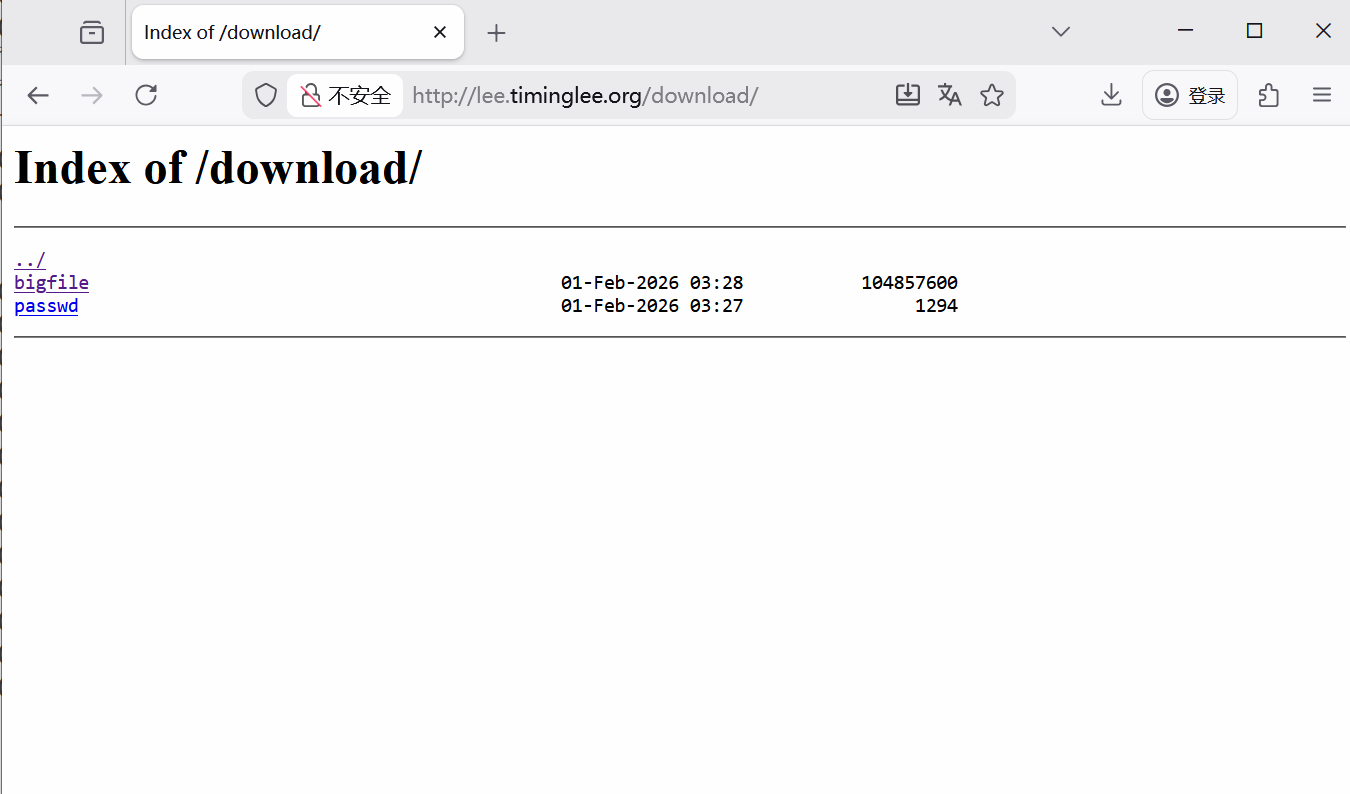
2.下载控速
bash
[root@Nginx ~]# wget http://lee.timinglee.org/download/bigfile
--2026-02-01 11:37:52--  http://lee.timinglee.org/download/bigfile
正在解析主机 lee.timinglee.org (lee.timinglee.org)... 172.25.254.100
正在连接 lee.timinglee.org (lee.timinglee.org)|172.25.254.100|:80... 已连接。
已发出 HTTP 请求,正在等待回应... 200 OK
长度:104857600 (100M) [application/octet-stream]
正在保存至: "bigfile"

bigfile                  100%[=================================>] 100.00M   232MB/s  用时 0.4s

2026-02-01 11:37:52 (232 MB/s) - 已保存 "bigfile" [104857600/104857600])

[root@Nginx ~]# rm -fr bigfile

[root@Nginx ~]# vim /usr/local/nginx/conf/conf.d/vhosts.conf
server {
    listen 80;
    server_name lee.timinglee.org;

    location /download {
        root /usr/local/nginx;
        autoindex on;
        limit_rate 1024k;
    }
}
[root@Nginx ~]# nginx -s reload

[root@Nginx ~]# wget http://lee.timinglee.org/download/bigfile
--2026-02-01 11:39:09--  http://lee.timinglee.org/download/bigfile
正在解析主机 lee.timinglee.org (lee.timinglee.org)... 172.25.254.100
正在连接 lee.timinglee.org (lee.timinglee.org)|172.25.254.100|:80... 已连接。
已发出 HTTP 请求,正在等待回应... 200 OK
长度:104857600 (100M) [application/octet-stream]
正在保存至: "bigfile"

bigfile                   12%[===>                              ]  12.00M  1.00MB/s  剩余 88s
3.显示文件大小优化
bash
[root@Nginx ~]# vim /usr/local/nginx/conf/conf.d/vhosts.conf
server {
    listen 80;
    server_name lee.timinglee.org;

    location /download {
        root /usr/local/nginx;
        autoindex on;
        limit_rate 1024k;
        autoindex_exact_size off;
    }
}
[root@Nginx ~]# nginx -s reload
效果
bash
root@Nginx ~]# curl  lee.timinglee.org/download
<html>
<head><title>301 Moved Permanently</title></head>
<body>
<center><h1>301 Moved Permanently</h1></center>
<hr><center>nginx/1.28.1</center>
</body>
</html>
[root@Nginx ~]# curl  lee.timinglee.org/download/
<html>
<head><title>Index of /download/</title></head>
<body>
<h1>Index of /download/</h1><hr><pre><a href="../">../</a>
<a href="bigfile">bigfile</a>                                            01-Feb-2026 03:28    100M
<a href="passwd">passwd</a>                                             01-Feb-2026 03:27    1294
</pre><hr></body>
</html>
4.时间显示调整
bash
[root@Nginx ~]# vim /usr/local/nginx/conf/conf.d/vhosts.conf
server {
    listen 80;
    server_name lee.timinglee.org;

    location /download {
        root /usr/local/nginx;
        autoindex on;
        limit_rate 1024k;
        autoindex_exact_size off;
        autoindex_localtime on;
    }
}
[root@Nginx ~]# nginx -s reload
效果:
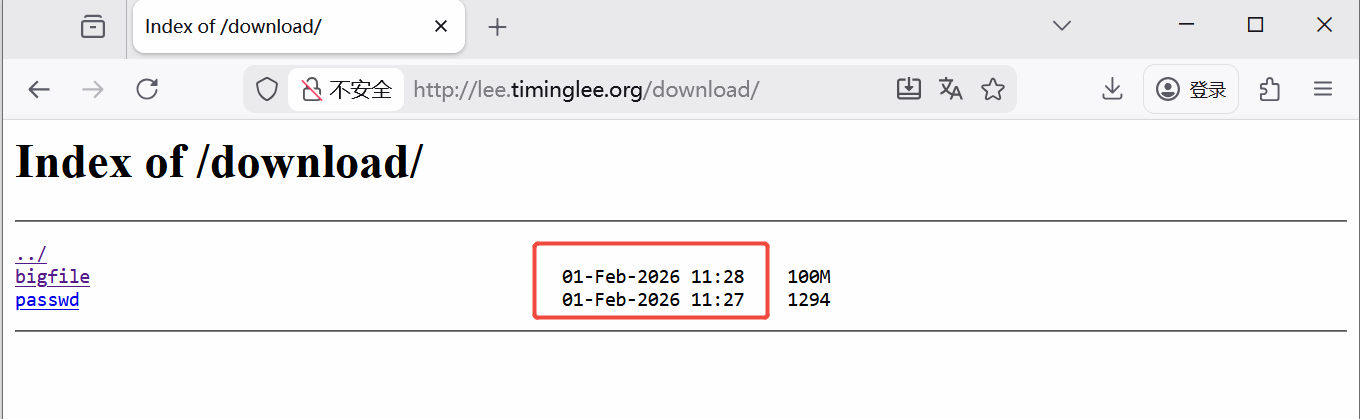
5.设定页面风格
bash
[root@Nginx ~]# vim /usr/local/nginx/conf/conf.d/vhosts.conf
server {
    listen 80;
    server_name lee.timinglee.org;
    error_page 404 405 503 502 /error;
    error_log logs/timinglee.org/lee.error error;
    location /lee {
        root /usr/local/nginx/html;
    }

    location /error {
        alias /usr/local/nginx/errorpage/errormessage;
    }


    location /download {
        root /usr/local/nginx;
        autoindex on;
        limit_rate 1024k;
        autoindex_exact_size off;
        autoindex_localtime on;
        autoindex_format html | xml | json | jsonp;
    }
}
[root@Nginx ~]# nginx -s reload
xml风格
json风格
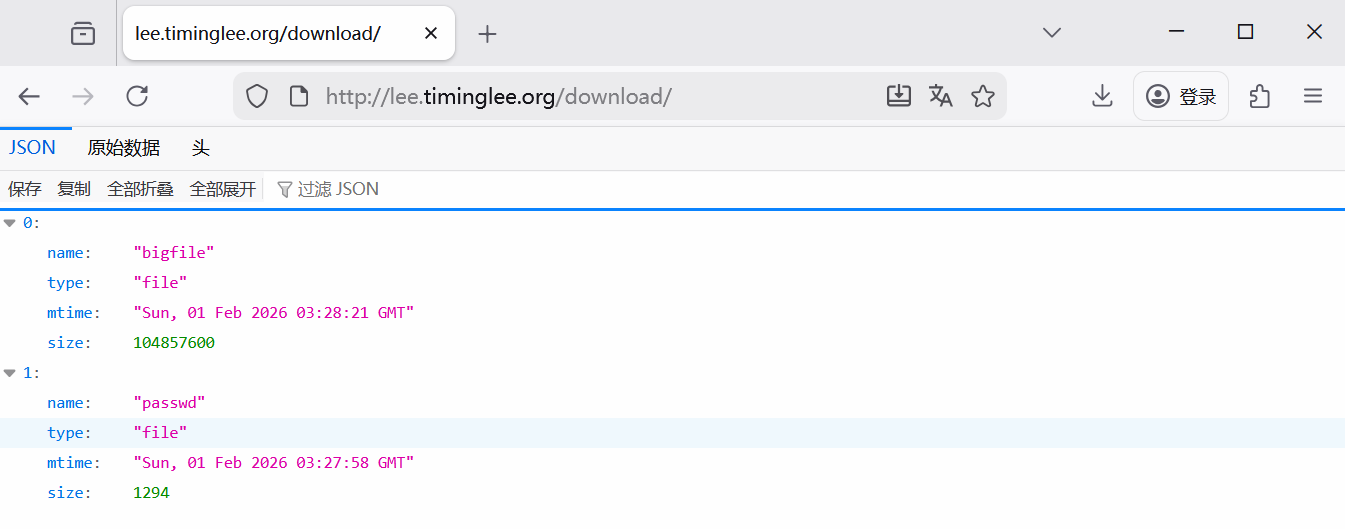
4.1.11 Nginx文件检测
bash
[root@Nginx ~]# echo default > /usr/local/nginx/errorpage/default.html
[root@Nginx ~]# cat /usr/local/nginx/errorpage/default.html
default


[root@Nginx conf]# vim /usr/local/nginx/conf/nginx.conf
#在http 段内(在server 段外)
include "/usr/local/nginx/conf/conf.d/*.conf";

[root@Nginx ~]# vim /usr/local/nginx/conf/conf.d/vhosts.conf
server {
    listen 80;
    server_name lee.timinglee.org;
    error_page 404 405 503 502 /error;
    error_log logs/timinglee.org/lee.error error;
    root /usr/local/nginx/errorpage;
    try_files $uri $uri.html $uri/index.html /default.html;
}

[root@Nginx ~]# nginx -s reload

#测试:
[root@Nginx ~]# curl -v  lee.timinglee.org/aaaaaaaaaa/
*   Trying 172.25.254.100:80...
* Connected to lee.timinglee.org (172.25.254.100) port 80 (#0)
> GET /aaaaaaaaaa/ HTTP/1.1
> Host: lee.timinglee.org
> User-Agent: curl/7.76.1
> Accept: */*
>
* Mark bundle as not supporting multiuse
< HTTP/1.1 200 OK
< Server: nginx/1.28.1
< Date: Sun, 01 Feb 2026 06:25:45 GMT
< Content-Type: text/html
< Content-Length: 8
< Last-Modified: Sun, 01 Feb 2026 06:17:57 GMT
< Connection: keep-alive
< Keep-Alive: timeout=100
< ETag: "697ef015-8"
< Accept-Ranges: bytes
<
default
* Connection #0 to host lee.timinglee.org left intact


#try_files $uri $uri.html $uri/index.html /default.html;
#先找 $uri(当前请求的路径对应的文件);
#若不存在,找 $uri.html(给请求路径加 .html 后缀的文件);
#若不存在,找 $uri/index.html(请求路径作为目录,查找目录下的 index.html);
#若以上都不存在,最终跳转到 /default.html(兜底页面)。

#$uri 是 Nginx 内置变量,代表「客户端请求的路径」(不含域名、参数):
#访问 lee.timinglee.org/abc → $uri = /abc;
#访问 lee.timinglee.org/lee/test → $uri = /lee/test。
4.1.12 nginx状态页
bash
[root@Nginx ~]#dnf install httpd-tools -y  # 安装htpasswd工具
[root@Nginx ~]#htpasswd -c /usr/local/nginx/conf/htpasswd admin  # 创建admin用户和密码

[root@Nginx ~]# vim /usr/local/nginx/conf/conf.d/vhosts.conf
server {
    listen 80;
    server_name lee.timinglee.org;

    location /nginx_status{
        stub_status;	# 启用状态页
        auth_basic "auth login";
        auth_basic_user_file /usr/local/nginx/conf/.htpasswd;
        allow 172.25.254.0/24;	# 仅允许本机/指定网段访问(安全)
        deny all;		 # 拒绝其他所有IP
    }
}

[root@Nginx ~]# nginx -s reload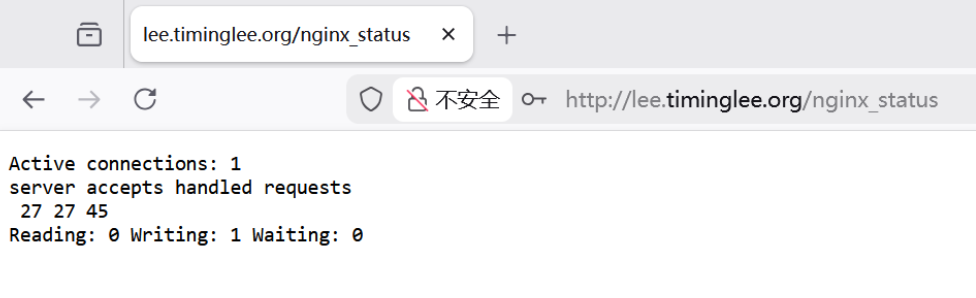
Active connections 当前活跃连接数(包括:正在读取请求、正在返回响应、空闲等待的连接) 数值持续过高(如接近 worker_connections),说明并发压力大,需调优
accepts Nginx 启动后总共接受的连接数 累计值,可看总连接量
handled Nginx 启动后成功处理的连接数 正常情况下 accepts = handled,若 handled < accepts,说明有连接被拒绝(如文件句柄不足)
requests Nginx 启动后总共处理的请求数 累计值,可计算「每连接平均请求数」(requests/handled),反映长连接复用率
Reading 正在读取客户端请求头的连接数 数值高说明客户端请求发送慢(如网络卡顿)
Writing 正在向客户端返回响应的连接数 数值高说明 Nginx 处理请求后,响应返回慢(如后端服务慢、大文件传输)
Waiting 空闲等待的长连接数(Keep-Alive 连接,无请求处理) 数值高说明长连接复用率高(正常),若为 0 说明长连接未生效
4.1.13 nginx的压缩功能
bash
[root@Nginx ~]# mkdir  /usr/local/nginx/timinglee.org/lee/html -p
[root@Nginx ~]# echo  hello lee > /usr/local/nginx/timinglee.org/lee/html/index.html
[root@Nginx html]# cp /usr/local/nginx/logs/access.log /usr/local/nginx/timinglee.org/lee/html/bigfile.txt


[root@Nginx ~]# vim /usr/local/nginx/conf/nginx.conf
    gzip  on;			#全局开启 Nginx 的 gzip 压缩功能(默认是 off)
    gzip_comp_level 4;	#设置 gzip 压缩的级别,1:压缩级别最低,速度最快,压缩率最差,9:压缩级别最高,速度最慢,压缩率最好;
    gzip_disable "MSIE [1-6]\.";	#是正则表达式,匹配 IE6 及以下版本的浏览器
    gzip_min_length 1024k;	#设置触发压缩的最小文件大小
    gzip_buffers 32 1024k
    gzip_types text/plain application/javascript application/x-javascript text/css  application/xml text/javascript application/x-httpd-php image/gif image/png;
    	#压缩的 MIME 类型(默认只压缩 text/html)
    gzip_vary on;	#在响应头中添加 Vary: Accept-Encoding
    gzip_static on;	#开启 "预压缩文件优先" 功能 ------Nginx 会先检查磁盘上是否有对应文件的 .gz 预压缩版本,若有则直接返回,无需实时压缩


[root@Nginx ~]# vim /usr/local/nginx/conf/conf.d/vhosts.conf
server {
    listen 80;
    server_name lee.timinglee.org;
    root /usr/local/nginx/timinglee.org/lee/html;
    location /nginx_status{
        stub_status;
        auth_basic "auth login";
        auth_basic_user_file /usr/local/nginx/conf/.htpasswd;
        allow 172.25.254.0/24;
        deny all;
    }
}

[root@Nginx ~]# nginx -s reload


#测试
[root@Nginx html]# curl  --head --compressed  lee.timinglee.org/bigfile.txt
HTTP/1.1 200 OK
Server: nginx/1.28.1
Date: Sun, 01 Feb 2026 07:32:10 GMT
Content-Type: text/plain
Last-Modified: Sun, 01 Feb 2026 07:29:53 GMT
Connection: keep-alive
Keep-Alive: timeout=100
Vary: Accept-Encoding
ETag: W/"697f00f1-2ca84bd"
Content-Encoding: gzip

[root@Nginx html]# curl  --head --compressed  lee.timinglee.org/index.html
HTTP/1.1 200 OK
Server: nginx/1.28.1
Date: Sun, 01 Feb 2026 07:32:19 GMT
Content-Type: text/html
Content-Length: 10
Last-Modified: Sun, 01 Feb 2026 07:19:59 GMT
Connection: keep-alive
Keep-Alive: timeout=100
ETag: "697efe9f-a"
Accept-Ranges: bytes
4.1.14 nginx的文件检测
bash
[root@Nginx ~]# echo default > /usr/local/nginx/errorpage/default.html
[root@Nginx ~]# cat /usr/local/nginx/errorpage/default.html
default


[root@Nginx ~]# vim /usr/local/nginx/conf/conf.d/vhosts.conf
server {
    listen 80;
    server_name lee.timinglee.org;
    error_page 404 405 503 502 /error;
    error_log logs/timinglee.org/lee.error error;
    root /usr/local/nginx/errorpage;
    try_files $uri $uri.html $uri/index.html /default.html;
}

[root@Nginx ~]# nginx -s reload

#测试:
[root@Nginx ~]# curl -v  lee.timinglee.org/aaaaaaaaaa/
*   Trying 172.25.254.100:80...
* Connected to lee.timinglee.org (172.25.254.100) port 80 (#0)
> GET /aaaaaaaaaa/ HTTP/1.1
> Host: lee.timinglee.org
> User-Agent: curl/7.76.1
> Accept: */*
>
* Mark bundle as not supporting multiuse
< HTTP/1.1 200 OK
< Server: nginx/1.28.1
< Date: Sun, 01 Feb 2026 06:25:45 GMT
< Content-Type: text/html
< Content-Length: 8
< Last-Modified: Sun, 01 Feb 2026 06:17:57 GMT
< Connection: keep-alive
< Keep-Alive: timeout=100
< ETag: "697ef015-8"
< Accept-Ranges: bytes
<
default
* Connection #0 to host lee.timinglee.org left intact
4.1.15 nginx的网页重写
bash
#1.网页重写中的指令

```bash
#if
[root@Nginx ~]# vim /usr/local/nginx/conf/conf.d/vhosts.conf
server {
    listen 80;
    server_name lee.timinglee.org;
    root /webdir/timinglee.org/lee/html;
    location /vars {
        echo $remote_user;
        echo $request_method;
        echo $request_filename;
        echo $request_uri;
        echo $scheme;
    }

    location / {
        if ( $http_user_agent ~* firefox ) {
            return 200 "test if messages";
        }
    }
}

[root@Nginx ~]# nginx -s reload
[root@Nginx ~]# curl  lee.timinglee.org
lee page

[root@Nginx ~]# curl  -A "firefox" lee.timinglee.org
test if messages[root@Nginx ~]#
$remote_user 客户端通过 HTTP 认证的用户名 未认证则为空;认证后为 admin
$request_method 客户端的 HTTP 请求方法 GET/POST/PUT/DELETE 等
$request_filename 请求对应的本地文件路径 /usr/local/nginx/html/vars
$request_uri 客户端请求的完整 URI(含参数) /vars?name=test
$scheme 请求使用的协议(http/https) http 或 https
$http_user_agent:Nginx 内置变量,存储客户端的 User-Agent 请求头(浏览器 / 客户端的标识);
bash
#set
[root@Nginx ~]# vim /usr/local/nginx/conf/conf.d/vhosts.conf
server {
    listen 80;
    server_name lee.timinglee.org;
    root /webdir/timinglee.org/lee/html;
    location /vars {
        echo $remote_user;
        echo $request_method;
        echo $request_filename;
        echo $request_uri;
        echo $scheme;
    }

    location / {
        set $testname timinglee;
        echo $testname;
    }
}

[root@Nginx ~]# nginx -s reload

[root@Nginx ~]# curl  lee.timinglee.org
timinglee
bash
#return
[root@Nginx ~]# vim /usr/local/nginx/conf/conf.d/vhosts.conf
server {
    listen 80;
    server_name lee.timinglee.org;
    root /webdir/timinglee.org/lee/html;
    location /vars {
        echo $remote_user;
        echo $request_method;
        echo $request_filename;
        echo $request_uri;
        echo $scheme;
    }

    location / {
        return 200 "hello world";
    }
}
[root@Nginx ~]# nginx -s reload
[root@Nginx ~]# curl  lee.timinglee.org
hello world
bash
#break
[root@Nginx ~]# vim /usr/local/nginx/conf/conf.d/vhosts.conf
server {
    listen 80;
    server_name lee.timinglee.org;
    root /webdir/timinglee.org/lee/html;
    location /vars {
        echo $remote_user;
        echo $request_method;
        echo $request_filename;
        echo $request_uri;
        echo $scheme;
    }

    location / {
        set $test1 lee1;
        set $test2 lee2;
        if ($http_user_agent = firefox){
            break;
        }
        set $test3 lee3;
        echo $test1 $test2 $test3;
    }
}
[root@Nginx ~]# nginx -s reload

[root@Nginx ~]# curl  lee.timinglee.org
lee1 lee2 lee3
[root@Nginx ~]# curl -A "firefox" lee.timinglee.org
lee1 lee2
bash
#redirect;
[root@Nginx ~]# vim /usr/local/nginx/conf/conf.d/vhosts.conf

server {
    listen 80;
    server_name lee.timinglee.org;
    root /webdir/timinglee.org/lee/html;
    location /vars {
        echo $remote_user;
        echo $request_method;
        echo $request_filename;
        echo $request_uri;
        echo $scheme;
    }

    location / {
        rewrite / http://www.baidu.com redirect;
    }
}
[root@Nginx ~]# nginx -s reload

[root@Nginx ~]# curl -I lee.timinglee.org
HTTP/1.1 302 Moved Temporarily			#定向方式返回值
Server: nginx/1.28.1
Date: Tue, 03 Feb 2026 02:43:47 GMT
Content-Type: text/html
Content-Length: 145
Connection: keep-alive
Keep-Alive: timeout=100
Location: http://www.baidu.com			#定向效果
bash
#permanent
[root@Nginx ~]# vim /usr/local/nginx/conf/conf.d/vhosts.conf

server {
    listen 80;
    server_name lee.timinglee.org;
    root /webdir/timinglee.org/lee/html;
    location /vars {
        echo $remote_user;
        echo $request_method;
        echo $request_filename;
        echo $request_uri;
        echo $scheme;
    }

    location / {
        rewrite / http://www.baidu.com permanent;
    }
}
[root@Nginx ~]# nginx -s reload


[root@Nginx ~]# curl  -I lee.timinglee.org
HTTP/1.1 301 Moved Permanently    #
Server: nginx/1.28.1
Date: Tue, 03 Feb 2026 02:45:38 GMT
Content-Type: text/html
Content-Length: 169
Connection: keep-alive
Keep-Alive: timeout=100
Location: http://www.baidu.com
bash
#break 和 last
[root@Nginx ~]# mkdir  /webdir/timinglee.org/lee/html/{break,last,test1,test2}
[root@Nginx ~]# echo break > /webdir/timinglee.org/lee/html/break/index.html
[root@Nginx ~]# echo last > /webdir/timinglee.org/lee/html/last/index.html
[root@Nginx ~]# echo test1 > /webdir/timinglee.org/lee/html/test1/index.html
[root@Nginx ~]# echo test2 > /webdir/timinglee.org/lee/html/test2/index.html

#break
[root@Nginx ~]# vim /usr/local/nginx/conf/conf.d/vhosts.conf
server {
    listen 80;
    server_name lee.timinglee.org;
    root /webdir/timinglee.org/lee/html;
    location /vars {
        echo $remote_user;
        echo $request_method;
        echo $request_filename;
        echo $request_uri;
        echo $scheme;
    }

    location /break {
        rewrite /break/(.*) /test1/$1 break;
        rewrite /test1 /test2;
    }
    location /test1 {
        return 200 "test1 end page";
    }
    location /test2 {
        return 200 "TEST2 END PAGE";
    }

}

root@Nginx ~]# nginx -s reload
[root@Nginx ~]# curl  -L lee.timinglee.org/break/index.html
test1


#last
[root@Nginx ~]# vim /usr/local/nginx/conf/conf.d/vhosts.conf
server {
    listen 80;
    server_name lee.timinglee.org;
    root /webdir/timinglee.org/lee/html;
    location /vars {
        echo $remote_user;
        echo $request_method;
        echo $request_filename;
        echo $request_uri;
        echo $scheme;
    }

    location /break {
        rewrite /break/(.*) /test1/$1 last;
        rewrite /test1 /test2;
    }
    location /test1 {
        return 200 "test1 end page";
    }
    location /test2 {
        return 200 "TEST2 END PAGE";
    }

}

root@Nginx ~]# nginx -s reload
[root@Nginx ~]# curl  -L lee.timinglee.org/break/index.html
test1 end page
4.1.16 Nginx利用网页重写实现全站加密
1.制作key
bash
[root@Nginx ~]# openssl req -newkey rsa:2048 -nodes -sha256 -keyout /usr/local/nginx/certs/timinglee.org.key -x509 -days 365 -out /usr/local/nginx/certs/timinglee.org.crt2.编辑加密配置文件
bash
[root@Nginx ~]# vim /usr/local/nginx/conf/conf.d/vhosts.conf
server {
    listen 80;
    listen 443 ssl;
    ssl_certificate /usr/local/nginx/certs/timinglee.org.crt;
    ssl_certificate_key /usr/local/nginx/certs/timinglee.org.key;
    ssl_session_cache shared:sslcache:20m;
    ssl_session_timeout 10m;
    server_name lee.timinglee.org;
    root /webdir/timinglee.org/lee/html;
    location / {
        if ($scheme = http ){
            rewrite /(.*) https://$host/$1 redirect;
        }
    }

}

[root@Nginx ~]# systemctl restart nginx.service

#测试
[root@Nginx ~]# curl  -I  http://lee.timinglee.org/test1/
HTTP/1.1 302 Moved Temporarily
Server: nginx/1.28.1
Date: Tue, 03 Feb 2026 03:21:22 GMT
Content-Type: text/html
Content-Length: 145
Connection: keep-alive
Keep-Alive: timeout=100
Location: https://lee.timinglee.org/test1/
4.1.17 Nginx反向代理
1.实验环境
bash
#172.25.254.10 RS1	172.25.254.20 RS2


[root@RSX ~]# dnf install httpd -y
[root@RSX ~]# systemctl enable --now httpd
[root@RSX ~]# echo 172.25.254.20 > /var/www/html/index.html


#测试 在Nginx主机中
[root@Nginx ~]# curl  172.25.254.10
172.25.254.10
[root@Nginx ~]# curl  172.25.254.20
172.25.254.20
2.简单的代理方法 proxy_pass
bash
[root@RS2 ~]# mkdir  /var/www/html/web
[root@RS2 ~]# echo 172.25.254.20 web > /var/www/html/web/index.html


[root@Nginx ~]# vim /usr/local/nginx/conf/conf.d/vhosts.conf
server {
    listen 80;
    server_name lee.timinglee.org;
    location / {
        proxy_pass http://172.25.254.10:80;
    }

    location /web {
        proxy_pass http://172.25.254.20:80;
    }

}


[root@Nginx ~]# nginx -s reload

#测试
[root@Nginx ~]# curl  172.25.254.20/web/
172.25.254.20 web
[root@Nginx ~]# curl  172.25.254.10
172.25.254.10
3.proxy_hide_header filed
bash
[Administrator.DESKTOP-VJ307M3] ➤ curl -v lee.timinglee.org
*   Trying 172.25.254.100:80...
* TCP_NODELAY set
* Connected to lee.timinglee.org (172.25.254.100) port 80 (#0)
> GET / HTTP/1.1
> Host: lee.timinglee.org
> User-Agent: curl/7.65.0
> Accept: */*
>
* Mark bundle as not supporting multiuse
< HTTP/1.1 200 OK
< Server: nginx/1.28.1
< Date: Tue, 03 Feb 2026 06:31:03 GMT
< Content-Type: text/html; charset=UTF-8
< Content-Length: 14
< Connection: keep-alive
< Keep-Alive: timeout=100
< Last-Modified: Tue, 03 Feb 2026 06:20:50 GMT
< ETag: "e-649e570e8a49f"					#可以看到ETAG信息
< Accept-Ranges: bytes
<
172.25.254.10
* Connection #0 to host lee.timinglee.org left intact

[root@Nginx ~]# vim /usr/local/nginx/conf/conf.d/vhosts.conf
server {
    listen 80;
    server_name lee.timinglee.org;
    location / {
        proxy_pass http://172.25.254.10:80;
        proxy_hide_header ETag;
    }

    location /web {
        proxy_pass http://172.25.254.20:80;
    }

}
[root@Nginx ~]# nginx -s reload

#测试
[Administrator.DESKTOP-VJ307M3] ➤ curl -v lee.timinglee.org
*   Trying 172.25.254.100:80...
* TCP_NODELAY set
* Connected to lee.timinglee.org (172.25.254.100) port 80 (#0)
> GET / HTTP/1.1
> Host: lee.timinglee.org
> User-Agent: curl/7.65.0
> Accept: */*
>
* Mark bundle as not supporting multiuse
< HTTP/1.1 200 OK
< Server: nginx/1.28.1
< Date: Tue, 03 Feb 2026 06:33:11 GMT
< Content-Type: text/html; charset=UTF-8
< Content-Length: 14
< Connection: keep-alive
< Keep-Alive: timeout=100
< Last-Modified: Tue, 03 Feb 2026 06:20:50 GMT
< Accept-Ranges: bytes
<
172.25.254.10
4.proxy_pass_header
bash
[Administrator.DESKTOP-VJ307M3] ➤ curl -v lee.timinglee.org
*   Trying 172.25.254.100:80...
* TCP_NODELAY set
* Connected to lee.timinglee.org (172.25.254.100) port 80 (#0)
> GET / HTTP/1.1
> Host: lee.timinglee.org
> User-Agent: curl/7.65.0
> Accept: */*
>
* Mark bundle as not supporting multiuse
< HTTP/1.1 200 OK
< Server: nginx/1.28.1						#默认访问不透传server信息
< Date: Tue, 03 Feb 2026 06:35:35 GMT
< Content-Type: text/html; charset=UTF-8
< Content-Length: 14
< Connection: keep-alive
< Keep-Alive: timeout=100
< Last-Modified: Tue, 03 Feb 2026 06:20:50 GMT
< Accept-Ranges: bytes
<
172.25.254.10
* Connection #0 to host lee.timinglee.org left intact

[root@Nginx ~]# vim /usr/local/nginx/conf/conf.d/vhosts.conf
server {
    listen 80;
    server_name lee.timinglee.org;
    location / {
        proxy_pass http://172.25.254.10:80;
        proxy_pass_header Server;
    }

    location /web {
        proxy_pass http://172.25.254.20:80;
    }

}

[root@Nginx ~]# nginx -s reload
Administrator.DESKTOP-VJ307M3] ➤ curl -v lee.timinglee.org
*   Trying 172.25.254.100:80...
* TCP_NODELAY set
* Connected to lee.timinglee.org (172.25.254.100) port 80 (#0)
> GET / HTTP/1.1
> Host: lee.timinglee.org
> User-Agent: curl/7.65.0
> Accept: */*
>
* Mark bundle as not supporting multiuse
< HTTP/1.1 200 OK
< Date: Tue, 03 Feb 2026 06:37:25 GMT
< Content-Type: text/html; charset=UTF-8
< Content-Length: 14
< Connection: keep-alive
< Keep-Alive: timeout=100
< Server: Apache/2.4.62 (Red Hat Enterprise Linux)			#透传结果
< Last-Modified: Tue, 03 Feb 2026 06:20:50 GMT
< Accept-Ranges: bytes
<
172.25.254.10
* Connection #0 to host lee.timinglee.org left intact
4.透传信息
bash
[root@RS1 ~]# vim /etc/httpd/conf/httpd.conf
    LogFormat "%h %l %u %t \"%r\" %>s %b \"%{Referer}i\" \"%{User-Agent}i\" \"%{X-Forwarded-For}i\"" combined


[root@RS1 ~]# systemctl restart httpd

[root@Nginx ~]# vim /usr/local/nginx/conf/conf.d/vhosts.conf
server {
    listen 80;
    server_name lee.timinglee.org;
    location / {
        proxy_pass http://172.25.254.10:80;
        proxy_set_header X-Forwarded-For $remote_addr;

    }

    location /web {
        proxy_pass http://172.25.254.20:80;
    }

[root@Nginx ~]# nginx -s reload

[Administrator.DESKTOP-VJ307M3] ➤ curl  lee.timinglee.org
172.25.254.10


[root@RS1 ~]# cat /etc/httpd/logs/access_log
172.25.254.100 - - [03/Feb/2026:14:47:37 +0800] "GET / HTTP/1.0" 200 14 "-" "curl/7.65.0" "172.25.254.1"
5.利用反向代理实现动静分离
1.试验机环境
bash
#在10中
[root@RS1 ~]# dnf install php -y
[root@RS1 ~]# systemctl restart httpd

[root@RS1 ~]# vim /var/www/html/index.php
<?php
    echo "<h2>172.25.254.10</h2>";
    phpinfo();
?>
2.动静分离的实现
bash
[root@Nginx ~]# vim /usr/local/nginx/conf/conf.d/vhosts.conf
server {
    listen 80;
    server_name lee.timinglee.org;
    location / {
        proxy_pass http://172.25.254.20:80;

    }

    location ~* \.(php|js)$ {
        proxy_pass http://172.25.254.10:80;
    }

}
[root@Nginx ~]# nginx -s reload
测试:

6.反向代理负载均衡
1.实验环境
bash
172.25.254.100  #Nginx 代理服务器
172.25.254.10  #后端web A,Apache部署
172.25.254.20  #后端web B,Apache部署
2.实现负载均衡
bash
[root@Nginx ~]# mkdir  /usr/local/nginx/conf/upstream/
[root@Nginx ~]# vim /usr/local/nginx/conf/nginx.conf
events {
    worker_connections  10000;
    use epoll;
    accept_mutex on;
    multi_accept on;
}

http {
    include       mime.types;
    default_type  application/octet-stream;
	include "/usr/local/nginx/conf/upstream/*.conf";		#子配置目录


[root@Nginx ~]# vim /usr/local/nginx/conf/upstream/loadbalance.conf
upstream webserver {
    server 172.25.254.10:80 weight=1 fail_timeout=15s max_fails=3;
    server 172.25.254.20:80 weight=1 fail_timeout=15s max_fails=3;
    server 172.25.254.100:8888 backup;

}
server {
    listen 80;
    server_name www.timinglee.org;

    location ~ / {
        proxy_pass http://webserver;
    }
}


[root@Nginx ~]# mkdir  /webdir/timinglee.org/error/html -p
[root@Nginx ~]# echo error > /webdir/timinglee.org/error/html/index.html

[root@Nginx ~]# vim /usr/local/nginx/conf/conf.d/vhosts.conf
server {
    listen 8888;
    root /webdir/timinglee.org/error/html;
}


#测试:
[root@Nginx ~]# curl www.timinglee.org
172.25.254.10
[root@Nginx ~]# curl www.timinglee.org
172.25.254.20
[root@Nginx ~]# curl www.timinglee.org
172.25.254.10
[root@Nginx ~]# curl www.timinglee.org
172.25.254.20
[root@Nginx ~]# curl www.timinglee.org
172.25.254.20
[root@Nginx ~]# curl www.timinglee.org
172.25.254.20


[root@RS1+2 ~]# systemctl stop httpd

[root@Nginx ~]# curl www.timinglee.org
error
7.Nginx负载均衡算法
bash
[root@Nginx ~]# vim /usr/local/nginx/conf/upstream/loadbalance.conf
upstream webserver {
    #ip_hash;
    #hash $request_uri consistent;
    #least_conn;
    hash $cookie_lee;
    server 172.25.254.10:80 weight=1 fail_timeout=15s max_fails=3;
    server 172.25.254.20:80 weight=1 fail_timeout=15s max_fails=3;
    #server 172.25.254.100:8888 backup;

}
server {
    listen 80;
    server_name www.timinglee.org;

    location ~ / {
        proxy_pass http://webserver;
    }
}


#
[root@Nginx ~]# curl  -b lee=20 www.timinglee.org
[root@Nginx ~]# curl   www.timinglee.org/web1/index.html
[root@Nginx ~]# curl   www.timinglee.org/
4.1.18 nginx缓存加速
1.当未启用缓存时进行压测
bash
[Administrator.DESKTOP-VJ307M3] ➤ ab -n 10000 -c 50 lee.timinglee.org/index.php
This is ApacheBench, Version 2.3 <$Revision: 1807734 $>
Copyright 1996 Adam Twiss, Zeus Technology Ltd, http://www.zeustech.net/
Licensed to The Apache Software Foundation, http://www.apache.org/

Benchmarking lee.timinglee.org (be patient)
Completed 1000 requests
Completed 2000 requests
Completed 3000 requests
Completed 4000 requests
Completed 5000 requests
Completed 6000 requests
Completed 7000 requests
Completed 8000 requests
Completed 9000 requests
Completed 10000 requests
Finished 10000 requests


Server Software:        nginx/1.28.1
Server Hostname:        lee.timinglee.org
Server Port:            80

Document Path:          /index.php
Document Length:        72921 bytes

Concurrency Level:      50
Time taken for tests:   13.678 seconds
Complete requests:      10000
Failed requests:        9963				#失败的
   (Connect: 0, Receive: 0, Length: 9963, Exceptions: 0)
Total transferred:      731097819 bytes
HTML transferred:       729237819 bytes
Requests per second:    731.10 [#/sec] (mean)
Time per request:       68.390 [ms] (mean)
Time per request:       1.368 [ms] (mean, across all concurrent requests)
Transfer rate:          52197.72 [Kbytes/sec] received

Connection Times (ms)
              min  mean[+/-sd] median   max
Connect:        0    7   4.0      6      26
Processing:     4   61 168.8     44    3405
Waiting:        2   38 129.9     26    3316
Total:          5   68 168.7     51    3405

Percentage of the requests served within a certain time (ms)
  50%     51
  66%     61
  75%     68
  80%     71
  90%     83
  95%     92
  98%    105
  99%    506
 100%   3405 (longest request)
2.设定缓存加速
bash
[root@Nginx ~]# vim /usr/local/nginx/conf/nginx.conf
proxy_cache_path /usr/local/nginx/proxy_cache levels=1:2:2 keys_zone=proxycache:20m inactive=120s max_size=1g;

server {
    listen 80;
    server_name lee.timinglee.org;
    location / {
        proxy_pass http://172.25.254.20:80;

    }

    location ~* \.(php|js)$ {
        proxy_pass http://172.25.254.10:80;
        proxy_cache proxycache;
        proxy_cache_key $request_uri;
        proxy_cache_valid 200 302 301 10m;
        proxy_cache_valid any 1m;
    }

}


[root@Nginx ~]# systemctl restart nginx.service
[root@Nginx ~]# tree  /usr/local/nginx/proxy_cache/
/usr/local/nginx/proxy_cache/

0 directories, 0 files

#测试
[Administrator.DESKTOP-VJ307M3] ➤ ab -n 10000 -c 50 lee.timinglee.org/index.php
This is ApacheBench, Version 2.3 <$Revision: 1807734 $>
Copyright 1996 Adam Twiss, Zeus Technology Ltd, http://www.zeustech.net/
Licensed to The Apache Software Foundation, http://www.apache.org/

Benchmarking lee.timinglee.org (be patient)
Completed 1000 requests
Completed 2000 requests
Completed 3000 requests
Completed 4000 requests
Completed 5000 requests
Completed 6000 requests
Completed 7000 requests
Completed 8000 requests
Completed 9000 requests
Completed 10000 requests
Finished 10000 requests


Server Software:        nginx/1.28.1
Server Hostname:        lee.timinglee.org
Server Port:            80

Document Path:          /index.php
Document Length:        72925 bytes

Concurrency Level:      50
Time taken for tests:   4.365 seconds
Complete requests:      10000
Failed requests:        0
Total transferred:      731110000 bytes
HTML transferred:       729250000 bytes
Requests per second:    2290.76 [#/sec] (mean)
Time per request:       21.827 [ms] (mean)
Time per request:       0.437 [ms] (mean, across all concurrent requests)
Transfer rate:          163554.31 [Kbytes/sec] received

Connection Times (ms)
              min  mean[+/-sd] median   max
Connect:        0    4   1.8      4      11
Processing:     4   18  31.3     15     734
Waiting:        1    9  30.7      5     726
Total:          6   22  31.2     20     734

Percentage of the requests served within a certain time (ms)
  50%     20
  66%     21
  75%     21
  80%     22
  90%     27
  95%     32
  98%     41
  99%     46
 100%    734 (longest request)


[root@Nginx ~]# tree  /usr/local/nginx/proxy_cache/
/usr/local/nginx/proxy_cache/
└── 1
    └── af
        └── 15
            └── e251273eb74a8ee3f661a7af00915af1

3 directories, 1 file
4.1.19 php的源码编译
1.下载源码包
bash
[root@Nginx ~]# wget https://www.php.net/distributions/php-8.3.30.tar.gz
[root@Nginx ~]# wget https://mirrors.aliyun.com/rockylinux/9.7/devel/x86_64/os/Packages/o/oniguruma-devel-6.9.6-1.el9.6.x86_64.rpm     #依赖
2.解压
bash
[root@Nginx ~]# tar zxf php-8.3.30.tar.gz
[root@Nginx ~]# ls
anaconda-ks.cfg                lee.png              nginx-1.29.4.tar.gz  test.c
daolian.png                    nginx-1.28.1         php-8.3.30
echo-nginx-module-0.64         nginx-1.28.1.tar.gz  php-8.3.30.tar.gz
echo-nginx-module-0.64.tar.gz  nginx-1.29.4         test
[root@Nginx ~]# cd php-8.3.30
3.源码编译
bash
[root@Nginx ~]# dnf install gcc systemd-devel-252-51.el9.x86_64 libxml2-devel.x86_64 sqlite-devel.x86_64  libcurl-devel.x86_64  libpng-devel.x86_64 oniguruma-devel-6.9.6-1.el9.6.x86_64.rpm -y

[root@Nginx ~]# cd php-8.3.30/
[root@Nginx php-8.3.30]# ./configure \
--prefix=/usr/local/php \		#安装路径
--with-config-file-path=/usr/local/php/etc \	#指定配置路径
--enable-fpm  \			#用cgi方式启动程序
--with-fpm-user=nginx \	#指定运行用户身份
--with-fpm-group=nginx \
--with-curl \			#打开curl浏览器支持
--with-iconv \			#启用iconv函数,转换字符编码
--with-mhash \			#mhash加密方式扩展库
--with-zlib \			#支持zlib库,用于压缩http压缩传输
--with-openssl \		#支持ssl加密
--enable-mysqlnd \		#mysql数据库
--with-mysqli \
--with-pdo-mysql \
--disable-debug \		#关闭debug功能
--enable-sockets \		#支持套接字访问
--enable-soap \			#支持soap扩展协议
--enable-xml \			#支持xml
--enable-ftp \			#支持ftp
--enable-gd \			#支持gd库
--enable-exif \			#支持图片元数据
--enable-mbstring \		#支持多字节字符串
--enable-bcmath \		#打开图片大小调整,用到zabbix监控的时候用到了这个模块
--with-fpm-systemd		#支持systemctl 管理cgi

[root@Nginx php-8.3.30]# make && make instsall
4.配置PHP
bash
[root@Nginx php-8.3.30]# cd /usr/local/php/etc
[root@Nginx etc]# cp -p php-fpm.conf.default  php-fpm.conf

[root@Nginx etc]# vim php-fpm.conf
[global]
; Pid file
; Note: the default prefix is /usr/local/php/var
; Default Value: none
pid = run/php-fpm.pid


[root@Nginx etc]# cd php-fpm.d/
[root@Nginx php-fpm.d]# cp www.conf.default www.conf
[root@Nginx php-fpm.d]# vim www.conf
41 listen = 0.0.0.0:9000

[root@Nginx php-fpm.d]# cp /root/php-8.3.30/php.ini-production  /usr/local/php/etc/php.ini

[root@Nginx php-fpm.d]# vim /usr/local/php/etc/php.ini
989 date.timezone = Asia/Shangha

[root@Nginx ~]# cp /root/php-8.3.30/sapi/fpm/php-fpm.service /lib/systemd/system/
[root@Nginx ~]# vim /lib/systemd/system/php-fpm.service

# Mounts the /usr, /boot, and /etc directories read-only for processes invoked by this unit.
#ProtectSystem=full		#注释此参数
[root@Nginx ~]# systemctl daemon-reload
[root@Nginx ~]# systemctl enable --now php-fpm

[root@Nginx ~]# netstat -antlupe | grep php
tcp        0      0 0.0.0.0:9000            0.0.0.0:*               LISTEN      0          329917     165562/php-fpm: mas
5.配置php环境变量
bash
[root@Nginx ~]# vim ~/.bash_profile
export PATH=$PATH:/usr/local/nginx/sbin:/usr/local/php/sbin:/usr/local/php/bin

[root@Nginx ~]# source   ~/.bash_profile
[root@Nginx ~]# php -m
4.1.20 Nginx整合PHP
bash
[root@Nginx conf.d]# mkdir  /webdir/timinglee.org/php/html -p
[root@Nginx conf.d]# vim /webdir/timinglee.org/php/html/index.html
php.timinglee.org

[root@Nginx conf.d]# vim /webdir/timinglee.org/php/html/index.php
<?php
  phpinfo();
?>


[root@Nginx ~]# cd /usr/local/nginx/conf/conf.d/
[root@Nginx conf.d]# vim php.conf
server {
  listen 80;
  server_name php.timinglee.org;
  root /webdir/timinglee.org/php/html;
  location ~ \.php$ {
    fastcgi_pass 127.0.0.1:9000;
    fastcgi_index index.php;
    include fastcgi.conf;
  }
}

[root@Nginx conf.d]# nginx -s reload

#测试
http://php.timinglee.org

http://php.timinglee.org/index.php
4.1.21 利用memcache实现php的缓存加速
1.安装memcache
bash
[root@Nginx ~]# dnf install memcached.x86_64 -y2.配置memcache
bash
[root@Nginx ~]# vim /etc/sysconfig/memcached
PORT="11211"
USER="memcached"
MAXCONN="1024"
CACHESIZE="64"
OPTIONS="-l 0.0.0.0,::1"

[root@Nginx ~]# systemctl enable --now memcached.service

[root@Nginx ~]# netstat -antlupe | grep memcache
tcp        0      0 0.0.0.0:11211           0.0.0.0:*               LISTEN      991        437305     166169/memcached
tcp6       0      0 ::1:11211               :::*                    LISTEN      991        437306     166169/memcached
3.升级php对于memcache的支持
bash
[root@Nginx ~]# php -m	#查看php支持的插件

[root@Nginx ~]# tar zxf memcache-8.2.tgz
[root@Nginx ~]# cd memcache-8.2/
[root@Nginx memcache-8.2]# dnf install autoconf -y
[root@Nginx memcache-8.2]# phpize
[root@Nginx memcache-8.2]# ./configure  && make && make install

[root@Nginx memcache-8.2]# ls /usr/local/php/lib/php/extensions/no-debug-non-zts-20230831/
memcache.so  opcache.so

[root@Nginx memcache-8.2]# vim /usr/local/php/etc/php.ini
939  extension=memcache

[root@Nginx memcache-8.2]# systemctl restart php-fpm.service
[root@Nginx memcache-8.2]# php -m  | grep memcache
memcache
4.测试性能
bash
[root@Nginx memcache-8.2]# vim memcache.php
define('ADMIN_USERNAME','admin');   // Admin Username
define('ADMIN_PASSWORD','lee');     // Admin Password
$MEMCACHE_SERVERS[] = '172.25.254.100:11211'; // add more as an array
#$MEMCACHE_SERVERS[] = 'mymemcache-server2:11211'; // add more as an array

[root@Nginx memcache-8.2]# cp -p memcache.php  /webdir/timinglee.org/php/html/
[root@Nginx memcache-8.2]# cp -p example.php /webdir/timinglee.org/php/html/

#测试
http://php.timinglee.org/memcache.php			#数据页面,在浏览器中可以直接访问
[root@Nginx memcache-8.2]# ab -n 1000 -c 300  php.timinglee.org/example.php
4.1.22 nginx+memcache实现高速缓存解
1.重新编译nginx
bash
[root@Nginx ~]# systemctl stop nginx.service
[root@Nginx ~]# cp /usr/local/nginx/conf/    /mnt/ -r
[root@Nginx ~]# rm -fr /usr/local/nginx/

[root@Nginx ~]# rm -rf nginx-1.29.4 nginx-1.28.1

[root@Nginx ~]# tar zxf nginx-1.28.1.tar.gz
[root@Nginx ~]# cd nginx-1.28.1/

[root@Nginx ~]# tar zxf srcache-nginx-module-0.33.tar.gz
[root@Nginx ~]# tar zxf memc-nginx-module-0.20.tar.gz

[root@Nginx ~]# cd nginx-1.28.1/
[root@Nginx nginx-1.28.1]# ./configure  --prefix=/usr/local/nginx --user=nginx --group=nginx --with-http_ssl_module --with-http_v2_module --with-http_realip_module --with-http_stub_status_module --with-http_gzip_static_module --with-pcre --with-stream --with-stream_ssl_module --with-stream_realip_module --add-module=/root/echo-nginx-module-0.64  --add-module=/root/memc-nginx-module-0.20 --add-module=/root/srcache-nginx-module-0.33
[root@Nginx nginx-1.28.1]# make && make install

[root@Nginx ~]# cd /usr/local/nginx/conf
[root@Nginx conf]# rm -fr nginx.conf
[root@Nginx conf]# cp /mnt/conf/nginx.conf /mnt/conf/conf.d/ . -r
[root@Nginx conf]# systemctl start nginx.service
2.整合memcache
bash
[root@Nginx conf]# vim /usr/local/nginx/conf/conf.d/php.conf
upstream memcache {
   server 127.0.0.1:11211;
   keepalive 512;
}
server {
    listen 80;
    server_name php.timinglee.org;
    root /webdir/timinglee.org/php/html;
    index index.php index.html;

    location /memc {
        internal;
        memc_connect_timeout 100ms;
        memc_send_timeout 100ms;
        memc_read_timeout 100ms;
        set $memc_key $query_string;
        set $memc_exptime 300;
        memc_pass memcache;
    }
    location ~ \.php$ {
        set $key $uri$args;
        srcache_fetch GET /memc $key;
        srcache_store PUT /memc $key;
        fastcgi_pass 127.0.0.1:9000;
        fastcgi_index index.php;
        include fastcgi.conf;
  }
}

[root@Nginx conf]# nginx  -s reload
#测试
[root@Nginx conf]# ab -n 10000 -c500 http://php.timinglee.org/example.php
4.1.23 nginx的四层负载均衡
1.实验环境(Mysql)
bash
[root@RS1 ~]# dnf install mariadb-server -y
[root@RS2 ~]#  dnf install mariadb-server -y

[root@RS1 ~]# vim /etc/my.cnf.d/mariadb-server.cnf
server-id=10

[root@RS2 ~]# vim /etc/my.cnf.d/mariadb-server.cnf
server-id=20
[root@RS1 ~]# systemctl enable --now mariadb
[root@RS2 ~]# systemctl enable --now mariadb

[root@RS1 ~]# mysql
Welcome to the MariaDB monitor.  Commands end with ; or \g.
Your MariaDB connection id is 3
Server version: 10.5.27-MariaDB MariaDB Server

Copyright (c) 2000, 2018, Oracle, MariaDB Corporation Ab and others.

Type 'help;' or '\h' for help. Type '\c' to clear the current input statement.

MariaDB [(none)]> CREATE USER lee@'%' IDENTIFIED BY 'lee';
Query OK, 0 rows affected (0.001 sec)

MariaDB [(none)]> GRANT ALL ON *.* TO lee@'%';
Query OK, 0 rows affected (0.001 sec)

MariaDB [(none)]>

[root@RS2 ~]# mysql
Welcome to the MariaDB monitor.  Commands end with ; or \g.
Your MariaDB connection id is 3
Server version: 10.5.27-MariaDB MariaDB Server

Copyright (c) 2000, 2018, Oracle, MariaDB Corporation Ab and others.

Type 'help;' or '\h' for help. Type '\c' to clear the current input statement.

MariaDB [(none)]>  CREATE USER lee@'%' IDENTIFIED BY 'lee';
Query OK, 0 rows affected (0.001 sec)

MariaDB [(none)]> GRANT ALL ON *.* TO lee@'%';
Query OK, 0 rows affected (0.001 sec)
2.实验环境(dns)
bash
[root@RS1 ~]# dnf install bind -y
[root@RS2 ~]# dnf install bind -y

[root@RS1 ~]# vim /etc/named.conf
[root@RS2 ~]# vim /etc/named.conf

options {
//      listen-on port 53 { 127.0.0.1; };
//      listen-on-v6 port 53 { ::1; };
        directory       "/var/named";
        dump-file       "/var/named/data/cache_dump.db";
        statistics-file "/var/named/data/named_stats.txt";
        memstatistics-file "/var/named/data/named_mem_stats.txt";
        secroots-file   "/var/named/data/named.secroots";
        recursing-file  "/var/named/data/named.recursing";
//      allow-query     { localhost; };
        dnssec-validation no;

[root@RS1 ~]# vim /etc/named.rfc1912.zones
[root@RS2 ~]# vim /etc/named.rfc1912.zones

zone "timinglee.org" IN {
        type master;
        file "timinglee.org.zone";
        allow-update { none; };
};

[root@RS1 ~]# cd /var/named/
[root@RS2 ~]# cd /var/named/
[root@RS1 named]# cp -p named.localhost  timinglee.org.zone
[root@RS2 named]# cp -p named.localhost  timinglee.org.zone


[root@RS1 named]# vim timinglee.org.zone
$TTL 1D
@       IN SOA  dns.timingle.org. rname.invalid. (
                                        0       ; serial
                                        1D      ; refresh
                                        1H      ; retry
                                        1W      ; expire
                                        3H )    ; minimum
        NS      dns.timinglee.org.
dns     A       172.25.254.10

[root@RS2 named]# vim timinglee.org.zone
$TTL 1D
@       IN SOA  dns.timingle.org. rname.invalid. (
                                        0       ; serial
                                        1D      ; refresh
                                        1H      ; retry
                                        1W      ; expire
                                        3H )    ; minimum
        NS      dns.timinglee.org.
dns     A       172.25.254.20


[root@RS2 named]# systemctl enable --now named

#测试
[root@RS1 named]# dig dns.timinglee.org @172.25.254.10

; <<>> DiG 9.16.23-RH <<>> dns.timinglee.org @172.25.254.10
;; global options: +cmd
;; Got answer:
;; ->>HEADER<<- opcode: QUERY, status: NOERROR, id: 24486
;; flags: qr aa rd ra; QUERY: 1, ANSWER: 1, AUTHORITY: 0, ADDITIONAL: 1

;; OPT PSEUDOSECTION:
; EDNS: version: 0, flags:; udp: 1232
; COOKIE: 4bb88849cac36aa4010000006982fef4676bf81574ab80b7 (good)
;; QUESTION SECTION:
;dns.timinglee.org.             IN      A

;; ANSWER SECTION:
dns.timinglee.org.      86400   IN      A       172.25.254.10

;; Query time: 3 msec
;; SERVER: 172.25.254.10#53(172.25.254.10)
;; WHEN: Wed Feb 04 16:10:28 CST 2026
;; MSG SIZE  rcvd: 90

[root@RS1 named]# dig dns.timinglee.org @172.25.254.20

; <<>> DiG 9.16.23-RH <<>> dns.timinglee.org @172.25.254.20
;; global options: +cmd
;; Got answer:
;; ->>HEADER<<- opcode: QUERY, status: NOERROR, id: 42456
;; flags: qr aa rd ra; QUERY: 1, ANSWER: 1, AUTHORITY: 0, ADDITIONAL: 1

;; OPT PSEUDOSECTION:
; EDNS: version: 0, flags:; udp: 1232
; COOKIE: 7c088d4822b8f1c1010000006982fef9047f3812bdaf7c0e (good)
;; QUESTION SECTION:
;dns.timinglee.org.             IN      A

;; ANSWER SECTION:
dns.timinglee.org.      86400   IN      A       172.25.254.20

;; Query time: 1 msec
;; SERVER: 172.25.254.20#53(172.25.254.20)
;; WHEN: Wed Feb 04 16:10:33 CST 2026
;; MSG SIZE  rcvd: 90
3.tcp四层负载
bash
[root@Nginx conf]# mkdir  /usr/local/nginx/conf/tcp -p
[root@Nginx conf]# mkdir  /usr/local/nginx/conf/udp -p
[root@Nginx conf]# vim /usr/local/nginx/conf/nginx.conf
include "/usr/local/nginx/conf/tcp/*.conf";

[root@Nginx conf]# vim /usr/local/nginx/conf/tcp/mariadb.conf
stream {
  upstream mysql_server {
    server 172.25.254.10:3306  max_fails=3 fail_timeout=30s;
    server 172.25.254.20:3306  max_fails=3 fail_timeout=30s;
  }

  server {
    listen 172.25.254.100:3306;
    proxy_pass mysql_server;
    proxy_connect_timeout 30s;
    proxy_timeout 300s;
  }

}
[root@Nginx conf]# nginx  -s reload

#检测
[root@Nginx ~]# mysql -ulee -plee -h172.25.254.100
Welcome to the MariaDB monitor.  Commands end with ; or \g.
Your MariaDB connection id is 4
Server version: 10.5.27-MariaDB MariaDB Server

Copyright (c) 2000, 2018, Oracle, MariaDB Corporation Ab and others.

Type 'help;' or '\h' for help. Type '\c' to clear the current input statement.

MariaDB [(none)]> SELECT @@server_id;
+-------------+
| @@server_id |
+-------------+
|          10 |
+-------------+
1 row in set (0.001 sec)

MariaDB [(none)]> quit
Bye
[root@Nginx ~]# mysql -ulee -plee -h172.25.254.100
Welcome to the MariaDB monitor.  Commands end with ; or \g.
Your MariaDB connection id is 4
Server version: 10.5.27-MariaDB MariaDB Server

Copyright (c) 2000, 2018, Oracle, MariaDB Corporation Ab and others.

Type 'help;' or '\h' for help. Type '\c' to clear the current input statement.

MariaDB [(none)]> SELECT @@server_id;
+-------------+
| @@server_id |
+-------------+
|          20 |
+-------------+
1 row in set (0.001 sec)
4.udp四层负载
bash
[root@Nginx ~]# vim /usr/local/nginx/conf/tcp/mariadb.conf
stream {
  upstream mysql_server {
    server 172.25.254.10:3306  max_fails=3 fail_timeout=30s;
    server 172.25.254.20:3306  max_fails=3 fail_timeout=30s;
  }

  upstream dns_server{
    server 172.25.254.10:53 max_fails=3 fail_timeout=30s;
    server 172.25.254.20:53 max_fails=3 fail_timeout=30s;
  }

  server {
    listen 172.25.254.100:3306;
    proxy_pass mysql_server;
    proxy_connect_timeout 30s;
    proxy_timeout 300s;
  }

  server {
        listen 172.25.254.100:53 udp;
        proxy_pass dns_server;
        proxy_timeout 1s;
        proxy_responses 1;
        error_log logs/dns.log;
    }
}
[root@Nginx ~]# nginx  -s reload


#测试

[root@Nginx ~]# dig dns.timinglee.org @172.25.254.100

; <<>> DiG 9.16.23-RH <<>> dns.timinglee.org @172.25.254.100
;; global options: +cmd
;; Got answer:
;; ->>HEADER<<- opcode: QUERY, status: NOERROR, id: 32224
;; flags: qr aa rd ra; QUERY: 1, ANSWER: 1, AUTHORITY: 0, ADDITIONAL: 1

;; OPT PSEUDOSECTION:
; EDNS: version: 0, flags:; udp: 1232
; COOKIE: 9ac742ccc566d4450100000069830452db8dce1f1b224c9f (good)
;; QUESTION SECTION:
;dns.timinglee.org.             IN      A

;; ANSWER SECTION:
dns.timinglee.org.      86400   IN      A       172.25.254.10

;; Query time: 2 msec
;; SERVER: 172.25.254.100#53(172.25.254.100)
;; WHEN: Wed Feb 04 16:33:22 CST 2026
;; MSG SIZE  rcvd: 90

[root@Nginx ~]# dig dns.timinglee.org @172.25.254.100

; <<>> DiG 9.16.23-RH <<>> dns.timinglee.org @172.25.254.100
;; global options: +cmd
;; Got answer:
;; ->>HEADER<<- opcode: QUERY, status: NOERROR, id: 2259
;; flags: qr aa rd ra; QUERY: 1, ANSWER: 1, AUTHORITY: 0, ADDITIONAL: 1

;; OPT PSEUDOSECTION:
; EDNS: version: 0, flags:; udp: 1232
; COOKIE: 7f9ffa4884c0b685010000006983045565fd892fc72c5514 (good)
;; QUESTION SECTION:
;dns.timinglee.org.             IN      A

;; ANSWER SECTION:
dns.timinglee.org.      86400   IN      A       172.25.254.20

;; Query time: 2 msec
;; SERVER: 172.25.254.100#53(172.25.254.100)
;; WHEN: Wed Feb 04 16:33:25 CST 2026
;; MSG SIZE  rcvd: 90
4.1.24 编译安装 openresty
bash
[root@Nginx src]#wget https://openresty.org/download/openresty-1.27.1.2.tar.gz
[root@Nginx ~]#dnf -yq install gcc pcre-devel openssl-devel perl zlib-devel
[root@Nginx ~]#useradd -r -s /sbin/nologin nginx
[root@Nginx ~]#tar zxf openresty-1.27.1.2
[root@webserver ~]# cd openresty-1.27.1.2/
[root@Nginx openresty-1.17.8.2]#./configure \
--prefix=/apps/openresty \
--user=nginx --group=nginx \
--with-http_ssl_module \
--with-http_v2_module \
--with-http_stub_status_module \
--with-http_gzip_static_module
--with-pcre --with-stream \
--with-stream_ssl_module \
--with-stream_realip_module

[root@Nginx openresty-1.17.8.2]#gmake && gmake install

[root@webserver openresty]# vim ~/.bash_profile
export PATH=$PATH:/usr/local/openresty/bin

source  ~/.bash_profile


[root@Nginx openresty-1.17.8.2]#openresty -v
nginx version: openresty/1.17.8.2

[root@Nginx openresty-1.17.8.2]#openresty

[root@Nginx openresty-1.17.8.2]#ps -ef |grep nginx

[root@webserver openresty]# echo hello test > /usr/local/openresty/nginx/html/index.html
[root@webserver openresty]# curl  172.25.254.200
hello test
五.tomcat
5.1介绍
1.Tomcat 是 Java Web 应用的 "运行容器",专门Java 写的 Web 程序;
2.轻量易用,默认 8080 端口提供 HTTP 服务;
3.小场景可独立使用,大场景配合 Nginx 做负载均衡。
5.2 实验
5.2.1Tomcat安装部署
1.下载安装包
bash
[root@RS1 ~]# wget https://dlcdn.apache.org/tomcat/tomcat-9/v9.0.115/bin/apache-tomcat-9.0.115.tar.gz2.部署tomcat
bash
[root@RS1 local]# yum install java-1.8.0-openjdk.x86_64 -y
[root@RS1 ~]# tar zxf apache-tomcat-9.0.115.tar.gz  -C /usr/local
[root@RS1 ~]# cd /usr/local/
[root@RS1 local]# ls
bin  etc  games  include  lib  lib64  libexec  sbin  share  src  tomcat-9.0-doc
[root@RS1 local]# mv apache-tomcat-9.0.115/ tomcat
[root@RS1 local]# cd tomcat/
[root@RS1 tomcat]# ls
bin           conf             lib      logs    README.md      RUNNING.txt  webapps
BUILDING.txt  CONTRIBUTING.md  LICENSE  NOTICE  RELEASE-NOTES  temp         work


[root@RS1 bin]# ./startup.sh
Using CATALINA_BASE:   /usr/local/tomcat
Using CATALINA_HOME:   /usr/local/tomcat
Using CATALINA_TMPDIR: /usr/local/tomcat/temp
Using JRE_HOME:        /usr
Using CLASSPATH:       /usr/local/tomcat/bin/bootstrap.jar:/usr/local/tomcat/bin/tomcat-juli.jar
Using CATALINA_OPTS:
Tomcat started.
[root@RS1 bin]# netstat -antlupe | grep 8080
tcp6       0      0 :::8080                 :::*                    LISTEN      0          139291     10372/java
3.制作tomcat的启动脚本
bash
[root@RS1 bin]# vim /usr/local/tomcat/conf/tomcat.conf
JAVA_HOME=/etc/alternatives/jre
[root@RS1 bin]# vim /lib/systemd/system/tomcat.service
[Unit]
Description=Tomcat
#After=syslog.target network.target remote-fs.target nss-lookup.target
After=syslog.target network.target

[Service]
Type=forking
EnvironmentFile=/usr/local/tomcat/conf/tomcat.conf
ExecStart=/usr/local/tomcat/bin/startup.sh
ExecStop=/usr/local/tomcat/bin/shutdown.sh
PrivateTmp=true
User=tomcat
Group=tomcat

[Install]
WantedBy=multi-user.target

[root@RS1 bin]# useradd  -s /sbin/nologin -M tomcat

[root@RS1 bin]# chown  tomcat.tomcat /usr/local/tomcat/ -R
[root@RS1 bin]# systemctl daemon-reload
[root@RS1 bin]# systemctl enable --now tomcat
[root@RS1 bin]# netstat -antlupe | grep java
tcp6       0      0 127.0.0.1:8005          :::*                    LISTEN      1000       139979     10682/java
tcp6       0      0 :::8080                 :::*                    LISTEN      1000       140563     10682/java
5.2.2 Nginx与tomcat的整合
1.单体架构
bash
[root@Nginx conf.d]# cd /usr/local/nginx/conf/conf.d/
[root@Nginx conf.d]# vim vhosts.conf
server {
    listen 80;
    server_name app.timinglee.org;
    location ~* \.jsp$ {
        proxy_pass http://172.25.254.10:8080;
    }
}

[root@RS1 ~]# cp test.jsp  /usr/local/tomcat/webapps/ROOT/
[root@RS1 ~]# scp test.jsp  root@172.25.254.20:/usr/local/tomcat/webapps/ROOT/

[root@Nginx conf.d]# nginx  -s reload


#在windows中设定app.timinglee.org的解析
#在浏览器中访问 app.timinglee.org/test.jsp
2.tomcat负载均衡
bash
[root@Nginx conf.d]# vim vhosts.conf
upstream tomcat {
    hash $cookie_JSESSIONID;
    server 172.25.254.10:8080;
    server 172.25.254.20:8080;
}
server {
    listen  80;
    server_name app.timinglee.org;
    location ~* \.jsp$ {
        proxy_pass http://tomcat;
    }
}
[root@Nginx conf.d]# nginx  -s reload

#在windows浏览器中访问 app.timinglee.org/test.jsp;
#在windows的另外一个浏览器中访问 app.timinglee.org/test.jsp;
5.2.3 tomcat+memcache实现session会话零丢失
1.tomcat加载模块
bash
[root@RS1 ~]# unzip jar.zip
[root@RS1 ~]# cd jar/
[root@RS1 jar]# cp * /usr/local/tomcat/
[root@RS1 jar]# scp * root@172.25.254.20:/usr/local/tomcat/lib/
2.安装memcache
bash
[root@RS1 jar]# dnf install memcached
[root@RS2 ~]# dnf install memcached -y

[root@RS1 ~]# vim /etc/sysconfig/memcached
[root@RS2 ~]# vim /etc/sysconfig/memcached

PORT="11211"
USER="memcached"
MAXCONN="1024"
CACHESIZE="64"
OPTIONS="-l 0.0.0.0,::1"

[root@RS1+2 ~]# netstat -antluple | grep memcached
tcp        0      0 0.0.0.0:11211           0.0.0.0:*               LISTEN      988        142615     35756/memcached
tcp6       0      0 ::1:11211               :::*                    LISTEN      988        142616     35756/memcached
3.配置tomcat
bash
[root@RS1 ]#  vim /usr/local/tomcat/conf/context.xml

<Context>

    <!-- Default set of monitored resources. If one of these changes, the    -->
    <!-- web application will be reloaded.                                   -->
    <WatchedResource>WEB-INF/web.xml</WatchedResource>
    <WatchedResource>WEB-INF/tomcat-web.xml</WatchedResource>
    <WatchedResource>${catalina.base}/conf/web.xml</WatchedResource>

    <!-- Uncomment this to disable session persistence across Tomcat restarts -->
    <!--
    <Manager pathname="" />
    -->
   <Manager className="de.javakaffee.web.msm.MemcachedBackupSessionManager"
    memcachedNodes="n1:172.25.254.10:11211,n2:172.25.254.20:11211"
    failoverNodes="n1"
    requestUriIgnorePattern=".*\.(ico|png|gif|jpg|css|js)$"
    transcoderFactoryClass="de.javakaffee.web.msm.serializer.kryo.KryoTranscoderFactory"
    />

</Context>

[root@RS2 ]#  vim /usr/local/tomcat/conf/context.xml

<Context>

    <!-- Default set of monitored resources. If one of these changes, the    -->
    <!-- web application will be reloaded.                                   -->
    <WatchedResource>WEB-INF/web.xml</WatchedResource>
    <WatchedResource>WEB-INF/tomcat-web.xml</WatchedResource>
    <WatchedResource>${catalina.base}/conf/web.xml</WatchedResource>

    <!-- Uncomment this to disable session persistence across Tomcat restarts -->
    <!--
    <Manager pathname="" />
    -->
   <Manager className="de.javakaffee.web.msm.MemcachedBackupSessionManager"
    memcachedNodes="n1:172.25.254.10:11211,n2:172.25.254.20:11211"
    failoverNodes="n2"
    requestUriIgnorePattern=".*\.(ico|png|gif|jpg|css|js)$"
    transcoderFactoryClass="de.javakaffee.web.msm.serializer.kryo.KryoTranscoderFactory"
    />

</Context>
[root@RS1 ~]#  systemctl restart tomcat.service
[root@RS2 ~]#  systemctl restart tomcat.service
六.实验母本配置

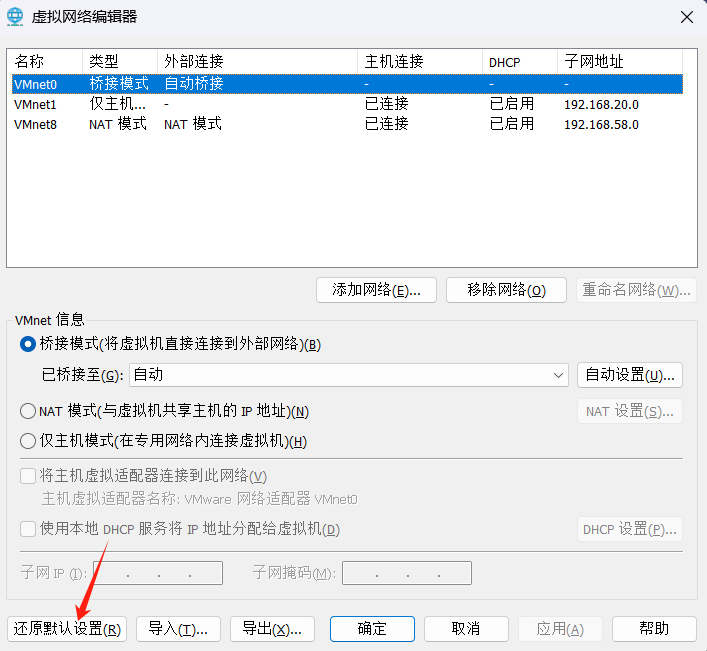
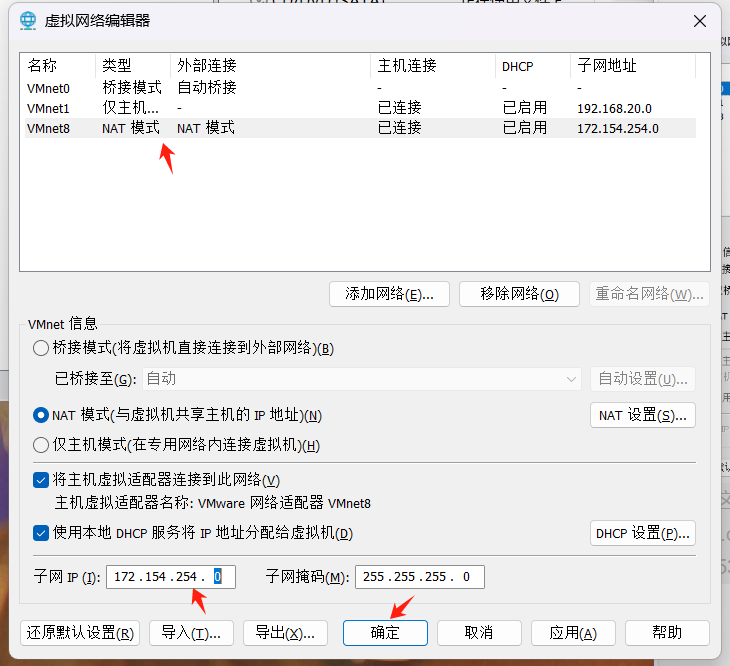
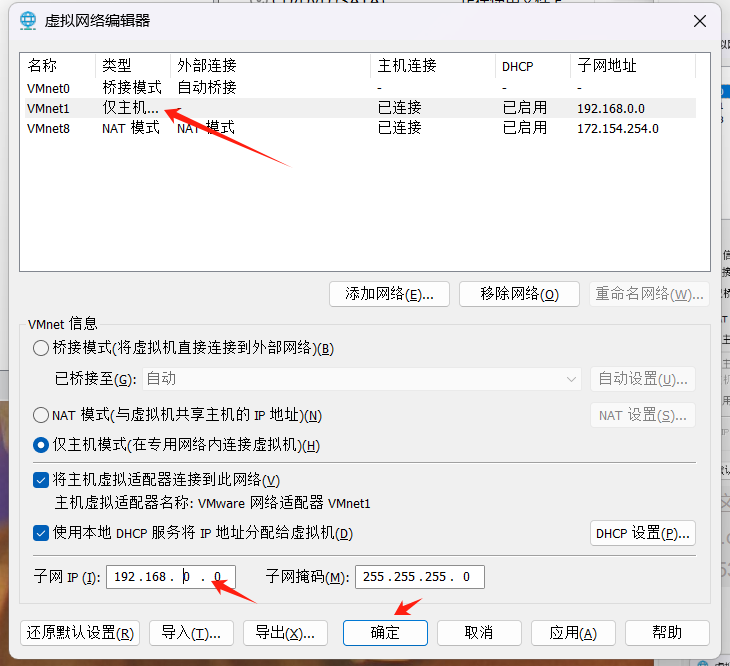

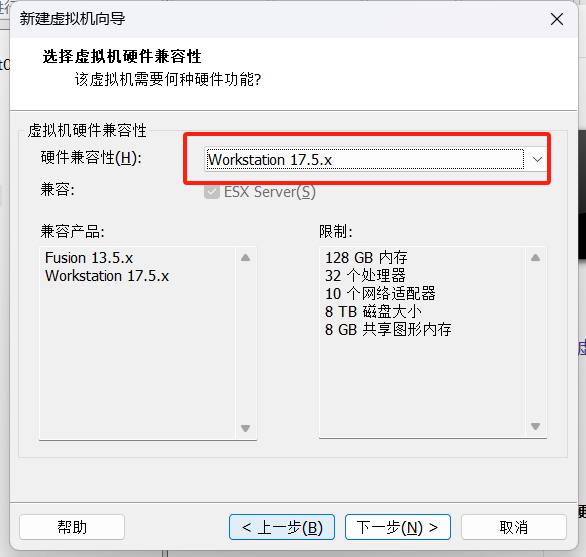

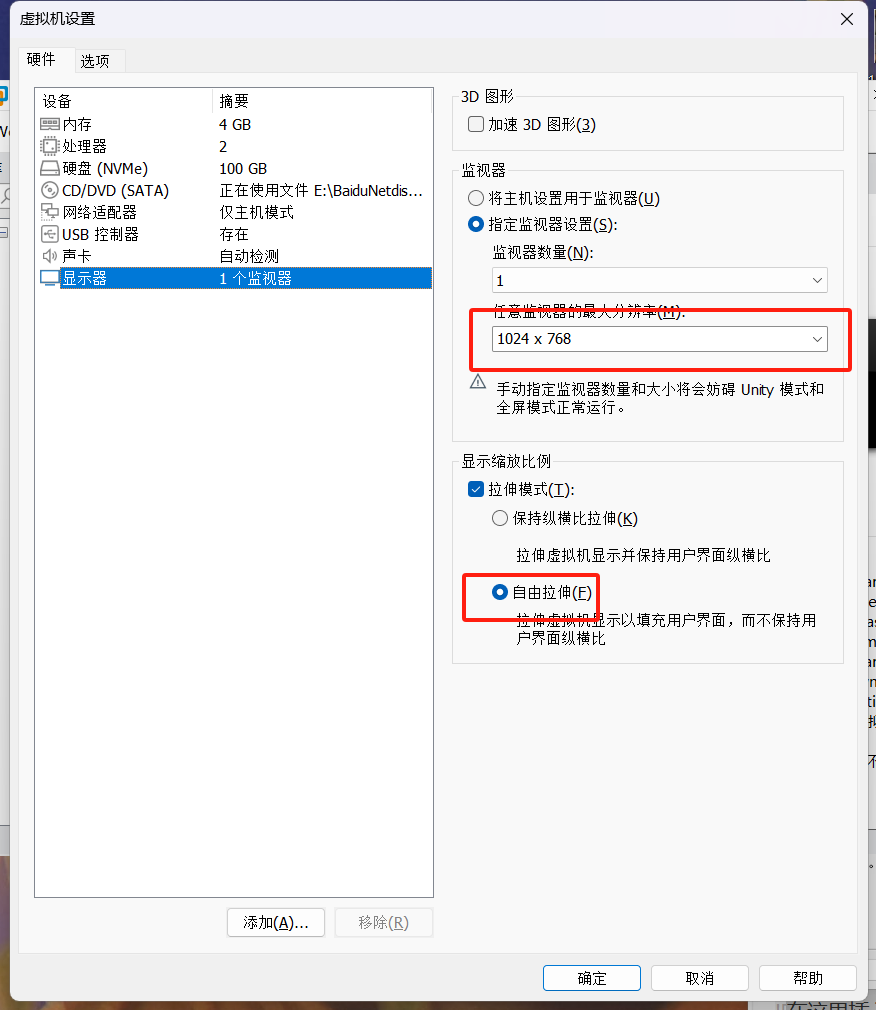
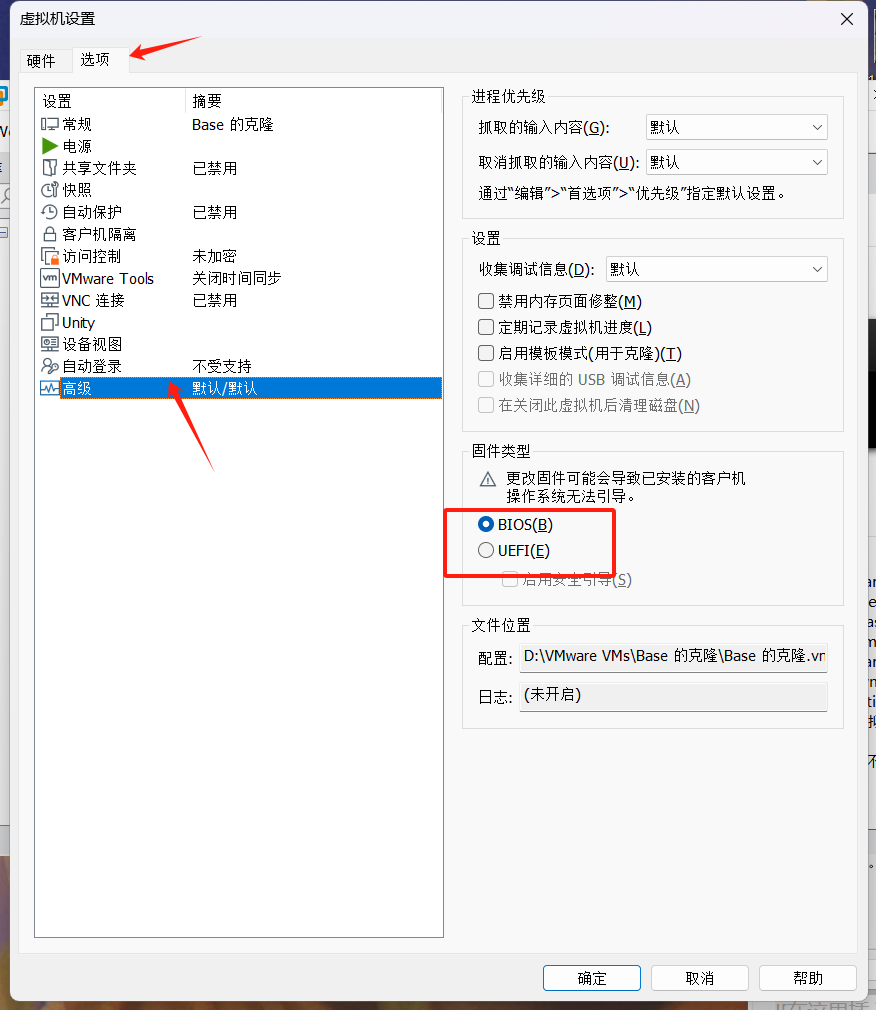
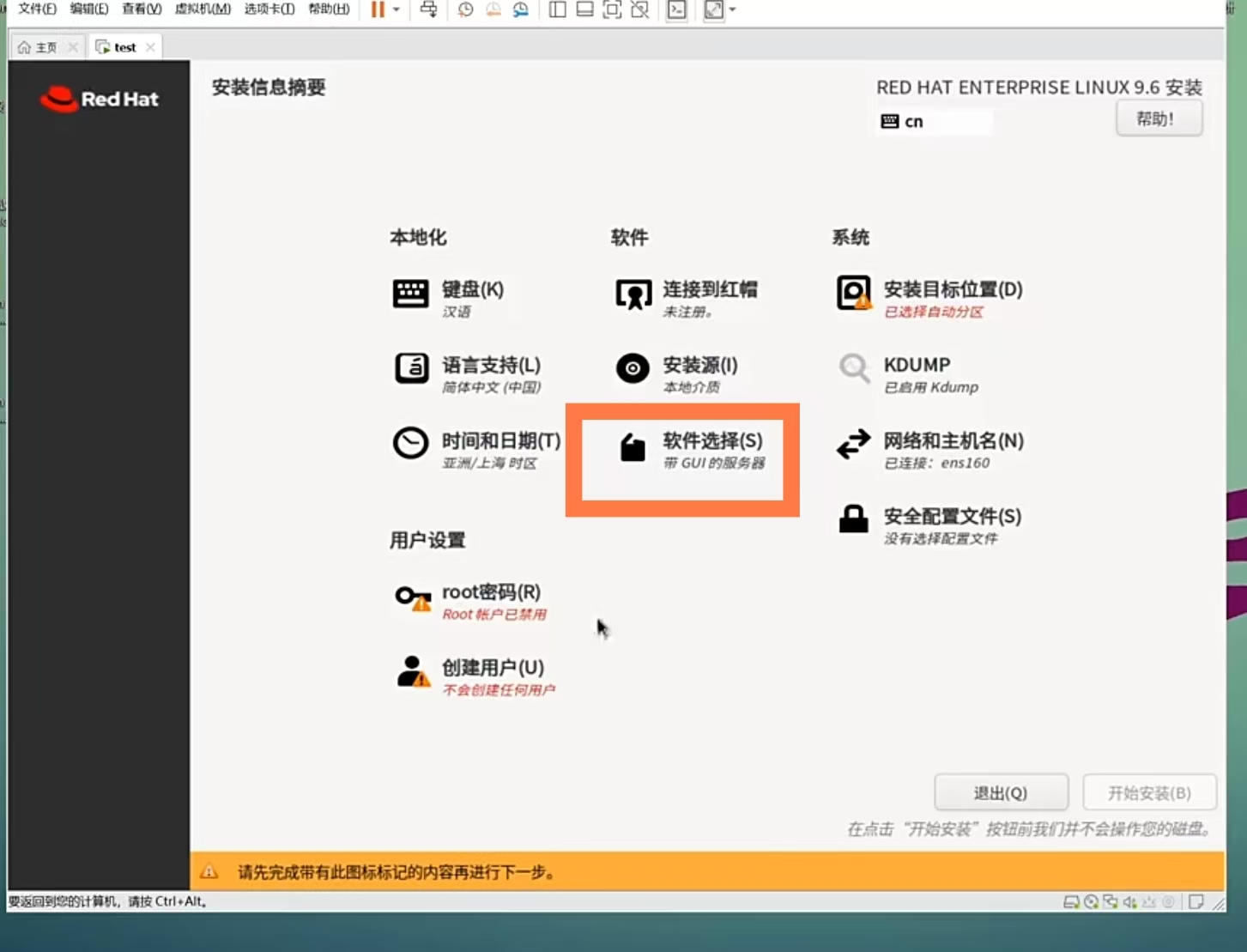
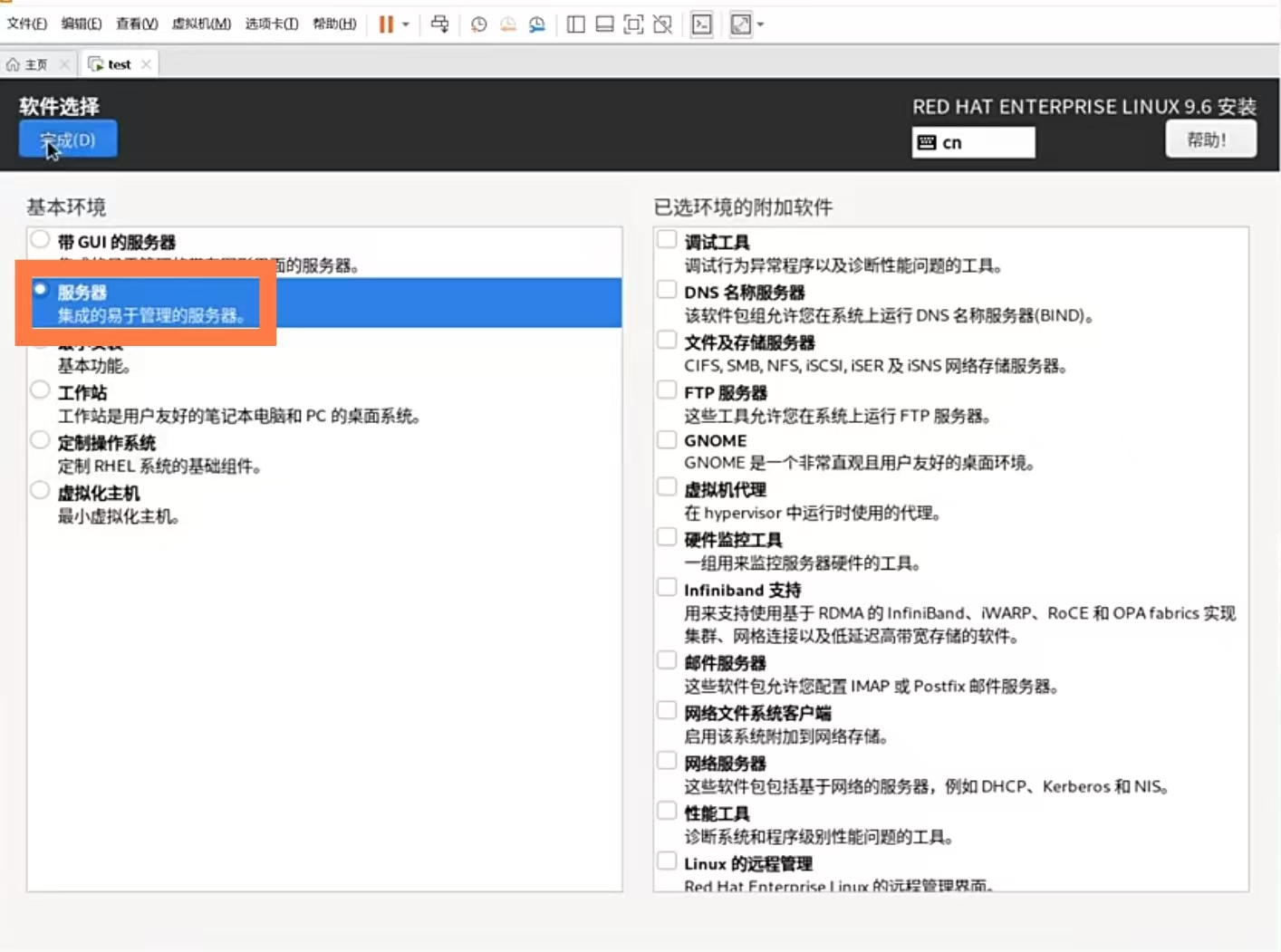
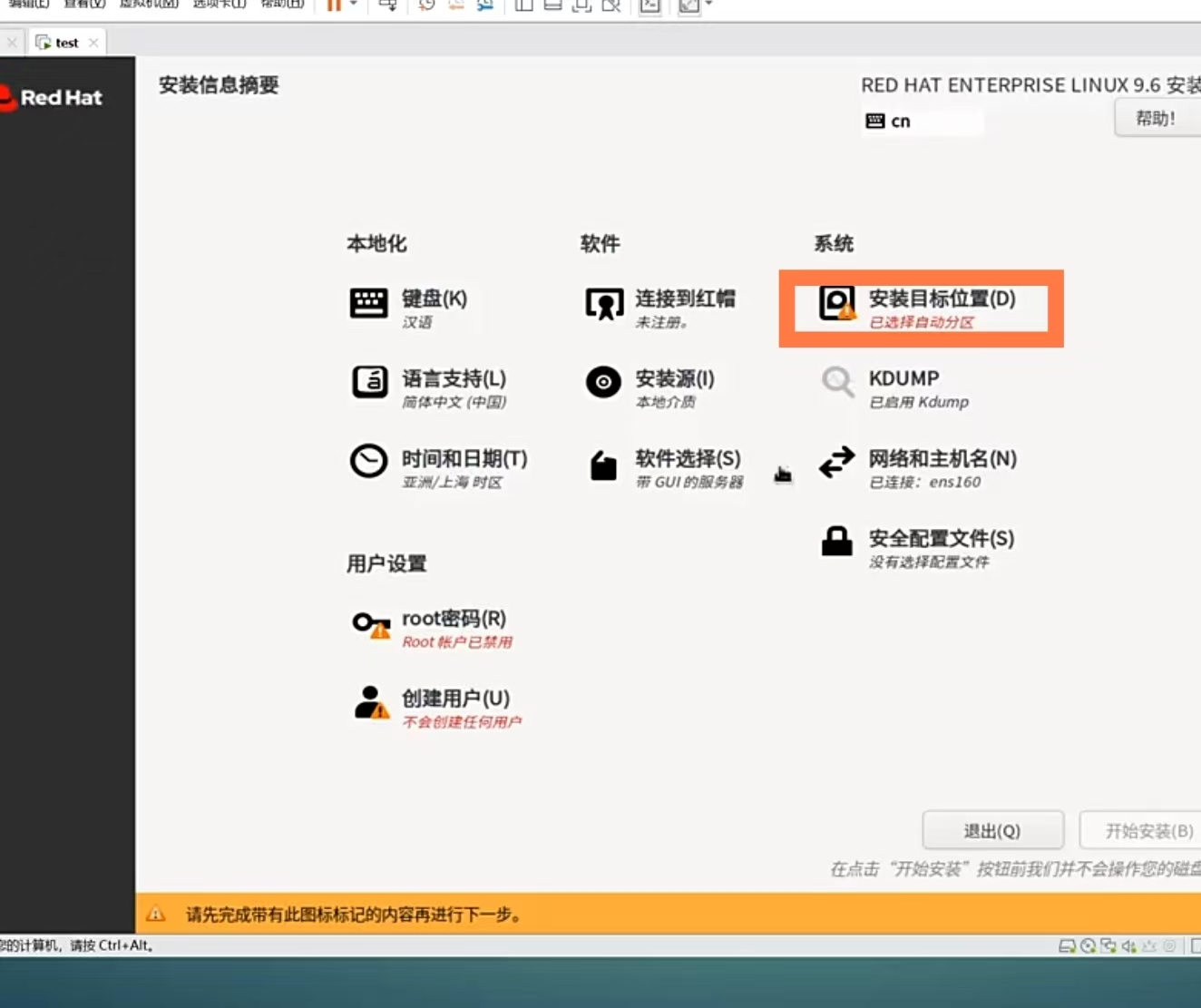
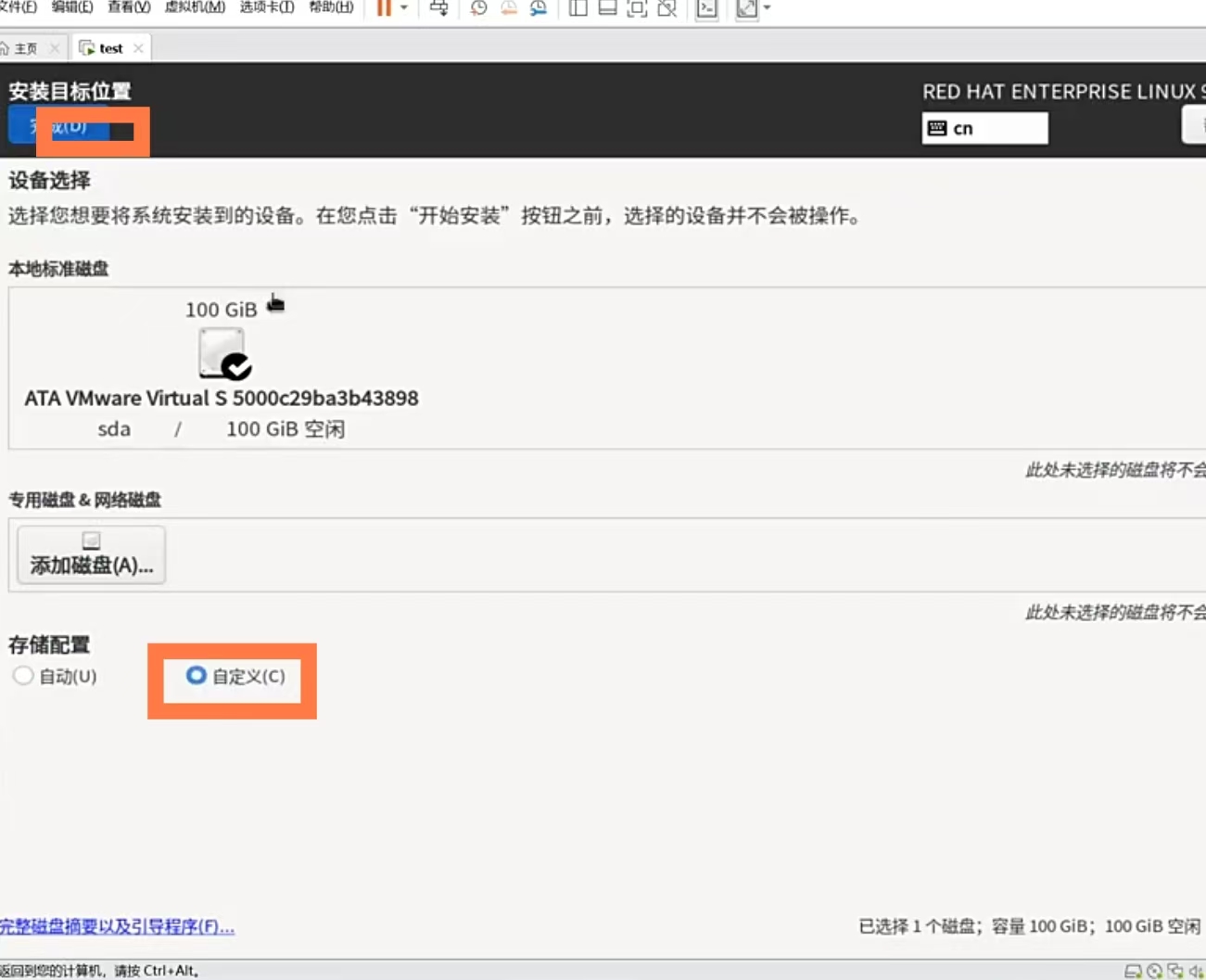
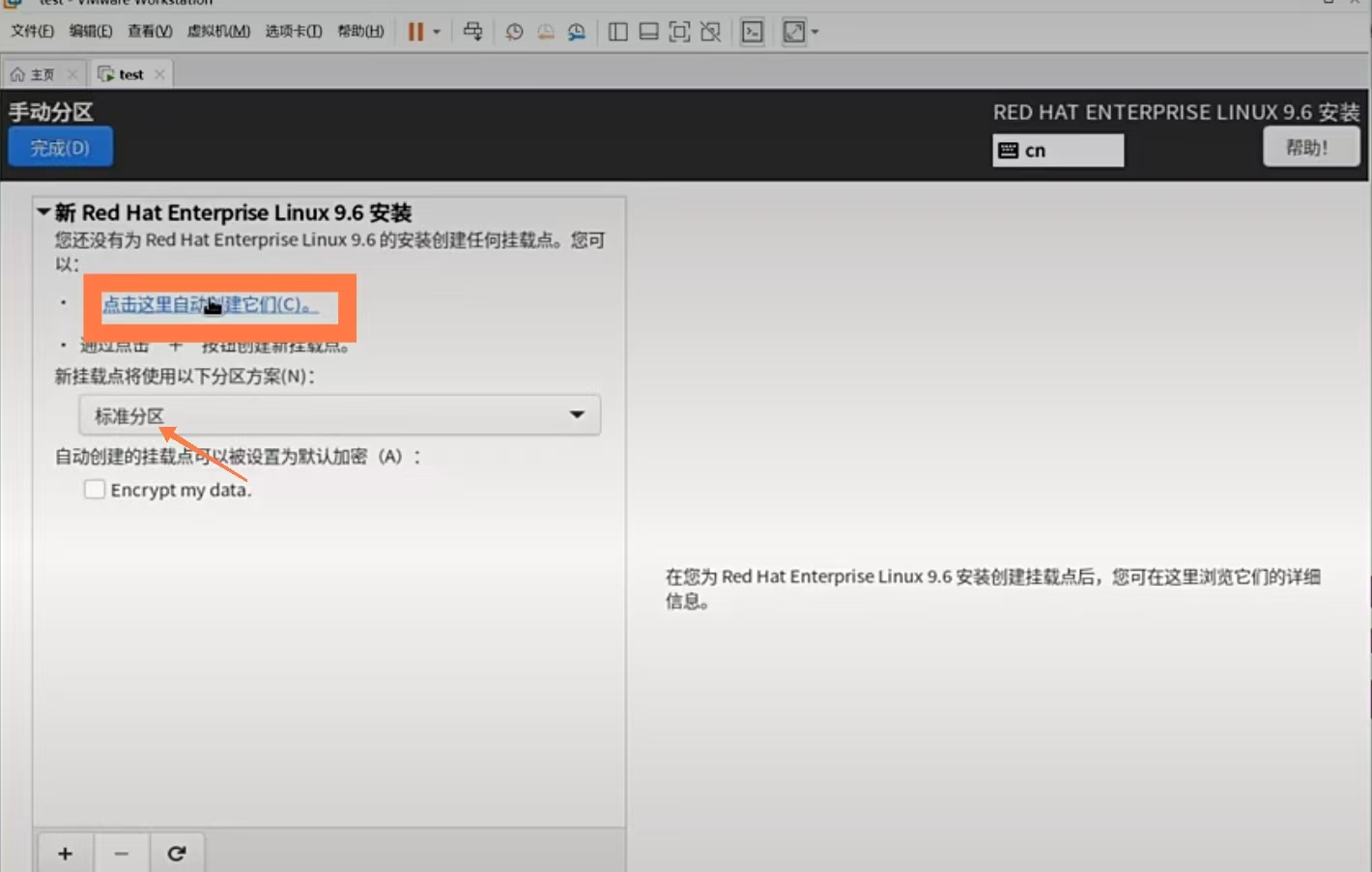
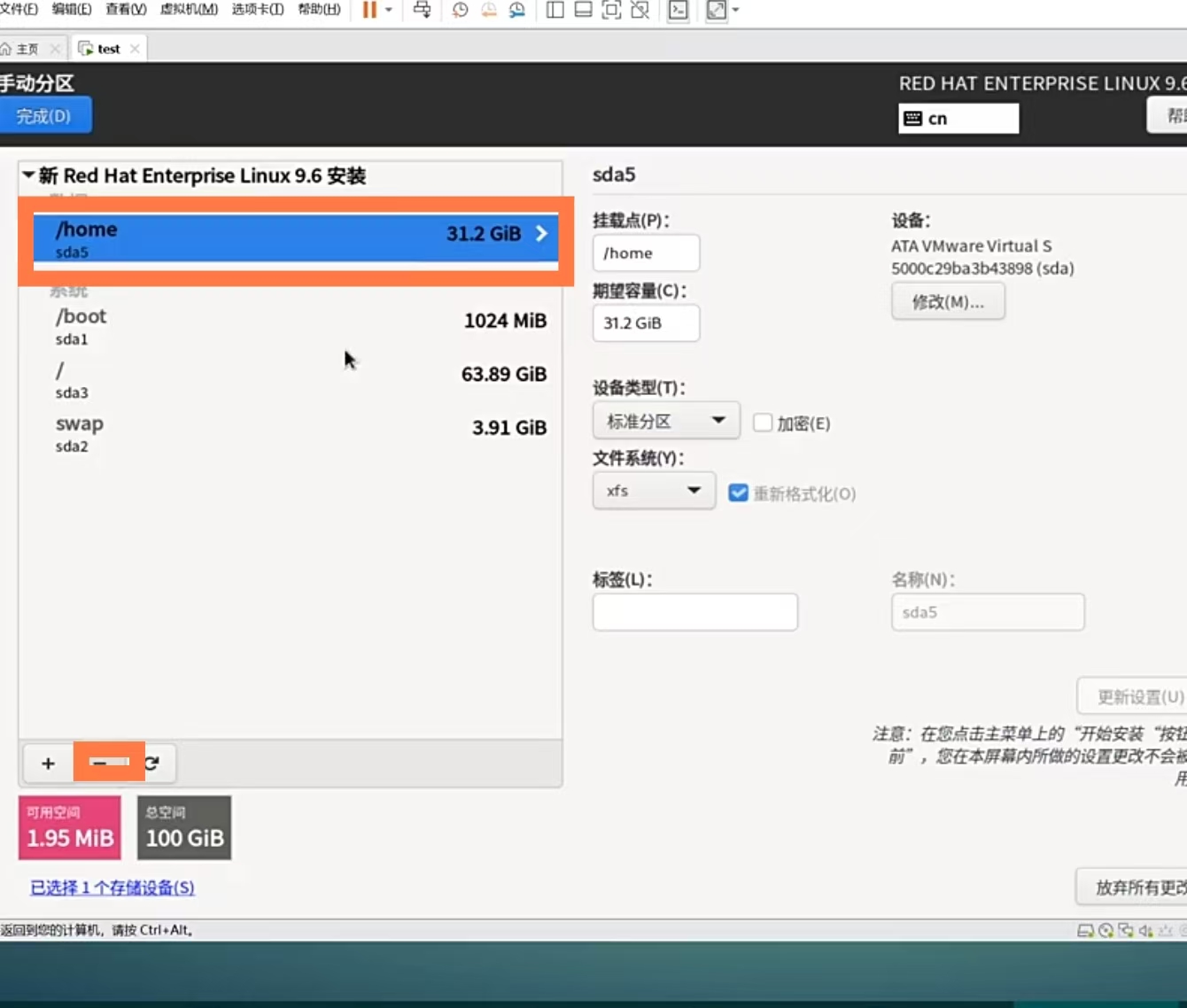
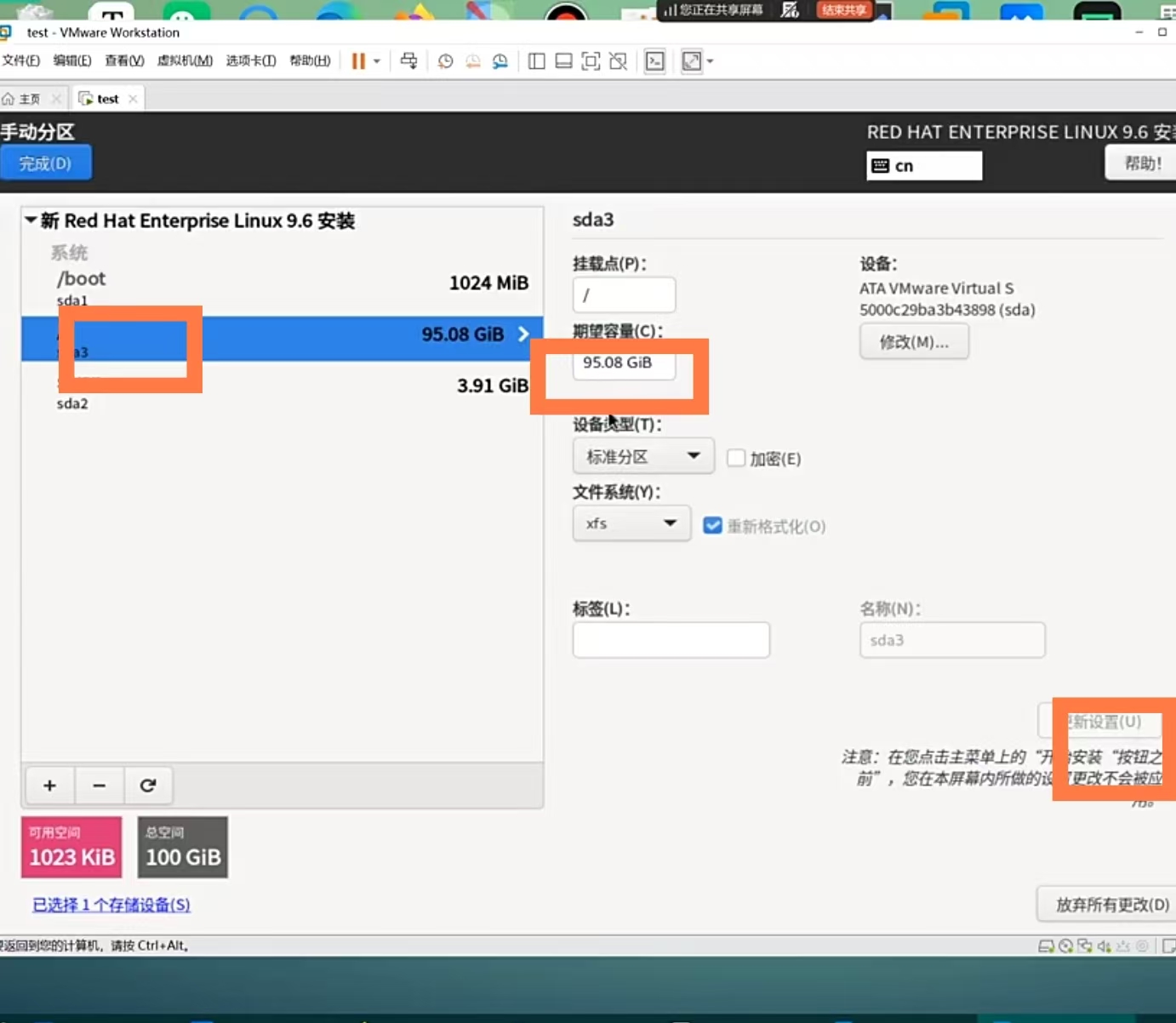
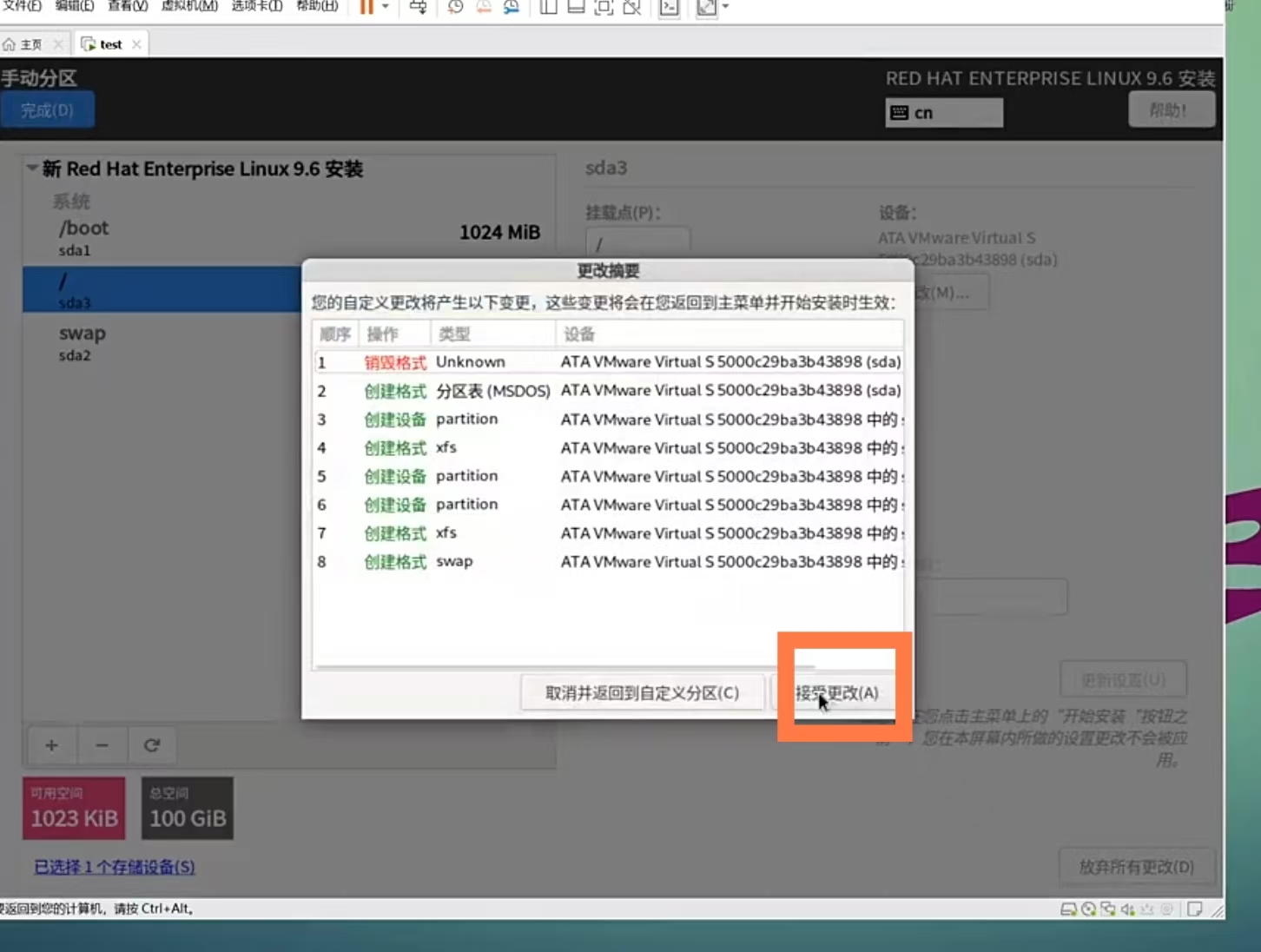
bash
#1.关闭firewalld
[root@localhost ~]# systemctl disable --now firewalld
[root@localhost ~]# systemctl mask firewalld


#2.关了selinux
[root@localhost ~]# vim /etc/sysconfig/selinux

# This file controls the state of SELinux on the system.
# SELINUX= can take one of these three values:
#     enforcing - SELinux security policy is enforced.
#     permissive - SELinux prints warnings instead of enforcing.
#     disabled - No SELinux policy is loaded.
# See also:
# https://access.redhat.com/documentation/en-us/red_hat_enterprise_linux/9/html/using_selinux/changing-selinux-states-and-modes_using-selinux#changing-selinux-modes-at-boot-time_changing-selinux-states-and-modes
#
# NOTE: Up to RHEL 8 release included, SELINUX=disabled would also
# fully disable SELinux during boot. If you need a system with SELinux
# fully disabled instead of SELinux running with no policy loaded, you
# need to pass selinux=0 to the kernel command line. You can use grubby
# to persistently set the bootloader to boot with selinux=0:
#
#    grubby --update-kernel ALL --args selinux=0
#
# To revert back to SELinux enabled:
#
#    grubby --update-kernel ALL --remove-args selinux
#
SELINUX=disabled   #关了
# SELINUXTYPE= can take one of these three values:
#     targeted - Targeted processes are protected,
#     minimum - Modification of targeted policy. Only selected processes are protected.
#     mls - Multi Level Security protection.
SELINUXTYPE=targeted


#3.把网卡设定为eth0的样式
[root@localhost ~]# vim /boot/loader/entries/0d2164cd796a4694869f2b4a177fcc8d-5.14.0-570.12.1.el9_6.x86_64.conf
title Red Hat Enterprise Linux (5.14.0-570.12.1.el9_6.x86_64) 9.6 (Plow)
version 5.14.0-570.12.1.el9_6.x86_64
linux /vmlinuz-5.14.0-570.12.1.el9_6.x86_64
initrd /initramfs-5.14.0-570.12.1.el9_6.x86_64.img $tuned_initrd
options root=UUID=631775e9-5f5c-487c-944c-9c6e43013d84 ro crashkernel=1G-4G:192M,4G-64G:256M,64G-:512M resume=UUID=62025d23-5bed-46fe-8055-205a08895557 rhgb quiet net.ifnames=0
grub_users $grub_users
grub_arg --unrestricted
grub_class rhel
[root@localhost ~]#reboot


#4检测
[root@localhost ~]# getenforce
Disabled
[root@localhost ~]# firewall-cmd --state
not running


[root@localhost ~]# ifconfig
eth0: flags=4163<UP,BROADCAST,RUNNING,MULTICAST>  mtu 1500
        inet 192.168.58.28  netmask 255.255.255.0  broadcast 192.168.58.255
        inet6 fe80::20c:29ff:fe02:5870  prefixlen 64  scopeid 0x20<link>
        ether 00:0c:29:02:58:70  txqueuelen 1000  (Ethernet)
        RX packets 830  bytes 76983 (75.1 KiB)
        RX errors 0  dropped 0  overruns 0  frame 0
        TX packets 602  bytes 68512 (66.9 KiB)
        TX errors 0  dropped 0 overruns 0  carrier 0  collisions 0

lo: flags=73<UP,LOOPBACK,RUNNING>  mtu 65536
        inet 127.0.0.1  netmask 255.0.0.0
        inet6 ::1  prefixlen 128  scopeid 0x10<host>
        loop  txqueuelen 1000  (Local Loopback)
        RX packets 0  bytes 0 (0.0 B)
        RX errors 0  dropped 0  overruns 0  frame 0
        TX packets 0  bytes 0 (0.0 B)
        TX errors 0  dropped 0 overruns 0  carrier 0  collisions 0


#5.编写一个设置网络的脚本
[root@localhost ~]# vim /bin/vmset.sh
#!/bin/bash
[ "$#" -lt "3" ] && {
  echo "error!!"
  exit
}
CONNECTION=`nmcli connection show | awk "/$1/"'{print $1}'|grep $1`
[ "$?" -ne "0" ] && {
  echo "$1" is in used !!
  nmcli connection delete  $CONNECTION
}
[ "$4" = "noroute" ] && {
cat >>  /etc/NetworkManager/system-connections/$1.nmconnection <<EOF
[connection]
id=$1
type=ethernet
interface-name=$1


[ipv4]
method=manual
address1=$2/24
EOF
}||{
cat >>  /etc/NetworkManager/system-connections/$1.nmconnection <<EOF
[connection]
id=$1
type=ethernet
interface-name=$1


[ipv4]
method=manual
address1=$2/24,172.25.254.2
dns=8.8.8.8;
EOF
}

chmod 600 /etc/NetworkManager/system-connections/$1.nmconnection
nmcli connection reload
nmcli connection up $1
hostnamectl hostname $3

cat > /etc/hosts<< EOF
127.0.0.1   localhost localhost.localdomain localhost4 localhost4.localdomain4
::1         localhost localhost.localdomain localhost6 localhost6.localdomain6
$2     $3
EOF

ip a s $1
hostname


[root@localhost ~]# chmod +x /bin/vmset.sh
[root@localhost ~]# ll /bin/vmset.sh
-r-xr-xr-x 1 root root 955  1月 23 14:25 /bin/vmset.sh
[root@localhost ~]#

#脚本使用格式:/bin/vmset.sh 网卡名 静态IP 主机名 [noroute];
#不传第 4 个参数→带网关(172.25.254.2)+DNS(8.8.8.8),传noroute→无网关 / DNS;
#执行前需给脚本加执行权限,且用 root 运行;
#执行后通过ip addr、hostname可快速验证配置结果。
# 第4个参数传入noroute,禁用网关/DNS
#实例:/bin/vmset.sh eth0 192.168.1.20 RS1 noroute