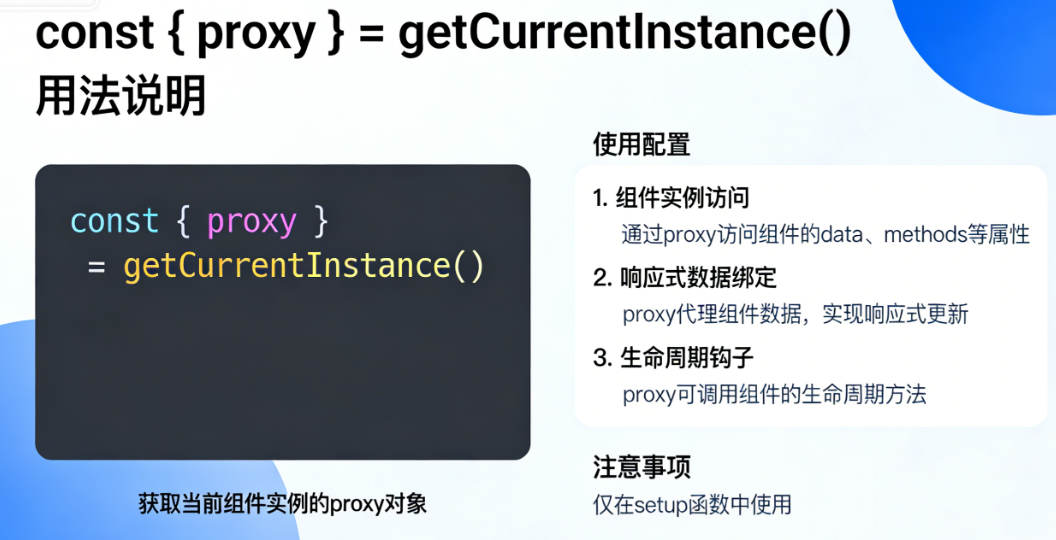
一、const { proxy } = getCurrentInstance() 核心功能
proxy 是 Vue 3 中通过 getCurrentInstance() 获取的组件代理对象 ,核心作用是替代 Vue 2 中的 this,在 <script setup> 语法中访问组件的底层属性(如 props、refs、全局属性、refs、全局属性、refs、全局属性、emit 等)。
- 本质:是当前组件实例的代理,仅暴露组件的公共属性/方法(避免直接操作实例内部属性);
- 适用场景:
<script setup>中无法直接使用this时,用于访问全局属性、$refs、手动触发事件等。
二、完整使用配置 + 正确示例
1. 全局配置(main.js)
先注册全局属性/方法(后续通过 proxy 访问):
javascript
// src/main.js
import { createApp } from 'vue'
import App from './App.vue'

const app = createApp(App)

// 1. 注册全局属性(业务中常用:全局接口、工具函数、常量等)
app.config.globalProperties.$api = {
  getUser: () => Promise.resolve({ name: '张三', age: 20 })
}
app.config.globalProperties.$globalConst = 'Vue3_GLOBAL'

// 2. 注册全局方法
app.config.globalProperties.$showMsg = (msg) => {
  alert('全局方法:' + msg)
}

app.mount('#app')
2. 组件内正确使用(ProxyDemo.vue)
vue
<template>
  <!-- 用于测试$refs的DOM -->
  <div ref="contentRef" class="demo">Proxy测试容器</div>
  <!-- 父组件传参 -->
  <div>父组件传递的props:{{ msg }}</div>
  <!-- 测试按钮 -->
  <button @click="testProxyAll">测试proxy所有用法</button>
</template>

<script setup>
import { getCurrentInstance, onMounted, defineProps } from 'vue'

// 1. 定义props(父组件传递)
const props = defineProps({
  msg: {
    type: String,
    default: ''
  }
})

// 2. 核心:获取实例并解构proxy(加||{}避免实例为null时报错)
const instance = getCurrentInstance()
const { proxy } = instance || {}

// ========== 正确用法1:访问全局属性/方法 ==========
const testGlobal = () => {
  // 访问全局常量
  console.log('全局常量:', proxy.$globalConst) // 输出:Vue3_GLOBAL
  // 调用全局方法
  proxy.$showMsg('测试全局弹窗') // 弹出提示框
  // 调用全局接口
  proxy.$api.getUser().then(res => {
    console.log('接口返回:', res) // 输出:{ name: '张三', age: 20 }
  })
}

// ========== 正确用法2:访问$refs(必须在DOM挂载后) ==========
onMounted(() => {
  // 获取DOM元素
  const dom = proxy.$refs.contentRef
  console.log('DOM元素:', dom) // 输出<div class="demo">DOM节点
  console.log('DOM高度:', dom.offsetHeight) // 输出DOM高度
})

// ========== 正确用法3:手动触发自定义事件(替代defineEmits) ==========
const testEmit = () => {
  // 触发自定义事件,父组件可接收
  proxy.$emit('custom-event', { id: 1, content: '事件参数' })
}

// ========== 正确用法4:访问组件props ==========
const testProps = () => {
  // 直接访问父组件传递的props(等同于props.msg)
  console.log('访问props:', proxy.msg) // 输出父组件传递的msg值
}

// 统一测试函数
const testProxyAll = () => {
  testGlobal()
  testEmit()
  testProps()
}
</script>
3. 父组件调用(App.vue)
vue
<template>
  <!-- 传递props + 监听自定义事件 -->
  <ProxyDemo msg="我是父组件传递的消息" @custom-event="handleEvent" />
</template>

<script setup>
import ProxyDemo from './components/ProxyDemo.vue'

// 接收子组件通过proxy.$emit触发的事件
const handleEvent = (param) => {
  console.log('父组件接收事件参数:', param) // 输出:{ id: 1, content: '事件参数' }
}
</script>
三、错误用法(避坑重点)
1. 错误用法1:异步回调中直接调用 getCurrentInstance()
javascript
<script setup>
import { getCurrentInstance } from 'vue'

// ❌ 错误:setTimeout是异步回调,getCurrentInstance()返回null
setTimeout(() => {
  const { proxy } = getCurrentInstance() // proxy为undefined
  proxy.$showMsg('异步测试') // 报错:Cannot read property '$showMsg' of undefined
}, 1000)

// ✅ 正确:提前保存实例,再在异步中使用
const instance = getCurrentInstance()
setTimeout(() => {
  const { proxy } = instance || {}
  proxy.$showMsg('异步测试') // 正常执行
}, 1000)
</script>
2. 错误用法2:在组件外部(如全局函数)调用
javascript
// src/utils/test.js
import { getCurrentInstance } from 'vue'

// ❌ 错误:不在组件生命周期内,instance为null
export const testOutside = () => {
  const { proxy } = getCurrentInstance() // proxy为undefined
  return proxy.$globalConst
}

// ✅ 正确:通过参数接收实例,或封装为组合式函数(在组件内调用)
export const testOutside = (instance) => {
  const { proxy } = instance || {}
  return proxy.$globalConst
}
3. 错误用法3:依赖 ctx 而非 proxy(生产环境坑)
javascript
<script setup>
import { getCurrentInstance } from 'vue'

const instance = getCurrentInstance()
// ❌ 错误:ctx是内部属性,生产环境会被压缩(如ctx变成_ctx),导致属性访问失败
const { ctx } = instance
console.log(ctx.$globalConst) // 开发环境正常,生产环境报错

// ✅ 正确:优先使用proxy,生产环境稳定
const { proxy } = instance || {}
console.log(proxy.$globalConst) // 开发/生产环境都正常
</script>
4. 错误用法4:未做兜底处理,实例为null时报错
javascript
<script setup>
import { getCurrentInstance } from 'vue'

// ❌ 错误:若instance为null,解构时直接报错
const { proxy } = getCurrentInstance() // 报错:Cannot destructure property 'proxy' of 'null'

// ✅ 正确:加||{}兜底
const { proxy } = getCurrentInstance() || {}
if (proxy) { // 先判断proxy是否存在,再使用
  proxy.$showMsg('测试')
}
</script>
四、总结
- 核心功能 :
proxy是组件实例的代理对象,替代 Vue 2 的this,用于访问全局属性、refs、refs、refs、emit、props 等; - 正确使用 :需在
<script setup>/setup()同步代码中提前获取实例,异步场景需保存实例后再使用; - 错误避坑 :避免异步回调直接调用、避免依赖
ctx、避免组件外部调用,且必须做||{}兜底处理。
所有代码均可直接复制运行,核心逻辑已覆盖日常开发中 proxy 的全部常用场景和避坑点。