这里写目录标题
- 一、文件上传
-
- [1.1、wx.uploadFile(Object object)](#1.1、wx.uploadFile(Object object))
- 1.2、返回值UploadTask
- 1.3、案例
- 二、下载
-
- [2.1、wx.downloadFile(Object object)](#2.1、wx.downloadFile(Object object))
- 2.2、返回值DownloadTask
- 2.3、示例
一、文件上传
1.1、wx.uploadFile(Object object)
将本地资源上传到服务器。客户端发起一个 HTTPS POST 请求,其中 content-type 为 multipart/form-data。使用前请注意阅读相关说明。
参数:Object object
| 属性 | 类型 | 默认值 | 必填 | 说明 |
|---|---|---|---|---|
url |
string | 是 | 开发者服务器地址 | |
filePath |
string | 是 | 要上传文件资源的路径 (本地路径) | |
name |
string | 是 | 文件对应的 key,开发者在服务端可以通过这个 key 获取文件的二进制内容 | |
header |
Object | 否 | HTTP 请求 Header,Header 中不能设置 Referer | |
formData |
Object | 否 | HTTP 请求中其他额外的 form data | |
timeout |
number | 否 | 超时时间,单位为毫秒 | |
enableProfile |
boolean | true | 否 | 是否开启 profile。iOS 和 Android 端默认开启,其他端暂不支持。开启后可在接口回调的 res.profile 中查看性能调试信息。 |
enableHttp2 |
boolean | false | 否 | 是否开启 http2 |
enableQuic |
boolean | false | 否 | 是否开启 Quic/h3 协议(iOS 微信目前使用 gQUIC-Q43;Android 微信在 v8.0.54 前使用 gQUIC-Q43,v8.0.54 开始使用 IETF QUIC,即 h3 协议;PC微信使用 IETF QUIC,即 h3 协议) |
success |
function | 否 | 接口调用成功的回调函数 | |
fail |
function | 否 | 接口调用失败的回调函数 | |
complete |
function | 否 | 接口调用结束的回调函数(调用成功、失败都会执行) |
object.success 回调函数:
参数:Object res
| 属性 | 类型 | 说明 |
|---|---|---|
| data | string | 开发者服务器返回的数据 |
| statusCode | number | 开发者服务器返回的 HTTP 状态码 |
| profile | Object | 网络请求过程中一些调试信息,查看详细说明。目前 iOS 和 Android 端支持。 |
示例:
js
wx.chooseImage({
  success (res) {
    const tempFilePaths = res.tempFilePaths
    wx.uploadFile({
      url: 'https://example.weixin.qq.com/upload', //仅为示例,非真实的接口地址
      filePath: tempFilePaths[0],
      name: 'file',
      formData: {
        'user': 'test'
      },
      success (res){
        const data = res.data
        //do something
      }
    })
  }
})
1.2、返回值UploadTask
一个可以监听上传进度变化事件,以及取消上传任务的对象
方法:
UploadTask.abort()
中断上传任务UploadTask.onProgressUpdate(function listener)
监听上传进度变化事件UploadTask.offProgressUpdate(function listener)
移除上传进度变化事件的监听函数UploadTask.onHeadersReceived(function listener)
监听 HTTP Response Header 事件。会比请求完成事件更早UploadTask.offHeadersReceived(function listener)
移除 HTTP Response Header 事件的监听函数
示例:
js
const uploadTask = wx.uploadFile({
  url: 'http://example.weixin.qq.com/upload', //仅为示例,非真实的接口地址
  filePath: tempFilePaths[0],
  name: 'file',
  formData:{
    'user': 'test'
  },
  success (res){
    const data = res.data
    //do something
  }
})

uploadTask.onProgressUpdate((res) => {
  console.log('上传进度', res.progress)
  console.log('已经上传的数据长度', res.totalBytesSent)
  console.log('预期需要上传的数据总长度', res.totalBytesExpectedToSend)
})

uploadTask.abort() // 取消上传任务
1.3、案例
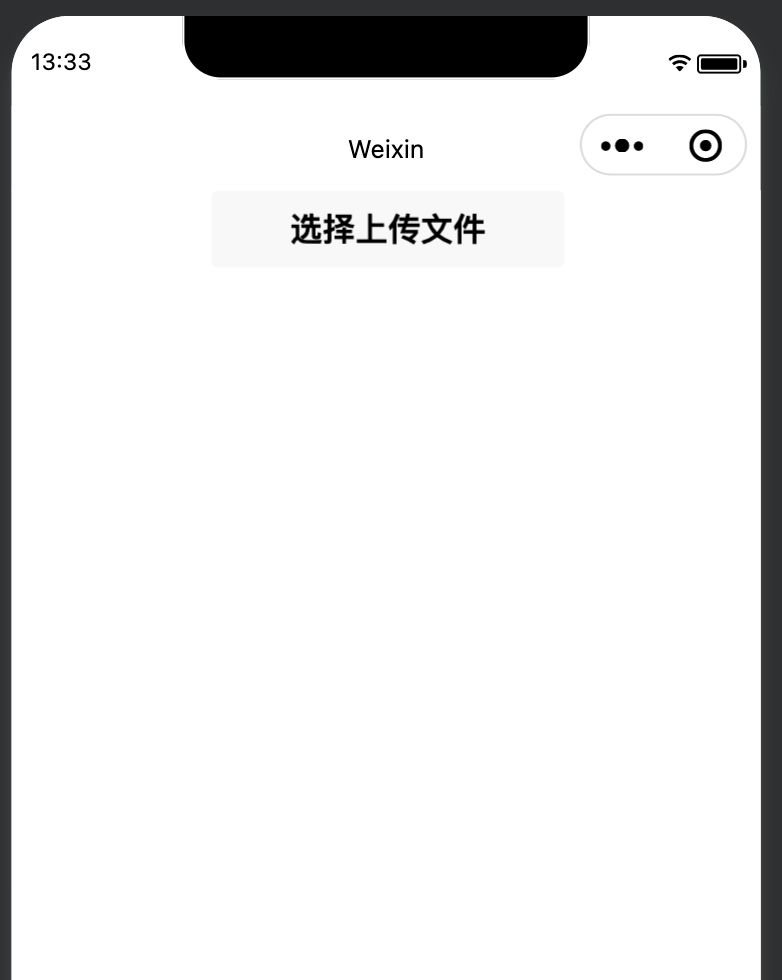
uploadFile.wxml
html
<view class="container">
  <button bind:tap="upfile">选择上传文件</button>
</view>
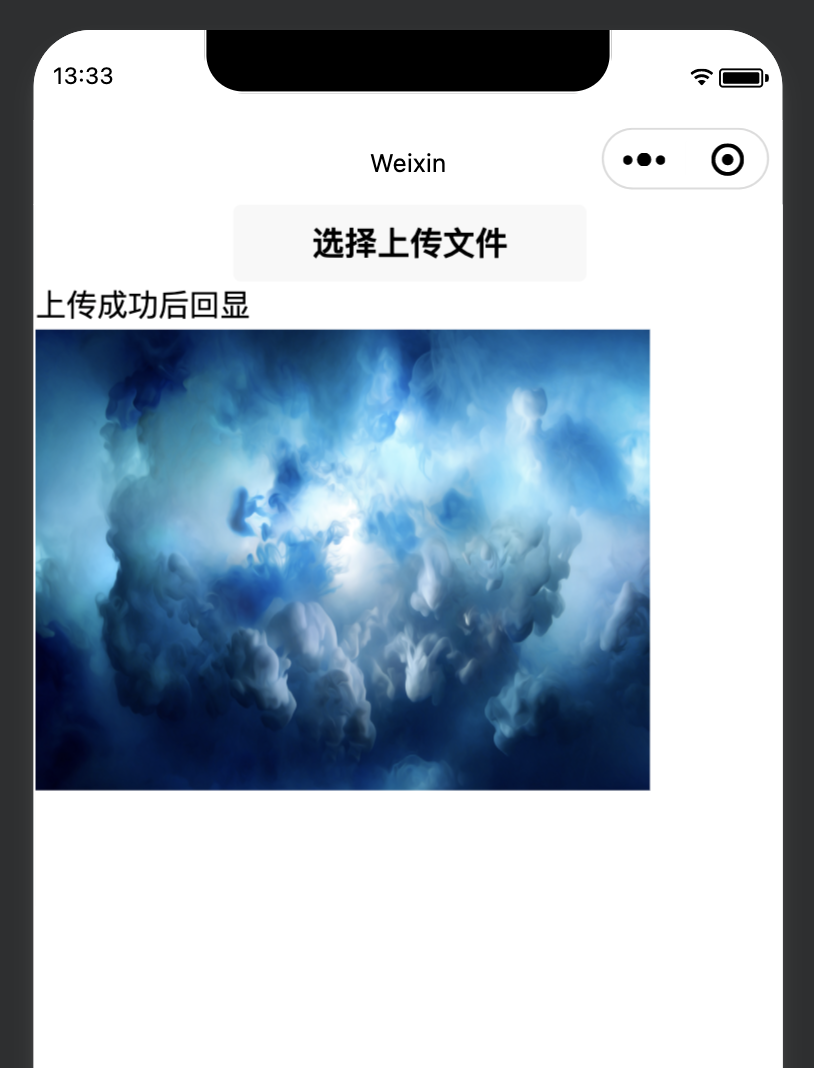
<view class="container" wx:if="{{backFlag}}">
  <text>上传成功后回显</text>
  <image src="{{backImgUrl}}"></image>
</view>
uploadFile.js
js
var app = getApp();
Page({
  data: {
    backFlag: false,
    backImgUrl: null,
  },
  //事件处理函数
  upfile: function() {
    wx.chooseMedia({
      success: (res) => {
        var that = this;
        var tempFilePaths = res.tempFiles
        wx.uploadFile({
          url: "http://127.0.0.1:8080/upload",
          header: {"Content-Type": "multipart/form-data"},
          filePath: tempFilePaths[0].tempFilePath,
          name: 'uploadFile',
          formData: {

          },
          success(res) {
            console.log(res.data)
            that.setData({
              backFlag: true,
              backImgUrl: res.data
            })
          }
        })
      }
    })
  },
  onLoad: function() {

  }
})
java
package pers.zhang.controller;

import org.springframework.web.bind.annotation.PostMapping;
import org.springframework.web.bind.annotation.RestController;
import org.springframework.web.multipart.MultipartFile;

import javax.servlet.http.HttpServletRequest;
import java.io.File;
import java.io.IOException;
import java.text.SimpleDateFormat;
import java.util.Date;
import java.util.UUID;

/**
 * @Author: acton_zhang
 * @Date: 2026/3/6 下午10:55
 * @Version 1.0
 */
@RestController
public class FileController {

    final public static String UPLOAD_PATH_PREFIX = "uploadFile/";

    @PostMapping("/upload")
    public String upload(MultipartFile uploadFile, HttpServletRequest request) {
        if (uploadFile.isEmpty()) {
            //返回选择文件提示
            return "请选择上传文件";
        }
        //构建文件上传所要保存的"文件夹路径"--这里是相对路径,保存到项目根路径的文件夹下
        String realPath = new String("src/main/resources/" + UPLOAD_PATH_PREFIX);

        SimpleDateFormat sdf = new SimpleDateFormat("yyyy/MM/dd/");
        String format = sdf.format(new Date());
        //存放上传文件的文件夹
        File file = new File(realPath + format);
        System.out.println("上传文件保存的路径:" + file.getAbsolutePath());

        if (!file.isDirectory()) {
            file.mkdirs();
        }
        //获取原始文件名
        String oName = uploadFile.getOriginalFilename();
        String newName = UUID.randomUUID().toString() + oName.substring(oName.lastIndexOf("."), oName.length());

        try {
            //构建真实的文件路径
            File newFile = new File(file.getAbsolutePath() + File.separator + newName);
            //转存文件到指定路径,如果文件名重复的话,将会覆盖掉之前的文件,这里是把文件上传到 "绝对路径"
            uploadFile.transferTo(newFile);
            String filePath = request.getScheme() + "://" + request.getServerName() + ":" + request.getServerPort() + "/uploadFile/" + format + newName;
            System.out.println("返回的访问路径:" + filePath);
            return filePath;
        } catch (IOException e) {
            e.printStackTrace();
        }
        return "上传失败";
    }
}
java
@Configuration
public class WebMvcConfig implements WebMvcConfigurer {

    @Override
    public void addResourceHandlers(ResourceHandlerRegistry registry) {
        registry.addResourceHandler("/static/**").addResourceLocations("classpath:/static/");
        registry.addResourceHandler("/uploadFile/**").addResourceLocations("file:/Users/acton_zhang/J2EE/MavenWorkSpace/wx_pro/src/main/resources/uploadFile/");
    }
}
二、下载
2.1、wx.downloadFile(Object object)
下载文件资源到本地。客户端直接发起一个 HTTPS GET 请求,返回文件的本地临时路径 (本地路径),单次下载允许的最大文件为 200MB。使用前请注意阅读相关说明。
注意:请在服务端响应的 header 中指定合理的 Content-Type 字段,以保证客户端正确处理文件类型。
参数:Object object
| 属性 | 类型 | 默认值 | 必填 | 说明 |
|---|---|---|---|---|
url |
string | 是 | 下载资源的 url | |
header |
Object | 否 | HTTP 请求的 Header,Header 中不能设置 Referer | |
timeout |
number | 60000 | 否 | 超时时间,单位为毫秒,默认值为 60000 即一分钟。 |
filePath |
string | 否 | 指定文件下载后存储的路径 (本地路径) | |
enableProfile |
boolean | true | 否 | 是否开启 profile。iOS 和 Android 端默认开启,其他端暂不支持。开启后可在接口回调的 res.profile 中查看性能调试信息。 |
enableHttp2 |
boolean | false | 否 | 是否开启 http2 |
enableQuic |
boolean | false | 否 | 是否开启 Quic/h3 协议(iOS 微信目前使用 gQUIC-Q43;Android 微信在 v8.0.54 前使用 gQUIC-Q43,v8.0.54 开始使用 IETF QUIC,即 h3 协议;PC微信使用 IETF QUIC,即 h3 协议) |
success |
function | 否 | 接口调用成功的回调函数 | |
fail |
function | 否 | 接口调用失败的回调函数 | |
complete |
function | 否 | 接口调用结束的回调函数(调用成功、失败都会执行) |
object.sucess回调函数:
参数Object res:
| 属性 | 类型 | 说明 |
|---|---|---|
| tempFilePath | string | 临时文件路径 (本地路径)。没传入 filePath 指定文件存储路径时会返回,下载后的文件会存储到一个临时文件 |
| filePath | string | 用户文件路径 (本地路径)。传入 filePath 时会返回,跟传入的 filePath 一致 |
| statusCode | number | 开发者服务器返回的 HTTP 状态码 |
| profile | Object | 网络请求过程中一些调试信息,查看详细说明。目前 iOS 和 Android 端支持。 |
示例:
js
wx.downloadFile({
  url: 'https://example.com/audio/123', //仅为示例,并非真实的资源
  success (res) {
    // 只要服务器有响应数据,就会把响应内容写入文件并进入 success 回调,业务需要自行判断是否下载到了想要的内容
    if (res.statusCode === 200) {
      wx.playVoice({
        filePath: res.tempFilePath
      })
    }
  }
})
2.2、返回值DownloadTask
一个可以监听下载进度变化事件,以及取消下载任务的对象
方法:
DownloadTask.abort()
中断下载任务DownloadTask.onProgressUpdate(function listener)
监听下载进度变化事件DownloadTask.offProgressUpdate(function listener)
移除下载进度变化事件的监听函数DownloadTask.onHeadersReceived(function listener)
监听 HTTP Response Header 事件。会比请求完成事件更早DownloadTask.offHeadersReceived(function listener)
移除 HTTP Response Header 事件的监听函数
示例:
js
const downloadTask = wx.downloadFile({
  url: 'http://example.com/audio/123', //仅为示例,并非真实的资源
  success (res) {
    wx.playVoice({
      filePath: res.tempFilePath
    })
  }
})

downloadTask.onProgressUpdate((res) => {
  console.log('下载进度', res.progress)
  console.log('已经下载的数据长度', res.totalBytesWritten)
  console.log('预期需要下载的数据总长度', res.totalBytesExpectedToWrite)
})

downloadTask.abort() // 取消下载任务
2.3、示例
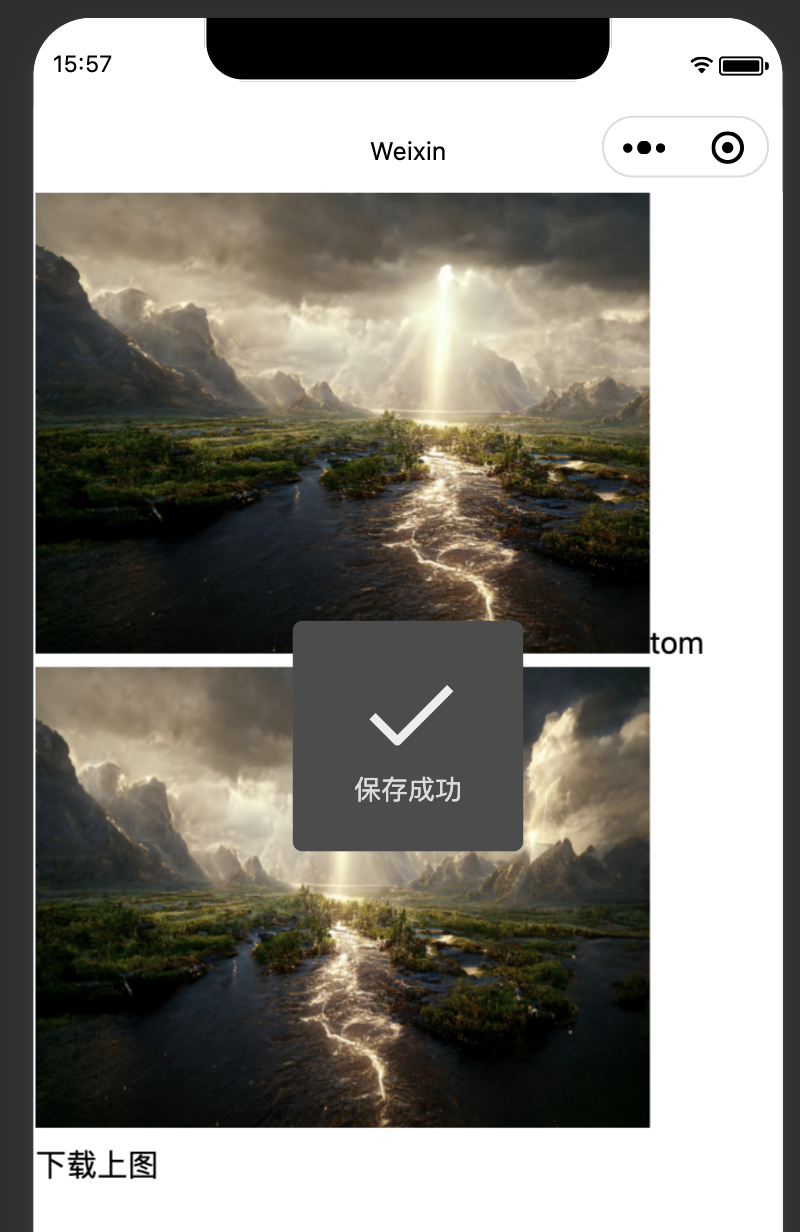
在函数dian中调用了wx.downloadFile()接口,下载成功,图片就会保存在res.tempFilePath中,再把res.tempFilePath设置为头像。在函数dian2中,通过wx.savelmage ToPhotosAlbum()接口把下载成功的图片保存到手机相册。
downloadFile.wxml
html
<view class="container">
  <view bind:tap="dian" class="userinfo">
    <image class="userinfo-avatoar" src="{{avatar}}" background-size="cover"></image>
    <text class="userinfo-nickname">{{userInfo.nickName}}</text>
  </view>
  <view class="usermotto">
    <image src="http://127.0.0.1:8080/download/bd22f30a-c83a-41b2-aa0d-8b272fd41ac8.jpeg" class="tu"></image>
    <view bind:tap="dian2">下载上图</view>
  </view>
</view>
downloadFile.js
js
var app = getApp();
Page({
  data: {
    motto: 'Hello World',
    userInfo: {},
    avatar: null
  },
  dian: function() {
    wx.downloadFile({
      url: 'http://127.0.0.1:8080/download/bd22f30a-c83a-41b2-aa0d-8b272fd41ac8.jpeg',
      type: 'image',
      success: (res) => {
        console.log(res)
        this.setData({
          avatar: res.tempFilePath
        })
      }
    })
  },
  onLoad: function() {
    this.setData({
      userInfo: {"nickName": "tom"}
    })
  },
  dian2: function(){
    wx.downloadFile({
      url: 'http://127.0.0.1:8080/download/bd22f30a-c83a-41b2-aa0d-8b272fd41ac8.jpeg',
      success: (res) => {
        console.log(res);
        var rr = res.tempFilePath;
        wx.saveImageToPhotosAlbum({
          filePath: rr,
          success: (res) => {
            wx.showToast({
              title: "保存成功",
              icon: "success",
              duration: 2000
            })
          }
        })
      }
    })
  }
})
java
@GetMapping("/download/{filename}")
public void down(@PathVariable("filename") String filename, HttpServletResponse response) throws IOException {
    File file = new File(DOWNLOAD_PATH_PREFIX + filename);
    if (!file.exists()) {
        response.sendError(HttpServletResponse.SC_NOT_FOUND);
        return;
    }

    // 设置响应头
    response.setHeader(HttpHeaders.CONTENT_DISPOSITION,
            "attachment; filename=\"" + file.getName() + "\"");
    response.setContentLength((int) file.length());
    response.setContentType(determineContentType(filename));

    // 写入文件流
    try (InputStream inputStream = new FileInputStream(file);
         OutputStream outputStream = response.getOutputStream()) {

        byte[] buffer = new byte[4096];
        int bytesRead;
        while ((bytesRead = inputStream.read(buffer)) != -1) {
            outputStream.write(buffer, 0, bytesRead);
        }
    }
}

private String determineContentType(String filename) {
    String extension = filename.substring(filename.lastIndexOf(".") + 1, filename.length());
    switch (extension) {
        case "pdf": return "application/pdf";
        case "txt": return "text/plain";
        case "jpg":
        case "jpeg": return "image/jpeg";
        case "png": return "image/png";
        default: return "application/octet-stream";
    }
}