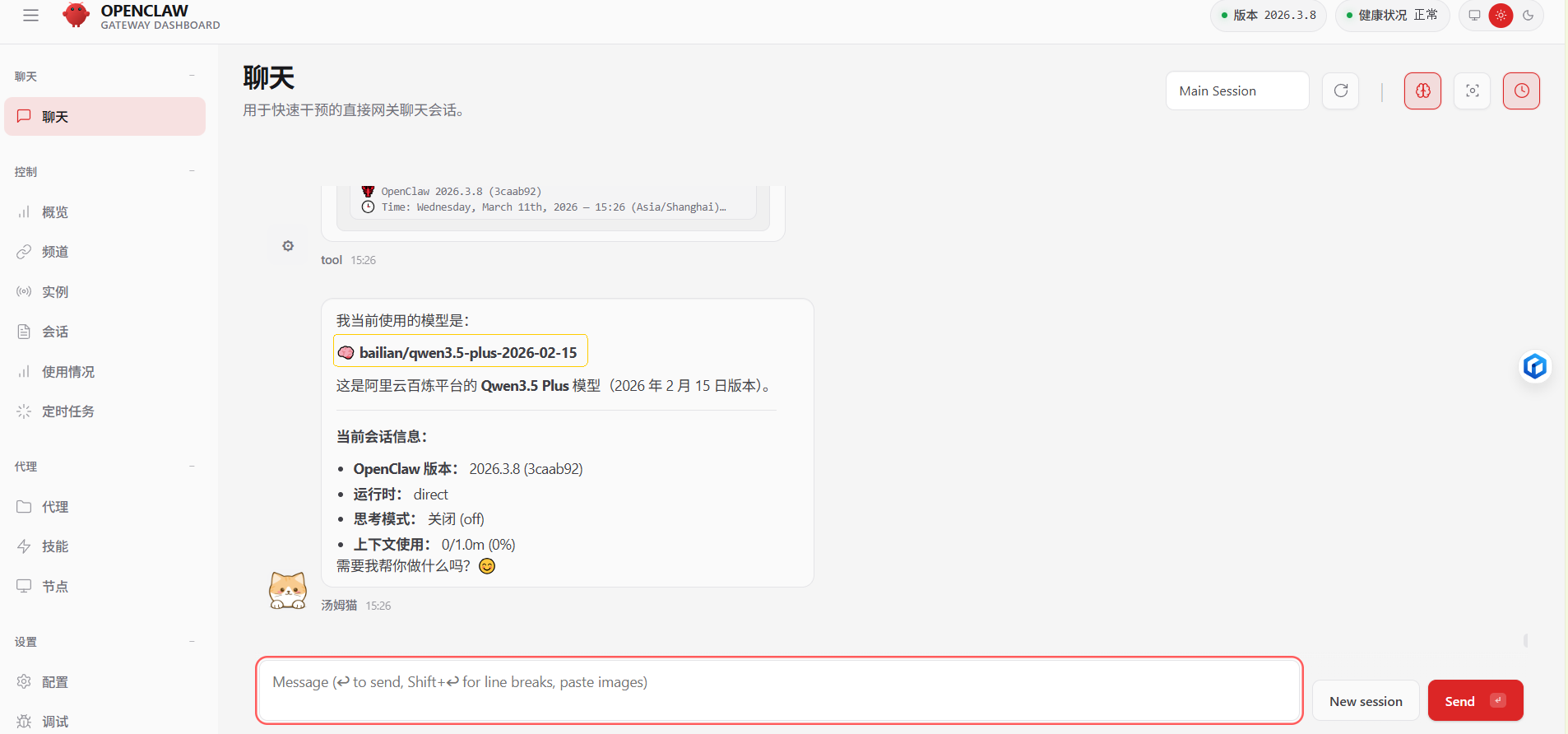
环境说明:windows 10、node v25.2.1
网络环境:科学上网
1.部署
powershell
npm i -g openclaw
openclaw onboard

# 常用命令
# 当dos窗口关闭后,可以使用下面窗口启动
openclaw gateway start
# 关闭gateway服务
openclaw gateway stop
2.卸载
powershell
openclaw gateway stop
openclaw uninstall
npm uninstall -g openclaw
3.配置qwen
参考:https://help.aliyun.com/zh/model-studio/openclaw?spm=a2c4g.11186623.0.i1
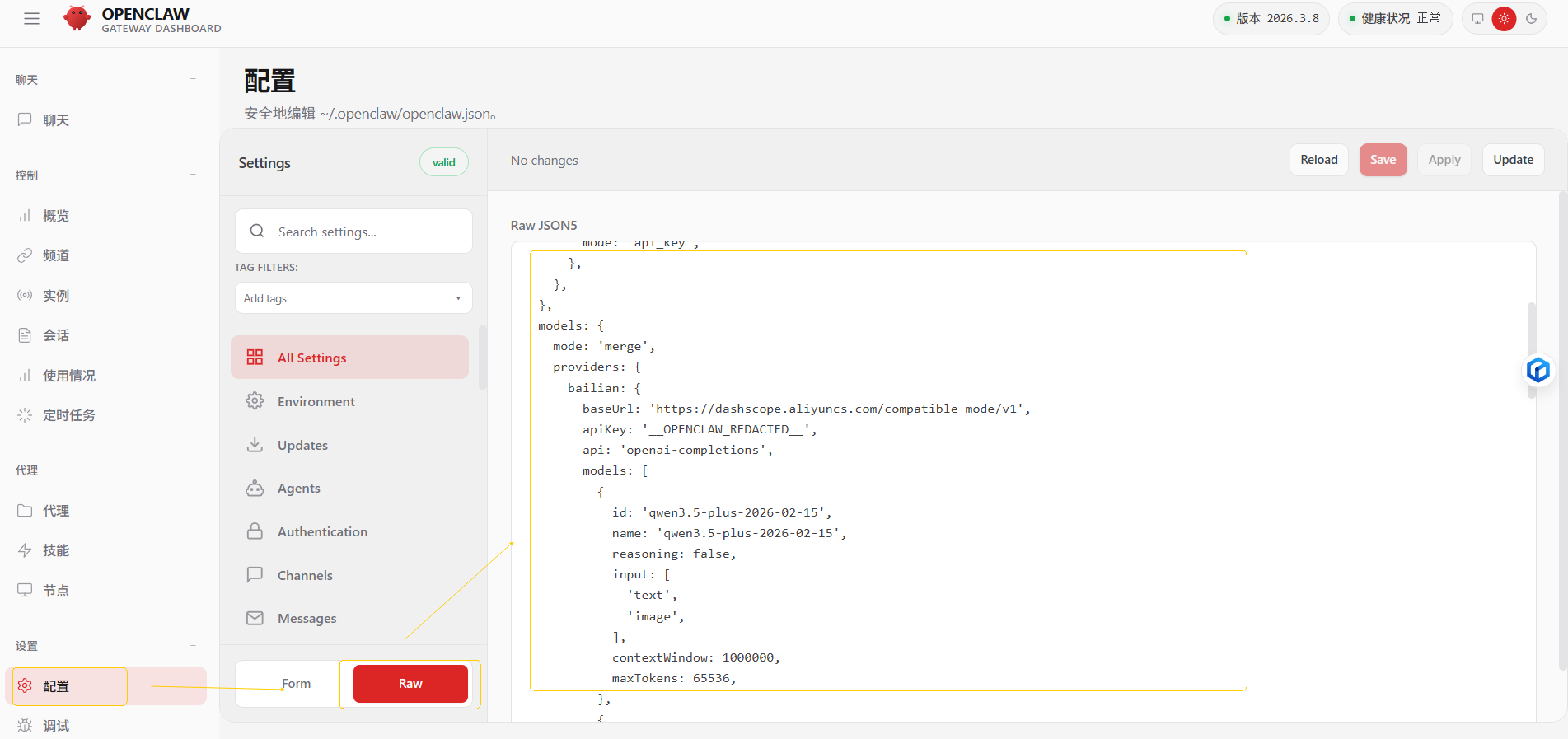
openclaw.json完整配置(配置文件位置参考:C:\Users\PC2023.openclaw\openclaw.json):
json
{
  "meta": {
    "lastTouchedVersion": "2026.3.8",
    "lastTouchedAt": "2026-03-11T03:33:57.186Z"
  },
  "wizard": {
    "lastRunAt": "2026-03-11T03:33:57.177Z",
    "lastRunVersion": "2026.3.8",
    "lastRunCommand": "onboard",
    "lastRunMode": "local"
  },
  "auth": {
    "profiles": {
      "openai:default": {
        "provider": "openai",
        "mode": "api_key"
      }
    }
  },
   "models": {
    "mode": "merge",
    "providers": {
      "bailian": {
        "baseUrl": "https://dashscope.aliyuncs.com/compatible-mode/v1",
        "apiKey": "sk-xxx",
        "api": "openai-completions",
        "models": [
          {
            "id": "qwen3.5-plus-2026-02-15",
            "name": "qwen3.5-plus-2026-02-15",
            "reasoning": false,
            "input": ["text", "image"],
            "contextWindow": 1000000,
            "maxTokens": 65536
          },
          {
            "id": "qwen3-coder-next",
            "name": "qwen3-coder-next",
            "reasoning": false,
            "input": ["text"],
            "contextWindow": 262144,
            "maxTokens": 65536
          }
        ]
      }
    }
  },
  "agents": {
    "defaults": {
      "model": {
        "primary": "bailian/qwen3.5-plus-2026-02-15"
      },
      "models": {
        "bailian/qwen3.5-plus-2026-02-15": {}
      },
      "workspace": "C:\\Users\\PC2023\\.openclaw\\workspace",
      "compaction": {
        "mode": "safeguard"
      },
      "maxConcurrent": 4,
      "subagents": {
        "maxConcurrent": 8
      }
    }
  },
  "tools": {
    "profile": "coding"
  },
  "messages": {
    "ackReactionScope": "group-mentions"
  },
  "commands": {
    "native": "auto",
    "nativeSkills": "auto",
    "restart": true,
    "ownerDisplay": "raw"
  },
  "session": {
    "dmScope": "per-channel-peer"
  },
  "hooks": {
    "internal": {
      "enabled": true,
      "entries": {
        "boot-md": {
          "enabled": true
        },
        "bootstrap-extra-files": {
          "enabled": true
        },
        "command-logger": {
          "enabled": true
        },
        "session-memory": {
          "enabled": true
        }
      }
    }
  },
  "gateway": {
    "port": 18789,
    "mode": "local",
    "bind": "loopback",
    "auth": {
      "mode": "token",
      "token": "517bb7c3b12e96ed570563ad4395a7a9acd6a379c25d2e74"
    },
    "tailscale": {
      "mode": "off",
      "resetOnExit": false
    },
    "nodes": {
      "denyCommands": [
        "camera.snap",
        "camera.clip",
        "screen.record",
        "contacts.add",
        "calendar.add",
        "reminders.add",
        "sms.send"
      ]
    }
  }
}
薅羊毛,阿里云百炼免费额度获取:
https://help.aliyun.com/zh/model-studio/new-free-quota?spm=a2ty02.33053938.0.0.8bd874a1jP2hOt
4.最终效果