1.网络编程

1.软件结构
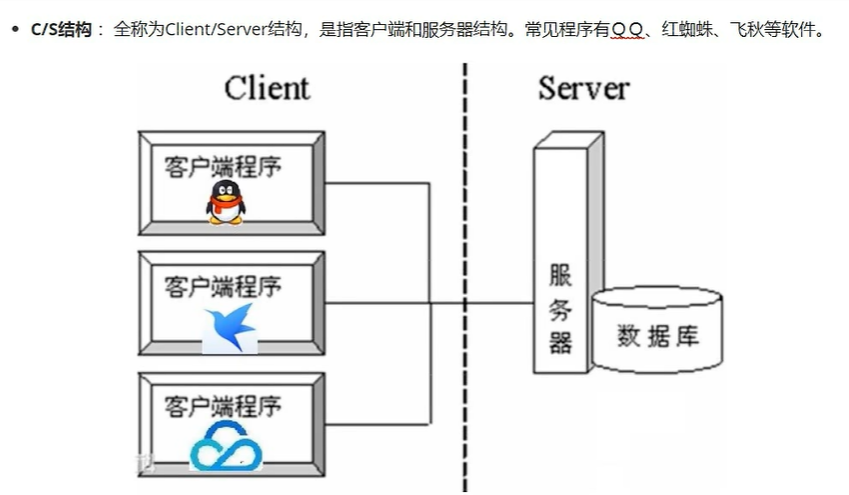
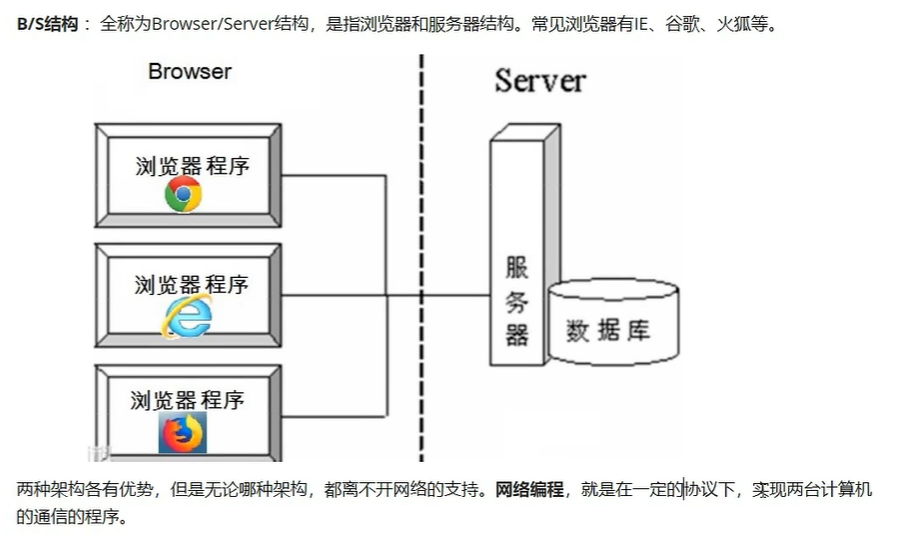
2.服务器概念


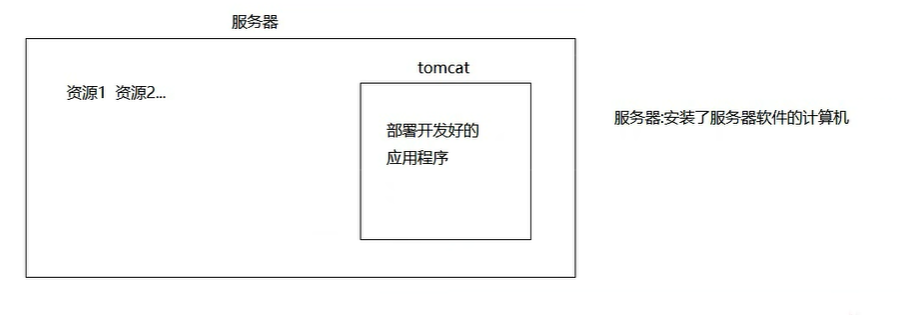
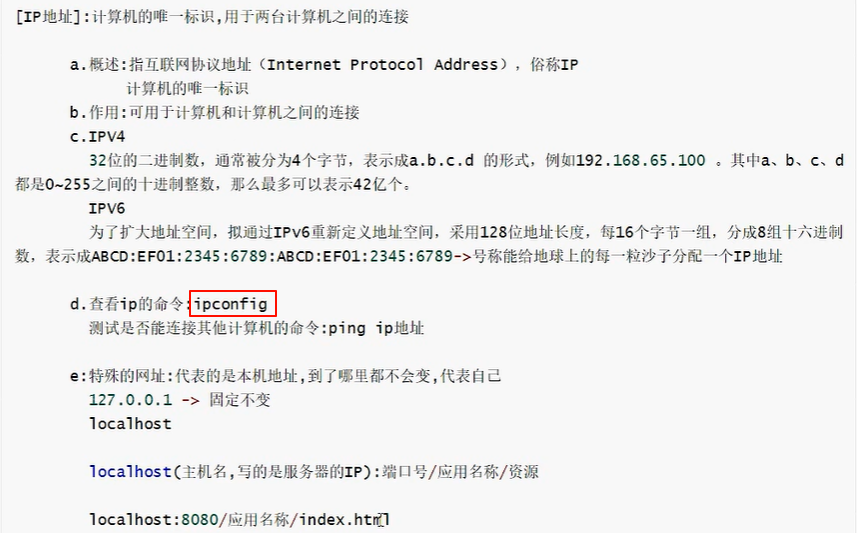
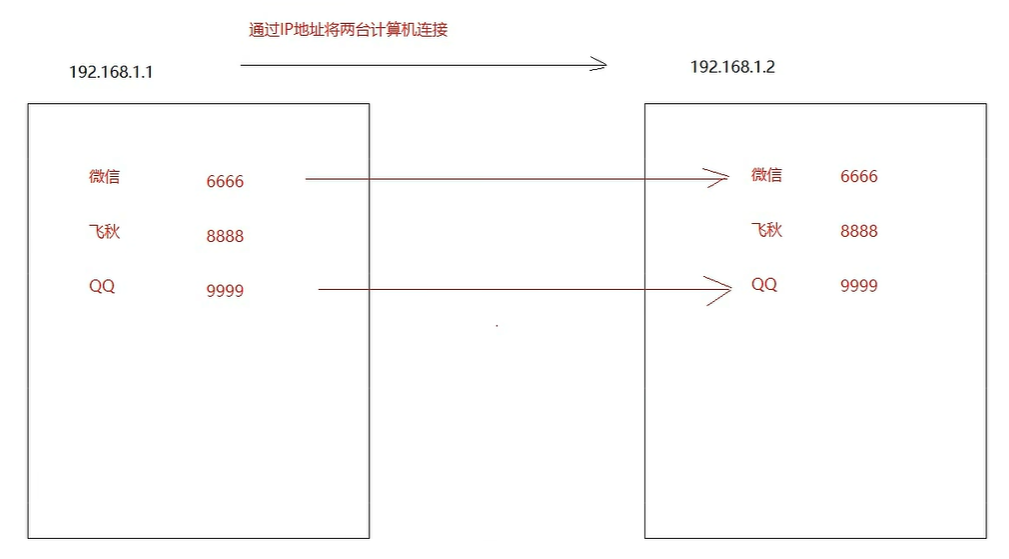
3.通信三要素
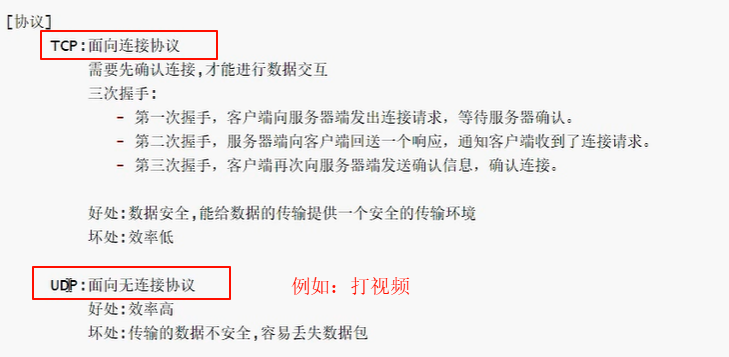

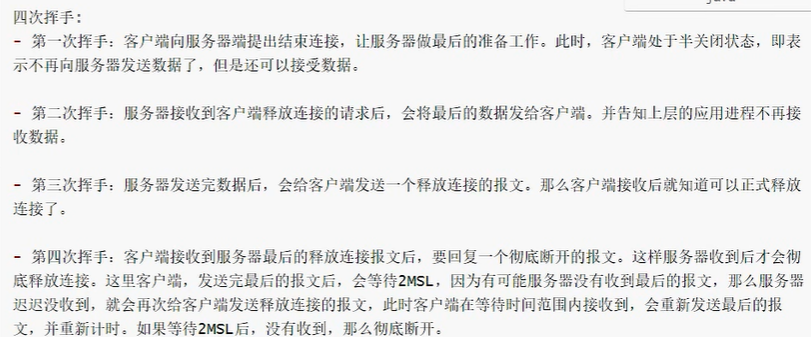
TCP协议中的三次握手和四次挥手
连接:

断开:
4.UDP协议编程
1.DatagramSocket 对象 ->好比寄快递找的快递公司
2.DatagramPocket 对象 ->好比快递公司打包
4.1客户端(发送端)
1.创建DatagramSocket对象(快递公司)
a.空参:端口号从可用的端口号中随机一个使用
b.有参:自己指定
2.创建DatagramPacket对象,将数据进行打包
a.要发送的数据->byte\[\]
b.指定接收端的ip
c.指定接收端的端口号
3.发送数据
4.释放资源
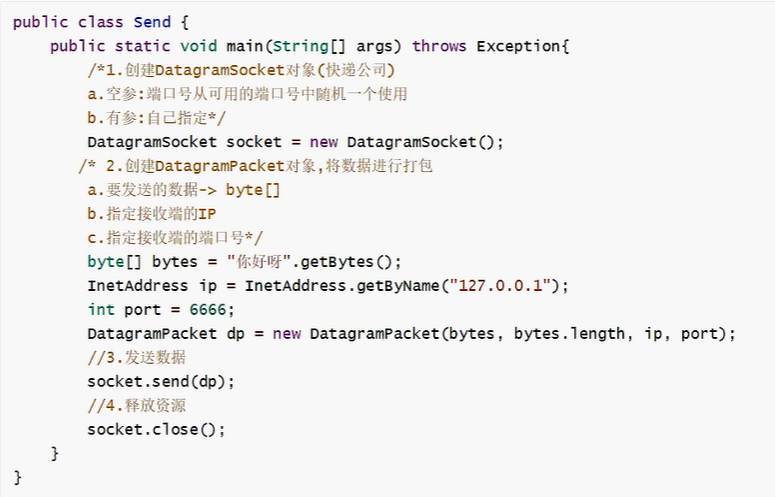
直接执行发现,发送端在没有接收端的情况下,不会报错,因为UDP协议是面向无连接协议,不管有没有接收端,照发不误
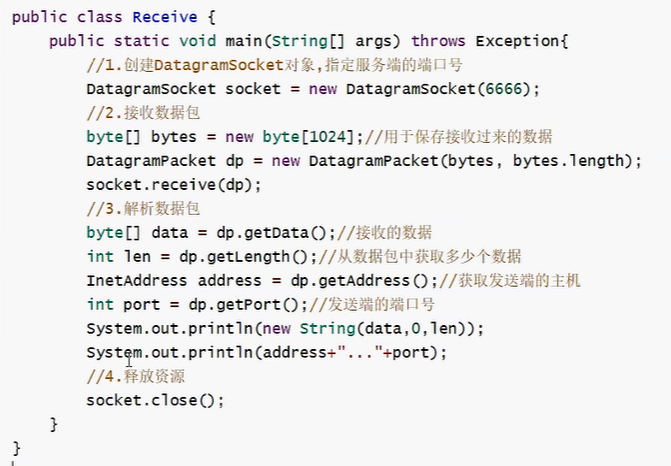
4.2服务端(接收端)
1.创建DatagramSocket对象,指定服务端的端口号
2.接收数据包
3.解析数据包
4.释放资源
5.TCP协议编程
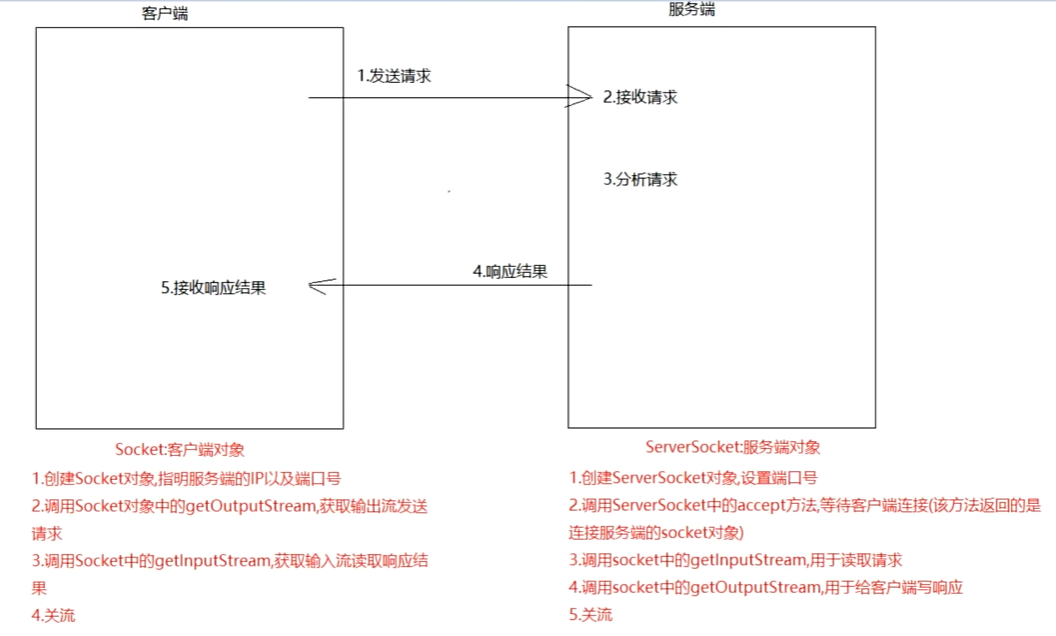
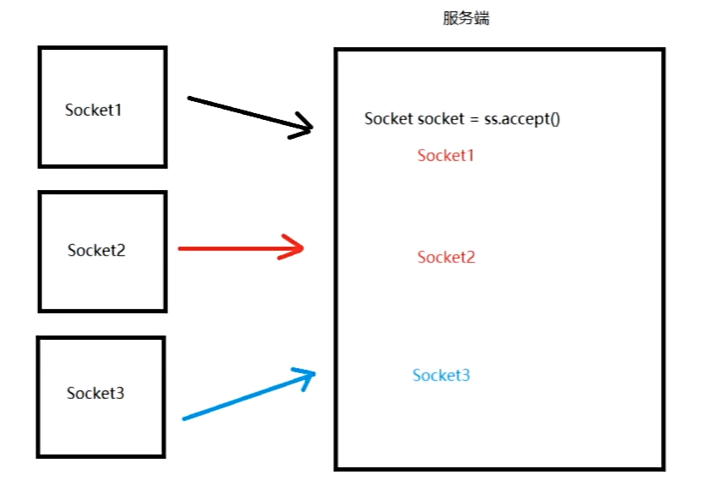
5.1编写客户端
1.创建socket对象,指明服务端的ip以及端口号
2.调用socket中的getoutputstream,往服务端发送请求
3.调用socket中的getinputstream,读取服务端响应回来的数据
4.关流
public class Client {
    public static void main(String[] args) throws IOException {
        //        1.创建socket对象,指明服务端的ip以及端口号
        Socket socket = new Socket("127.0.0.1", 6666);
        //        2.调用socket中的getoutputstream,往服务端发送请求
        OutputStream os = socket.getOutputStream();
        os.write("你好呀".getBytes());
        //        3.调用socket中的getinputstream,读取服务端响应回来的数据
        InputStream is = socket.getInputStream();
        byte[] bytes = new byte[1024];
        int len=is.read(bytes);
        System.out.println(new String(bytes,0,len));
        //        4.关流
        is.close();
        os.close();
        socket.close();
    }
}
5.2编写服务端
1.创建serversocket对象,设置端口号
2.调用serversocket中的accept方法,等待客户端连接,返回socket对象
3.调用socket中的getinputstream,用于读取客户端发送过来的数据
4.调用socket中的getoutstream,用于给客户端响应数据
5.关闭资源
public class Service {
    public static void main(String[] args) throws IOException {
        //    1.创建serversocket对象,设置端口号
        ServerSocket server = new ServerSocket(6666);
        //    2.调用serversocket中的accept方法,等待客户端连接,返回socket对象
        Socket socket = server.accept();
        //    3.调用socket中的getinputstream,用于读取客户端发送过来的数据
        InputStream is = socket.getInputStream();
        byte[] bytes = new byte[1024];
        int len = is.read(bytes);
        System.out.println(new String(bytes,0,len));
        //    4.调用socket中的getoutstream,用于给客户端响应数据
        OutputStream os = socket.getOutputStream();
        os.write("200".getBytes());
        //    5.关闭资源
        os.close();
        is.close();
        socket.close();
        server.close();
    }

}
6.文件上传
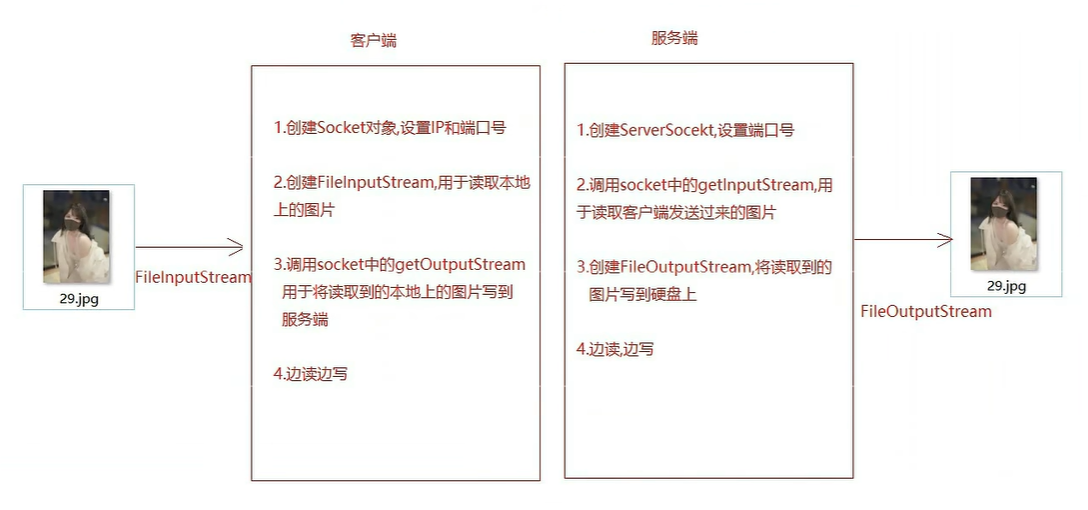
6.1文件上传客户端以及服务端实现
/**
 * 客户端
 * */
public class Client {
    public static void main(String[] args) throws IOException {
        //1.创建Socket对象指定服务器端口和IP
        Socket socket = new Socket("127.0.0.1", 6666);
        //2.创建基础字节输入流FileInputStream对象,读取本地硬盘数据
        FileInputStream fis = new FileInputStream("D:\\数据集\\cifar-10\\数据集图片\\0_3.jpg");
        //3.字节输出流对象接收socket中getOutputStream方法数据写给服务端
        OutputStream os = socket.getOutputStream();
        //4.边读边写
        byte[] bytes = new byte[1024];
        int len ;
        while ((len = fis.read(bytes))!=-1){
            os.write(bytes,0,len);
        }
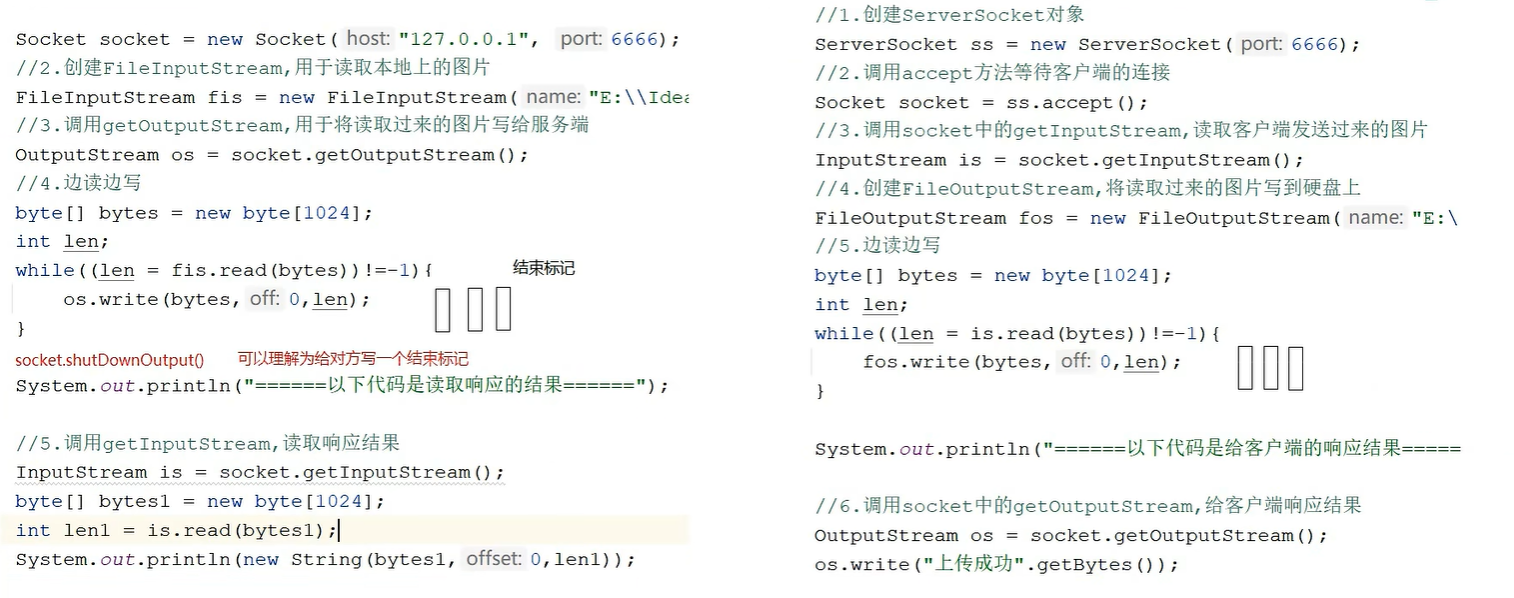
        //5.读取完数据需要写一个终止标记,告诉服务端没有数据了不用再读了
        socket.shutdownOutput();

        System.out.println("=================以下代码读取响应结果=====================");
        //6.调用getOutputStream接收服务端响应
        InputStream is = socket.getInputStream();
        byte[] bytes1 = new byte[1024];
        int len1 = is.read(bytes1);
        System.out.println(new String(bytes1,0,len1));

        //7.关流
        is.close();
        os.close();
        fis.close();
        socket.close();
    }
}

/**
 * 服务端
 * */
public class Service {
    public static void main(String[] args) throws IOException {
        //1.创建ServerSocket对象指定服务器端口
        ServerSocket server = new ServerSocket(6666);
        //2.调用serversocket中的accept方法,等待客户端连接,返回socket对象
        Socket socket = server.accept();
        //3.调用socket中的getinputstream,用于读取客户端发送过来的数据
        InputStream is = socket.getInputStream();

        /*
        uuid调用randomUUID(),再用toString(),将其转成String
        * */
        String id = UUID.randomUUID().toString();
        String name = id+System.currentTimeMillis();
        System.out.println(name);


        //4.创建FileOutputStream基本字节输出流将数据指定写入位置
        FileOutputStream fos = new FileOutputStream("D:\\数据集\\cifar-10\\数据集图片\\"+name+".jpg");
        //5.边读边写
        byte[] bytes = new byte[1024];
        int len ;
        while ((len = is.read(bytes))!=-1){
            fos.write(bytes,0,len);
        }

        System.out.println("=================以下代码给客户端响应结果=====================");
        //6.调用socket中的getOutputStream,用于给客户端响应数据
        OutputStream os = socket.getOutputStream();
        os.write("上传成功".getBytes());

        //7.关流
        os.close();
        fos.close();
        is.close();
        socket.close();
        server.close();
    }
}
6.2文件上传服务端实现(多线程)
public class ServiceThread {
    public static void main(String[] args) throws IOException {
        //1.创建ServerSocket对象指定服务器端口
        ServerSocket server = new ServerSocket(6666);

        while (true) {
            //2.调用serversocket中的accept方法,等待客户端连接,返回socket对象
            Socket socket = server.accept();

            new Thread(new Runnable() {
                @Override
                public void run() {
                    InputStream is = null;
                    FileOutputStream fos = null;
                    OutputStream os = null;
                    try{
                        //3.调用socket中的getinputstream,用于读取客户端发送过来的数据
                        is = socket.getInputStream();

                        /*
                        uuid调用randomUUID(),再用toString(),将其转成String
                        * */
                        String id = UUID.randomUUID().toString();
                        String name = id + System.currentTimeMillis();
                        System.out.println(name);

                        //4.创建FileOutputStream基本字节输出流将数据指定写入位置
                        fos = new FileOutputStream("D:\\数据集\\cifar-10\\测试\\" + name + ".jpg");
                        //5.边读边写
                        byte[] bytes = new byte[1024];
                        int len;
                        while ((len = is.read(bytes)) != -1) {
                            fos.write(bytes, 0, len);
                        }

                        System.out.println("=================以下代码给客户端响应结果=====================");
                        //6.调用socket中的getOutputStream,用于给客户端响应数据
                        os = socket.getOutputStream();
                        os.write("上传成功".getBytes());


                    }catch(Exception e){
                        e.printStackTrace();
                    }finally {
                        //7.关流用自定义工具类
                        CloseUtils.closeQ(socket,fos,is,os);
                    }

                }
            }).start();
        }
    }
}

public class CloseUtils {
    private CloseUtils(){}
    public static void closeQ(Socket socket, FileOutputStream fos, InputStream is, OutputStream os){
        //7.关流
        if (os!=null){
            try {
                os.close();
            } catch (IOException e) {
                e.printStackTrace();
            }
        }
        if (fos!=null) {
            try {
                fos.close();
            } catch (IOException e) {
                e.printStackTrace();
            }
        }
        if (is!=null) {
            try {
                is.close();
            } catch (IOException e) {
                e.printStackTrace();
            }
        }
        if (socket!=null) {
            try {
                socket.close();
            } catch (IOException e) {
                e.printStackTrace();
            }
        }
    }
}
2.正则表达式
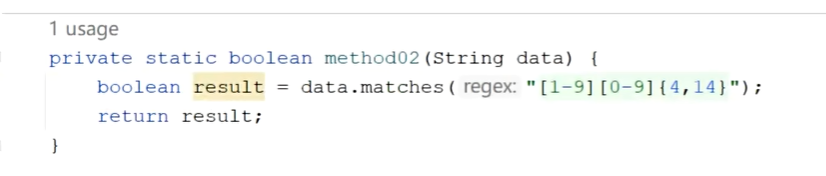
1.正则表达式的概念及演示
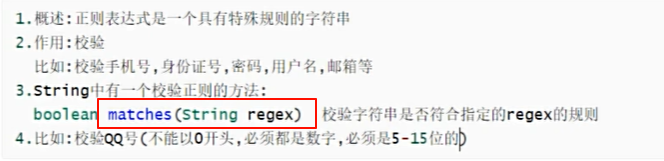
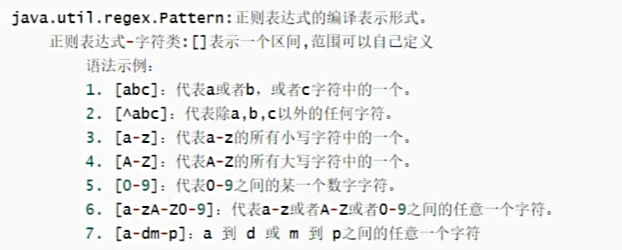
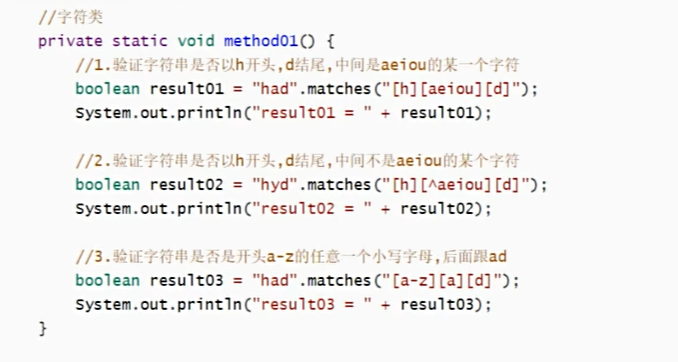
2.正则表达式-字符类
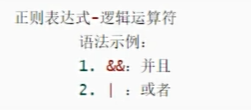
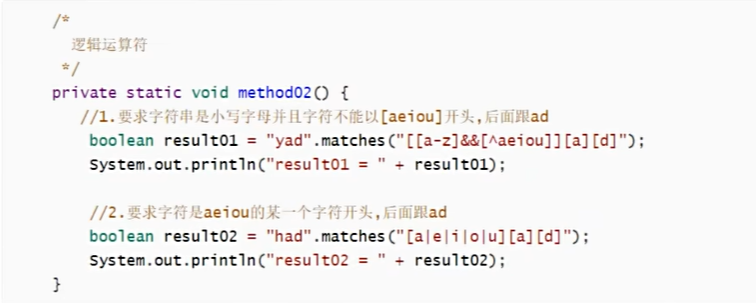
3.正则表达式-逻辑运算符
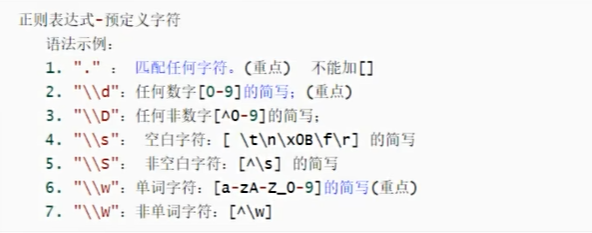
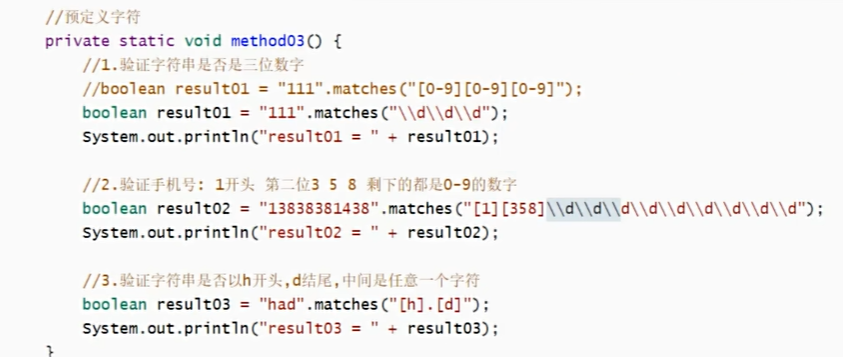
4.正则表达式-预定义字符
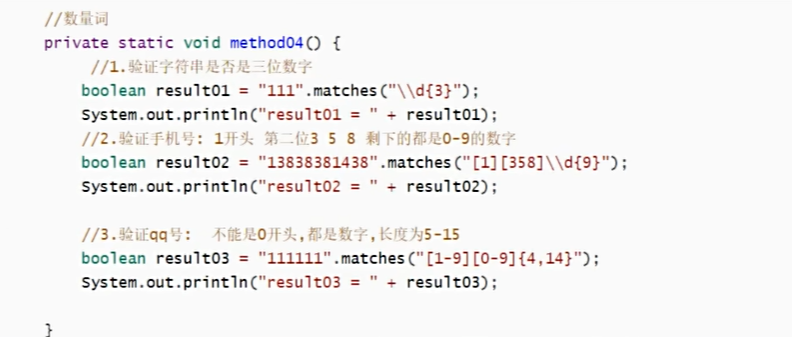
5.正则表达式-数量词
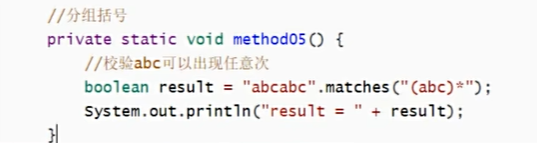
6.正则表达式-分组括号()
正则表达式-分组括号( )(abc)
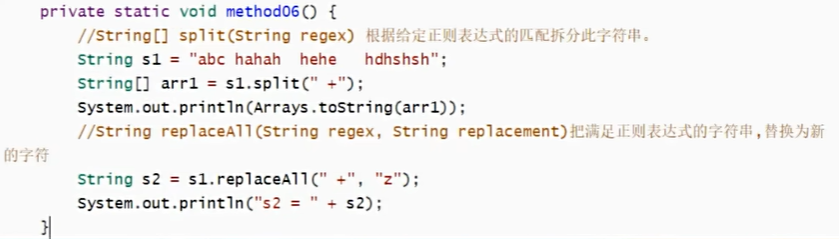
7.String类中和正则表达式相关的方法

8.正则表达式生成网址:
https://www.sojson.com/regex/generate
3.设计模式
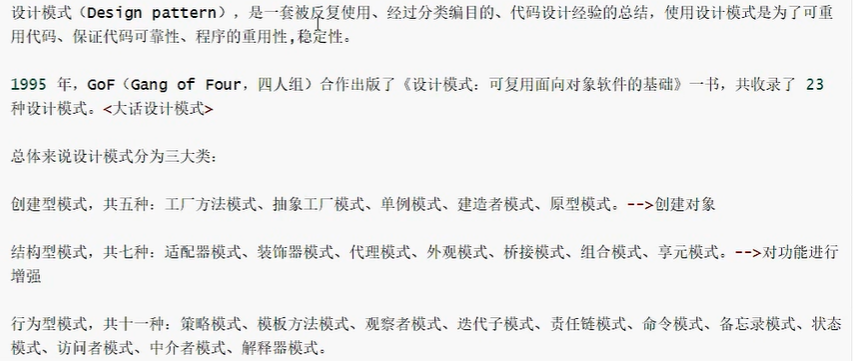
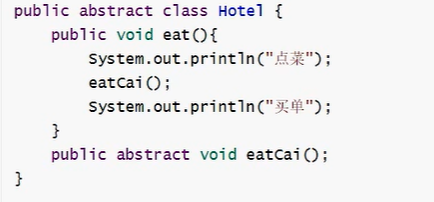
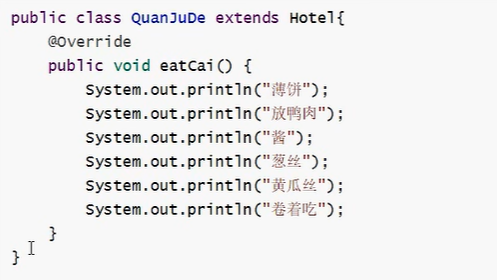
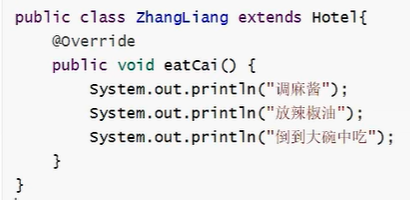
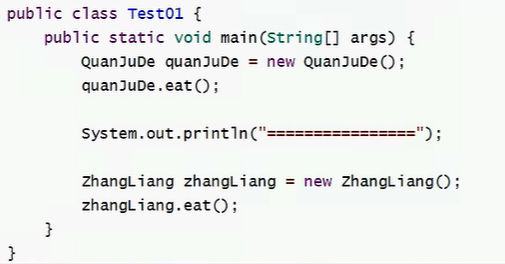
1.模板方法设计模式

2.单例模式(手撕)
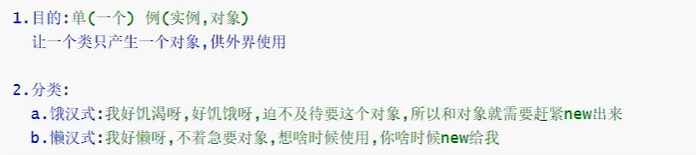
2.1饿汉式:

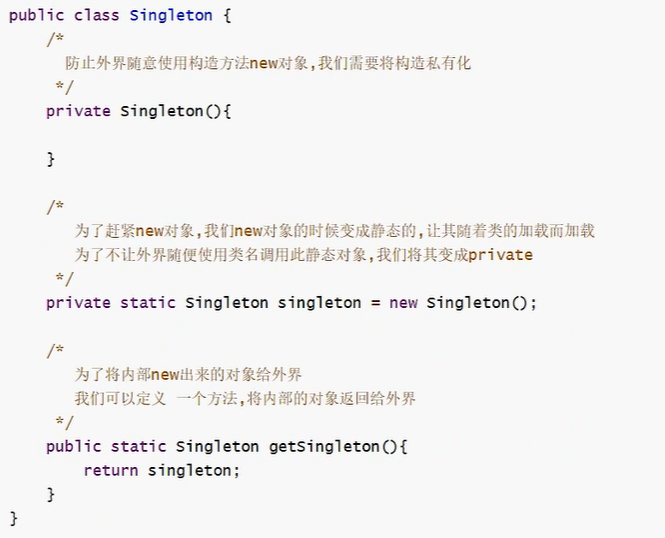
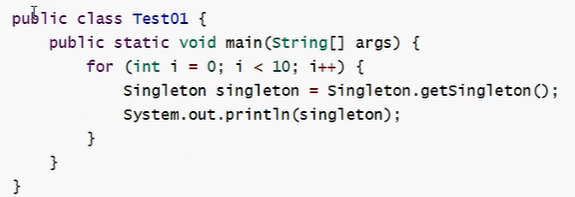
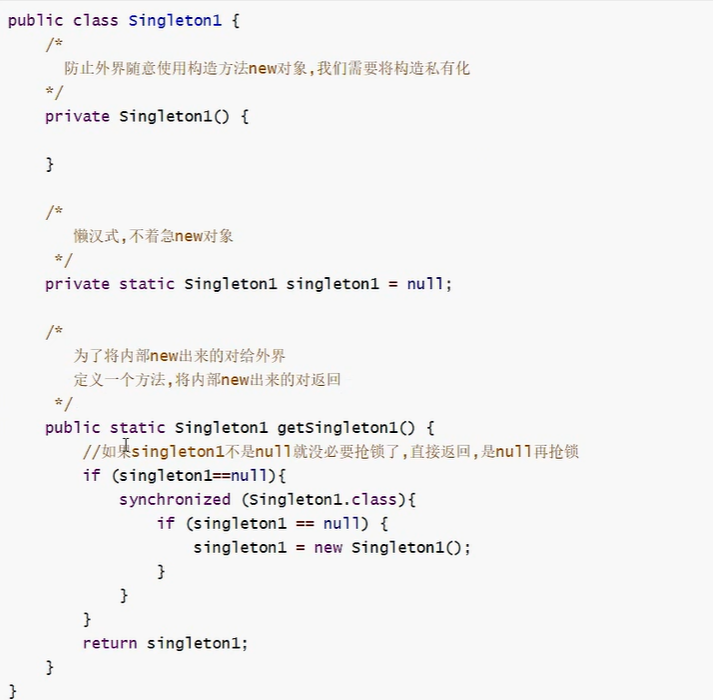
2.2懒汉式:

(有线程安全问题加锁解决)
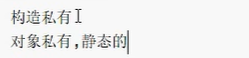
3.小结
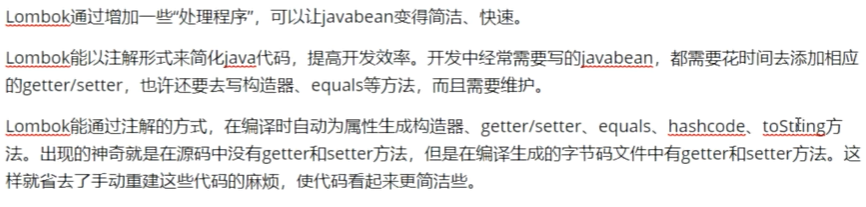
4.Lombok
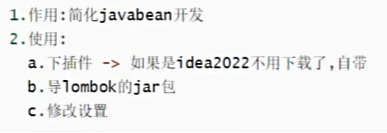
1.lombok介绍
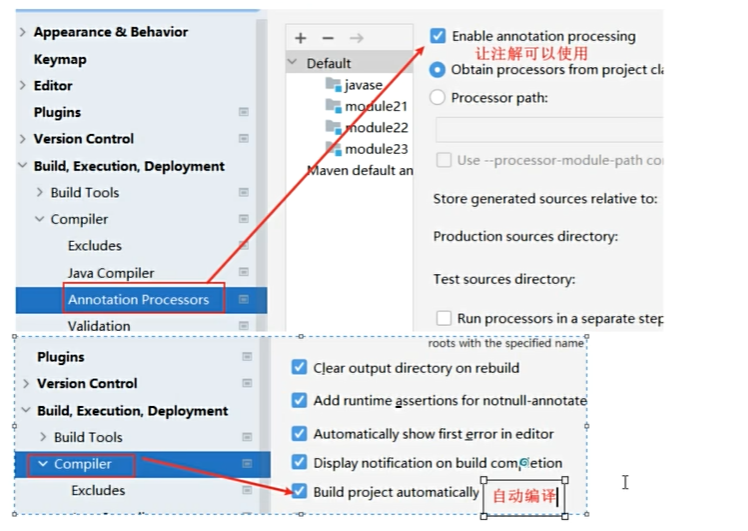
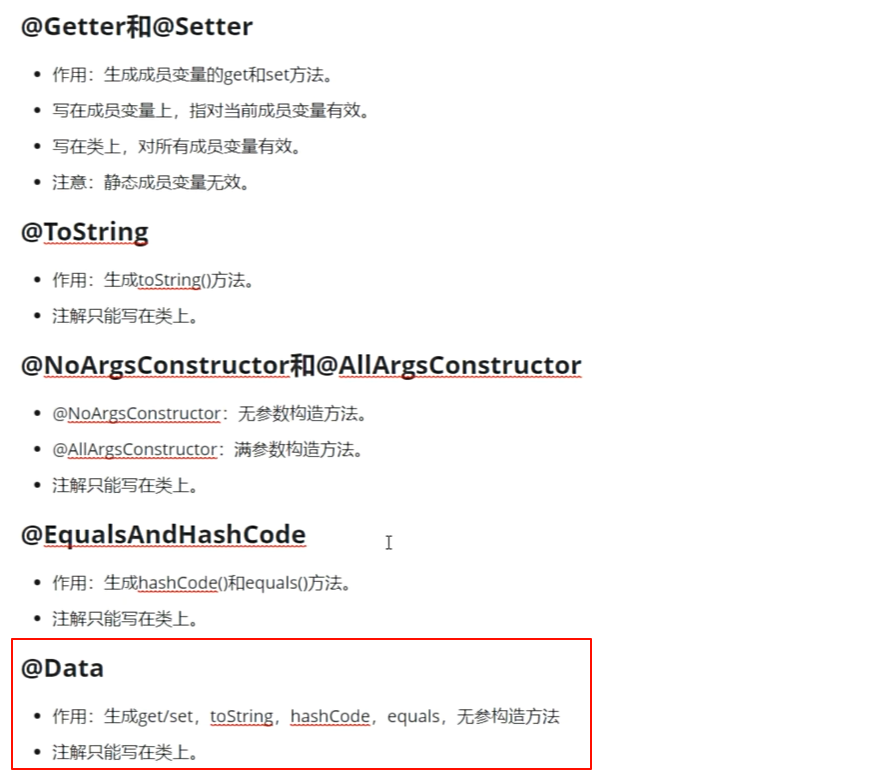
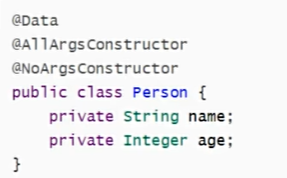
2.lombok常用注解