在日常开发中,很多人都会遇到这样的问题:一台电脑既有个人 GitHub 账号,又有工作账号,push、pull 时总是账号混乱 ,或者老是被要求输入密码。
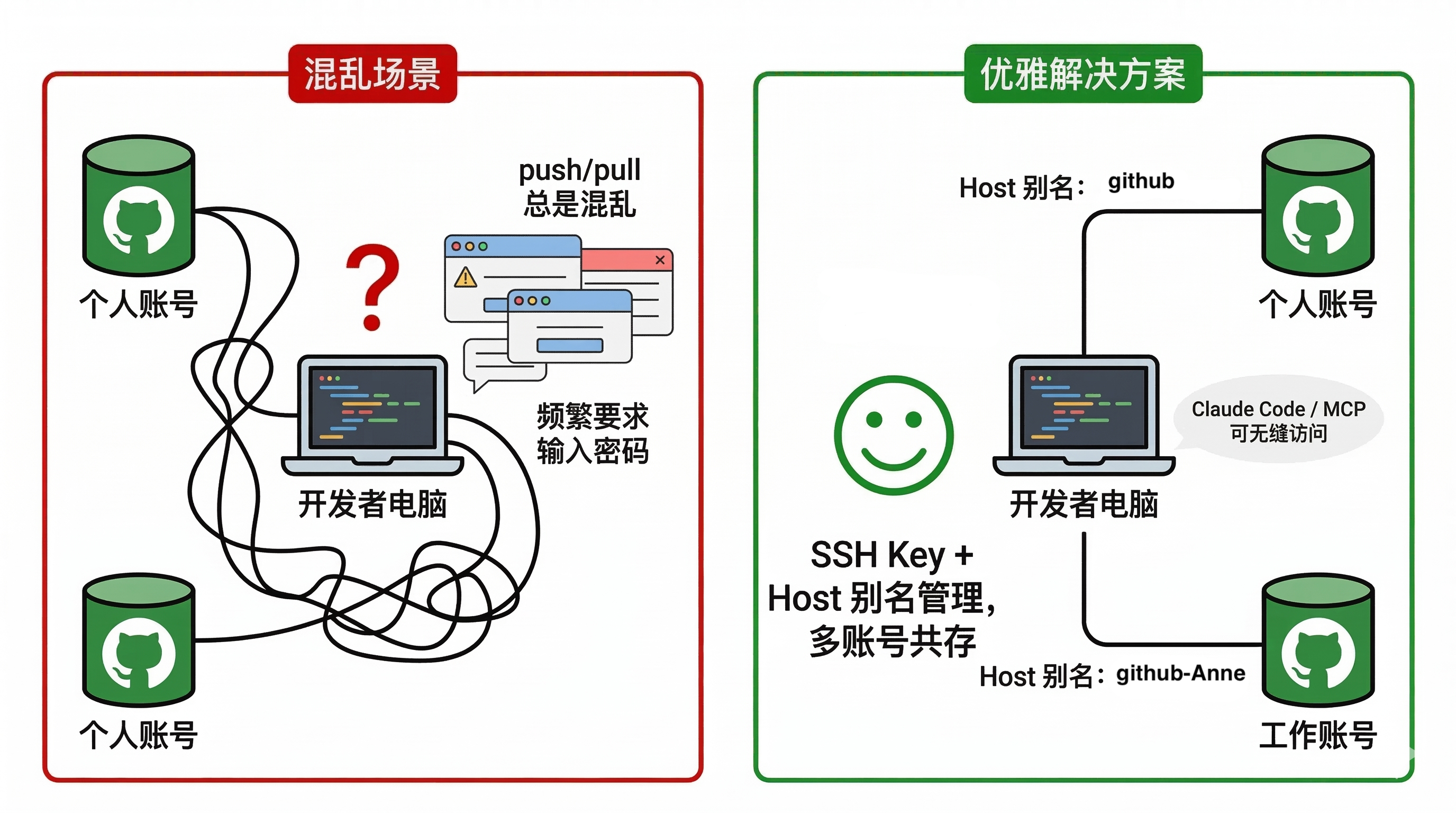
今天,我分享一个 标准、可靠的 SSH 配置方法,让你在一台电脑上优雅管理多个 GitHub 账号,同时和 Claude Code / MCP 等工具无缝配合。
一、为什么需要多账号 SSH 配置
-
防止账号冲突
如果你直接用 HTTPS 方式或者把多个账号的 key 放在默认位置,Git 会默认选第一把 key,push 时可能会报:
remote: Invalid username or token. Password authentication is not supported for Git operations. fatal: Authentication failed -
提高安全性
每个账号使用独立的 SSH key,更安全,也便于权限管理。
-
支持自动化工具
对接 Claude Code / MCP、CI/CD 等工具时,SSH key 决定了访问权限,多账号管理必须规范。
二、生成第二个 SSH Key并进行配置
2.1 生成新的SSH Key
假设你已有默认账号的 key (id_ed25519),现在为新账号(如 Anne)生成 key:
ssh-keygen -t ed25519 -C "Anne@gmail.com"注意这里 不要用 ~ ,
ssh-keygen不会展开。正确写法:
/home/Anne/.ssh/id_ed25519_Anne 完成后会生成:
/home/Anne/.ssh/id_ed25519_Anne
/home/Anne/.ssh/id_ed25519_Anne.pub 复制公钥内容:
cat ~/.ssh/id_ed25519_mq.Anne2.2 将公钥添加到Github
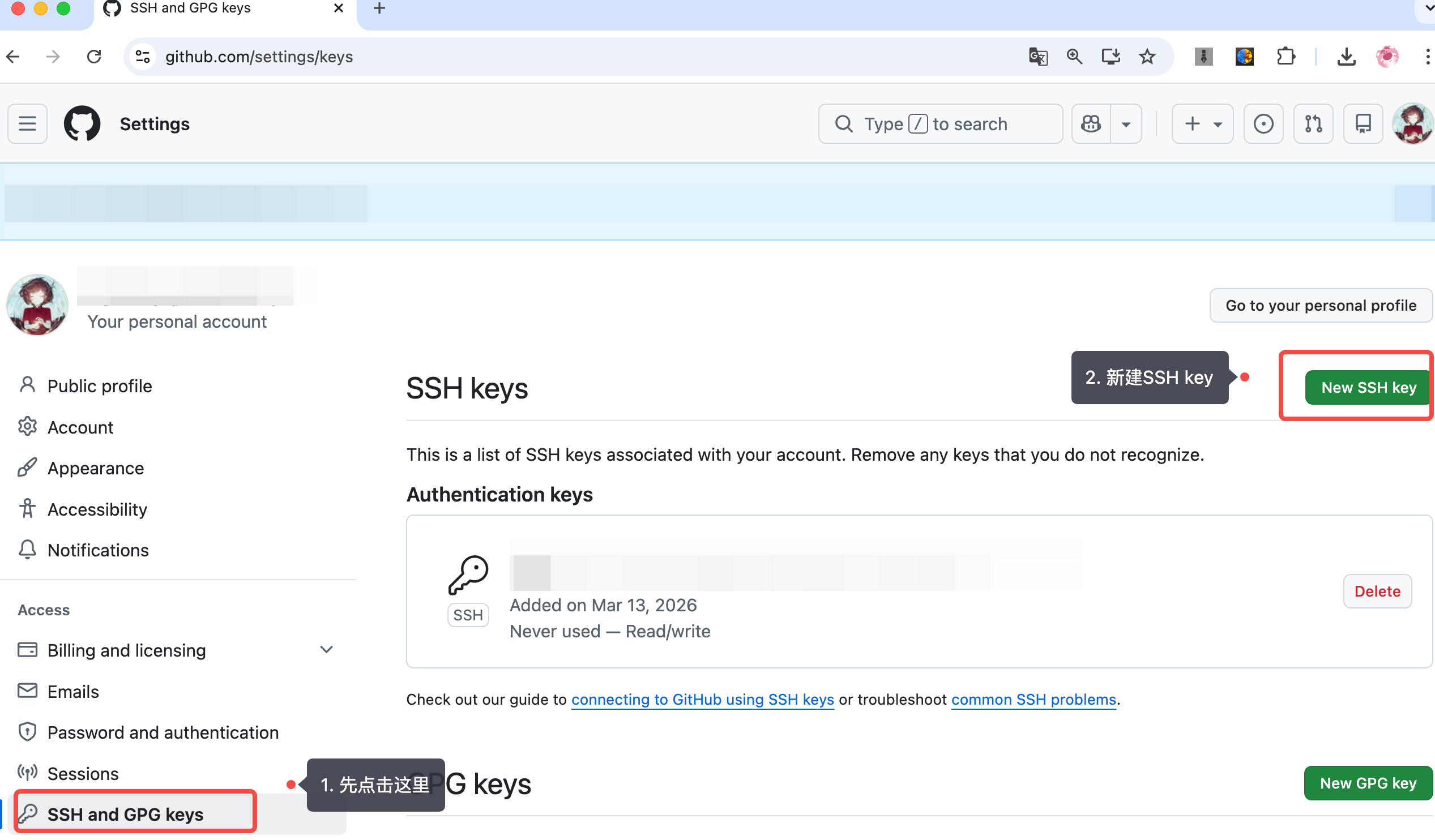
-
点击 New SSH key
-
填写 Title(随意,如
服务器地址等等),粘贴公钥内容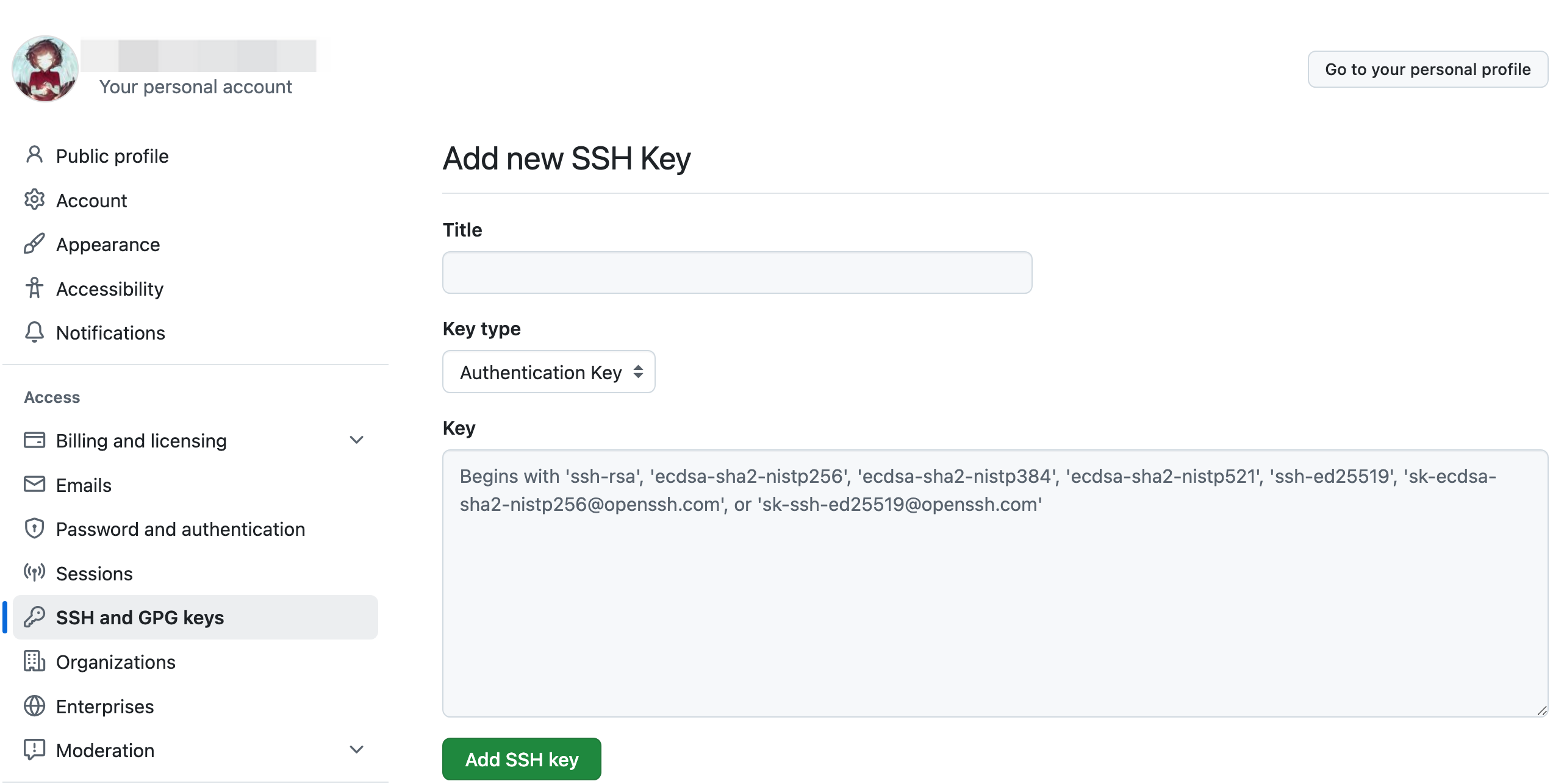
-
保存
三、配置 SSH 多账号规则
3.1 配置规则
-
编辑
~/.ssh/config:nano ~/.ssh/config -
写入:
# 默认账号 WorkAccount
Host github.com
  HostName github.com
  User git
  IdentityFile ~/.ssh/id_ed25519

# 新账号 Anne,使用 Host 别名 github-Anne
Host github-Anne
  HostName github.com
  User git
  IdentityFile ~/.ssh/id_ed25519_Anne
3.2 说明
| 配置 | 作用 |
|---|---|
Host |
本地别名,访问该 Host 时使用对应 key |
HostName |
真实服务器地址,GitHub 固定 github.com |
User |
SSH 登录用户,固定 git |
IdentityFile |
使用哪把 key 连接 GitHub |
⚠️ HostName 不是邮箱,也不是 username@github.com,只写 github.com 。Host 是你给本地 SSH 配置起的别名 ,可以随意命名,如
github-Anne。
四、测试 SSH 配置
ssh -T git@github.com      # 默认账号
ssh -T git@github-Anne # 新账号 成功示例:
Hi WorkMan!
Hi Anne! 如果显示成功,说明 SSH key 配置正确。
五、使用 Host 别名解决多账号冲突
5.1 直接clone目标库会报错
很多人直接用:
git clone git@github.com:Anne/TargetHub.git 会报:
ERROR: Repository not found.
fatal: Could not read from remote repository. 原因:
- SSH 默认用
github.com对应的默认 key(WorkAccount) - GitHub 找不到这个 key 对应的仓库权限
5.2 解决方法
使用你在 ~/.ssh/config 里定义的 Host 别名:
git clone git@github-Anne:Anne/TargetHub.git 这样 SSH 就会自动选择 id_ed25519_Anne,对应账号访问仓库。
六、修改已有仓库 remote
如果仓库已经 clone,但用错了账号,可以修改:
git remote set-url origin git@github-Anne:Anne/TargetHub.git 之后 push / pull 就自动使用对应 key,无需输入用户名密码。
七、日常使用建议
7.1 查看当前仓库使用账号
git remote -v7.2 新 clone 仓库
-
个人账号:
git clone git@github-Anne:Anne/项目名.git -
默认账号:
git clone git@github.com:WorkAccount/项目名.git
7.3 配置仓库作者信息
git config user.name "Anne"
git config user.email "Anne@gmail.com"
八、总结
通过以上配置,你现在拥有:
- 多账号共存、互不干扰
- 自动选择 SSH key,避免密码烦恼
💡 技巧点:Host 是本地别名,HostName 永远 github.com,User 永远 git,IdentityFile 对应 key 。
使用别名访问仓库,解决多账号访问冲突。