与普通的测试类 T 对应的 Runner:RunnerT 会是 org.junit.runners.JUnit4 类型,如果我们有定制化的需求,能否自己实现一个 Runner 并让 JUnit 4 运行它呢?本文会探讨这个问题。
要点
- 通过继承 org.junit.runners.BlockJUnit4ClassRunner,我们可以实现自己的 Runner
- 在测试类 T 上加上
@RunWith(XXXRunner.class)注解,就可以让 XXXRunner 来运行 T 中的测试方法- 其中的细节可以参考 浅解 JUnit 4 第七篇:AllDefaultPossibilitiesBuilder 一文
正文
对普通的测试类 T 而言,它对应的 Runner 会是 org.junit.runners.JUnit4 类型。它的简要类图如下 ⬇️
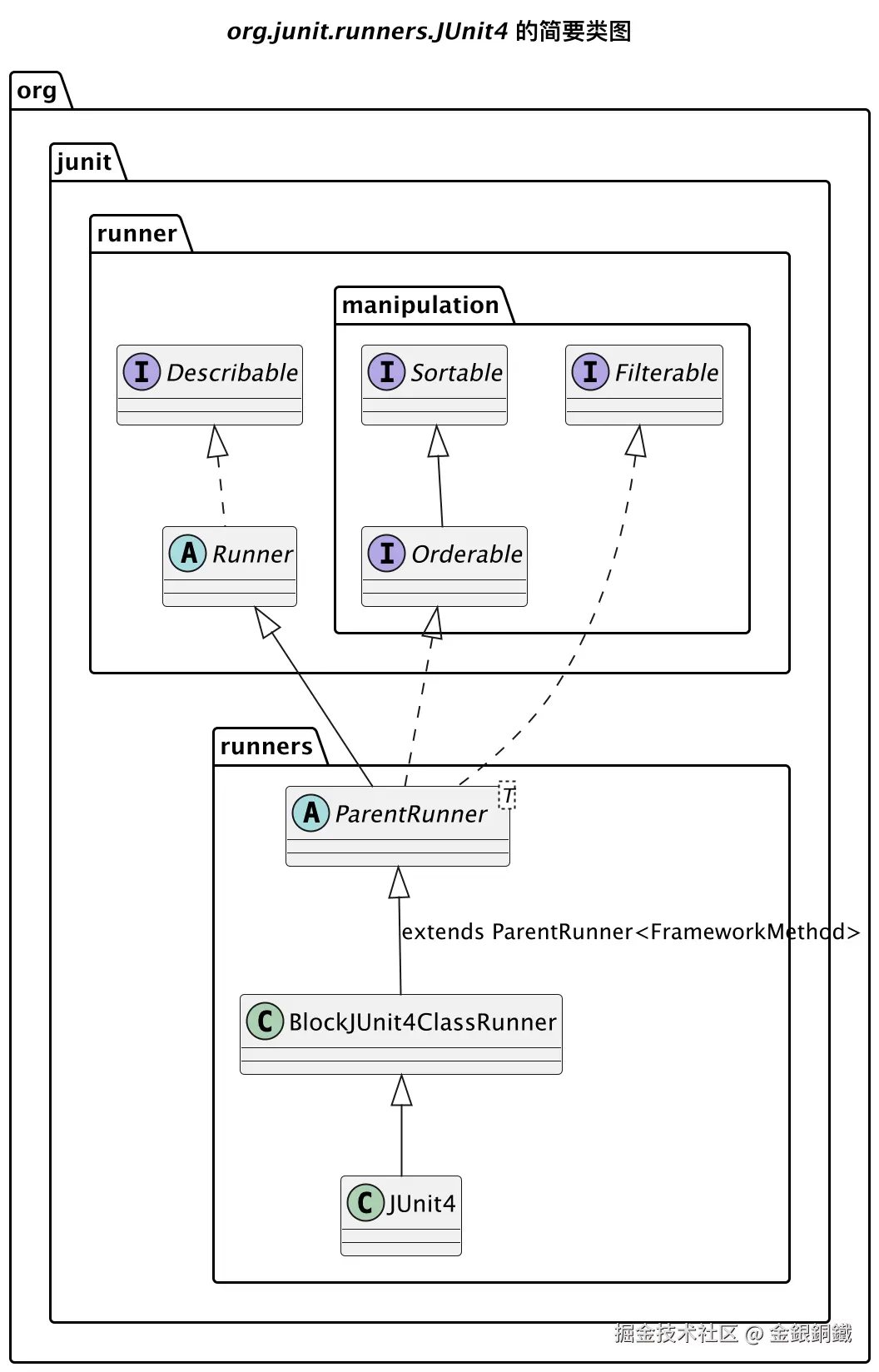
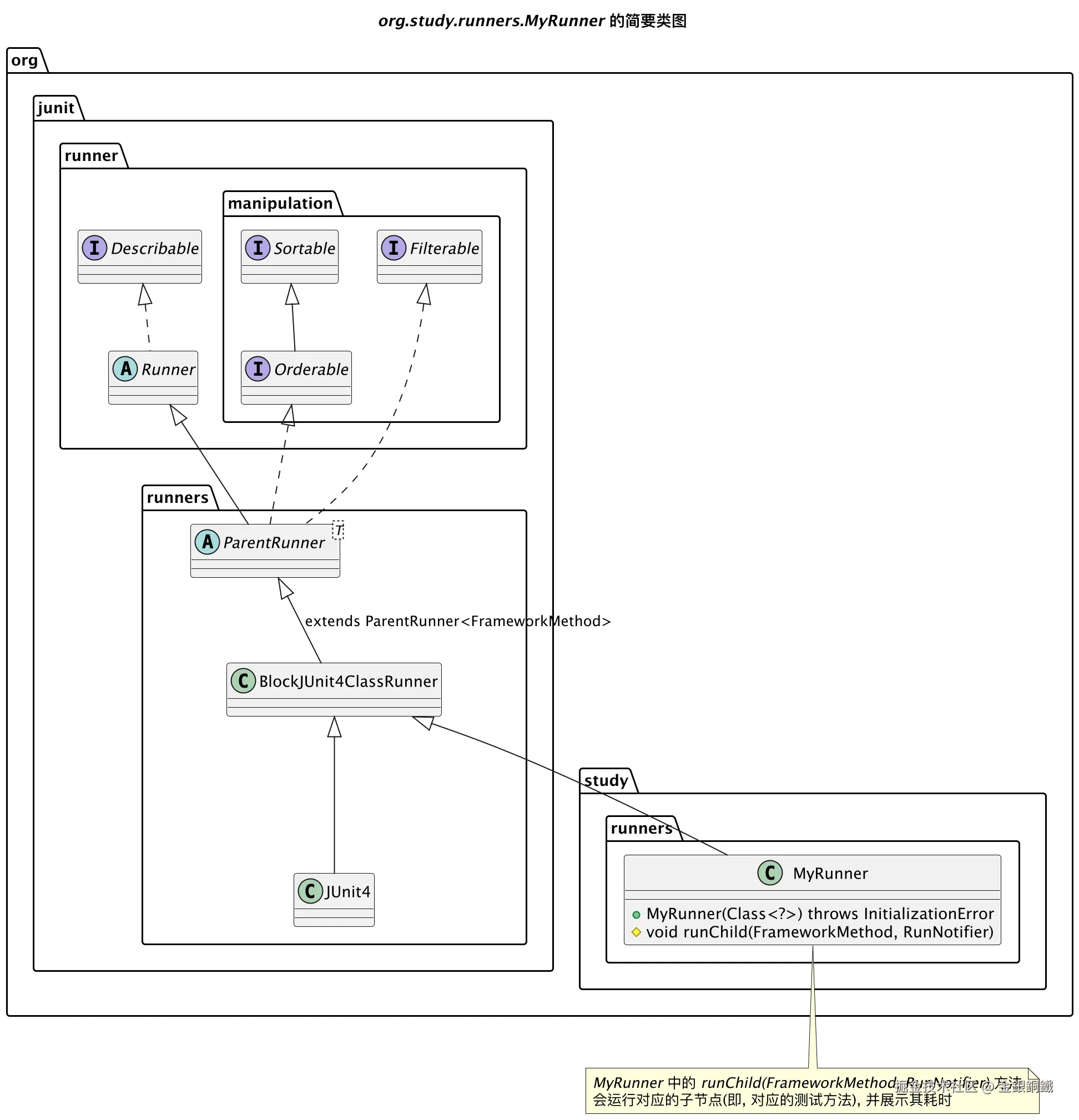
如果我们想统计每个测试方法的耗时,一个方案是实现一个专门的 Runner 来完成这个逻辑。由于 org.junit.runners.JUnit4 是 final class,我们无法继承它。但是我们可以继承它的父类,即 org.junit.runners.BlockJUnit4ClassRunner。下一小节会展示项目中的代码。
项目代码
项目结构如下
text
.
├── pom.xml
└── src
    ├── main
    │   └── java
    │       └── org
    │           └── study
    │               └── SimpleProductCalculator.java
    └── test
        └── java
            └── org
                └── study
                    ├── runners
                    │   └── MyRunner.java
                    └── SimpleProductCalculatorTest.java
SimpleProductCalculator.java
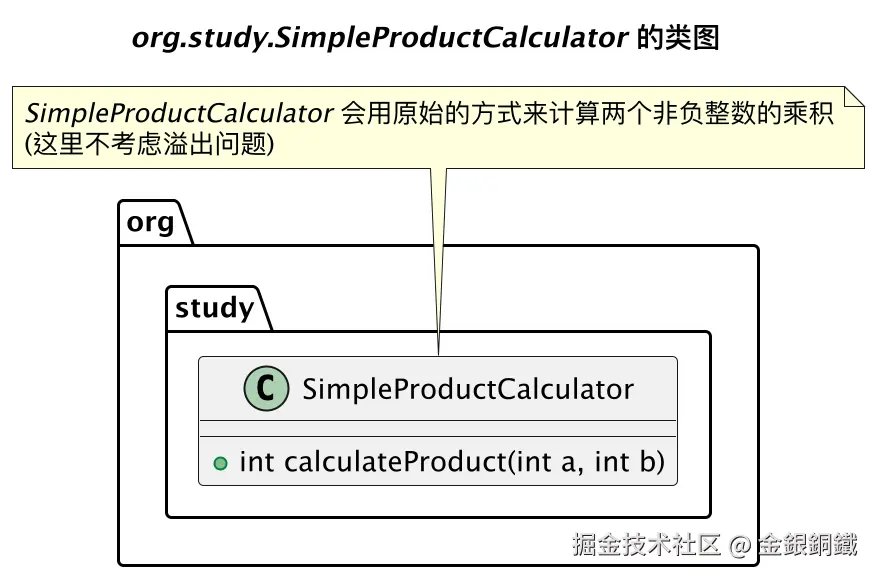
SimpleProductCalculator.java 的代码如下 ⬇️ (SimpleProductCalculator 用原始的方式计算两个非负整数的乘积)
java
package org.study;

public class SimpleProductCalculator {
    /**
     * Calculate the product of two non-negative integer in a naive way.
     * The result may overflow whe the actual product is big enough.
     *
     * @param a a non-negative integer
     * @param b a non-negative integer
     * @return the product of a, b
     */
    public int calculateProduct(int a, int b) {
        int product = 0;
        while (b > 0) {
            product += a;
            b--;
        }
        return product;
    }
}
SimpleProductCalculator 的类图如下 ⬇️
MyRunner.java
MyRunner.java 的代码如下
java
package org.study.runners;

import org.junit.runner.notification.RunNotifier;
import org.junit.runners.BlockJUnit4ClassRunner;
import org.junit.runners.model.FrameworkMethod;
import org.junit.runners.model.InitializationError;

public class MyRunner extends BlockJUnit4ClassRunner {

    public MyRunner(Class<?> clazz) throws InitializationError {
        super(clazz);
    }

    /**
     * Run child (i.e. a test method) can show time cost for it.
     */
    @Override
    protected void runChild(FrameworkMethod method, RunNotifier notifier) {
        long t1 = System.currentTimeMillis();
        super.runChild(method, notifier);
        long t2 = System.currentTimeMillis();

        String message = String.format(
                "It took %s ms to run [%s] test method",
                (t2 - t1), method.getName()
        );
        System.out.println(message);
    }
}
MyRunner 的简要类图如下 ⬇️
SimpleProductCalculatorTest.java
SimpleProductCalculatorTest.java 的代码如下 ⬇️
java
package org.study;

import org.junit.*;
import org.junit.runner.JUnitCore;
import org.junit.runner.Result;
import org.junit.runner.RunWith;
import org.junit.runner.notification.Failure;
import org.study.runners.MyRunner;

@RunWith(MyRunner.class)
public class SimpleProductCalculatorTest {

    private final SimpleProductCalculator productCalculator = new SimpleProductCalculator();

    @Test
    public void test_case1() {
        int a = 1000;
        int b = 1000;
        Assert.assertEquals(a * b, productCalculator.calculateProduct(a, b));
    }

    @Test
    public void test_case2() {
        int a = 10000;
        int b = 10000;
        Assert.assertEquals(a * b, productCalculator.calculateProduct(a, b));
    }

    @Test
    public void test_case3() {
        int a = 10;
        int b = 1_0000_0000;
        Assert.assertEquals(a * b, productCalculator.calculateProduct(a, b));
    }

    public static void main(String[] args) {
        Result result = JUnitCore.runClasses(SimpleProductCalculatorTest.class);
        for (Failure failure : result.getFailures()) {
            System.out.println(failure);
        }
    }
}
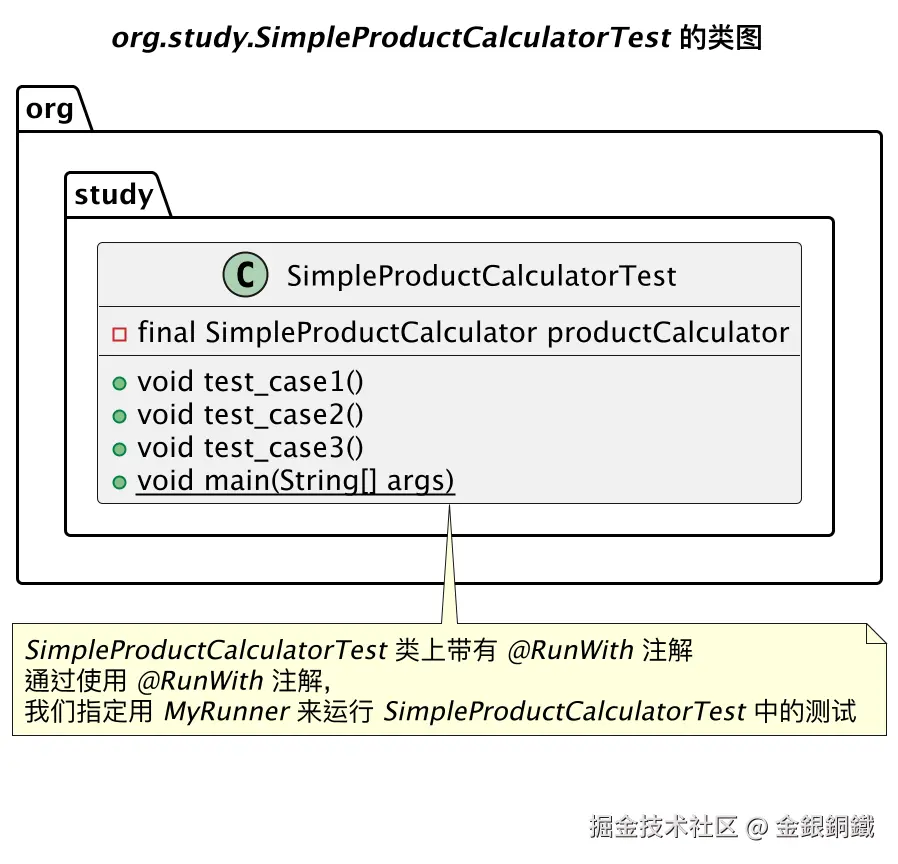
SimpleProductCalculatorTest 的类图如下
pom.xml
pom.xml 的内容如下 ⬇️
xml
<?xml version="1.0" encoding="UTF-8"?>
<project xmlns="http://maven.apache.org/POM/4.0.0"
         xmlns:xsi="http://www.w3.org/2001/XMLSchema-instance"
         xsi:schemaLocation="http://maven.apache.org/POM/4.0.0 http://maven.apache.org/xsd/maven-4.0.0.xsd">
    <modelVersion>4.0.0</modelVersion>

    <groupId>org.example</groupId>
    <artifactId>junit-study</artifactId>
    <version>1.0-SNAPSHOT</version>

    <properties>
        <maven.compiler.source>25</maven.compiler.source>
        <maven.compiler.target>25</maven.compiler.target>
        <project.build.sourceEncoding>UTF-8</project.build.sourceEncoding>
    </properties>
    <dependencies>
        <dependency>
            <groupId>junit</groupId>
            <artifactId>junit</artifactId>
            <version>4.13.2</version>
            <scope>test</scope>
        </dependency>
    </dependencies>

</project>
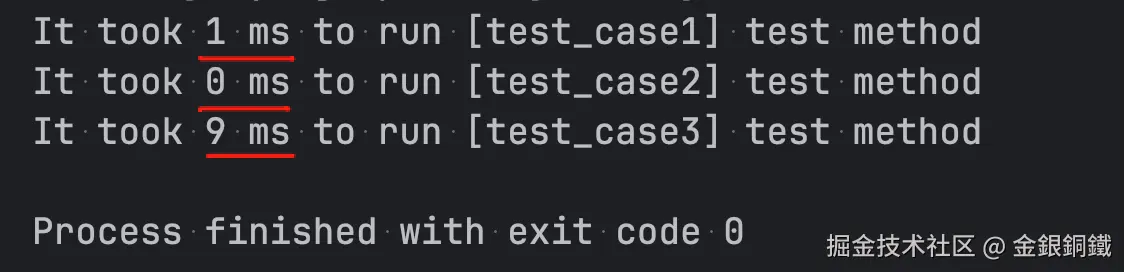
运行结果
运行 SimpleProductCalculatorTest 的 main 方法,应该可以看到类似下图的效果(具体的运行耗时可能有差异)
其他
用 PlantUML 画图,所用到的代码列举如下
画 "org.junit.runners.JUnit4 的简要类图" 所用到的代码
puml
@startuml

title <i>org.junit.runners.JUnit4</i> 的简要类图

interface org.junit.runner.Describable
abstract org.junit.runner.Runner
interface org.junit.runner.manipulation.Filterable
interface org.junit.runner.manipulation.Sortable
interface org.junit.runner.manipulation.Orderable
abstract org.junit.runners.ParentRunner<T>
class org.junit.runners.BlockJUnit4ClassRunner
class org.junit.runners.JUnit4

org.junit.runner.Describable <|.. org.junit.runner.Runner
org.junit.runner.Runner <|-- org.junit.runners.ParentRunner
org.junit.runner.manipulation.Filterable <|.. org.junit.runners.ParentRunner
org.junit.runner.manipulation.Sortable <|-- org.junit.runner.manipulation.Orderable
org.junit.runner.manipulation.Orderable <|.. org.junit.runners.ParentRunner
org.junit.runners.ParentRunner <|-- org.junit.runners.BlockJUnit4ClassRunner : extends ParentRunner<FrameworkMethod>
org.junit.runners.BlockJUnit4ClassRunner <|-- org.junit.runners.JUnit4

@enduml
画 "org.study.SimpleProductCalculator 的类图" 所用到的代码
puml
@startuml

title <i>org.study.SimpleProductCalculator</i> 的类图

class org.study.SimpleProductCalculator {
    + int calculateProduct(int a, int b)
}

note top of org.study.SimpleProductCalculator
<i>SimpleProductCalculator</i> 会用原始的方式来计算两个非负整数的乘积
(这里不考虑溢出问题)
end note

@enduml
画 "org.study.runners.MyRunner 的简要类图" 所用到的代码
puml
@startuml

title <i>org.study.runners.MyRunner</i> 的简要类图

interface org.junit.runner.Describable
abstract org.junit.runner.Runner
interface org.junit.runner.manipulation.Filterable
interface org.junit.runner.manipulation.Sortable
interface org.junit.runner.manipulation.Orderable
abstract org.junit.runners.ParentRunner<T>
class org.junit.runners.BlockJUnit4ClassRunner
class org.junit.runners.JUnit4
class org.study.runners.MyRunner

org.junit.runner.Describable <|.. org.junit.runner.Runner
org.junit.runner.Runner <|-- org.junit.runners.ParentRunner
org.junit.runner.manipulation.Filterable <|.. org.junit.runners.ParentRunner
org.junit.runner.manipulation.Sortable <|-- org.junit.runner.manipulation.Orderable
org.junit.runner.manipulation.Orderable <|.. org.junit.runners.ParentRunner
org.junit.runners.ParentRunner <|-- org.junit.runners.BlockJUnit4ClassRunner : extends ParentRunner<FrameworkMethod>
org.junit.runners.BlockJUnit4ClassRunner <|-- org.junit.runners.JUnit4
org.junit.runners.BlockJUnit4ClassRunner <|-- org.study.runners.MyRunner

class org.study.runners.MyRunner {
    + MyRunner(Class<?>) throws InitializationError
    # void runChild(FrameworkMethod, RunNotifier)
}

note bottom of org.study.runners.MyRunner
<i>MyRunner</i> 中的 <i>runChild(FrameworkMethod, RunNotifier)</i> 方法
会运行对应的子节点(即, 对应的测试方法), 并展示其耗时
end note


@enduml
画 "org.study.SimpleProductCalculatorTest 的类图" 所用到的代码
puml
@startuml

title <i>org.study.SimpleProductCalculatorTest</i> 的类图
caption \n\n
' caption 中的内容只是为了防止掘金平台自动生成的水印遮盖图中的内容

class org.study.SimpleProductCalculatorTest {
    - final SimpleProductCalculator productCalculator
    + void test_case1()
    + void test_case2()
    + void test_case3()
    + {static} void main(String[] args)
}

note bottom of org.study.SimpleProductCalculatorTest
<i>SimpleProductCalculatorTest</i> 类上带有 <i>@RunWith</i> 注解
通过使用 <i>@RunWith</i> 注解,
我们指定用 <i>MyRunner</i> 来运行 <i>SimpleProductCalculatorTest</i> 中的测试
end note

@enduml