在做知识库问答的时候,需要使用到Milvus向量召回,但是根据不同场景有时候需要以关键词召回优先,有时候需要语义优先,此时我们就需要使用到混合检索
目录
1、Milvus数据准备
2、连接Milvus向量库
3、对问题进行embedding
4、混合检索
一、Milvus数据准备
在我们入库的时候,对待检索的字段需要有两个内容
1、content原始内容,这个设置jieba分词,后续用来bm25(sparse稀疏算法)召回
2、dense_content,对原始文本做embeddings,后续将会使用dense(稠密算法)召回


二、Python连接Milvus向量库
python
from pymilvus import (
    MilvusClient, Function, FunctionType
)

user = ""
password = ""
client = MilvusClient(
    uri="http://172.18.2.14:19530",
    db_name="llm_agent",
    token=f"{user}:{password}"
)

# 测试是否连接成功
res = client.list_collections()
print(res)
三、对问题进行embedding
在检索前先对问题进行embedding,这个是用来检索dense_content字段的
python
import requests

api_key = "sk-xxxx"


def get_embedding(txt):
    url = "https://api.siliconflow.cn/v1/embeddings"
    headers = {
        "Authorization": f"Bearer {api_key}",
        "Content-Type": "application/json"
    }
    data = {
        "model": "BAAI/bge-m3",
        "input": txt
    }
    response = requests.post(url, headers=headers, json=data)
    # print(response.status_code)
    # print(response.json())
    return response.json()["data"][0]["embedding"]


if __name__ == '__main__':
    txt = "Silicon flow embedding online: fast, affordable, and high-quality embedding services. come try it out!"
get_embedding(txt)四、混合检索
首先构建检索条件,有两个,一个是bm25的查询,一个是稠密算法的查询:
python
query_text = "How many points are deducted when a warning administrative penalty is imposed?"
query_dense_vector = get_embedding.get_embedding(query_text)

text_search = AnnSearchRequest(
    data=[query_dense_vector],
    anns_field="dense_content",
    param={},
    limit=50
)

# full-text search (sparse) bm25
request_2 = AnnSearchRequest(
    data=[query_text],
    anns_field="sparse_content",
    param={},
    limit=50
)
reqs = [text_search, request_2]
混合权重,这部分代表分数权重中,语义70%,bm25关键词30%
python
ranker = Function(
    name="weight",
    input_field_names=[],  # Must be an empty list
    function_type=FunctionType.RERANK,
    params={
        "reranker": "weighted",
        "weights": [0.7, 0.3],
        "norm_score": True  # Optional
    }
)
完整代码如下:
python
from pymilvus import AnnSearchRequest
from pymilvus import (
    MilvusClient, Function, FunctionType
)
from milvus_model import get_embedding

client = MilvusClient(
    uri="http://xxxxx:19530",
    db_name="xxxxxx"
)

query_text = "How many points are deducted when a warning administrative penalty is imposed?"
# 对问题进行向量
query_dense_vector = get_embedding.get_embedding(query_text)

text_search = AnnSearchRequest(
    data=[query_dense_vector],
    anns_field="dense_content",
    param={},
    limit=10
)

# full-text search (sparse) bm25
request_2 = AnnSearchRequest(
    data=[query_text],
    anns_field="sparse_content",
    param={},
    limit=10
)

reqs = [text_search, request_2]

# 语义70%,bm25关键词30%
ranker = Function(
    name="weight",
    input_field_names=[],  # Must be an empty list
    function_type=FunctionType.RERANK,
    params={
        "reranker": "weighted",
        "weights": [0.7, 0.3],
        "norm_score": True  # Optional
    }
)

res = client.hybrid_search(
    collection_name="xxxxxx",
    reqs=reqs,
    ranker=ranker,
    limit=10,
    output_fields=["id", "content"]
)
for hits in res:
    print("TopK results:")
    for hit in hits:
        print(hit)
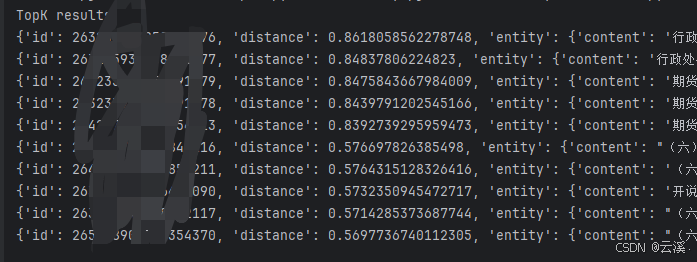
最终输出结果,其中distance代表分数,分数越高说明匹配效果越好