本次主要介绍如何通过主智能体的subagents方式实现多agent的协作。整体思路如下
总共有三个agent:产品(product)、研发(coding)和质控(qc)。
product是产品角色,负责产品设计、需求澄清、用户故事与验收标准;coding是研发角色,负责技术方案、实现思路与代码级建议;qc是质控或测试角色,负责测试点、边界与回归影响,检查改进等。
用户只需要在"多agent产品研发测试协作"群聊中,对openclaw_bot机器人发起任务,该机器人就会自动协同上述3个agent实现任务分配、内容汇集和最终方案编写,并反馈给用户。具体配置如下(主要通过openclaw.json配置)。其他多agent实现方案可参考另一篇文章。
一、产品研发质控的多Agent协同任务
后面两个类似,也可以直接打开配置文件,直接修改agents的list内容。具体详见第1部分。
# 产品agent
openclaw agents add product --workspace C:\\root\\.openclaw\\workspace-product
openclaw agents set-identity --agent product --name "product"
# 研发agent
openclaw agents add coding --workspace C:\\root\\.openclaw\\workspace-coding
openclaw agents set-identity --agent coding --name "coding"
# 测试检查agent
openclaw agents add qc --workspace C:\\root\\.openclaw\\workspace-qc
openclaw agents set-identity --agent qc --name "qc"
创建完成后的配置文件详见:openclaw-mutiagent-产品研发测试协作.json,关键配置说明如下:
1.在主agent中加上subagents配置
{
        "id": "main",
        "default": true,
        "name": "hello 张三",
        "workspace": "C:\\root\\.openclaw\\workspace",
		"subagents": { "allowAgents": ["product", "coding", "qc"] }
},
{
        "id": "product",
        "name": "product",
        "workspace": "C:\\root\\.openclaw\\workspace-product",
        "agentDir": "C:\\root\\.openclaw\\agents\\product\\agent",
		"identity": {
	          "name": "product"
	        }
}
// 其他两个类似
2.在bingdings配置主agent和对应的channels
"bindings": [
    {
      "agentId": "main",
      "match": {
        "channel": "feishu",
        "accountId": "dev-team"
      }
    }
  ]
3.在channels中配置群组对应的账号
"channels": {
    "feishu": {
      "connectionMode": "websocket",
      "enabled": true,
      "accounts": {
        "dev-team": {
          "appId": "cli_axxxxx8", // 对应飞书:openclaw_bot
          "appSecret": "mVHexxxxxCHZQneMp5j",
          "groups": {
			"oc_xxxxxxf": {"requireMention": false} // 飞书:"多agent产品研发测试协作"群聊
	  }
        },
        "default": {
          "dmPolicy": "pairing",
          "groupPolicy": "open"
        }
      }
    }
  }
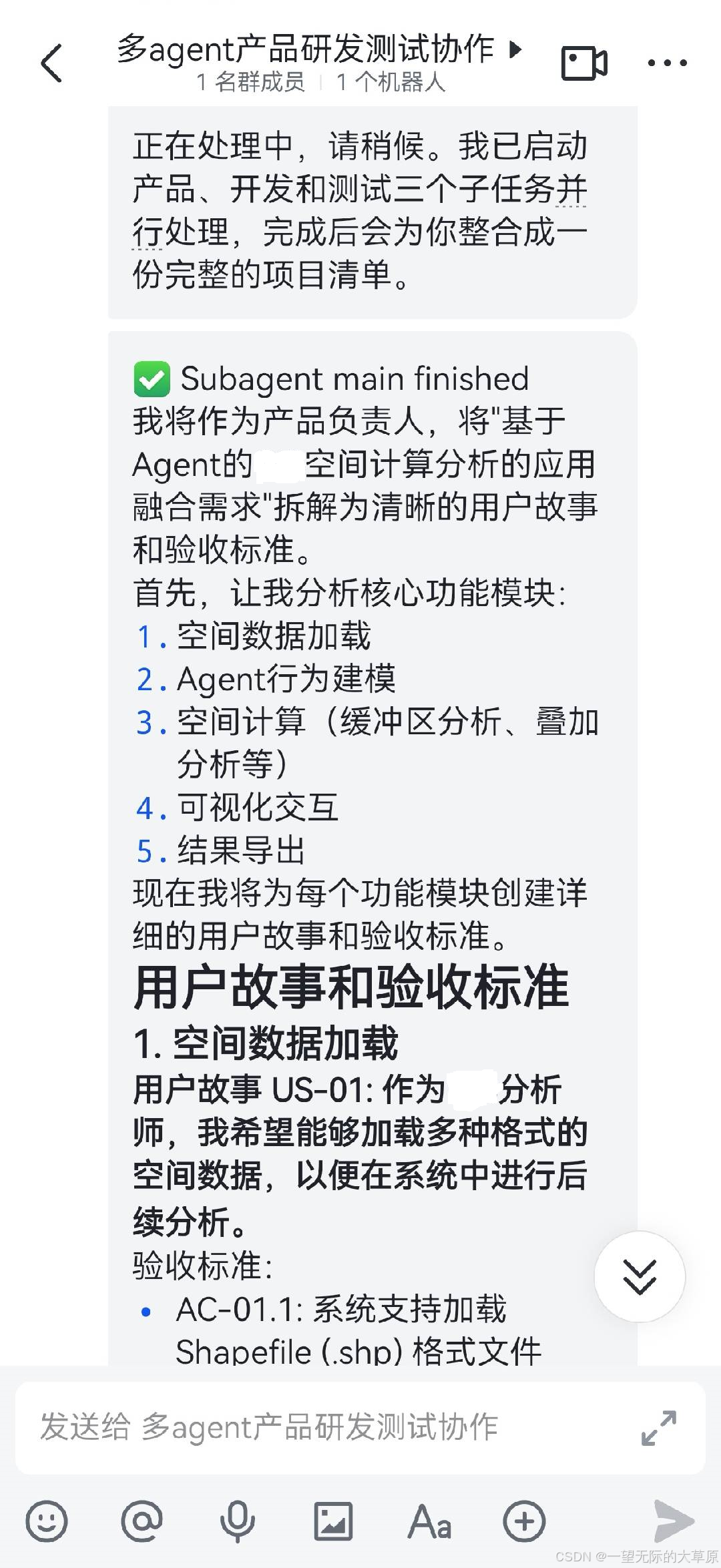
4.应用测试效果
在多agent产品研发测试协作"群聊中,对openclaw_bot机器人发起对话,输入:
我们做一个小项目推演:我有一个"基于Agent的空间计算分析的应用融合需求"。请你先派产品 Agent 整理成用户故事和验收标准,再派开发 Agent 给实现思路和关键代码,再派测试 Agent 给测试点和回归注意点;等三边都回复后,你再帮我综合成一份简要的项目清单。返回结果