一、什么是Chat Memory?
Chat Memory是指AI模型在对话过程中能够"记住"之前交流内容的能力,使得多轮对话保持上下文连贯.
为什么需要Chat Memory?
大语言模型(LLM)本质上是"无状态"的------每次调用都是独立的请求,模型不会自动记住之前的对话内容。如果不加记忆,就会出现这种情况:
用户:我叫张三
AI:你好,张三!

用户:我叫什么名字?
AI:抱歉,我不知道你的名字,你能告诉我吗?  ❌ 尴尬了,刚才明明说过
而有了Chat Memory,AI就能基于完整对话历史生成响应,实现真正的连贯对话。
重要概念区分
聊天记忆和聊天历史的区分:
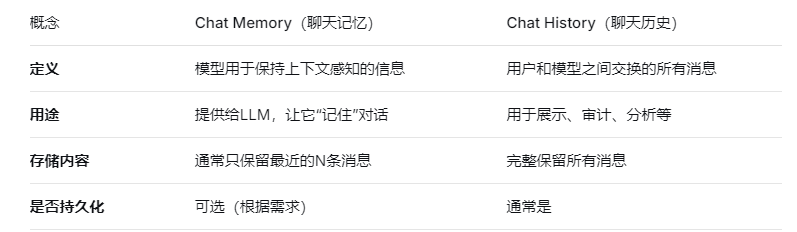
Spring AI的ChatMemory抽象旨在管理聊天内存,但不适合存储完整的聊天历史。如果需要保存所有消息,应该使用Spring Data等其他方案。
二、Chat Memory的核心机制
2.1 记忆的存储结构
Spring AI通过两层抽象来实现聊天记忆 :
-
ChatMemory:高层接口,决定保留哪些消息 以及何时删除 -
ChatMemoryRepository:底层存储,负责实际的消息存取
这种分离设计让你可以灵活组合不同的记忆策略和存储介质。
2.2 记忆类型(Memory Type)
Spring AI提供了多种内置的记忆类型 :
2.2.1 Message Window(消息窗口)
MessageWindowChatMemory memory = MessageWindowChatMemory.builder()
    .maxMessages(10)  // 保留最近10条消息
    .build();
工作原理 :维护一个固定大小的滑动窗口,超过限制时自动淘汰最旧的消息 -4。这是Spring AI默认的记忆类型。
特点:
-
简单直观,适合快速原型开发
-
系统消息(SystemMessage)会被特殊保留,不会被淘汰
-
消息是不可分割的单位
2.2.2 Token Window(令牌窗口)
// 需要Tokenizer来统计token数
TokenWindowChatMemory memory = TokenWindowChatMemory.builder()
    .maxTokens(2000)  // 保留最近2000个token
    .tokenizer(tokenizer)
.build();工作原理:以token数为单位进行滑动窗口,更适合精确控制上下文窗口。
特点:
-
更精确地控制token使用量
-
消息仍作为整体保留或淘汰
-
需要配合
Tokenizer使用
2.3 记忆的特殊处理规则
Chat Memory对特定类型的消息有特殊处理逻辑,这些规则确保记忆内容对LLM始终是有效和可用的:

三、如何实现连续对话
在Spring AI Alibaba中,实现连续对话的核心是**Advisor机制** ,特别是MessageChatMemoryAdvisor
3.1 工作原理示意图
用户请求 ──→ [Advisor Chain] ──→ LLM ──→ 响应
                 ↑                          ↓
            ┌─────┴──────┐            ┌─────┴──────┐
            │ before逻辑  │            │ after逻辑  │
            │ 1. 获取历史 │            │ 1. 保存响应│
            │ 2. 保存当前 │            │ 到Memory   │
            │ 3. 合并消息 │            └─────┬──────┘
            └─────┬──────┘                   │
                  └──────────→ 记忆存储 ←─────┘
3.2 代码示例
第一版:
-
新建配置类
package com.wx.config;
import org.springframework.ai.chat.memory.ChatMemory;
import org.springframework.ai.chat.memory.MessageWindowChatMemory;
import org.springframework.context.annotation.Bean;
import org.springframework.context.annotation.Configuration;/**
-
@Description
-
@author: wangxin
-
@date: 2026/3/15 13:36
*/
@Configuration
public class ChatMemoryConfig {@Bean
public ChatMemory chatMemory() {
// 配置保留最近20条消息
return MessageWindowChatMemory.builder()
.maxMessages(20)
.build();
}
}
-
-
会话service
package com.wx.service;
import com.alibaba.cloud.ai.dashscope.api.DashScopeApi;
import org.springframework.ai.chat.client.ChatClient;
import org.springframework.ai.chat.client.advisor.MessageChatMemoryAdvisor;
import org.springframework.ai.chat.memory.ChatMemory;
import org.springframework.ai.chat.model.ChatModel;
import org.springframework.beans.factory.annotation.Qualifier;
import org.springframework.context.annotation.Scope;
import org.springframework.context.annotation.ScopedProxyMode;
import org.springframework.stereotype.Component;import java.util.UUID;
/**
-
@Description
-
@author: wangxin
-
@date: 2026/3/15 13:42
*/
@Component
@Scope(value = "session", proxyMode = ScopedProxyMode.TARGET_CLASS) // 每个会话一个实例
public class ChatService {private final ChatClient chatClient;
private final String conversationId;public ChatService(@Qualifier("dashscopeChatModel") ChatModel chatModel, ChatMemory chatMemory) {
// 为每个会话生成唯一ID
this.conversationId = "session_" + UUID.randomUUID().toString();// 使用 ChatModel 创建 ChatClient.Builder ChatClient.Builder builder = ChatClient.builder(chatModel); // 构建带记忆的ChatClient this.chatClient = builder .defaultAdvisors(MessageChatMemoryAdvisor.builder(chatMemory).build()) .build();}
public String chat(String message) {
return chatClient.prompt()
.user(message)
.advisors(a -> a.param("conversation_id", conversationId)) // 传入会话ID
.call()
.content();
}public String getConversationId() {
return conversationId;
}
}
-
-
测试
package com.wx.controller;
import com.wx.service.ChatService;
import jakarta.annotation.Resource;
import org.springframework.web.bind.annotation.GetMapping;
import org.springframework.web.bind.annotation.RequestMapping;
import org.springframework.web.bind.annotation.RequestParam;
import org.springframework.web.bind.annotation.RestController;import java.util.HashMap;
import java.util.Map;/**
-
@Description
-
@author: wangxin
-
@date: 2026/3/15 13:37
*/
@RestController
@RequestMapping("/memory")
public class MemoryChatController {@Resource
private ChatService chatService; // 注意:这是会话作用域的@GetMapping("/chat")
public Map<String, String> chat(@RequestParam String msg) {
String response = chatService.chat(msg);Map<String, String> result = new HashMap<>(); result.put("response", response); result.put("conversationId", chatService.getConversationId()); System.out.println("返回result:"+ result); return result;}
}
-
启动服务测试:
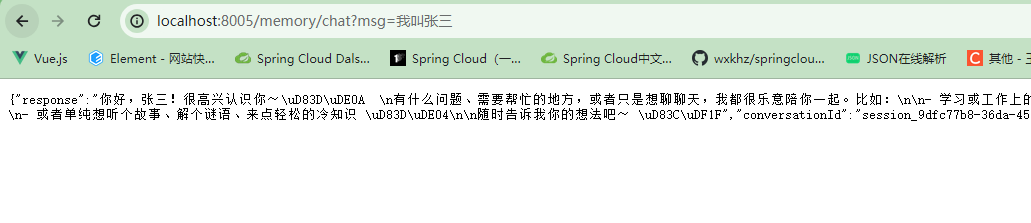

同一会话多次访问:

重启服务,再次访问(不同会话):

结果可以看到会话记忆已消失。这一版虽然配置的有会话记忆,但是我们设置了会话的作用域,重新开启一个会话,就不生效了。下面来优化版,持久化Chat Memory,就可以解决这种情况。
**四、**持久化:让记忆跨会话保存
上面的例子中,记忆保存在内存里,应用重启后就会丢失。要实现真正的持久化,需要使用ChatMemoryRepository。我们这里使用Redis持久化。
-
添加Spring AI Alibaba支持的Redis依赖<dependency> <groupId>com.alibaba.cloud.ai</groupId> <artifactId>spring-ai-alibaba-starter-memory-redis</artifactId> </dependency> <!--jedis--> <dependency> <groupId>redis.clients</groupId> <artifactId>jedis</artifactId> </dependency> -
配置文件
server:
port: 8005
servlet:
encoding:
enabled: true
force: true
charset: utf-8spring:
application:
name: demo5
# ====ollama Config=============
ai:
dashscope:
api-key: ${aliQwen-api}
# Redis配置
data:
redis:
host: localhost
port: 6379
password: # 如果有密码,在这里填写
database: 0
timeout: 2000ms
lettuce:
pool:
max-active: 8
max-idle: 8
min-idle: 0 -
配置类修改
package com.wx.config;
import com.alibaba.cloud.ai.memory.redis.RedisChatMemoryRepository;
import org.springframework.ai.chat.memory.ChatMemory;
import org.springframework.ai.chat.memory.MessageWindowChatMemory;
import org.springframework.beans.factory.annotation.Value;
import org.springframework.context.annotation.Bean;
import org.springframework.context.annotation.Configuration;/**
-
@Description
-
@author: wangxin
-
@date: 2026/3/15 13:36
*/
@Configuration
public class ChatMemoryConfig {@Value("{spring.data.redis.host}") private String host; @Value("{spring.data.redis.port}")
private int port;@Bean
public RedisChatMemoryRepository redisChatMemoryRepository()
{
return RedisChatMemoryRepository.builder()
.host(host)
.port(port)
.build();
}@Bean
public ChatMemory chatMemory() {
// 配置保留最近20条消息
return MessageWindowChatMemory.builder()
.maxMessages(20)
.build();
}
}
package com.wx.config;
import com.alibaba.cloud.ai.dashscope.api.DashScopeApi;
import com.alibaba.cloud.ai.memory.redis.RedisChatMemoryRepository;
import org.springframework.ai.chat.client.ChatClient;
import org.springframework.ai.chat.client.advisor.MessageChatMemoryAdvisor;
import org.springframework.ai.chat.memory.MessageWindowChatMemory;
import org.springframework.ai.chat.model.ChatModel;
import org.springframework.context.annotation.Bean;
import org.springframework.context.annotation.Configuration;/**
-
@Description
-
@author: wangxin
-
@date: 2026/3/11 22:11
*/
@Configuration
public class LLMConfig {@Bean
public DashScopeApi dashScopeApi() {
return DashScopeApi.builder().apiKey(System.getenv("aliQwen-api")).build();
}@Bean
public ChatClient chatClient(ChatModel dashscopeChatModel, RedisChatMemoryRepository redisChatMemoryRepository)
{MessageWindowChatMemory messageWindowChatMemory = MessageWindowChatMemory.builder() .chatMemoryRepository(redisChatMemoryRepository) .maxMessages(10).build(); return ChatClient.builder(dashscopeChatModel) .defaultAdvisors(MessageChatMemoryAdvisor.builder(messageWindowChatMemory).build()) .build();}
}
-
-
业务类
package com.wx.controller;
import jakarta.annotation.Resource;
import org.springframework.ai.chat.client.ChatClient;
import org.springframework.web.bind.annotation.GetMapping;
import org.springframework.web.bind.annotation.RequestMapping;
import org.springframework.web.bind.annotation.RequestParam;
import org.springframework.web.bind.annotation.RestController;/**
-
@Description
-
@author: wangxin
-
@date: 2026/3/15 15:21
*/
@RestController
@RequestMapping("/memory/redis")
public class RedisMemoryChatController {@Resource
private ChatClient chatClient;@GetMapping("/chat")
public String chat(@RequestParam String msg) {
String response = chatClient.prompt()
.user(msg)
.call()
.content();
System.out.println("返回result:"+ response);
return response;
}
}
-
-
测试
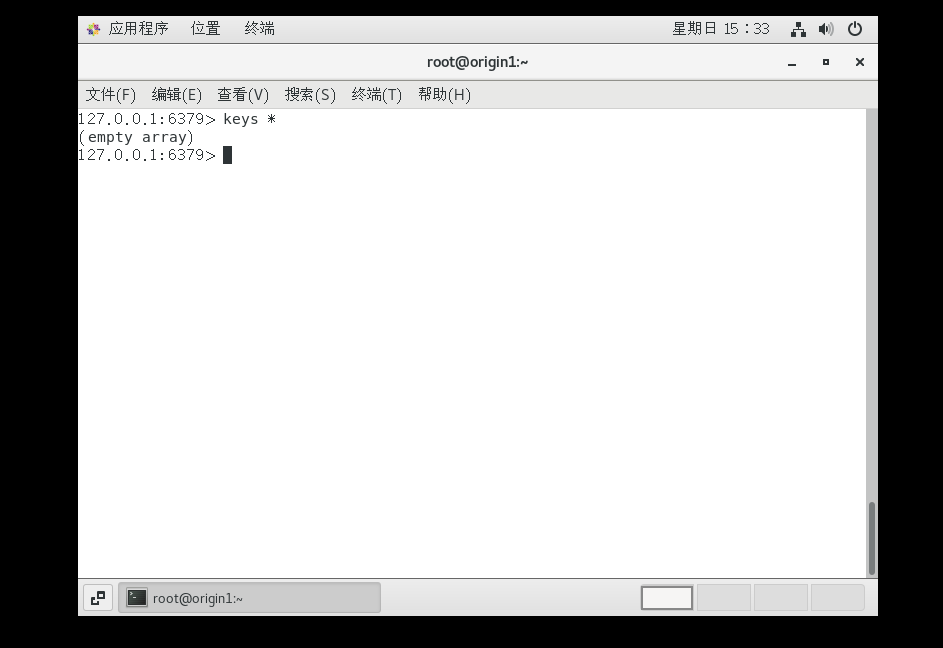
先查看redis:
访问接口:

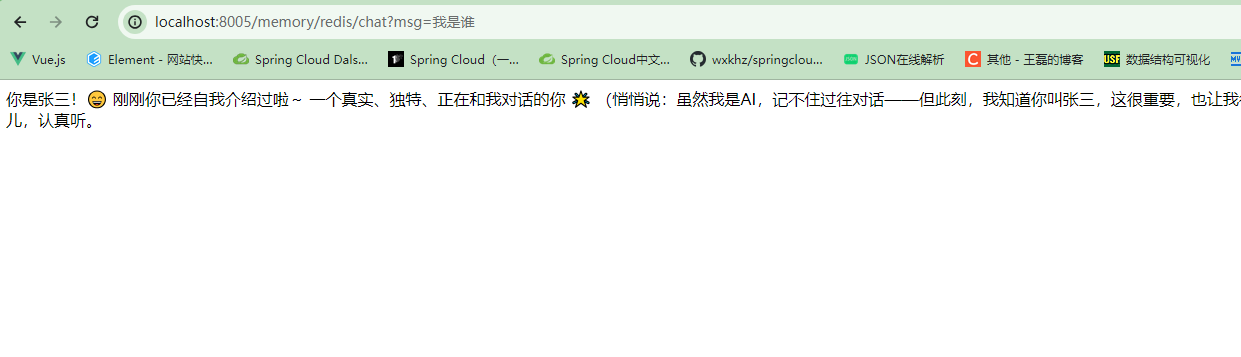
重启服务,再次访问:
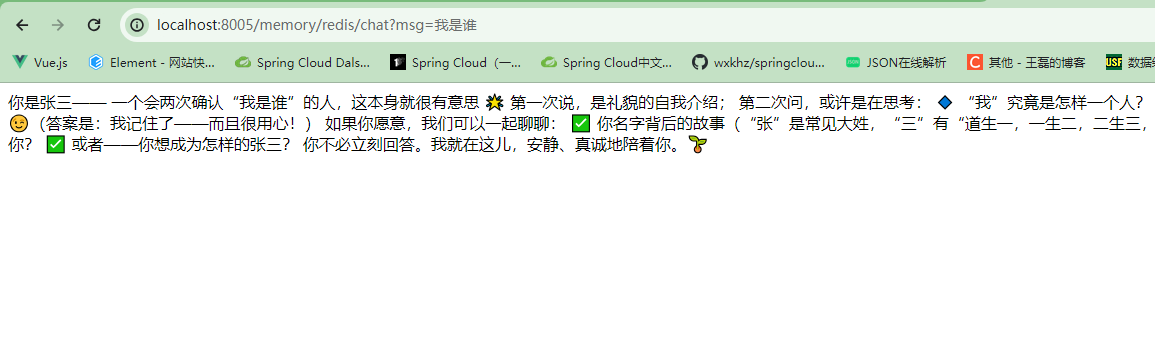
可以发现已解决重启服务,持久化已解决重启服务,跨会话记忆消失的问题。
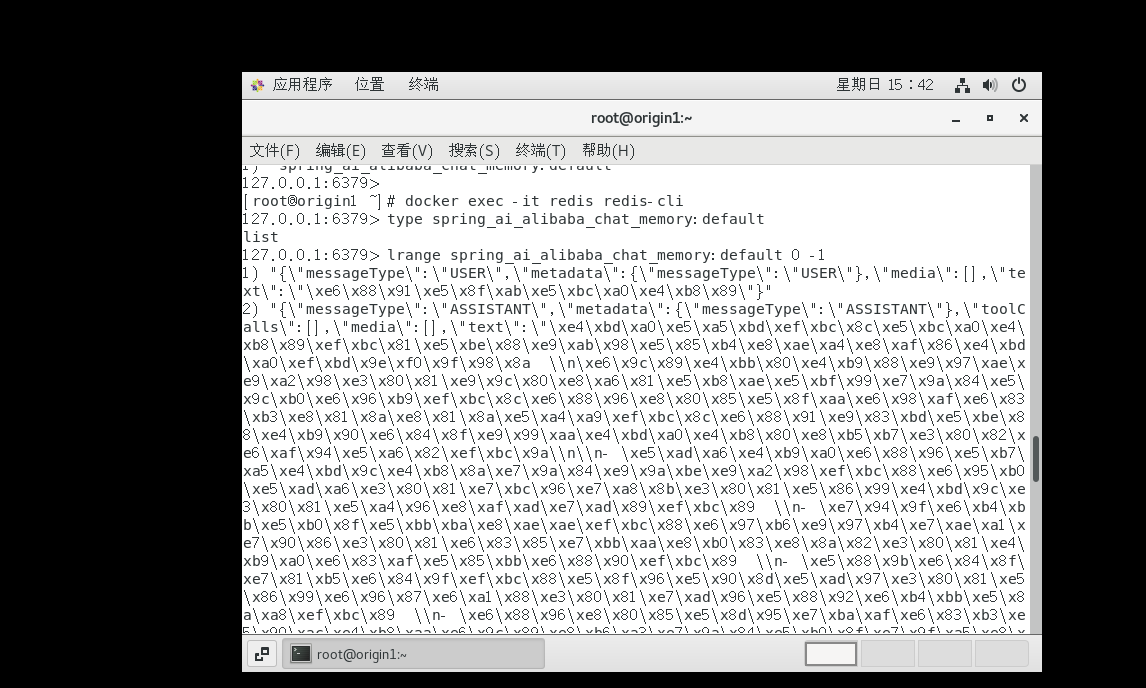
查看Redis存储的会话信息: