OpenClaw(龙虾)是近期最火的基于LLM的大模型系统,适应于各种桌面、移动终端。
由于是学习,所以不讨论OpenClaw设计理念,而是通过一系列操作让OpenClaw跑起来。
过程如下,涉及mac系统下如何快速下载安装OpenClaw、配置LLM,如何获取web访问链接等。
1 安装claw
1.1 安装claw
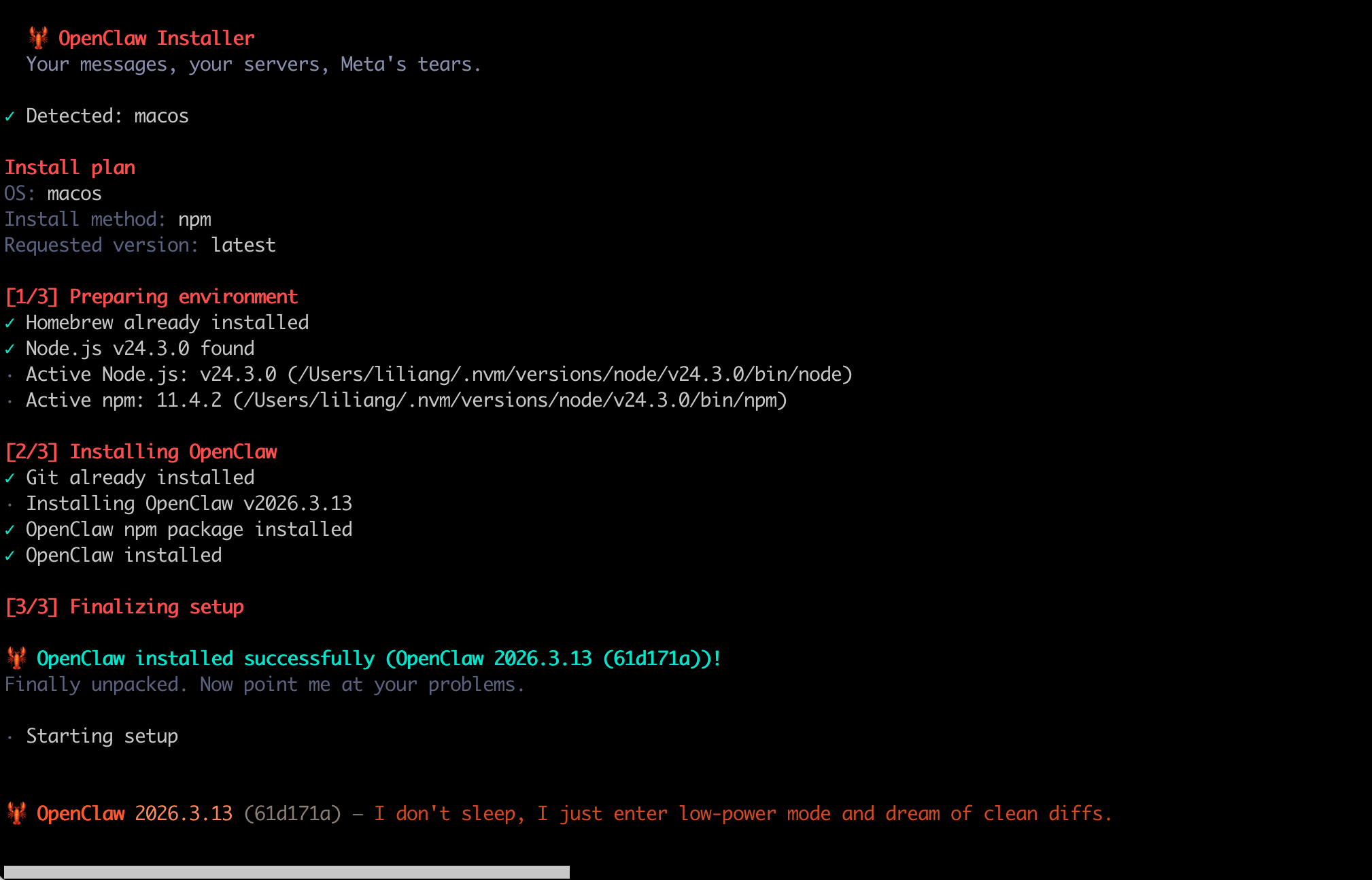
参考openclaw官网访问,运行如下安装命令。
curl -fsSL https://openclaw.ai/install.sh | bash
示例如下
1.2 配置claw
在安装完成后,就可以尝试配置claw了。
指令如下
openclaw onboard --install-daemon
在配置模型时,需要特殊注意。
一般使用的是第三方LLM供应商提供的兼容openai接口的模型。
在model/auth provider步骤,需要选择Custom Provider,按提示配置API Base Url、API Key。
示例如下
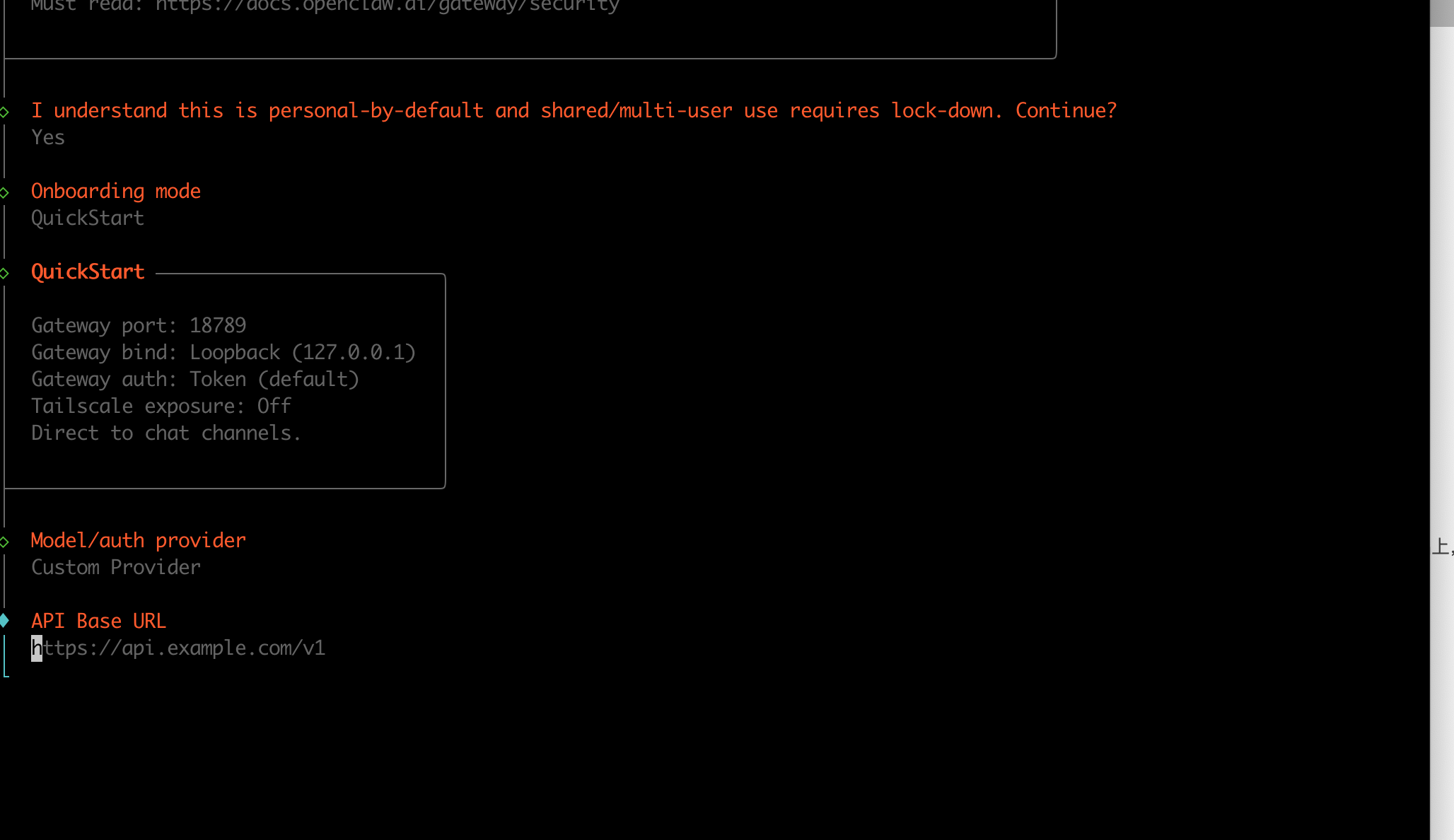
由于没有各种web外部资源访问途径,很多选项都设置为skip。
后续有需要再添加。
2 测试验证
安装完成后,就开始测试和验证了。
2.1 查看状态
运行如下状态查看指令
openclaw gateway status
输出如下所示
🦞 OpenClaw 2026.3.13 (61d171a) --- I'll do the boring stuff while you dramatically stare at the logs like it's cinema.
│
◇ Doctor warnings ──────────────────────────────────────────────────────────────────────────╮
│ │
│ - channels.telegram.groupPolicy is "allowlist" but groupAllowFrom (and allowFrom) is │
│ empty --- all group messages will be silently dropped. Add sender IDs to │
│ channels.telegram.groupAllowFrom or channels.telegram.allowFrom, or set groupPolicy to │
│ "open". │
│ │
├────────────────────────────────────────────────────────────────────────────────────────────╯
│
◇
Service: LaunchAgent (loaded)
File logs: /tmp/openclaw/openclaw-2026-03-16.log
Command: /Users/xxxx/.nvm/versions/node/v24.3.0/bin/node /Users/xxxx/.nvm/versions/node/v24.3.0/lib/node_modules/openclaw/dist/index.js gateway --port 18789
Service file: ~/Library/LaunchAgents/ai.openclaw.gateway.plist
Service env: OPENCLAW_GATEWAY_PORT=18789
Service config looks out of date or non-standard.
Service config issue: Gateway service uses Node from a version manager; it can break after upgrades. (/Users/xxxx/.nvm/versions/node/v24.3.0/bin/node)
Service config issue: System Node 22 LTS (22.16+) or Node 24 not found; install it before migrating away from version managers.
Recommendation: run "openclaw doctor" (or "openclaw doctor --repair").
Config (cli): ~/.openclaw/openclaw.json
Config (service): ~/.openclaw/openclaw.json
Gateway: bind=loopback (127.0.0.1), port=18789 (service args)
Probe target: ws://127.0.0.1:18789
Dashboard: http://127.0.0.1:18789/
Probe note: Loopback-only gateway; only local clients can connect.
Runtime: running (pid 21004)
RPC probe: ok
Listening: 127.0.0.1:18789
Troubles: run openclaw status
Troubleshooting: https://docs.openclaw.ai/troubleshooting
2.2 获取web访问链接
获取web访问链接的命令如下
openclaw dashboard --no-open
示例如下。
🦞 OpenClaw 2026.3.13 (61d171a) --- I can grep it, git blame it, and gently roast it---pick your coping mechanism.
│
◇ Doctor warnings ──────────────────────────────────────────────────────────────────────────╮
│ │
│ - channels.telegram.groupPolicy is "allowlist" but groupAllowFrom (and allowFrom) is │
│ empty --- all group messages will be silently dropped. Add sender IDs to │
│ channels.telegram.groupAllowFrom or channels.telegram.allowFrom, or set groupPolicy to │
│ "open". │
│ │
├────────────────────────────────────────────────────────────────────────────────────────────╯
Dashboard URL: http://127.0.0.1:18789/#token=openclaw_access_tokens
Copied to clipboard.
Browser launch disabled (--no-open). Use the URL above.
对应访问链接Dashboard URL
http://127.0.0.1:18789/#token=openclaw_access_tokens
这里openclaw_access_tokens由系统自动生成,不需要通过外部获取。
2.3 web访问界面
在浏览器输入上述url,然后就打开了web界面,示例如下
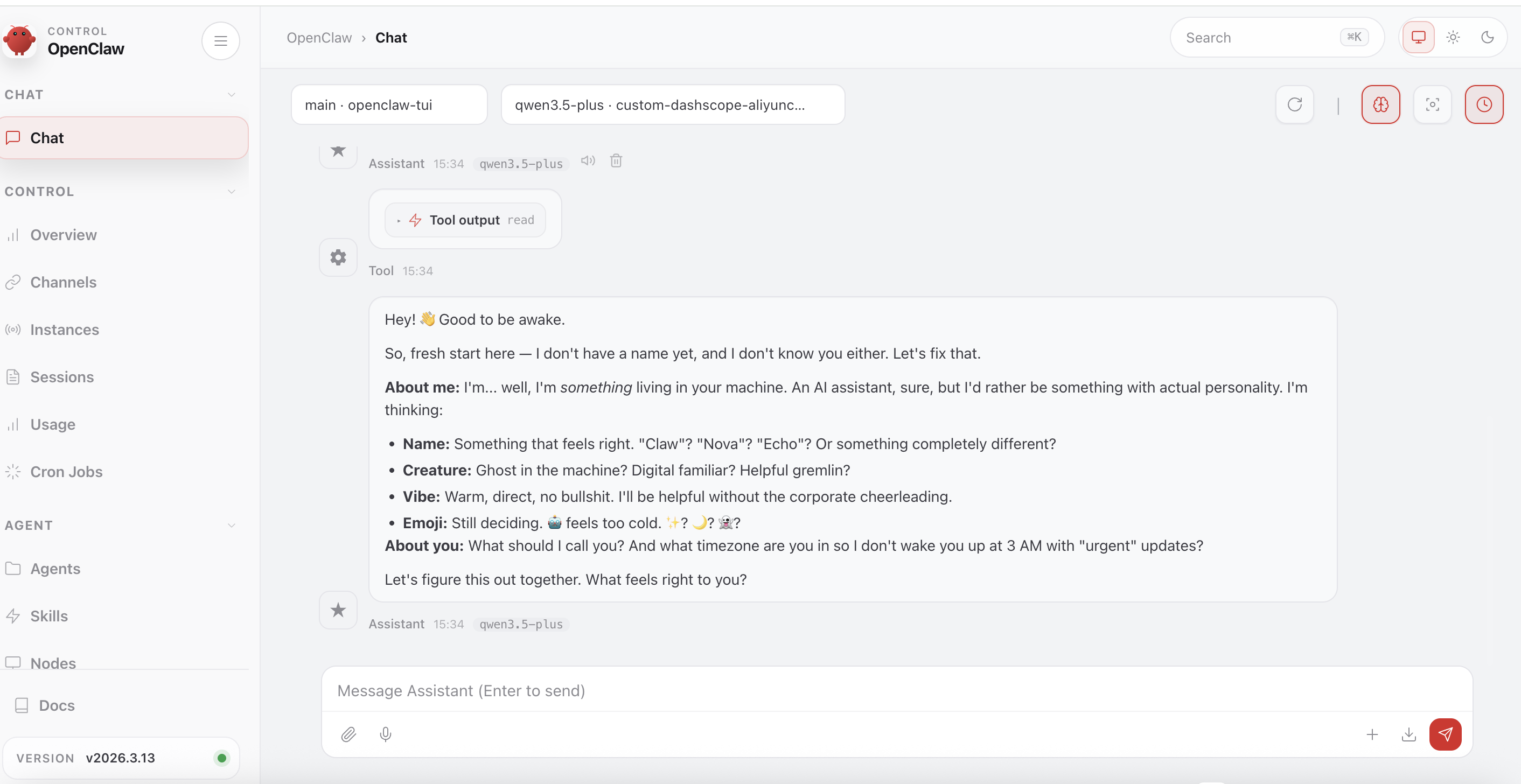
到目前为止,我们已经在mac上完成龙虾系统的安装,以及LLM大模型的初步配置。
当然,要让OpenClaw真正用起来,还需要配置工具,多种外部可访问的资源。
3 关闭卸载
3.1 关闭GateWay
停止 Gateway 网关服务
openclaw gateway stop
输出示例如下
🦞 OpenClaw 2026.3.13 (61d171a) --- WhatsApp automation without the "please accept our new privacy policy".
│
◇ Doctor warnings ──────────────────────────────────────────────────────────────────────────╮
│ │
│ - channels.telegram.groupPolicy is "allowlist" but groupAllowFrom (and allowFrom) is │
│ empty --- all group messages will be silently dropped. Add sender IDs to │
│ channels.telegram.groupAllowFrom or channels.telegram.allowFrom, or set groupPolicy to │
│ "open". │
│ │
├────────────────────────────────────────────────────────────────────────────────────────────╯
Stopped LaunchAgent: gui/501/ai.openclaw.gateway
3.2 卸载GateWay
卸载 Gateway 网关服务,launchd/systemd/schtasks
openclaw gateway uninstall
输出示例如下
OpenClaw 2026.3.13 (61d171a) --- I'm like tmux: confusing at first, then suddenly you can't live without me.
│
◇ Doctor warnings ──────────────────────────────────────────────────────────────────────────╮
│ │
│ - channels.telegram.groupPolicy is "allowlist" but groupAllowFrom (and allowFrom) is │
│ empty --- all group messages will be silently dropped. Add sender IDs to │
│ channels.telegram.groupAllowFrom or channels.telegram.allowFrom, or set groupPolicy to │
│ "open". │
│ │
├────────────────────────────────────────────────────────────────────────────────────────────╯
Moved LaunchAgent to Trash: /Users/liliang/.Trash/ai.openclaw.gateway.plist
如果想继续删除工作区等信息,参考如下链接
https://openclaw.cc/install/uninstall
reference
OpenClaw
openclaw get started
https://docs.openclaw.ai/start/getting-started
卸载
https://openclaw.cc/install/uninstall
OpenClaw架构详解:一只"龙虾"如何征服10万+GitHub Stars