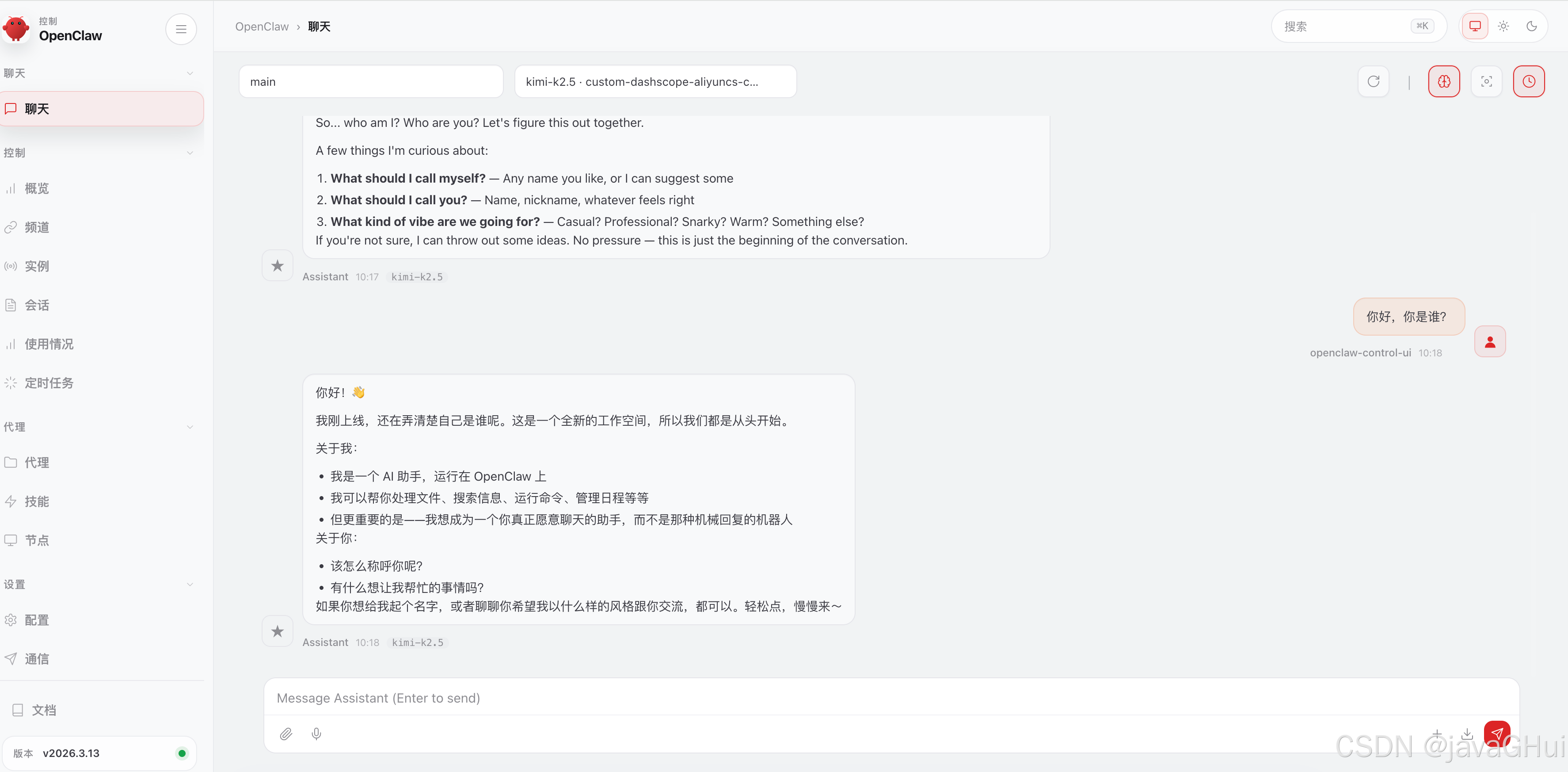
官网教程:
安装命令:curl -fsSL https://openclaw.ai/install.sh | bash
等待下载安装
常用命令:
安装:
# 官方脚本
curl -fsSL https://openclaw.ai/install.sh | bash

# 国内网络慢可用加速脚本
# curl -fsSL https://open-claw.org.cn/install-cn.sh | bash

# 查看版本
openclaw --version
# 输出 OpenClaw 2026.x.x 即成功

# 查看技能:
openclaw skills list

# 重启 OpenClaw 网关
openclaw gateway restart

# 停止网关后台服务(核心命令)
openclaw gateway stop

# 启动 网关
openclaw gateway start

# 验证是否停止成功
openclaw gateway status
# 成功停止会显示:Gateway is not running

卸载:一键卸载所有组件(CLI 可用时)
openclaw uninstall --all --yes --non-interactive

方式2:
npm uninstall -g openclaw
参考:
python
mac@javaGHuiMacBook-Pro testDemo % curl -fsSL https://openclaw.ai/install.sh | bash
🦞 OpenClaw Installer
Less clicking, more shipping, fewer "where did that file go" moments.
✓ Detected: macos
Install plan
OS: macos
Install method: npm
Requested version: latest
[1/3] Preparing environment
✓ Homebrew already installed
✓ Node.js v24.14.0 found
· Active Node.js: v24.14.0 (/Users/mac/.nvm/versions/node/v24.14.0/bin/node)
· Active npm: 11.9.0 (/Users/mac/.nvm/versions/node/v24.14.0/bin/npm)
[2/3] Installing OpenClaw
✓ Git already installed
· Installing OpenClaw v2026.3.13
! npm install failed for openclaw@latest
Command: env SHARP_IGNORE_GLOBAL_LIBVIPS=1 npm --loglevel error --silent --no-fund --no-audit install -g openclaw@latest
Installer log: /var/folders/sy/1qq81nxn0z3fr41rnz6g7xfm0000gp/T/tmp.k38zRnsGxm
! npm install failed; showing last log lines
! npm install failed; retrying
✓ OpenClaw npm package installed
✓ OpenClaw installed
[3/3] Finalizing setup
🦞 OpenClaw installed successfully (OpenClaw 2026.3.13 (61d171a))!
Installation complete. Your productivity is about to get weird.
· Starting setup
🦞 OpenClaw 2026.3.13 (61d171a) --- Like having a senior engineer on call, except I don't bill hourly or sigh audibly.
▄▄▄▄▄▄▄▄▄▄▄▄▄▄▄▄▄▄▄▄▄▄▄▄▄▄▄▄▄▄▄▄▄▄▄▄▄▄▄▄▄▄▄▄▄▄▄▄▄▄▄▄
██░▄▄▄░██░▄▄░██░▄▄▄██░▀██░██░▄▄▀██░████░▄▄▀██░███░██
██░███░██░▀▀░██░▄▄▄██░█░█░██░█████░████░▀▀░██░█░█░██
██░▀▀▀░██░█████░▀▀▀██░██▄░██░▀▀▄██░▀▀░█░██░██▄▀▄▀▄██
▀▀▀▀▀▀▀▀▀▀▀▀▀▀▀▀▀▀▀▀▀▀▀▀▀▀▀▀▀▀▀▀▀▀▀▀▀▀▀▀▀▀▀▀▀▀▀▀▀▀▀▀
🦞 OPENCLAW 🦞
┌ OpenClaw onboarding
│
◇ Security ─────────────────────────────────────────────────────────────────────────────────╮
│ │
│ Security warning --- please read. │
│ │
│ OpenClaw is a hobby project and still in beta. Expect sharp edges. │
│ By default, OpenClaw is a personal agent: one trusted operator boundary. │
│ This bot can read files and run actions if tools are enabled. │
│ A bad prompt can trick it into doing unsafe things. │
│ │
│ OpenClaw is not a hostile multi-tenant boundary by default. │
│ If multiple users can message one tool-enabled agent, they share that delegated tool │
│ authority. │
│ │
│ If you're not comfortable with security hardening and access control, don't run │
│ OpenClaw. │
│ Ask someone experienced to help before enabling tools or exposing it to the internet. │
│ │
│ Recommended baseline: │
│ - Pairing/allowlists + mention gating. │
│ - Multi-user/shared inbox: split trust boundaries (separate gateway/credentials, ideally │
│ separate OS users/hosts). │
│ - Sandbox + least-privilege tools. │
│ - Shared inboxes: isolate DM sessions (`session.dmScope: per-channel-peer`) and keep │
│ tool access minimal. │
│ - Keep secrets out of the agent's reachable filesystem. │
│ - Use the strongest available model for any bot with tools or untrusted inboxes. │
│ │
│ Run regularly: │
│ openclaw security audit --deep │
│ openclaw security audit --fix │
│ │
│ Must read: https://docs.openclaw.ai/gateway/security │
│ │
├────────────────────────────────────────────────────────────────────────────────────────────╯
按键盘的 方向键 或 空格键,把选中状态 按 回车键(Enter) 确认选择。
◇ I understand this is personal-by-default and shared/multi-user use requires lock-down. Continue?
│ Yes
│
◇ Onboarding mode
│ QuickStart
│
◇ QuickStart ─────────────────────────╮
│ │
│ Gateway port: 18789 │
│ Gateway bind: Loopback (127.0.0.1) │
│ Gateway auth: Token (default) │
│ Tailscale exposure: Off │
│ Direct to chat channels. │
│ │
├──────────────────────────────────────╯
│
◇ Model/auth provider
│ Custom Provider
│
◇ API Base URL
│ http://127.0.0.1:11434 默认是这个 需要删除 替换
│
◇ How do you want to provide this API key?
│ Paste API key now
│
◇ API Key (leave blank if not required)
│ sk-5a0d1dc2a9******9c7e4b81b
│
◇ Endpoint compatibility
│ OpenAI-compatible
│
◇ Model ID
│ kimi-k2.5
│
◇ Verification failed: fetch failed 验证失败了
│
◇ What would you like to change?
│ Change base URL
│
◇ API Base URL
│ https://dashscope.aliyuncs.com/compatible-mode/v1
│
◇ How do you want to provide this API key?
│ Paste API key now
│
◇ API Key (leave blank if not required)
│ sk-5a0d1dc2******ddc7e4b81b
│
◇ Verification successful. 验证成功
│
◇ Endpoint ID
│ custom-dashscope-aliyuncs-com
│
◇ Model alias (optional)
│ kimi-k2.5
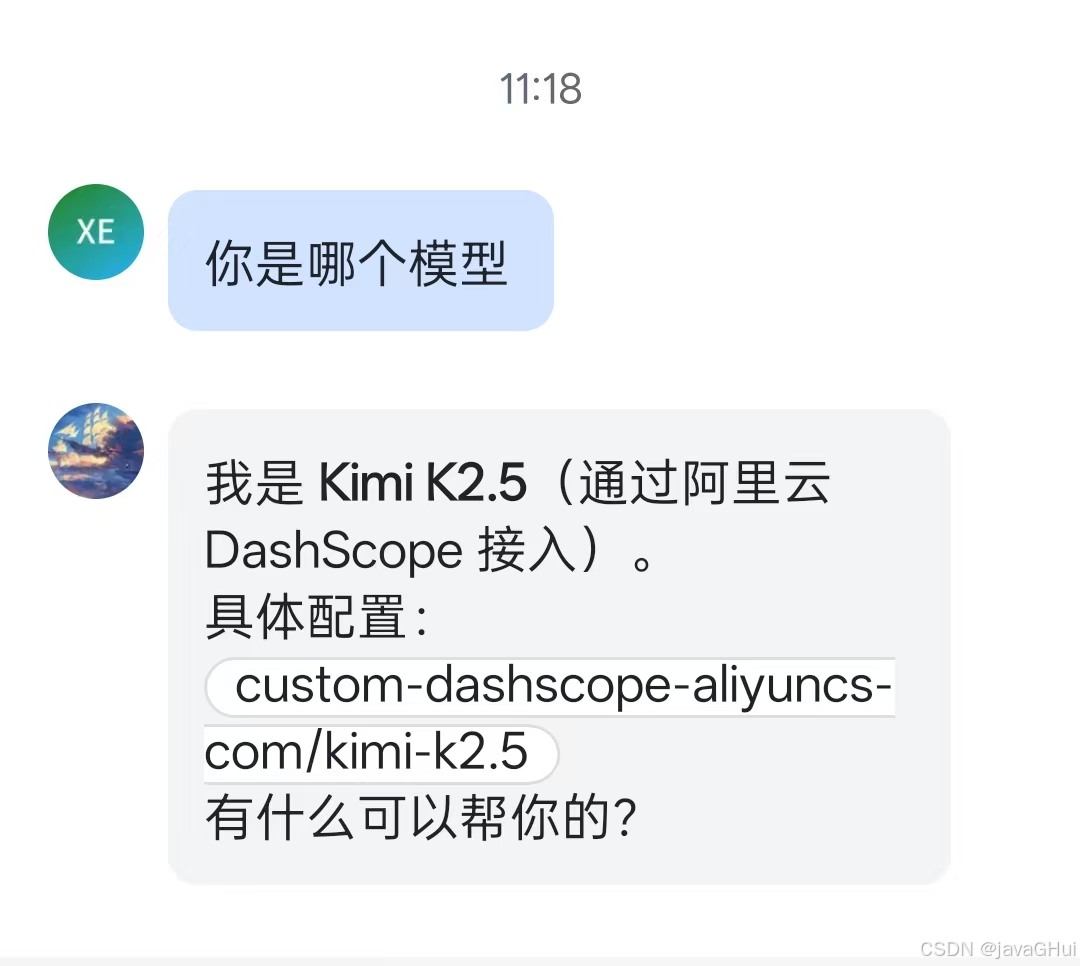
Configured custom provider: custom-dashscope-aliyuncs-com/kimi-k2.5
│
◇ Channel status ────────────────────────────╮
│ │
│ Telegram: needs token │
│ WhatsApp (default): not linked │
│ Discord: needs token │
│ Slack: needs tokens │
│ Signal: needs setup │
│ signal-cli: missing (signal-cli) │
│ iMessage: needs setup │
│ imsg: missing (imsg) │
│ IRC: not configured │
│ Google Chat: not configured │
│ LINE: not configured │
│ Feishu: install plugin to enable │
│ Google Chat: install plugin to enable │
│ Nostr: install plugin to enable │
│ Microsoft Teams: install plugin to enable │
│ Mattermost: install plugin to enable │
│ Nextcloud Talk: install plugin to enable │
│ Matrix: install plugin to enable │
│ BlueBubbles: install plugin to enable │
│ LINE: install plugin to enable │
│ Zalo: install plugin to enable │
│ Zalo Personal: install plugin to enable │
│ Synology Chat: install plugin to enable │
│ Tlon: install plugin to enable │
│ │
├─────────────────────────────────────────────╯
│
◇ How channels work ───────────────────────────────────────────────────────────────────────╮
│ │
│ DM security: default is pairing; unknown DMs get a pairing code. │
│ Approve with: openclaw pairing approve <channel> <code> │
│ Public DMs require dmPolicy="open" + allowFrom=["*"]. │
│ Multi-user DMs: run: openclaw config set session.dmScope "per-channel-peer" (or │
│ "per-account-channel-peer" for multi-account channels) to isolate sessions. │
│ Docs: channels/pairing │
│ │
│ Telegram: simplest way to get started --- register a bot with @BotFather and get going. │
│ WhatsApp: works with your own number; recommend a separate phone + eSIM. │
│ Discord: very well supported right now. │
│ IRC: classic IRC networks with DM/channel routing and pairing controls. │
│ Google Chat: Google Workspace Chat app with HTTP webhook. │
│ Slack: supported (Socket Mode). │
│ Signal: signal-cli linked device; more setup (David Reagans: "Hop on Discord."). │
│ iMessage: this is still a work in progress. │
│ LINE: LINE Messaging API webhook bot. │
│ Feishu: 飞书/Lark enterprise messaging with doc/wiki/drive tools. │
│ Nostr: Decentralized protocol; encrypted DMs via NIP-04. │
│ Microsoft Teams: Bot Framework; enterprise support. │
│ Mattermost: self-hosted Slack-style chat; install the plugin to enable. │
│ Nextcloud Talk: Self-hosted chat via Nextcloud Talk webhook bots. │
│ Matrix: open protocol; install the plugin to enable. │
│ BlueBubbles: iMessage via the BlueBubbles mac app + REST API. │
│ Zalo: Vietnam-focused messaging platform with Bot API. │
│ Zalo Personal: Zalo personal account via QR code login. │
│ Synology Chat: Connect your Synology NAS Chat to OpenClaw with full agent capabilities. │
│ Tlon: decentralized messaging on Urbit; install the plugin to enable. │
│ │
├───────────────────────────────────────────────────────────────────────────────────────────╯
│
◇ Select channel (QuickStart)
│ Feishu/Lark (飞书)
│
◇ Install Feishu plugin?
│ Use local plugin path
10:06:15 [plugins] plugins.allow is empty; discovered non-bundled plugins may auto-load: feishu (/Users/mac/.nvm/versions/node/v24.14.0/lib/node_modules/openclaw/extensions/feishu/index.ts). Set plugins.allow to explicit trusted ids.
│
◇ Feishu credentials ──────────────────────────────────────────────────────────────╮
│ │
│ 1) Go to Feishu Open Platform (open.feishu.cn) │
│ 2) Create a self-built app │
│ 3) Get App ID and App Secret from Credentials page │
│ 4) Enable required permissions: im:message, im:chat, contact:user.base:readonly │
│ 5) Publish the app or add it to a test group │
│ Tip: you can also set FEISHU_APP_ID / FEISHU_APP_SECRET env vars. │
│ Docs: feishu │
│ │
├───────────────────────────────────────────────────────────────────────────────────╯
│
◇ How do you want to provide this App Secret?
│ Enter App Secret
│
◇ Enter Feishu App Secret
│ SU4wKXc0xk3nEblVffu724TEZ3Sg
│
◇ Enter Feishu App ID
│ cli_a93cbf52799bd8
[info]: [ 'client ready' ]
│
◇ Feishu connection test ───────────────────────────╮
│ │
│ Connected as ou_f95f40545cd62790c09e6f83ad9 │
│ │
├────────────────────────────────────────────────────╯
│
◇ Feishu connection mode
│ WebSocket (default)
│
◇ Which Feishu domain?
│ Feishu (feishu.cn) - China
│
◇ Group chat policy
│ Allowlist - only respond in specific groups
│
◇ Group chat allowlist (chat_ids)
│
│
◇ Selected channels ──────────────────────────────────────────╮
│ │
│ Feishu --- 飞书/Lark enterprise messaging. Docs: │
│ feishu │
│ │
├──────────────────────────────────────────────────────────────╯
Updated ~/.openclaw/openclaw.json
Workspace OK: ~/.openclaw/workspace
Sessions OK: ~/.openclaw/agents/main/sessions
│
◇ Web search ────────────────────────────────────────╮
│ │
│ Web search lets your agent look things up online. │
│ Choose a provider and paste your API key. │
│ Docs: https://docs.openclaw.ai/tools/web │
│ │
├─────────────────────────────────────────────────────╯
│
◇ Search provider
│ Skip for now
│
◇ Skills status ─────────────╮
│ │
│ Eligible: 8 │
│ Missing requirements: 48 │
│ Unsupported on this OS: 0 │
│ Blocked by allowlist: 0 │
│ │
├─────────────────────────────╯
│
◇ Configure skills now? (recommended)
│ No
│
◇ Hooks ──────────────────────────────────────────────────────────────────╮
│ │
│ Hooks let you automate actions when agent commands are issued. │
│ Example: Save session context to memory when you issue /new or /reset. │
│ │
│ Learn more: https://docs.openclaw.ai/automation/hooks │
│ │
├──────────────────────────────────────────────────────────────────────────╯
│
◇ Enable hooks?
│ Skip for now
Config overwrite: /Users/mac/.openclaw/openclaw.json (sha256 3c3702b5922c799cda936cb910cd1101d3156c7d24d693b7a53e4c9ab7e38388 -> d9b2e0c544151fa6f5159b047eaf1d87b04d50a971bb0670c9b9da81ff836264, backup=/Users/mac/.openclaw/openclaw.json.bak)
│
◇ Gateway service runtime ────────────────────────────────────────────╮
│ │
│ QuickStart uses Node for the Gateway service (stable + supported). │
│ │
├──────────────────────────────────────────────────────────────────────╯
│
◒ Preparing Gateway service...
Installed LaunchAgent: /Users/mac/Library/LaunchAgents/ai.openclaw.gateway.plist
Logs: /Users/mac/.openclaw/logs/gateway.log
◇ Gateway service installed.
│
◇
Health check failed: gateway closed (1006 abnormal closure (no close frame)): no close reason
Gateway target: ws://127.0.0.1:18789
Source: local loopback
Config: /Users/mac/.openclaw/openclaw.json
Bind: loopback
│
◇ Health check help ────────────────────────────────╮
│ │
│ Docs: │
│ https://docs.openclaw.ai/gateway/health │
│ https://docs.openclaw.ai/gateway/troubleshooting │
│ │
├────────────────────────────────────────────────────╯
│
◇ Optional apps ────────────────────────╮
│ │
│ Add nodes for extra features: │
│ - macOS app (system + notifications) │
│ - iOS app (camera/canvas) │
│ - Android app (camera/canvas) │
│ │
├────────────────────────────────────────╯
│
◇ Control UI ───────────────────────────────────────────────────────────────────────────────╮
│ │
│ Web UI: http://127.0.0.1:18789/ │
│ Web UI (with token): 访问链接地址打开 │
│ http://127.0.0.1:18789/#token=7efdce496bae571540a7c40efe2b904ea35d855e53c37841 │
│ Gateway WS: ws://127.0.0.1:18789 │
│ Gateway: not detected (gateway closed (1006 abnormal closure (no close frame)): no close │
│ reason) │
│ Docs: https://docs.openclaw.ai/web/control-ui │
│ │
├────────────────────────────────────────────────────────────────────────────────────────────╯
│
◇ Workspace backup ────────────────────────────────────────╮
│ │
│ Back up your agent workspace. │
│ Docs: https://docs.openclaw.ai/concepts/agent-workspace │
│ │
├───────────────────────────────────────────────────────────╯
│
◇ Security ──────────────────────────────────────────────────────╮
│ │
│ Running agents on your computer is risky --- harden your setup: │
│ https://docs.openclaw.ai/security │
│ │
├─────────────────────────────────────────────────────────────────╯
│
◇ Dashboard ready ────────────────────────────────────────────────────────────────╮
│ │
│ Dashboard link (with token): │
│ http://127.0.0.1:18789/#token=7efdce496bae571540a7c40efe2b904ea35d855e53c37841 │
│ Opened in your browser. Keep that tab to control OpenClaw. │
│ │
├──────────────────────────────────────────────────────────────────────────────────╯
│
◇ Web search ───────────────────────────────────────╮
│ │
│ Web search was skipped. You can enable it later: │
│ openclaw configure --section web │
│ │
│ Docs: https://docs.openclaw.ai/tools/web │
│ │
├────────────────────────────────────────────────────╯
│
◇ What now ─────────────────────────────────────────────────────────────╮
│ │
│ What now: https://openclaw.ai/showcase ("What People Are Building"). │
│ │
├────────────────────────────────────────────────────────────────────────╯
│
└ Onboarding complete. Dashboard opened; keep that tab to control OpenClaw.阿里云百炼:
Base URL:
https://dashscope.aliyuncs.com/compatible-mode/v1
API Key:
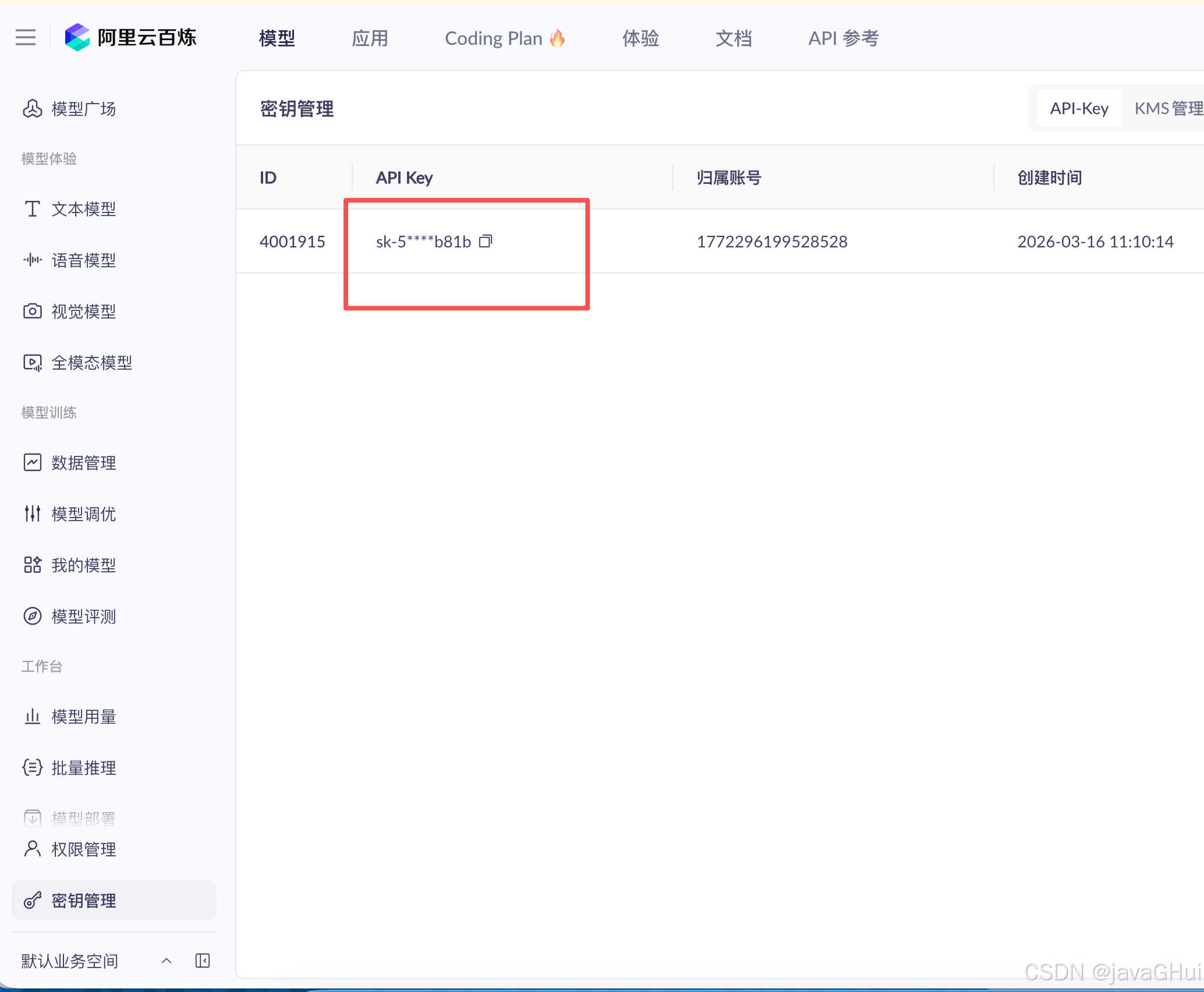
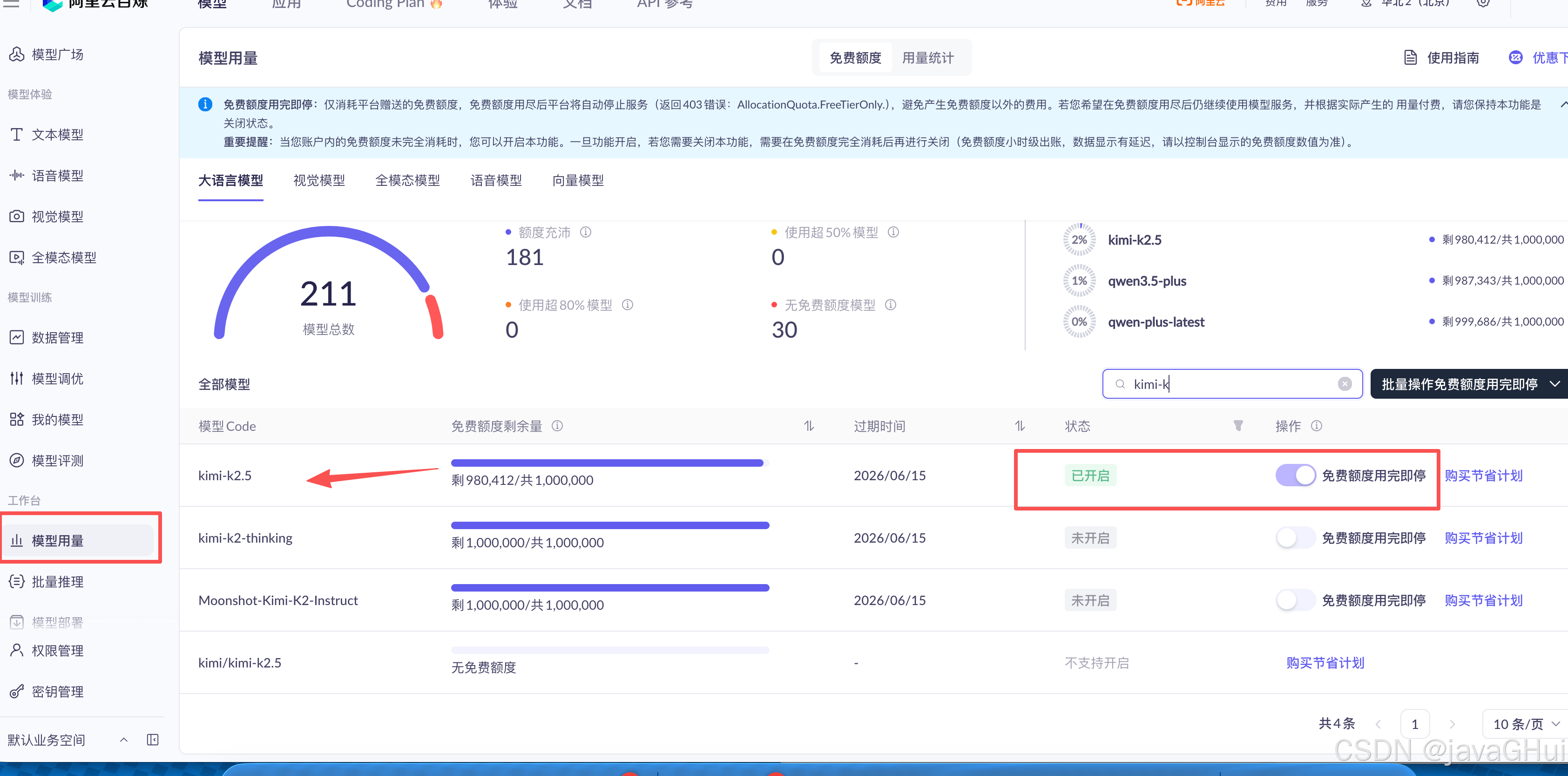
选择要用的模型:
飞书:
视频教程:
【小龙虾OpenClaw保姆级安装教程!小白10分钟搞定【Windows系统 + 接入飞书】】 https://www.bilibili.com/video/BV1WDPhzWEVb/?p=5\&share_source=copy_web\&vd_source=98086e18be4f73d775a53f392ceb72a0
test.py:
python
import lark_oapi as lark

## P2ImMessageReceiveV1 为接收消息 v2.0;CustomizedEvent 内的 message 为接收消息 v1.0。

def do_p2_im_message_receive_v1(data: lark.im.v1.P2ImMessageReceiveV1) -> None:
    print(f'[ do_p2_im_message_receive_v1 access ], data: {lark.JSON.marshal(data, indent=4)}')
def do_message_event(data: lark.CustomizedEvent) -> None:
    print(f'[ do_customized_event access ], type: message, data: {lark.JSON.marshal(data, indent=4)}')
event_handler = lark.EventDispatcherHandler.builder("", "") \
    .register_p2_im_message_receive_v1(do_p2_im_message_receive_v1) \
    .register_p1_customized_event("out_approval", do_message_event) \
    .build()
def main():
    cli = lark.ws.Client("App ID", "App Secret",
                         event_handler=event_handler,
                         log_level=lark.LogLevel.DEBUG)
    cli.start()
if __name__ == "__main__":
    main()
配对码:
发个消息
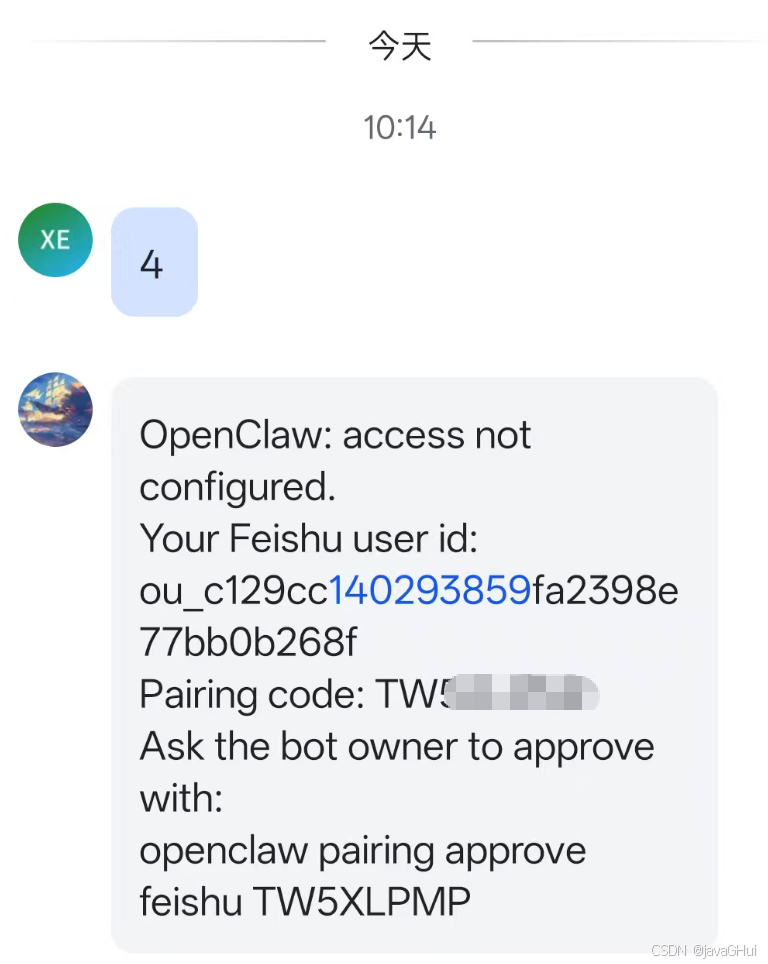
openclaw pairing approve feishu <配对码>
openclaw pairing approve feishu TW*****
在测试下,发个消息:
网页打开:找到链接打开即可
如:http://127.0.0.1:18789/#token=7efdce496bae861540a7c40efe2b904ea35d855e53c37841