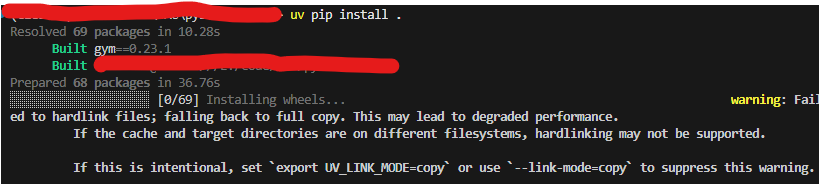
warning: Failed to hardlink files; falling back to full copy. This may lead to degraded performance.
If the cache and target directories are on different filesystems, hardlinking may not be supported.
If this is intentional, set `export UV_LINK_MODE=copy` or use `--link-mode=copy` to suppress this warning.
原因:uv 的缓存目录与你的目标安装目录(虚拟环境)不在同一个文件系统 / 磁盘分区(比如缓存在 C 盘,项目 / 虚拟环境在 E 盘),而操作系统不允许跨文件系统创建硬链接(hardlink),所以 uv 只能退而求其次用「完整文件复制」,并弹出性能警告。
1.清除之前的缓存
一般缓存会存在C盘目录下,如下,会占据大量空间

也可命令行查看
uv.exe cache dir
相关命令
clean Clear the cache, removing all entries or those linked to specific packages
prune Prune all unreachable objects from the cache
dir Show the cache directory
size Show the cache size
使用命令删除缓存
uv cache clean
2.修改 uv 缓存目录到 其它盘
- 打开「系统属性→高级→环境变量」
- 新建用户变量:变量名 UV_CACHE_DIR,变量值 E:\.uv\cache(或其他 E 盘路径)
- 重启终端后生效

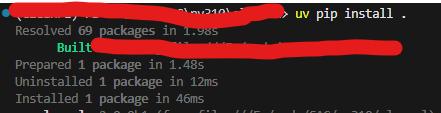
硬链接问题解决