一、案例背景
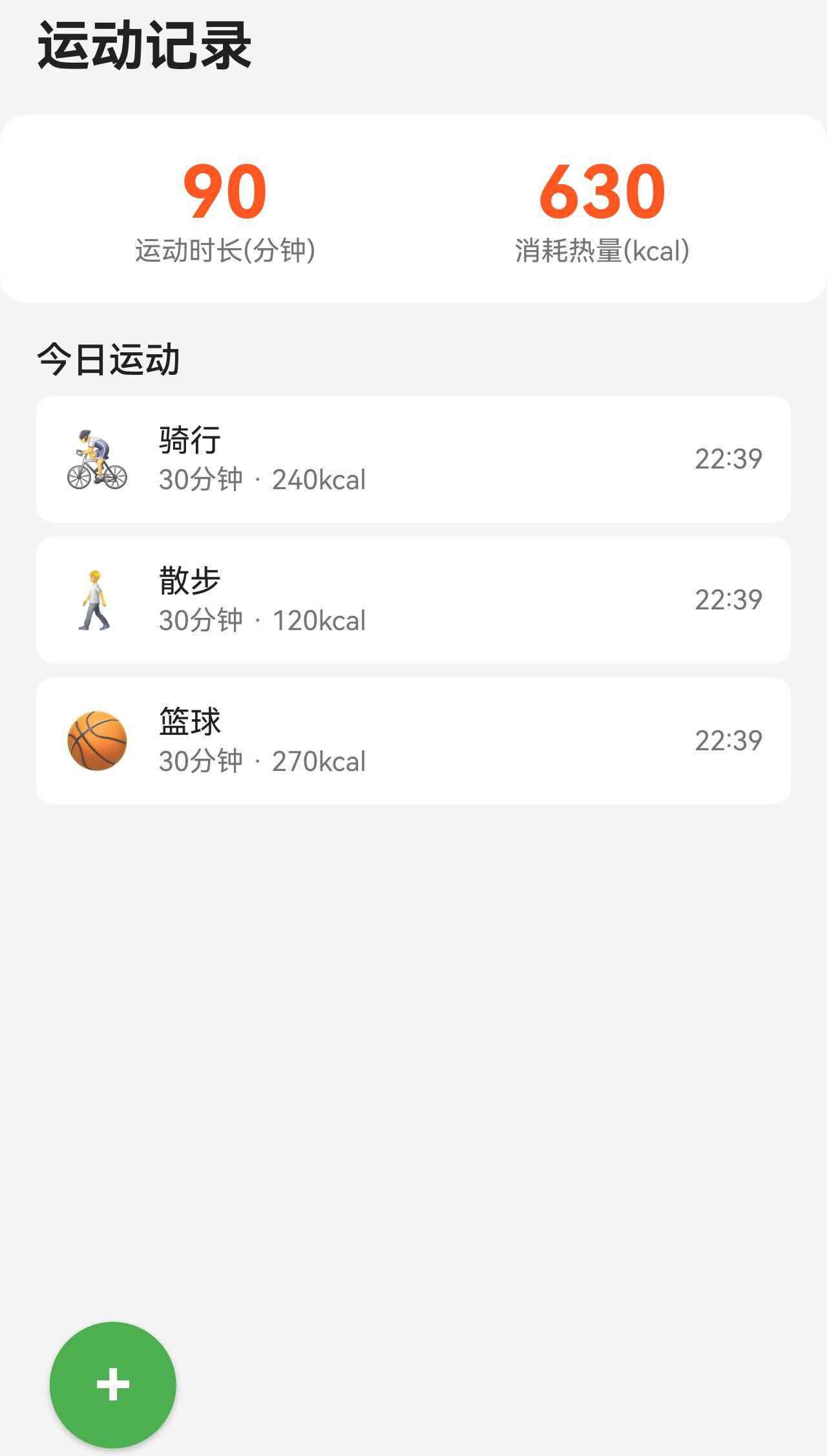
在移动端"运动记录"页面里,用户最先关心的是今天运动了多久、消耗了多少热量。与其把这些数据隐藏在列表里,不如用一张"今日统计卡"直接放在顶部,形成清晰的视觉焦点。
本案例面向 HarmonyOS 6 初学者,聚焦一个细化功能:今日统计卡 + 空状态提示。实现目标如下:
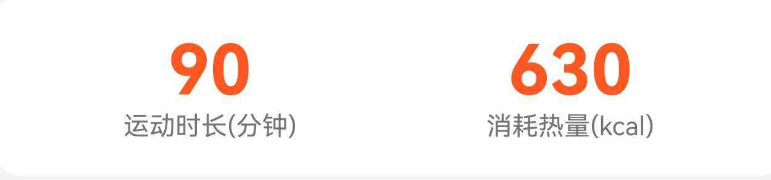
- 顶部两列指标卡,展示"运动时长"和"消耗热量"
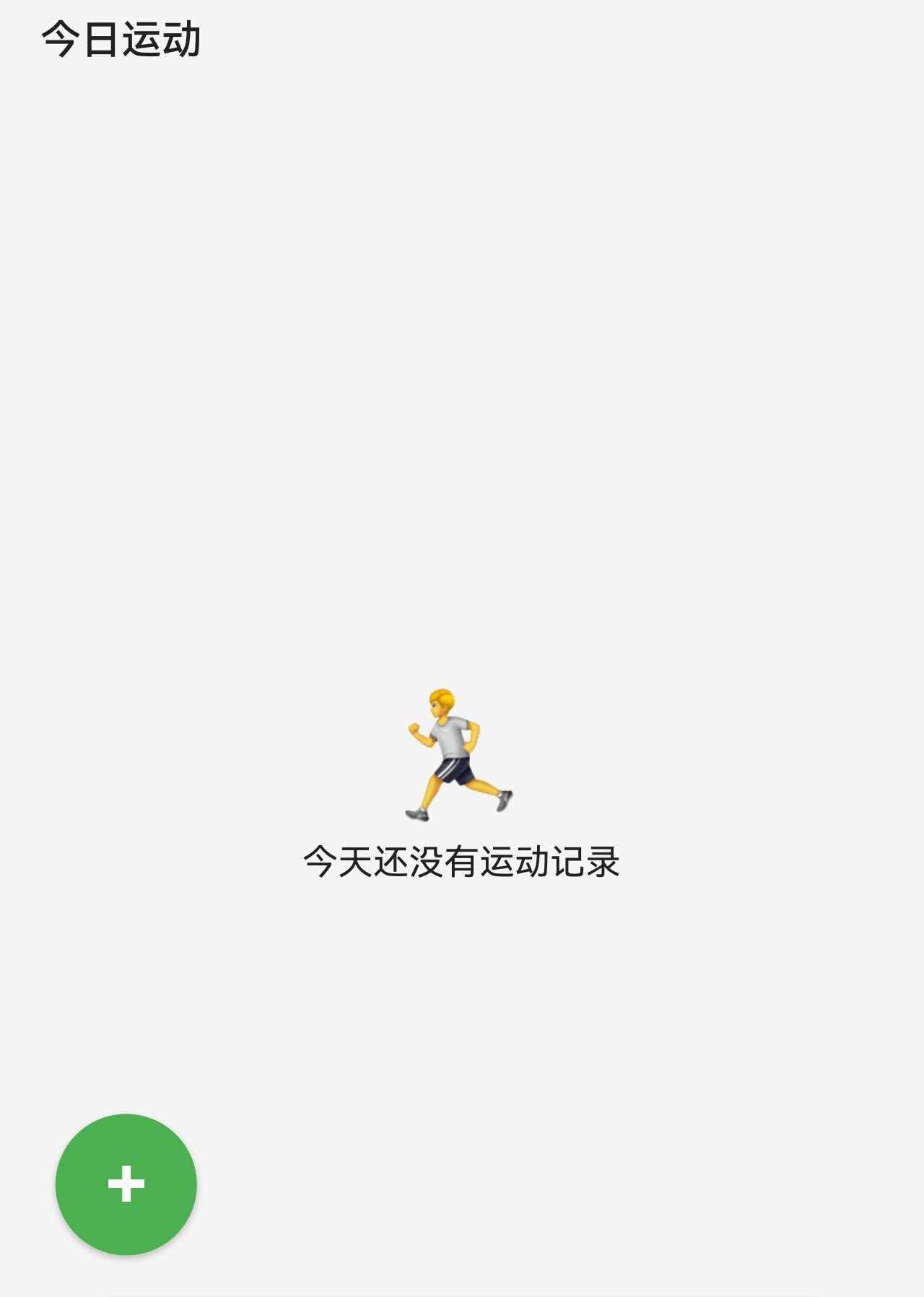
- 下方列表为空时显示友好的空状态
- 有记录时显示运动列表
二、完整代码实现
2.1 今日统计卡
typescript
        // 今日统计
        Row() {
          Column() {
            Text(this.getTotalDuration().toString())
              .fontSize(this.getStatNumberSize())
              .fontWeight(FontWeight.Bold)
              .fontColor($r('app.color.exercise_orange'))
            Text('运动时长(分钟)')
              .fontSize(this.getStatLabelSize())
              .fontColor($r('app.color.text_secondary'))
          }
          .layoutWeight(1)

          Column() {
            Text(this.getTotalCalories().toString())
              .fontSize(this.getStatNumberSize())
              .fontWeight(FontWeight.Bold)
              .fontColor($r('app.color.exercise_orange'))
            Text('消耗热量(kcal)')
              .fontSize(this.getStatLabelSize())
              .fontColor($r('app.color.text_secondary'))
          }
          .layoutWeight(1)
        }
        .width('100%')
        .padding(this.getCardPadding() as Padding)
        .backgroundColor($r('app.color.card_background'))
        .borderRadius(this.getCardRadius())
        .margin({ left: this.getPagePaddingValue(), right: this.getPagePaddingValue() } as Padding)
关键点:
- Row + 两个 Column 实现左右两列指标
- layoutWeight(1) 让两列均分宽度
- 卡片样式通过背景色和圆角形成"统计卡"的视觉块
2.2 今日记录列表与空状态
typescript
        // 今日记录列表
        Text('今日运动')
          .fontSize(this.getSectionTitleSize())
          .fontWeight(FontWeight.Medium)
          .fontColor($r('app.color.text_primary'))
          .width('100%')
          .padding({ left: this.getPagePaddingValue(), top: this.getSectionGap(), bottom: this.getItemGap() } as Padding)

        if (this.exerciseRecords.length === 0) {
          Column() {
            Text('🏃')
              .fontSize(this.getEmptyIconSize())
              .fontColor($r('app.color.text_secondary'))
            Text('今天还没有运动记录')
              .fontSize(this.getBodyTextSize())
              .fontColor($r('app.color.text_primary'))
              .margin({ top: this.getItemGap() } as Padding)
          }
          .width('100%')
          .layoutWeight(1)
          .justifyContent(FlexAlign.Center)
        } else {
          List() {
            ForEach(this.exerciseRecords, (record: ExerciseRecordData) => {
              ListItem() {
                Row() {
                  Text(record.icon)
                    .fontSize(this.getItemIconSize())

                  Column() {
                    Text(record.typeName)
                      .fontSize(this.getBodyTextSize())
                      .fontColor($r('app.color.text_primary'))
                    Text(`${record.duration}分钟 · ${record.calories}kcal`)
                      .fontSize(this.getSmallTextSize())
                      .fontColor($r('app.color.text_secondary'))
                      .margin({ top: 2 } as Padding)
                  }
                  .alignItems(HorizontalAlign.Start)
                  .margin({ left: 12 } as Padding)

                  Blank()

                  Text(record.time)
                    .fontSize(this.getSmallTextSize())
                    .fontColor($r('app.color.text_secondary'))
                }
                .width('100%')
                .padding(this.getItemPadding() as Padding)
                .backgroundColor($r('app.color.card_background'))
                .borderRadius(getValueByBreakpoint(this.currentBreakpoint, new BreakpointValue<number>(8, 10, 12)))
              }
              .margin({ left: this.getPagePaddingValue(), right: this.getPagePaddingValue(), bottom: this.getItemGap() } as Padding)
              .swipeAction({
                end: this.ExerciseDeleteButton(record.id)
              })
            })
          }
          .padding({ bottom: getFloatingNavSafePadding(this.currentBreakpoint) } as Padding)
          .layoutWeight(1)
        }
这里包含两个关键体验:
- 无记录时:显示图标 + 引导文字,避免页面空白
- 有记录时:展示列表项,补充时长、热量与时间
空状态截图:
三、总结
本文实现了一个完整的移动端"今日统计卡 + 空状态"方案,核心要点包括:
- Row + layoutWeight 实现左右两列指标
- 卡片式背景与圆角增强视觉聚焦
- 空状态提升体验,有记录时自然过渡到列表
掌握这个案例后,你可以迁移到饮水、睡眠、打卡等模块,快速搭建可视化的日统计卡片。