What is a Web Server?
A web server is a software that listens for incoming connections and then utilises the HTTP protocol to deliver web content to its clients. The most common web server software you'll come across is Apache, Nginx, IIS and NodeJS. A Web server delivers files from what's called its root directory, which is defined in the software settings. For example, Nginx and Apache share the same default location of /var/www/html in Linux operating systems, and IIS uses C:\inetpub\wwwroot for the Windows operating systems. So, for example, if you requested the file http://www.example.com/picture.jpg(opens in new tab), it would send the file /var/www/html/picture.jpg from its local hard drive.
Virtual Hosts
Web servers can host multiple websites with different domain names; to achieve this, they use virtual hosts. The web server software checks the hostname being requested from the HTTP headers and matches that against its virtual hosts (virtual hosts are just text-based configuration files). If it finds a match, the correct website will be provided. If no match is found, the default website will be provided instead.
Virtual Hosts can have their root directory mapped to different locations on the hard drive. For example, one.com(opens in new tab) being mapped to /var/www/website_one, and two.com(opens in new tab) being mapped to /var/www/website_two
There's no limit to the number of different websites you can host on a web server.
Static Vs Dynamic Content
Static content, as the name suggests, is content that never changes. Common examples of this are pictures, javascript, CSS, etc., but can also include HTML that never changes. Furthermore, these are files that are directly served from the webserver with no changes made to them.
Dynamic content, on the other hand, is content that could change with different requests. Take, for example, a blog. On the homepage of the blog, it will show you the latest entries. If a new entry is created, the home page is then updated with the latest entry, or a second example might be a search page on a blog. Depending on what word you search, different results will be displayed.
These changes to what you end up seeing are done in what is called the Backend with the use of programming and scripting languages. It's called the Backend because what is being done is all done behind the scenes. You can't view the websites' HTML source and see what's happening in the Backend, while the HTML is the result of the processing from the Backend. Everything you see in your browser is called the Frontend.
Scripting and Backend Languages
There's not much of a limit to what a backend language can achieve, and these are what make a website interactive to the user. Some examples of these languages (in no particular order :p) are PHP, Python, Ruby, NodeJS, Perl and many more. These languages can interact with databases, call external services, process data from the user, and so much more. A very basic PHP example of this would be if you requested the website http://example.com/index.php?name=adam(opens in new tab) (opens in new tab)
If index.php was built like this:
<html><body>Hello <?php echo $_GET["name"]; ?></body></html>It would output the following to the client:
<html><body>Hello adam</body></html>You'll notice that the client doesn't see any PHP code because it's on the Backend. This interactivity opens up a lot more security issues for web applications that haven't been created securely, as you learn in further modules.
Quiz
Placing the tiles in the correct order:
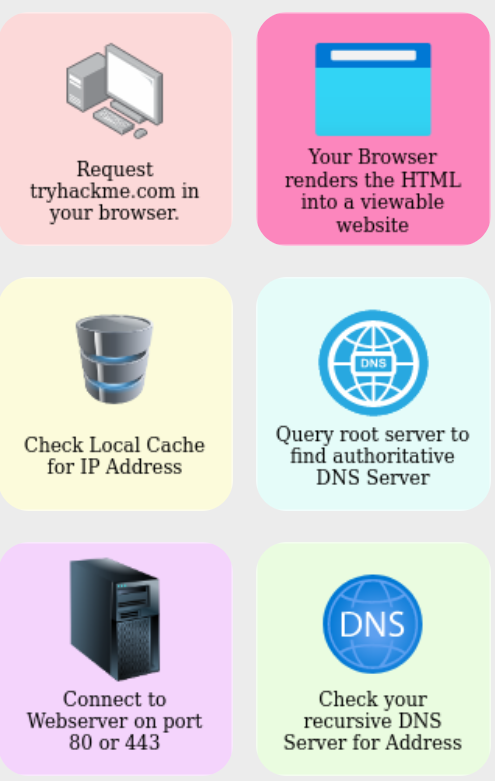
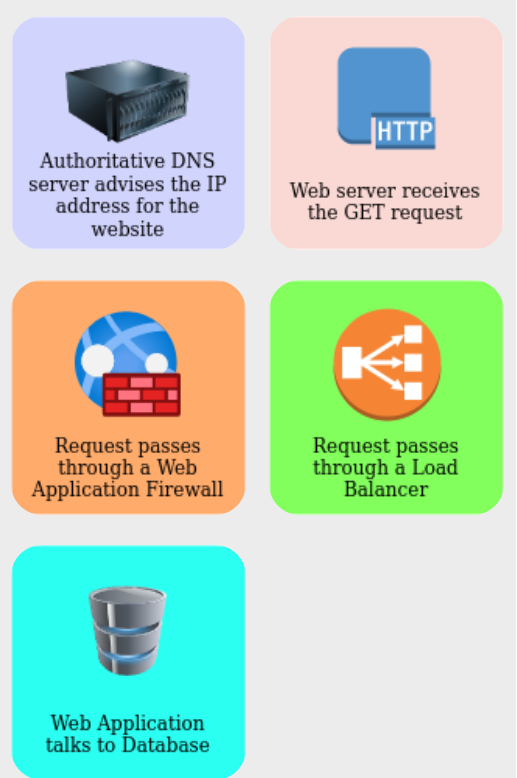
Answer: 1,11,2,4,8,3,5,9,6,7,10