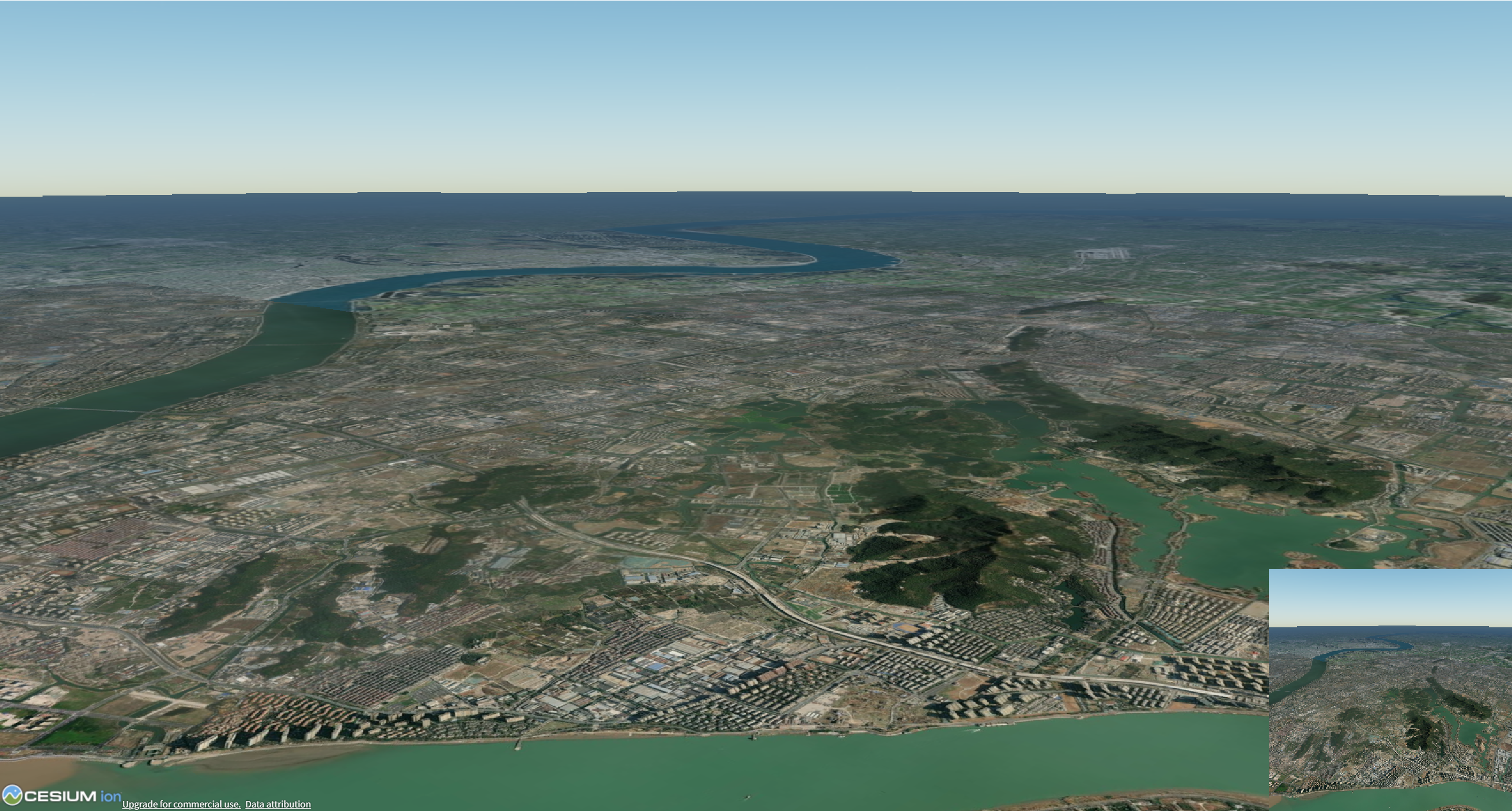
根据每帧地图,绘制在右下角
关键点:
1、viewer.scene._view.globeDepth.framebuffer._colorRenderbuffers0;
这里面的colorTextures 换成了_colorRenderbuffers
用的cesium版本1.137.0
2、一开始一直报错isDestroyed,在方法里面添加这个销毁的方法
javascript
class TestoffscreenPrimitive {
    constructor(viewer) {
        this.viewer = viewer;
        this.drawCommand = null;
        this.initialized = false;
        this.currentTexture = null;
    }

    initialize() {
        if (this.initialized && this.drawCommand) {
            return; // 已经初始化,直接返回
        }

        const viewer = this.viewer;

        // 安全检查:确保场景和globeDepth存在
        if (!viewer?.scene?._view?.globeDepth?.framebuffer?._colorRenderbuffers?.length) {
            console.warn('globeDepth framebuffer not ready');
            return;
        }


        // 获取当前纹理
        this.currentTexture = viewer.scene._view.globeDepth.framebuffer._colorRenderbuffers[0];

        const fs = `
                uniform sampler2D colorTexture;
                in vec2 v_textureCoordinates;
                out vec4 fragColor;

                void main() {
                    // 安全检查:确保纹理坐标有效
                    vec2 texCoord = clamp(v_textureCoordinates, 0.0, 1.0);
                    vec4 color = texture(colorTexture, texCoord);
                    fragColor = vec4(color.rgb, 1.0); // 设置alpha为1.0可见
                    // fragColor =  texture(colorTexture, v_textureCoordinates);
                    // fragColor =     vec4(1.0,1.0,1.0, 1.0);

                }
            `;

        // 创建uniformMap,使用闭包保存当前纹理引用
        const that = this;
        const uniformMap = {
            colorTexture: function () {
                // 每次获取最新的纹理,避免使用已销毁的纹理
                if (that.currentTexture &&
                    typeof that.currentTexture.isDestroyed === 'function' &&
                    !that.currentTexture.isDestroyed()) {
                    return that.currentTexture;
                }

                // 如果纹理已销毁,尝试重新获取
                const newTexture = that.viewer?.scene?._view?.globeDepth?.framebuffer?._colorTextures[0];
                if (newTexture) {


                    console.log(newTexture);

                    that.currentTexture = newTexture;
                    return newTexture;
                }

                // 返回一个默认的白色纹理(需要预先创建)
                return that.getDefaultTexture();


            }
        };

        // 创建drawCommand
        try {
            this.drawCommand = viewer.scene.context.createViewportQuadCommand(fs, {
                uniformMap: uniformMap
            });
            this.drawCommand.pass = Cesium.Pass.OVERLAY;
            this.initialized = true;

        } catch (error) {
            console.error('Failed to create viewport quad command:', error);
        }
    }

    // 创建默认纹理作为后备
    getDefaultTexture() {
        if (this.defaultTexture) {
            return this.defaultTexture;
        }

        const context = this.viewer.scene.context;
        // 创建一个1x1的白色纹理作为后备
        this.defaultTexture = new Cesium.Texture({
            context: context,
            pixelFormat: Cesium.PixelFormat.RGBA,
            pixelDatatype: Cesium.PixelDatatype.UNSIGNED_BYTE,
            source: {
                width: 1,
                height: 1,
                arrayBufferView: new Uint8Array([255, 255, 255, 255])
            }
        });

        return this.defaultTexture;
    }

    update(frameState) {
        // 确保drawCommand已创建
        if (!this.initialized) {
            this.initialize();
        }

        // 如果仍然没有drawCommand,退出
        if (!this.drawCommand) {
            return;
        }

        // 更新纹理引用(如果必要)
        this.updateTextureReference();

        // 设置视口
        const screenWidth = frameState.context.drawingBufferWidth;
        const screenHeight = frameState.context.drawingBufferHeight;

        // 计算视口大小和位置
        const size = Math.min(screenWidth, screenHeight) * 0.3;
        const viewport = new Cesium.BoundingRectangle(
            screenWidth - size,  // x
            0,                   // y
            size,                // width
            size                 // height
        );

            this.initialize();


        // 更新renderState
        this.drawCommand.renderState = Cesium.RenderState.fromCache({
            viewport: viewport
        });

        // 将命令添加到渲染队列
        frameState.commandList.push(this.drawCommand);
    }

    // 更新纹理引用
    updateTextureReference() {
        try {
            const textures = this.viewer?.scene?._view?.globeDepth?.framebuffer?._colorTextures;

            if (textures && textures.length > 0) {
                const newTexture = textures[0];

                // 检查新纹理是否有效
                if (newTexture &&
                    typeof newTexture.isDestroyed === 'function' &&
                    !newTexture.isDestroyed()) {

                    // 如果当前纹理已销毁或不同,更新引用
                    if (!this.currentTexture ||
                        this.currentTexture.isDestroyed() ||
                        this.currentTexture !== newTexture) {

                        console.log('Updating texture reference');
                        this.currentTexture = newTexture;
                    }
                }
            }

        } catch (error) {
            console.warn('Failed to update texture reference:', error);
        }
    }

    // 销毁方法
    isDestroyed() {
        if (this.drawCommand) {
            // 清理drawCommand相关的资源
            this.drawCommand = null;
        }

        if (this.defaultTexture && typeof this.defaultTexture.destroy === 'function') {
            this.defaultTexture.destroy();
            this.defaultTexture = null;
        }

        this.currentTexture = null;
        this.initialized = false;
    }
}
效果: