一、先搞懂核心概念:flush 控制「监听回调的执行时机」
flush 是 watch 的可选配置项,决定当监听的数据变化后,回调函数什么时候执行 。Vue3 中 DOM 更新是异步的,这是理解 flush 的关键前提:
- Vue 会把同一轮事件循环中的所有数据变更收集起来,异步批量更新 DOM(避免频繁操作 DOM 影响性能);
flush就是控制 watch 回调在「DOM 更新前」「DOM 更新后」还是「同步」执行。
二、三种 flush 模式的核心区别(代码示例对比)
先定义基础模板和数据,后续只改 flush 配置:
js
<template>
  <!-- 绑定到 DOM 的数据 -->
  <div id="content">{{ count }}</div>
</template>

<script setup>
import { ref, watch } from 'vue'

const count = ref(0)

// 点击按钮修改 count
const add = () => {
  count.value++
  console.log('点击后立即打印:', document.getElementById('content')?.innerText)
}
</script>
1. 默认模式(不写 flush)→ flush: 'pre'(Vue3 隐式默认值)
- 执行时机 :数据变化后 → DOM 更新前 执行 watch 回调;
- 核心特点:回调里拿不到「更新后的 DOM」,因为 DOM 还没刷新。
代码示例:
js
<script setup>
import { ref, watch } from 'vue'

const count = ref(0)

// 默认 flush: 'pre'(不写就是这个)
watch(count, (newVal) => {
  console.log('watch 回调:', document.getElementById('content')?.innerText)
  console.log('新值:', newVal)
})

const add = () => {
  count.value++
  console.log('点击后立即打印:', document.getElementById('content')?.innerText)
}
</script>
执行结果(点击按钮后):
点击后立即打印:0  // DOM 还没更
watch 回调:0      // watch 回调执行(DOM 仍未更)
[Vue 异步更新 DOM] // 此时 Vue 才更新 DOM
2. flush: 'post' → DOM 更新后执行
- 执行时机 :数据变化后 → Vue 异步更新 DOM → DOM 更新完成后 执行 watch 回调;
- 核心特点:回调里能拿到「更新后的 DOM」,这是最常用的场景(比如监听数据后操作 DOM)。
代码示例:
js
<script setup>
import { ref, watch } from 'vue'

const count = ref(0)

// 显式指定 flush: 'post'
watch(count, (newVal) => {
  console.log('watch 回调:', document.getElementById('content')?.innerText)
  console.log('新值:', newVal)
}, { flush: 'post' }) // 关键配置

const add = () => {
  count.value++
  console.log('点击后立即打印:', document.getElementById('content')?.innerText)
}
</script>
执行结果(点击按钮后):
点击后立即打印:0  // DOM 还没更
[Vue 异步更新 DOM] // Vue 先更 DOM
watch 回调:1      // watch 回调执行(能拿到更新后的 DOM)
3. flush: 'sync' → 同步执行
- 执行时机 :数据变化后 → 立即同步执行 watch 回调(不等待 DOM 更新,也不等待批量更新);
- 核心特点 :数据变了回调就执行,同步阻塞代码,但性能差(会打破 Vue 的异步批量更新优化),尽量少用。
代码示例:
js
<script setup>
import { ref, watch } from 'vue'

const count = ref(0)

// 显式指定 flush: 'sync'
watch(count, (newVal) => {
  console.log('watch 回调:', document.getElementById('content')?.innerText)
  console.log('新值:', newVal)
}, { flush: 'sync' }) // 关键配置

const add = () => {
  count.value++
  console.log('点击后立即打印:', document.getElementById('content')?.innerText)
}
</script>
执行结果(点击按钮后):
watch 回调:0      // 数据一变,回调立即执行(DOM 还没更)
点击后立即打印:0  // 后续代码执行
[Vue 异步更新 DOM] // 最后 Vue 更新 DOM
三、三种模式的适用场景(新手速记)
| flush 模式 | 执行时机 | 核心用途 | 注意事项 |
|---|---|---|---|
| 默认(pre) | DOM 更新前 | 数据校验、提前修改数据(不依赖 DOM) | 拿不到更新后的 DOM |
| post | DOM 更新后 | 操作 DOM、获取更新后的元素尺寸/位置 | 最常用,无性能问题 |
| sync | 数据变化同步 | 必须立即响应数据变化(极少场景) | 性能差,打破批量更新优化 |
典型场景举例:
-
用 post 的场景 (最常用):
监听列表数据变化后,重新初始化第三方组件(比如表格、图表),需要基于更新后的 DOM 渲染:
js<script setup> import { ref, watch } from 'vue' import ECharts from 'echarts' const dataList = ref([1,2,3]) const chartRef = ref(null) // 数据变化后,基于更新后的 DOM 重新渲染图表 watch(dataList, () => { const chart = ECharts.init(chartRef.value) chart.setOption({ series: [{ data: dataList.value }] }) }, { flush: 'post' }) // 必须等 DOM 更新后才能拿到 chartRef </script> -
用 sync 的场景 (极少用):
只有当你需要「数据一变,立即触发回调,且回调结果会影响后续同步代码」时才用:
js<script setup> import { ref, watch } from 'vue' const flag = ref(false) let result = '' watch(flag, (newVal) => { result = newVal ? '开启' : '关闭' }, { flush: 'sync' }) const test = () => { flag.value = true console.log(result) // 用 sync 会打印「开启」,默认/pre 会打印空字符串 } </script> -
用默认 pre 的场景 :
数据校验(比如输入框内容长度限制),不需要依赖 DOM:
js<script setup> import { ref, watch } from 'vue' const inputVal = ref('') // 数据变化后,DOM 更新前校验并修正数据 watch(inputVal, (newVal) => { if (newVal.length > 10) { inputVal.value = newVal.slice(0, 10) // 截断超长内容 } }) // 默认 pre 即可,无需等 DOM 更新 </script>
四、进阶补充:watchPostEffect(语法糖)
Vue3 提供了 watchPostEffect,等价于 watch(..., { flush: 'post' }),写法更简洁:
js
<script setup>
import { ref, watchPostEffect } from 'vue'

const count = ref(0)

// 等价于 watch(count, () => {}, { flush: 'post' })
watchPostEffect(() => {
  console.log('DOM 更新后执行:', document.getElementById('content').innerText)
})
</script>同理,watchSyncEffect 是 flush: 'sync' 的语法糖,watchEffect 是默认 pre 的语法糖。
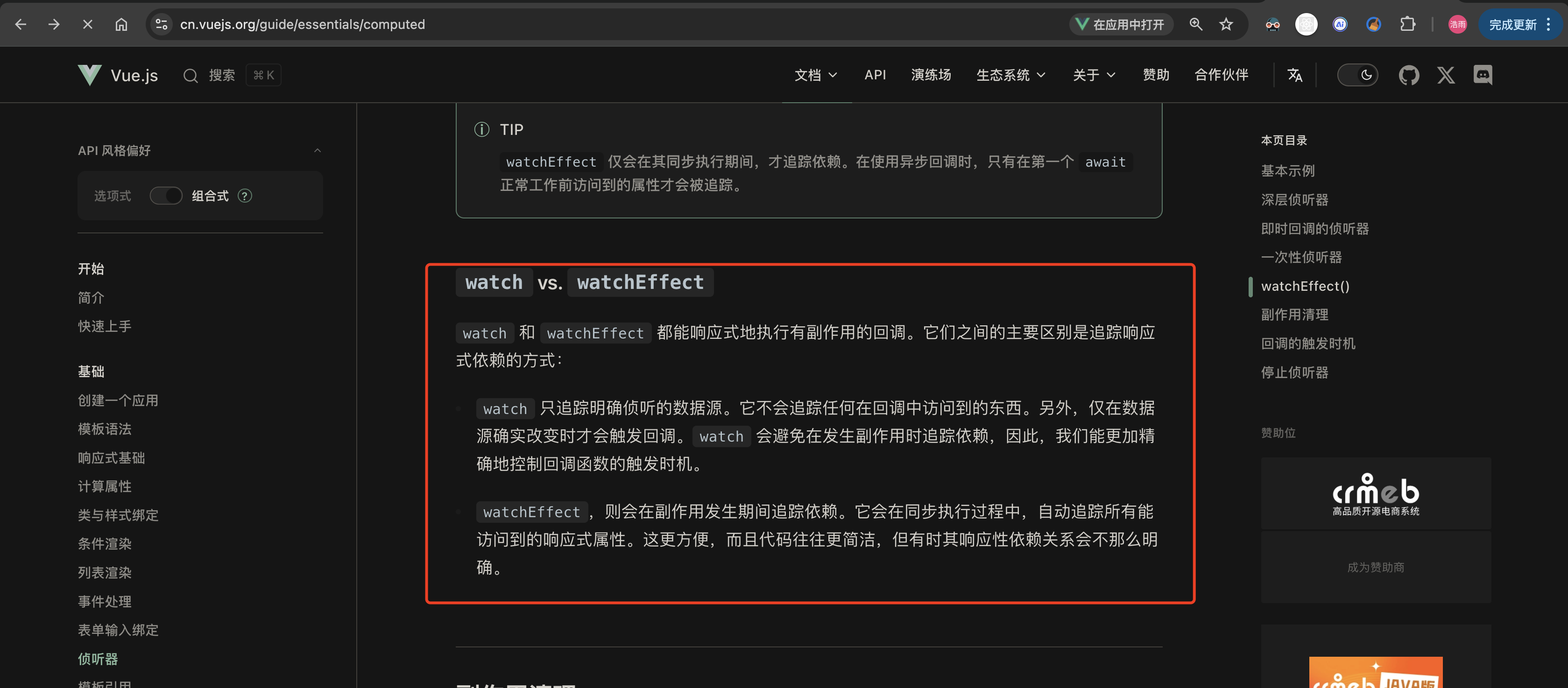
总结
- 核心区别 :
flush控制 watch 回调在「DOM 更新前(pre)」「DOM 更新后(post)」还是「同步(sync)」执行; - 常用选择 :90% 场景用
flush: 'post'(或watchPostEffect),需要操作 DOM 必选; - 性能提醒 :
sync尽量不用,会失去 Vue 异步批量更新的性能优化。