初始化项目
npm init -y
安装 LangChain 核心包
npm install langchain
安装 LangChain 的 OpenAI 适配器
npm install @langchain/openai
(可选) 安装环境变量管理包 dotenv,用于管理 API Key
-
npm install dotenv -
.env环境变量
txt
DEEPSEEK_API_KEY="sk-f89f4c441f4540e68fxxxxxxxxxxxx"
BASE_URL="https://api.deepseek.com"
AI_MODEL="deepseek-chat"- llm.js单次调用
js
import { ChatOpenAI } from "@langchain/openai";
import * as dotenv from "dotenv";

// 加载环境变量
dotenv.config();

// 配置 DeepSeek 模型
const model = new ChatOpenAI({
  // 指定 DeepSeek 的模型名称,例如 deepseek-chat
  model: process.env.AI_MODEL,
  // 配置 DeepSeek 的 API Key
  apiKey: process.env.DEEPSEEK_API_KEY,
  // 配置 DeepSeek 的 Base URL
  configuration: {
    baseURL: process.env.BASE_URL,
  },
});

async function main() {
  try {
    // 调用模型
    const response = await model.invoke("你好,请介绍一下你自己。");// 单次调用
    console.log(response.content);
  } catch (error) {
    console.error("发生错误:", error);
  }
}

main();- node llm.js执行如下:
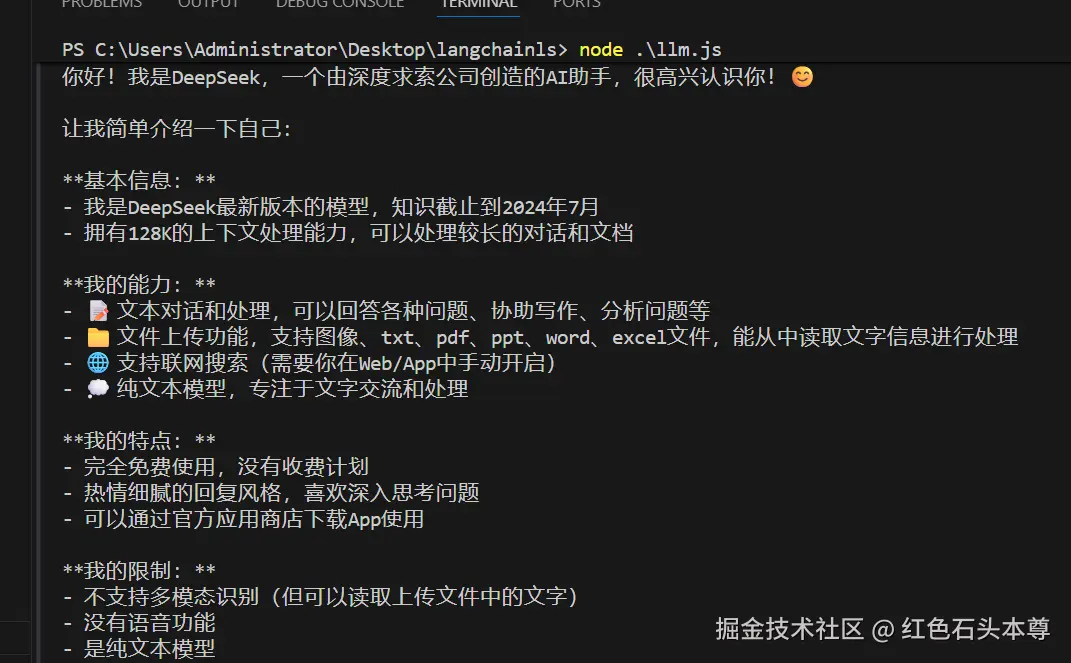
llm.js批量调用
js
import { ChatOpenAI } from "@langchain/openai";
import * as dotenv from "dotenv";

// 加载环境变量
dotenv.config();

// 配置 DeepSeek 模型
const model = new ChatOpenAI({
  // 指定 DeepSeek 的模型名称,例如 deepseek-chat
  model: process.env.AI_MODEL,
  // 配置 DeepSeek 的 API Key
  apiKey: process.env.DEEPSEEK_API_KEY,
  // 配置 DeepSeek 的 Base URL
  configuration: {
    baseURL: process.env.BASE_URL,
  },
});

async function main() {
  try {
    // 调用模型
    // const response = await model.invoke("你好,请介绍一下你自己。");// 单次调用
    const response = await model.batch(["1 + 1 = 多少", "2 + 2 = 多少"]); // 批量调用
    console.log(response);
  } catch (error) {
    console.error("发生错误:", error);
  }
}

main();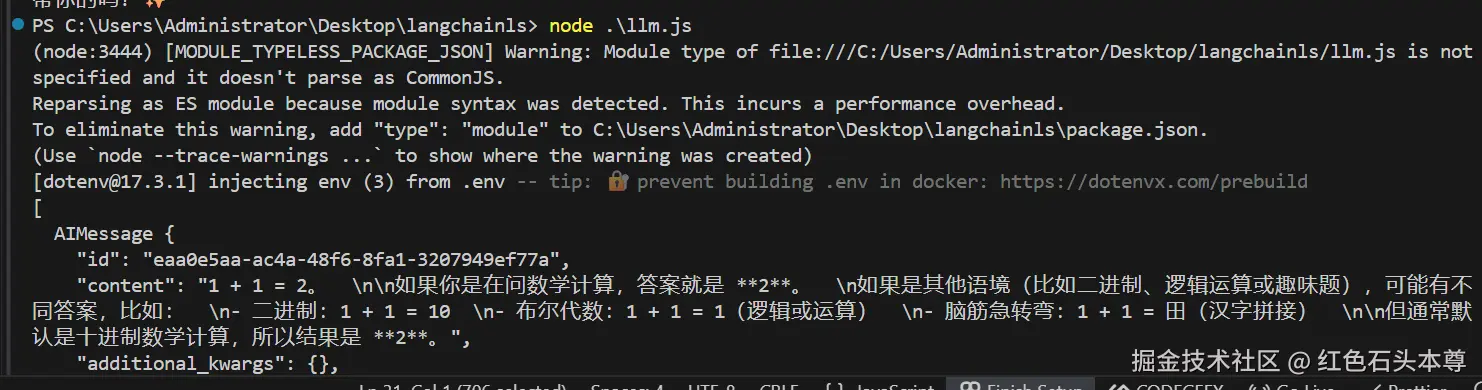
llm.js流式调用
js
import { ChatOpenAI } from "@langchain/openai";
import * as dotenv from "dotenv";

// 加载环境变量
dotenv.config();

// 配置 DeepSeek 模型
const model = new ChatOpenAI({
  // 指定 DeepSeek 的模型名称,例如 deepseek-chat
  model: process.env.AI_MODEL,
  // 配置 DeepSeek 的 API Key
  apiKey: process.env.DEEPSEEK_API_KEY,
  // 配置 DeepSeek 的 Base URL
  configuration: {
    baseURL: process.env.BASE_URL,
  },
});

async function main() {
  try {
    // 调用模型
    const response = await model.stream("1 + 1 = 多少"); // 流式调用
    for await (const chunk of response) {
      console.log(chunk);
    }
  } catch (error) {
    console.error("发生错误:", error);
  }
}

main();- 效果图如下:
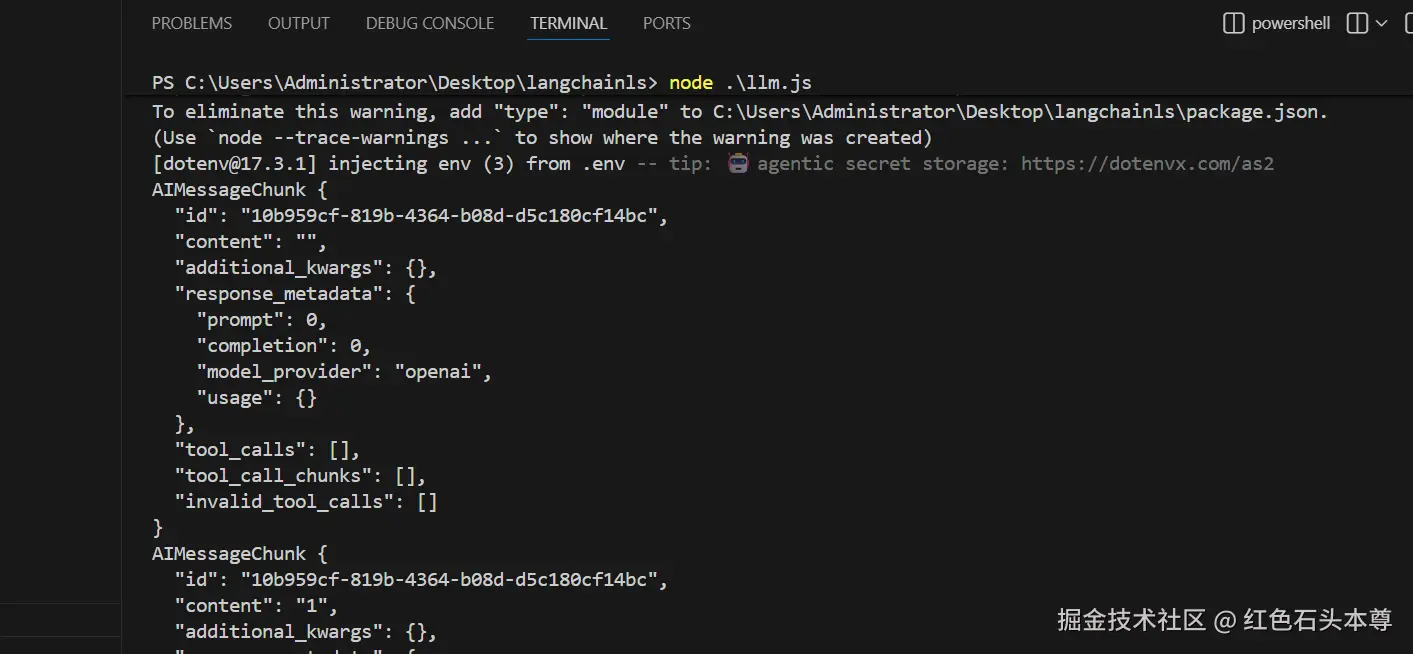
常用的属性学习
js
import { ChatOpenAI } from "@langchain/openai";
import * as dotenv from "dotenv";

// 加载环境变量
dotenv.config();

// 配置 DeepSeek 模型
const model = new ChatOpenAI({
  // 指定 DeepSeek 的模型名称,例如 deepseek-chat
  model: process.env.AI_MODEL,

  // 配置 DeepSeek 的 API Key
  apiKey: process.env.DEEPSEEK_API_KEY,
  // 配置 DeepSeek 的 Base URL
  configuration: {
    baseURL: process.env.BASE_URL,
  },
  temperature: 0.7, // 模型温度的范围是0到1,0表示严格和事实,1表示完全创意(就是瞎吉儿编)
  maxTokens: 1024, // 最大输出token数
  verbose: true, // 允许我们调试模型
});

async function main() {
  try {
    // 调用模型
    const response = await model.invoke("1 + 1 = 多少"); // 单次调用
    console.log(response);
  } catch (error) {
    console.error("发生错误:", error);
  }
}

main();- 这就是我们第一个LangChain应用程序和聊天机器人