LangChain
langchain环境地址
https://docs.langchain.com/oss/python/langchain/overview
LangChain环境安装对接阿里云百炼
LangChain本质上上一个Python框架,要部署LangChain环境可以通过pip命令安装对应的包即可。命令如下:
pip install langchain -i https://pypi.tuna.tsinghua.edu.cn/simple
pip install langchain-community -i https://pypi.tuna.tsinghua.edu.cn/simple
pip install dashscope -i https://pypi.tuna.tsinghua.edu.cn/simple
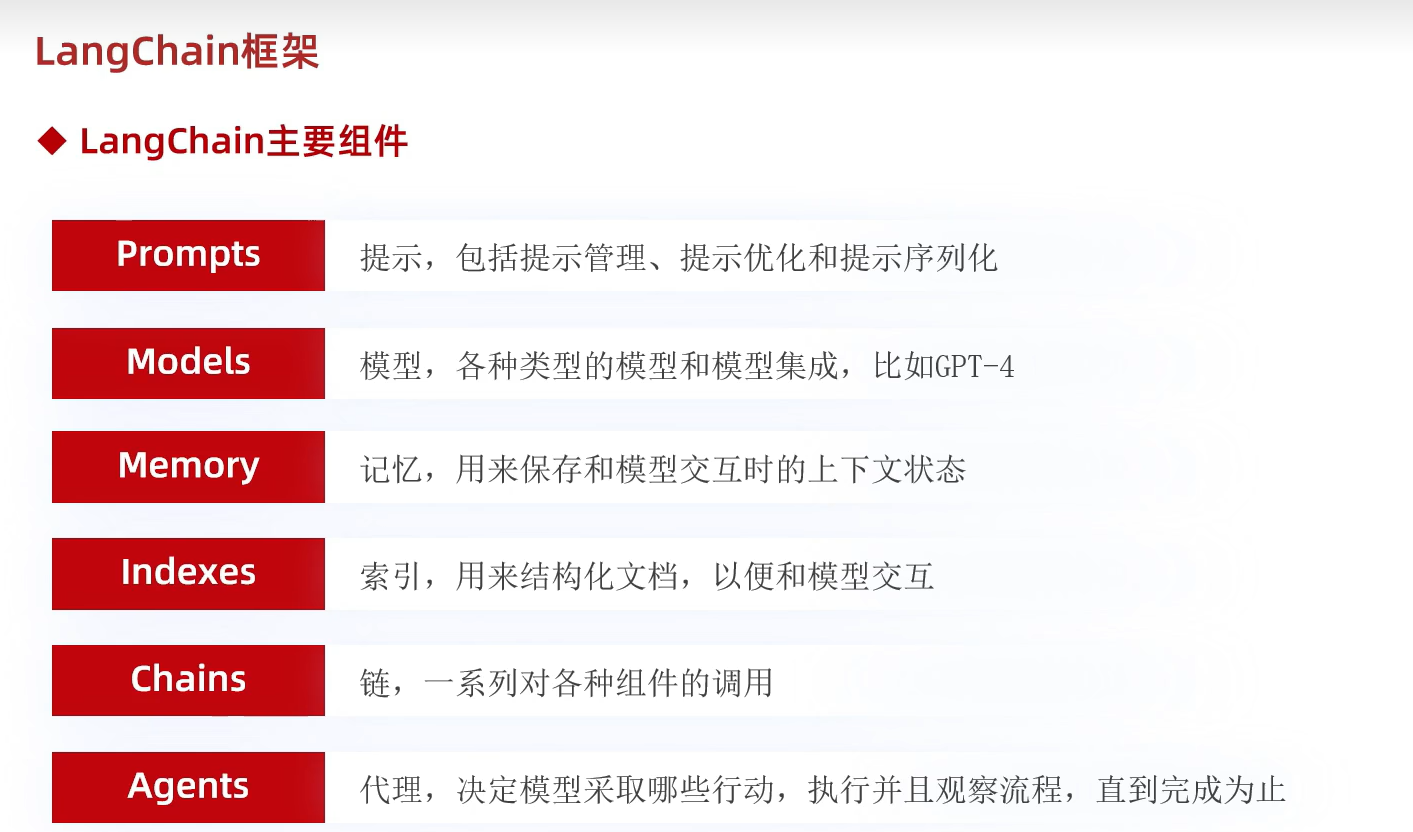
langchain:大模型应用开发核心框架,提供链、记忆、检索等功能
langchain_community:LangChain社区贡献组件,含第三方工具、模型集成
dashscope:阿里云官方的大模型开发Python库,用于调用通义千问(Qwen)等阿里系大模型的API,实现对话、生成、推理等功能。
langchain调用大模型非流式输出
python
from langchain_community.llms.tongyi import Tongyi

#qwen-max是大语言模型
model = Tongyi(model="qwen-max")

res = model.invoke(input="你是谁呀能做什么?")

print(res)
langchain调用大模型流式输出
python
from langchain_community.llms.tongyi import Tongyi

#qwen-max是大语言模型
model = Tongyi(model="qwen-max")

res = model.stream(input="你是谁呀能做什么?")

for chunk in res:
    print(chunk,end="",flush=True)
langchain聊天模型的调用
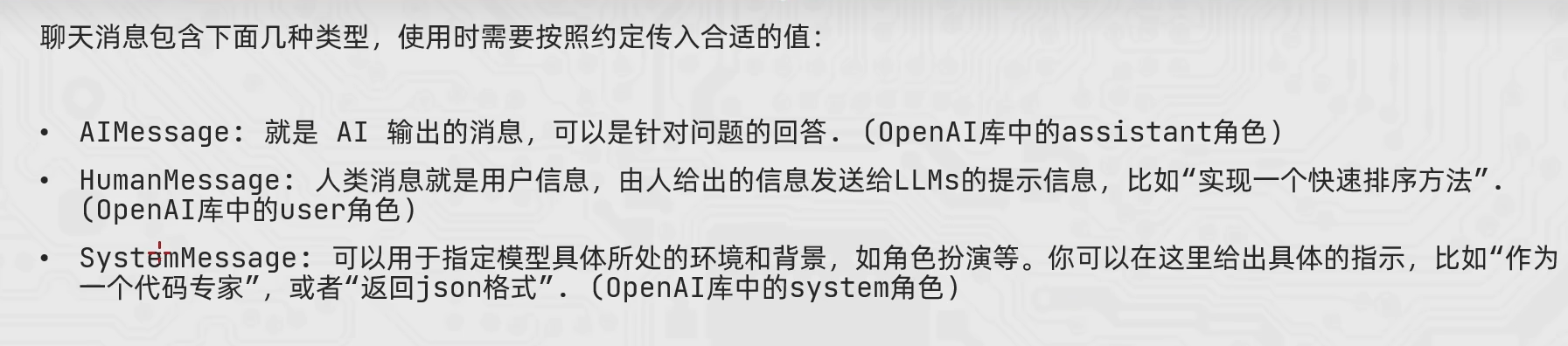
python
from langchain_community.chat_models.tongyi import ChatTongyi
from langchain_core.messages import HumanMessage,AIMessage,SystemMessage

#得到模型对象,qwen3-max就是聊天模型

model = ChatTongyi(model="qwen3-max")

#准备消息列表
messages = [
    SystemMessage(content="你是一个边塞诗人"),
    HumanMessage(content="写一首唐诗"),
    AIMessage(content="锄禾日当午,汗滴禾下土,谁知盘中餐,粒粒皆辛苦"),
    HumanMessage(content="请按照上一个回复的格式,再写一首唐诗")
]

#调用stream流式执行
res = model.stream(input=messages)

#for 循环迭代打印输出,通过content来获取到内容
for chunk in res:
    print(chunk.content,end="",flush=True)
消息的简写
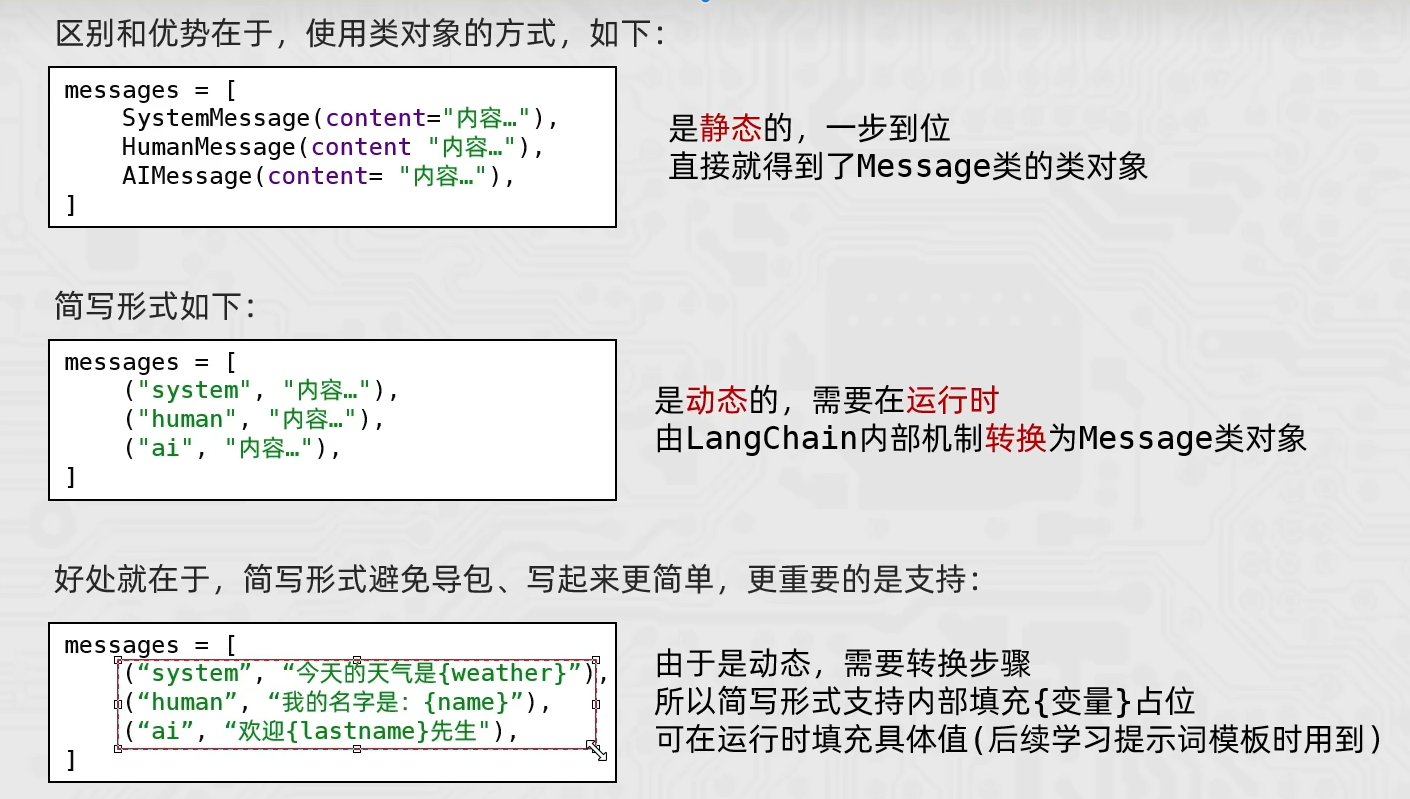
python
from langchain_community.chat_models.tongyi import ChatTongyi

#得到模型对象,qwen3-max就是聊天模型

model = ChatTongyi(model="qwen3-max")

#准备消息列表
messages = [
    ("system","你是一个边塞诗人"),
    ("human","写一首唐诗"),
    ("ai","锄禾日当午,汗滴禾下土,谁知盘中餐,粒粒皆辛苦"),
    ("human","请按照上一个回复的格式,再写一首唐诗")
]

#调用stream流式执行
res = model.stream(input=messages)

#for 循环迭代打印输出,通过content来获取到内容
for chunk in res:
    print(chunk.content,end="",flush=True)
langchain调用嵌入模型
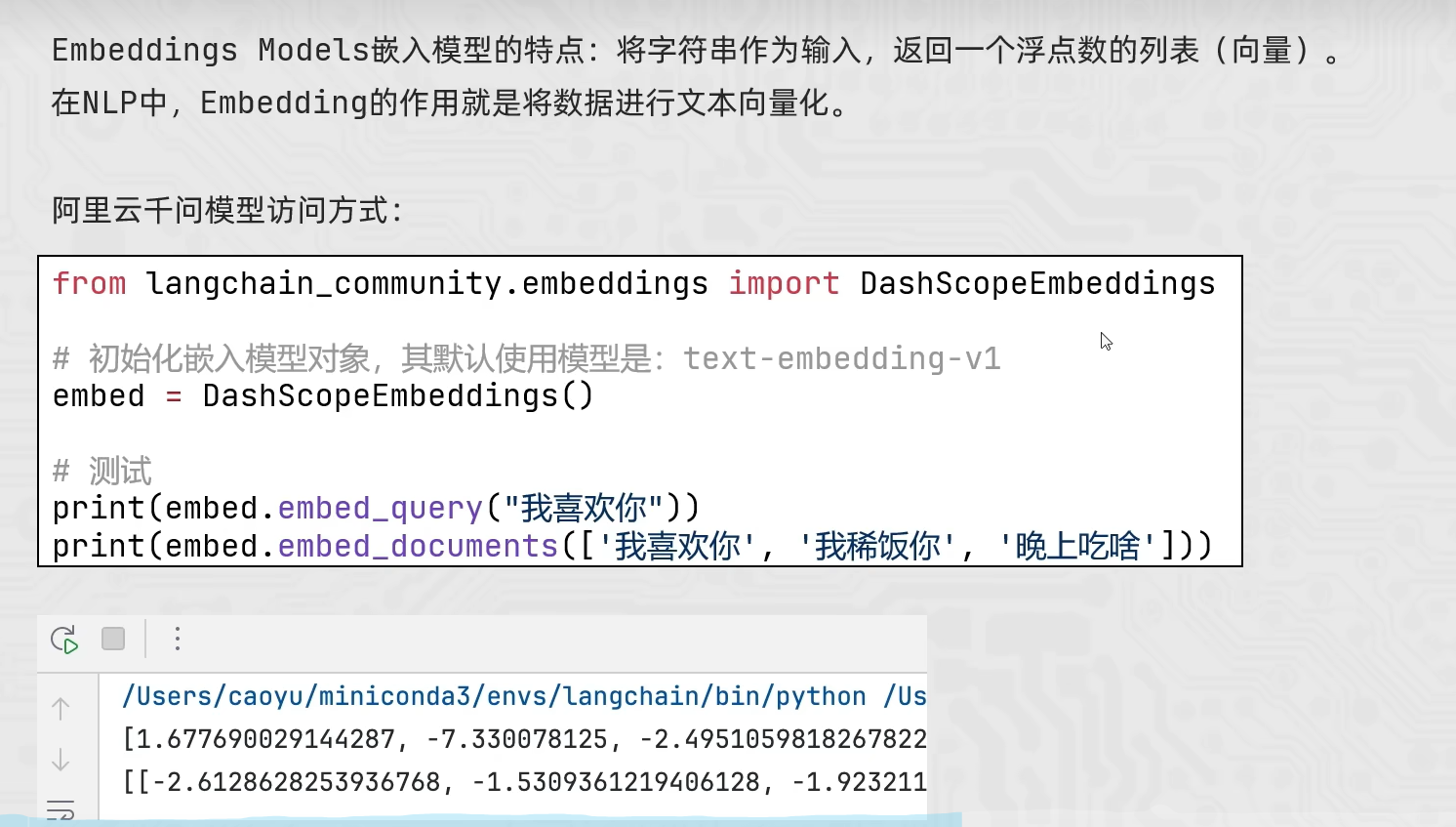
python
from langchain_community.embeddings import DashScopeEmbeddings

#创建模型对象 不传model默认用的是 text-embedding-v1
model = DashScopeEmbeddings()

#不用invoke stream
#embed_query、embed_documents
print(model.embed_query("我喜欢你"))
print(model.embed_documents(["我喜欢你","我稀饭你","晚上吃啥"]))