任务:
给定一张名为fan.jpg的图片,现要求使用 Python 结合 OpenCV 库编写代码实现以下功能:
(1)读取名为fan.jpg的图片,将尺寸设置为宽640,高480,然后逆时针旋转90度;
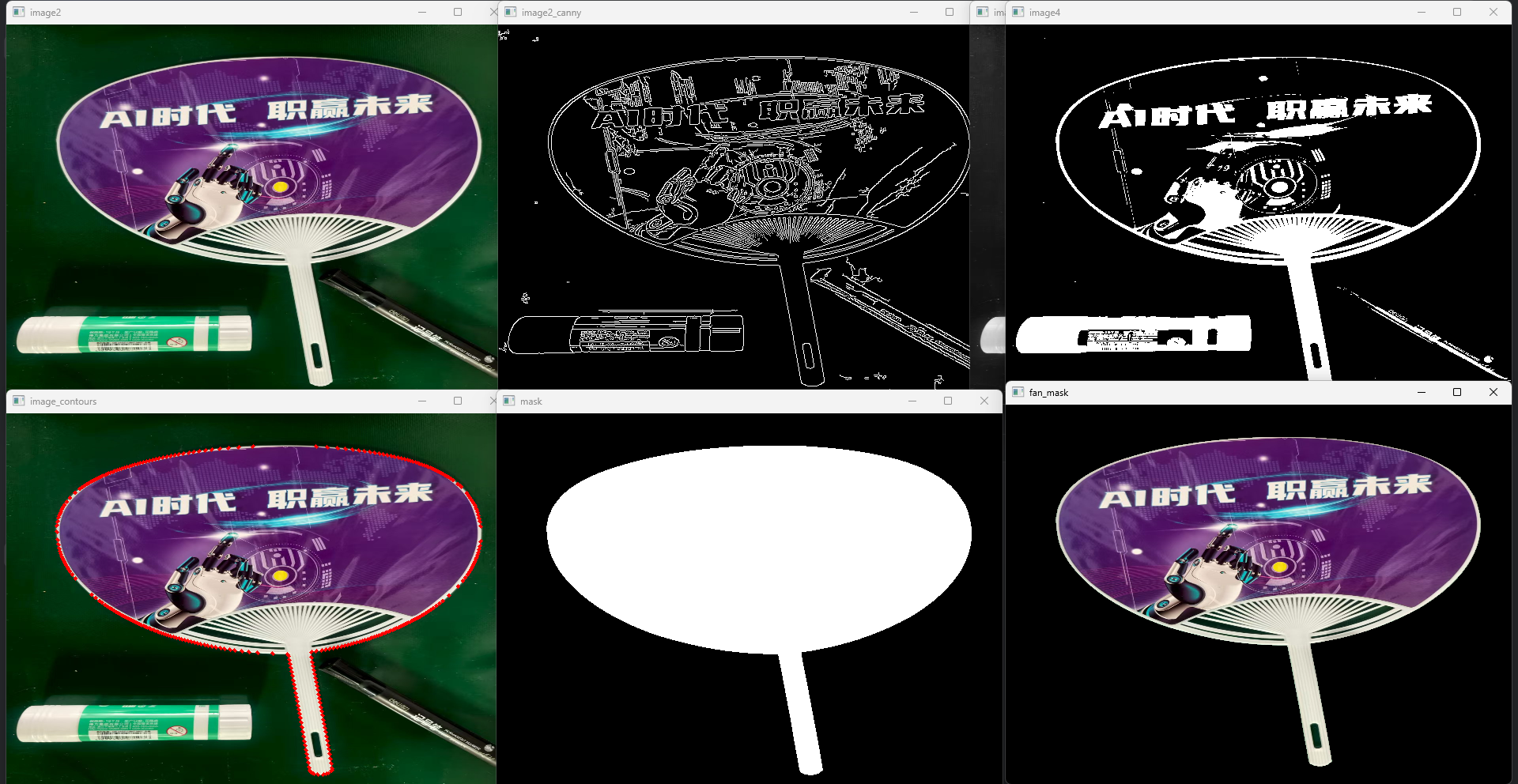
(2)使用Canny边缘检测提取(1)处理后的边缘;
(3)在提取边缘的基础上,查找轮廓并选取扇子的外轮廓,生成相应的掩模;
(4)通过掩模与原图进行按位与操作将对应部分提取出来,并保存为"shanzi.png"文件。
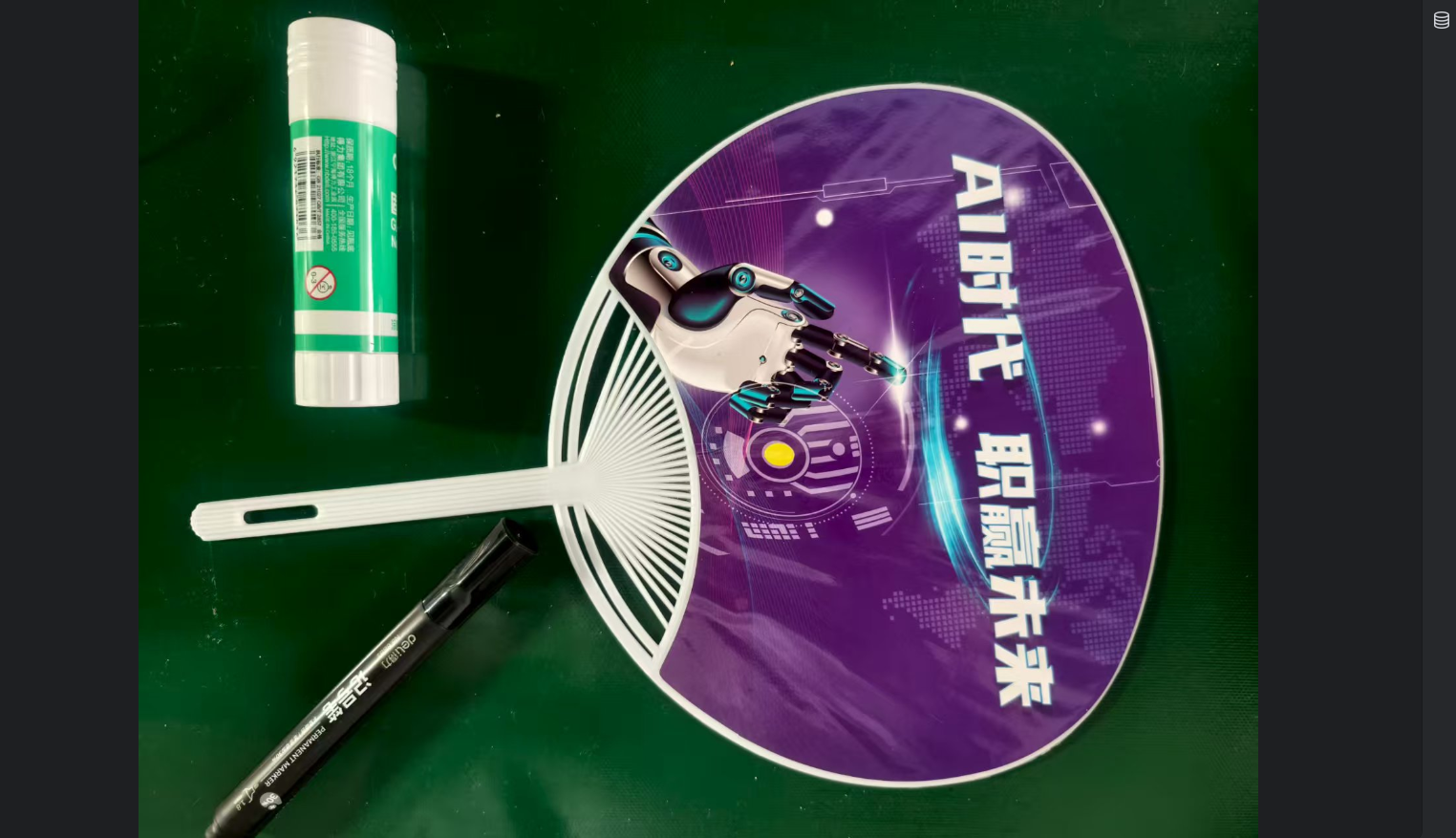
fan.jpg如下:
从任务目标看依次需要使用的方法有
1、cv2.resize() 设置尺寸
2、np.rot90() 旋转角度
3、cv2.Canny() 边缘检测
4、cv2.threshold() 阈值处理
5、cv2.findContours() 找轮廓
6、cv2.drawContours() 画轮廓
7、np.zeros() 设置掩膜尺寸
8、cv2.bitwise_and() 找到原图中对应的扇子
python
import cv2
import numpy as np

image = cv2.imread('../data/fan.jpg')
image1 = cv2.resize(image,(480,640))
image2 = np.rot90(image1,1).copy()
image2_copy = image2.copy()
cv2.imshow('image2',image2)
cv2.waitKey(0)

image2_canny = cv2.Canny(image2,10,200)
cv2.imshow('image2_canny',image2_canny)
cv2.waitKey(0)

image3 = cv2.cvtColor(image2,cv2.COLOR_BGR2GRAY)
cv2.imshow('image3',image3)
cv2.waitKey(0)

image4 = cv2.threshold(image3,0,255,cv2.THRESH_BINARY | cv2.THRESH_OTSU)[1]
cv2.imshow('image4',image4)
cv2.waitKey(0)

counters = cv2.findContours(image4,cv2.RETR_TREE,cv2.CHAIN_APPROX_SIMPLE)[-2]
sortcnts = sorted(counters,key=cv2.contourArea,reverse=True)[0]
cv2.drawContours(image2_copy,sortcnts,-1,(0,0,255),3)
cv2.imshow('image_contours',image2_copy)
cv2.waitKey(0)
mask = np.zeros(image2.shape[:2],np.uint8)
cv2.drawContours(mask,[sortcnts],-1,255,-1)
cv2.imshow('mask',mask)
cv2.waitKey(0)
fan_mask = cv2.bitwise_and(image2,image2,mask=mask)
cv2.imshow('fan_mask',fan_mask)
cv2.waitKey(0)
cv2.imwrite('../data/fan_mask.png',fan_mask)