我们使用的 node 环境
C:\Users\Administrator>node -v
v22.16.0

C:\Users\Administrator>npm config get registry
https://registry.npmmirror.com

C:\Users\Administrator>
node 下载地址
https://mirrors.aliyun.com/nodejs-release/v22.16.0/node-v22.16.0-x64.msi
ant design pro v5.2.0 前端框架 源码 下载地址
https://codeload.github.com/ant-design/ant-design-pro/zip/refs/tags/5.2.0
解压 zip 文件,进入目录 D:\qc2026\mydev\个人学习\前端框架源码\ant-design-pro-5.2.0
先 npm install
修改 根目录下的 package.json文件
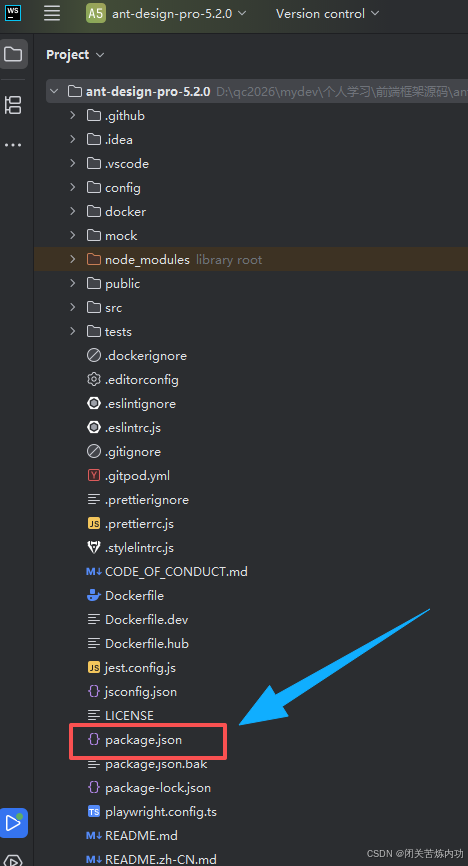
"start": "cross-env UMI_ENV=dev NODE_OPTIONS=--openssl-legacy-provider umi dev",
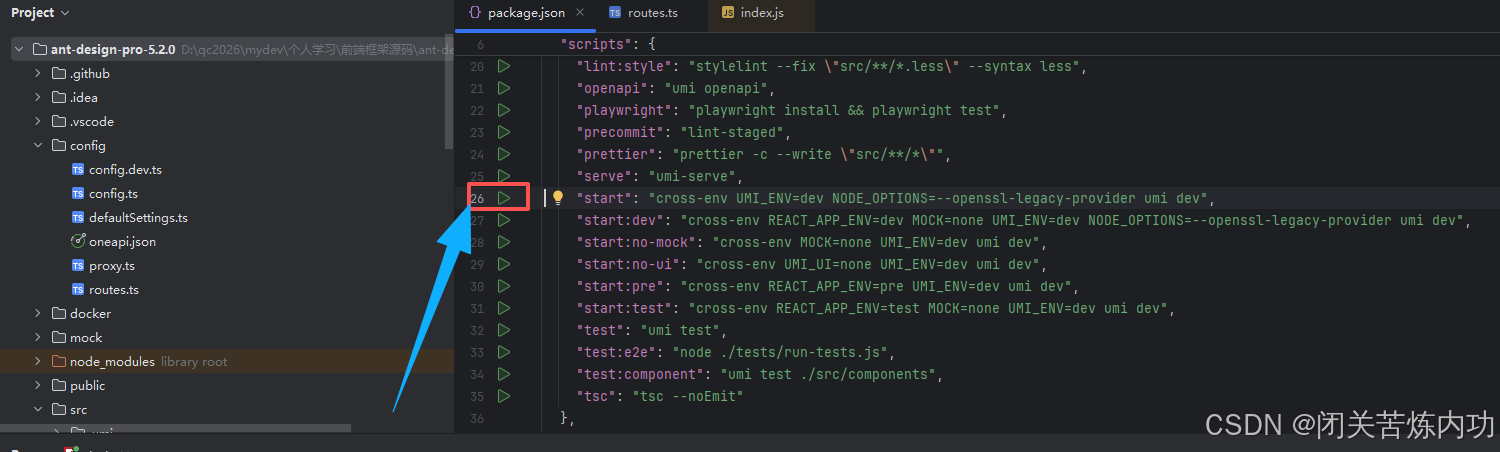
运行 npm run start
浏览器访问:http://localhost:8000/
登录
账号:admin
密码:ant.design
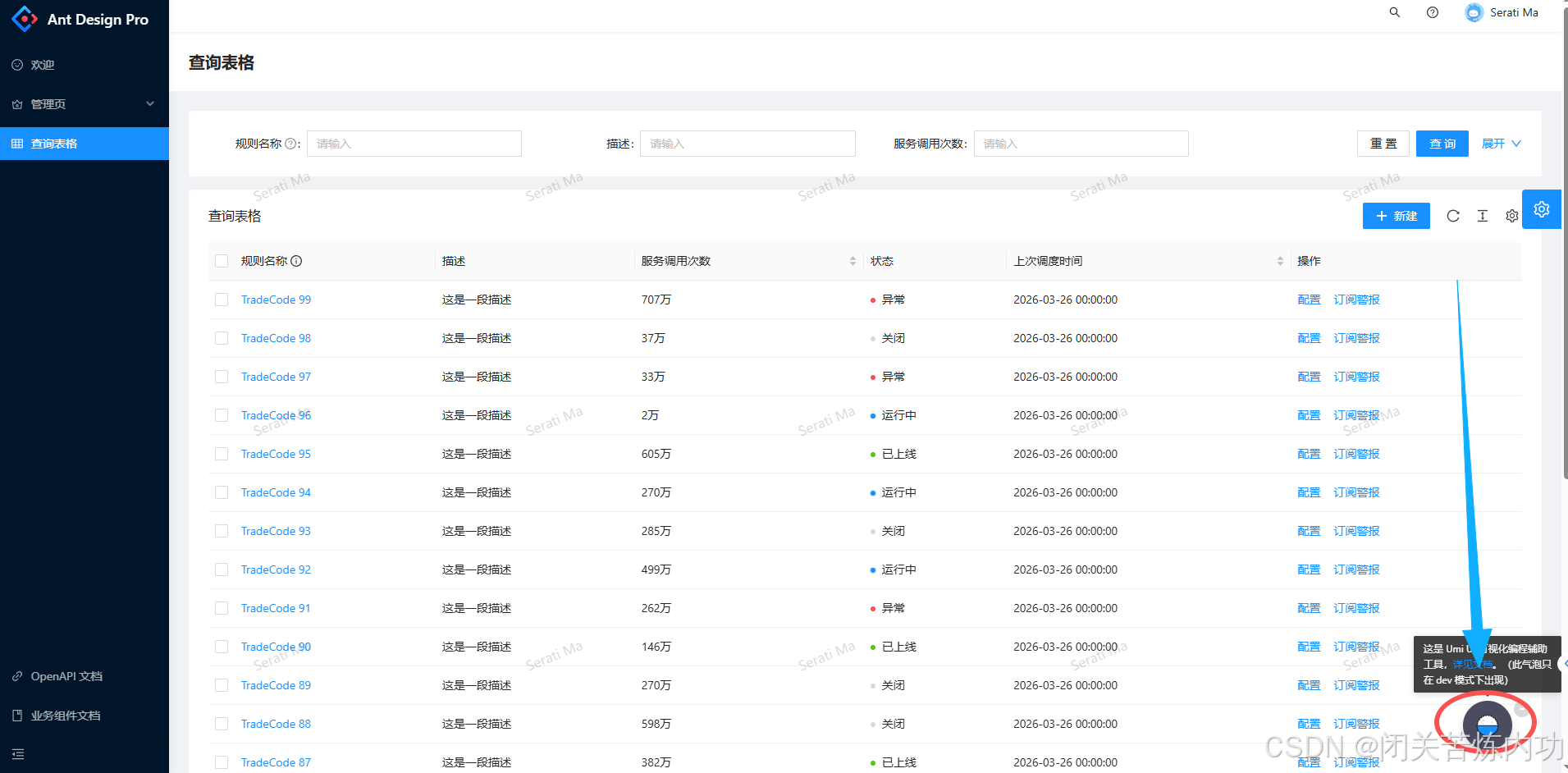
UMI UI 小工具
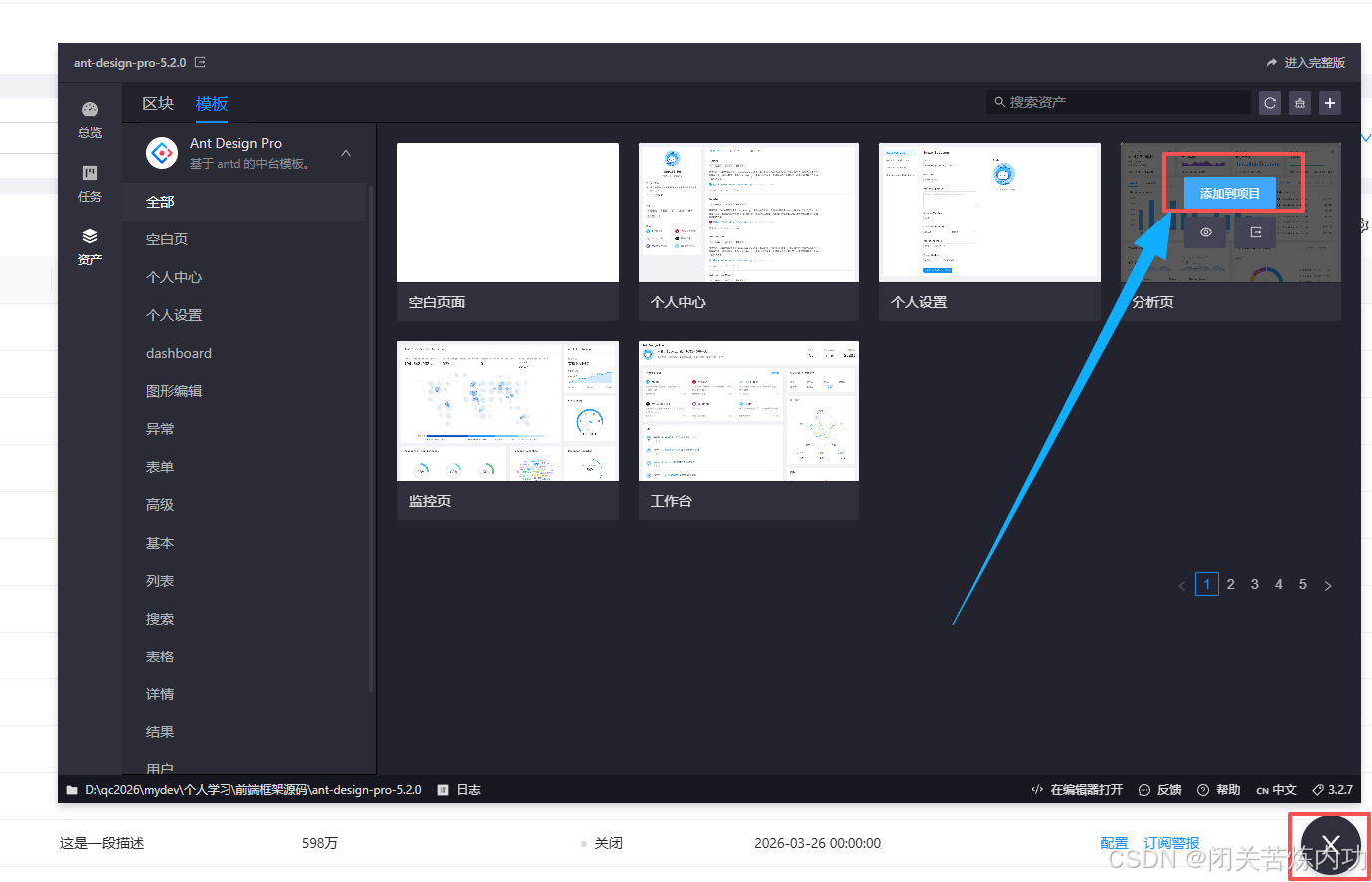
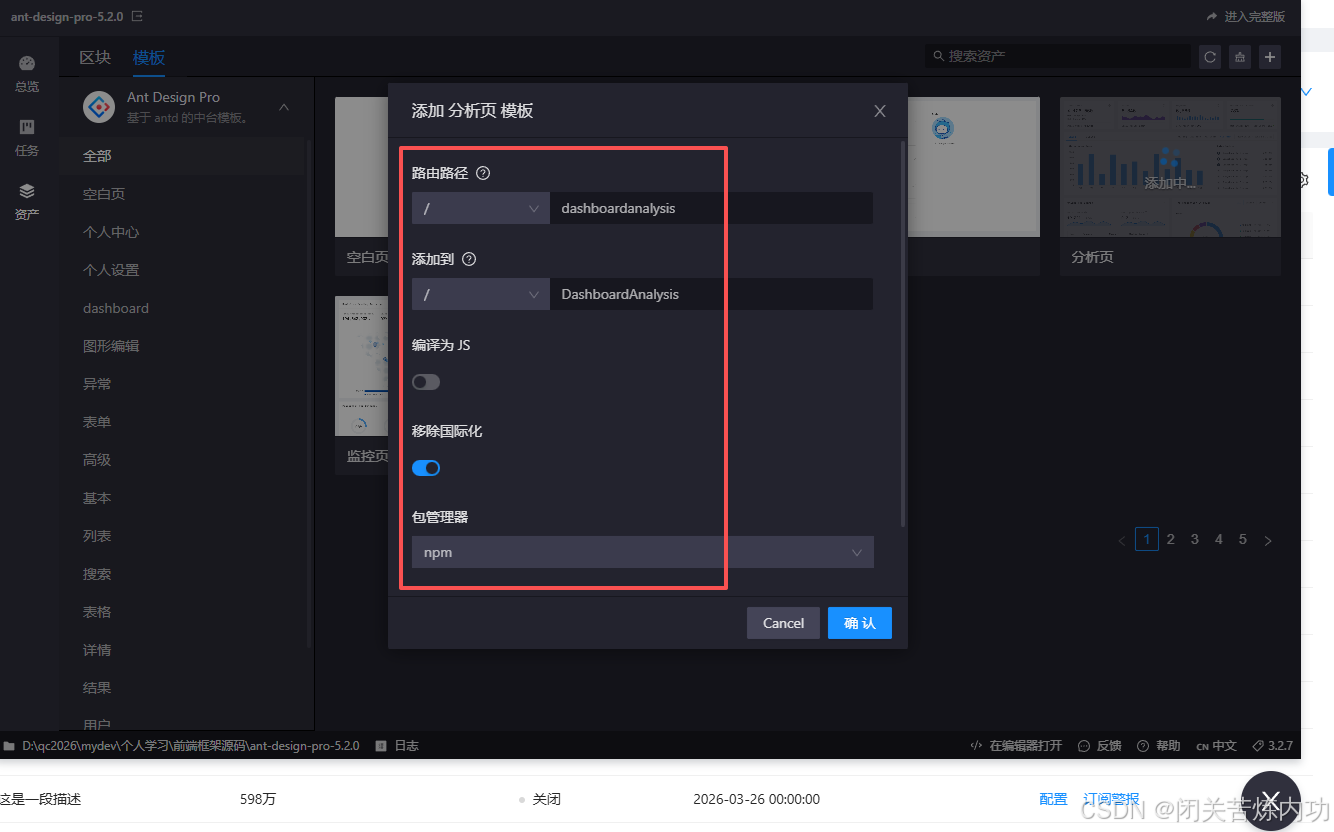
添加分析页
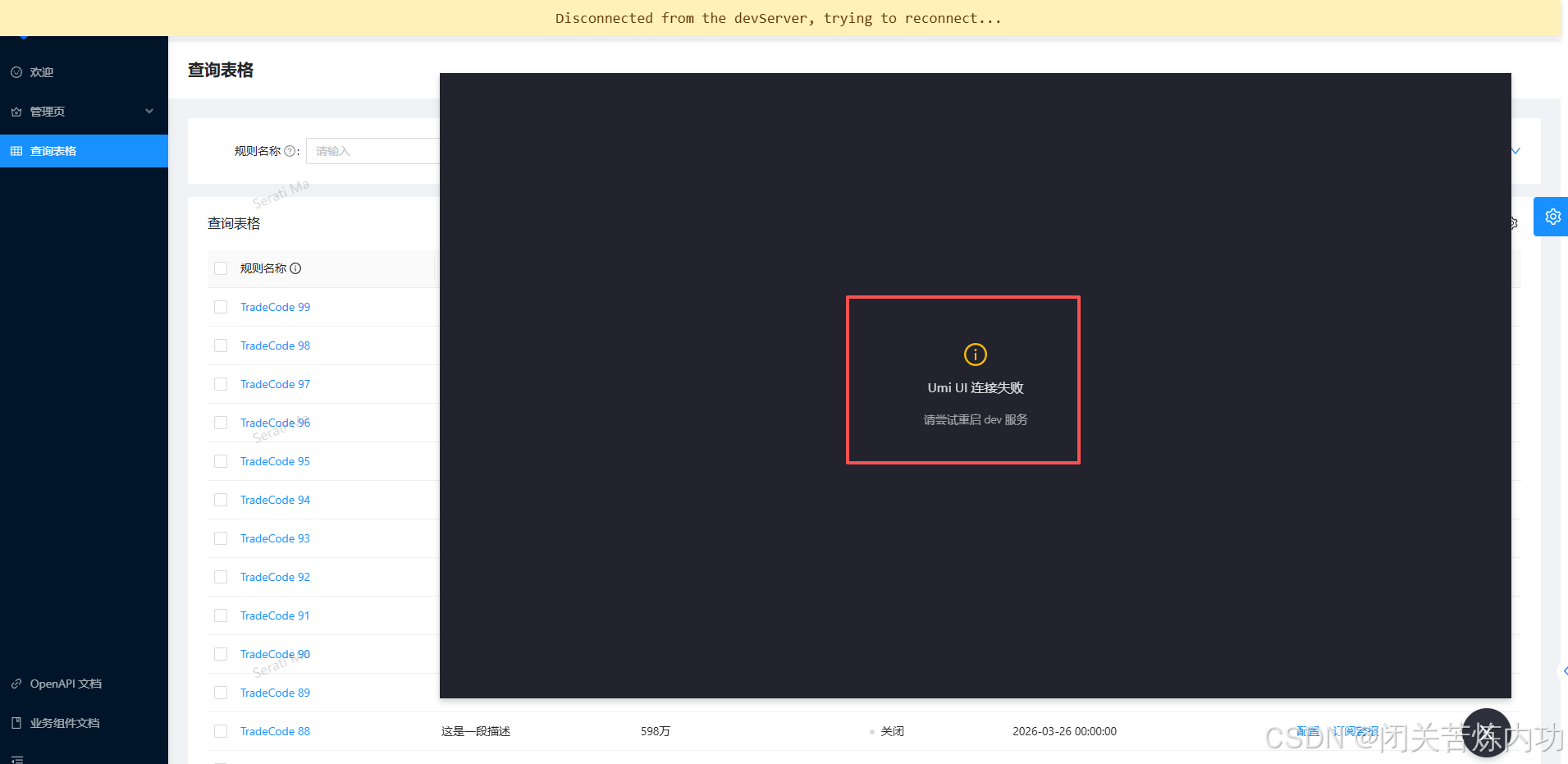
遇到报错
webstorm 报错日志
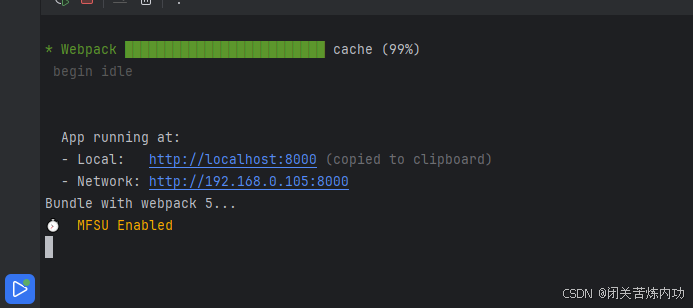
Bundle with webpack 5...
⏱️  MFSU Enabled

D:\qc2026\mydev\个人学习\前端框架源码\ant-design-pro-5.2.0\node_modules\node-fetch\lib\index.js:1501
                        reject(new FetchError(`request to ${request.url} failed, reason: ${err.message}`, 'system', err));
                               ^
FetchError: request to https://registry.npm.taobao.org/ failed, reason: certificate has expired
    at ClientRequest.<anonymous> (D:\qc2026\mydev\个人学习\前端框架源码\ant-design-pro-5.2.0\node_modules\node-fetch\lib\index.js:1501:11)
    at ClientRequest.emit (node:events:518:28)
    at emitErrorEvent (node:_http_client:104:11)
    at TLSSocket.socketErrorListener (node:_http_client:518:5)
    at TLSSocket.emit (node:events:518:28)
    at emitErrorNT (node:internal/streams/destroy:170:8)
    at emitErrorCloseNT (node:internal/streams/destroy:129:3)
    at processTicksAndRejections (node:internal/process/task_queues:90:21) {
  type: 'system',
  errno: 'CERT_HAS_EXPIRED',
  code: 'CERT_HAS_EXPIRED'
}

Node.js v22.16.0

Process finished with exit code 0
这是内置配置文件写死的走 淘宝 npm 老 地址 https://registry.npm.taobao.org/
解决:
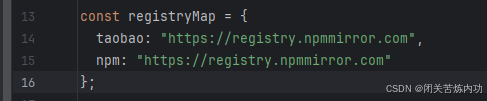
修改 node_modules/getnpmregistry/index.js
13-16 行
const registryMap = {
  taobao: "https://registry.npm.taobao.org",
  npm: "https://registry.npmjs.org"
};
替换为
const registryMap = {
  taobao: "https://registry.npmmirror.com",
  npm: "https://registry.npmmirror.com"
};
然后重新运行
再次添加,发现可以了
我们下期见咯,拜拜!