系统环境
-
宿主机:win11
-
WSL2:ubuntu 24.04
-
WSL 网络模式:NAT模式
-
Claude Code:2.1.81 (安装到WSL中)
-
Claude Code 沙箱配置 (
~/.claude/settings.json代码片段如下)json{ "sandbox": { "enabled": true, "autoAllowBashIfSandboxed": true, "allowUnsandboxedCommands": false, "excludedCommands": ["docker"], "filesystem": { "allowWrite": ["//tmp/build"], "denyRead": ["~/.config/opencode", "~/.codex", "~/.local/share/opencode", "~/.ssh"] }, "network": { "allowedDomains": ["github.com"], "allowUnixSockets": [ "/var/run/docker.sock" ] } } }
问题现象
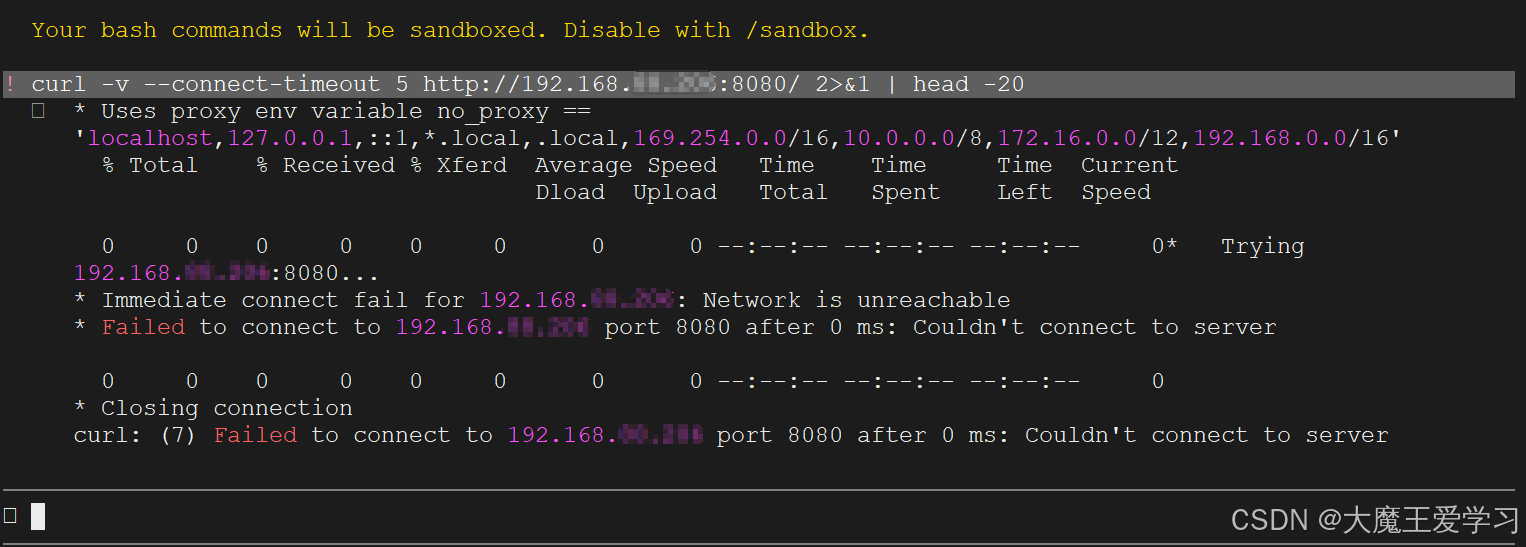
在 claude cli 中,执行bash命令,命令为通过 curl 访问宿主机win11局域网中的设备。
发现执行 curl 命令时总是出现关于 Uses proxy env variable no_proxy == 'localhost,127.0.0.1,::1,*.local,.local,169.254.0.0/16,10.0. 0.0/8,172.16.0.0/12,192.168.0.0/16' 的提示。导致自动化测试时失败。
问题分析
claude code 开启沙箱之后,会自动设置 NO_PROXY 和 no_proxy,设置值为 localhost,127.0.0.1,::1,*.local,.local,169.254.0.0/16,10.0.0.0/8,172.16.0.0/12,192.168.0.0/16。
另外还会设置 http_proxy=http://localhost:3128 和 https_proxy=http://localhost:3128
我尝试了在 ~/.claude/settings.json 的 env 中设置 no_proxy 和 NO_PROXY 为空,实际没有效果
将 curl 纳入 excludedCommands ,即 "excludedCommands": ["docker", "curl"] ,理论上 curl 命令就不应该在沙箱中运行了,但是实际发现仍然在沙箱中运行。查了一下 Claude Code 仓库的 issue ,发现属于官方文档中的一个bug。
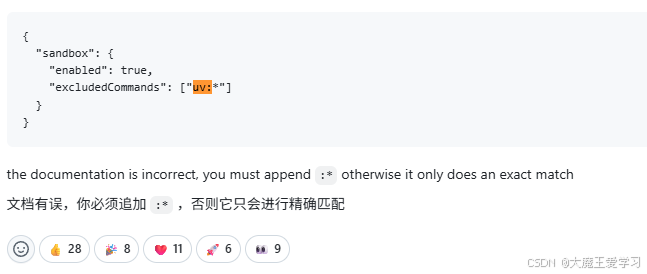
该照提示进行修改,将 "excludedCommands": ["docker", "curl"] 修改为 "excludedCommands": ["docker:*", "curl:*"] 可以解决问题。