MES(The Measures of Effect Size )效应量计算工具的使用
The Measures of Effect Size (MES) Toolbox is a set of Matlab functions which compute a wide range of effect size statistics. The four main toolbox functions cover common analysis designs, including two-sample-, oneway- and twoway- data sets as well as categorical data (tables). Data may be repeated-measures (within-subjects)
MES for contrasts can be computed. Confidence intervals are generated for the large majority of MES, either via bootstrapping or by analytical computation, in part via noncentral t, Chi square or F distributions.
Effect size statistics are complemented by t/Chi square/F statistics and/or full ANOVA tables, which are also provided as output variables.
mes 中计算ROC的使用方法
matlab
mes(rt_post(group==0),rt_post(group==1), 'auroc','nBoot',10000,'ROCtBoot',1) 函数参数说明:
group 0 :对照组
group 1:实验组
auroc:方法名
nBoot:Bootstrap 的次数
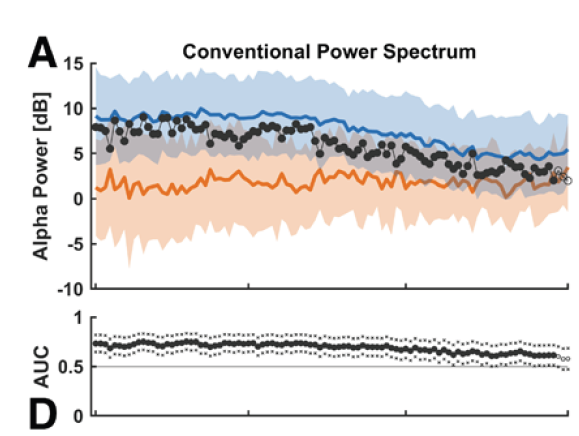
函数使用时对照组的标签应该设置为0,实验组的标签设置为1,对于哪一组的标签是正类会最终影响到计算结果。计算输出stats中包含auc的值,置信区间的上界和下界值可以作为统计分析的结果,表示两者之间的差异有多大。神经科学的分析中长用到这一方法。对于是否有显著性,临床中按照下限不包含在AUC0.5的区间则说明两者之间存在显著性
论文示例:
Aperiodic and Periodic Alpha Parameters of the Electroencephalogram during Emergence from General Anesthesia: Results from a Prospective Observational Cohort Study