关闭防火墙
systemctl stop firewalld
systemctl disable firewalld
临时关闭SELinux
setenforce 0
永久关闭SELinux(重启后生效) sed -i 's/^SELINUX=enforcing/SELINUX=disabled/' /etc/selinux/config
安装 Apache + MySQL + PHP 运行环境
yum install -y wget unzip
安装 Apache
yum install -y httpd
启动并设置开机自启
systemctl start httpd
systemctl enable httpd
安装 MySQL(MariaDB)
yum install -y mariadb-server mariadb
systemctl start mariadb
systemctl enable mariadb
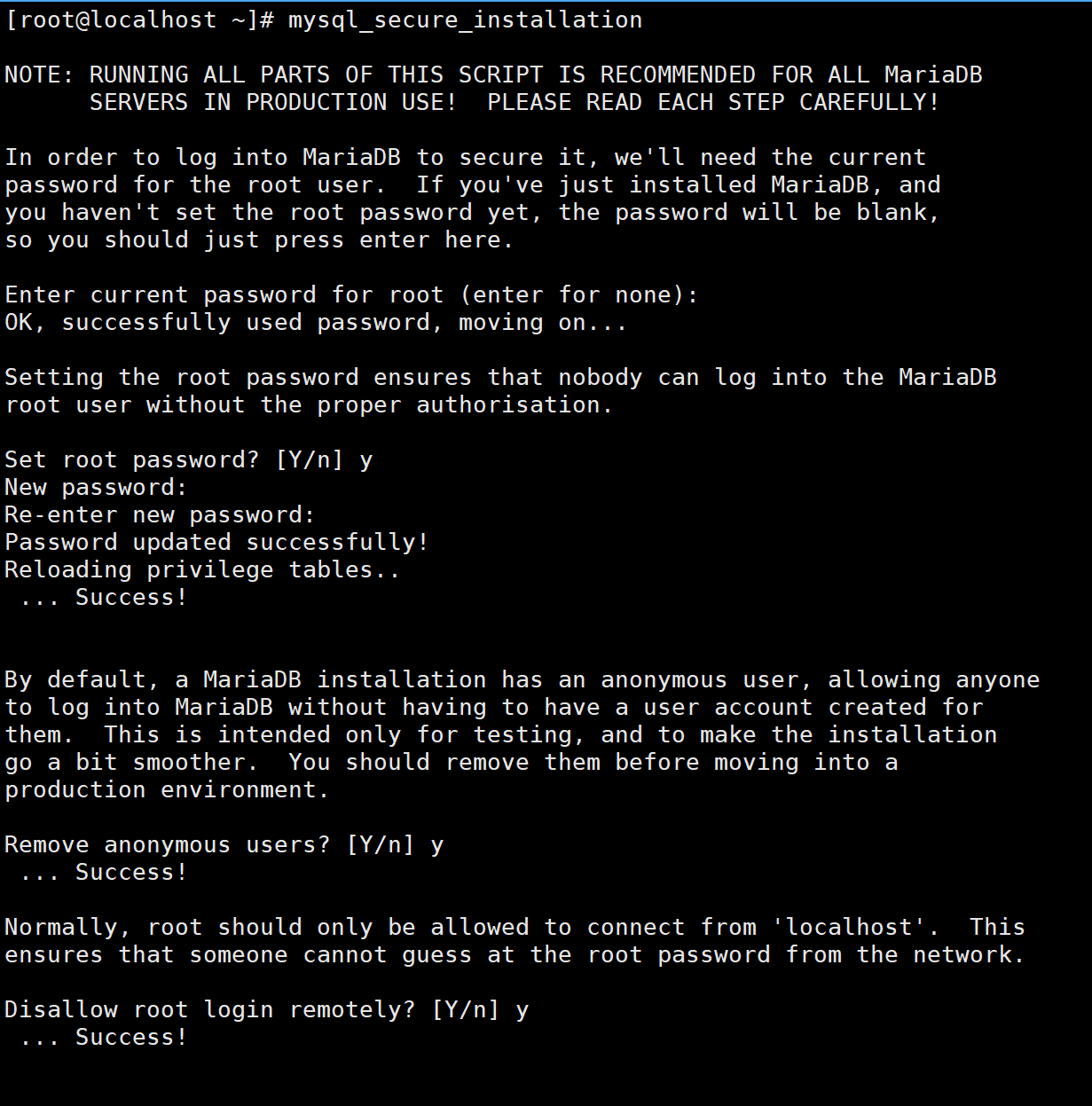
初始化数据库(设置 root 密码)
先回车(无原始密码)
设置新密码(记住这个密码)
一路 y 确认
mysql_secure_installation
安装 PHP 7.4及依赖(Discuz 必需,尽量安装新版本低版本不兼容)
安装EPEL源(Remi源依赖)
yum install -y epel-release
安装Remi源
yum install -y https://rpms.remirepo.net/enterprise/remi-release-7.rpm
启用
Remi源 yum install -y yum-utils
yum-config-manager --enable remi-php74
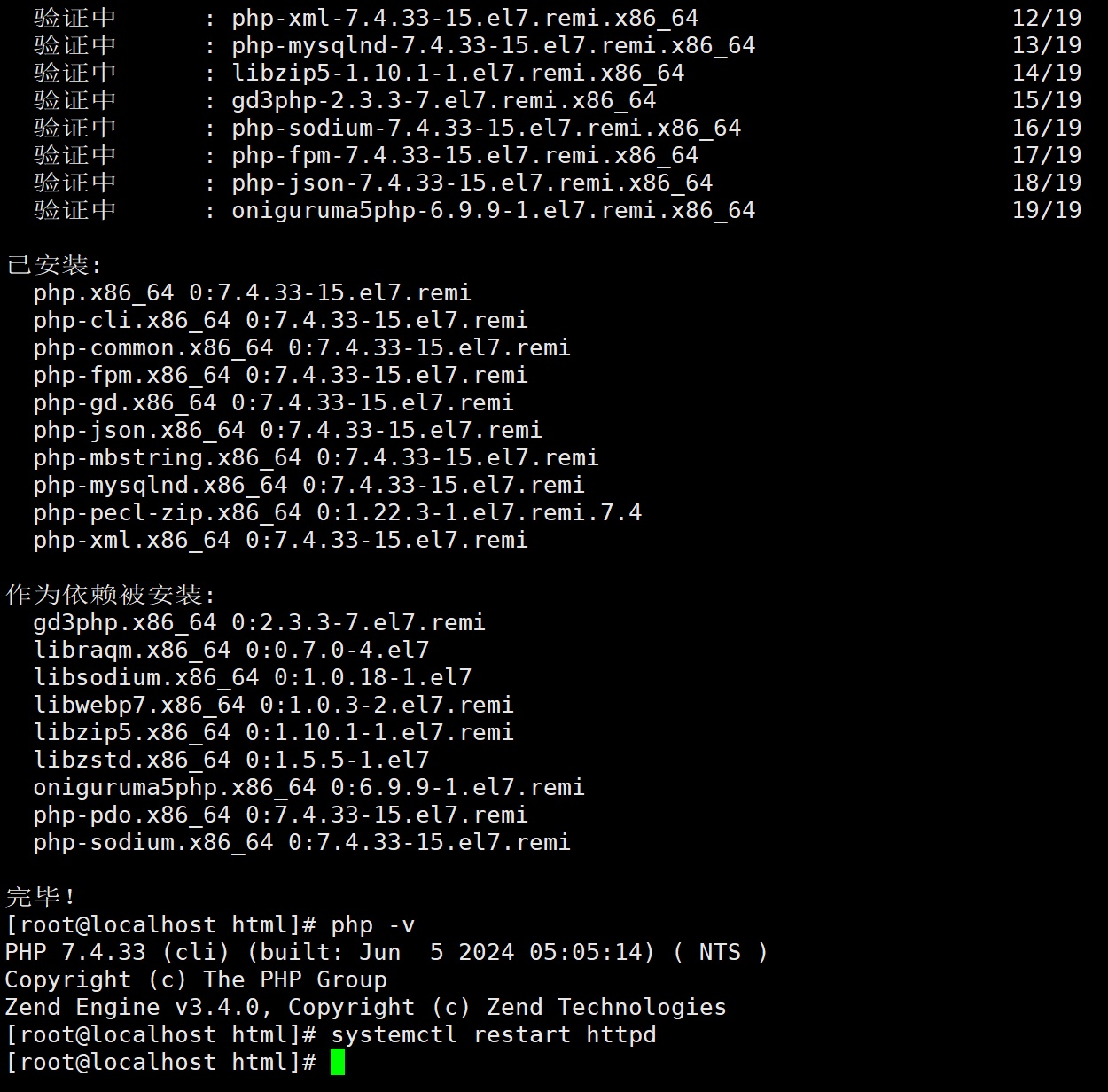
安装 PHP 7.4 及 Discuz! 必需扩展
yum install -y php php-mysqlnd php-gd php-xml php-mbstring php-json php-curl php-zip php-cli php-fpm
安装完验证版本
php -v
上传并解压 Discuz! 安装包
进入 Apache 网站根目录
cd /var/www/html
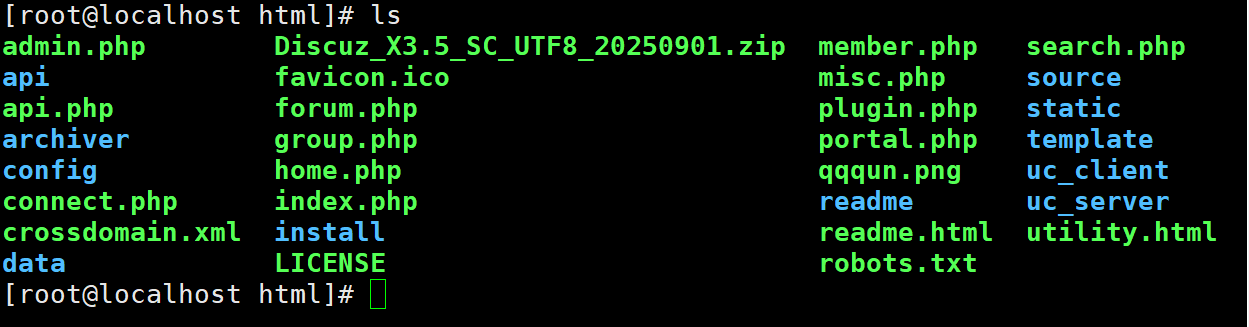
把 Discuz_X3.5_SC_UTF8_20250901.zip 上传到 /var/www/html 目录
解压压缩包
unzip Discuz_X3.5_SC_UTF8_20250901.zip
解压后会生成:upload 文件夹(这就是 Discuz 程序)
配置 Apache 指向 Discuz 目录
移动 upload 下所有文件到 html 目录
mv upload/* ./
删除空文件夹
rm -rf upload
设置目录权限(非常重要!)
chown -R apache:apache /var/www/html/
chmod -R 755 /var/www/html/
创建 Discuz 专用数据库
mysql -u root -p (输入你刚才设置的 MySQL root 密码)
执行以下 SQL 命令
创建数据库(名称:discuz)
CREATE DATABASE discuz CHARACTER SET utf8mb4 COLLATE utf8mb4_unicode_ci;
创建数据库用户(用户:discuz,密码:123456,可自己改)
CREATE USER 'discuz'@'localhost' IDENTIFIED BY '123456';
授权用户访问数据库
GRANT ALL ON discuz.* TO 'discuz'@'localhost';
刷新权限
FLUSH PRIVILEGES;
退出 exit;
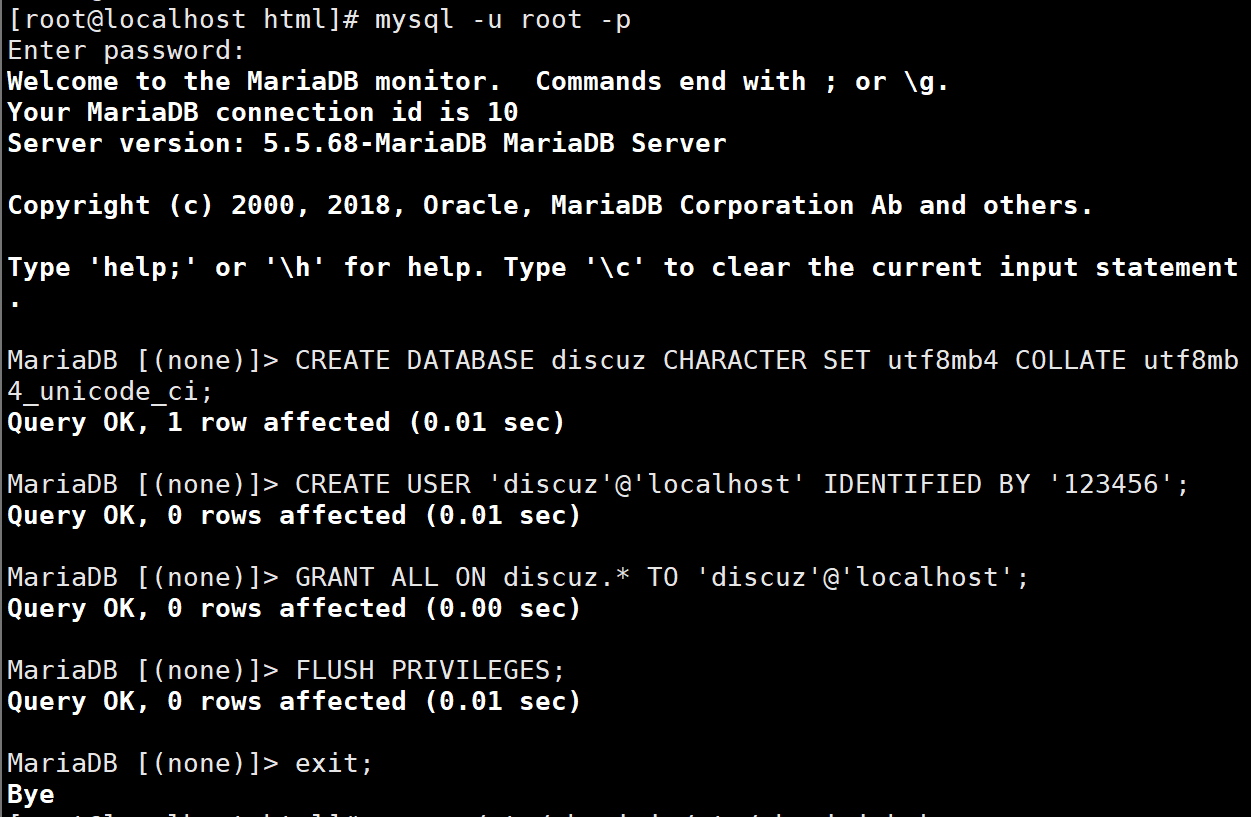
重启 Apache
systemctl restart httpd
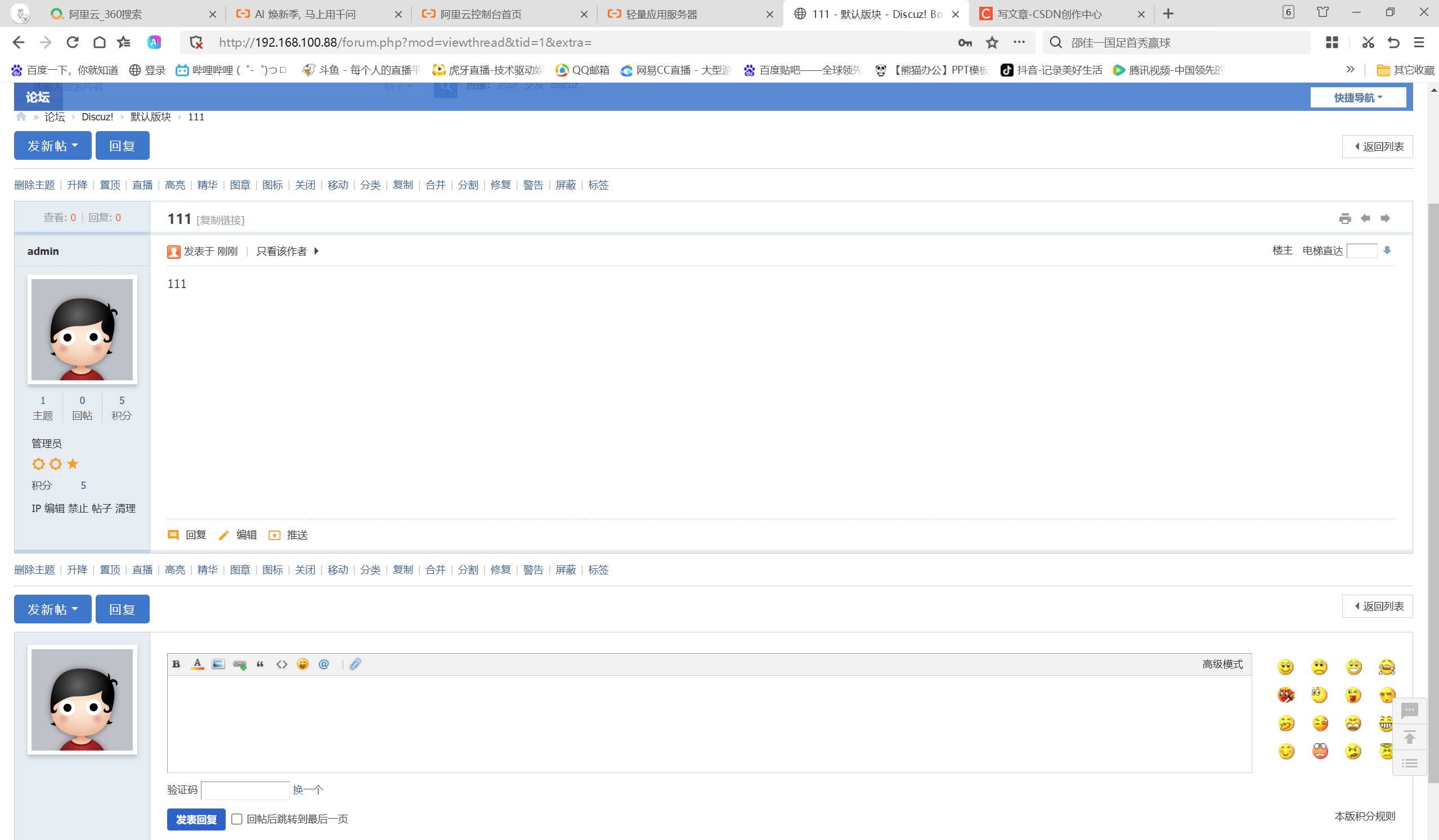
访问服务器 IP (前面一路确认进入就行)