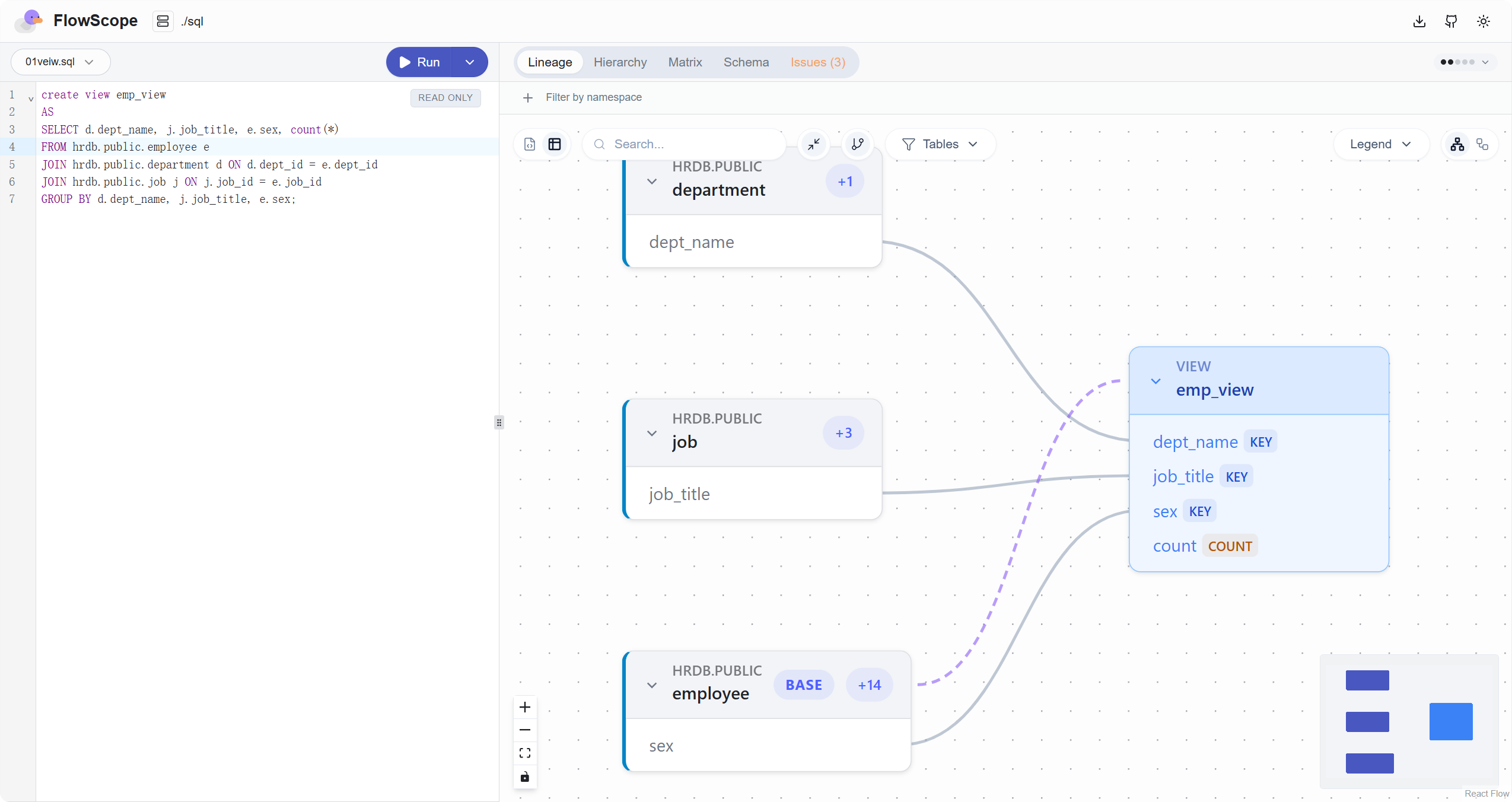
最近团队接手了一个新的数据仓库项目,这个项目已经开发了很多年,包含了几百个表和几万行 ETL 存储过程代码。
目前我们经常面临的问题包括:
- 这个字段从哪里来?
- 这张表被哪些存储过程用到了?
- 修改这个字段会影响哪些 ETL 流程?
这也是数据团队可能遇到的典型问题,通常可以通过数据血缘分析了解历史系统的数据结构和依赖关系。
为此我们进行了调查,市场上的大部分数据血缘分析工具要么依赖服务端解析、部署成本高,要么必须连接数据库、对 SQL 执行环境有强依赖;还有一些工具只能解析单文件,不支持复杂项目。
同时,我们也发现了一个非常不错的工具:FlowScope。它是一个隐私优先的 SQL 血缘分析引擎,完全运行在浏览器本地,支持多种 SQL 方言的解析以及数据血缘可视化。
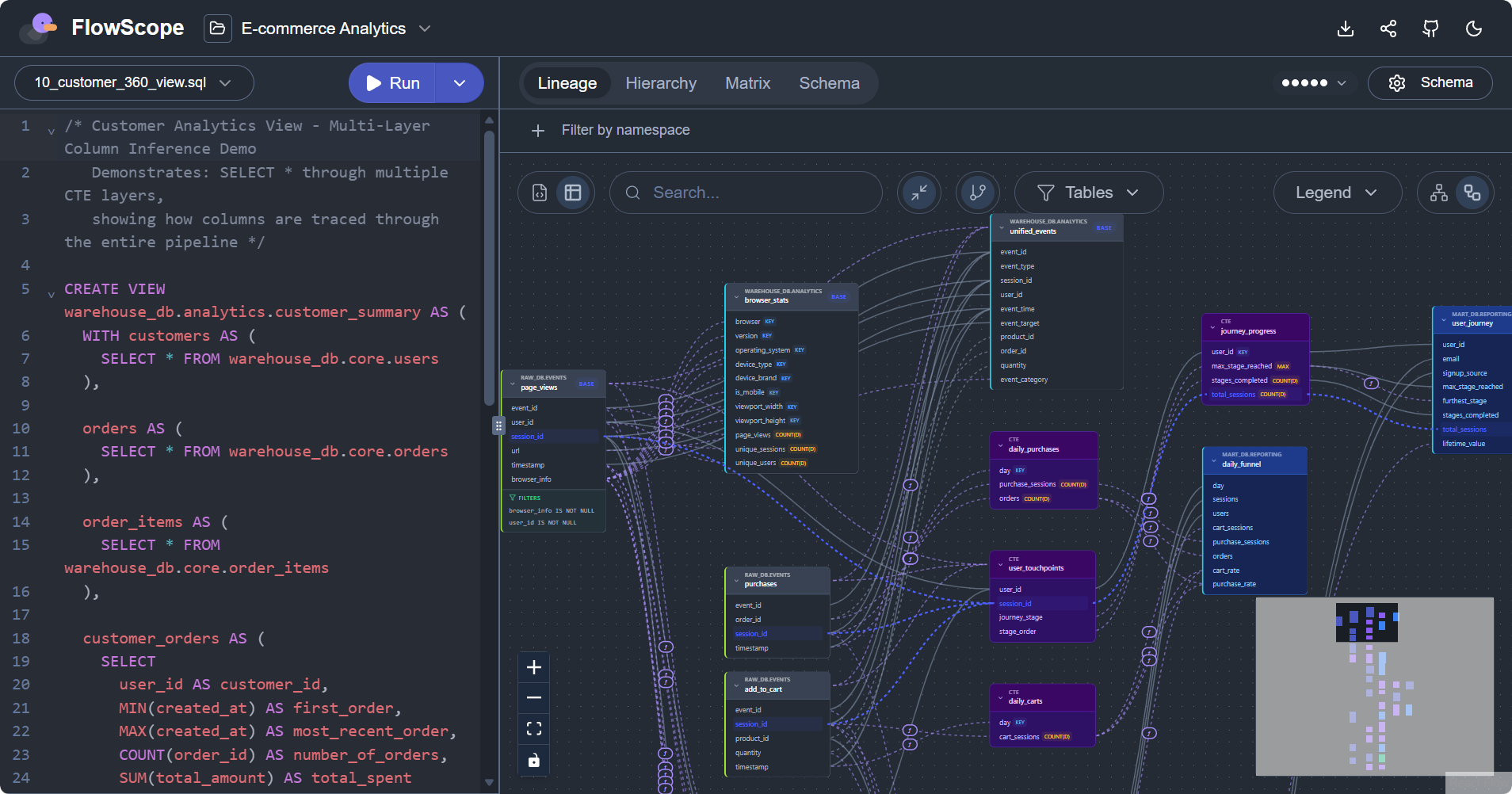
FlowScope 解析引擎采用 Rust + WebAssembly 构建,遵循 Apache 2.0 开源协议,代码托管在 GitHub:
https://github.com/pondpilot/flowscope
功能特性
-
隐私优先:完全运行在浏览器或者命令行中,没有后端服务,SQL 文件不会被上传,适合对数据安全敏感的系统。
-
多种数据库:支持多种 SQL 语法,包括 ANSI、BigQuery、ClickHouse、Databricks、Duckdb、Hive、SQL Server、MySQL、PostgreSQL、Redshift、Snowflake、SQLite。
-
多文件项目支持:FlowScope 支持直接指定或者上传整个项目目录,自动对所有 SQL 文件构建血缘关系。同时,它还支持 dbt/Jinja 模板预处理,降低了使用门槛。
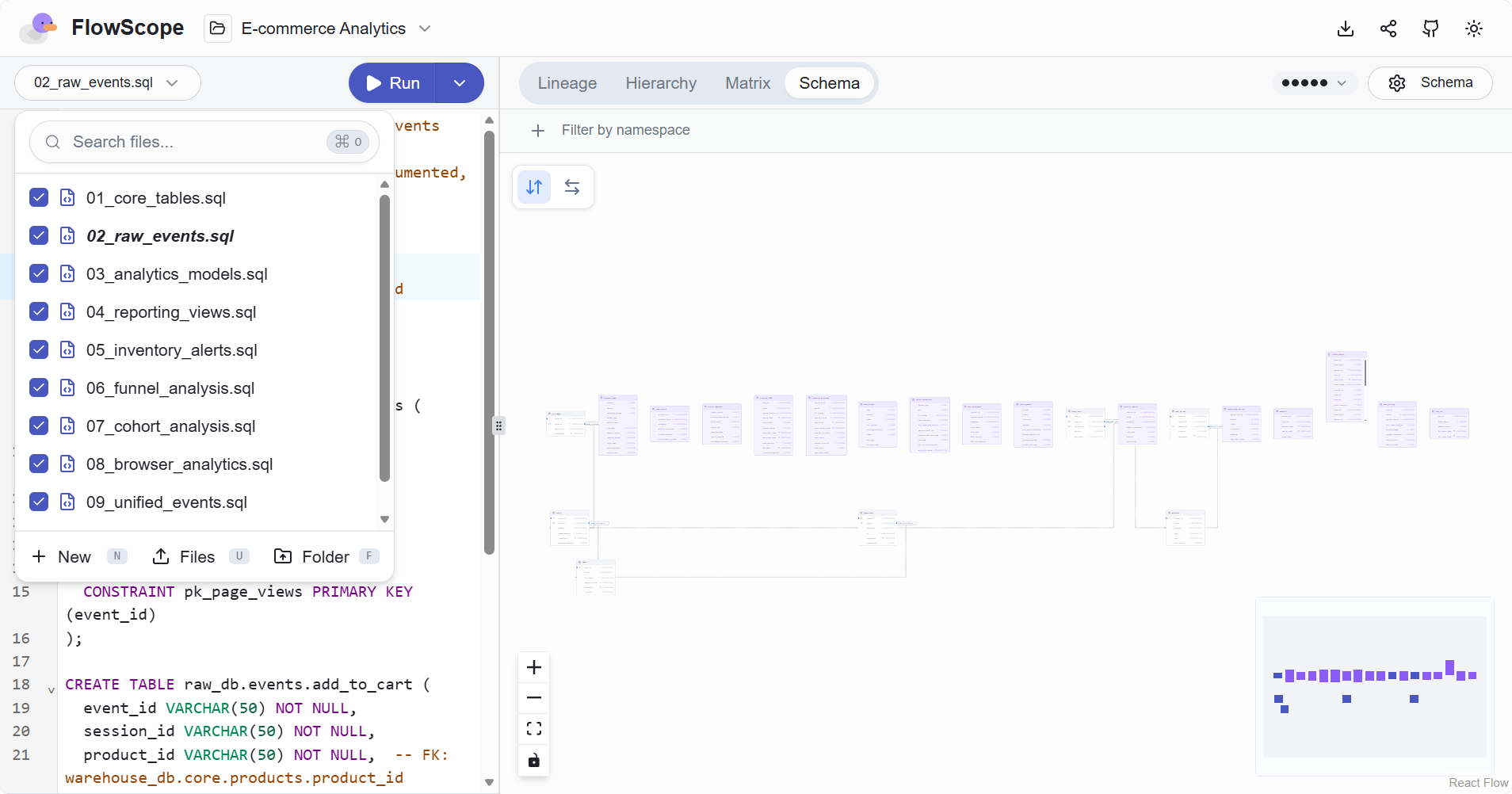
- 字段级数据血缘分析:自动分析 SQL 脚本中表的来源/输出、字段之间的依赖关系、CTE(WITH 语句)的串联关系、多文件之间的跨引用关系。
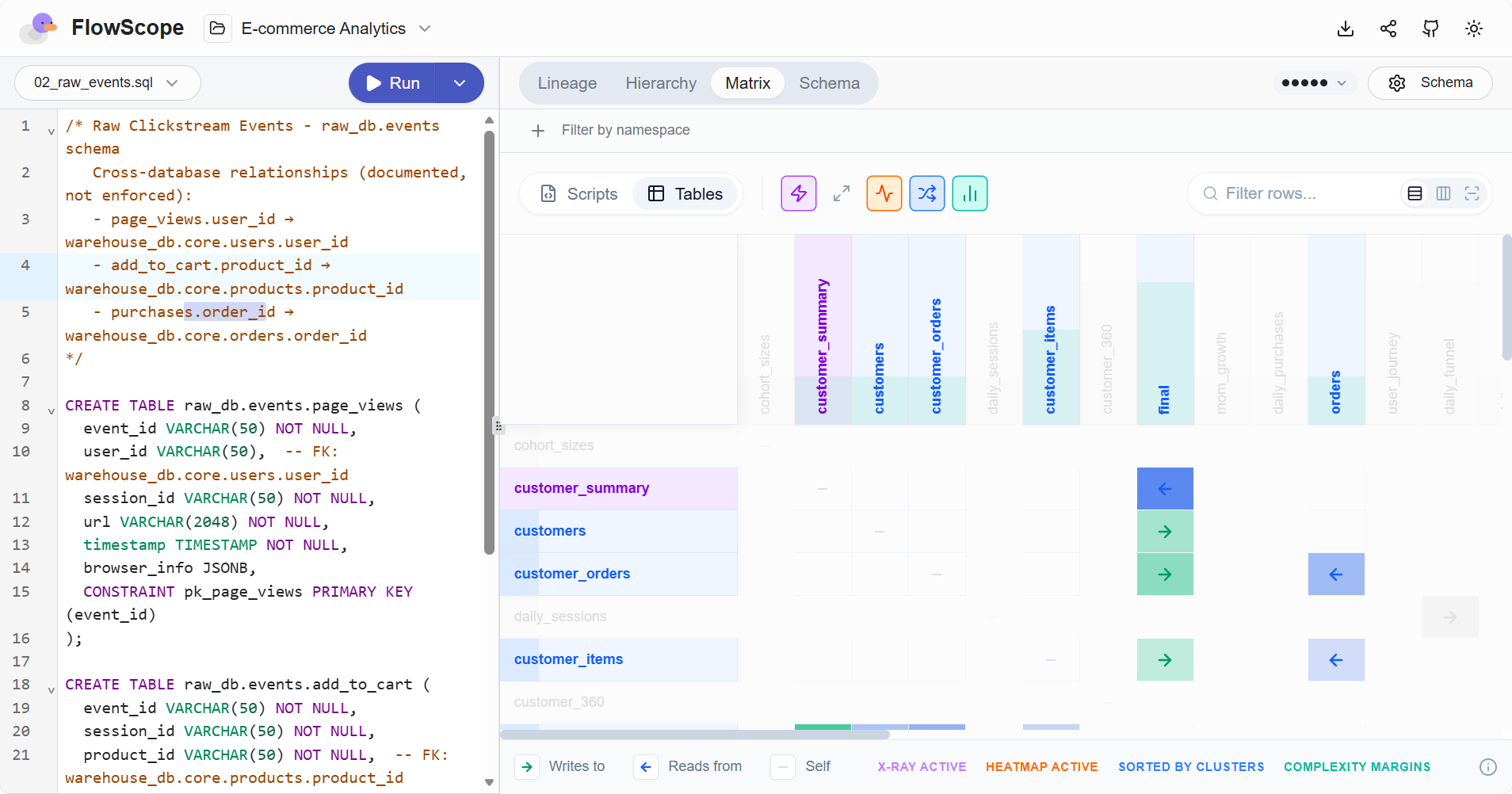
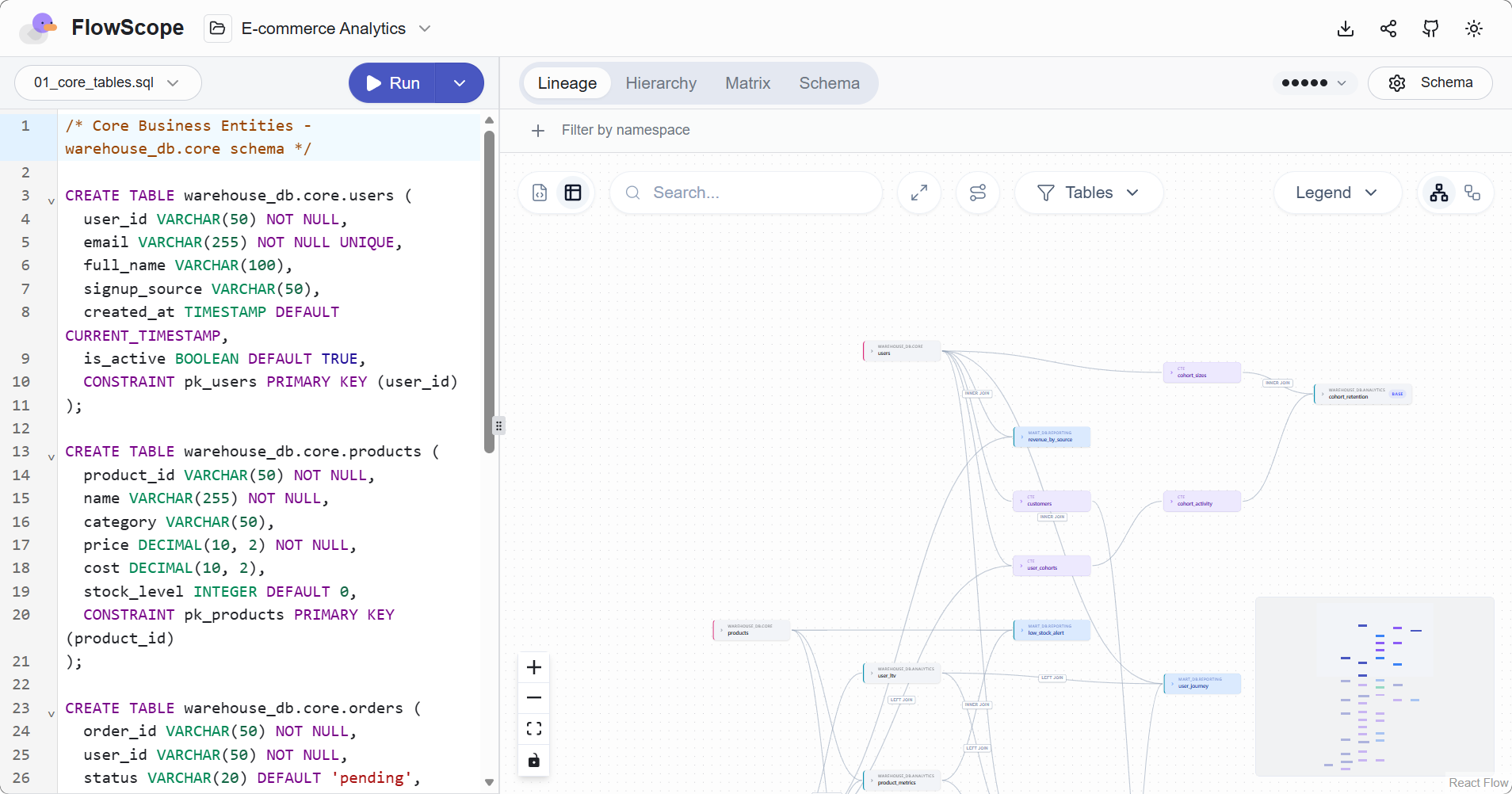
- 可交互的血缘图:支持点击节点查看详情,支持折叠、展开、缩放,多层级复杂 SQL 清晰展现。
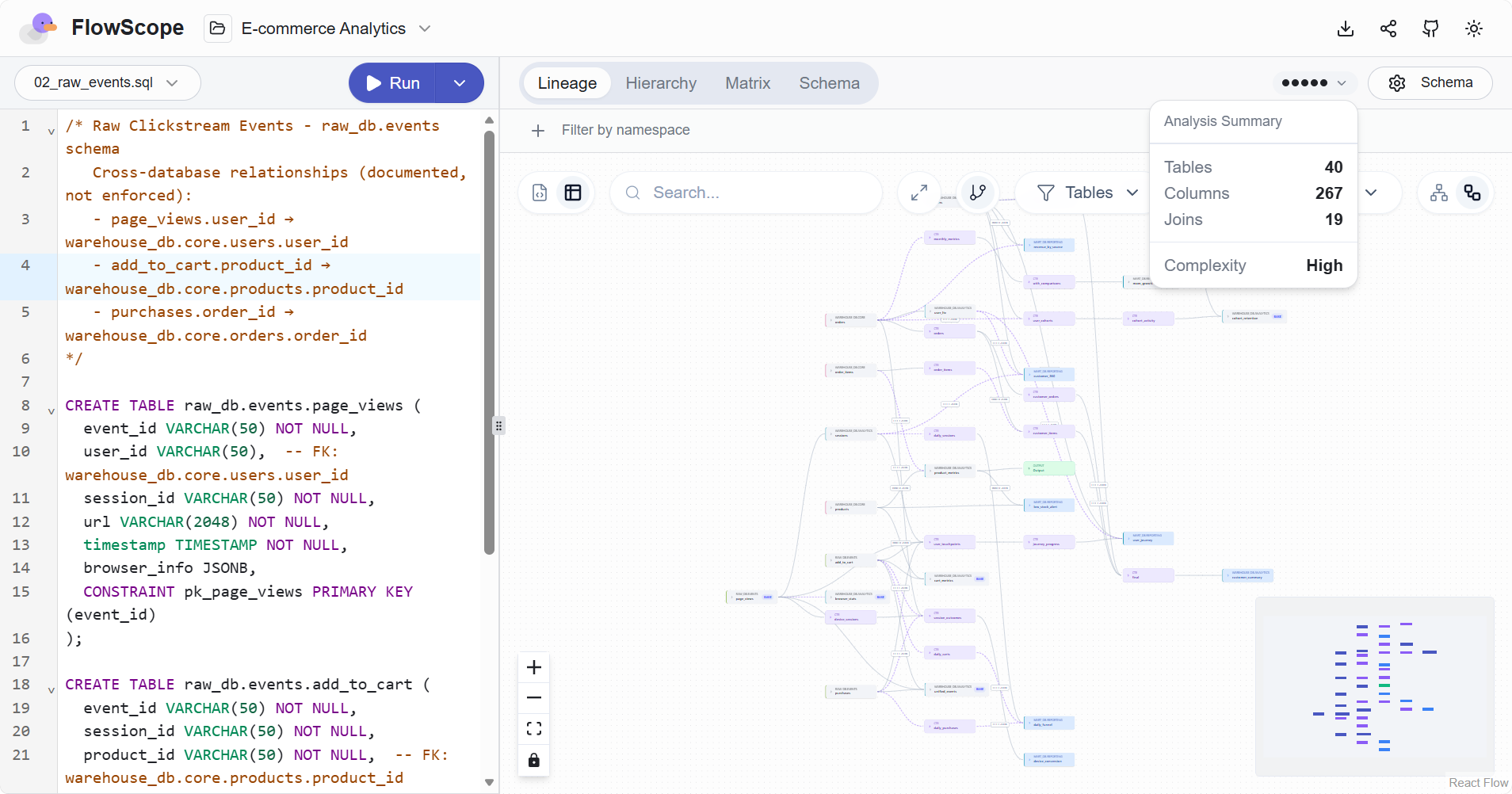
- 指定表结构信息:可以通过提供包含表结构定义的 schema.sql 来增强字段级血缘的准确度。另外,PostgreSQL、MySQL/MariaDB、SQLite 还可以通过指定数据库连接实时获取表结构定义。
- 数据和结果导出:FlowScope 支持将数据血缘分析结果导出为各种形式的文件,包括 CSV、Excel、JSON、SQL、PNG、Mermaid、HTML;适合生成可交付的文档或报表。
- SQL 代码检查器:内置 SQL Linter 静态代码检查器,提供 72 种检查规则用于规范 SQL 编写风格、检查别名、布局、命名等规则,提升代码质量。
bash
# 检查SQL文件
flowscope --lint queries/*.sql

# 检查并自动修复
flowscope --lint --fix queries/*.sql

# 输出JSON,用于CI集成
flowscope --lint -f json queries/*.sql- CI/CD 集成:命令行工具 flowscope-cli 适合用于 CI/CD 自动化分析。
在线体验
FlowScope 提供了一个在线体验应用:
https://flowscope.pondpilot.io/
下载安装
使用 cargo 包管理器安装 FlowScope 命令行工具:
bash
cargo install flowscope-cli输入flowscope -h查看帮助:
 flowscope -h
Analyze SQL files for data lineage

Usage: flowscope.exe [OPTIONS] [FILES]...

Arguments:
  [FILES]...  SQL files to analyze (reads from stdin if none provided; --lint also accepts directories)

Options:
  -d, --dialect <DIALECT>              SQL dialect [default: generic] [possible values: generic, ansi, bigquery, clickhouse, databricks, duckdb, hive, mssql, mysql, oracle, postgres, redshift, snowflake, sqlite]
  -f, --format <FORMAT>                Output format [default: table] [possible values: table, json, mermaid, html, sql, csv, xlsx, duckdb]
  -s, --schema <FILE>                  Schema DDL file for table/column resolution
      --metadata-url <URL>             Database connection URL for live schema introspection (e.g., postgres://user:pass@host/db, mysql://..., sqlite://...)
      --metadata-schema <SCHEMA>       Schema name to filter when using --metadata-url (e.g., 'public' for PostgreSQL, database name for MySQL)
  -o, --output <FILE>                  Output file (defaults to stdout)
      --project-name <PROJECT_NAME>    Project name used for default export filenames [default: lineage]
      --export-schema <SCHEMA>         Schema name to prefix DuckDB SQL export
  -v, --view <VIEW>                    Graph detail level for mermaid output [default: table] [possible values: script, table, column, hybrid]
      --lint                           Run SQL linter and report violations
      --fix                            Apply deterministic SQL lint auto-fixes in place (requires --lint)
      --fix-only                       Apply fixes only and skip post-fix lint reporting (requires --lint and --fix)
      --unsafe-fixes                   Include unsafe lint auto-fixes (requires --lint and --fix)
      --legacy-ast-fixes               Enable legacy AST-based lint rewrites (opt-in; defaults to off)
      --show-fixes                     Show blocked/display-only fix candidates in lint mode (requires --lint)
      --exclude-rules <EXCLUDE_RULES>  Comma-separated list of lint rule codes to exclude (e.g., LINT_AM_008,LINT_ST_006)
      --rule-configs <JSON>            JSON object for per-rule lint options keyed by rule reference (e.g., '{"structure.subquery":{"forbid_subquery_in":"both"}}')
      --jobs <N>                       Number of worker threads to use for lint/fix file processing
      --no-respect-gitignore           Disable `.gitignore` and standard ignore-file filtering during lint path discovery
  -q, --quiet                          Suppress warnings on stderr
  -c, --compact                        Compact JSON output (no pretty-printing)
      --template <TEMPLATE>            Template mode for preprocessing SQL (jinja or dbt) [possible values: jinja, dbt]
      --template-var <KEY=VALUE>       Template variable in KEY=VALUE format (can be repeated)
      --serve                          Start HTTP server with embedded web UI
      --port <PORT>                    Port for HTTP server (default: 3000) [default: 3000]
      --watch <DIR>                    Directories to watch for SQL files (can be repeated)
      --open                           Open browser automatically when server starts
  -h, --help                           Print help (see more with '--help')
  -V, --version                        Print version
以下是一些简单的使用示例:
bash
# 分析指定SQL文件
flowscope query.sql

# 分析特定数据库语法文件
flowscope -d snowflake etl/*.sql

# 生成Mermaid图表文件
flowscope -f mermaid -v column query.sql > lineage.mmd

# 指定表结构文件,同时将分析结果输出为Excel文件
flowscope -s schema.sql -f xlsx -o report.xlsx queries/*.sql

# 从标准输入获取SQL文件
cat query.sql | flowscope -d postgres
启动 WEB 服务器模式的命令如下:
# 监控./sql目录下的脚本
flowscope --serve --watch ./sql

# 连接PostgreSQL数据库获取表结构
flowscope --serve --watch ./sql -d postgres --metadata-url postgres://user:pass@localhost/db

# 指定服务端口并且自动打开浏览器
flowscope --serve --watch ./sql --port 8080 --open
然后通过浏览器访问,默认地址为: