界面
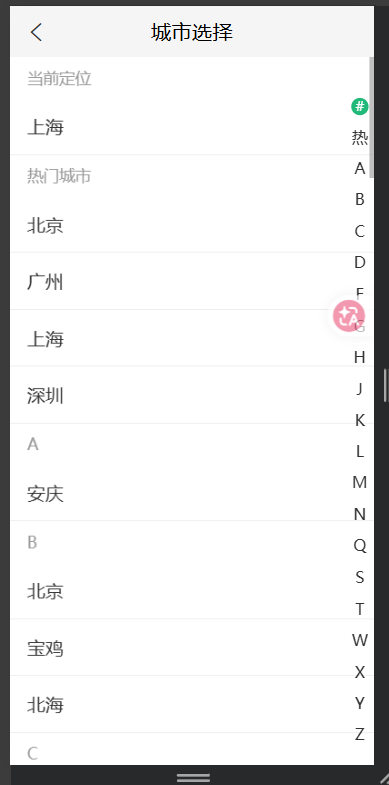
js
render() {
    return (
      <div className="citylist">
        {/* 顶部导航栏 */}
        <NavBar
          className="navbar"
          mode="light"
          icon={<i className="iconfont icon-back" />}
          onLeftClick={() => this.props.history.goBack()}
        >
          城市选择
        </NavBar>

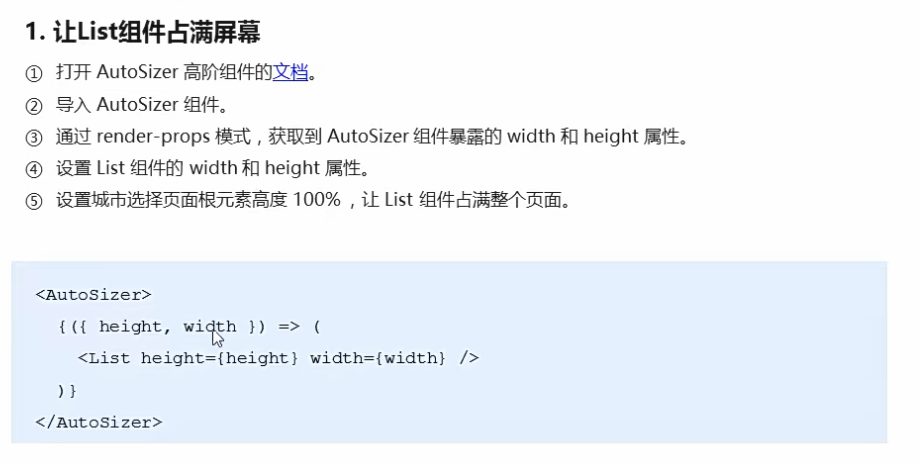
        {/* 城市列表 */}
        <AutoSizer>
          {({ width, height }) => (
            <List
              width={width}
              height={height}
              rowCount={this.state.cityIndex.length}
              rowHeight={this.getRowHeight}
              rowRenderer={this.rowRenderer}
            />
          )}
        </AutoSizer>
      </div>
    );
  }
获取并处理城市列表数据
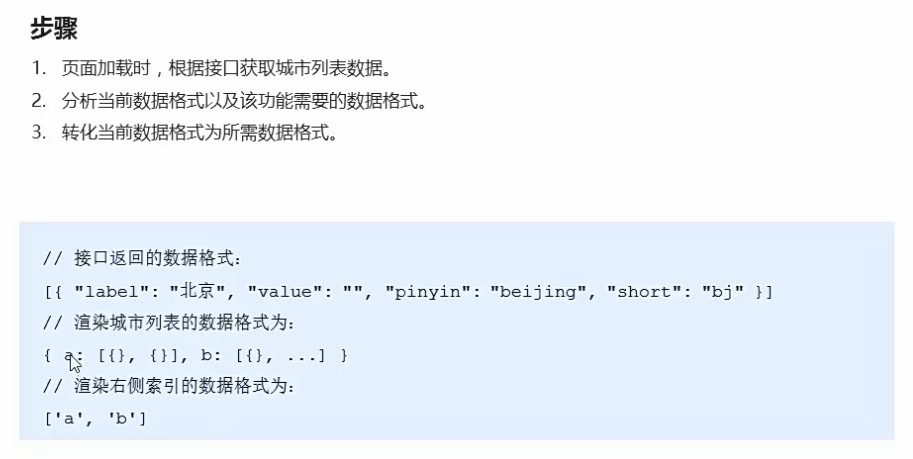
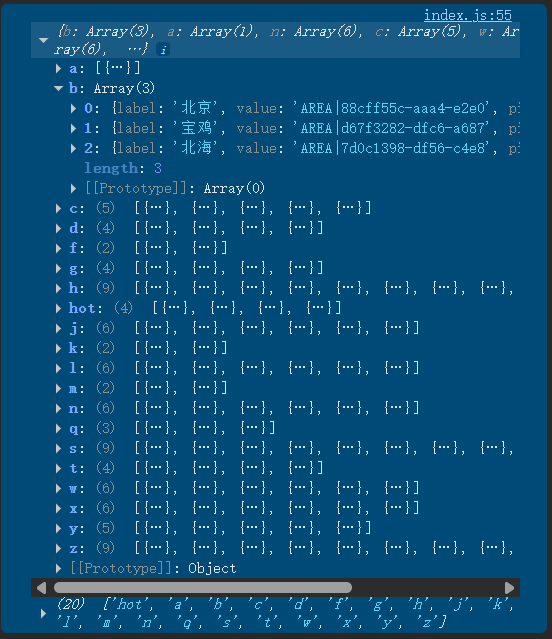
js
import React from "react";

import { NavBar } from "antd-mobile";
import "./index.scss";
import axios from "axios";
import { getCurrentCity } from "../../utils";

// 格式化城市列表数据
const formatCityData = (list) => {
  const cityList = {};
  // const cityIndex = [];

  // 遍历城市列表数据,进行分类
  list.forEach((item) => {
    const first = item.short.substr(0, 1);
    // console.log(first);
    // 判断cityList中是否有该分类
    if (cityList[first]) {
      // 如果有就往该分类中添加数据
      cityList[first].push(item);
    } else {
      // 如果没有就创建该分类
      cityList[first] = [item];
    }
  });
  // 获取索引数据并排序
  const cityIndex = Object.keys(cityList).sort();

  return {
    cityList,
    cityIndex,
  };
};

export default class CityList extends React.Component {
  componentDidMount() {
    // 获取城市列表数据
    this.getCityList();
  }

  // 获取城市列表数据的方法
  async getCityList() {
    // 获取城市列表数据
    const res = await axios.get("http://localhost:8080/area/city?level=1");
    // console.table(res.data.body);
    const { cityList, cityIndex } = formatCityData(res.data.body);
    // console.log(cityList, cityIndex);

    // 获取热门城市数据
    const hotRes = await axios.get("http://localhost:8080/area/hot");
    // console.log("热门城市数据:", hotRes.data.body);

    cityList['hot'] = hotRes.data.body;
    // 将hot索引添加到cityIndex中,最前面
    cityIndex.unshift('hot');

    // 添加当前城市到索引中,放最前面
    const curCity = await getCurrentCity();
    cityList['#'] = [curCity];
    cityIndex.unshift('#');

    console.log(cityList, cityIndex);

  }

  render() {
    return (
      <div className="citylist">
        {/* 顶部导航栏 */}
        <NavBar
          className="navbar"
          mode="light"
          icon={<i className="iconfont icon-back" />}
          onLeftClick={() => this.props.history.goBack()}
        >
          城市选择
        </NavBar>
      </div>
    );
  }
}
获取当前定位城市信息
utils/index.js
js
import axios from "axios";

// 获取当前定位城市信息
export const getCurrentCity = () => {
  const localCity = localStorage.getItem("hkzf_city");
  if (!localCity) {
    return new Promise((resolve, reject) => {
      // 通过IP定位获取到当前城市名称
      const curCity = new window.BMap.LocalCity();
      curCity.get(async (res) => {
        try {
          // console.log("当前城市信息:", res);
          const result = await axios.get("http://localhost:8080/area/info", {
            params: {
              name: res.name,
            },
          });
          localStorage.setItem("hkzf_city", JSON.stringify(result.data.body));
        } catch (error) {
          reject(error);
        }
      });
    });
  }
  return Promise.resolve(JSON.parse(localCity));
};
长列表性能优化

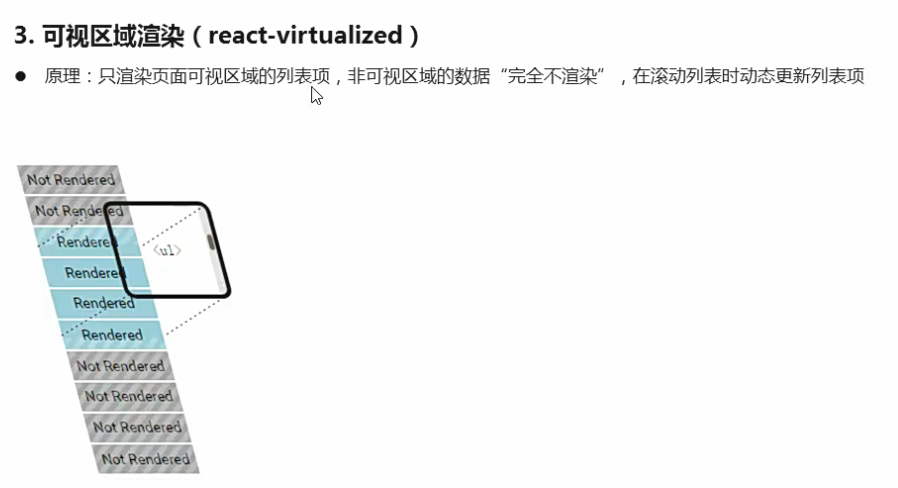
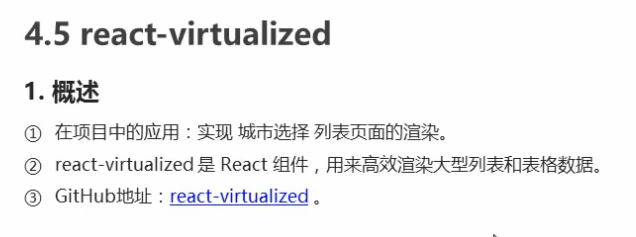
让List组件占满屏幕
格式化城市列表数据
js
// 格式化城市列表数据
const formatCityData = (list) => {
  const cityList = {};
  // const cityIndex = [];

  // 遍历城市列表数据,进行分类
  list.forEach((item) => {
    const first = item.short.substr(0, 1);
    // console.log(first);
    // 判断cityList中是否有该分类
    if (cityList[first]) {
      // 如果有就往该分类中添加数据
      cityList[first].push(item);
    } else {
      // 如果没有就创建该分类
      cityList[first] = [item];
    }
  });
  // 获取索引数据并排序
  const cityIndex = Object.keys(cityList).sort();

  return {
    cityList,
    cityIndex,
  };
};
封装处理字母索引的方法
js
const formatCityIndex = (letter) => {
  switch (letter) {
    case "#":
      return "当前定位";
    case "hot":
      return "热门城市";
    default:
      return letter.toUpperCase();
  }
};
动态计算高度
js
// 动态计算高度
  getRowHeight = ({ index }) => {
    // 索引的高度 + 数量 * 每个城市的高度
    let { cityIndex, cityList } = this.state;

    return cityList[cityIndex[index]].length * NAME_HEIGHT + TITLE_HEIGHT;
  };
渲染每一行的内容
js
// 渲染每一行的内容
  rowRenderer = ({
    key, // Unique key within array of rows
    index, // 索引号
    isScrolling, // 当前项是否正在滚动中
    isVisible, // 当前项在List中是可见的
    style, // 重点属性:一定要给每一个行数添加该样式
  }) => {
    // 获取每一行的字母索引
    const { cityIndex, cityList } = this.state;
    const letter = cityIndex[index];
    return (
      <div key={key} style={style} className="city">
        <div className="title">{formatCityIndex(letter)}</div>
        {cityList[letter].map((item) => (
          <div key={item.value} className="name">
            {item.label}
          </div>
        ))}
      </div>
    );
  };
渲染城市索引列表
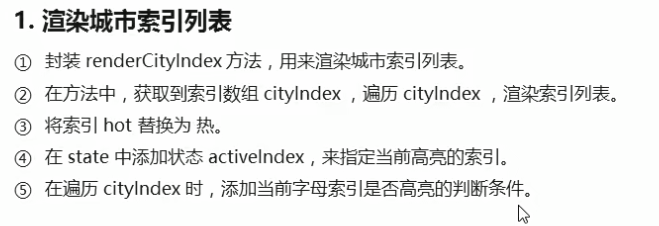
js
// 渲染右侧城市索引
  renderCityIndex() {
    return this.state.cityIndex.map((item, index) => {
      // console.log(item, index);

      return (
        <li className="city-index-item" key={item}>
          {/*判断一下,如果高亮状态的索引等于当前索引,那么就设置高亮样式*/}
          <span
            className={this.state.activeIndex === index ? "index-active" : ""}
          >
            {item === "hot" ? "热" : item.toUpperCase()}
          </span>
        </li>
      );
    });
  }
jsx
{/* 右侧索引列表 */}
<ul className="city-index">{this.renderCityIndex()}</ul>
滚动城市列表让对应索引高亮

js
// 用于获取List组件中渲染行的信息
  onRowsRendered = ({ startIndex }) => {
    // console.log("startIndex: ", startIndex);
    if (startIndex !== this.state.activeIndex) {
      this.setState({
        activeIndex: startIndex
      });
    }
  };
jsx
 {/* 城市列表 */}
        <AutoSizer>
          {({ width, height }) => (
            <List
              width={width}
              height={height}
              rowCount={this.state.cityIndex.length}
              rowHeight={this.getRowHeight}
              rowRenderer={this.rowRenderer}
              onRowsRendered={this.onRowsRendered}
            />
          )}
        </AutoSizer>
点击右侧城市索引滚动到指定行
js
 // 创建ref对象
    this.cityListComponent = React.createRef();
js
async componentDidMount() {
    // 获取城市列表数据
    await this.getCityList();

    // 调用measureAllRow提前计算List中每一行的高度,实现scrollToRow的精确跳转
    // 注意:调用这个方法的时候,需要保证List组件中已经有数据了!
    this.cityListComponent.current.measureAllRows();
  }
jsx
/**
      1给索引列表项绑定点击事件。
      2在点击事件中,通过index获取到当前项索引号。
      3调用List组件的scrol1 TORow方法,让List组件滚动到指定行。
      3.1在constructor中,调用React.createRef()创建ref对象。
      3.2将创建好的ref对象,添加为List组件的ref属性。
      3.3通过ref的current属性,获取到组件实例,再调用组件的scrollToRow方法。
      4设置List组件的scrollToAlignment配置项值为start,保证被点击行出现在页面顶部。
      5对于点击索引无法正确定位的问题,调用List组件的measureAllRows方法,提前计算高度来解
      决。
   */
  // 渲染右侧城市索引
  renderCityIndex() {
    return this.state.cityIndex.map((item, index) => {
      // console.log(item, index);

      return (
        <li
          className="city-index-item"
          key={item}
          onClick={() => {
            // console.log("当前索引号:", index);
            this.cityListComponent.current.scrollToRow(index);
          }}
        >
          {/*判断一下,如果高亮状态的索引等于当前索引,那么就设置高亮样式*/}
          <span
            className={this.state.activeIndex === index ? "index-active" : ""}
          >
            {item === "hot" ? "热" : item.toUpperCase()}
          </span>
        </li>
      );
    });
  }
jsx
{/* 城市列表 */}
        <AutoSizer>
          {({ width, height }) => (
            <List
              ref={this.cityListComponent}
              width={width}
              height={height}
              rowCount={this.state.cityIndex.length}
              rowHeight={this.getRowHeight}
              rowRenderer={this.rowRenderer}
              onRowsRendered={this.onRowsRendered}
              scrollToAlignment="start"
            />
          )}
        </AutoSizer>
点击城市进行切换
js
// 有房源的城市
const HOUSE_CITY = ["北京", "上海", "广州", "深圳"];
js
 /**
   *
    1 给城市列表项绑定点击事件。
    2 判断当前城市是否有房源数据(只有北/上/广/深四个城市有数据)
    3 如果有房源数据,则保存当前城市数据到本地缓存中,并返回上一页。
    4 如果没有房源数据,则提示用户:该城市暂无房源数据,不执行任何操作。
   * @param {*} curCity
   */
  changeCity({ label, value }) {
    console.log(label, value);

    if (!HOUSE_CITY.includes(label)) {
      Toast.info("该城市暂无房源数据", 2, null, false);
      return;
    }
    // 存储选中城市信息
    localStorage.setItem("hkzf_city", JSON.stringify({ label, value }));
    // 返回上一页
    this.props.history.go(-1);
  }