一、Active和Passive
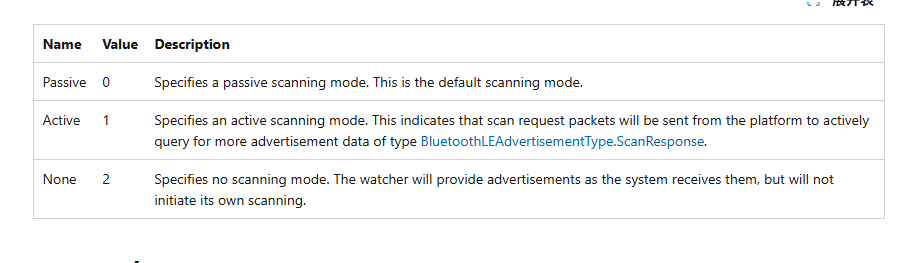
翻译
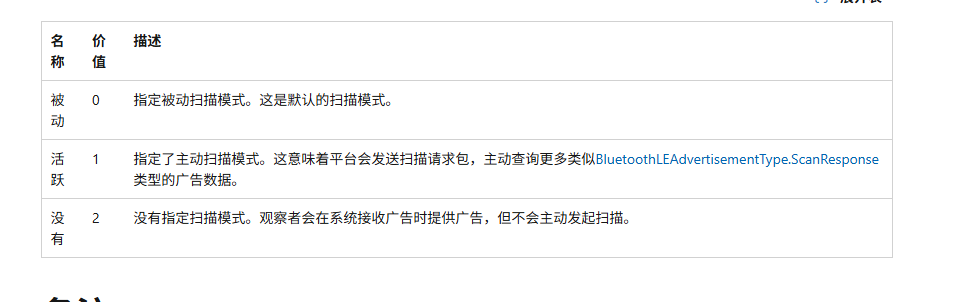
二、Active
1、代码
cpp
#include <iostream>
#include <windows.h>
#include <winrt/Windows.Foundation.h>
#include <winrt/Windows.Foundation.Collections.h>
#include <winrt/Windows.Devices.Bluetooth.Advertisement.h>
#include <winrt/Windows.Storage.Streams.h>
#include <atomic>
#include <string>
#include <sstream>
#include <vector>
#include <mutex>
#include <iomanip>
#include <chrono>

using namespace winrt;
using namespace Windows::Foundation;
using namespace Windows::Devices::Bluetooth::Advertisement;
using namespace Windows::Storage::Streams;

BluetoothLEAdvertisementWatcher g_watcher{nullptr};

std::string BluetoothAddressToString(uint64_t address){
    std::stringstream ss;
    ss << std::setw(2) << std::setfill('0') << std::hex
        << ((address >> 40) & 0xFF) << ":"
        << ((address >> 32) & 0xFF) << ":"
        << ((address >> 24) & 0xFF) << ":"
        << ((address >> 16) & 0xFF) << ":"
        << ((address >> 8)  & 0xFF) << ":"
        << (address         & 0xFF);
    return ss.str();
}

std::string WStringToUtf8(const std::wstring& wstr)
{
    if(wstr.empty()){
        return "";
    }
    int size=WideCharToMultiByte(CP_UTF8,0,wstr.c_str(),-1,nullptr,0,nullptr,nullptr);
    std::string str(size-1,0);
    WideCharToMultiByte(CP_UTF8,0,wstr.c_str(),-1,&str[0],size,nullptr,nullptr);
    return str;
}

void OnAdvertisementReceived(BluetoothLEAdvertisementWatcher sender, BluetoothLEAdvertisementReceivedEventArgs args)
{
    std::string sout="";
    auto now = std::chrono::system_clock::now();
    auto ms = std::chrono::duration_cast<std::chrono::milliseconds>(now.time_since_epoch()).count()%10000;
    std::string mac = BluetoothAddressToString(args.BluetoothAddress());
    sout+="[";
    sout+=std::to_string(ms);
    sout+= "ms]";
    sout+= mac;
    sout+= " ";
    std::wstring name = args.Advertisement().LocalName().c_str();
    if(!name.empty()){
        sout+= WStringToUtf8(name)+" ";
    }else{
        sout+="[Empty name]";
    }
    sout+="UUIDS: ";
    for(const auto& uuid : args.Advertisement().ServiceUuids()){
        sout+= WStringToUtf8(winrt::to_hstring(uuid).c_str());
    }
    std::cout<<sout<<std::endl;
    std::cout<<std::flush;
}
int main()
{
    winrt::init_apartment(winrt::apartment_type::multi_threaded);
    std::cout<<"Starting BLE Scanner......"<<std::endl;
    g_watcher = BluetoothLEAdvertisementWatcher();
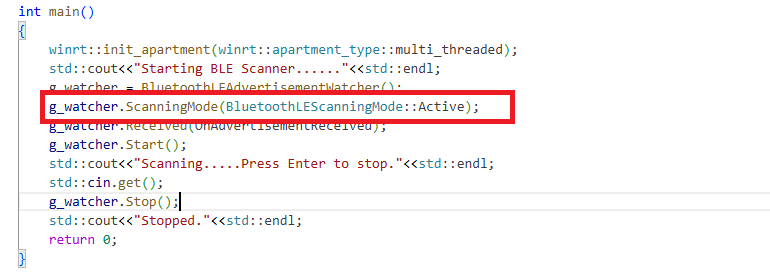
    g_watcher.ScanningMode(BluetoothLEScanningMode::Active);
    g_watcher.Received(OnAdvertisementReceived);
    g_watcher.Start();
    std::cout<<"Scanning.....Press Enter to stop."<<std::endl;
    std::cin.get();
    g_watcher.Stop();
    std::cout<<"Stopped."<<std::endl;
    return 0;
}
2、编译连接
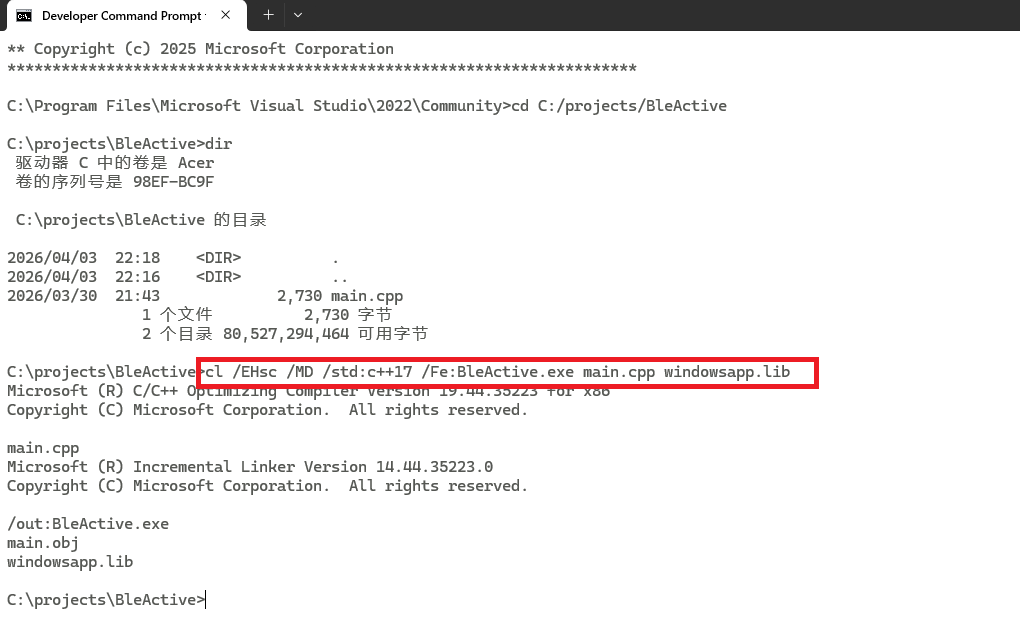
打开Developer Command Prompt for VS 2022
cl /EHsc /MD /std:c++17 /Fe:BleActive.exe main.cpp windowsapp.lib
3、运行程序
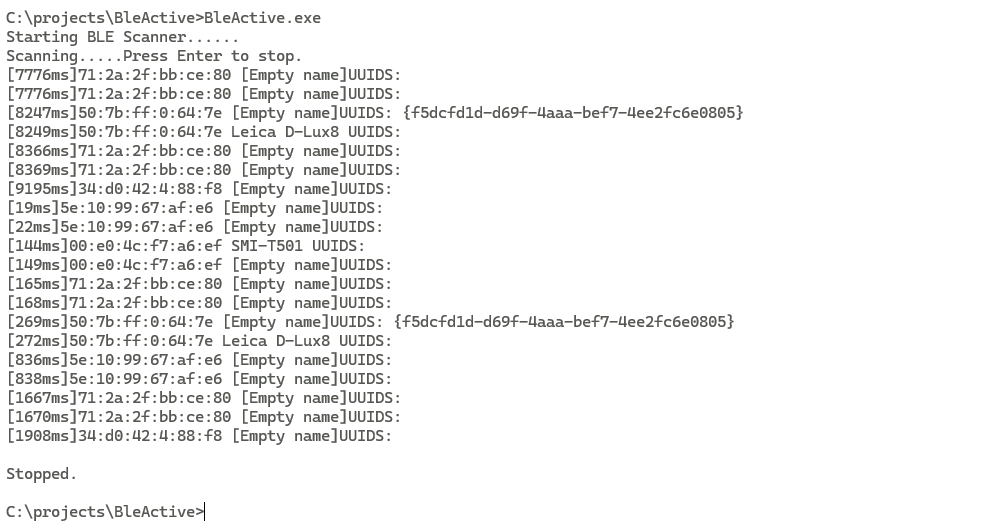
打开蓝牙,运行程序
三、Passive
1、代码
cpp
#include <iostream>
#include <windows.h>
#include <winrt/Windows.Foundation.h>
#include <winrt/Windows.Foundation.Collections.h>
#include <winrt/Windows.Devices.Bluetooth.Advertisement.h>
#include <winrt/Windows.Storage.Streams.h>
#include <atomic>
#include <string>
#include <sstream>
#include <vector>
#include <mutex>
#include <iomanip>
#include <chrono>

using namespace winrt;
using namespace Windows::Foundation;
using namespace Windows::Devices::Bluetooth::Advertisement;
using namespace Windows::Storage::Streams;

BluetoothLEAdvertisementWatcher g_watcher{nullptr};

std::string BluetoothAddressToString(uint64_t address){
    std::stringstream ss;
    ss << std::setw(2) << std::setfill('0') << std::hex
        << ((address >> 40) & 0xFF) << ":"
        << ((address >> 32) & 0xFF) << ":"
        << ((address >> 24) & 0xFF) << ":"
        << ((address >> 16) & 0xFF) << ":"
        << ((address >> 8)  & 0xFF) << ":"
        << (address         & 0xFF);
    return ss.str();
}

std::string WStringToUtf8(const std::wstring& wstr)
{
    if(wstr.empty()){
        return "";
    }
    int size=WideCharToMultiByte(CP_UTF8,0,wstr.c_str(),-1,nullptr,0,nullptr,nullptr);
    std::string str(size-1,0);
    WideCharToMultiByte(CP_UTF8,0,wstr.c_str(),-1,&str[0],size,nullptr,nullptr);
    return str;
}

void OnAdvertisementReceived(BluetoothLEAdvertisementWatcher sender, BluetoothLEAdvertisementReceivedEventArgs args)
{
    std::string sout="";
    auto now = std::chrono::system_clock::now();
    auto ms = std::chrono::duration_cast<std::chrono::milliseconds>(now.time_since_epoch()).count()%10000;
    std::string mac = BluetoothAddressToString(args.BluetoothAddress());
    sout+="[";
    sout+=std::to_string(ms);
    sout+= "ms]";
    sout+= mac;
    sout+= " ";
    std::wstring name = args.Advertisement().LocalName().c_str();
    if(!name.empty()){
        sout+= WStringToUtf8(name)+" ";
    }else{
        sout+="[Empty name]";
    }
    sout+="UUIDS: ";
    for(const auto& uuid : args.Advertisement().ServiceUuids()){
        sout+= WStringToUtf8(winrt::to_hstring(uuid).c_str());
    }
    std::cout<<sout<<std::endl;
    std::cout<<std::flush;
}
int main()
{
    winrt::init_apartment(winrt::apartment_type::multi_threaded);
    std::cout<<"Starting BLE Scanner......"<<std::endl;
    g_watcher = BluetoothLEAdvertisementWatcher();
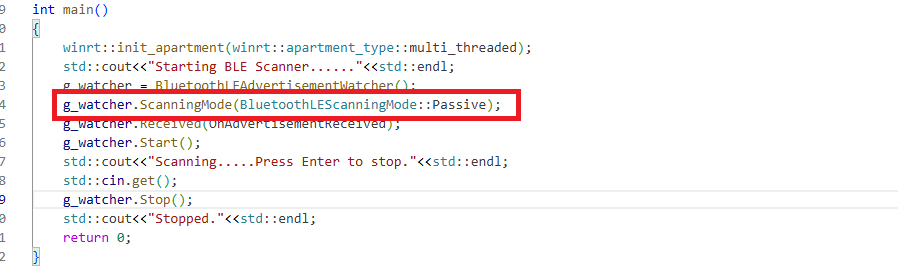
    g_watcher.ScanningMode(BluetoothLEScanningMode::Passive);
    g_watcher.Received(OnAdvertisementReceived);
    g_watcher.Start();
    std::cout<<"Scanning.....Press Enter to stop."<<std::endl;
    std::cin.get();
    g_watcher.Stop();
    std::cout<<"Stopped."<<std::endl;
    return 0;
}
2、编译连接
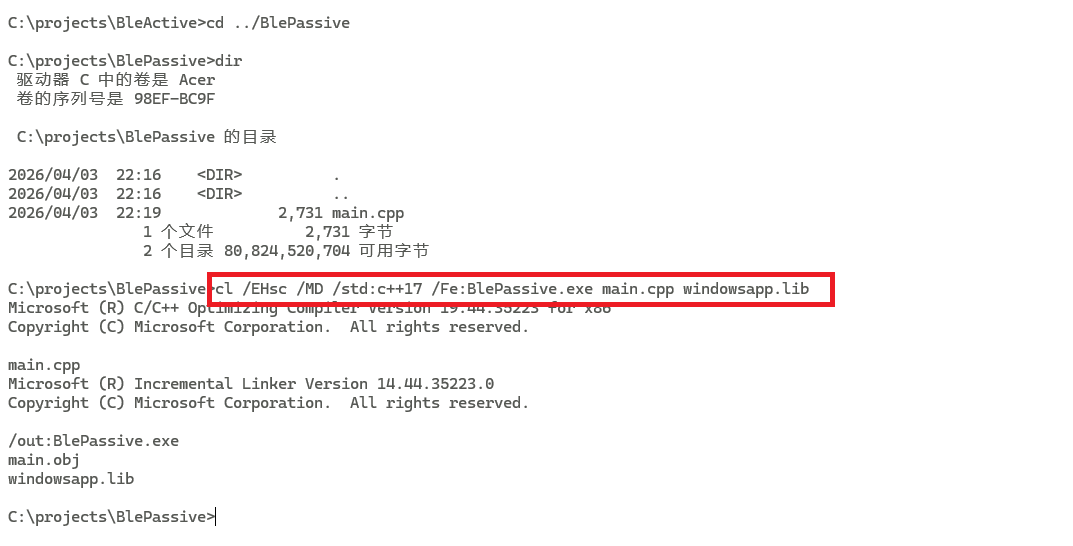
cl /EHsc /MD /std:c++17 /Fe:BlePassive.exe main.cpp windowsapp.lib
3、运行程序
四、对比运行结果
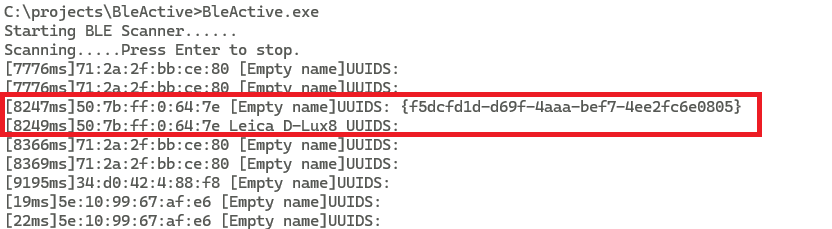
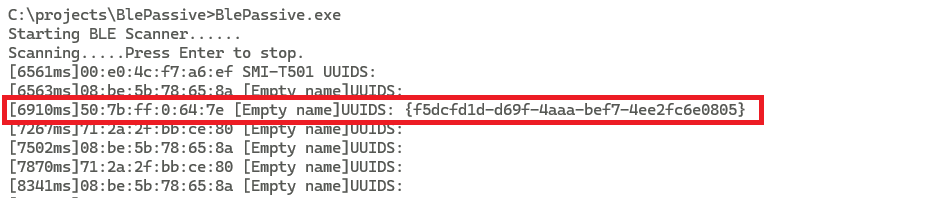
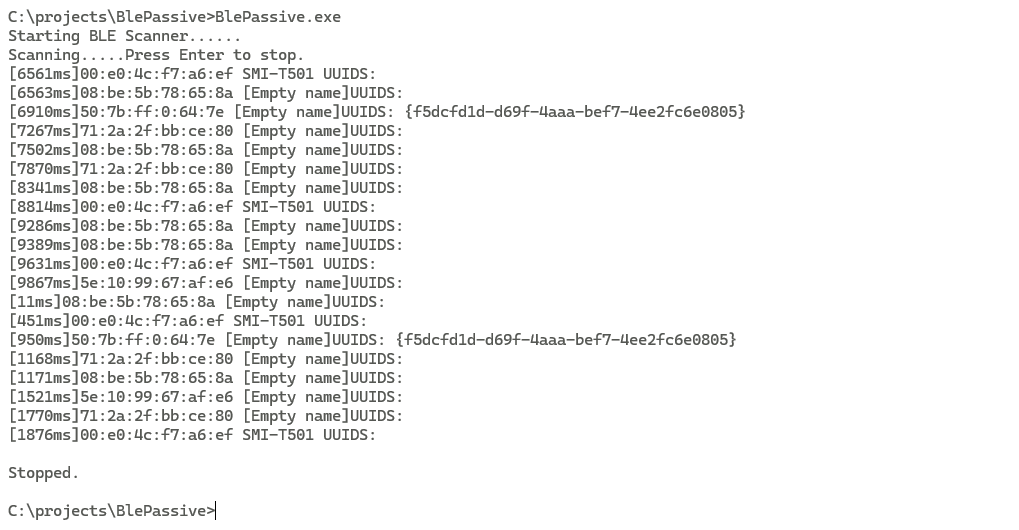
可以明显看到,Active模式下,能收到两种不同的广播报文,一条含UUID,一条含Name;而Passive模式下,只能收到一种广播报文,即只含有UUID的广播报文。