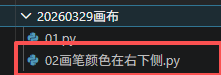
def generate_drawing_board():
"""生成幼儿画板HTML代码"""
return """<!DOCTYPE html>
<html lang="zh-CN">
<head>
<meta charset="UTF-8">
<meta name="viewport" content="width=device-width, initial-scale=1.0, user-scalable=no">
<title>幼儿魔法画板 - 希沃白板专用</title>
<style>
/* 全局重置:锁定屏幕,无滚动条,完全填充 */
* {
margin: 0;
padding: 0;
box-sizing: border-box;
user-select: none;
}
body {
background: #2b2b3a;
display: flex;
justify-content: center;
align-items: center;
min-height: 100vh;
font-family: 'Segoe UI', 'Comic Neue', 'Comic Sans MS', 'Chalkboard SE', cursive, sans-serif;
overflow: hidden;
position: fixed;
width: 100%;
height: 100%;
margin: 0;
padding: 0;
}
.draw-app {
width: 100vw;
height: 100vh;
background: #1e1f2c;
display: flex;
flex-direction: column;
padding: 12px 20px 20px 20px;
overflow: hidden;
}
.toolbar {
background: #fdf8e7;
border-radius: 60px;
padding: 10px 20px;
margin-bottom: 18px;
display: flex;
flex-wrap: wrap;
align-items: center;
justify-content: center;
gap: 12px 18px;
box-shadow: 0 6px 0 #c0a67a;
border: 2px solid #e9cf9e;
}
.btn {
background: #ffdd99;
border: none;
font-size: 1.3rem;
font-weight: bold;
padding: 8px 18px;
border-radius: 48px;
cursor: pointer;
font-family: inherit;
transition: 0.1s linear;
box-shadow: 0 4px 0 #b97f44;
color: #4a2e1f;
display: inline-flex;
align-items: center;
gap: 8px;
}
.btn:active {
transform: translateY(2px);
box-shadow: 0 2px 0 #b97f44;
}
.btn-save {
background: #6fbf4c;
color: white;
box-shadow: 0 4px 0 #3f6b2c;
}
.btn-clear {
background: #f7b05e;
}
.brush-active {
background: #ffaa66;
border: 3px solid #f06414;
box-shadow: 0 2px 0 #b45a2a;
transform: translateY(2px);
}
.color-panel {
display: flex;
gap: 12px;
background: #efe3c9;
padding: 5px 15px;
border-radius: 48px;
align-items: center;
}
.color-swatch {
width: 44px;
height: 44px;
border-radius: 50%;
cursor: pointer;
border: 3px solid white;
box-shadow: 0 2px 5px rgba(0,0,0,0.2);
transition: 0.05s linear;
}
.color-swatch:active {
transform: scale(0.92);
}
.selected-color {
border: 4px solid gold;
box-shadow: 0 0 0 2px #2b2b2b;
}
.brush-size {
background: #ffe4b5;
border-radius: 40px;
padding: 5px 14px;
display: flex;
align-items: center;
gap: 10px;
font-weight: bold;
font-size: 1.2rem;
}
.size-value {
background: white;
padding: 4px 12px;
border-radius: 30px;
min-width: 55px;
text-align: center;
}
.size-btn {
background: #c2a15b;
border: none;
font-size: 1.6rem;
font-weight: bold;
width: 38px;
border-radius: 50%;
color: white;
cursor: pointer;
box-shadow: 0 2px 0 #6e4f28;
}
.size-btn:active {
transform: translateY(2px);
}
.canvas-container {
flex: 1;
background: #ffffff;
border-radius: 32px;
box-shadow: 0 8px 20px rgba(0,0,0,0.3);
overflow: hidden;
border: 4px solid #ffde9e;
position: relative;
cursor: crosshair;
}
canvas {
display: block;
width: 100%;
height: 100%;
background: white;
cursor: crosshair;
}
.info-bar {
margin-top: 12px;
text-align: center;
font-size: 1rem;
color: #ffecb3;
background: #2a2a38;
border-radius: 40px;
padding: 5px;
font-weight: bold;
}
@media (max-width: 700px) {
.toolbar { gap: 8px; padding: 8px 12px; }
.btn { font-size: 1rem; padding: 6px 12px; }
.color-swatch { width: 36px; height: 36px; }
}
</style>
</head>
<body>
<div class="draw-app">
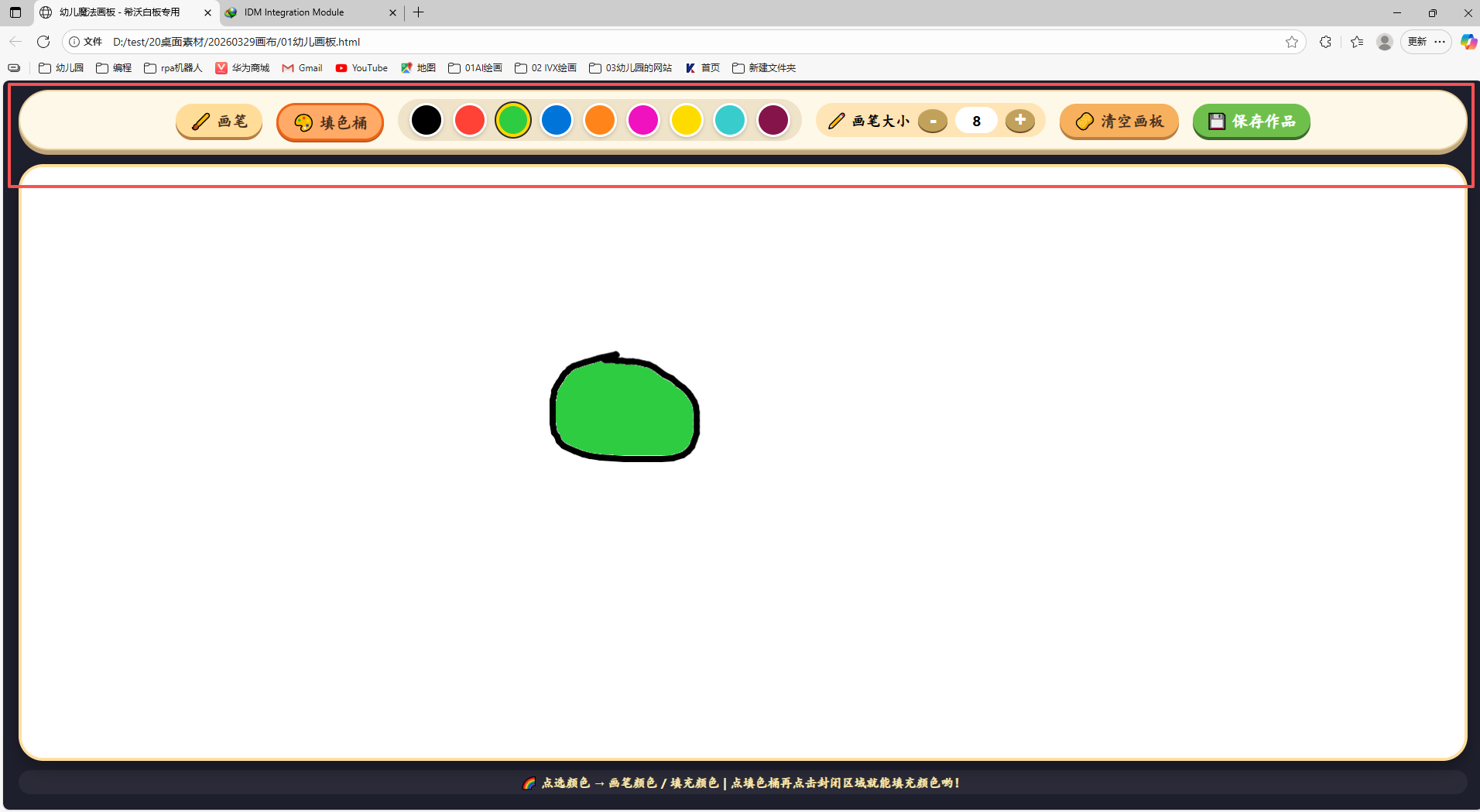
<div class="toolbar">
<button id="brushBtn" class="btn brush-active">🖌️ 画笔</button>
<button id="fillBtn" class="btn">🎨 填色桶</button>
<div class="color-panel">
<div class="color-swatch" style="background:#000000;" data-color="#000000"></div>
<div class="color-swatch" style="background:#FF4136;" data-color="#FF4136"></div>
<div class="color-swatch" style="background:#2ECC40;" data-color="#2ECC40"></div>
<div class="color-swatch" style="background:#0074D9;" data-color="#0074D9"></div>
<div class="color-swatch" style="background:#FF851B;" data-color="#FF851B"></div>
<div class="color-swatch" style="background:#F012BE;" data-color="#F012BE"></div>
<div class="color-swatch" style="background:#FFDC00;" data-color="#FFDC00"></div>
<div class="color-swatch" style="background:#39CCCC;" data-color="#39CCCC"></div>
<div class="color-swatch" style="background:#85144b;" data-color="#85144b"></div>
</div>
<div class="brush-size">
<span>✏️ 画笔大小</span>
<button id="sizeMinus" class="size-btn">-</button>
<span id="brushSizeValue" class="size-value">8</span>
<button id="sizePlus" class="size-btn">+</button>
</div>
<button id="clearCanvasBtn" class="btn btn-clear">🧽 清空画板</button>
<button id="saveCanvasBtn" class="btn btn-save">💾 保存作品</button>
</div>
<div class="canvas-container">
<canvas id="mainCanvas"></canvas>
</div>
<div class="info-bar">
🌈 点选颜色 → 画笔颜色 / 填充颜色 | 点填色桶再点击封闭区域就能填充颜色哟!
</div>
</div>
<script>
(function() {
const canvas = document.getElementById('mainCanvas');
let ctx = canvas.getContext('2d');
let isDrawing = false;
let currentMode = 'brush';
let currentColor = '#000000';
let brushSize = 8;
const brushBtn = document.getElementById('brushBtn');
const fillBtn = document.getElementById('fillBtn');
const colorSwatches = document.querySelectorAll('.color-swatch');
const sizeMinus = document.getElementById('sizeMinus');
const sizePlus = document.getElementById('sizePlus');
const brushSizeSpan = document.getElementById('brushSizeValue');
const clearBtn = document.getElementById('clearCanvasBtn');
const saveBtn = document.getElementById('saveCanvasBtn');
let lastX = 0, lastY = 0;
function resizeCanvas() {
const container = canvas.parentElement;
const rect = container.getBoundingClientRect();
let savedImageData = null;
if (canvas.width > 0 && canvas.height > 0) {
savedImageData = ctx.getImageData(0, 0, canvas.width, canvas.height);
}
canvas.width = rect.width;
canvas.height = rect.height;
ctx = canvas.getContext('2d');
ctx.lineCap = 'round';
ctx.lineJoin = 'round';
if (savedImageData) {
if (savedImageData.width === canvas.width && savedImageData.height === canvas.height) {
ctx.putImageData(savedImageData, 0, 0);
} else {
const tempCanvas = document.createElement('canvas');
tempCanvas.width = savedImageData.width;
tempCanvas.height = savedImageData.height;
const tempCtx = tempCanvas.getContext('2d');
tempCtx.putImageData(savedImageData, 0, 0);
ctx.drawImage(tempCanvas, 0, 0, tempCanvas.width, tempCanvas.height, 0, 0, canvas.width, canvas.height);
}
}
ctx.strokeStyle = currentColor;
ctx.fillStyle = currentColor;
ctx.lineWidth = brushSize;
}
function initBlankCanvas() {
resizeCanvas();
ctx.fillStyle = '#FFFFFF';
ctx.fillRect(0, 0, canvas.width, canvas.height);
ctx.fillStyle = currentColor;
ctx.strokeStyle = currentColor;
}
function getCanvasCoordinates(e) {
const rect = canvas.getBoundingClientRect();
const scaleX = canvas.width / rect.width;
const scaleY = canvas.height / rect.height;
let clientX, clientY;
if (e.touches) {
clientX = e.touches[0].clientX;
clientY = e.touches[0].clientY;
} else {
clientX = e.clientX;
clientY = e.clientY;
}
let canvasX = (clientX - rect.left) * scaleX;
let canvasY = (clientY - rect.top) * scaleY;
canvasX = Math.min(Math.max(0, canvasX), canvas.width);
canvasY = Math.min(Math.max(0, canvasY), canvas.height);
return { x: canvasX, y: canvasY };
}
function startDraw(e) {
if (currentMode === 'brush') {
isDrawing = true;
const pos = getCanvasCoordinates(e);
lastX = pos.x;
lastY = pos.y;
ctx.beginPath();
ctx.moveTo(lastX, lastY);
ctx.lineTo(lastX+0.5, lastY+0.5);
ctx.stroke();
ctx.beginPath();
}
}
function drawMove(e) {
if (currentMode !== 'brush' || !isDrawing) return;
e.preventDefault();
const pos = getCanvasCoordinates(e);
ctx.lineTo(pos.x, pos.y);
ctx.stroke();
ctx.beginPath();
ctx.moveTo(pos.x, pos.y);
}
function endDraw() {
if (currentMode === 'brush') {
isDrawing = false;
ctx.beginPath();
}
}
function floodFill(startX, startY, targetColor, replaceColor) {
if (targetColor === replaceColor) return;
if (startX < 0 || startX >= canvas.width || startY < 0 || startY >= canvas.height) return;
const imageData = ctx.getImageData(0, 0, canvas.width, canvas.height);
const data = imageData.data;
const width = canvas.width;
const height = canvas.height;
const targetR = (targetColor >> 16) & 0xff;
const targetG = (targetColor >> 8) & 0xff;
const targetB = targetColor & 0xff;
const startIndex = (startY * width + startX) * 4;
if (!(data[startIndex] === targetR && data[startIndex+1] === targetG && data[startIndex+2] === targetB)) return;
const replaceR = (replaceColor >> 16) & 0xff;
const replaceG = (replaceColor >> 8) & 0xff;
const replaceB = replaceColor & 0xff;
const stack = [{x: startX, y: startY}];
const visited = new Uint8Array(width * height);
while (stack.length) {
const {x, y} = stack.pop();
const idx = (y * width + x) * 4;
if (x < 0 || x >= width || y < 0 || y >= height) continue;
if (visited[y * width + x]) continue;
if (!(data[idx] === targetR && data[idx+1] === targetG && data[idx+2] === targetB)) continue;
data[idx] = replaceR;
data[idx+1] = replaceG;
data[idx+2] = replaceB;
visited[y * width + x] = 1;
stack.push({x: x+1, y});
stack.push({x: x-1, y});
stack.push({x, y: y+1});
stack.push({x, y: y-1});
}
ctx.putImageData(imageData, 0, 0);
}
function handleFillAt(e) {
if (currentMode !== 'fill') return;
const pos = getCanvasCoordinates(e);
const x = Math.floor(pos.x);
const y = Math.floor(pos.y);
if (x < 0 || x >= canvas.width || y < 0 || y >= canvas.height) return;
const pixel = ctx.getImageData(x, y, 1, 1).data;
const targetColorRGB = (pixel[0] << 16) | (pixel[1] << 8) | pixel[2];
const newColor = parseInt(currentColor.slice(1), 16);
if (targetColorRGB === newColor) return;
floodFill(x, y, targetColorRGB, newColor);
}
function setMode(mode) {
currentMode = mode;
if (mode === 'brush') {
brushBtn.classList.add('brush-active');
fillBtn.classList.remove('brush-active');
canvas.style.cursor = 'crosshair';
} else {
fillBtn.classList.add('brush-active');
brushBtn.classList.remove('brush-active');
canvas.style.cursor = 'pointer';
}
}
function updateBrushSize(size) {
brushSize = Math.min(60, Math.max(2, size));
brushSizeSpan.innerText = brushSize;
ctx.lineWidth = brushSize;
}
function setColor(colorHex) {
currentColor = colorHex;
ctx.strokeStyle = currentColor;
ctx.fillStyle = currentColor;
colorSwatches.forEach(sw => {
if (sw.getAttribute('data-color') === colorHex) {
sw.classList.add('selected-color');
} else {
sw.classList.remove('selected-color');
}
});
}
function clearCanvas() {
ctx.fillStyle = '#FFFFFF';
ctx.fillRect(0, 0, canvas.width, canvas.height);
ctx.fillStyle = currentColor;
ctx.strokeStyle = currentColor;
ctx.lineWidth = brushSize;
}
function saveCanvasToDesktop() {
const link = document.createElement('a');
const timestamp = new Date().toISOString().slice(0,19).replace(/:/g, '-');
link.download = `我的画作_${timestamp}.png`;
link.href = canvas.toDataURL('image/png');
link.click();
}
function attachCanvasEvents() {
canvas.addEventListener('mousedown', startDraw);
canvas.addEventListener('mousemove', drawMove);
canvas.addEventListener('mouseup', endDraw);
canvas.addEventListener('mouseleave', endDraw);
canvas.addEventListener('touchstart', (e) => {
e.preventDefault();
const touch = e.touches[0];
startDraw({ clientX: touch.clientX, clientY: touch.clientY });
});
canvas.addEventListener('touchmove', (e) => {
e.preventDefault();
const touch = e.touches[0];
drawMove({ clientX: touch.clientX, clientY: touch.clientY });
});
canvas.addEventListener('touchend', (e) => {
e.preventDefault();
endDraw();
});
canvas.addEventListener('touchcancel', (e) => {
e.preventDefault();
endDraw();
});
canvas.addEventListener('click', (e) => {
if (currentMode === 'fill') {
handleFillAt(e);
}
});
}
function initUI() {
brushBtn.addEventListener('click', () => setMode('brush'));
fillBtn.addEventListener('click', () => setMode('fill'));
sizeMinus.addEventListener('click', () => updateBrushSize(brushSize - 2));
sizePlus.addEventListener('click', () => updateBrushSize(brushSize + 2));
colorSwatches.forEach(sw => {
sw.addEventListener('click', () => {
const color = sw.getAttribute('data-color');
if (color) setColor(color);
});
});
clearBtn.addEventListener('click', clearCanvas);
saveBtn.addEventListener('click', saveCanvasToDesktop);
}
function init() {
initBlankCanvas();
updateBrushSize(8);
setColor('#000000');
setMode('brush');
attachCanvasEvents();
initUI();
window.addEventListener('resize', () => resizeCanvas());
}
init();
})();
</script>
</body>
</html>"""
if __name__ == "__main__":
# 调用函数获取HTML内容
html_content = generate_drawing_board()
# 输出到文件(保存到桌面)
import os
desktop_path = os.path.join(os.path.expanduser("~"), "Desktop")
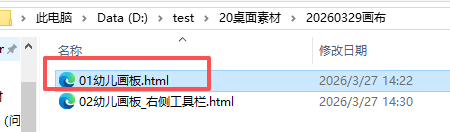
output_file = os.path.join(desktop_path, r"D:\test\20桌面素材\20260329画布\01幼儿画板.html")
with open(output_file, "w", encoding="utf-8") as f:
f.write(html_content)
print(f"✅ 幼儿画板已生成!文件保存在:{output_file}")
print("💡 双击打开HTML文件即可使用画板")
'''
h5画板
Deepseek,阿夏
20260402
'''
def generate_drawing_board():
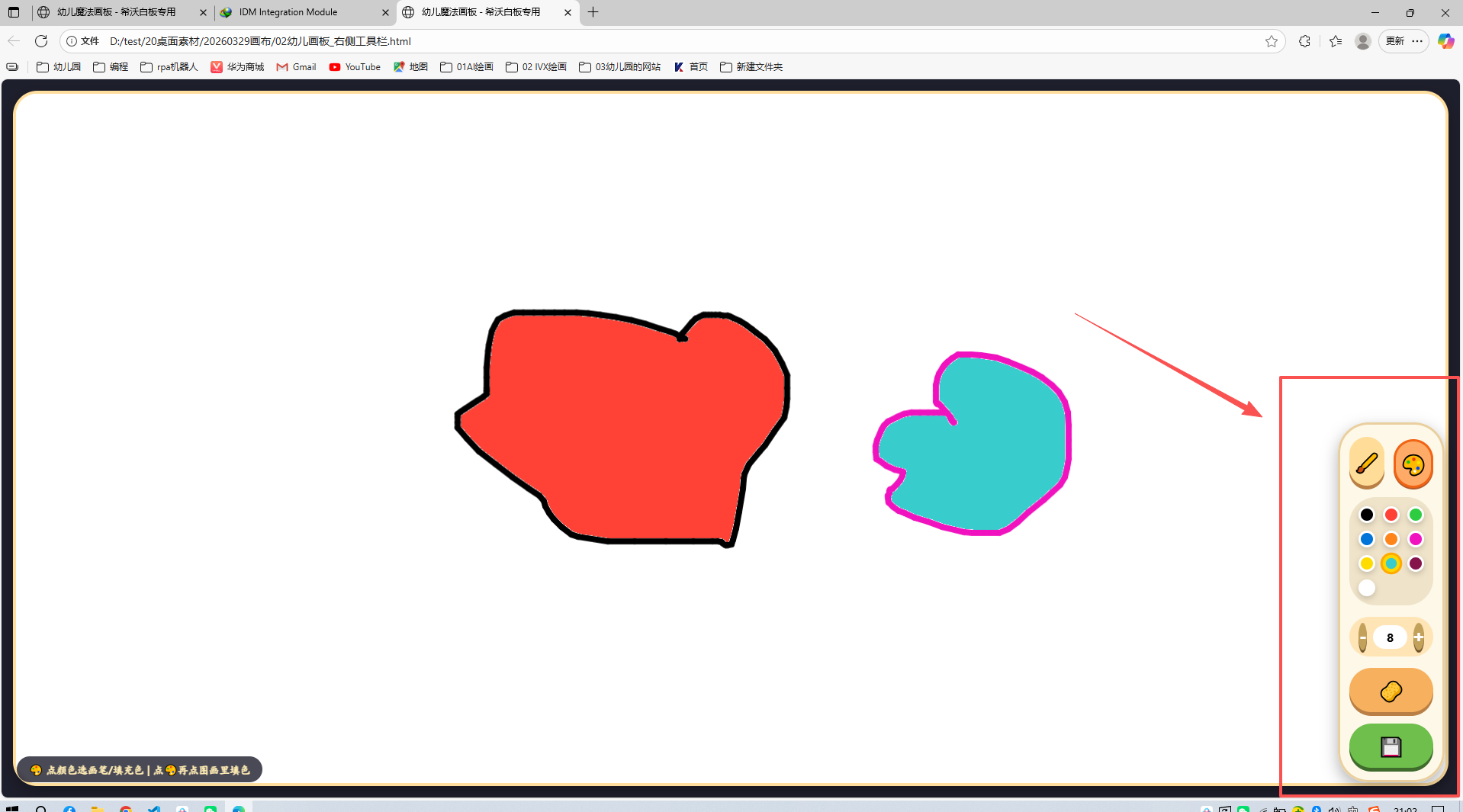
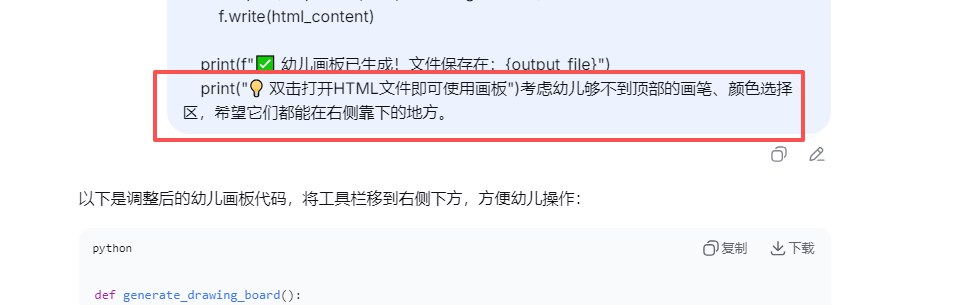
"""生成幼儿画板HTML代码 - 工具栏在右下侧,适合幼儿操作"""
return """<!DOCTYPE html>
<html lang="zh-CN">
<head>
<meta charset="UTF-8">
<meta name="viewport" content="width=device-width, initial-scale=1.0, user-scalable=no">
<title>幼儿魔法画板 - 希沃白板专用</title>
<style>
* {
margin: 0;
padding: 0;
box-sizing: border-box;
user-select: none;
}
body {
background: #2b2b3a;
display: flex;
justify-content: center;
align-items: center;
min-height: 100vh;
font-family: 'Segoe UI', 'Comic Neue', 'Comic Sans MS', 'Chalkboard SE', cursive, sans-serif;
overflow: hidden;
position: fixed;
width: 100%;
height: 100%;
margin: 0;
padding: 0;
}
.draw-app {
width: 100vw;
height: 100vh;
background: #1e1f2c;
display: flex;
position: relative;
overflow: hidden;
}
/* 画布区域 - 占据整个左侧和大部分空间 */
.canvas-container {
flex: 1;
background: #ffffff;
margin: 15px 15px 15px 15px;
border-radius: 32px;
box-shadow: 0 8px 20px rgba(0,0,0,0.3);
overflow: hidden;
border: 4px solid #ffde9e;
position: relative;
cursor: crosshair;
}
canvas {
display: block;
width: 100%;
height: 100%;
background: white;
cursor: crosshair;
}
/* 右侧工具栏 - 靠下位置,大按钮,幼儿友好 */
.toolbar-right {
position: absolute;
right: 20px;
bottom: 20px;
width: 140px;
background: rgba(253, 248, 231, 0.95);
border-radius: 40px;
padding: 16px 12px;
display: flex;
flex-direction: column;
gap: 15px;
box-shadow: 0 8px 20px rgba(0,0,0,0.3);
border: 3px solid #e9cf9e;
backdrop-filter: blur(5px);
z-index: 100;
}
/* 模式切换按钮组 */
.mode-buttons {
display: flex;
gap: 12px;
justify-content: center;
}
.btn {
background: #ffdd99;
border: none;
font-size: 1.6rem;
font-weight: bold;
padding: 12px 0;
border-radius: 60px;
cursor: pointer;
font-family: inherit;
transition: 0.1s linear;
box-shadow: 0 5px 0 #b97f44;
color: #4a2e1f;
display: flex;
align-items: center;
justify-content: center;
gap: 5px;
flex: 1;
}
.btn:active {
transform: translateY(2px);
box-shadow: 0 2px 0 #b97f44;
}
.btn-save {
background: #6fbf4c;
color: white;
box-shadow: 0 5px 0 #3f6b2c;
}
.btn-clear {
background: #f7b05e;
}
.brush-active {
background: #ffaa66;
border: 3px solid #f06414;
box-shadow: 0 2px 0 #b45a2a;
transform: translateY(3px);
}
/* 颜色选择器 - 网格布局 */
.color-panel {
display: grid;
grid-template-columns: repeat(3, 1fr);
gap: 10px;
background: #efe3c9;
padding: 12px;
border-radius: 35px;
}
.color-swatch {
width: 100%;
aspect-ratio: 1;
border-radius: 20px;
cursor: pointer;
border: 3px solid white;
box-shadow: 0 3px 8px rgba(0,0,0,0.2);
transition: 0.05s linear;
}
.color-swatch:active {
transform: scale(0.92);
}
.selected-color {
border: 4px solid gold;
box-shadow: 0 0 0 3px #ffaa00;
transform: scale(1.02);
}
/* 画笔大小控制 */
.brush-size {
background: #ffe4b5;
border-radius: 40px;
padding: 8px 12px;
display: flex;
align-items: center;
justify-content: space-between;
gap: 8px;
font-weight: bold;
font-size: 1.1rem;
}
.brush-size span {
font-size: 1rem;
}
.size-value {
background: white;
padding: 5px 10px;
border-radius: 30px;
min-width: 45px;
text-align: center;
font-weight: bold;
font-size: 1.2rem;
}
.size-btn {
background: #c2a15b;
border: none;
font-size: 1.5rem;
font-weight: bold;
width: 36px;
height: 36px;
border-radius: 50%;
color: white;
cursor: pointer;
box-shadow: 0 3px 0 #6e4f28;
display: flex;
align-items: center;
justify-content: center;
}
.size-btn:active {
transform: translateY(2px);
box-shadow: 0 1px 0 #6e4f28;
}
/* 底部简单提示 */
.info-bar {
position: absolute;
left: 20px;
bottom: 20px;
background: rgba(42, 42, 56, 0.85);
backdrop-filter: blur(4px);
border-radius: 30px;
padding: 8px 16px;
font-size: 0.85rem;
color: #ffecb3;
font-weight: bold;
z-index: 99;
pointer-events: none;
}
/* 响应式 - 如果屏幕太窄,工具栏稍微缩小 */
@media (max-width: 800px) {
.toolbar-right {
width: 120px;
padding: 12px 8px;
gap: 10px;
}
.btn {
font-size: 1.3rem;
padding: 8px 0;
}
.color-swatch {
border-radius: 12px;
}
.brush-size span {
font-size: 0.8rem;
}
.size-value {
font-size: 1rem;
min-width: 35px;
}
.size-btn {
width: 30px;
height: 30px;
font-size: 1.2rem;
}
}
@media (max-width: 600px) {
.toolbar-right {
width: 100px;
right: 10px;
bottom: 10px;
}
.btn {
font-size: 1.1rem;
}
.color-panel {
gap: 6px;
padding: 8px;
}
}
/* 触摸优化 */
.btn, .color-swatch, .size-btn {
touch-action: manipulation;
}
</style>
</head>
<body>
<div class="draw-app">
<div class="canvas-container">
<canvas id="mainCanvas"></canvas>
</div>
<!-- 右侧下方工具栏 - 幼儿触手可及 -->
<div class="toolbar-right">
<!-- 画笔/填充模式切换 -->
<div class="mode-buttons">
<button id="brushBtn" class="btn brush-active">🖌️</button>
<button id="fillBtn" class="btn">🎨</button>
</div>
<!-- 颜色选择器 -->
<div class="color-panel">
<div class="color-swatch" style="background:#000000;" data-color="#000000"></div>
<div class="color-swatch" style="background:#FF4136;" data-color="#FF4136"></div>
<div class="color-swatch" style="background:#2ECC40;" data-color="#2ECC40"></div>
<div class="color-swatch" style="background:#0074D9;" data-color="#0074D9"></div>
<div class="color-swatch" style="background:#FF851B;" data-color="#FF851B"></div>
<div class="color-swatch" style="background:#F012BE;" data-color="#F012BE"></div>
<div class="color-swatch" style="background:#FFDC00;" data-color="#FFDC00"></div>
<div class="color-swatch" style="background:#39CCCC;" data-color="#39CCCC"></div>
<div class="color-swatch" style="background:#85144b;" data-color="#85144b"></div>
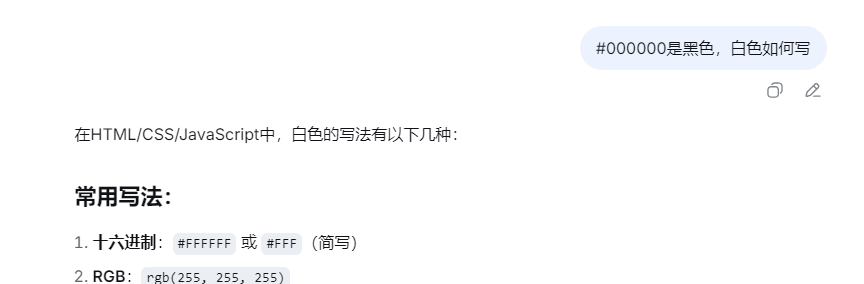
<div class="color-swatch" style="background:#FFFFFF;" data-color="#FFFFFF"></div>
</div>
<!-- 画笔大小 -->
<div class="brush-size">
<button id="sizeMinus" class="size-btn">-</button>
<span id="brushSizeValue" class="size-value">8</span>
<button id="sizePlus" class="size-btn">+</button>
</div>
<!-- 操作按钮 -->
<button id="clearCanvasBtn" class="btn btn-clear">🧽</button>
<button id="saveCanvasBtn" class="btn btn-save">💾</button>
</div>
<div class="info-bar">
🎨 点颜色选画笔/填充色 | 点🎨再点图画里填色
</div>
</div>
<script>
(function() {
const canvas = document.getElementById('mainCanvas');
let ctx = canvas.getContext('2d');
let isDrawing = false;
let currentMode = 'brush';
let currentColor = '#000000';
let brushSize = 8;
const brushBtn = document.getElementById('brushBtn');
const fillBtn = document.getElementById('fillBtn');
const colorSwatches = document.querySelectorAll('.color-swatch');
const sizeMinus = document.getElementById('sizeMinus');
const sizePlus = document.getElementById('sizePlus');
const brushSizeSpan = document.getElementById('brushSizeValue');
const clearBtn = document.getElementById('clearCanvasBtn');
const saveBtn = document.getElementById('saveCanvasBtn');
function resizeCanvas() {
const container = canvas.parentElement;
const rect = container.getBoundingClientRect();
let savedImageData = null;
if (canvas.width > 0 && canvas.height > 0) {
savedImageData = ctx.getImageData(0, 0, canvas.width, canvas.height);
}
canvas.width = rect.width;
canvas.height = rect.height;
ctx = canvas.getContext('2d');
ctx.lineCap = 'round';
ctx.lineJoin = 'round';
if (savedImageData) {
if (savedImageData.width === canvas.width && savedImageData.height === canvas.height) {
ctx.putImageData(savedImageData, 0, 0);
} else {
const tempCanvas = document.createElement('canvas');
tempCanvas.width = savedImageData.width;
tempCanvas.height = savedImageData.height;
const tempCtx = tempCanvas.getContext('2d');
tempCtx.putImageData(savedImageData, 0, 0);
ctx.drawImage(tempCanvas, 0, 0, tempCanvas.width, tempCanvas.height, 0, 0, canvas.width, canvas.height);
}
}
ctx.strokeStyle = currentColor;
ctx.fillStyle = currentColor;
ctx.lineWidth = brushSize;
}
function initBlankCanvas() {
resizeCanvas();
ctx.fillStyle = '#FFFFFF';
ctx.fillRect(0, 0, canvas.width, canvas.height);
ctx.fillStyle = currentColor;
ctx.strokeStyle = currentColor;
}
function getCanvasCoordinates(e) {
const rect = canvas.getBoundingClientRect();
const scaleX = canvas.width / rect.width;
const scaleY = canvas.height / rect.height;
let clientX, clientY;
if (e.touches) {
clientX = e.touches[0].clientX;
clientY = e.touches[0].clientY;
} else {
clientX = e.clientX;
clientY = e.clientY;
}
let canvasX = (clientX - rect.left) * scaleX;
let canvasY = (clientY - rect.top) * scaleY;
canvasX = Math.min(Math.max(0, canvasX), canvas.width);
canvasY = Math.min(Math.max(0, canvasY), canvas.height);
return { x: canvasX, y: canvasY };
}
function startDraw(e) {
if (currentMode === 'brush') {
isDrawing = true;
const pos = getCanvasCoordinates(e);
ctx.beginPath();
ctx.moveTo(pos.x, pos.y);
ctx.lineTo(pos.x+0.5, pos.y+0.5);
ctx.stroke();
ctx.beginPath();
}
}
function drawMove(e) {
if (currentMode !== 'brush' || !isDrawing) return;
e.preventDefault();
const pos = getCanvasCoordinates(e);
ctx.lineTo(pos.x, pos.y);
ctx.stroke();
ctx.beginPath();
ctx.moveTo(pos.x, pos.y);
}
function endDraw() {
if (currentMode === 'brush') {
isDrawing = false;
ctx.beginPath();
}
}
function floodFill(startX, startY, targetColor, replaceColor) {
if (targetColor === replaceColor) return;
if (startX < 0 || startX >= canvas.width || startY < 0 || startY >= canvas.height) return;
const imageData = ctx.getImageData(0, 0, canvas.width, canvas.height);
const data = imageData.data;
const width = canvas.width;
const height = canvas.height;
const targetR = (targetColor >> 16) & 0xff;
const targetG = (targetColor >> 8) & 0xff;
const targetB = targetColor & 0xff;
const startIndex = (startY * width + startX) * 4;
if (!(data[startIndex] === targetR && data[startIndex+1] === targetG && data[startIndex+2] === targetB)) return;
const replaceR = (replaceColor >> 16) & 0xff;
const replaceG = (replaceColor >> 8) & 0xff;
const replaceB = replaceColor & 0xff;
const stack = [{x: startX, y: startY}];
const visited = new Uint8Array(width * height);
while (stack.length) {
const {x, y} = stack.pop();
const idx = (y * width + x) * 4;
if (x < 0 || x >= width || y < 0 || y >= height) continue;
if (visited[y * width + x]) continue;
if (!(data[idx] === targetR && data[idx+1] === targetG && data[idx+2] === targetB)) continue;
data[idx] = replaceR;
data[idx+1] = replaceG;
data[idx+2] = replaceB;
visited[y * width + x] = 1;
stack.push({x: x+1, y});
stack.push({x: x-1, y});
stack.push({x, y: y+1});
stack.push({x, y: y-1});
}
ctx.putImageData(imageData, 0, 0);
}
function handleFillAt(e) {
if (currentMode !== 'fill') return;
const pos = getCanvasCoordinates(e);
const x = Math.floor(pos.x);
const y = Math.floor(pos.y);
if (x < 0 || x >= canvas.width || y < 0 || y >= canvas.height) return;
const pixel = ctx.getImageData(x, y, 1, 1).data;
const targetColorRGB = (pixel[0] << 16) | (pixel[1] << 8) | pixel[2];
const newColor = parseInt(currentColor.slice(1), 16);
if (targetColorRGB === newColor) return;
floodFill(x, y, targetColorRGB, newColor);
}
function setMode(mode) {
currentMode = mode;
if (mode === 'brush') {
brushBtn.classList.add('brush-active');
fillBtn.classList.remove('brush-active');
canvas.style.cursor = 'crosshair';
} else {
fillBtn.classList.add('brush-active');
brushBtn.classList.remove('brush-active');
canvas.style.cursor = 'pointer';
}
}
function updateBrushSize(size) {
brushSize = Math.min(60, Math.max(2, size));
brushSizeSpan.innerText = brushSize;
ctx.lineWidth = brushSize;
}
function setColor(colorHex) {
currentColor = colorHex;
ctx.strokeStyle = currentColor;
ctx.fillStyle = currentColor;
colorSwatches.forEach(sw => {
if (sw.getAttribute('data-color') === colorHex) {
sw.classList.add('selected-color');
} else {
sw.classList.remove('selected-color');
}
});
}
function clearCanvas() {
ctx.fillStyle = '#FFFFFF';
ctx.fillRect(0, 0, canvas.width, canvas.height);
ctx.fillStyle = currentColor;
ctx.strokeStyle = currentColor;
ctx.lineWidth = brushSize;
}
function saveCanvasToDesktop() {
const link = document.createElement('a');
const timestamp = new Date().toISOString().slice(0,19).replace(/:/g, '-');
link.download = `我的画作_${timestamp}.png`;
link.href = canvas.toDataURL('image/png');
link.click();
}
function attachCanvasEvents() {
canvas.addEventListener('mousedown', startDraw);
canvas.addEventListener('mousemove', drawMove);
canvas.addEventListener('mouseup', endDraw);
canvas.addEventListener('mouseleave', endDraw);
canvas.addEventListener('touchstart', (e) => {
e.preventDefault();
const touch = e.touches[0];
startDraw({ clientX: touch.clientX, clientY: touch.clientY });
});
canvas.addEventListener('touchmove', (e) => {
e.preventDefault();
const touch = e.touches[0];
drawMove({ clientX: touch.clientX, clientY: touch.clientY });
});
canvas.addEventListener('touchend', (e) => {
e.preventDefault();
endDraw();
});
canvas.addEventListener('touchcancel', (e) => {
e.preventDefault();
endDraw();
});
canvas.addEventListener('click', (e) => {
if (currentMode === 'fill') {
handleFillAt(e);
}
});
}
function initUI() {
brushBtn.addEventListener('click', () => setMode('brush'));
fillBtn.addEventListener('click', () => setMode('fill'));
sizeMinus.addEventListener('click', () => updateBrushSize(brushSize - 2));
sizePlus.addEventListener('click', () => updateBrushSize(brushSize + 2));
colorSwatches.forEach(sw => {
sw.addEventListener('click', () => {
const color = sw.getAttribute('data-color');
if (color) setColor(color);
});
});
clearBtn.addEventListener('click', clearCanvas);
saveBtn.addEventListener('click', saveCanvasToDesktop);
}
function init() {
initBlankCanvas();
updateBrushSize(8);
setColor('#000000');
setMode('brush');
attachCanvasEvents();
initUI();
window.addEventListener('resize', () => resizeCanvas());
}
init();
})();
</script>
</body>
</html>"""
if __name__ == "__main__":
# 调用函数获取HTML内容
html_content = generate_drawing_board()
# 输出到文件(保存到桌面)
import os
desktop_path = os.path.join(os.path.expanduser("~"), "Desktop")
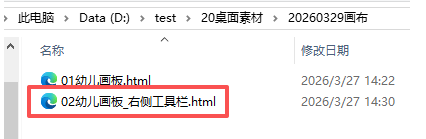
output_file = os.path.join(desktop_path, r"D:\test\20桌面素材\20260329画布\02幼儿画板_右侧工具栏.html")
with open(output_file, "w", encoding="utf-8") as f:
f.write(html_content)
print(f"✅ 幼儿画板已生成!文件保存在:{output_file}")
print("💡 工具栏已放在右侧下方,幼儿更容易操作")