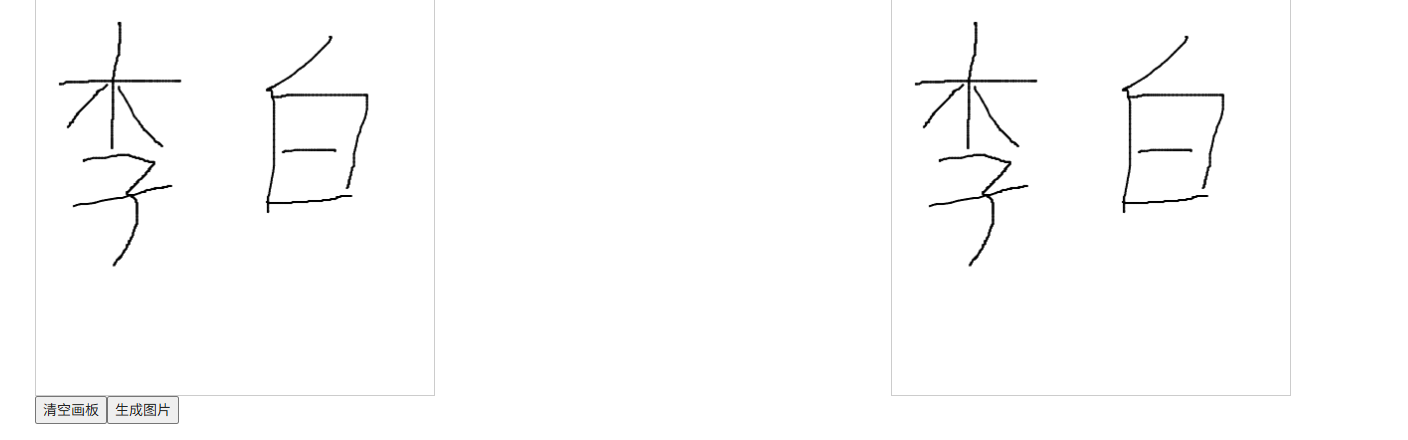
需求:制作签名画板,签名后能生成图片。本文介绍使用vue-esign实现该功能
1.安装依赖
javascript
npm install vue-esign --save2.引入
javascript
import vueEsign from 'vue-esign'
javascript
 components: {
    vueEsign,
  },
3.html模块
html
<div style="display: flex;justify-content: space-around">
  <div>
    <div style="border: #cccccc 1px solid;width: 400px">
      <vue-esign
          ref="esign"
          :width="400"
          :height="400"
          :isCrop="isCrop"
          :lineWidth="lineWidth"
          :lineColor="lineColor"
      />
    </div>
    <button @click="handleReset">清空画板</button>
    <button @click="handleGenerate">生成图片</button>
  </div>
  <div>
    <img style="border: #cccccc 1px solid;" :src="imgSrc" width="400" height="400">
  </div>
</div>
画布尺寸与样式设置
width/height:定义画布尺寸,即最终导出图片的宽高
lineWidth:设置画笔粗细
lineColor:自定义画笔颜色,支持十六进制、RGB、RGBA等多种格式
bgColor:画布背景色配置,为空时背景透明
isCrop:是否自动裁剪签名四周的空白区域
4.实现方法
javascript
// 清空画布
handleReset () {
  this.$refs.esign.reset()
},
// 生成签名的base64图片
handleGenerate () {
  this.$refs.esign.generate().then(res => {
    this.imgSrc = res;
    console.log(res,this.base64ImgtoFile(res))
  }).catch(err => {
    console.log('画布没有签字时会执行这里 Not Signned')
  })
},
// 附:base64转化成图片
base64ImgtoFile(dataurl, fileName='file') {
  const arr = dataurl.split(",");
  const mime = arr[0].match(/:(.*?);/)[1];
  const suffix = mime.split('/')[1]
  const bstr = atob(arr[1]);
  let n = bstr.length;
  var u8arr = new Uint8Array(n);
  while (n--) {
    u8arr[n] = bstr.charCodeAt(n);
  }
  return new File([u8arr], `${fileName}.${suffix}`, { type: mime });
},
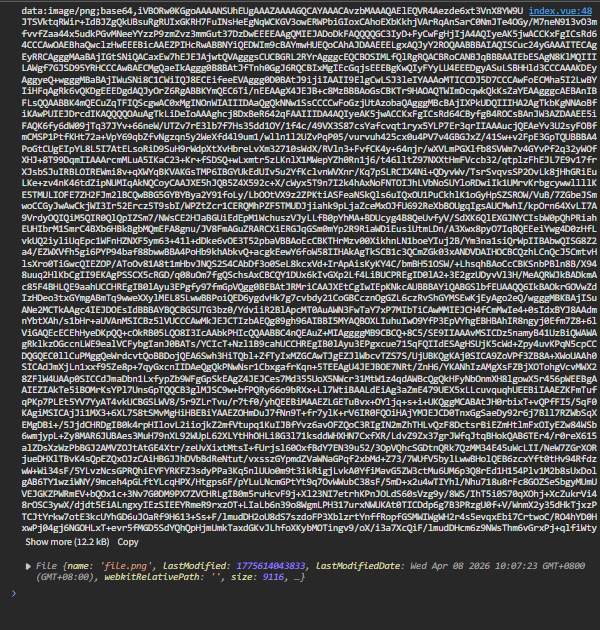
4.控制台打印结果
console.log(res,this.base64ImgtoFile(res)) 结果如下: