定义:基于 Python 的高性能 Web 框架,专为快速构建 API 接口服务设计

核心优势:
异步性能高:原生支持异步,高并发场景下性能优异
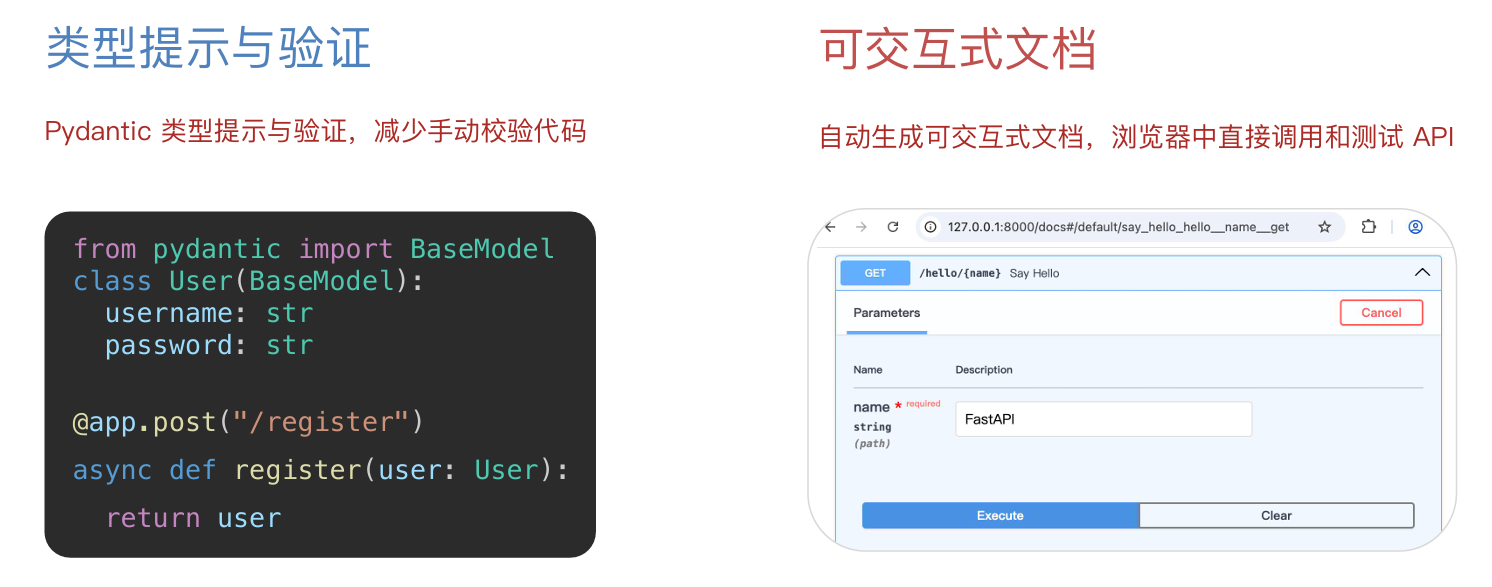
开发效率高:代码简洁,快速开发,自动类型检查
自动生成文档:内置 Swagger/Redoc 接口文档,无需手动编写
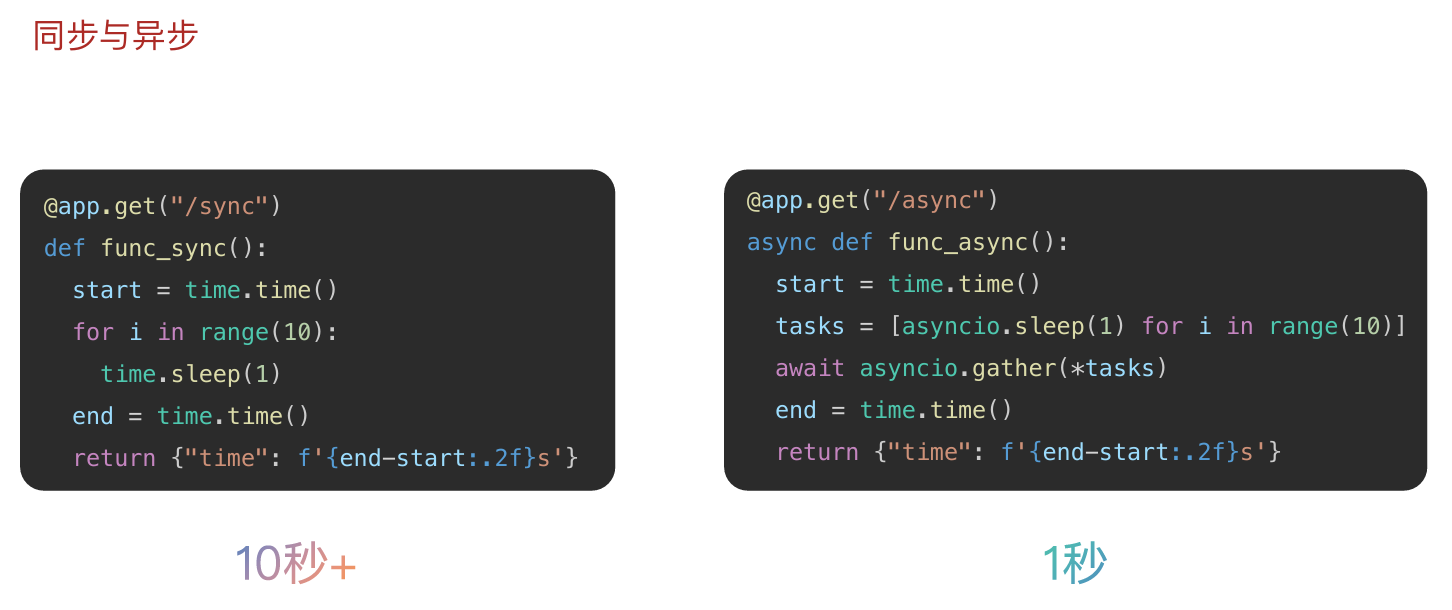
同步:单线程串行,请求 1 处理完才能处理请求 2,I/O 等待时线程闲置,后续请求排队
异步:单线程并发,请求 1 进入 I/O 等待时,立即处理请求 2、3,充分利用等待时间,无排队阻塞
基础入门:
第一个 FastAPI 程序:
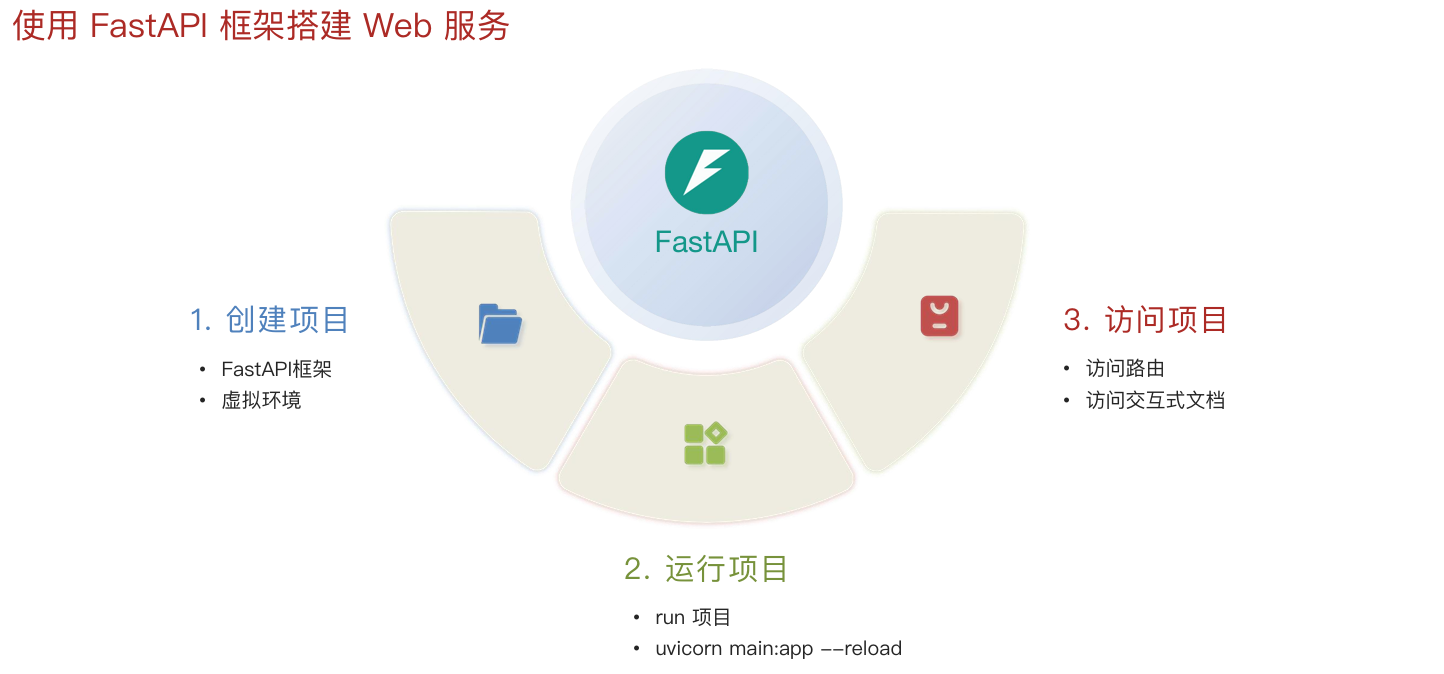
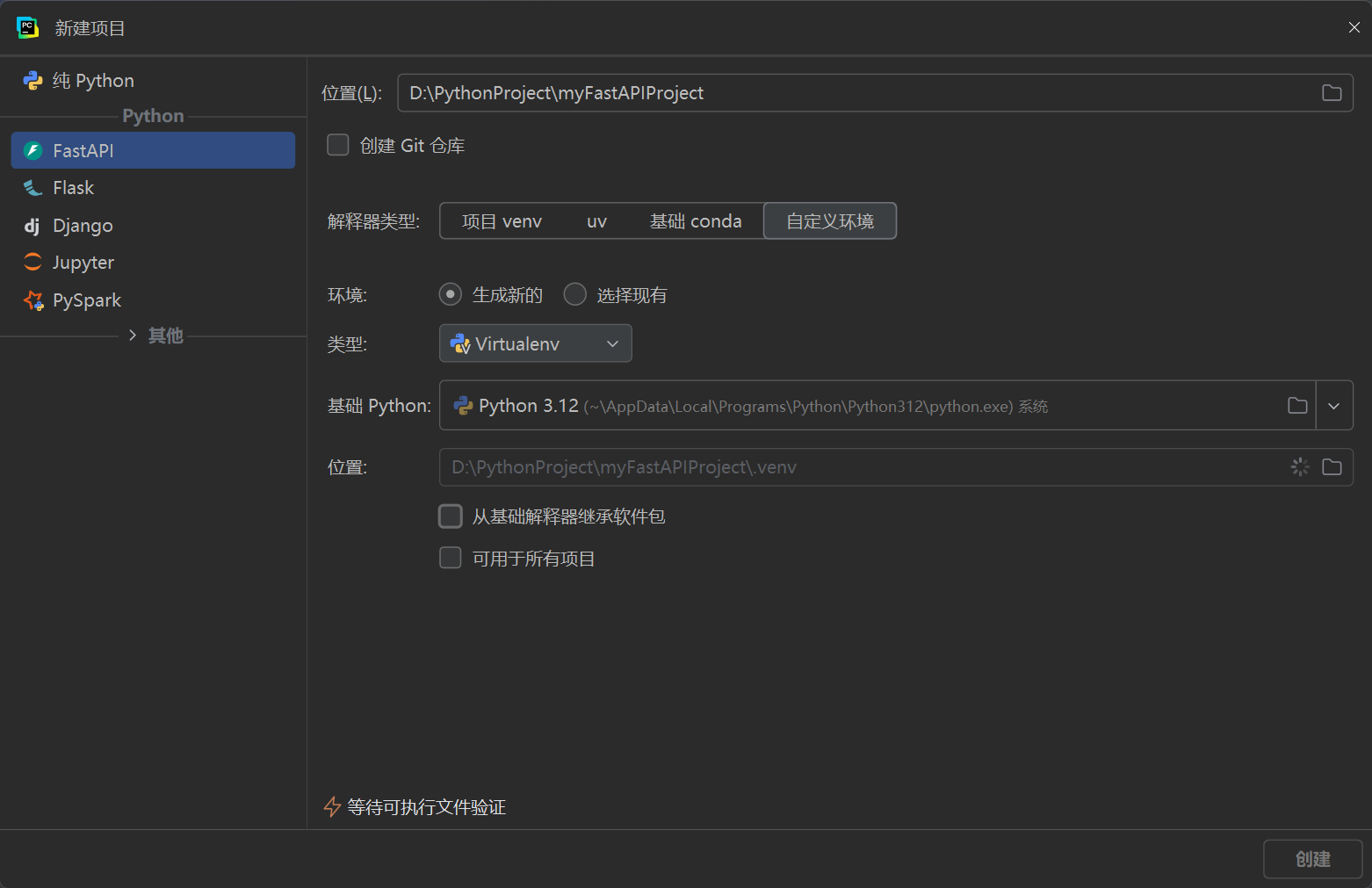
创建项目:
虚拟环境:隔离项目运行环境,避免不同项目的依赖包版本冲突
python
# 从 fastapi 框架中导入 FastAPI 核心类
from fastapi import FastAPI

# 创建 FastAPI 应用实例,整个项目的核心对象
app = FastAPI()


# 定义根路由接口(GET 请求)
# 访问地址:http://127.0.0.1:8000/
@app.get("/")
# 异步接口函数(async 声明异步)
async def root():
    # 返回 JSON 格式响应数据
    return {"message": "Hello World"}


# 定义带路径参数的接口(GET 请求)
# 访问地址:http://127.0.0.1:8000/hello/你的名字
@app.get("/hello/{name}")
# 接收路径参数 name,类型为字符串
async def say_hello(name: str):
    # 返回带参数的 JSON 响应
    return {"message": f"Hello {name}"}
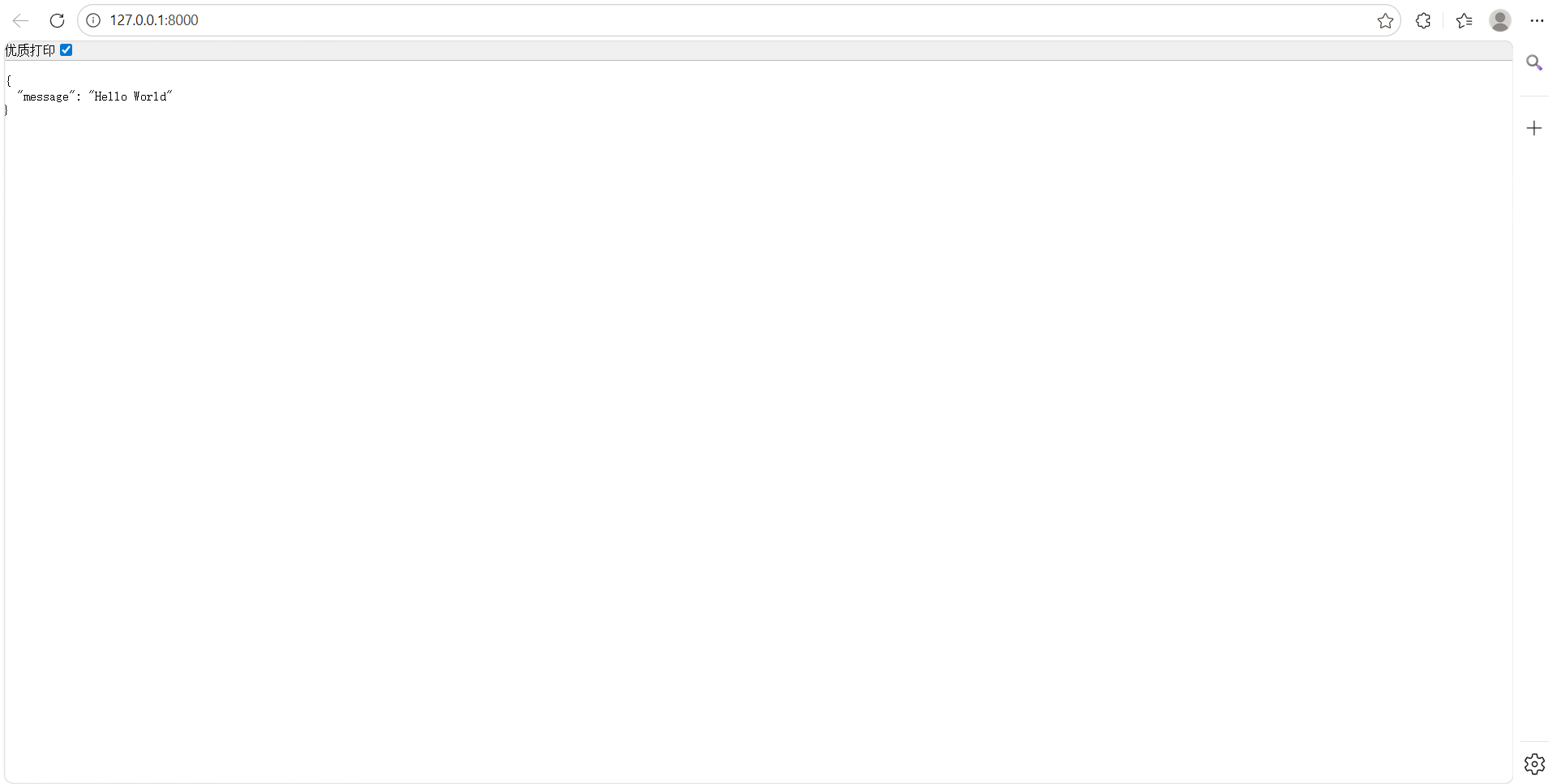
运行访问:
访问路由:前端请求数据的接口
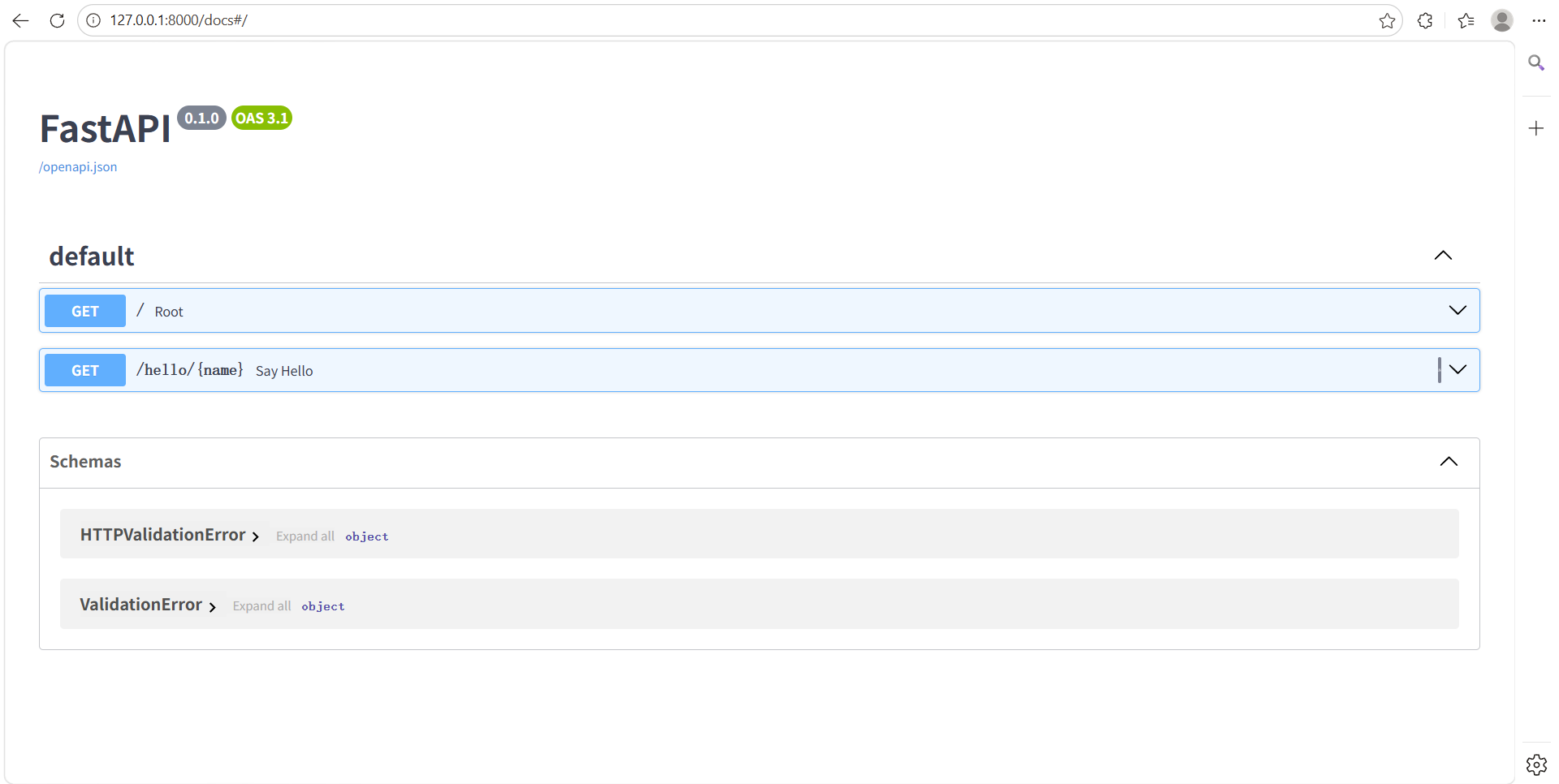
访问交互文档:开发调试使用
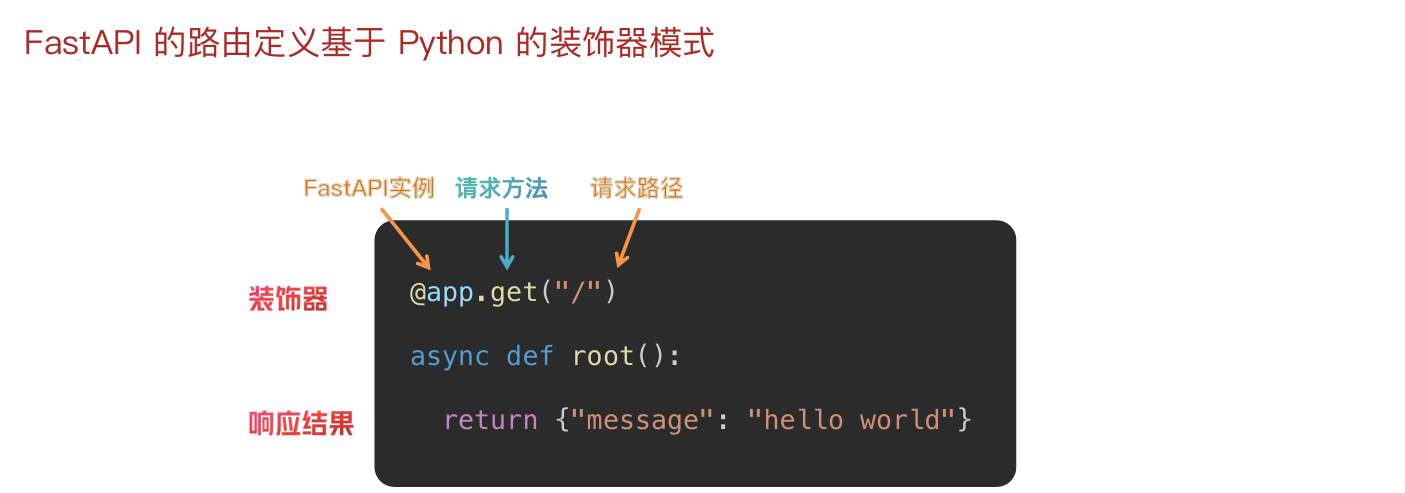
路由:
**定义:**URL 地址和处理函数之间的映射关系,它决定了当用户访问某个特定网址时,服务器应该执行哪段代码来返回结果
参数:
参数就是客户端发送请求时附带的额外信息和指令
参数的作用是让同一个接口能根据不同的输入,返回不同的输出,实现动态交互
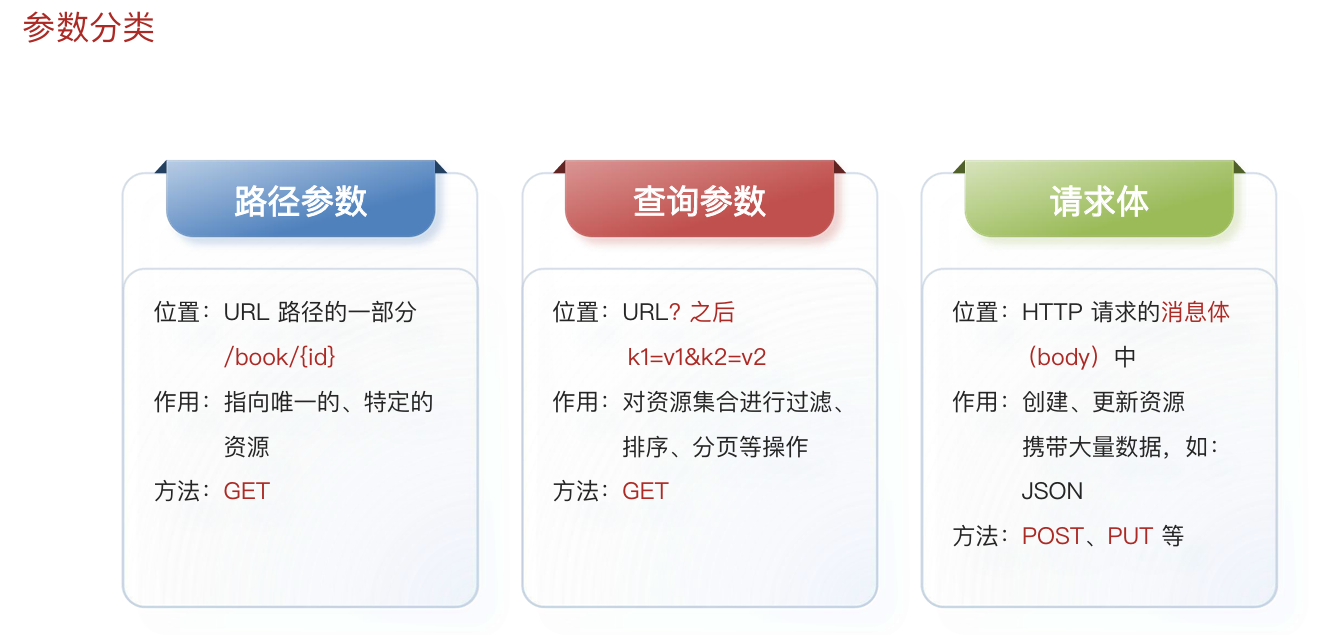
路径参数:
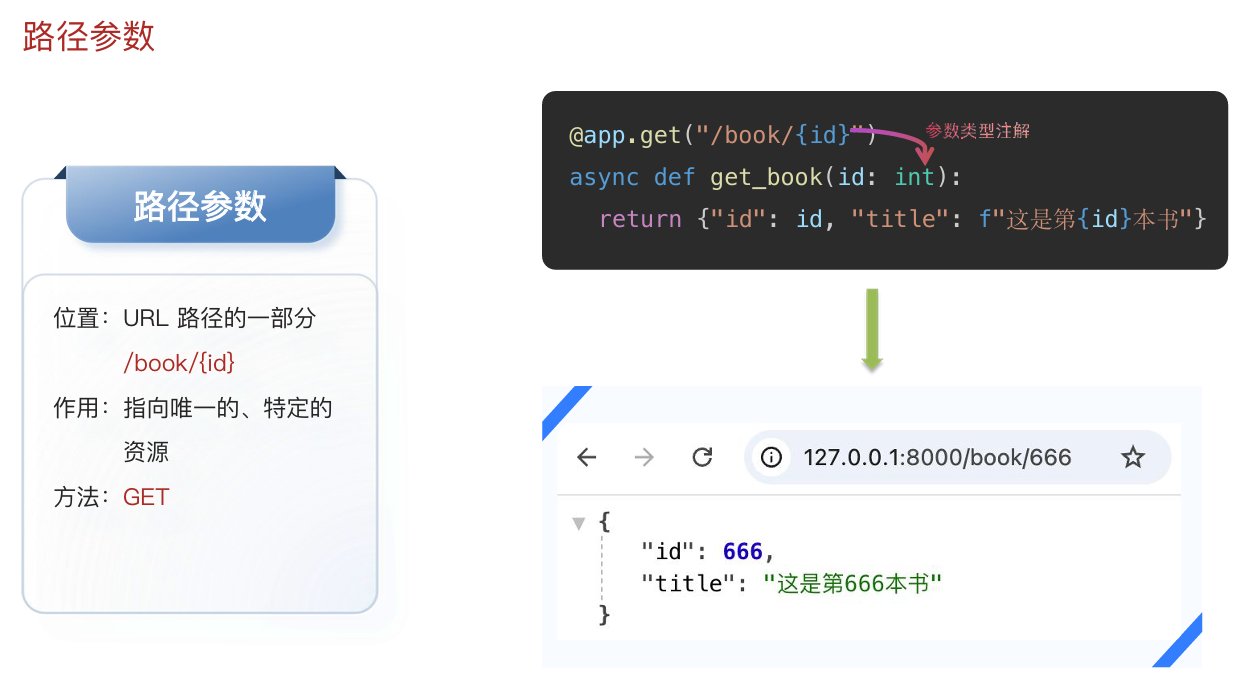
python
@app.get("/book/{id}")
async def get_book(id: int):
    return {"id":id,"title":f"这是第{id}本书"}
FastAPI 允许为参数声明额外的信息和校验
类型注解 Path:
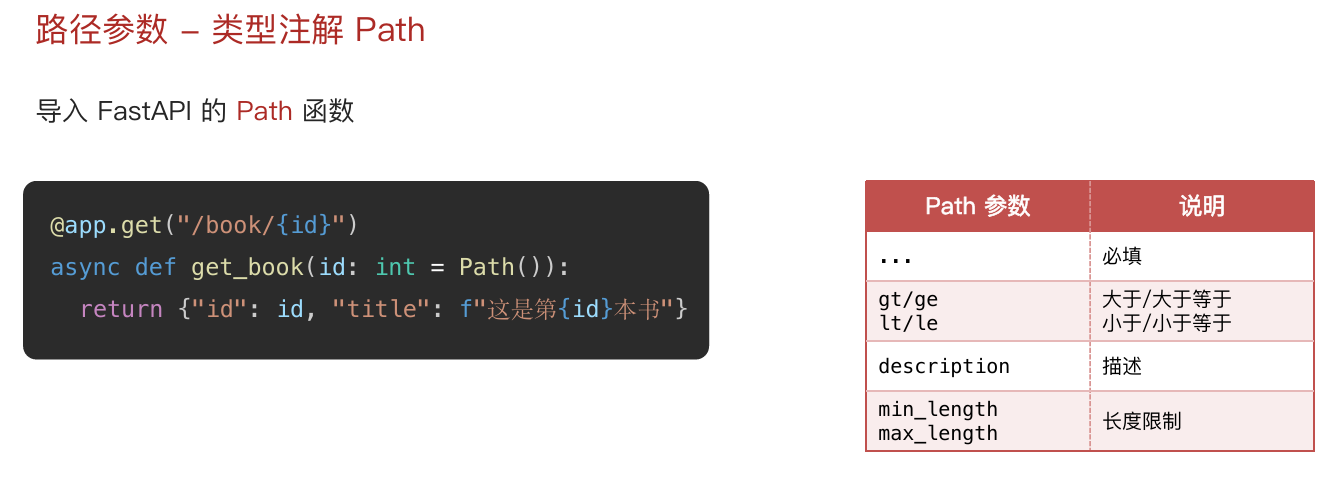
python
@app.get("/book/{id}")
async def get_book(id: int = Path(..., gt=0, lt=10)):
    return {"id":id,"title":f"这是第{id}本书"}
查询参数:
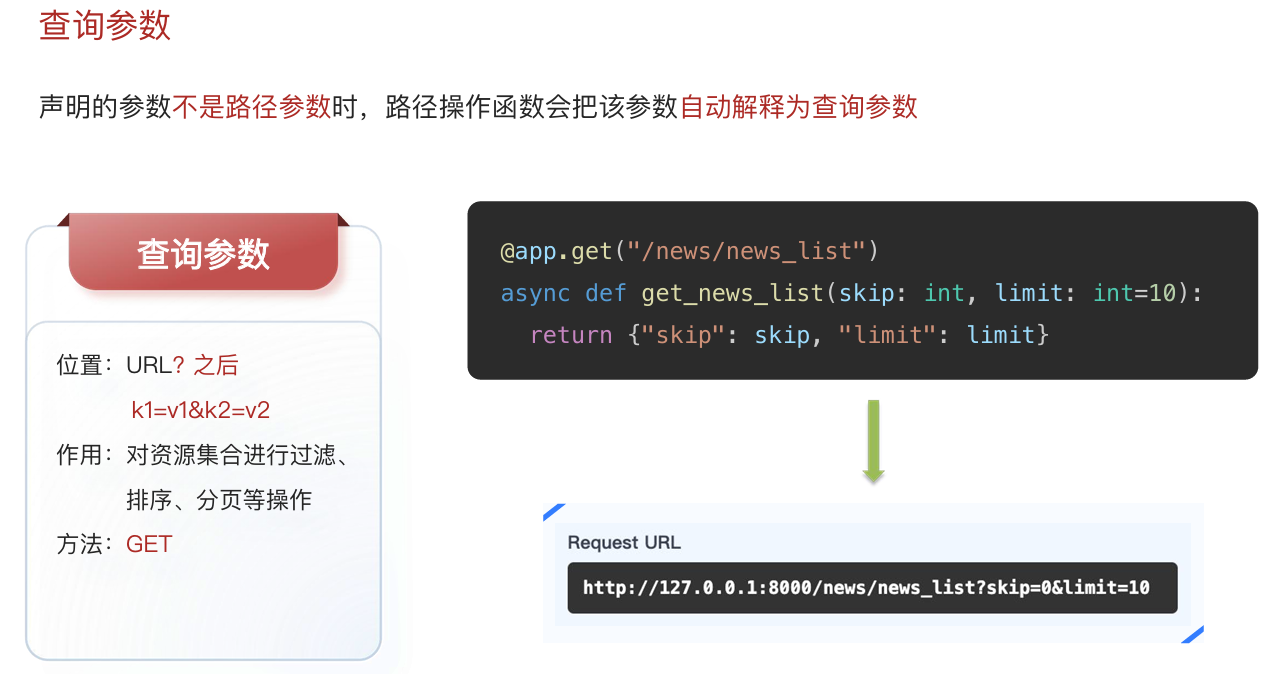
python
@app.get("/news/news_list")
async def get_news_list(skip: int, limit: int=10):
    return {"skip":skip,"limit":limit}
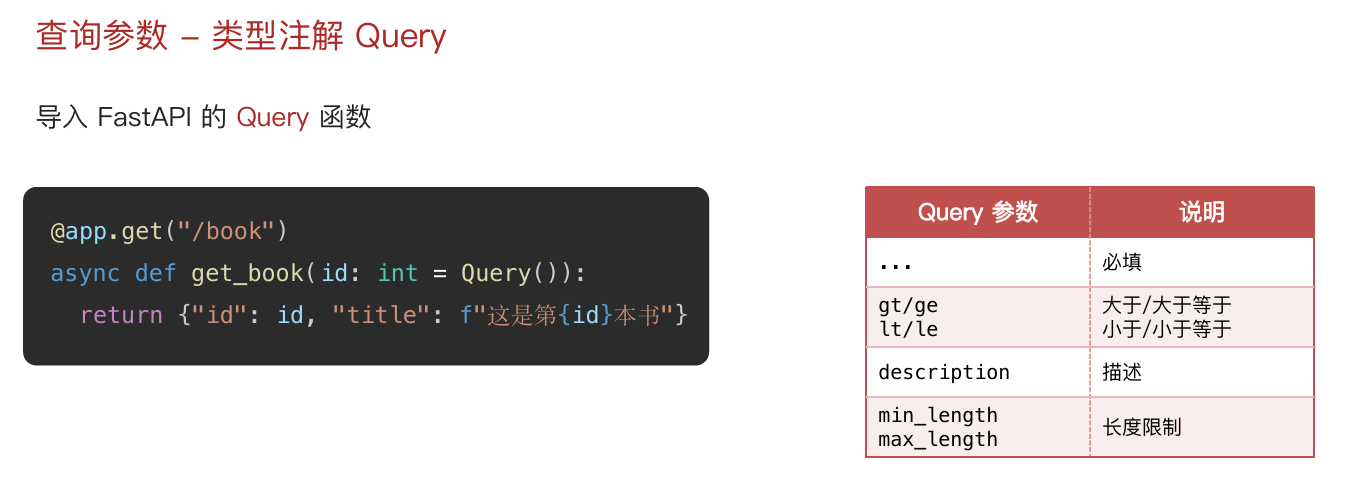
类型注解 Query:
python
@app.get("/book")
async def get_book(id: int = Query(..., gt=0, le=1000)):
    return {"id": id, "title": f"这是第{id}本书"}
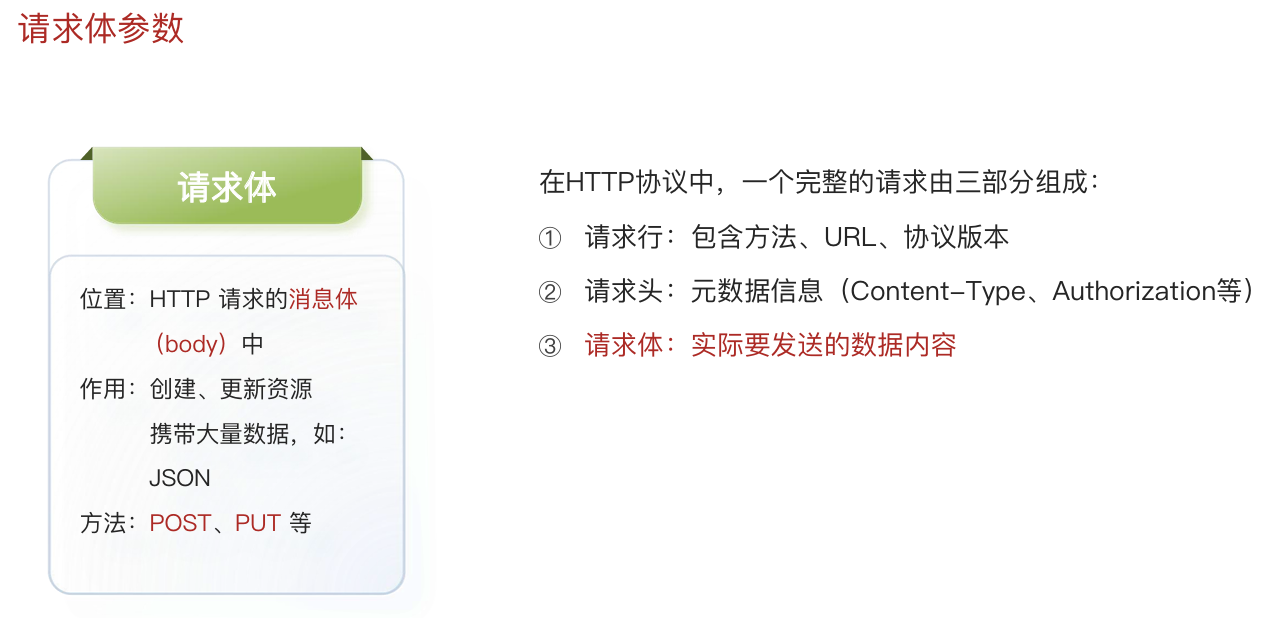
请求体参数:
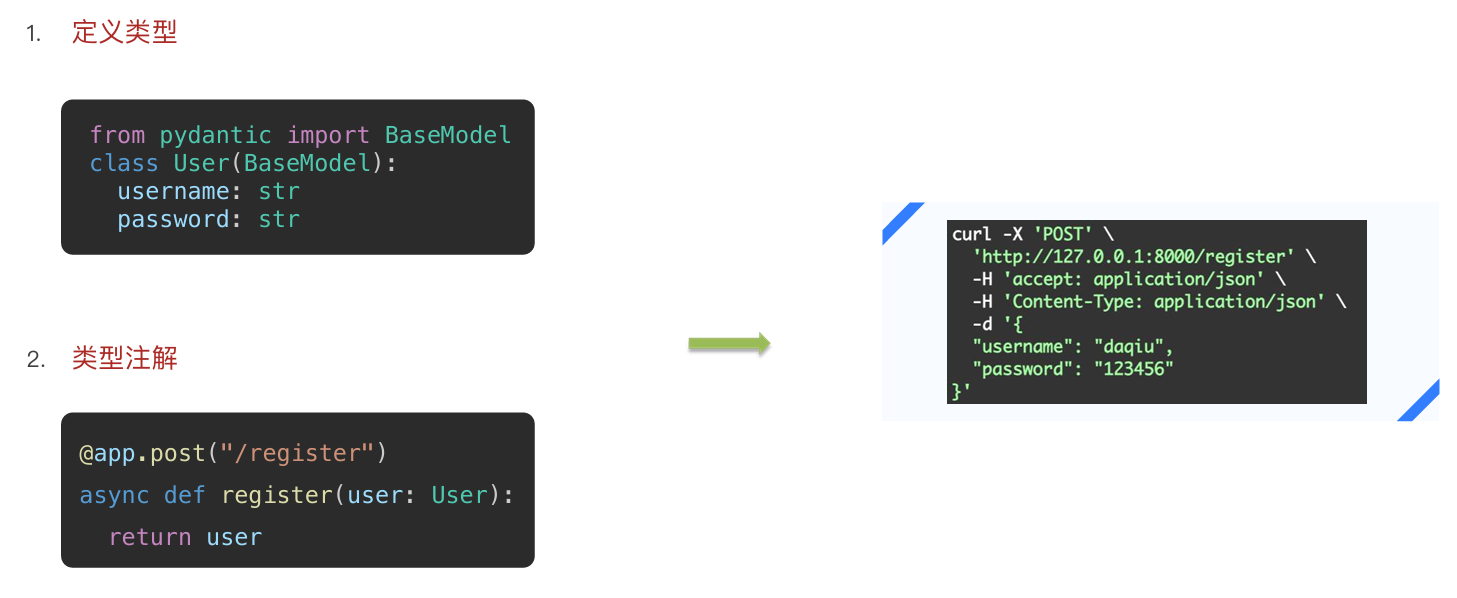
python
class User(BaseModel):
    username: str
    password: str

@app.post("/register")
async def register(user: User):
    return user
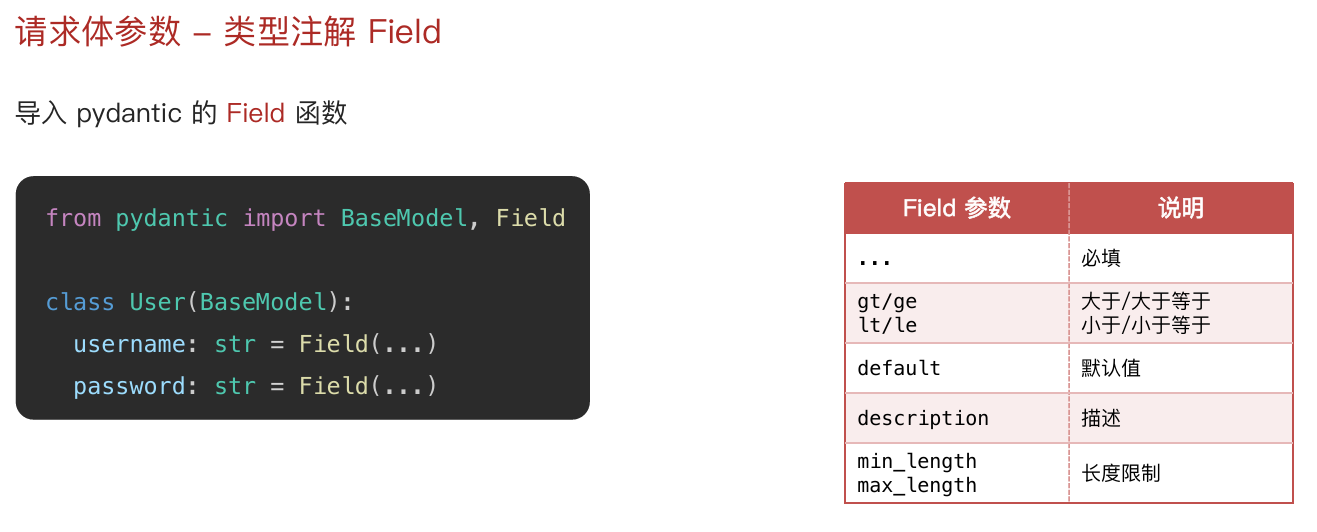
类型注解 Field:
python
class User(BaseModel):
    username: str = Field(...)
    password: str = Field(...)
请求与响应:

响应类型:
JSON 格式:
默认情况下,FastAPI 会自动将路径操作函数返回的 Python 对象(字典、列表、Pydantic 模型等),经由 jsonable_encoder 转换为 JSON 兼容格式,并包装为 JSONResponse 返回
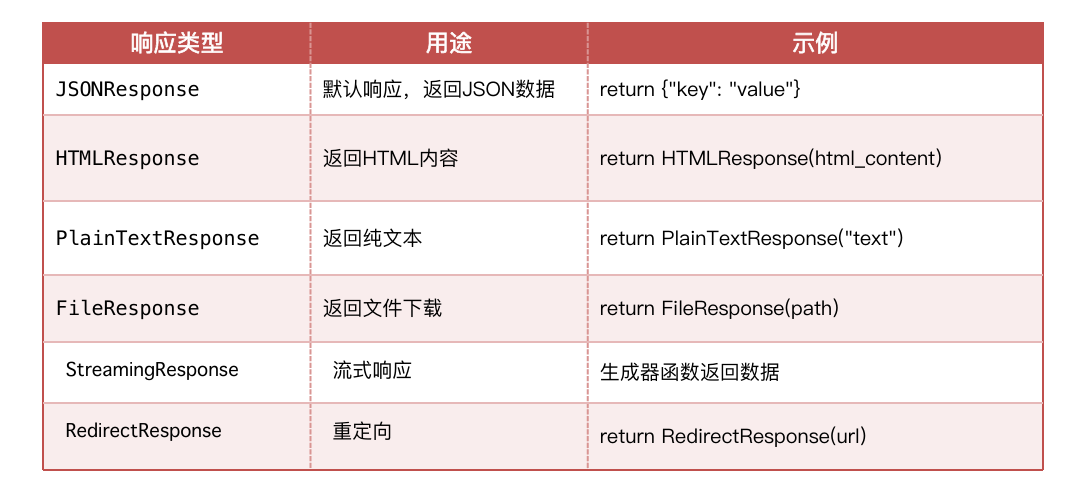
这省去了手动序列化的步骤,让开发者能更专注于业务逻辑;如果需要返回非 JSON 数据(如 HTML、文件流),FastAPI 提供了丰富的响应类型来返回不同数据
FastAPI 内置响应类型:
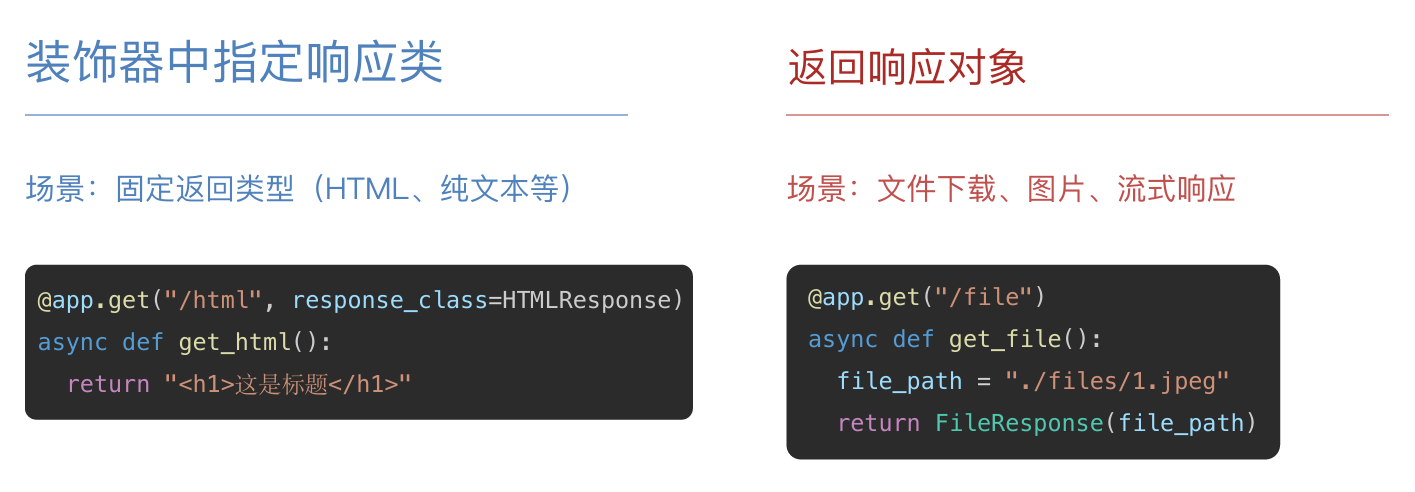
响应类型设置方式:
HTML 格式:
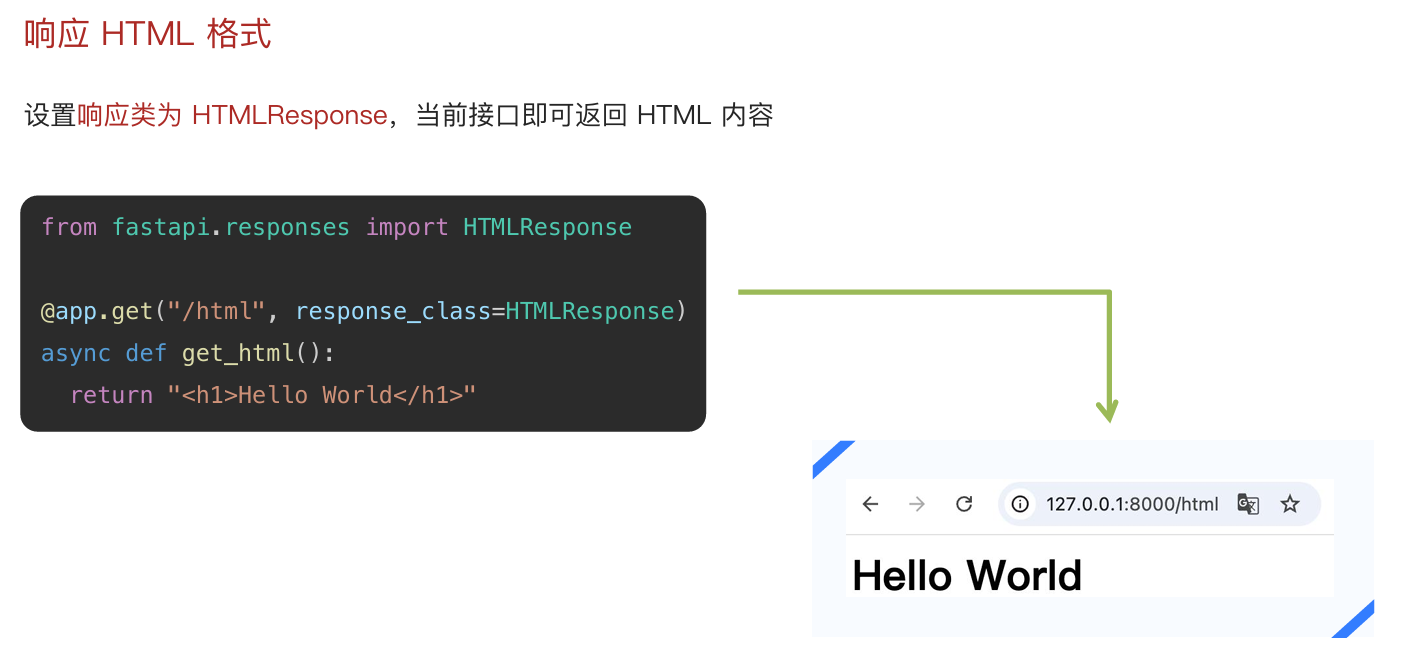
python
@app.get("/html", response_class=HTMLResponse)
async def get_html():
    return "<h1>Hello World</h1>"
文件格式:
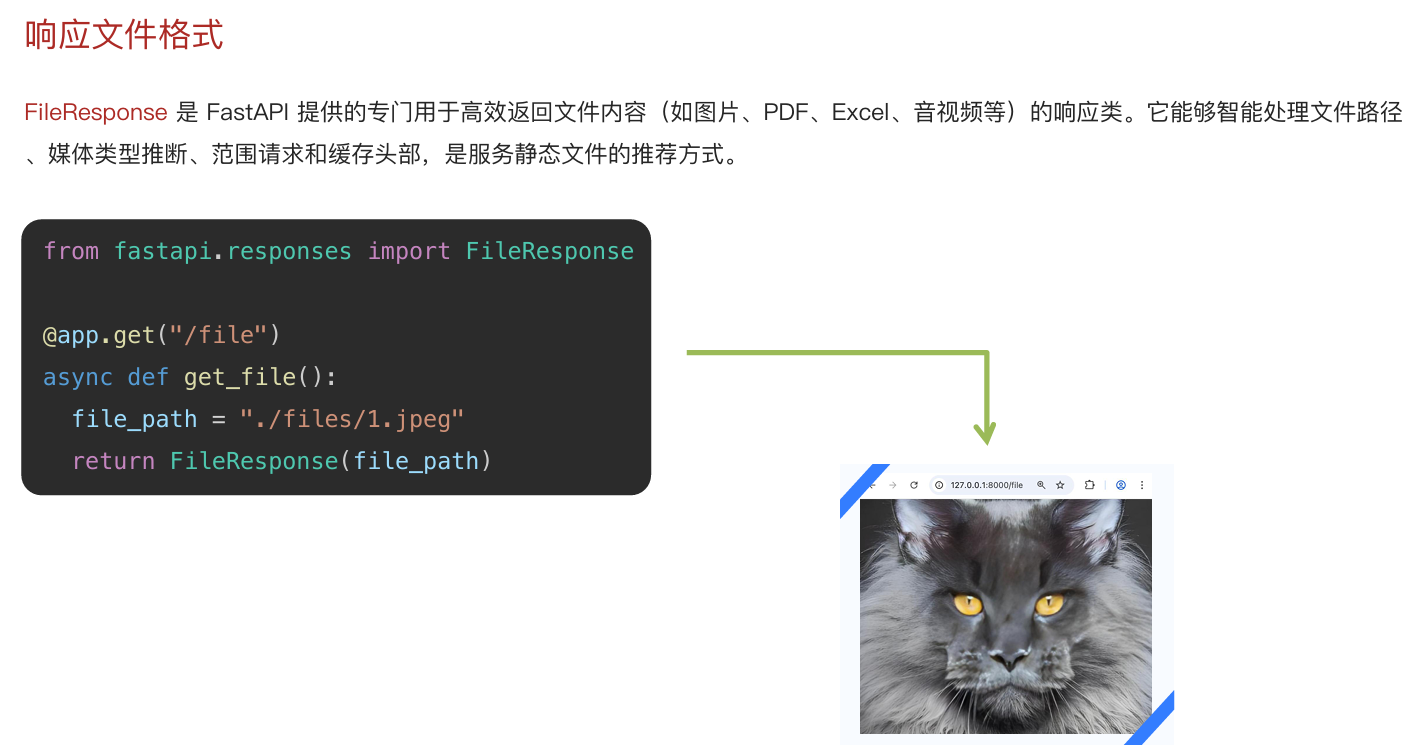
python
@app.get("/file")
async def get_file():
    file_path = "./files/1.jpeg"
    return FileResponse(file_path)
自定义响应格式:
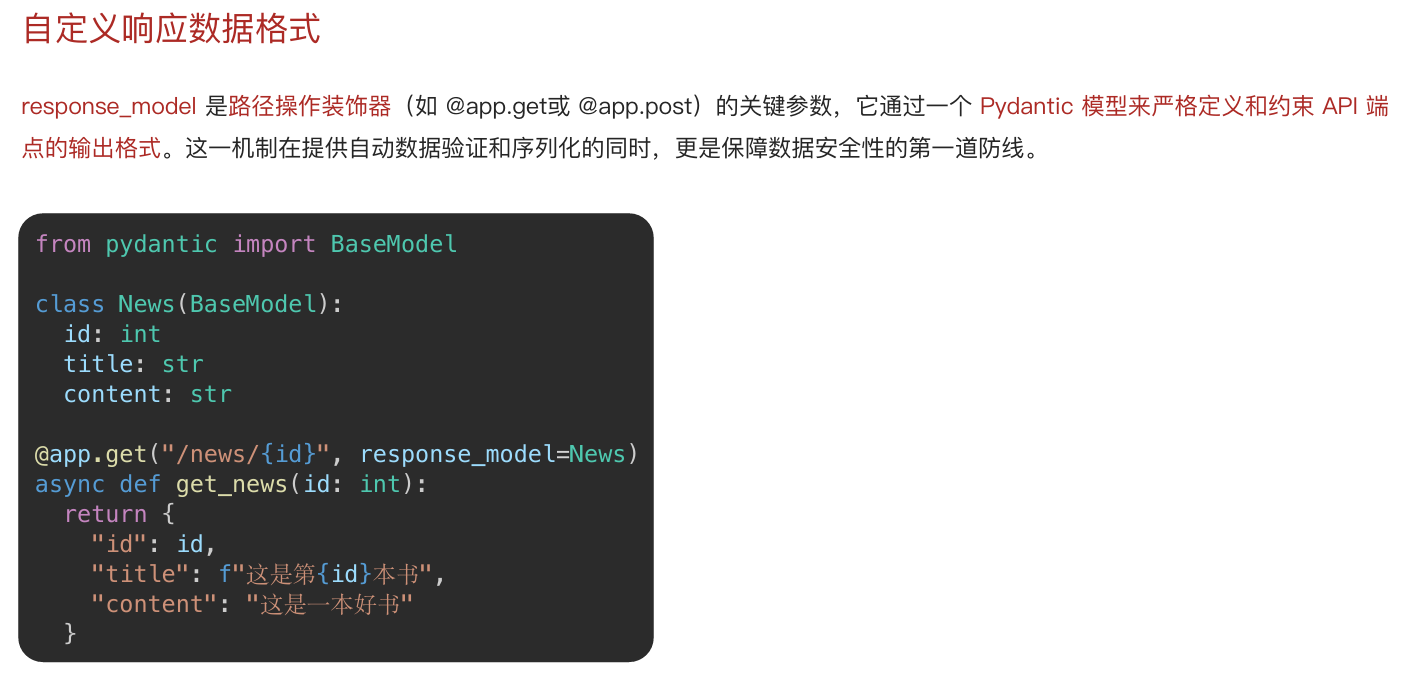
python
class News(BaseModel):
    id: int
    title: str
    content: str

@app.get("/news/{id}",response_model=News)
async def get_news(id: int):
    return {
        "id": id,
        "title": f"这是第{id}本书",
        "content": "这是一本好书"
    }
异常处理:
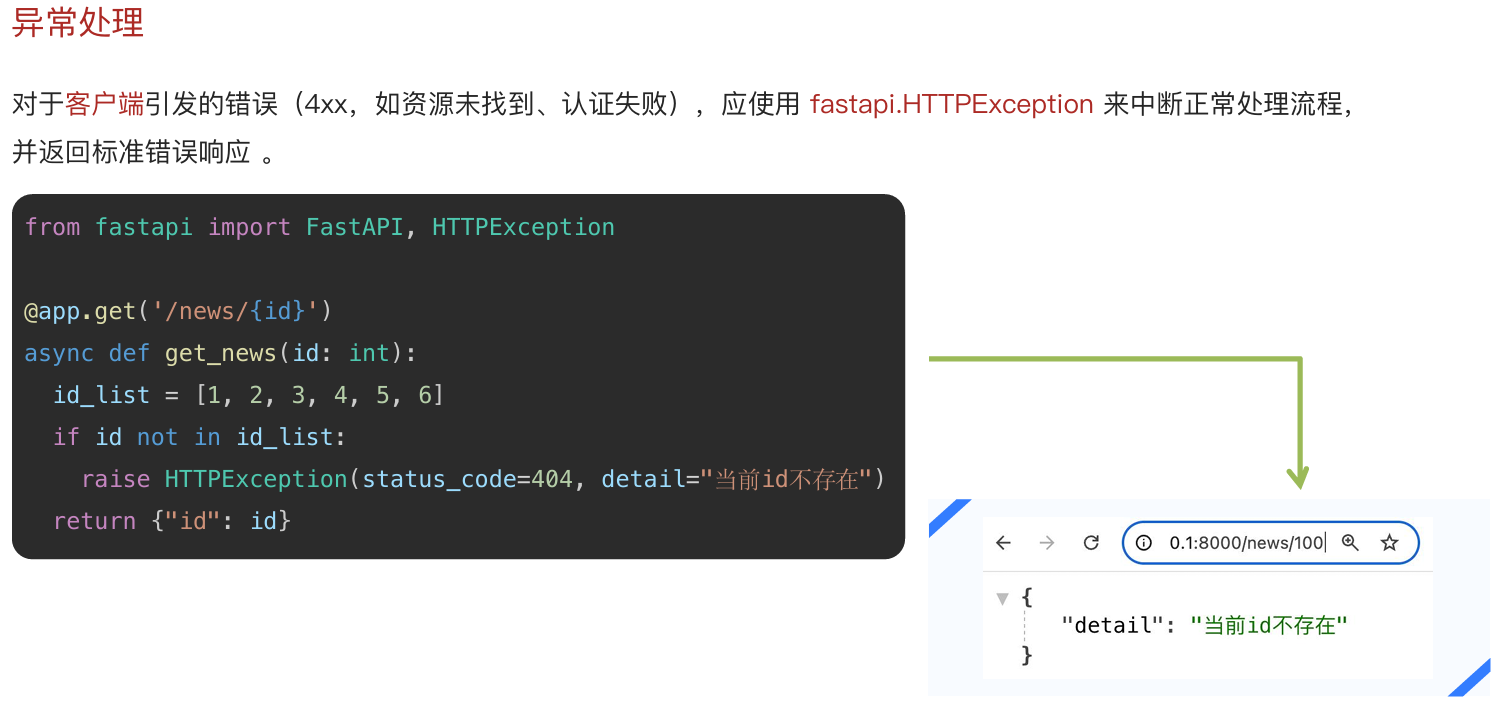
python
@app.get('/news/{id}')
async def get_news(id: int):
    id_list = [1, 2, 3, 4, 5, 6]
    if id not in id_list:
        # 主动抛出错误
        raise HTTPException(status_code=404, detail="当前id不存在")
    return {"id": id}
进阶:
中间件:
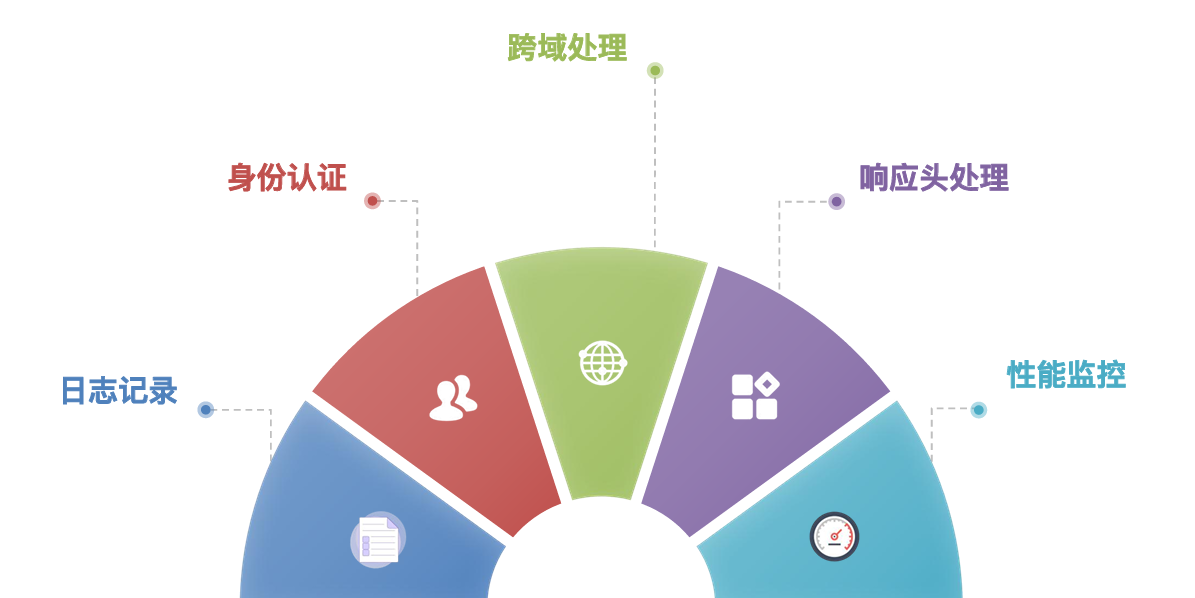
中间件是位于请求处理流程中的统一拦截层,用来在接口执行前后集中处理通用逻辑
它适合解决多个接口都会遇到的共性需求,例如身份认证、跨域处理、响应头设置、日志记录和性能监控等;通过中间件,可以避免在每个接口里重复编写相同代码,提升系统的一致性、可维护性和扩展性
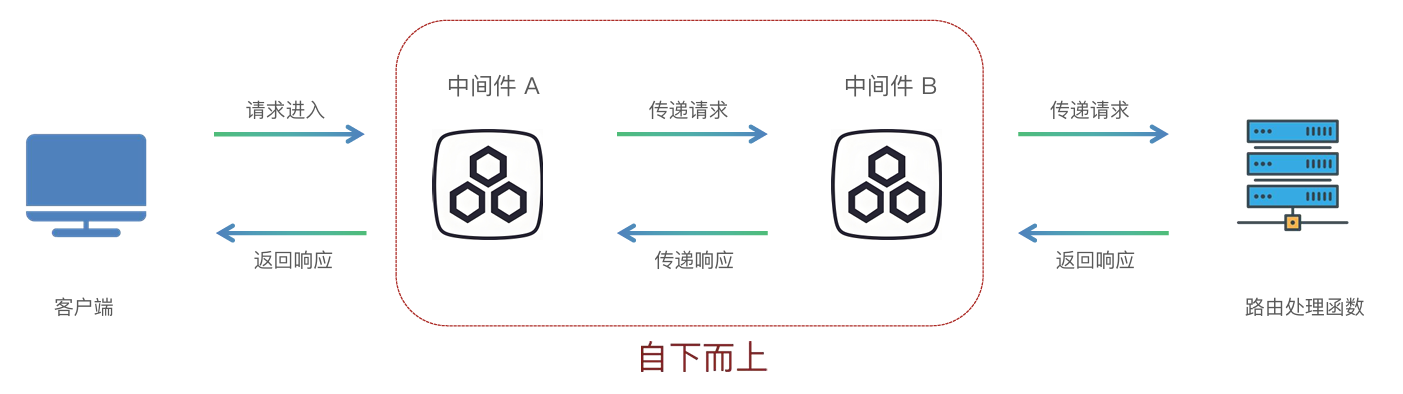
中间件(Middleware)是一个在每次请求进入 FastAPI 应用时都会被执行的函数
它在请求到达实际的路径操作(路由处理函数)之前运行,并且在响应返回给客户端之前再运行一次
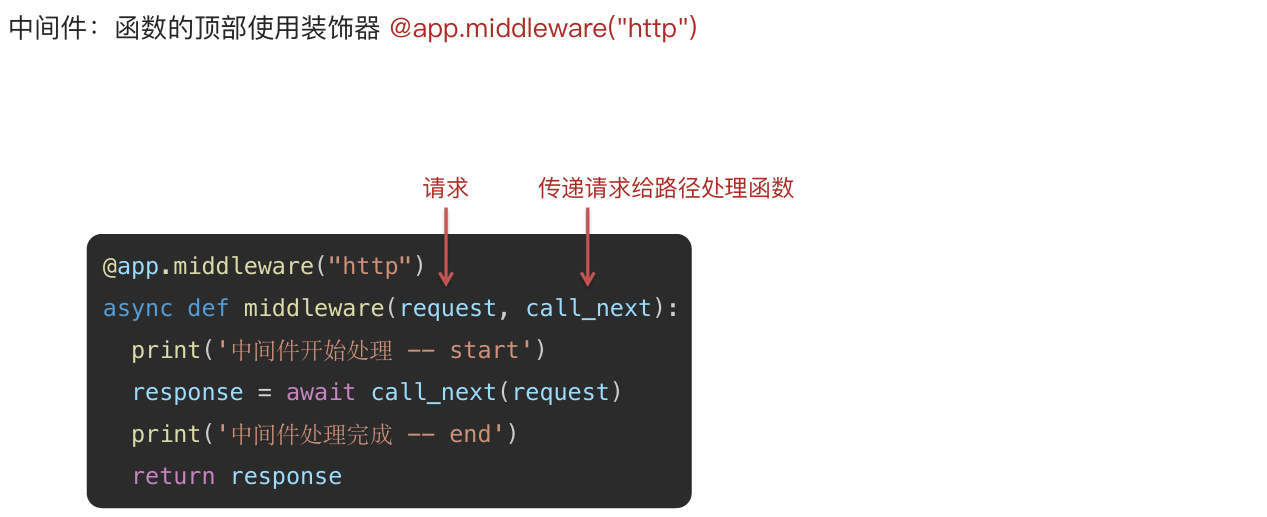
python
# 创建 FastAPI 应用实例
app = FastAPI()

@app.middleware("http")
# 内层中间件:请求会先经过后定义的 middleware2,再进入这里
async def middleware1(request, call_next):
    print("中间件1开始处理 -- start")
    # 将请求继续交给下一个中间件或路由
    response = await call_next(request)
    print("中间件1处理完成 -- end")
    return response

@app.middleware("http")
# 外层中间件:后定义,所以请求先进入这里,响应最后从这里返回
async def middleware2(request, call_next):
    print("中间件2开始处理 -- start")
    response = await call_next(request)
    print("中间件2处理完成 -- end")
    return response

@app.get("/")
async def root():
    # 处理 GET / 请求并返回 JSON 响应
    return {"message": "Hello World"}
依赖注入:
依赖注入是一种按需为路由或函数提供通用能力的机制;和中间件 "对所有请求统一生效" 不同,依赖注入可以精确控制 "哪些接口需要、注入什么内容",因此更加灵活
在 FastAPI 中,依赖项通常是可复用的函数 或类,负责提供数据或执行公共逻辑,框架会自动调用它们并把结果注入到路由函数中;
它的核心价值是减少重复代码 、实现业务逻辑 与基础设施解耦, 并提升测试便利性
常见应用场景 包括:处理和校验请求参数、共享数据库连接、封装多个接口通用的业务逻辑, 以及实现安全认证与权限校验
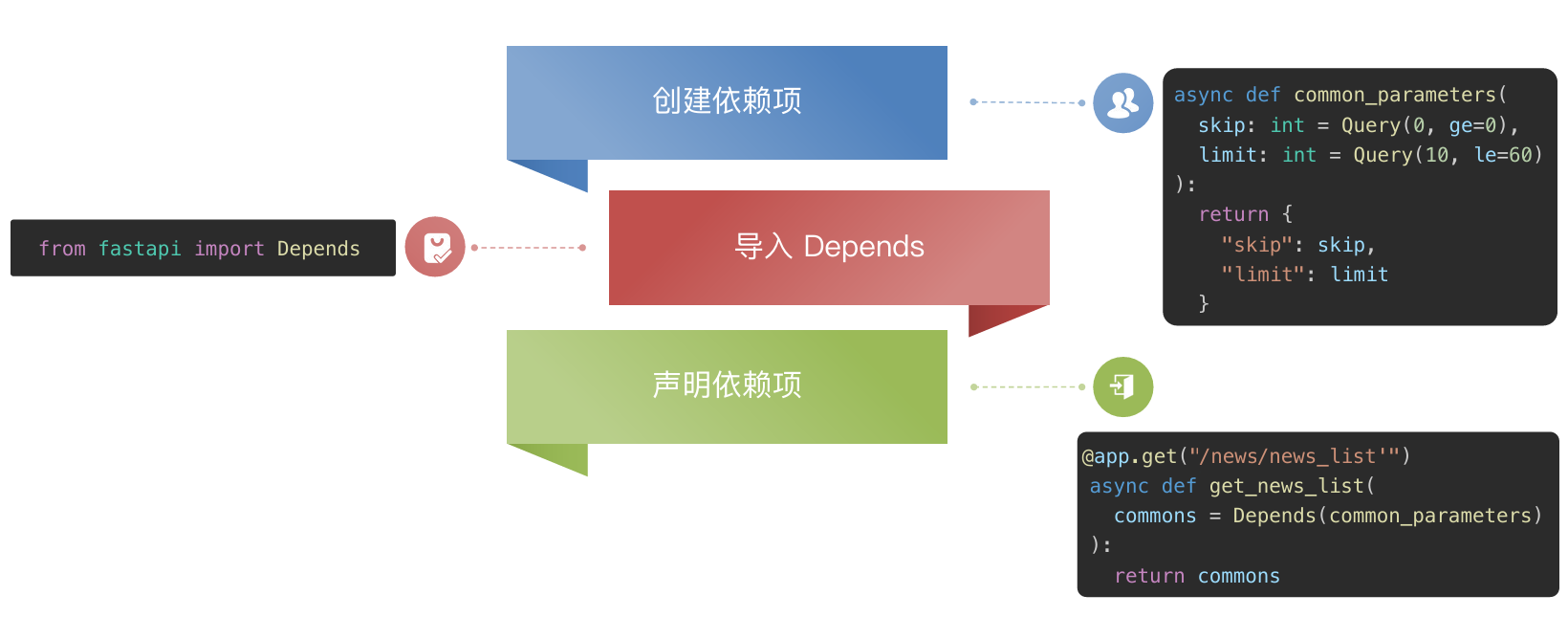
python
# 公共依赖函数:统一处理分页参数
async def common_parameters(
        skip: int = Query(0, ge=0),
        limit: int = Query(10, le=60),
):
    return {
      "skip": skip,
      "limit": limit
    }

@app.get("/news/news_list")
async def get_news_list(
        commons = Depends(common_parameters)
):
    return commons
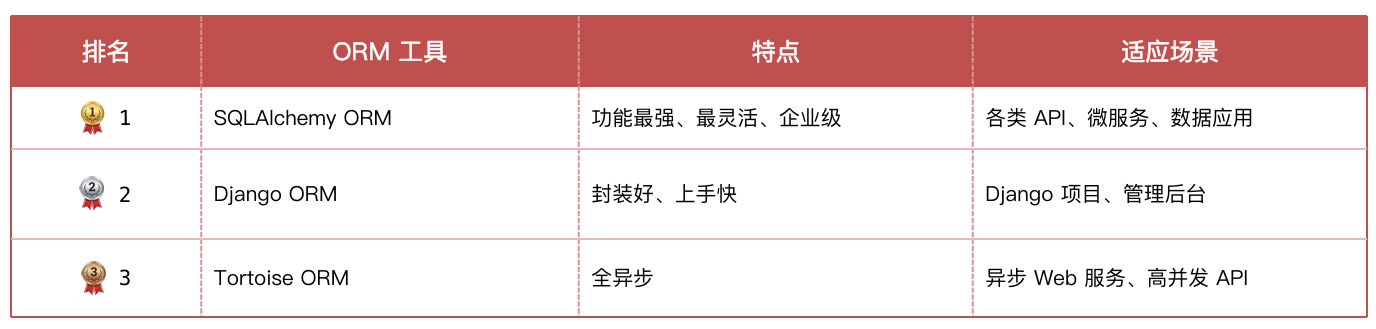
ORM:
ORM(Object-RelationalMapping,对象关系映射)是一种编程技术,用于在面向对象编程语言 和关系型数据库 之间建立映射 ;它允许开发者通过操作对象的方式与数据库进行交互,而无需直接编写复杂的 SQL 语句
**优势:**减少重复的 SQL 代码,代码更简洁易读,自动处理数据库连接和事务,自动防止 SQL 注入攻击
分类:
使用流程:
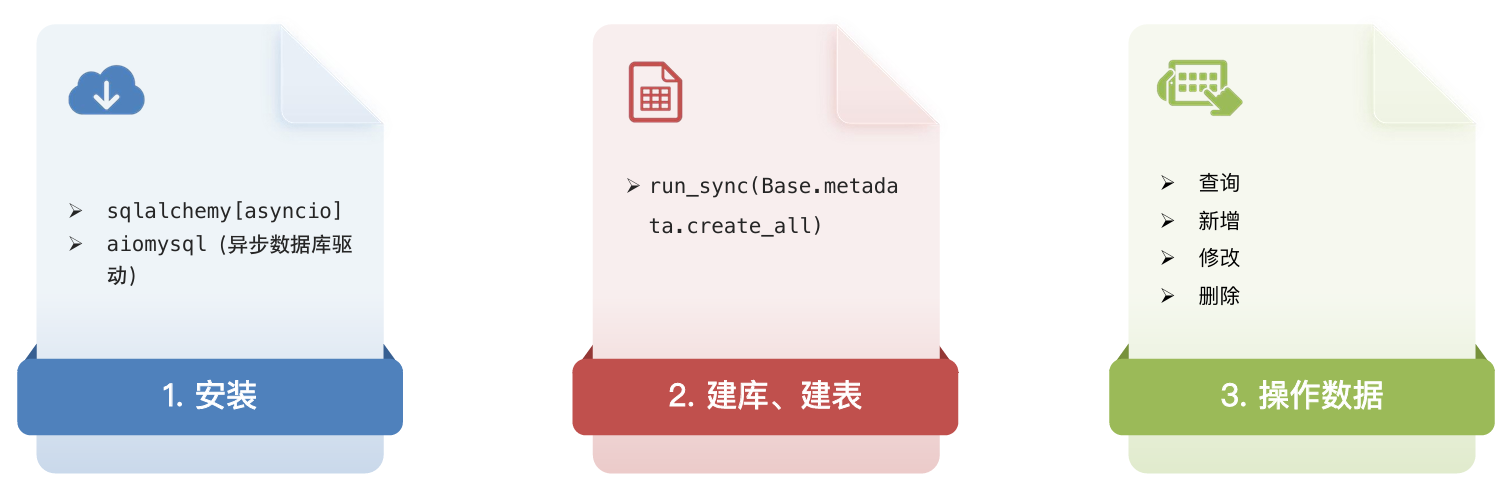
安装:
bash
pip install sqlalchemy[asyncio] aiomysql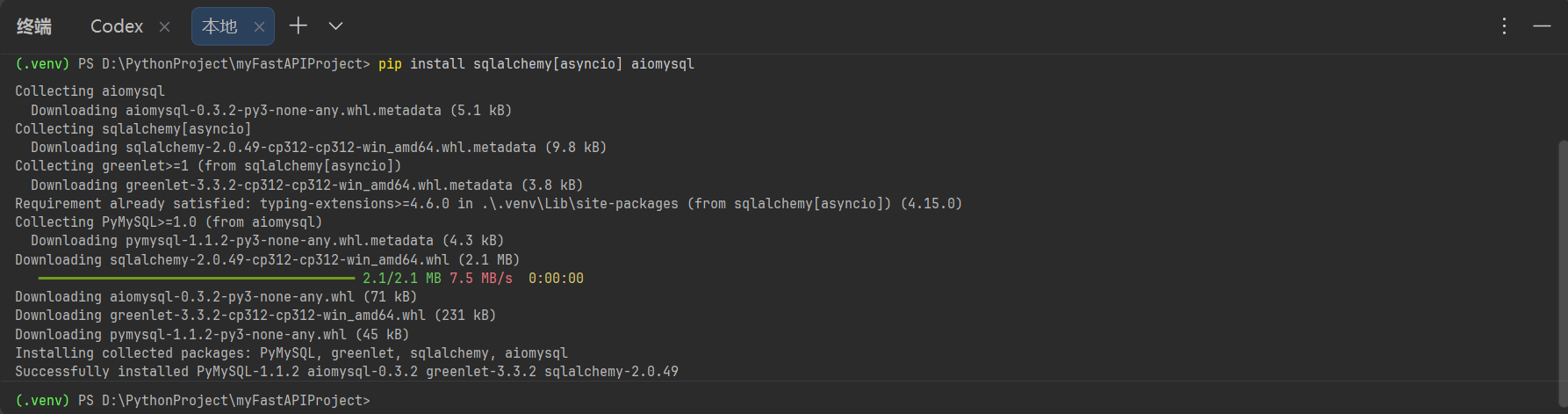
建库建表:
sql
create database fastapi_test;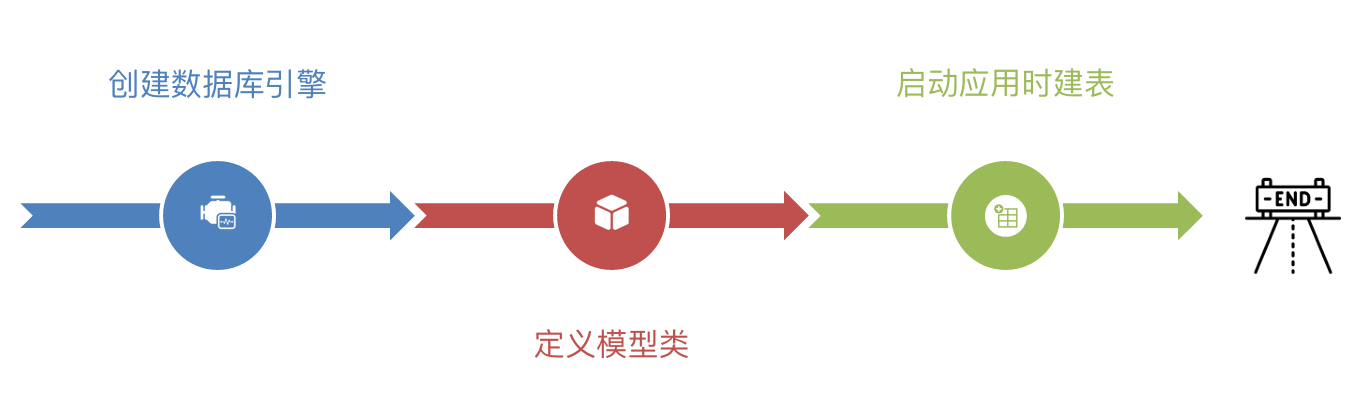
python
from datetime import datetime
from contextlib import asynccontextmanager
from fastapi import FastAPI
from sqlalchemy import DateTime, Float, String, func
from sqlalchemy.ext.asyncio import create_async_engine
from sqlalchemy.orm import DeclarativeBase, Mapped, mapped_column

# 数据库连接地址
ASYNC_DATABASE_URL = "mysql+aiomysql://root:2007129XJH.@localhost:3306/fastapi_test?charset=utf8"
# 创建异步引擎
async_engine = create_async_engine(
    ASYNC_DATABASE_URL,
    echo=True,      # 可选,输出数据库日志(生产环境一般为 False)
    pool_size=10,   # 设置连接池中保持的持久连接数
    max_overflow=20,# 设置连接池中允许创建的额外连接数
)

# 定义模型类
# 基类: 创建时间、更新时间
class Base(DeclarativeBase):
    # DeclarativeBase: SQLAlchemy 2.0 的声明式 ORM 基类
    # 继承它的类会被识别为模型类,类中的字段会映射到数据库表字段

    # Mapped[datetime]:
    # 表示这是一个 ORM 映射字段, Python 中它的值类型是 datetime
    # 可以理解为这个属性要映射到数据库, 并且在代码里按 datetime 使用
    #
    # mapped_column(...):
    # 用来定义数据库列, 相当于告诉 ORM:
    # 这个字段在数据库里是什么类型、默认值是什么、有没有注释等
    create_time: Mapped[datetime] = mapped_column(
        DateTime,
        # func:
        # 是 SQLAlchemy 用来表示数据库函数的对象
        insert_default=func.now(),   # 插入数据时, 数据库层默认使用当前时间
        default=func.now(),          # ORM 层默认值
        comment="创建时间"
    )

    update_time: Mapped[datetime] = mapped_column(
        DateTime,
        insert_default=func.now(),   # 新增时自动填当前时间
        default=func.now(),          # ORM 层默认值
        onupdate=func.now(),         # 更新数据时自动改成当前时间
        comment="修改时间"
    )

# 书籍表: id、书名、作者、价格、出版社
class Book(Base):
    # __tablename__: 指定当前模型对应的数据库表名
    __tablename__ = "book"

    id: Mapped[int] = mapped_column(primary_key=True, comment="书籍id")
    bookname: Mapped[str] = mapped_column(String(255), comment="书名")
    author: Mapped[str] = mapped_column(String(255), comment="作者")
    price: Mapped[float] = mapped_column(Float, comment="价格")
    publisher: Mapped[str] = mapped_column(String(255), comment="出版社")


async def create_tables():
    # begin():
    # 从异步引擎中获取一个数据库连接, 并自动开启事务
    # 退出 async with 代码块时, 会自动提交或回滚, 并释放连接
    async with async_engine.begin() as conn:

        # run_sync(...):
        # 因为 Base.metadata.create_all() 是同步方法, 但现在拿到的是异步连接, 所以要用 run_sync 做桥接
        # 让同步的建表逻辑可以在异步连接中执行
        await conn.run_sync(
            # sync_conn:
            # 是 run_sync() 自动传进来的同步数据库连接对象, 专门让 create_all() 这种同步函数使用
            lambda sync_conn:
            # Base.metadata:
            # metadata 可以理解为所有模型表结构的总清单, 它收集了 Base 及其子类(如 Book)的表名、字段、类型、约束等信息

            # create_all(bind=sync_conn):
            # 根据 metadata 中登记的表结构, 到数据库里创建表; 如果表已存在, 一般不会重复创建
            Base.metadata.create_all(bind=sync_conn)
        )


# @asynccontextmanager:
# 把下面这个带 yield 的异步函数包装成异步上下文管理器
# FastAPI 可以把它当作应用生命周期函数来使用
@asynccontextmanager
async def lifespan(app: FastAPI):
    # yield 之前的代码: 应用启动时执行
    await create_tables()

    # 在 lifespan 里, yield 不是单纯返回值
    # 它是启动和关闭的分界线: 在 yield 前: 启动逻辑; 在 yield 后: 关闭逻辑
    yield

    # 如果有资源清理逻辑, 可以写在 yield 后面
    await async_engine.dispose()


# 把 lifespan 注册给 FastAPI
# 应用启动时会先执行 lifespan 里的启动逻辑
app = FastAPI(lifespan=lifespan)
路由匹配:
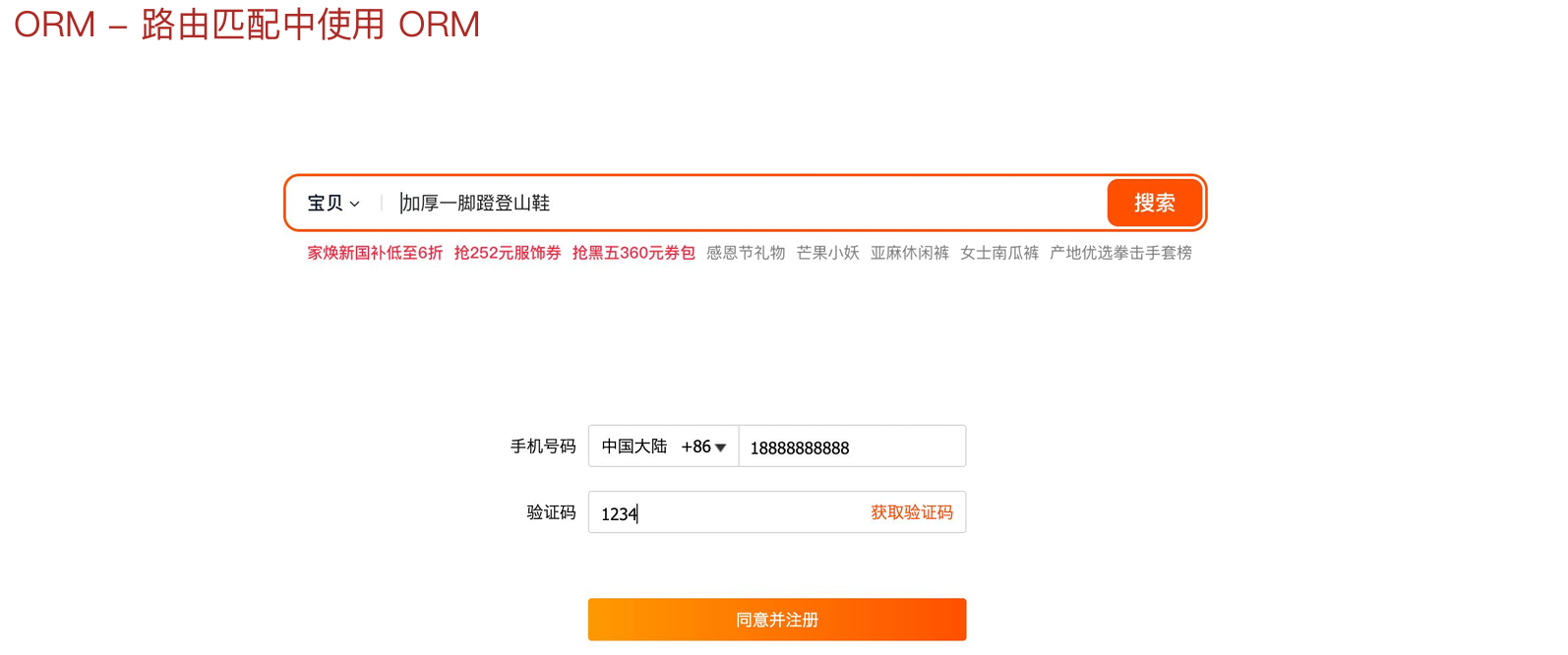
在接口函数里直接通过 ORM 模型完成数据库操作,例如查询商品、校验手机号、验证验证码、创建用户等;这样开发者可以用面向对象的方式处理数据,而不用频繁手写 SQL,代码会更直观,也更方便维护
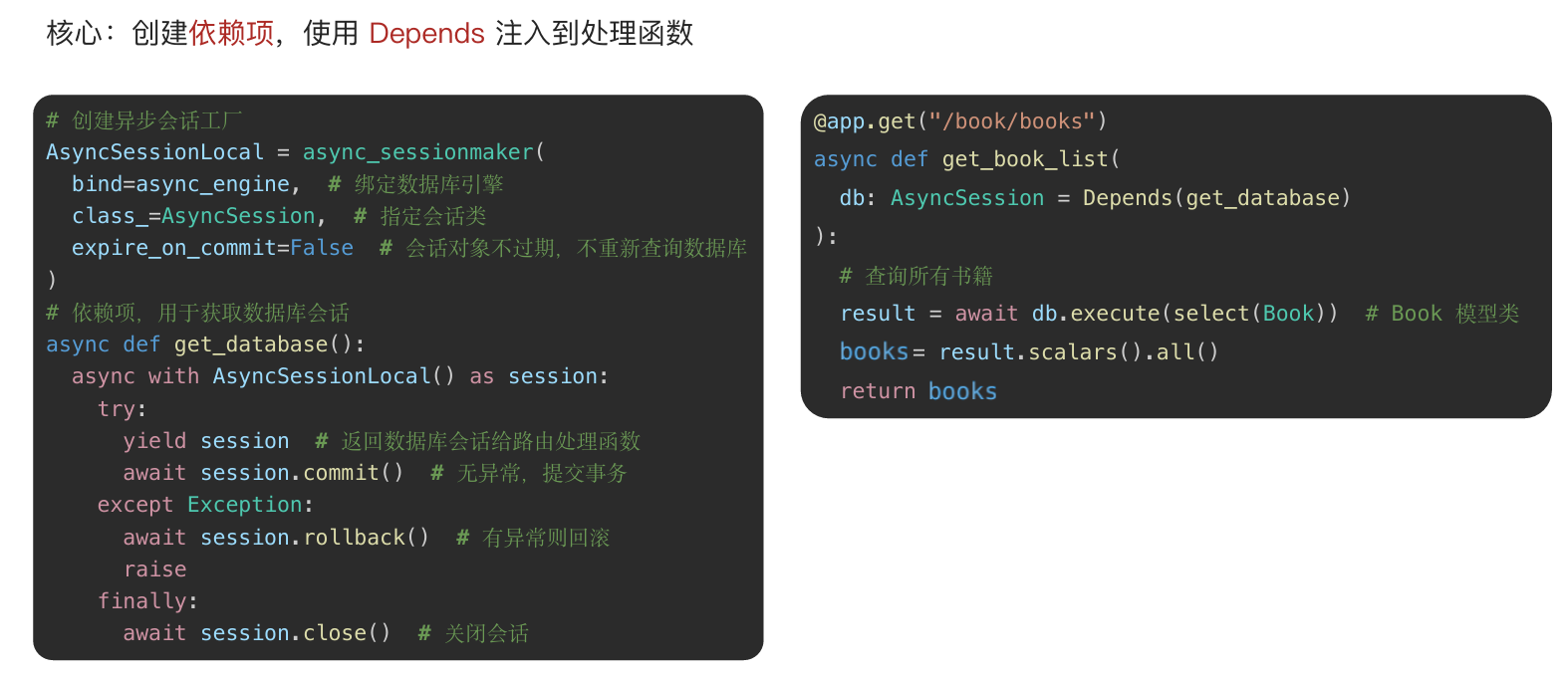
python
# 创建异步会话工厂, 用来生成数据库会话
AsyncSessionLocal = async_sessionmaker(
    bind=async_engine,      # 绑定异步数据库引擎
    class_=AsyncSession,    # 指定生成的会话类型为 AsyncSession
    expire_on_commit=False  # 提交后对象不立即失效, 仍可直接访问
)

# 数据库依赖函数, 为路由提供 session
async def get_datebase():
    # 创建当前请求使用的异步会话
    async with AsyncSessionLocal() as session:
        try:
            yield session  # 把 session 注入给路由函数
            await session.commit()  # 请求成功, 提交事务
        except Exception:
            await session.rollback()  # 请求出错, 回滚事务
            raise  # 继续抛出异常
        finally:
            await session.close()  # 最后关闭会话

# 注册 FastAPI 应用, 并绑定生命周期函数
app = FastAPI(lifespan=lifespan)

@app.get("/book/books")
async def get_book_list(
        db: AsyncSession = Depends(get_datebase),
):
    # 查询 Book 表中的所有数据
    result = await db.execute(select(Book))
    # 提取查询结果中的 Book 对象列表
    books = result.scalars().all()# scalars(): 从查询结果中取出每一行里的主要值
    # 返回查询结果
    return books
数据库操作:
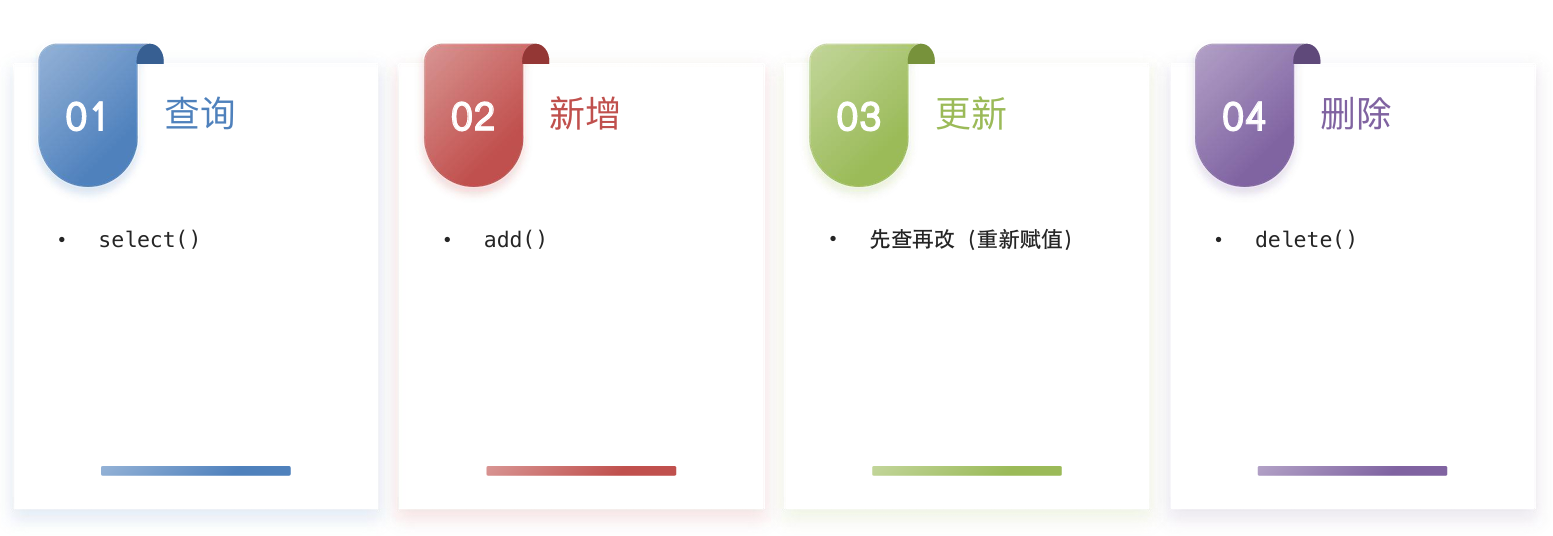
查询:
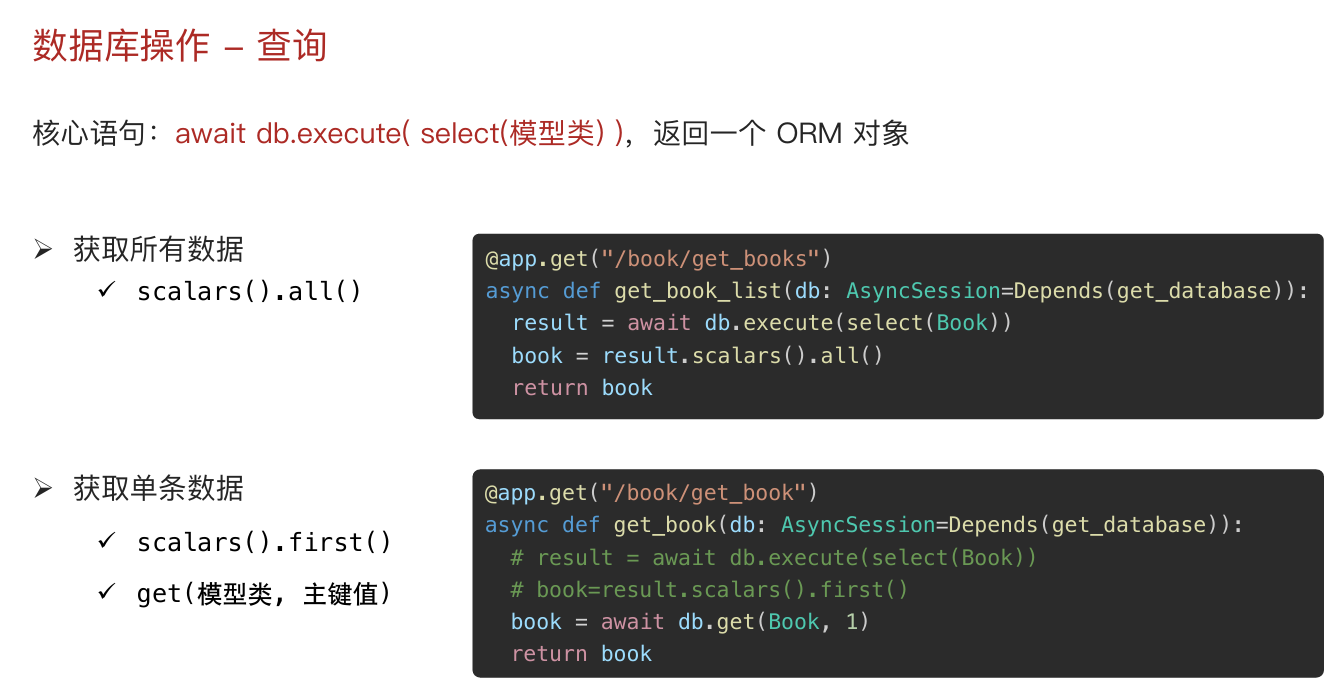
python
@app.get("/book/books")
async def get_book_list(
        db: AsyncSession = Depends(get_datebase),
):
    # 查询所有书籍
    result = await db.execute(select(Book))
    # books = result.scalars().all()   # 获取所有
    # book = result.scalars().first() # 获取第一条
    book = await db.get(Book,2)
    return book
查询条件:
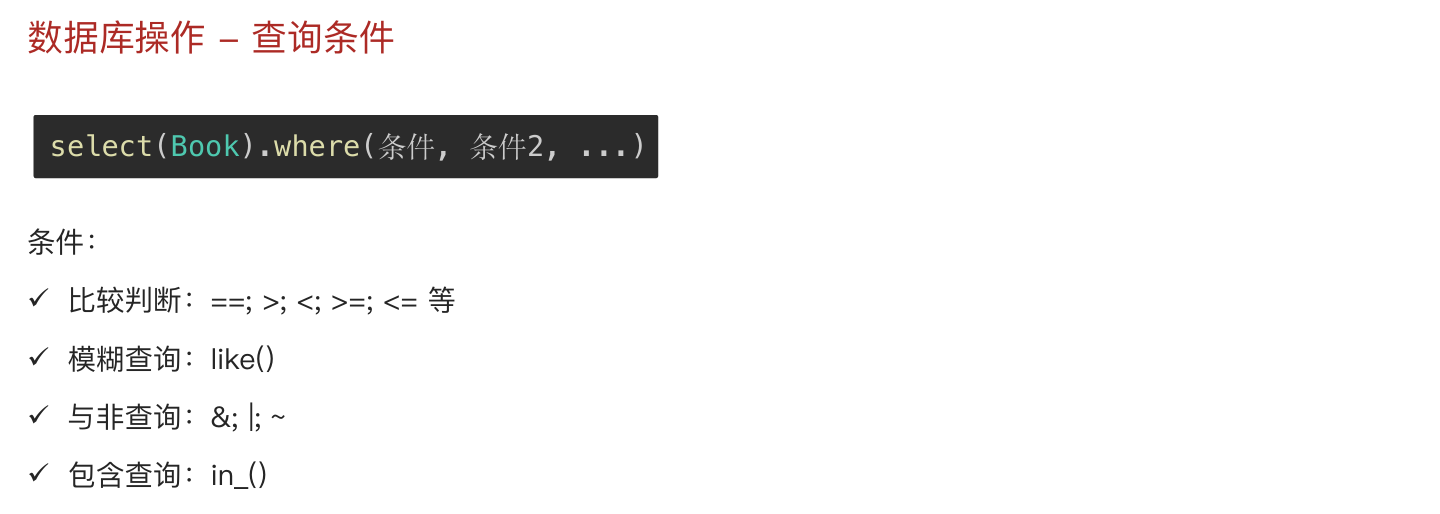
python
# 需求: 路径参数 书籍id
@app.get("/book/get_book/{book_id}")
async def get_book_list(book_id: int, db: AsyncSession = Depends(get_datebase),):
    result = await db.execute(select(Book).where(Book.id == book_id))
    book = result.scalars().one_or_none()
    return book

# 需求: 条件 价格大于等于200
@app.get("/book/search_book")
async def get_search_book(db: AsyncSession = Depends(get_datebase)):
    result = await db.execute(select(Book).where(Book.price >= 200))
    books = result.scalars().all()
    return books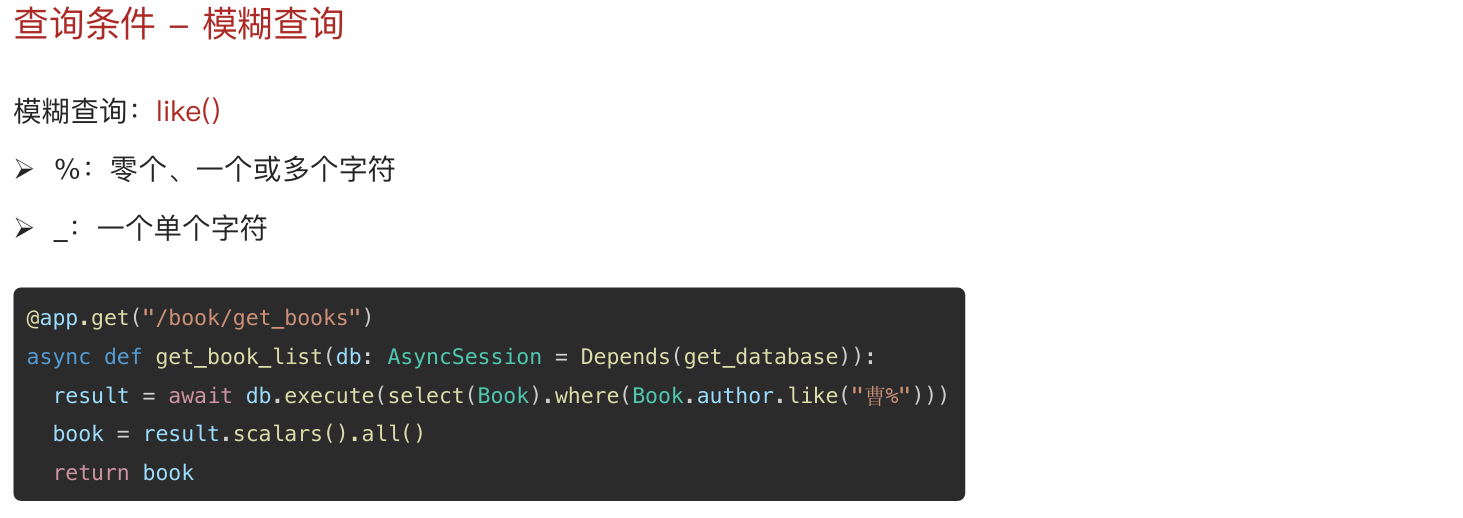
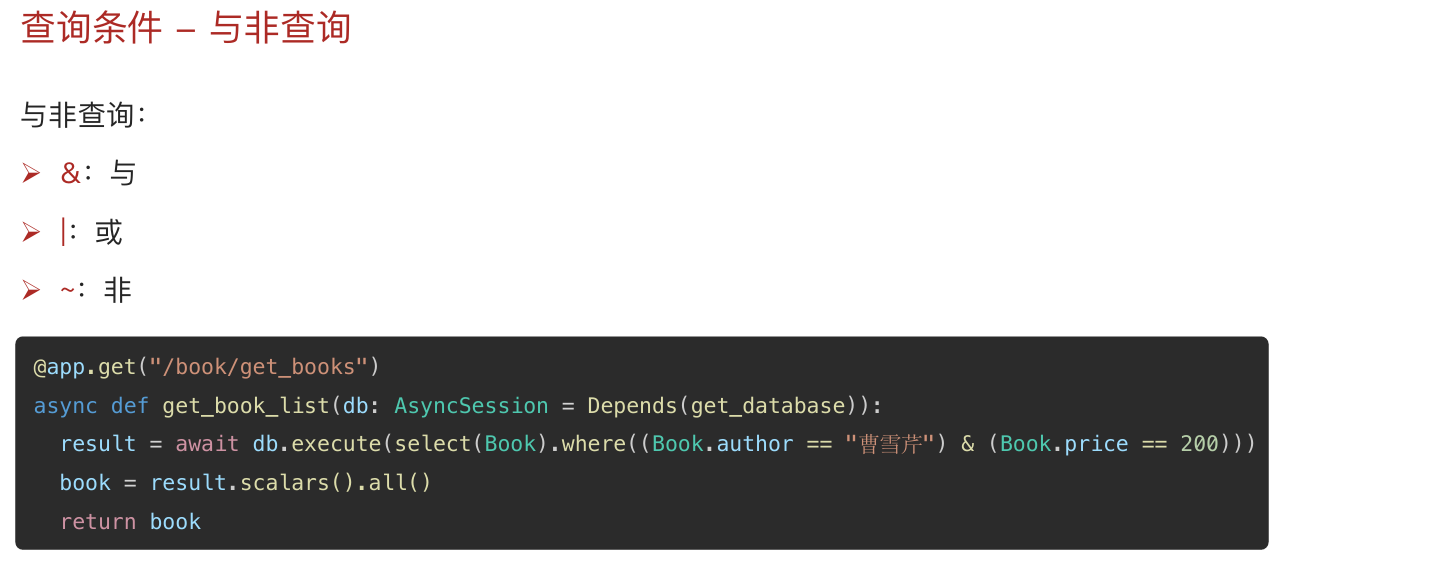
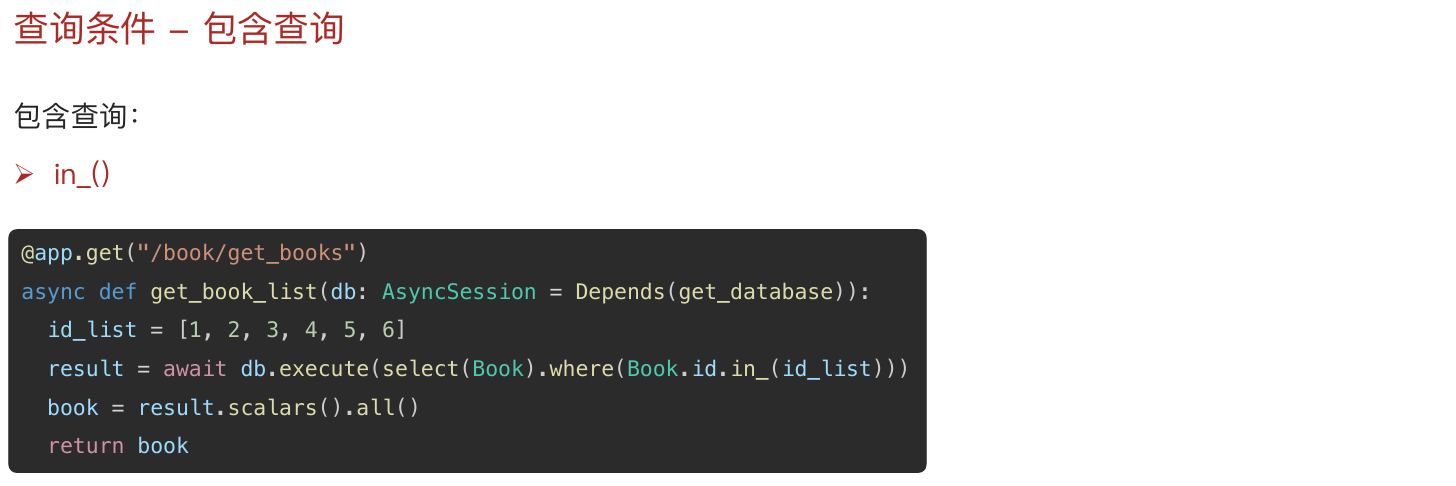
python
# 需求: 作者以 曹 开头 % _
@app.get("/book/search_book")
async def get_search_book(db: AsyncSession = Depends(get_datebase)):
    # result = await db.execute(select(Book).where(Book.author.like("曹%")))
    # result = await db.execute(select(Book).where((Book.author.like("曹%")) & (Book.price > 100)))
    # result = await db.execute(select(Book).where((Book.author.like("曹%")) | (Book.price > 100)))

    # 需求: 书籍id列表,数据库里面的 id 如果在书籍id列表 就返回
    id_list = [1,3,5,7]
    result = await db.execute(select(Book).where(Book.id.in_(id_list)))
    books = result.scalars().all()
    return books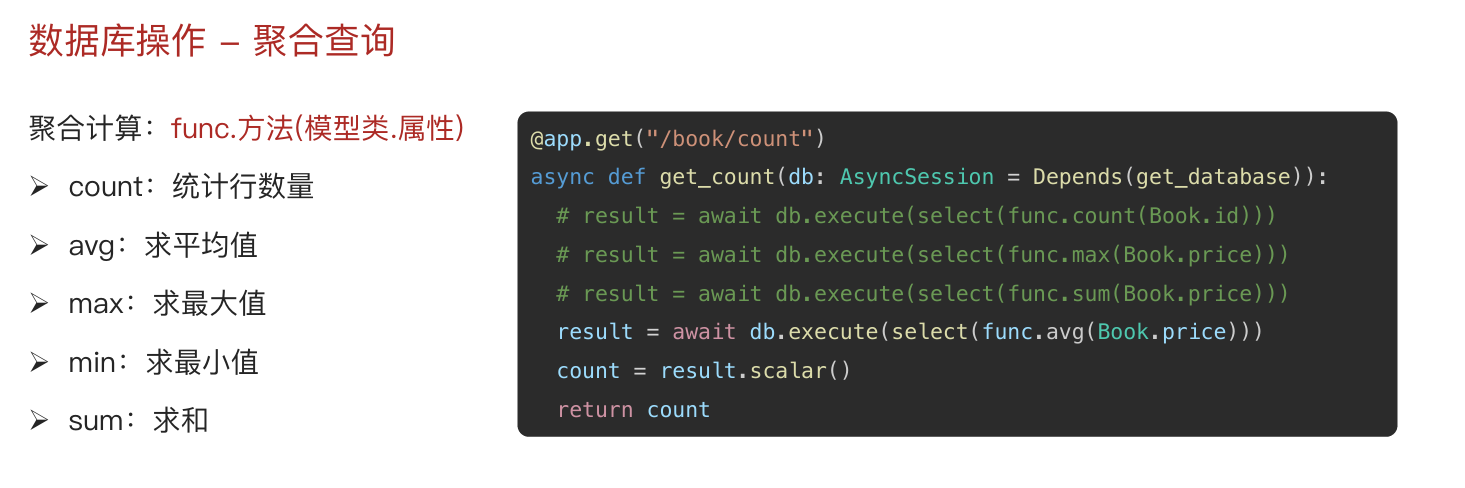
python
@app.get("/book/count")
async def get_count(db: AsyncSession = Depends(get_datebase)):
    # 聚合查询 select(func.方法名(模型类.属性))
    # result = await db.execute(select(func.count(Book.id)))
    # result = await db.execute(select(func.max(Book.price)))
    # result = await db.execute(select(func.sum(Book.price)))
    result = await db.execute(select(func.avg(Book.price)))
    count = result.scalars()
    return count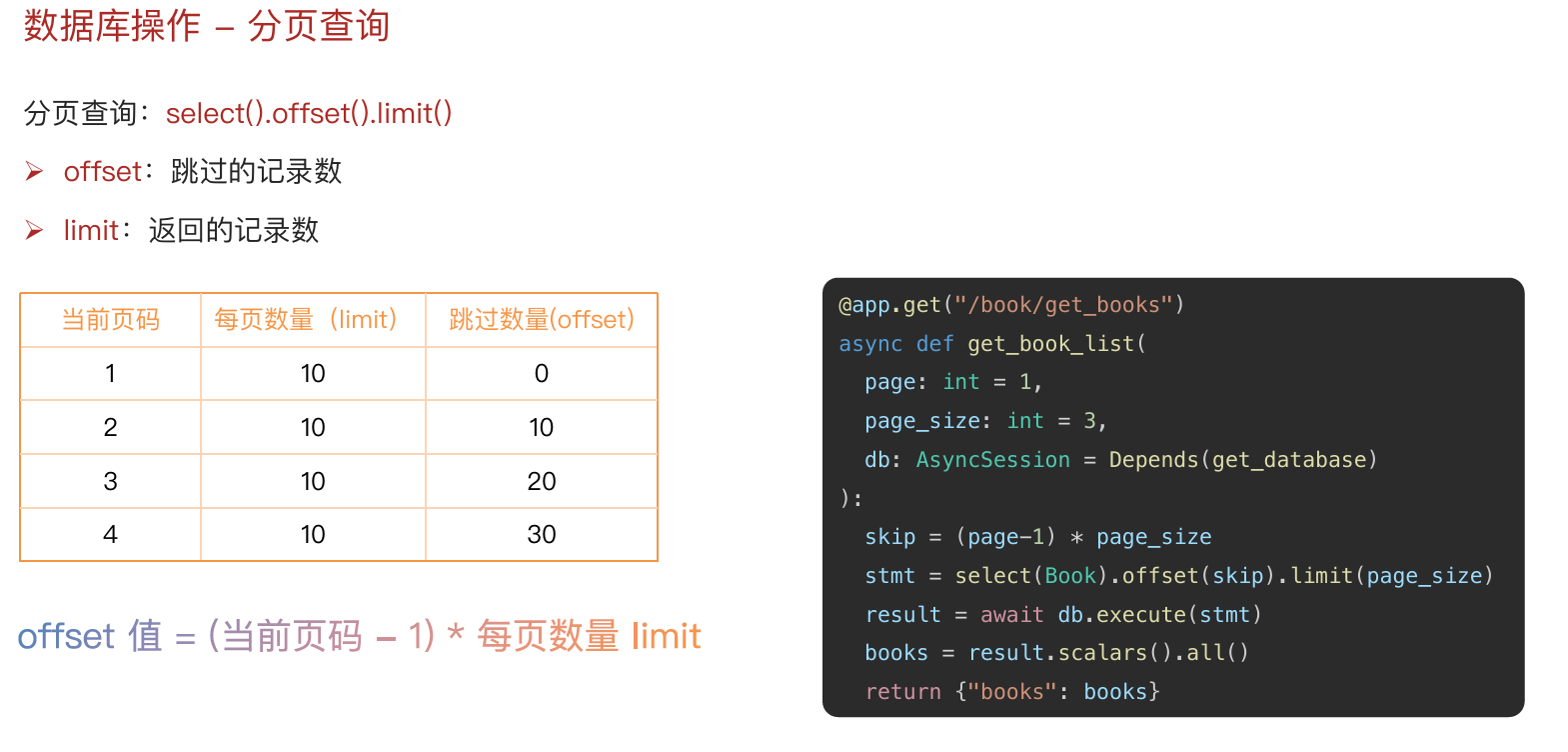
python
@app.get("/book/get_book_list")
async def get_book_list(
        page: int = 1,
        page_size: int = 3,
        db: AsyncSession = Depends(get_datebase)
):
    # (页码 - 1) * 每页数量
    skip = (page - 1) * page_size
    # offset 跳过的记录数 limit 每页的记录数
    result = await db.execute(select(Book).offset(skip).limit(page_size))
    books = result.scalars().all()
    return books
新增:
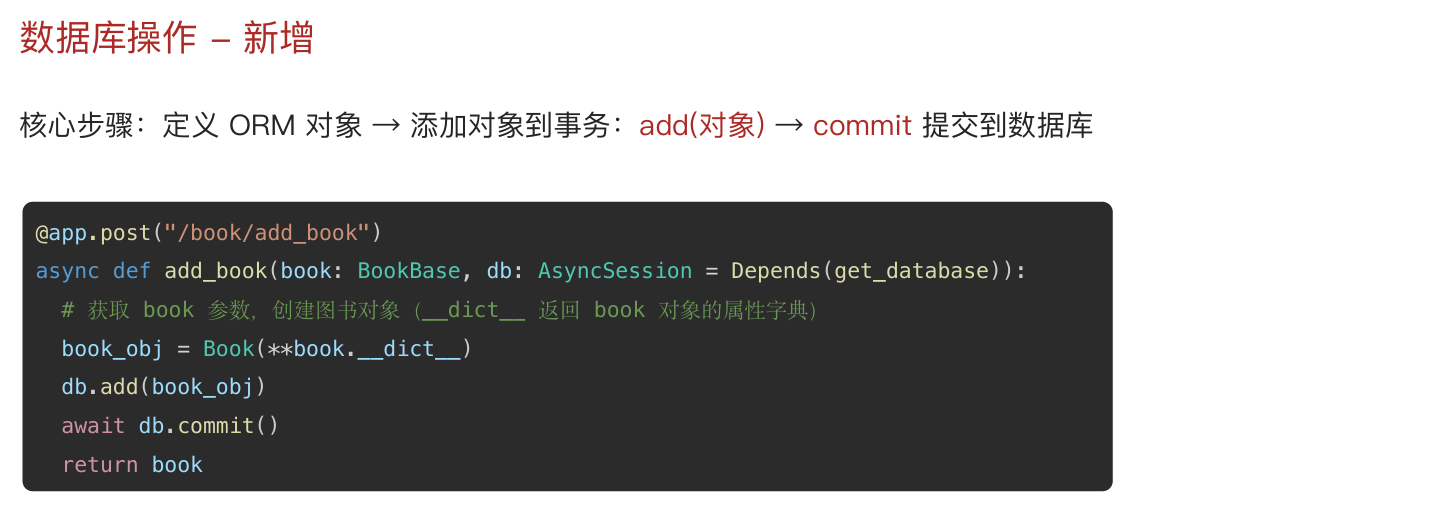
python
# 需求: 用户输入图书信息 (书名、作者、价格、出版社) -> 新增
# 用户输入 -> 参数 -> 请求体
class BookBase(BaseModel):
    bookname: str
    author: str
    price: float
    publisher: str

@app.post("/book/add_book")
async def add_book(book: BookBase, db: AsyncSession = Depends(get_datebase)):
    # ORM对象 -> add -> commit
    book_obj = Book(**book.__dict__) # 把 Pydantic 对象里的字段和值, 变成普通字典, 再解包
    db.add(book_obj)
    await db.commit() # 可不写, 依赖已统一提交
    return
更新:
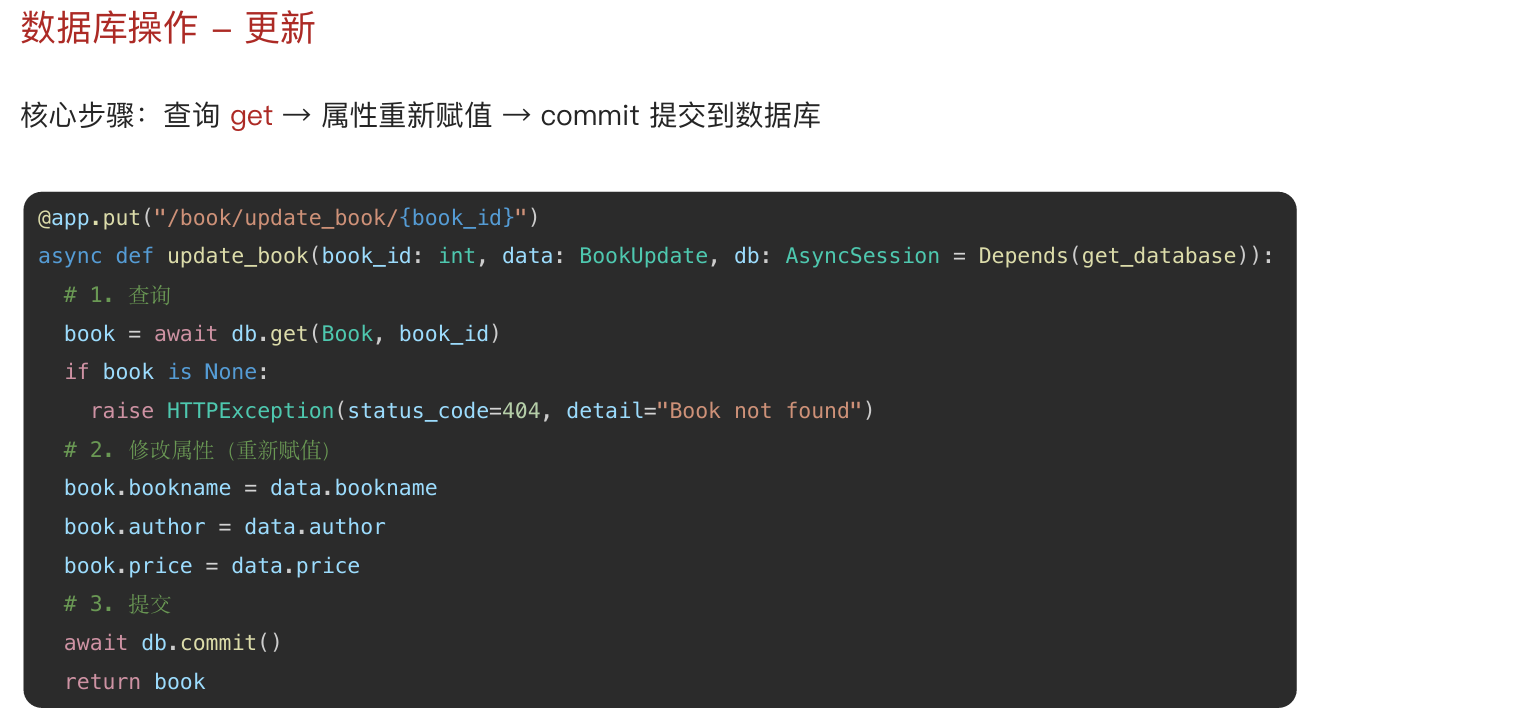
python
# 需求: 修改图书信息: 先查再改
# 设计思路: 路径参数书籍id: 作用是查找 请求体参数: 作用是新数据(书名、作者、价格、出版社)
class BookUpdate(BaseModel):
    bookname: Optional[str] = None # 可选字段
    author: Optional[str] = None
    price: Optional[float] = None
    publisher: Optional[str] = None

@app.post("/book/update_book/{book_id}")
async def add_book(book_id: int, data: BookUpdate, db: AsyncSession = Depends(get_datebase)):
    # 查找图书
    db_book = await db.get(Book, book_id)

    # 未找到
    if db_book is None:
        raise HTTPException(status_code=404, detail="查无此书")

    # 找到了则修改: 重新赋值
    if data.bookname is not None:
        db_book.bookname = data.bookname
    if data.author is not None:
        db_book.author = data.author
    if data.price is not None:
        db_book.price = data.price
    if data.publisher is not None:
        db_book.publisher = data.publisher

    # 提交到数据库
    await db.commit() # 可不写, 依赖已统一提交
    return
删除:
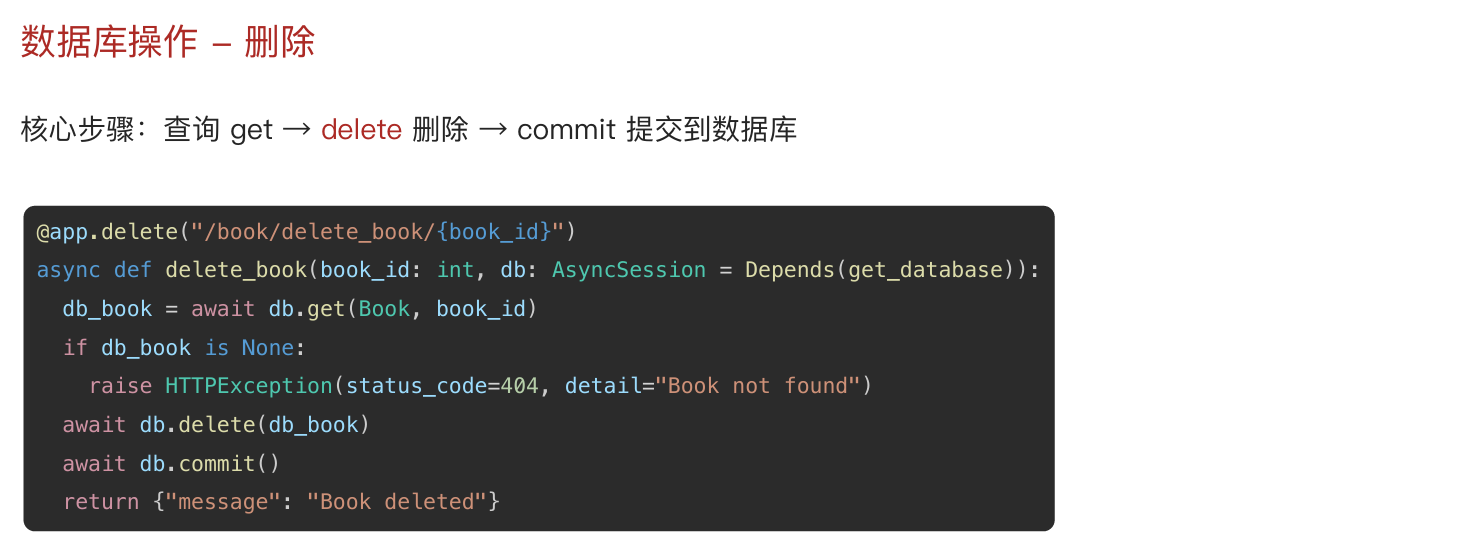
python
@app.delete("/book/delete_book/{book_id}")
async def delete_book(book_id: int, db: AsyncSession = Depends(get_datebase)):
    # 先查再删 提交
    db_book = await db.get(Book, book_id)

    # 未找到
    if db_book is None:
        raise HTTPException(status_code=404, detail="查无此书")

    await db.delete(db_book)
    return {"msg": "删除图书成功"}