安装wkhtmltopdf
命令行安装
1.更新软件包列表
sudo apt update
2.安装 wkhtmltopdf
sudo apt install wkhtmltopdf
3.安装必要的依赖项(如需支持图形界面功能)
sudo apt install xvfb
4. 测试安装是否成功
wkhtmltopdf --version

5.安装中文包
sudo apt update
sudo apt install fonts-wqy-zenhei fonts-noto-cjk
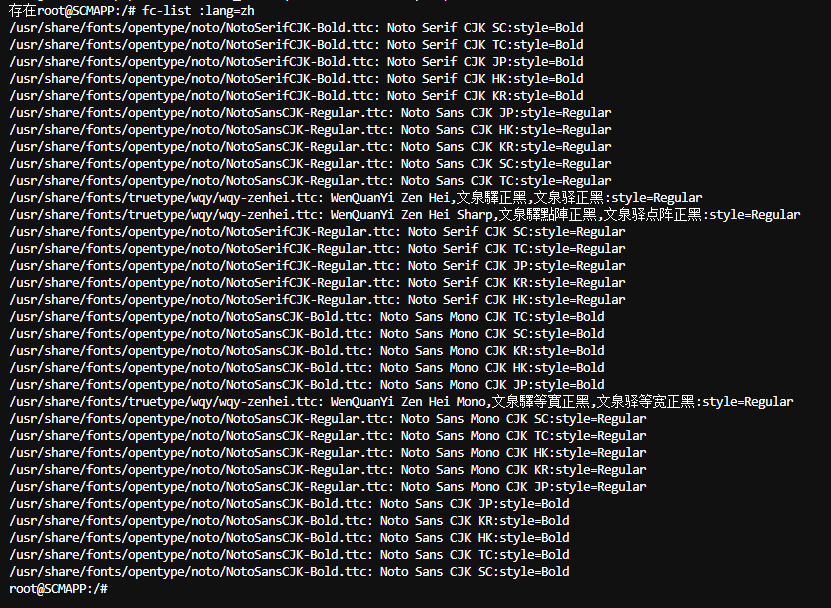
6.验证字体是否安装成功
fc-list :lang=zh
7.html中加上字体
body {
font-family: "WenQuanYi Zen Hei", "SimSun", "Noto Sans CJK", sans-serif;
}
php代码
    public function generatePdf(Request $request){
        $param = $request->param();
        header('Access-Control-Allow-Origin: *'); // 允许所有来源跨域
        header('Access-Control-Allow-Methods: GET, POST'); // 允许的HTTP方法
        header('Access-Control-Allow-Headers: Content-Type'); // 允许的请求头

        $feneralPDF = new GeneralPDF($param['requestid']);
        $htmlContent = $feneralPDF->templateHtml();


        // 配置wkhtmltopdf路径
//        $wkhtmltopdfPath = '/usr/local/bin/wkhtmltopdf';
//        if (!file_exists($wkhtmltopdfPath)) {
            $wkhtmltopdfPath = '/usr/bin/wkhtmltopdf'; // Ubuntu默认安装路径
//        }

        // 创建临时文件
        $tempHtmlFile = tempnam(sys_get_temp_dir(), 'pdf_') . '.html';
        $tempPdfFile = tempnam(sys_get_temp_dir(), 'pdf_') . '.pdf';

        // 写入HTML内容到临时文件
        file_put_contents($tempHtmlFile, $htmlContent);

        // 构建命令
        $command = sprintf(
            '%s --encoding utf-8 --margin-top 10mm --margin-bottom 10mm --margin-left 10mm --margin-right 10mm %s %s 2>&1',
            $wkhtmltopdfPath,
            escapeshellarg($tempHtmlFile),
            escapeshellarg($tempPdfFile)
        );

        // 执行命令
        $output = [];
        $returnVar = 0;
        exec($command, $output, $returnVar);

        // 检查执行结果
        if ($returnVar !== 0 || !file_exists($tempPdfFile)) {
            throw new \Exception('PDF生成失败: ' . implode("\n", $output));
        }

        // 读取PDF内容
        $pdfContent = file_get_contents($tempPdfFile);

        // 清理临时文件
        unlink($tempHtmlFile);
        unlink($tempPdfFile);
        $filename = $feneralPDF->flowname.'.pdf';
        // 设置响应头
        header('Content-Type: application/pdf');
        header("Content-Disposition: inline; filename={$filename}");
        header('Content-Length: ' . strlen($pdfContent));
        echo $pdfContent;
        ob_flush();
        flush();
    }