【Spring AI 实战】四、OpenAI / Anthropic / Azure------多模型适配与自动配置原理
大家好,我是冰点,今天我们继续聊SpringAI的基本用法和特性
所属阶段:第一阶段·核心基础
前置知识:建议先完成第一至三篇,理解 ChatClient、Prompt 和 Advisor 的基础能力。
适用版本 :本文重点讲多模型适配思路;若使用 Spring AI 1.0 正式版,依赖写法优先使用各模型对应的
*-spring-boot-starter。本文导航
- [1. Spring AI 自动配置机制](#1. Spring AI 自动配置机制)
- [2. OpenAI 适配器详解](#2. OpenAI 适配器详解)
- [3. Anthropic Claude 适配器](#3. Anthropic Claude 适配器)
- [4. Azure OpenAI 适配器](#4. Azure OpenAI 适配器)
- [5. 多模型切换与策略模式](#5. 多模型切换与策略模式)
- [6. 生产级实践:A/B 测试与模型热切换](#6. 生产级实践:A/B 测试与模型热切换)
- [7. 安全配置:API Key 与密钥管理](#7. 安全配置:API Key 与密钥管理)
- [8. 完整配置示例](#8. 完整配置示例)
- [9. 小结](#9. 小结)
1. Spring AI 自动配置机制
1.1 自动装配原理
Spring AI 的自动配置依赖于 Spring Boot 的 @ConditionalOnClass 和 @ConditionalOnProperty 机制。只需要引入对应的模型依赖,Spring AI 就会自动创建相应的 Bean:
java
// spring-ai-openai-autoconfigure 中的核心自动配置类
@Configuration
@ConditionalOnClass(OpenAiApi.class)           // 类路径中存在 OpenAiApi 才生效
@ConditionalOnProperty(                      // 配置文件中 spring.ai.openai.api-key 存在才生效
    prefix = "spring.ai.openai",
    name = "api-key"
)
@EnableConfigurationProperties(OpenAiProperties.class)
public class OpenAiAutoConfiguration {

    @Bean
    @ConditionalOnMissingBean                  // 没有手动定义时才自动创建
    public OpenAiChatModel openAiChatModel(
            OpenAiApi openAiApi,
            OpenAiProperties properties) {
        return new OpenAiChatModel(openAiApi, properties.getChat().getOptions());
    }

    @Bean
    @ConditionalOnMissingBean
    public ChatClient chatClient(ChatClient.Builder builder) {
        return builder.build();
    }
}这意味着:只需要在 pom.xml 中加一个依赖,在 application.yml 中写几行配置,就能直接注入 ChatClient 使用。
1.2 配置属性绑定
所有模型配置都绑定到一个 Properties 类:
java
// OpenAI 配置属性
@ConfigurationProperties(prefix = "spring.ai.openai")
public class OpenAiProperties {
    private String apiKey;
    private String baseUrl = "https://api.openai.com";
    private String orgId;
    private Chat chat = new Chat();

    public static class Chat {
        private String model = "gpt-4o-mini";
        private Double temperature = 0.7;
        private Integer maxTokens = 2048;
        // ... 更多配置
    }
}
1.3 配置优先级
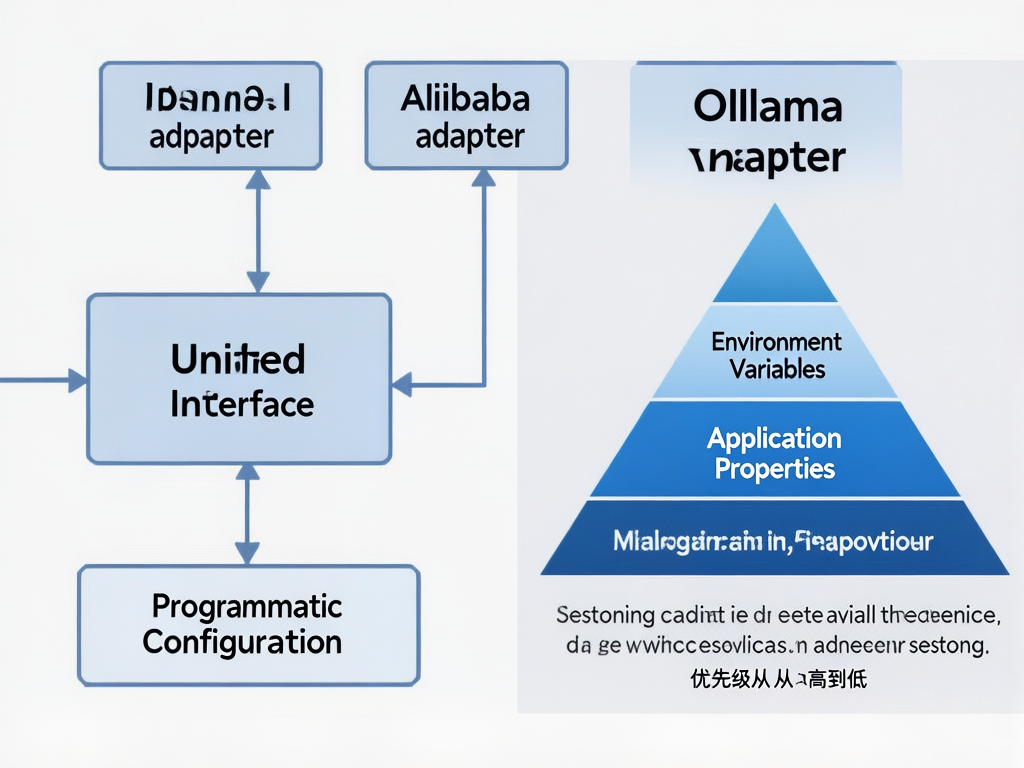
| 优先级 | 来源 | 说明 |
|---|---|---|
| 1 | 代码级 options() |
ChatOptionsBuilder 在调用时指定(最高) |
| 2 | @Bean 级默认值 |
ChatClient.Builder.defaultOptions() |
| 3 | application.yml |
配置文件中的 spring.ai.* |
| 4 | 硬编码默认值 | Properties 类中的字段默认值 |
java
// 优先级 1:每次调用时指定(最高优先级)
chatClient.prompt()
    .user("xxx")
    .options(ChatOptionsBuilder.builder()
        .withModel("gpt-4o")
        .withTemperature(0.0)
        .build())
    .call();

// 优先级 2:Bean 定义时设置默认值
@Bean
public ChatClient chatClient(ChatClient.Builder builder) {
    return builder
        .defaultOptions(
            ChatOptionsBuilder.builder()
                .withModel("gpt-4o-mini")
                .withTemperature(0.7)
                .build()
        )
        .build();
}
2. OpenAI 适配器详解
2.1 引入依赖
xml
<dependency>
    <groupId>org.springframework.ai</groupId>
    <artifactId>spring-ai-openai-spring-boot-starter</artifactId>
</dependency>
2.2 完整配置
yaml
spring:
  ai:
    openai:
      api-key: ${OPENAI_API_KEY}
      base-url: https://api.openai.com
      org-id: ${OPENAI_ORG_ID}
      chat:
        options:
          model: gpt-4o-mini
          temperature: 0.7
          max-tokens: 2000
          top-p: 1.0
          frequency-penalty: 0.0
          presence-penalty: 0.0
2.3 支持的模型
| 模型 | 特点 | 适用场景 | 价格 |
|---|---|---|---|
gpt-4o |
最强能力,多模态 | 复杂推理、代码生成 | 高 |
gpt-4o-mini |
性价比最优 | 日常对话、简单任务 | 中 |
gpt-4-turbo |
大上下文窗口 | 长文档分析 | 高 |
gpt-3.5-turbo |
低成本 | 简单问答 | 低 |
2.4 OpenAI 原生 JSON Schema 约束
java
// 使用 JSON Schema 约束输出格式(OpenAI 原生支持)
public MovieReview review(String movie) {
    OpenAiChatOptions options = OpenAiChatOptions.builder()
        .withModel("gpt-4o-mini")
        .withResponseFormat(Map.of(
            "type", "json_object",
            "schema", Map.of(
                "type", "object",
                "properties", Map.of(
                    "score", Map.of("type", "integer", "description", "评分1-10"),
                    "pros", Map.of("type", "array", "items", Map.of("type", "string")),
                    "cons", Map.of("type", "array", "items", Map.of("type", "string")),
                    "summary", Map.of("type", "string")
                ),
                "required", List.of("score", "pros", "cons", "summary")
            )
        ))
        .build();

    String result = chatModel.call(
        new Prompt(new UserMessage("用 JSON 格式评价电影《" + movie + "》"), options)
    ).getResult().getOutput().getContent();

    return new ObjectMapper().readValue(result, MovieReview.class);
}
3. Anthropic Claude 适配器
3.1 引入依赖
xml
<dependency>
    <groupId>org.springframework.ai</groupId>
    <artifactId>spring-ai-anthropic-spring-boot-starter</artifactId>
</dependency>
3.2 完整配置
yaml
spring:
  ai:
    anthropic:
      api-key: ${ANTHROPIC_API_KEY}
      base-url: https://api.anthropic.com
      chat:
        options:
          model: claude-3-5-sonnet-20241022
          max-tokens: 4096
          temperature: 0.7
3.3 Claude Extended Thinking 思考模式
Claude 的独特优势在于 Extended Thinking(思考模式):
java
// Claude 思考模式:模型先内部推理,再给出最终答案
public String askWithThinking(String question) {
    AnthropicChatOptions options = AnthropicChatOptions.builder()
        .withModel("claude-3-5-sonnet-20241022")
        .withMaxTokens(4096)
        .withTemperature(0.7)
        .withThinking(
            AnthropicChatOptions.Thinking.builder()
                .withEnabled(true)
                .withBudgetTokens(2048)
                .build()
        )
        .build();

    ChatResponse response = chatClient.prompt()
        .user(question)
        .options(options)
        .call()
        .chatResponse();

    // 获取最终答案
    String answer = response.getResult().getOutput().getContent();

    // 如果开启了思考模式,可以获取思考内容
    var metadata = response.getMetadata();
    if (metadata.containsKey("thinking")) {
        log.info("Claude 思考过程: {}", metadata.get("thinking"));
    }

    return answer;
}
3.4 Claude vs OpenAI 选型建议
| 维度 | OpenAI GPT-4o | Claude 3.5 Sonnet |
|---|---|---|
| 编程能力 | 最强 | 略弱 |
| 长文本理解 | 强 | 最强(200K context) |
| 指令遵循 | 强 | 最强 |
| 创意写作 | 强 | 最强 |
| 成本 | 较高 | 较低 |
| 思考模式 | 无原生支持 | Extended Thinking |
| 数据安全 | 注意合规 | 更适合合规场景 |
4. Azure OpenAI 适配器
4.1 引入依赖
xml
<dependency>
    <groupId>org.springframework.ai</groupId>
    <artifactId>spring-ai-azure-openai-spring-boot-starter</artifactId>
</dependency>
4.2 完整配置
yaml
spring:
  ai:
    azure:
      openai:
        api-key: ${AZURE_OPENAI_API_KEY}
        endpoint: ${AZURE_OPENAI_ENDPOINT}   # 形如 https://xxx.openai.azure.com
        chat:
          deployment-name: gpt-4o-mini       # Azure 部署名称(不是模型名)
          options:
            api-version: 2024-06-01
            temperature: 0.7
            max-tokens: 2000
4.3 Azure vs OpenAI 关键差异
| 差异点 | OpenAI | Azure OpenAI |
|---|---|---|
| 认证方式 | API Key | API Key + Endpoint |
| 模型指定 | 直接写模型名 | 写部署名称 |
| 网络要求 | 直连境外 | 可走内网/合规 |
| 数据用途 | 受 OpenAI 政策 | 企业数据不回传 |
| API 版本 | 自动 | 需指定 api-version |
java
// Azure 的 endpoint 必须包含 /openai/deployments/ 路径
String azureEndpoint = "https://my-resource.openai.azure.com/openai/deployments/";

AzureOpenAiChatOptions options = AzureOpenAiChatOptions.builder()
    .withDeploymentName("gpt-4o-mini")    // Azure 部署名称
    .withApiVersion("2024-06-01")          // API 版本
    .withTemperature(0.7)
    .build();
5. 多模型切换与策略模式
5.1 多模型注入
在同一个应用中,可以同时注入多个模型:
java
@Configuration
public class MultiModelConfig {

    @Bean
    @Primary
    public ChatModel openAiModel(
            @Autowired(required = false) OpenAiChatModel m) { return m; }

    @Bean
    public ChatModel anthropicModel(
            @Autowired(required = false) AnthropicChatModel m) { return m; }

    @Bean
    public ChatModel azureModel(
            @Autowired(required = false) AzureOpenAiChatModel m) { return m; }
}
5.2 模型路由服务
java
@Service
@RequiredArgsConstructor
public class ModelRouter {

    private final Map<String, ChatModel> chatModels;

    /**
     * 按名称路由到指定模型
     */
    public String routeTo(String modelName, String prompt) {
        ChatModel model = chatModels.get(modelName.toLowerCase());
        if (model == null) {
            throw new IllegalArgumentException("不支持的模型: " + modelName);
        }
        return model.call(new Prompt(new UserMessage(prompt)))
                .getResult().getOutput().getContent();
    }

    /**
     * 根据任务类型自动选择模型
     */
    public String route(TaskType type, String prompt) {
        String model = switch (type) {
            case CODE_GENERATION -> "openaichatmodel";
            case LONG_TEXT_SUMMARY -> "anthropicchatmodel";
            case SIMPLE_QA -> "azureopenaichatmodel";
        };
        return routeTo(model, prompt);
    }

    public enum TaskType {
        CODE_GENERATION,
        LONG_TEXT_SUMMARY,
        SIMPLE_QA
    }
}
5.3 统一业务接口(策略模式)
java
public interface AIService {
    String chat(String prompt);
}

@Service
@Primary
@RequiredArgsConstructor
class OpenAiServiceImpl implements AIService {
    private final OpenAiChatModel model;
    public String chat(String prompt) {
        return model.call(new Prompt(new UserMessage(prompt)))
                .getResult().getOutput().getContent();
    }
}

@Service
@RequiredArgsConstructor
class ClaudeServiceImpl implements AIService {
    private final AnthropicChatModel model;
    public String chat(String prompt) {
        return model.call(new Prompt(new UserMessage(prompt)))
                .getResult().getOutput().getContent();
    }
}

// 业务层注入 @Primary 的实现
@Service
@RequiredArgsConstructor
class BusinessService {
    private final AIService aiService;  // 自动注入默认实现
}
6. 生产级实践:A/B 测试与模型热切换

6.1 权重路由(Weighted Routing)
java
@Service
public class WeightedModelRouter {

    private final Map<String, ChatModel> models;
    private final Random random = new Random();

    // 各模型权重(和为 100)
    private final Map<String, Integer> weights = Map.of(
        "openaichatmodel", 60,    // 60% GPT-4o
        "anthropicchatmodel", 30,  // 30% Claude
        "azureopenaichatmodel", 10  // 10% Azure
    );

    public String weightedChat(String prompt) {
        int r = random.nextInt(100);
        int cumulative = 0;
        String selected = "openaichatmodel";

        for (Map.Entry<String, Integer> entry : weights.entrySet()) {
            cumulative += entry.getValue();
            if (r < cumulative) {
                selected = entry.getKey();
                break;
            }
        }

        log.info("路由到模型: {},随机数: {}", selected, r);
        return models.get(selected)
                .call(new Prompt(new UserMessage(prompt)))
                .getResult().getOutput().getContent();
    }
}
6.2 模型热切换(无需重启)
通过 Spring Cloud @RefreshScope + 配置中心实现:
java
@RefreshScope
@ConfigurationProperties(prefix = "ai.models")
public class ModelWeightsProperties {
    private Map<String, Integer> weights = new LinkedHashMap<>();
    public Map<String, Integer> getWeights() { return weights; }
    public void setWeights(Map<String, Integer> weights) { this.weights = weights; }
}

@Service
@RefreshScope
@RequiredArgsConstructor
class DynamicModelRouter {
    private final Map<String, ChatModel> models;
    private final ConfigurableApplicationContext context;

    public String chat(String prompt) {
        // 每次从最新配置读取权重
        ModelWeightsProperties props = context.getBean(ModelWeightsProperties.class);
        String selected = selectModel(props.getWeights());
        return models.get(selected)
                .call(new Prompt(new UserMessage(prompt)))
                .getResult().getOutput().getContent();
    }
}
在 Nacos/Apollo 控制台修改以下配置,模型权重立即生效,无需重启:
yaml
ai:
  models:
    weights:
      openaichatmodel: 70
      anthropicchatmodel: 30
6.3 模型对比监控
java
@Service
@RequiredArgsConstructor
class ModelComparisonService {
    private final Map<String, ChatModel> models;

    /**
     * 同一问题同时请求多个模型,对比输出与耗时
     */
    public Map<String, ModelResult> compare(String prompt) {
        Map<String, ModelResult> results = new ConcurrentHashMap<>();

        models.forEach((name, model) -> {
            long start = System.currentTimeMillis();
            String response = model.call(new Prompt(new UserMessage(prompt)))
                    .getResult().getOutput().getContent();
            long cost = System.currentTimeMillis() - start;

            results.put(name, new ModelResult(response, cost));
            log.info("模型 {} - 耗时: {}ms, 输出长度: {}",
                name, cost, response.length());
        });

        return results;
    }

    public record ModelResult(String response, long costMs) {}
}
7. 安全配置:API Key 与密钥管理
7.1 禁止的做法
yaml
# ❌ 绝对禁止:硬编码 API Key
spring:
  ai:
    openai:
      api-key: sk-xxxxxxxxxxxxxxxxxxxxxxxxxxxxxxxx
7.2 环境变量(开发环境)
bash
# .env / .bashrc / .zshrc
export OPENAI_API_KEY=sk-xxxxxxxxxxxxxxxxxxxxxxxx
export ANTHROPIC_API_KEY=sk-ant-xxxxxxxxxxxxxxxx
yaml
# application.yml
spring:
  ai:
    openai:
      api-key: ${OPENAI_API_KEY}
7.3 配置中心加密(生产环境)
yaml
# application-prod.yml(配置中心中存储加密后的 key)
spring:
  ai:
    openai:
      api-key: ${encrypted:xxxxxx}  # 配置中心加密存储
7.4 HashiCorp Vault(高安全场景)
java
@Configuration
class VaultConfig {
    @Bean
    public String openAiApiKey(VaultTemplate vaultTemplate) {
        VaultResponse response = vaultTemplate.read("secret/openai");
        return response.getData().get("api-key").toString();
    }

    @Bean
    public OpenAiChatModel openAiChatModel(String openAiApiKey) {
        return OpenAiChatModel.builder()
            .apiKey(openAiApiKey)
            .build();
    }
}
8. 完整配置示例
8.1 application.yml(多模型配置)
yaml
spring:
  application:
    name: spring-ai-multi-model-demo

  # ============ OpenAI ============
  ai:
    openai:
      api-key: ${OPENAI_API_KEY}
      base-url: ${OPENAI_BASE_URL:https://api.openai.com}
      chat:
        options:
          model: gpt-4o-mini
          temperature: 0.7
          max-tokens: 2000

    # ============ Anthropic(可选)============
    anthropic:
      api-key: ${ANTHROPIC_API_KEY}
      base-url: ${ANTHROPIC_BASE_URL:https://api.anthropic.com}
      chat:
        options:
          model: claude-3-5-sonnet-20241022
          max-tokens: 4096
          temperature: 0.7

    # ============ Azure OpenAI(可选)============
    azure:
      openai:
        api-key: ${AZURE_OPENAI_API_KEY}
        endpoint: ${AZURE_OPENAI_ENDPOINT}
        chat:
          deployment-name: ${AZURE_DEPLOYMENT_NAME:gpt-4o-mini}
          options:
            api-version: 2024-06-01
            temperature: 0.7
8.2 多模型配置类
java
@Configuration
@EnableConfigurationProperties({
    OpenAiProperties.class,
    AnthropicProperties.class,
    AzureOpenAiProperties.class
})
public class MultiModelAutoConfig {

    @Bean
    @Primary
    public ChatModel defaultChatModel(OpenAiChatModel m) { return m; }

    @Bean
    public ChatModel anthropicChatModel(AnthropicChatModel m) { return m; }

    @Bean
    public ChatModel azureChatModel(AzureOpenAiChatModel m) { return m; }
}
9. 小结
本文深入讲解了 Spring AI 的多模型适配体系:
- 自动配置机制 :依赖引入即生效,Properties 类 +
@ConditionalOnProperty实现零代码配置 - 三大主流模型:OpenAI(编程最强)、Anthropic Claude(长文本+思考模式)、Azure OpenAI(企业合规)
- 配置优先级 :调用时
options()> Bean 默认 > yml > 硬编码默认值 - 多模型路由:Map 注入 + 策略模式 + 统一业务接口
- 生产级实践:权重分流、A/B 测试、热切换、Vault 密钥管理
阶段一「Spring AI 核心基础」到此完结,覆盖了架构设计、ChatClient 实战、Prompt 工程与 Advisors、多模型适配四大主题。
下阶段预告:【Spring AI 实战】五、RAG 核心原理:为什么需要检索增强生成?------进入 RAG 阶段,我们将从向量 Embedding 开始,深入讲解文档处理、向量数据库、RAG 流程优化,以及如何构建一个完整的企业知识库问答系统。
📌 系列导航
📎 示例说明:本文聚焦多模型抽象与配置思路,RAG 主线从第五篇开始。