注册使用
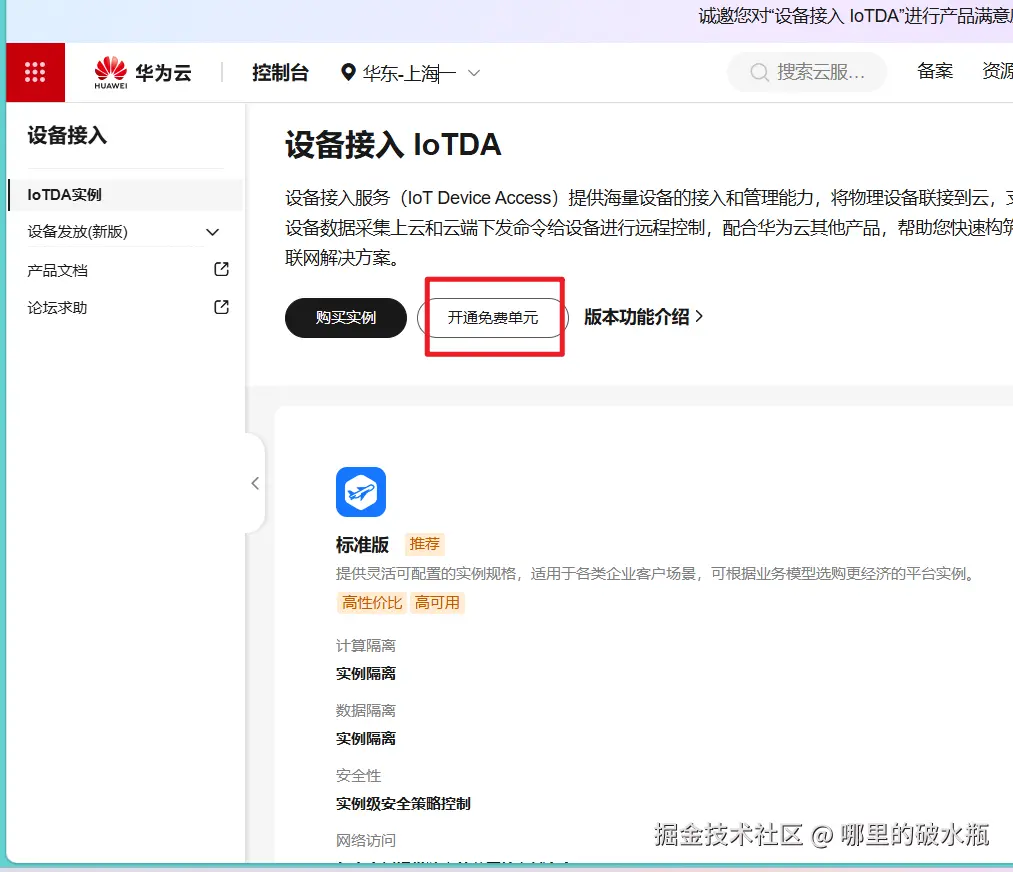
按需付费,其他可调整,点击立即创建即可。
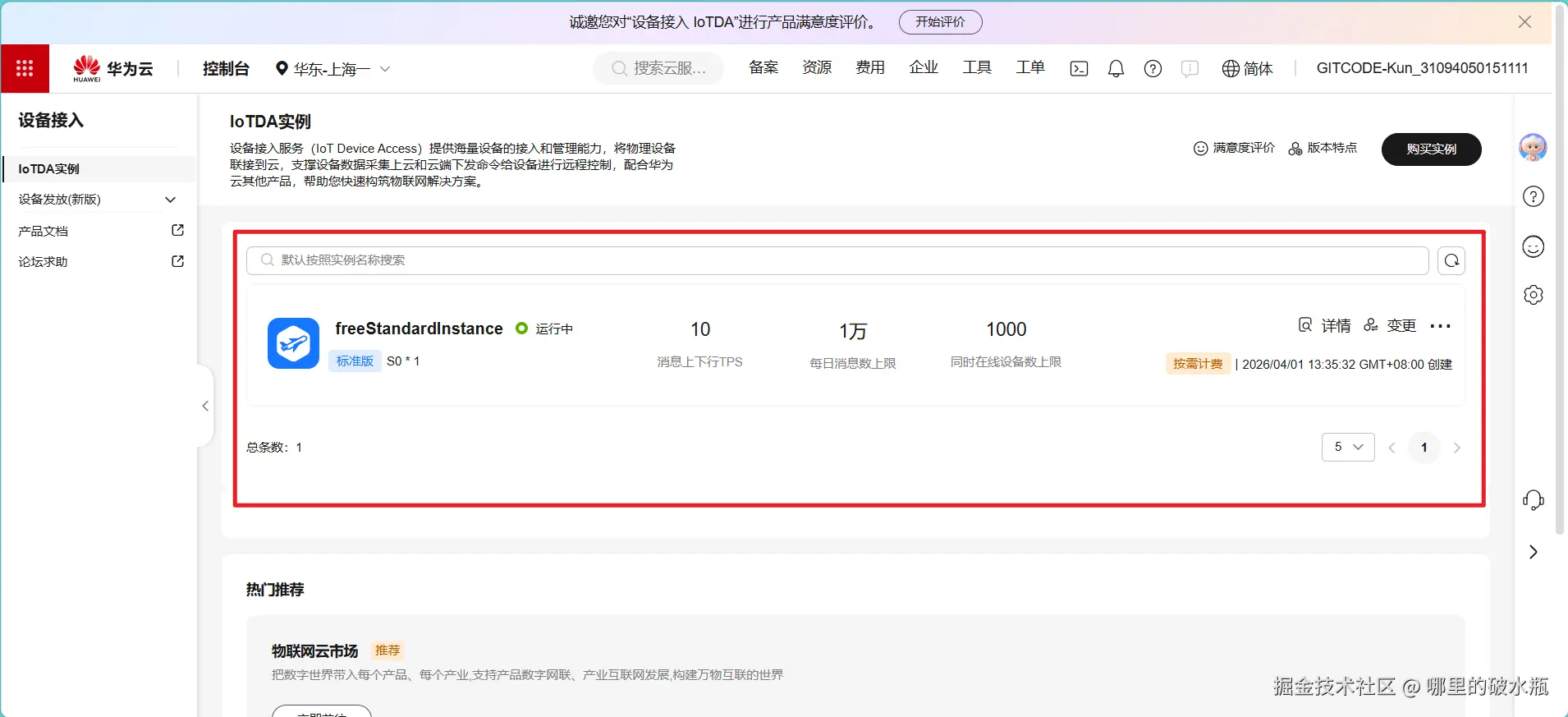
查看接入地址
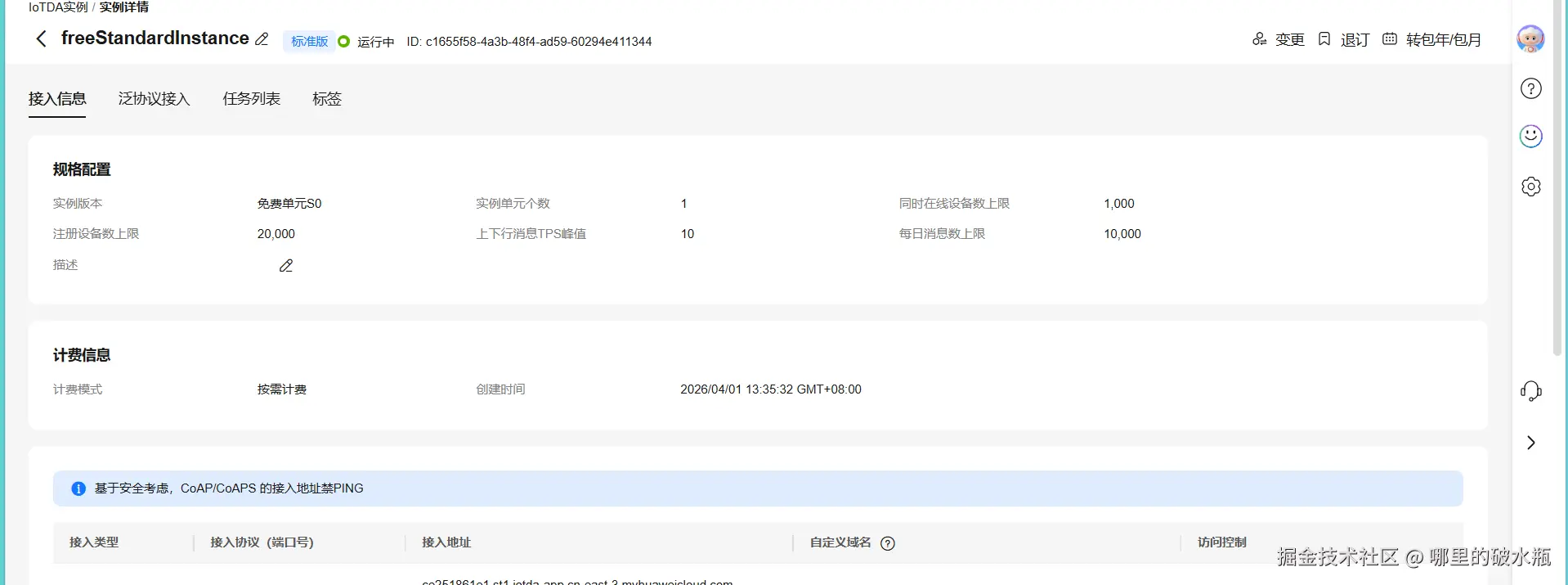
开发过程
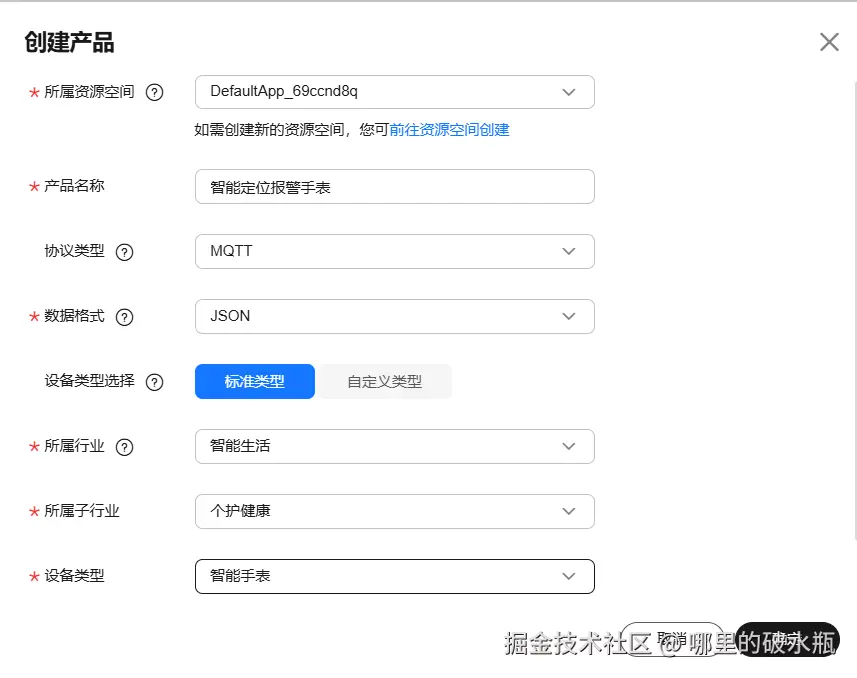
- 创建产品
 2. 添加服务
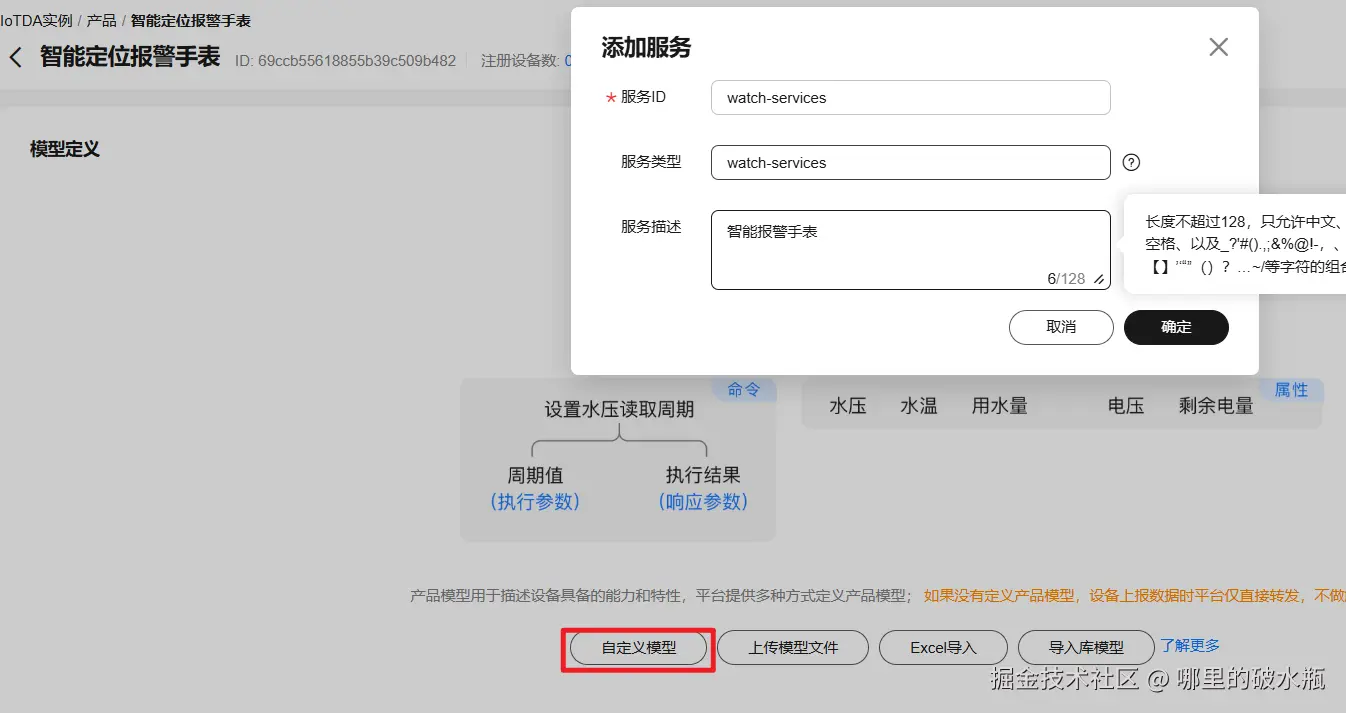
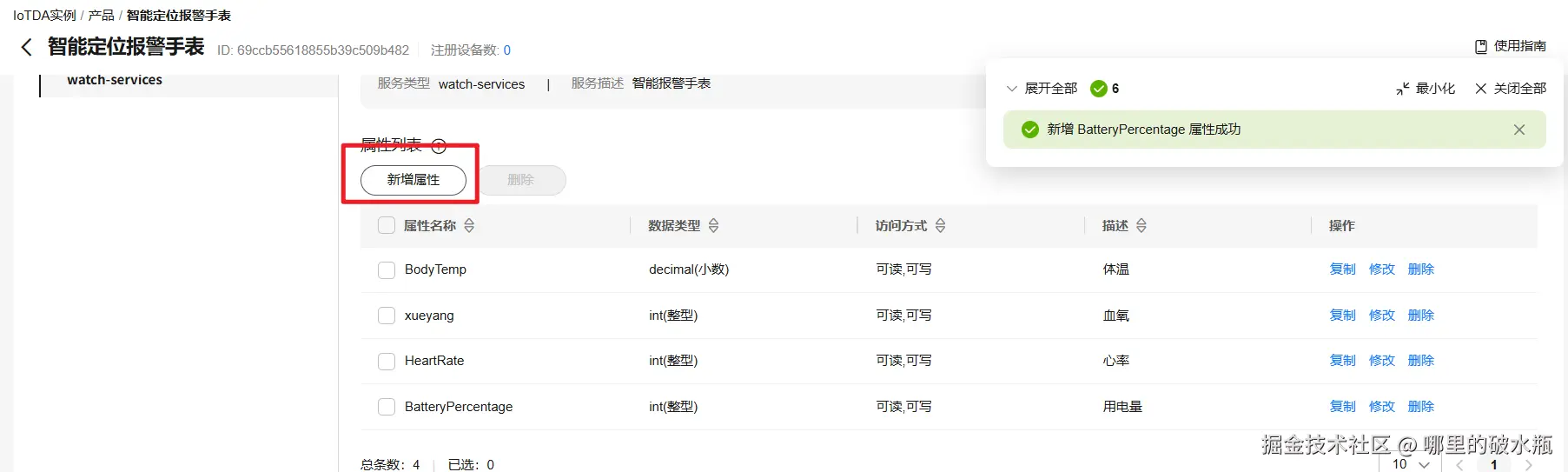
- 新增属性
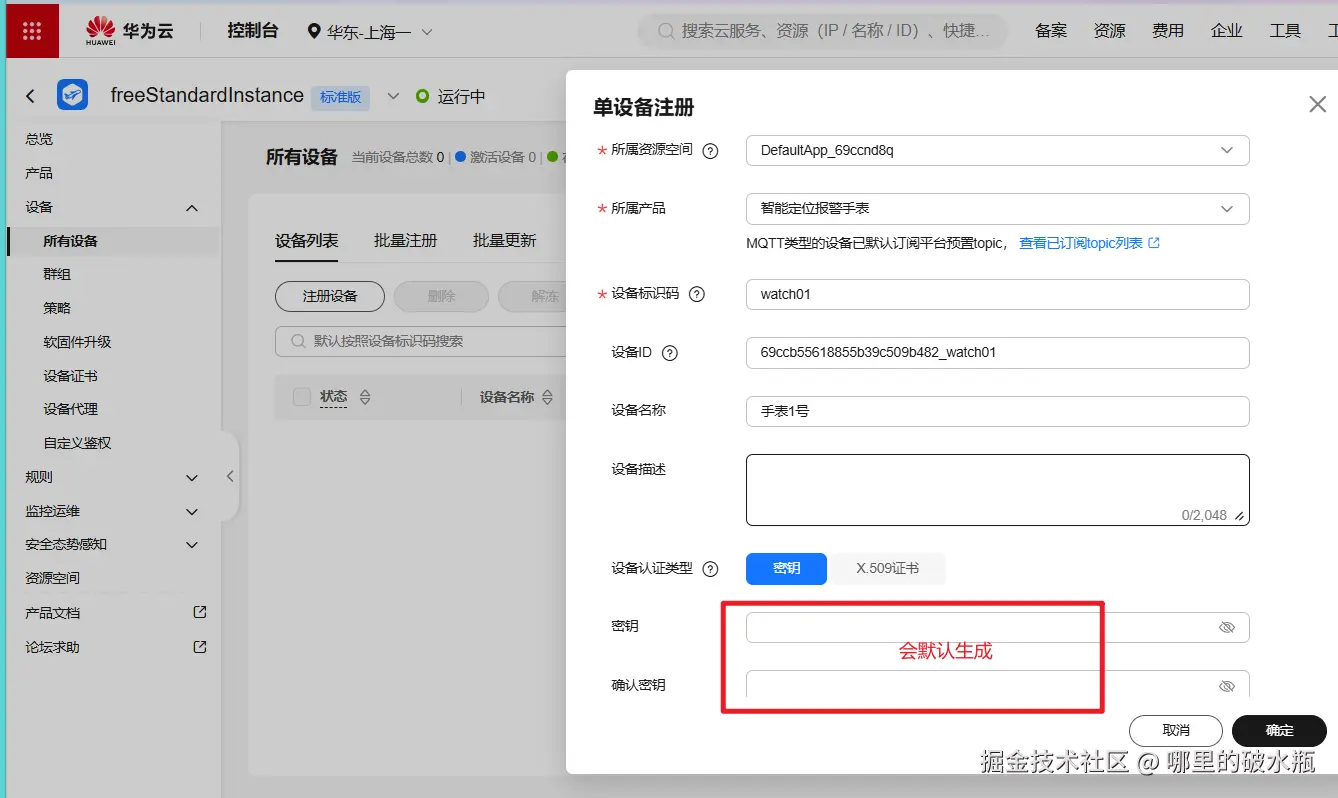
- 设备绑定到产品上
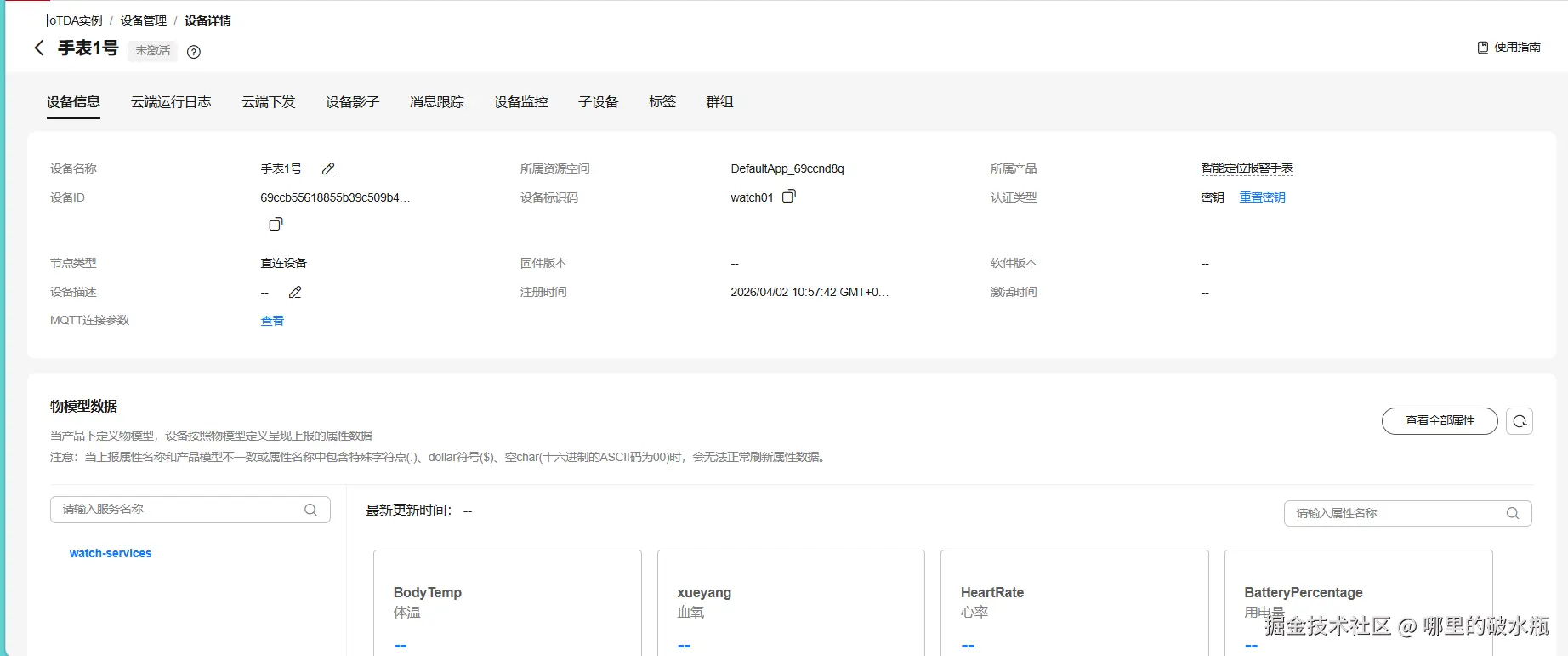
设备影子,查看数据
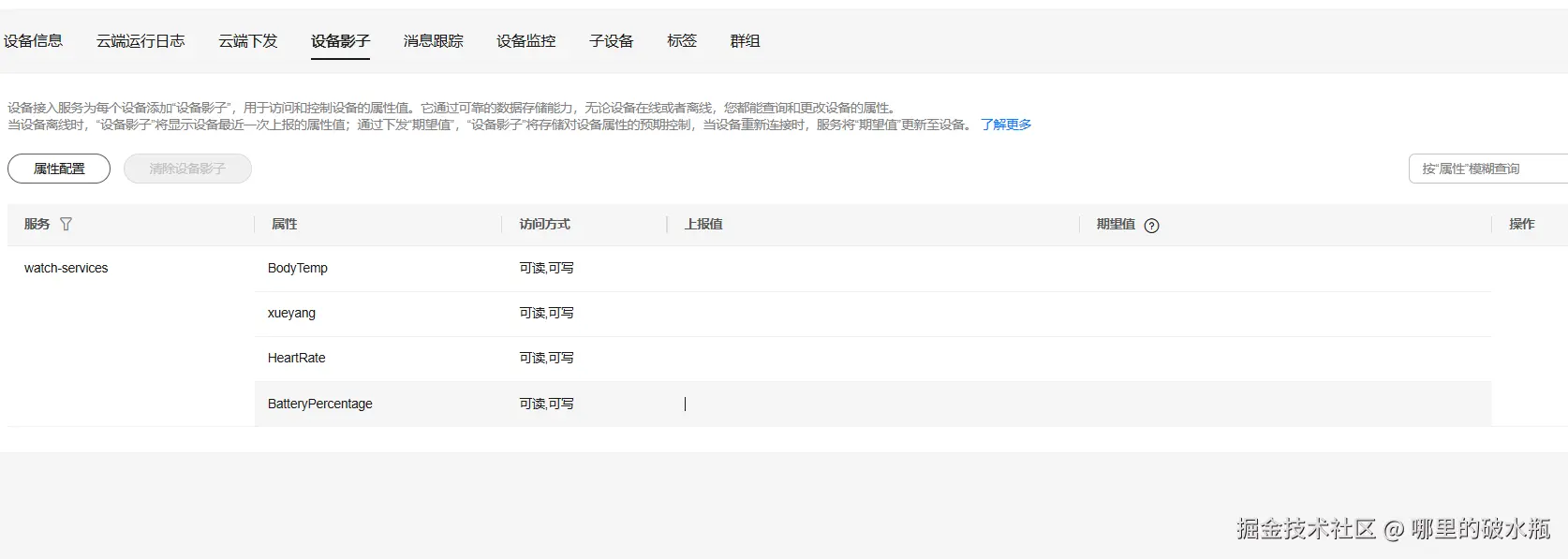
模拟数据上报
拉取华为开源工具SDK
修改图片下的类
- 修改接入信息ssl后面的
- 修改设备ID和密钥
- 修改属性和物理模型id
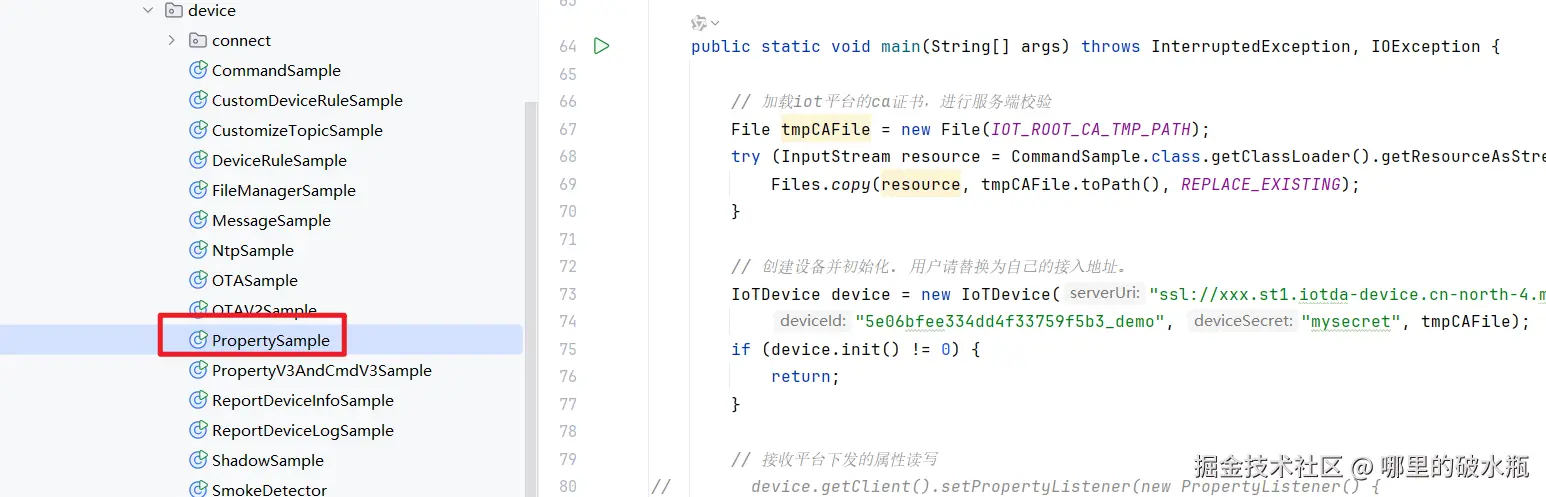
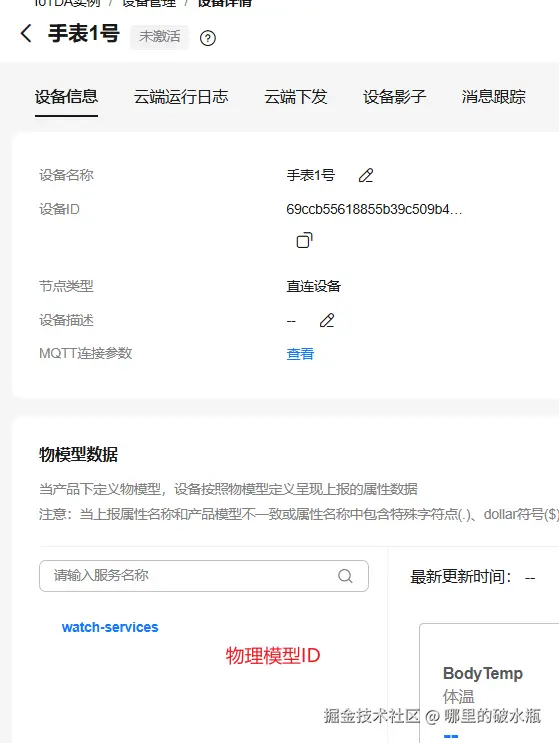
贴一下示例
java
public static void main(String[] args) throws InterruptedException, IOException {

    // 加载iot平台的ca证书,进行服务端校验
    File tmpCAFile = new File(IOT_ROOT_CA_TMP_PATH);
    try (InputStream resource = CommandSample.class.getClassLoader().getResourceAsStream(IOT_ROOT_CA_RES_PATH)) {
        Files.copy(resource, tmpCAFile.toPath(), REPLACE_EXISTING);
    }

    // 创建设备并初始化. 用户请替换为自己的接入地址。
    IoTDevice device = new IoTDevice("ssl://自己的.com:8883",
        "69ccb5c509b482_watch01", "75fdd81437aca8391", tmpCAFile);
    if (device.init() != 0) {
        return;
    }

    // 接收平台下发的属性读写
//        device.getClient().setPropertyListener(new PropertyListener() {
//            // 处理写属性
//            @Override
//            public void onPropertiesSet(String requestId, List<ServiceProperty> services) {
//                // 遍历service
//                for (ServiceProperty serviceProperty : services) {
//                    log.info("OnPropertiesSet, serviceId is {}", serviceProperty.getServiceId());
//                    // 遍历属性
//                    for (String name : serviceProperty.getProperties().keySet()) {
//                        log.info("property name is {}", name);
//                        log.info("set property value is {}", serviceProperty.getProperties().get(name));
//                    }
//                }
//                // 修改本地的属性值
//                device.getClient().respondPropsSet(requestId, IotResult.SUCCESS);
//            }
//
//            /**
//             * 处理读属性。多数场景下,用户可以直接从平台读设备影子,此接口不用实现。
//             * 但如果需要支持从设备实时读属性,则需要实现此接口。
//             */
//            @Override
//            public void onPropertiesGet(String requestId, String serviceId) {
//                log.info("OnPropertiesGet, the serviceId is {}", serviceId);
//                Map<String, Object> json = new HashMap<>();
//                Random rand = new SecureRandom();
//                json.put("alarm", 1);
//                json.put("temperature", rand.nextFloat() * 100.0f);
//                json.put("humidity", rand.nextFloat() * 100.0f);
//                json.put("smokeConcentration", rand.nextFloat() * 100.0f);
//
//                ServiceProperty serviceProperty = new ServiceProperty();
//                serviceProperty.setProperties(json);
//                serviceProperty.setServiceId("smokeDetector");
//
//                device.getClient().respondPropsGet(requestId, Arrays.asList(serviceProperty));
//            }
//        });

    // 定时上报属性
    while (true) {

        Map<String, Object> json = new HashMap<>();
        Random rand = new SecureRandom();

        // 按照物模型设置属性
        json.put("BodyTemp", 36.5f);
        json.put("xueyang", rand.nextFloat() * 100.0f);
        json.put("HeartRate", rand.nextFloat() * 100.0f);
        json.put("BatteryPercentage", rand.nextFloat() * 100.0f);

        ServiceProperty serviceProperty = new ServiceProperty();
        serviceProperty.setProperties(json);
        serviceProperty.setServiceId("watch-services"); // serviceId要和物模型一致

        device.getClient().reportProperties(Arrays.asList(serviceProperty), new ActionListener() {
            @Override
            public void onSuccess(Object context) {
                log.info("pubMessage success");
            }

            @Override
            public void onFailure(Object context, Throwable var2) {
                log.error("reportProperties failed" + var2.toString());
            }
        });
        Thread.sleep(10000);
    }
}
集成SpringBoot
xml
<dependency>
    <groupId>com.huaweicloud.sdk</groupId>
    <artifactId>huaweicloud-sdk-core</artifactId>
    <version>3.1.92</version>
</dependency>
<dependency>
    <groupId>com.huaweicloud.sdk</groupId>
    <artifactId>huaweicloud-sdk-iotda</artifactId>
    <version>3.1.92</version>
</dependency>
登录华为云,点击我的,点击我的凭证
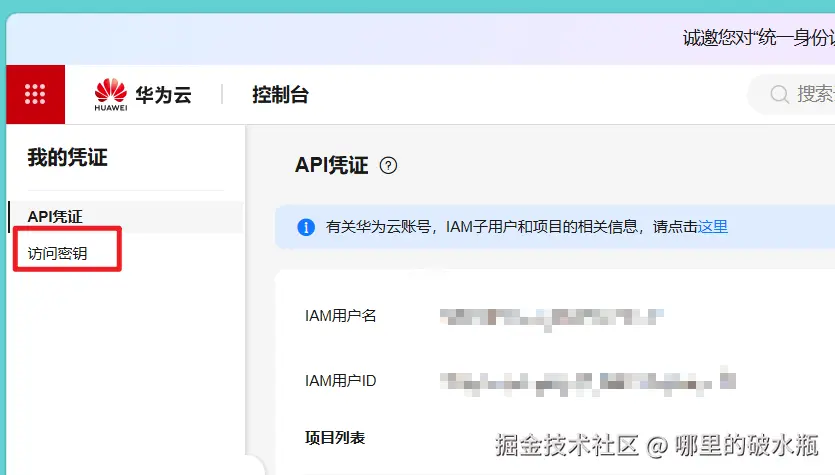
点击访问密钥,点击新增
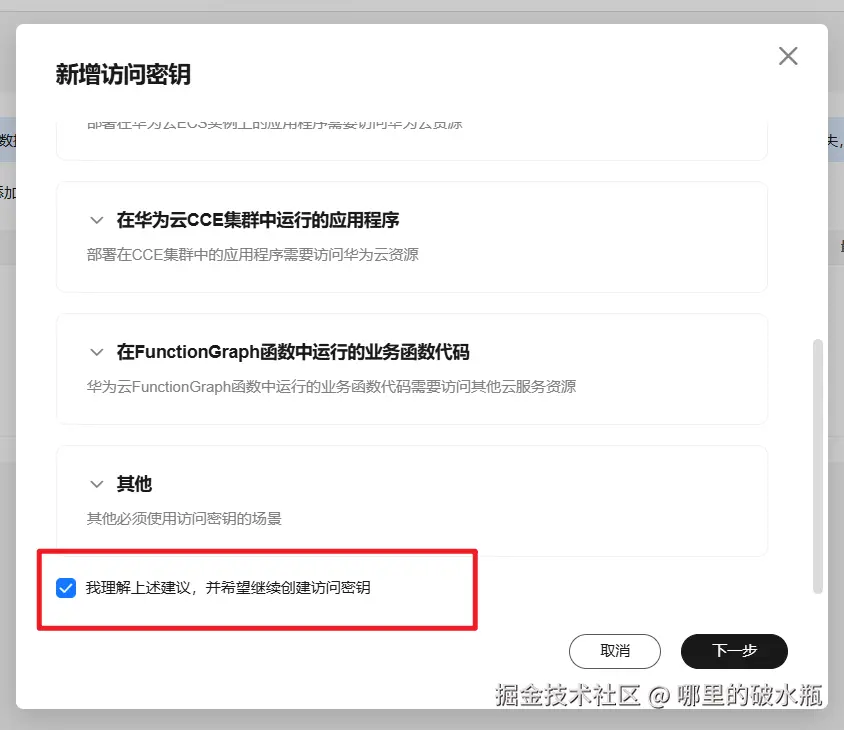
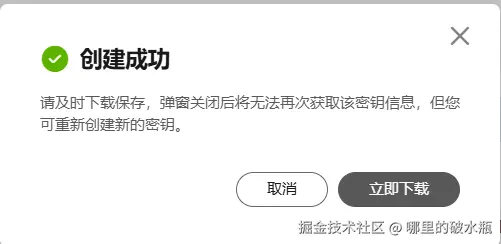
复制下载文件的,Access Key Id 和 Secret Access Key(配置文件中的ak和sk)
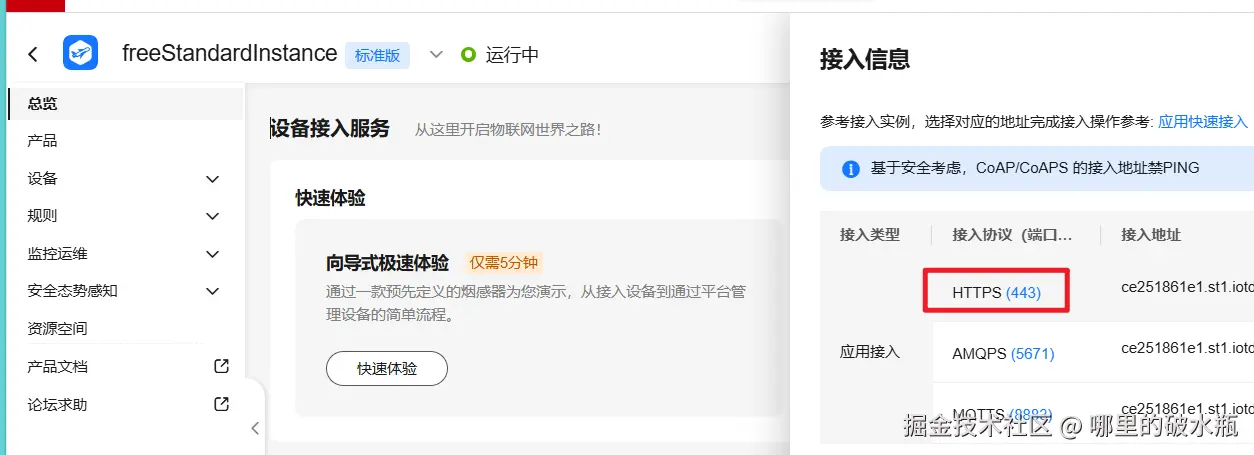
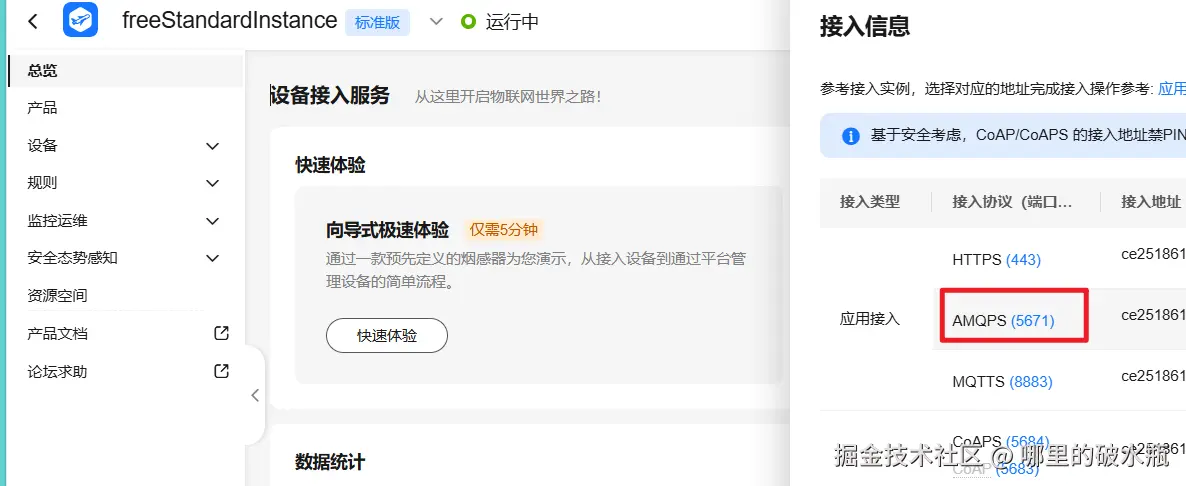
复制 HTTP 443 的地址 到配置文件的endpoint字段
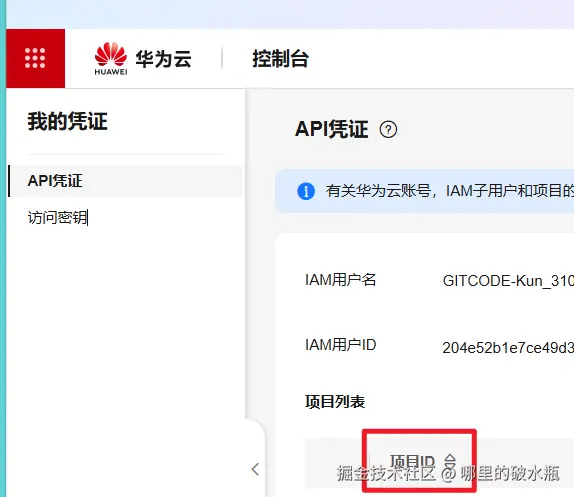
去我的api 凭证里面复制ID到配置文件的 projectId 字段
配置 AMAP 字段
host
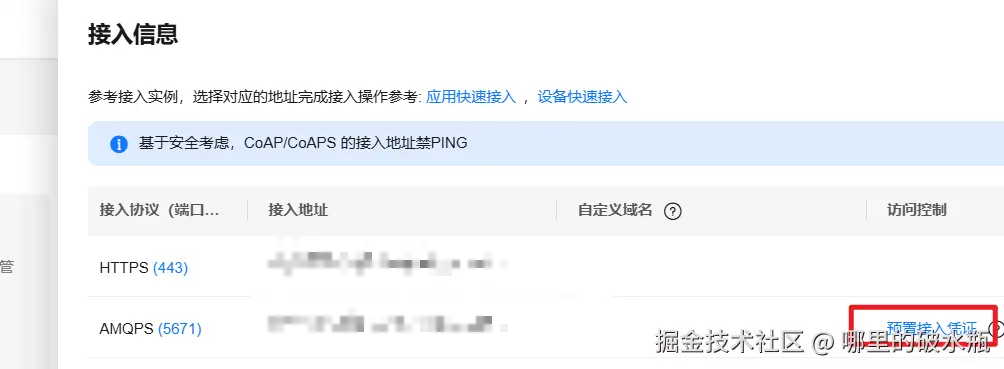
获取凭证
accessKey 和 accessCode
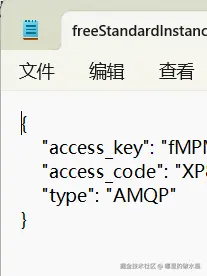
配置yml文件
yml
huaweicloud:
  ak: HPUA1VDUYFE9TQNPSWHG
  sk: VbDCnhyvLYw9xzuCDlAmACJOx9cBIpXk4bcSbcGv
  #如果是上海一,请填写"cn-east-3";如果是北京四,请填写"cn-north-4";
  regionId: cn-east-3
  endpoint: ce251462e1.st1.iotda-app.cn-east-3.myhuaweicloud.com
  projectId: 9dda13117bf54ad2962e7017fbb04c73
  #amqp相关配置 下一章课程接收设备数据使用
  host: ce251462e1.st1.iotda-app.cn-east-3.myhuaweicloud.com
  accessKey: fMPMPDCg
  accessCode: XP8qnXDzYCfCNmRC8rukwHsQfPzAT8P9
  queueName: DefaultQueue   #默认无需改动
配置类
java
/**
 * @author 31094
 */
@Data
@NoArgsConstructor
@Configuration
@ConfigurationProperties(prefix = "huaweicloud")
public class HuaWeiIotConfigProperties {

    /**
     * 访问Key
     */
    private String ak;

    /**
     * 访问秘钥
     */
    private String sk;

    /**
     * 区域id
     */
    private String regionId;

    /**
     * 应用侧https接入地址
     */
    private String endpoint;

    /**
     * 项目id
     */
    private String projectId;

    /**
     * 应用侧amqp接入地址
     */
    private String host;

    /**
     * amqp连接端口
     */
    private int port = 5671;

    /**
     * amqp接入凭证键值
     */
    private String accessKey;

    /**
     * amqp接入凭证密钥
     */
    private String accessCode;

    // 指定单个进程启动的连接数
    // 单个连接消费速率有限,请参考使用限制,最大64个连接
    // 连接数和消费速率及rebalance相关,建议每500QPS增加一个连接
    //可根据实际情况自由调节,目前测试和正式环境资源有限,限制更改为4
    private int connectionCount = 4;

    /**
     * 队列名称
     */
    private String queueName;

    /**
     * 开门命令所属服务id
     */
    private String smartDoorServiceId;

    /**
     * 开门记录属性
     */
    private String doorOpenPropertyName;

    /**
     * 开门命令
     */
    private String doorOpenCommandName;

    /**
     * 设置临时密码命令
     */
    private String passwordSetCommandName;

    /**
     * 仅支持true
     */
    private boolean useSsl = true;

    /**
     * IoTDA仅支持default
     */
    private String vhost = "default";

    /**
     * IoTDA仅支持PLAIN
     */
    private String saslMechanisms = "PLAIN";

    /**
     * true: SDK自动ACK(默认)
     * false:收到消息后,需要手动调用message.acknowledge()
     */
    private boolean isAutoAcknowledge = true;

    /**
     * 重连时延(ms)
     */
    private long reconnectDelay = 3000L;

    /**
     * 最大重连时延(ms),随着重连次数增加重连时延逐渐增加
     */
    private long maxReconnectDelay = 30 * 1000L;

    /**
     * 最大重连次数,默认值-1,代表没有限制
     */
    private long maxReconnectAttempts = -1;

    /**
     * 空闲超时,对端在这个时间段内没有发送AMQP帧则会导致连接断开。默认值为30000。单位:毫秒。
     */
    private long idleTimeout = 30 * 1000L;

    /**
     * The values below control how many messages the remote peer can send to the client and be held in a pre-fetch buffer for each consumer instance.
     */
    private int queuePrefetch = 1000;

    /**
     * 扩展参数
     */
    private Map<String, String> extendedOptions;

}
配置对象
java
import com.huaweicloud.sdk.core.auth.BasicCredentials;
import com.huaweicloud.sdk.core.auth.ICredential;
import com.huaweicloud.sdk.core.region.Region;
import com.huaweicloud.sdk.iotda.v5.IoTDAClient;
import com.kzzyl.framework.config.properties.HuaWeiIotConfigProperties;
import org.springframework.context.annotation.Bean;
import org.springframework.context.annotation.Configuration;

/**
 * @author 31094
 */
@Configuration
public class IotClientConfig {

    @Bean
    public IoTDAClient iotClient(HuaWeiIotConfigProperties config) {
        // 创建认证
        ICredential auth = new BasicCredentials()
                .withAk(config.getAk())
                .withSk(config.getSk())
                // 标准版/企业版需要使用衍生算法,基础版请删除配置"withDerivedPredicate"
                .withDerivedPredicate(BasicCredentials.DEFAULT_DERIVED_PREDICATE)
                .withProjectId(config.getProjectId());
        // 创建IoTDAClient实例并初始化
        return IoTDAClient.newBuilder()
                .withCredential(auth)
                // 标准版/企业版:需自行创建Region对象,基础版:请使用IoTDARegion的region对象,如"withRegion(IoTDARegion.CN_NORTH_4)"
                // import com.huaweicloud.sdk.core.region.Region;
                .withRegion(new Region(config.getRegionId(), config.getEndpoint()))
                // .withRegion(IoTDARegion.CN_NORTH_4)
                // 配置是否忽略SSL证书校验, 默认不忽略
                // .withHttpConfig(new HttpConfig().withIgnoreSSLVerification(true))
                .build();
    }

}
具体使用
注册设备
java
// 从华为IOT创建设备
AddDeviceRequest request = new AddDeviceRequest();
AddDevice body = new AddDevice();

// 自定义密钥
String secret = UUID.randomUUID().toString().replaceAll("-", "");

// 配置信息
body.withProductId(device.getProductKey()).withNodeId(device.getNodeId())
        .withDeviceName(device.getDeviceName())
        // 设置密钥
        .withAuthInfo(new AuthInfo().withSecret(secret));

// 发送请求
AddDeviceResponse response = ioTDAClient.addDevice(request.withBody(body));

// 获取设备ID
String deviceId = response.getDeviceId();
实现
java
import com.huaweicloud.sdk.iotda.v5.IoTDAClient;
import com.huaweicloud.sdk.iotda.v5.model.*;

@Service
@AllArgsConstructor
public class DeviceServiceImpl extends ServiceImpl<DeviceMapper, Device>
        implements IDeviceService {

    private final IoTDAClient ioTDAClient;

    /**
     * 设备注册
     */
    @Override
    public boolean insertDevice(DeviceDto device) {
        Long count = lambdaQuery().eq(Device::getDeviceName, device.getDeviceName()).count();
        Assert.isTrue(count == 0, "设备名称重复,请重新输入");
        count = lambdaQuery().eq(Device::getNodeId, device.getNodeId()).count();
        Assert.isTrue(count == 0, "设备标识码重复,请重新输入");

        // 如果是随身设备,物理位置类型设置为-1
        if (device.getLocationType() == 0) {
            device.setPhysicalLocationType(-1);
        }

        count = lambdaQuery().eq(Device::getBindingLocation, device.getBindingLocation())
                .eq(!ObjectUtils.isEmpty(device.getPhysicalLocationType()),
                        Device::getPhysicalLocationType, device.getPhysicalLocationType())
                .eq(Device::getProductKey, device.getProductKey()).count();
        Assert.isTrue(count == 0, "该老人/位置已经绑定了该产品,请重新选择");


        // 从华为IOT创建设备
        AddDeviceRequest request = new AddDeviceRequest();
        AddDevice body = new AddDevice();
        String secret = UUID.randomUUID().toString().replaceAll("-", "");
        body.withProductId(device.getProductKey()).withNodeId(device.getNodeId())
                .withDeviceName(device.getDeviceName())
                // 设置密钥
                .withAuthInfo(new AuthInfo().withSecret(secret));
        AddDeviceResponse response = ioTDAClient.addDevice(request.withBody(body));

        // 获取设备ID
        String deviceId = response.getDeviceId();
        Device device1 = BeanUtil.copyProperties(device, Device.class);
        device1.setIotId(deviceId);
        device1.setSecret(secret);
        Assert.isTrue(save(device1), "设备新增失败");
        return true;
    }

    /**
     * 修改设备管理
     */
    @Override
    public boolean updateDevice(DeviceDto device) {
        UpdateDeviceRequest request = new UpdateDeviceRequest().withDeviceId(device.getIotId())
                .withBody(new UpdateDevice().withDeviceName(device.getDeviceName()));
        // 调用华为云修改设备名称
        UpdateDeviceResponse deviceResponse = ioTDAClient.updateDevice(request);

        Device device1 = BeanUtil.toBean(device, Device.class);
        updateById(device1);
        return true;
    }

    /**
     * 删除设备管理
     */
    @Override
    public void deleteDevice(List<Long> ids) {
        // 这里应该是IOT的ID,懒得改了
        ids.forEach(id -> {
            DeleteDeviceRequest request = new DeleteDeviceRequest().withDeviceId(String.valueOf(id));
            ioTDAClient.deleteDevice(request);
        });
        boolean remove = remove(Wrappers.<Device>lambdaQuery());
        if (!remove) {
            throw new RuntimeException("Device 删除失败");
        }
    }

    // 获取产品列表
    @Override
    public void syncProductList() {
        ListProductsRequest request = new ListProductsRequest();
        request.setLimit(50);
        ListProductsResponse response = ioTDAClient.listProducts(request);
        // 判断相应是否成功
        if (response.getHttpStatusCode() != 200) {
            throw new BaseException("从IOT平台同步产品列表失败");
        }
        // 存储到Redis
        RedisUtil.setJSONList(CacheConstants.IOT_ALL_PRODUCT_LIST, response.getProducts());
    }


    // 查询详情
    @Override
    public DeviceDetailVo queryDeviceDetail(String id) {
        Device device = lambdaQuery().eq(Device::getIotId, id).one();
        Assert.notNull(device, "设备不存在");
        // 调用华为云查询详情
        ShowDeviceResponse response = ioTDAClient
                .showDevice(new ShowDeviceRequest().withDeviceId(device.getIotId()));
        DeviceDetailVo deviceDetailVo = BeanUtil.copyProperties(device, DeviceDetailVo.class);
        deviceDetailVo.setDeviceStatus(response.getStatus());
        // 时间转换
        LocalDateTime dateTime = CommonUtils.utcToShanghaiTime(response.getActiveTime());
        deviceDetailVo.setActiveTime(dateTime);
        return deviceDetailVo;
    }

    // 查询数据
    @Override
    public List<DeviceDataVo> queryServiceProperties(String iotId) {
        ShowDeviceShadowRequest request = new ShowDeviceShadowRequest()
                .withDeviceId(iotId);
        // 调用华为云查询数据
        ShowDeviceShadowResponse response = ioTDAClient.showDeviceShadow(request);
        // 获取数据
        List<DeviceShadowData> shadow = response.getShadow();
        if (CollectionUtils.isEmpty(shadow) || shadow.size() != 1) {
            return List.of();
        }
        DeviceShadowData deviceShadowData = shadow.get(0);
        DeviceShadowProperties reported = deviceShadowData.getReported();

        String eventTime = reported.getEventTime();

        List<DeviceDataVo> dataVos = CommonUtils.mapToObjects(reported.getProperties(),
                "functionId", DeviceDataVo.class);
        dataVos.forEach(deviceDataVo -> deviceDataVo.setEventTime(eventTime));
        return dataVos;
    }
}