H5:
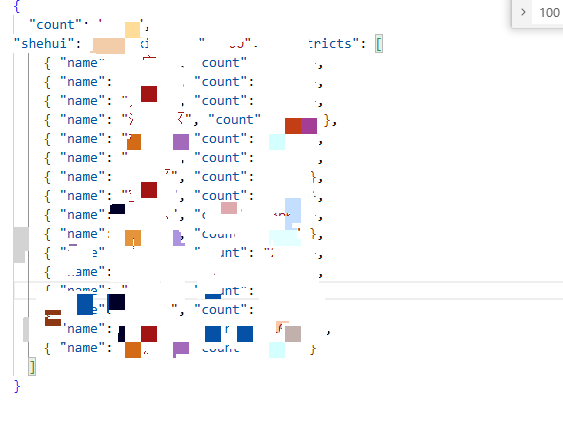
// 报名人数读取 js/huchao_enroll.json 的 shehui
$(function() {
function renderEnrollNums(total) {
var s = String(Math.max(0, Math.floor(Number(total) || 0)));
var html = '';
for (var i = 0; i < s.length; i++) {
html += '<span class="city-enroll-num">' + si + '</span>';
}
$('#enrollNums').html(html);
}
$.getJSON('js/huchao_enroll.json')
.done(function(data) {
renderEnrollNums(parseInt(data && data.shehui, 10) || 0);
})
.fail(function() {
$('#enrollNums').html('');
});
});
小程序:
// p
// 报名人数 = xxx.json 的 count(数值) + api/topic/1/s 的 total
var util = require('../../utils/util.js')
const DEFAULT_ENROLL_COUNT = 0
const REMOTE_ENROLL_JSON_URL =
const CARNIVAL_TOPIC_ID = 1
Page({
data: {
enrollCount: DEFAULT_ENROLL_COUNT,
enrollDigits: '0',
currentNav: 'hunhe',
},
goBack() {
wx.navigateBack()
},
onLoad(options) {
this._jsonCount = null
this._apiCount = null
this.applyEnrollCount(DEFAULT_ENROLL_COUNT)
this.loadRemoteEnrollCount()
this.loadTopicRegistrationStats()
},
/** 合并两处数据源后刷新展示 */
refreshEnrollSum() {
var j = this._jsonCount == null ? 0 : this._jsonCount
var a = this._apiCount == null ? 0 : this._apiCount
this.applyEnrollCount(j + a)
},
applyEnrollCount(n) {
const num = Math.max(0, parseInt(n, 10) || 0)
const digits = String(num).split('')
this.setData({ enrollCount: num, enrollDigits: digits })
},
loadRemoteEnrollCount() {
const url =
REMOTE_ENROLL_JSON_URL +
(REMOTE_ENROLL_JSON_URL.indexOf('?') >= 0 ? '&' : '?') +
'_t=' +
Date.now()
wx.request({
url,
method: 'GET',
success: (res) => {
if (res.statusCode !== 200 || res.data == null) {
this._jsonCount = 0
this.refreshEnrollSum()
return
}
let count = null
const d = res.data
if (typeof d === 'number') count = d
else if (typeof d === 'object' && d.count !== undefined) count = d.count
else if (typeof d === 'string') {
try {
const o = JSON.parse(d)
if (o && o.count !== undefined) count = o.count
} catch (e) {
count = parseInt(d, 10)
}
}
if (count !== null && count !== undefined && !isNaN(Number(count))) {
this._jsonCount = Math.max(0, parseInt(count, 10) || 0)
} else {
this._jsonCount = 0
}
this.refreshEnrollSum()
},
fail: () => {
this._jsonCount = 0
this.refreshEnrollSum()
},
})
},
loadTopicRegistrationStats() {
util
.getTopicRegistrationStats({ id: CARNIVAL_TOPIC_ID })
.then((r) => {
if (r && r.status && r.data && r.data.registration_total != null) {
var t = r.data.registration_total
this._apiCount = Math.max(0, parseInt(t, 10) || 0)
} else {
this._apiCount = 0
}
this.refreshEnrollSum()
})
.catch(() => {
this._apiCount = 0
this.refreshEnrollSum()
})
},
onNavTap(e) {
const nav = e.currentTarget.dataset.nav
if (nav) {
this.setData({ currentNav: nav })
}
},
onReady() {},
onShow() {},
onHide() {},
onUnload() {},
onPullDownRefresh() {},
onReachBottom() {},
onShareAppMessage() {},
})