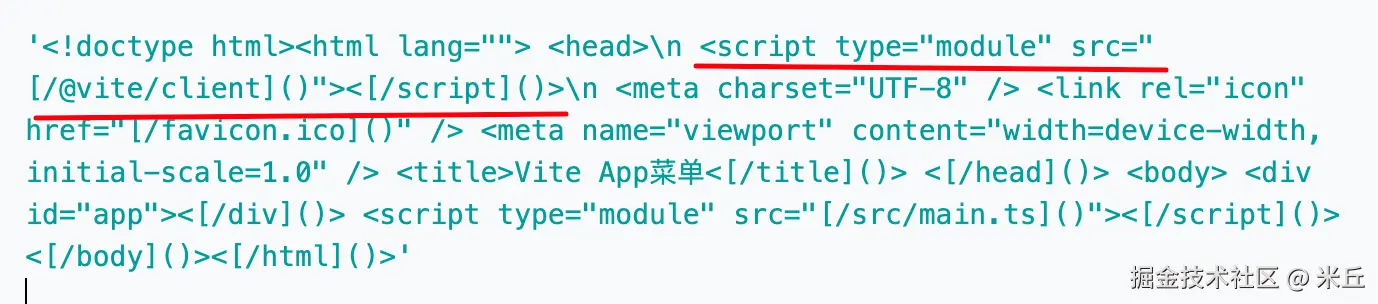
当执行 vite 命令启动开发服务器,并在浏览器中打开 http://localhost:5173 时,页面会神奇地具备热模块替换(HMR)能力。这一切的起点,就是 Vite 在返回的 HTML 中悄悄注入了一个特殊的脚本:/@vite/client。这个脚本负责建立 WebSocket 连接、监听文件变化并触发模块热更新。
整体流程概览
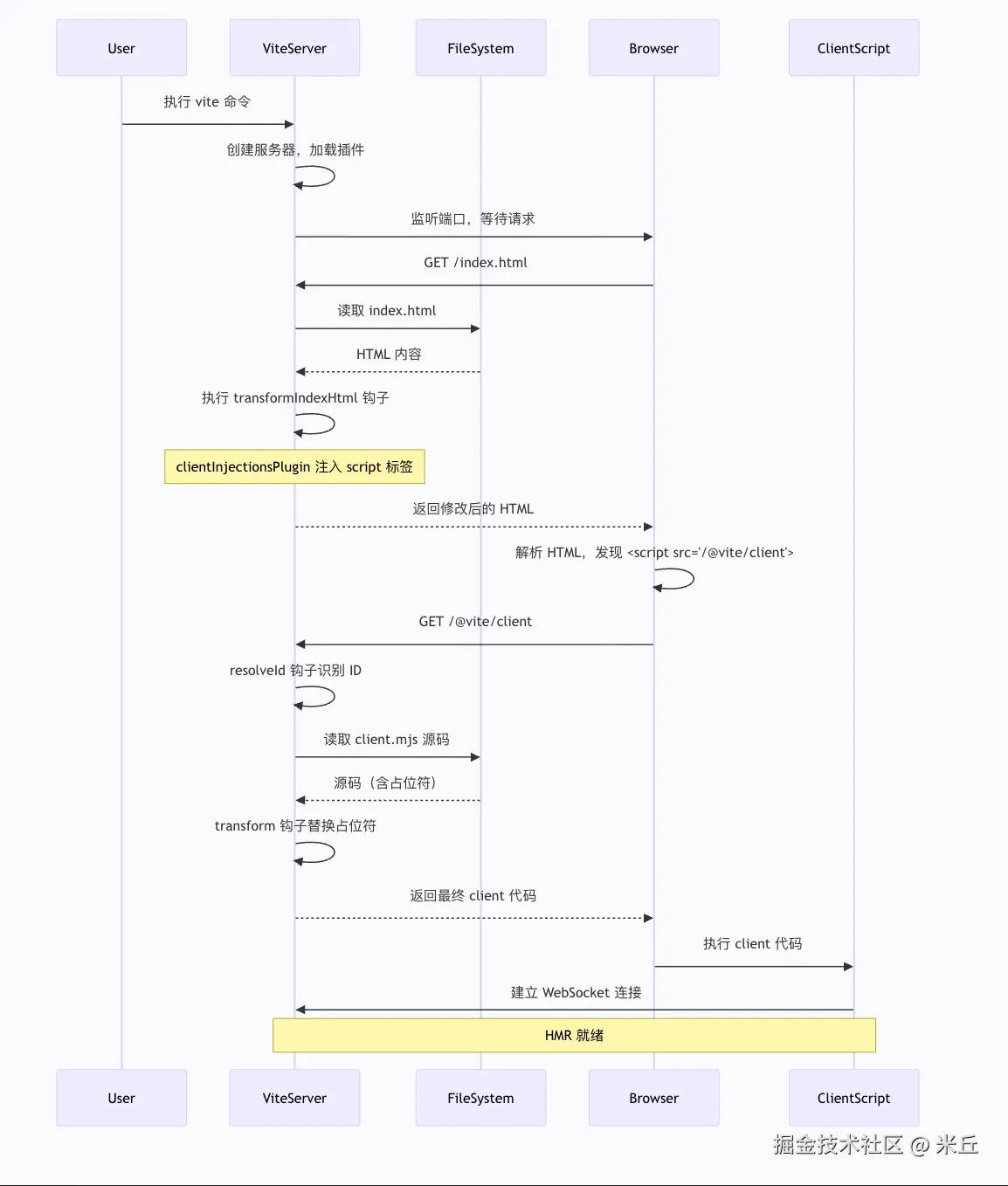
Vite 将 client 注入 HTML 的过程可以概括为以下几个步骤:
- 服务器启动:创建 Vite 开发服务器,初始化插件容器。
- 注册插件:内置插件被激活。
- 请求拦截 :浏览器请求
index.html,Vite 的 HTML 中间件接管。 - HTML 转换 :调用所有插件的
transformIndexHtml钩子。 - 注入标签 :
clientInjectionsPlugin在transformIndexHtml中返回需要注入的 script 标签。 - 模块解析 :浏览器解析 HTML 后请求
/@vite/client,经过resolveId和load钩子返回实际代码。 - 代码转换:client 源码中的占位符被替换为当前服务器的实际配置(如 HMR 端口、base 路径等)。
- 客户端执行:浏览器执行 client 代码,建立 WebSocket 连接,HMR 就绪。
启动服务器到 client 在浏览器中运行的全过程
clientInjectionsPlugin
负责在客户端代码中注入配置值和环境变量,确保客户端代码能够正确访问 Vite 配置和环境信息,特别是热模块替换 (HMR) 相关的配置。
客户端核心入口 :处理 /@vite/client 和 /@vite/env 文件,先注入配置值,再替换 define 变量。
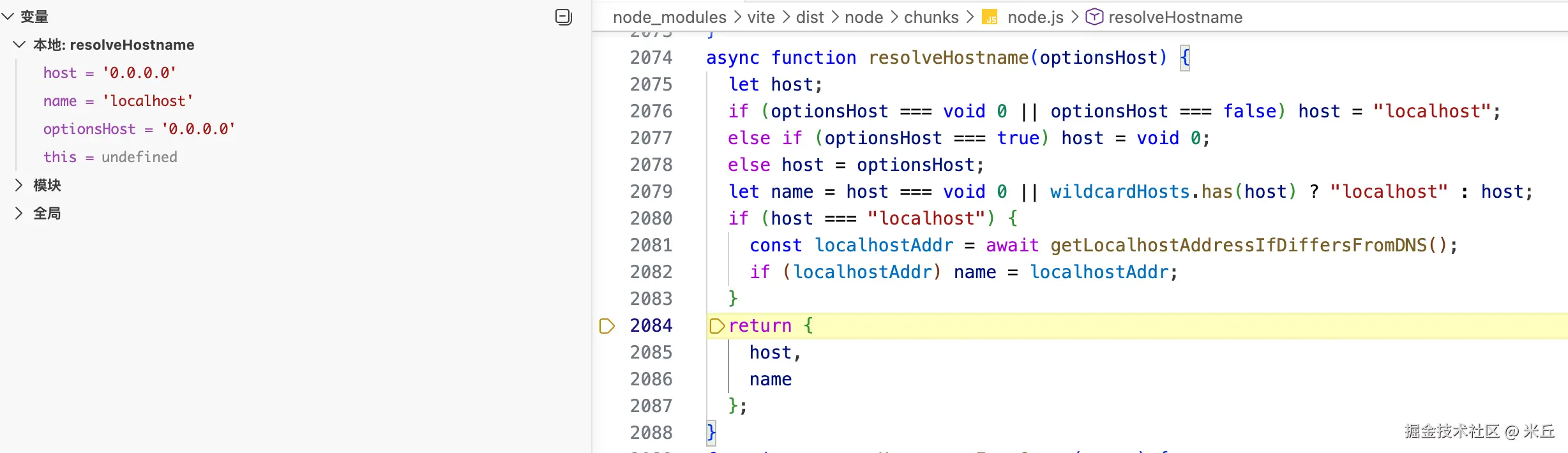
buildStart钩子
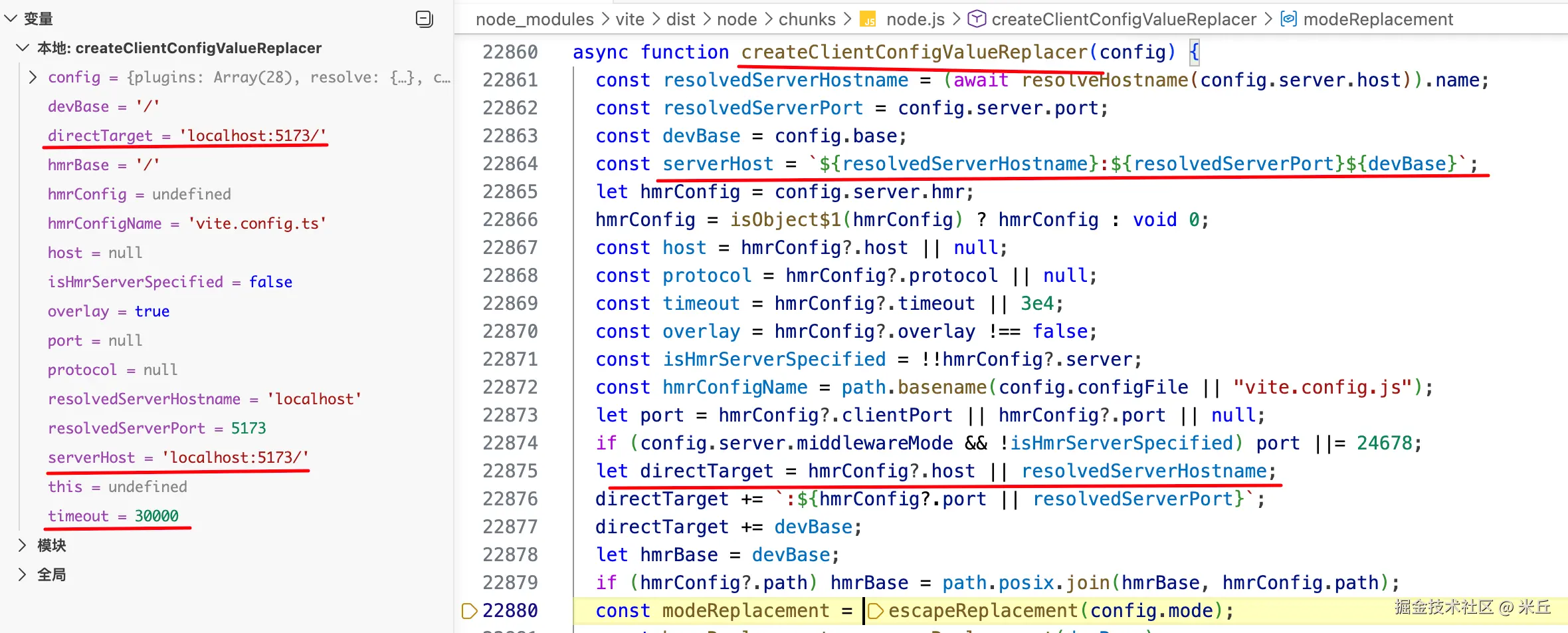
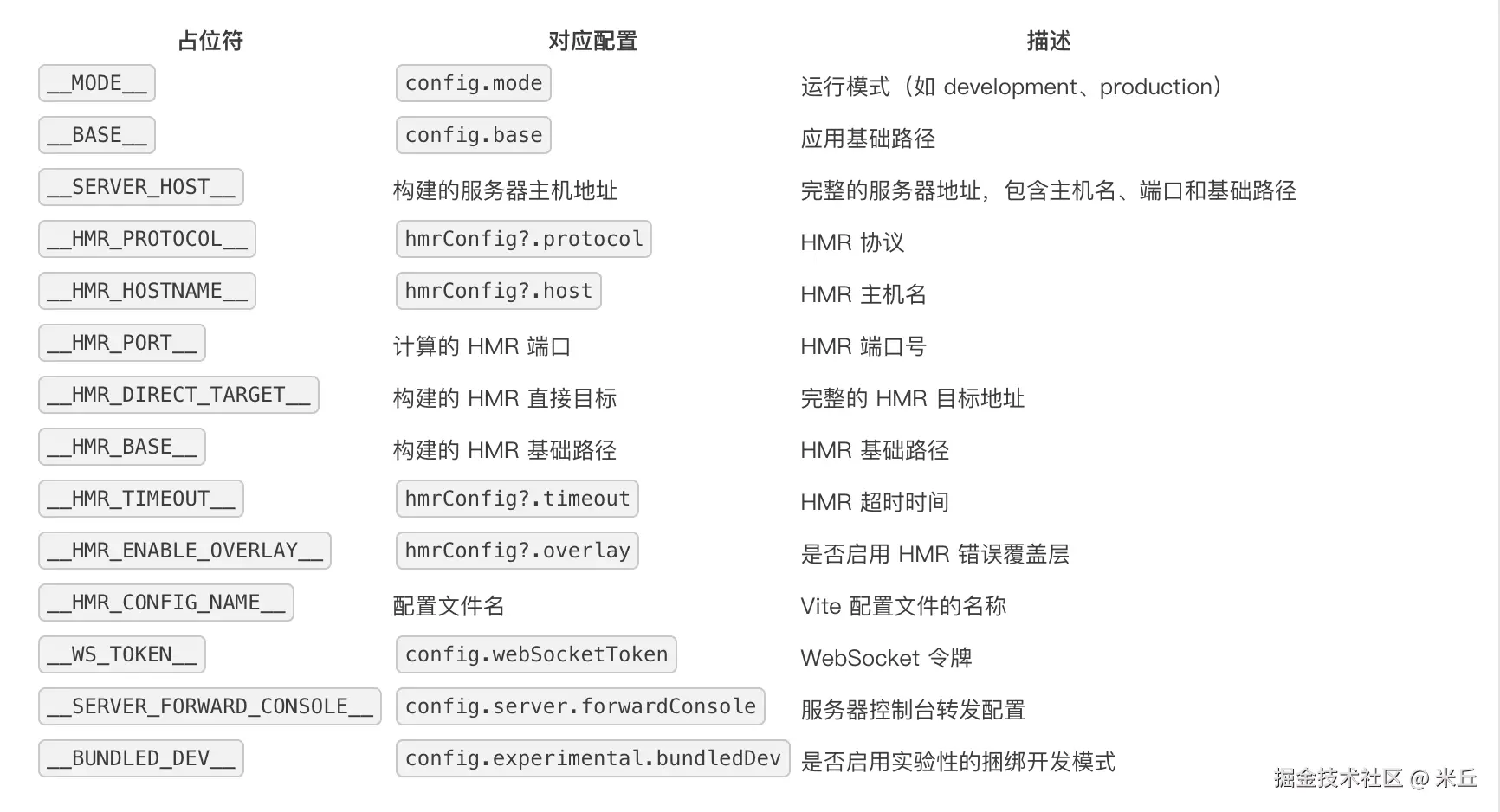
vite/packages/vite/src/node/plugins/clientInjections.ts
js
function clientInjectionsPlugin(config: ResolvedConfig): Plugin {
  // 存储配置值替换函数,在 buildStart 钩子中初始化
  let injectConfigValues: (code: string) => string

  // 返回一个函数,每个构建环境(如 client 和 ssr)分别创建 define 替换函数
  const getDefineReplacer = perEnvironmentState((environment) => {

    const userDefine: Record<string, any> = {}

    for (const key in environment.config.define) {
      // import.meta.env.* is handled in `importAnalysis` plugin
      // 过滤掉 import.meta.env.* 前缀的变量(这些由 importAnalysis 插件处理
      if (!key.startsWith('import.meta.env.')) {
        userDefine[key] = environment.config.define[key]
      }
    }
    const serializedDefines = serializeDefine(userDefine)
    const definesReplacement = () => serializedDefines
    return (code: string) => code.replace(`__DEFINES__`, definesReplacement)
  })

  return {
    name: 'vite:client-inject',
    // 初始化插件,在 buildStart 钩子中创建配置值替换函数
    async buildStart() {

      // 生成一个函数
      // 用于接收客户端源码字符串,将其中的占位符(如 __BASE__、__HMR_PORT__、__MODE__ 等)替换为实际的值
      injectConfigValues = await createClientConfigValueReplacer(config)
    },
    // 转换客户端代码,注入配置值和环境变量
    async transform(code, id) {
      const ssr = this.environment.config.consumer === 'server'
      const cleanId = cleanUrl(id)

      // 客户端核心入口:/@vite/client 和 /@vite/env
      if (cleanId === normalizedClientEntry || cleanId === normalizedEnvEntry) {
        const defineReplacer = getDefineReplacer(this)
        return defineReplacer(injectConfigValues(code))

        // 其他文件中的 process.env.NODE_ENV 替换
      } else if (!ssr && code.includes('process.env.NODE_ENV')) {
        // replace process.env.NODE_ENV instead of defining a global
        // for it to avoid shimming a `process` object during dev,
        // avoiding inconsistencies between dev and build
        const nodeEnv =
        // 优先使用用户定义的值
          this.environment.config.define?.['process.env.NODE_ENV'] ||
          // 回退到系统环境变量
          // 最终回退到 Vite 模式
          JSON.stringify(process.env.NODE_ENV || config.mode)

        return await replaceDefine(this.environment, code, id, {
          'process.env.NODE_ENV': nodeEnv,
          'global.process.env.NODE_ENV': nodeEnv,
          'globalThis.process.env.NODE_ENV': nodeEnv,
        })
      }
    },
  }
}
js
function perEnvironmentState<State>(
  initial: (environment: Environment) => State,
): (context: PluginContext) => State {

  const stateMap = new WeakMap<Environment, State>()

  return function (context: PluginContext) {
    const { environment } = context
    // 尝试从 stateMap 中获取当前环境的状
    let state = stateMap.get(environment)
    if (!state) {
      // 调用 initial 函数初始化状态,并将其存储到 stateMap 中
      state = initial(environment)
      stateMap.set(environment, state)
    }
    return state
  }
}
indexHtmlMiddleware 中间件
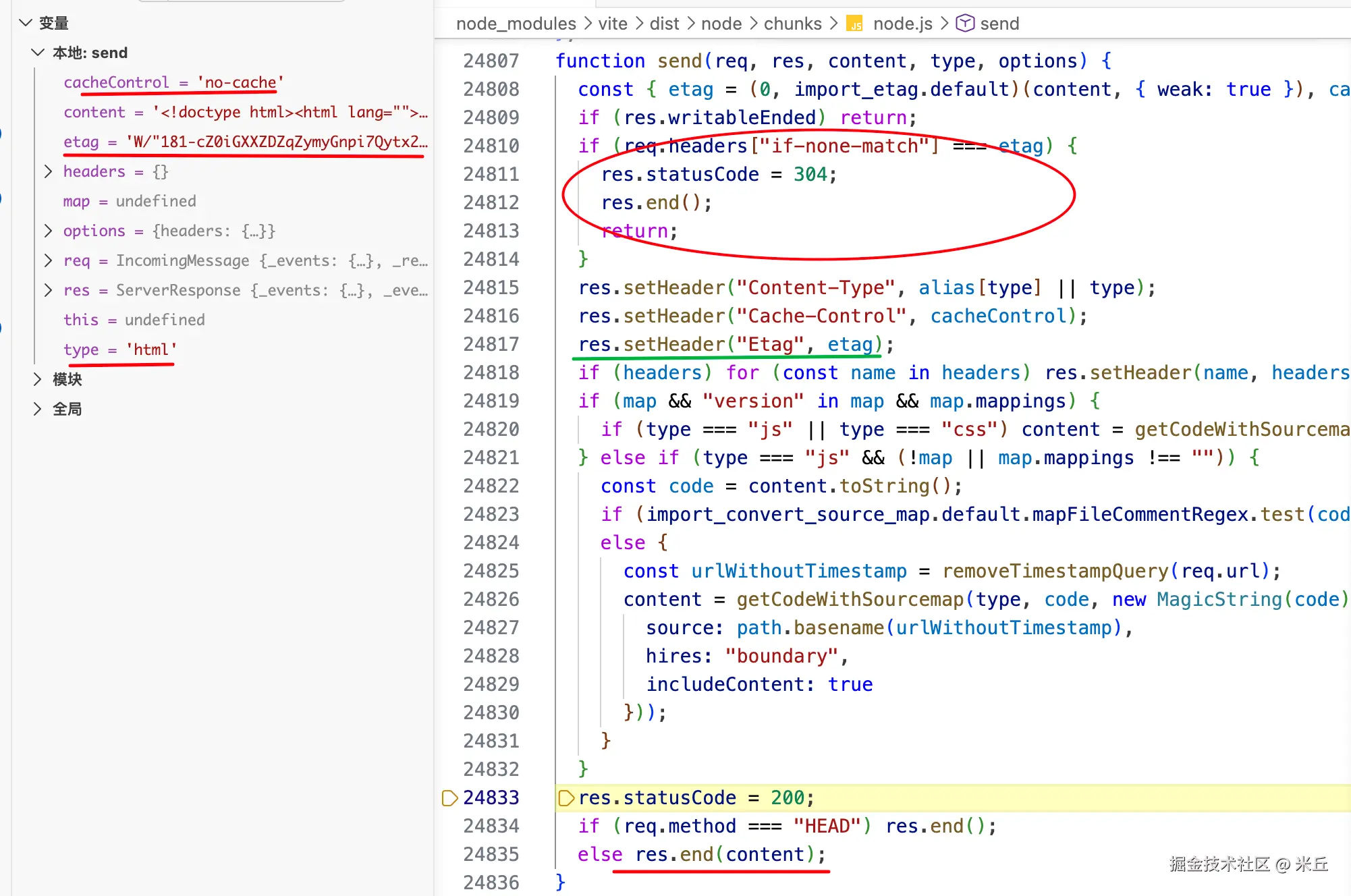
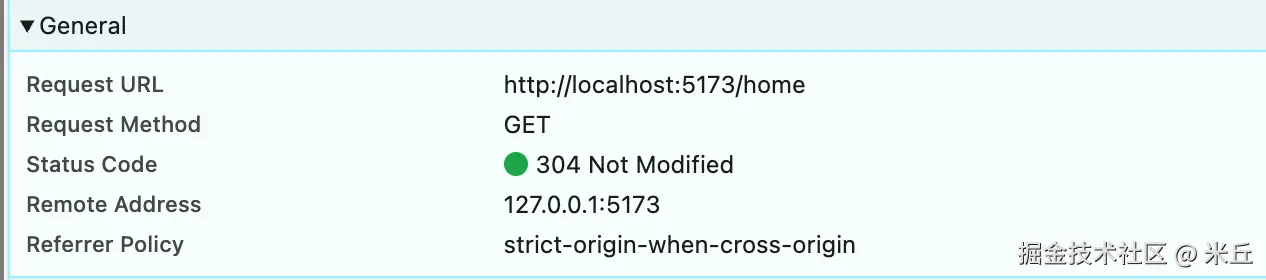
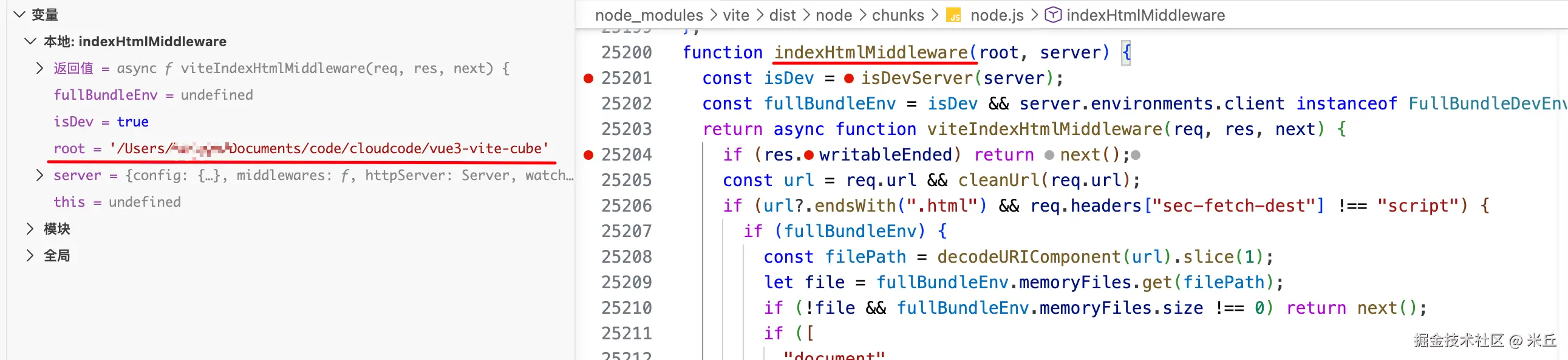
当浏览器请求 index.html 时,Vite 开发服务器会通过中间件(packages/vite/src/node/server/middlewares/html.ts)处理。
- 请求拦截与过滤
- 完整打包模式(Full Bundle Dev Environment) 或 普通文件系统模式
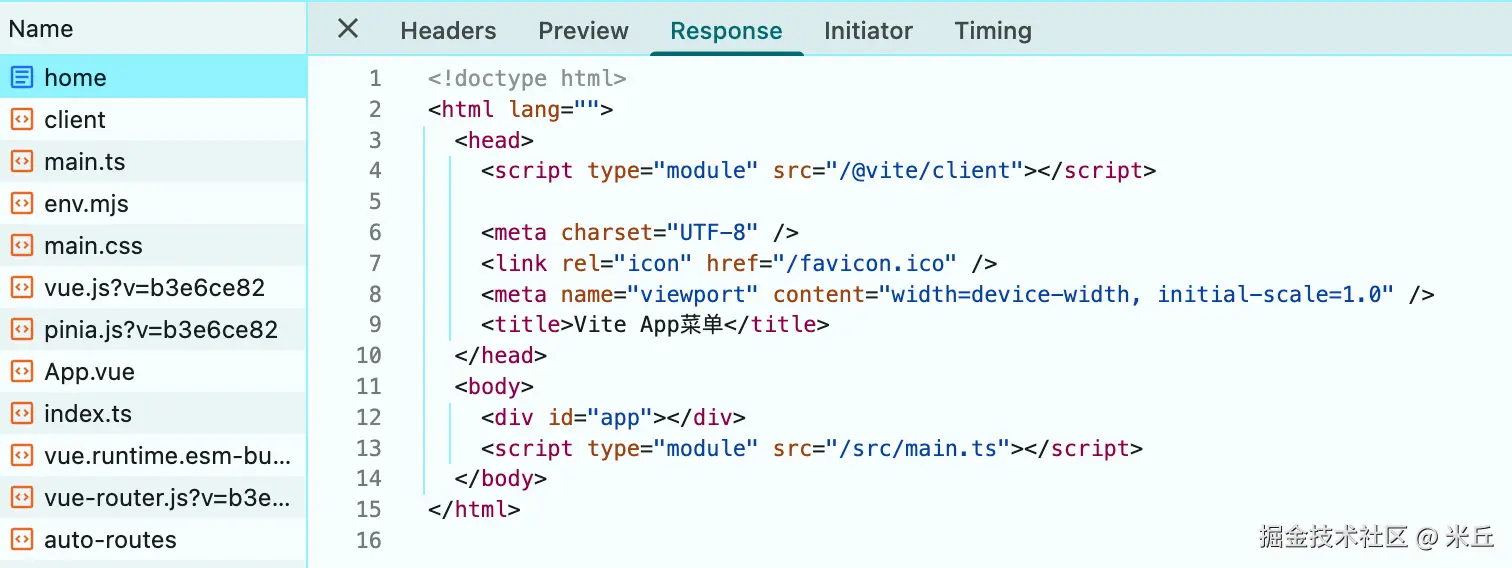
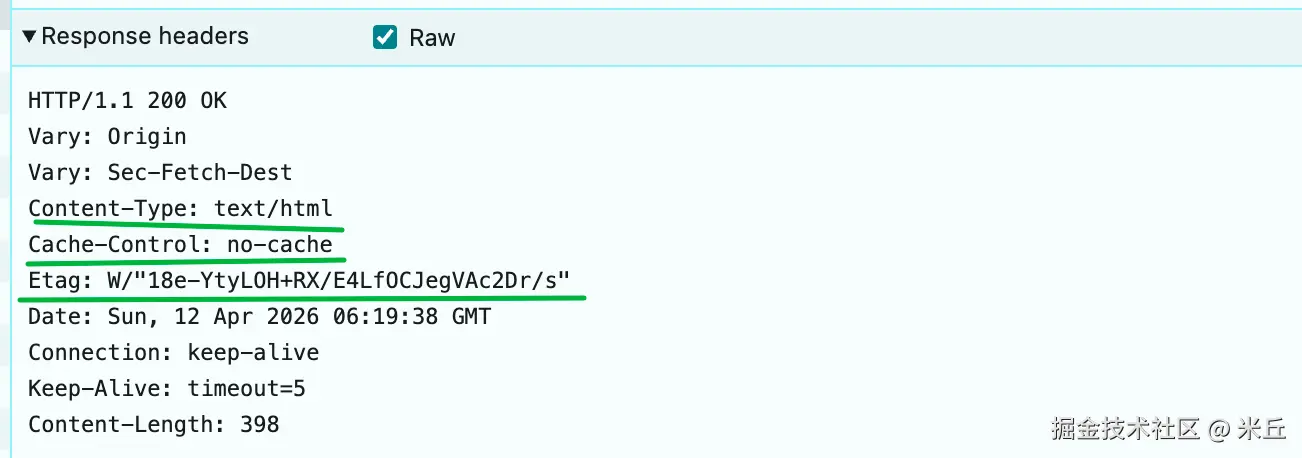
- 通过 send 发送返回 HTML。
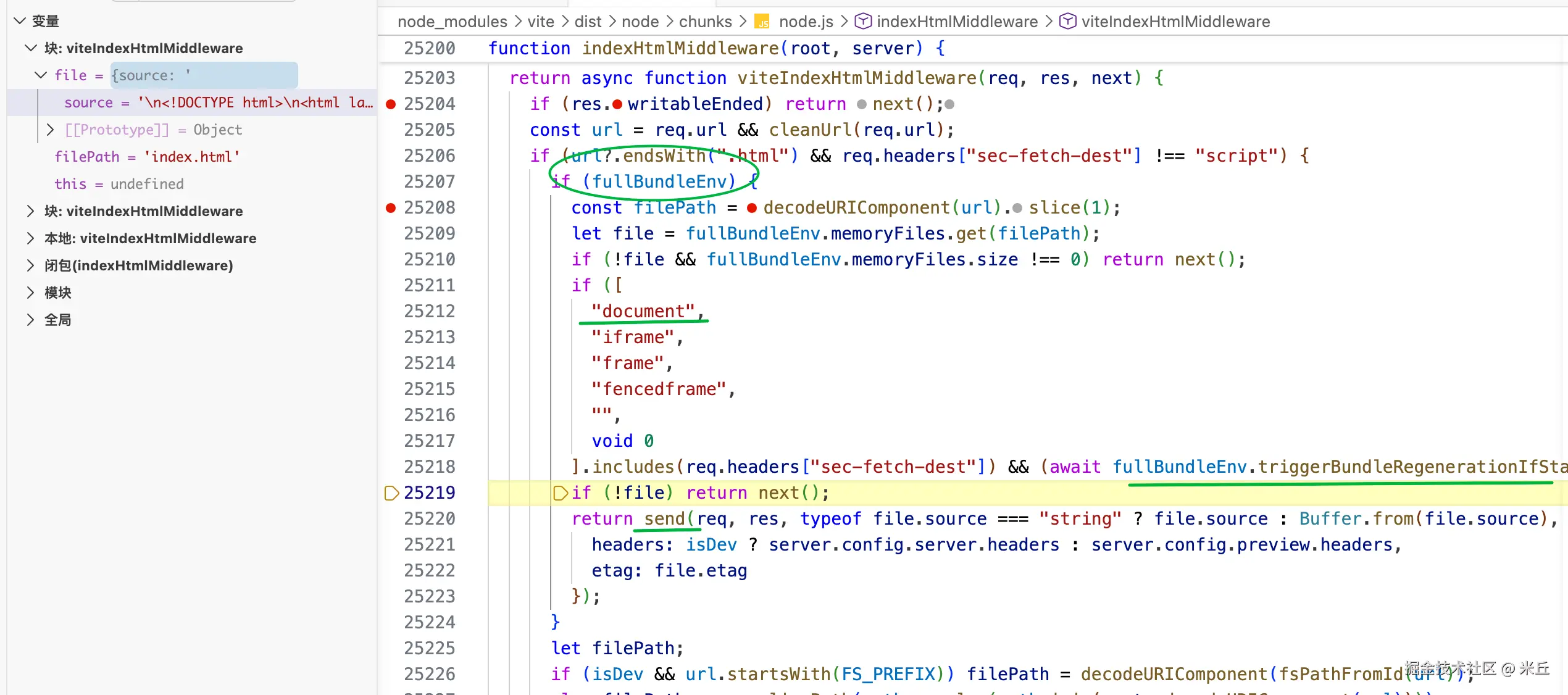
全量环境
-
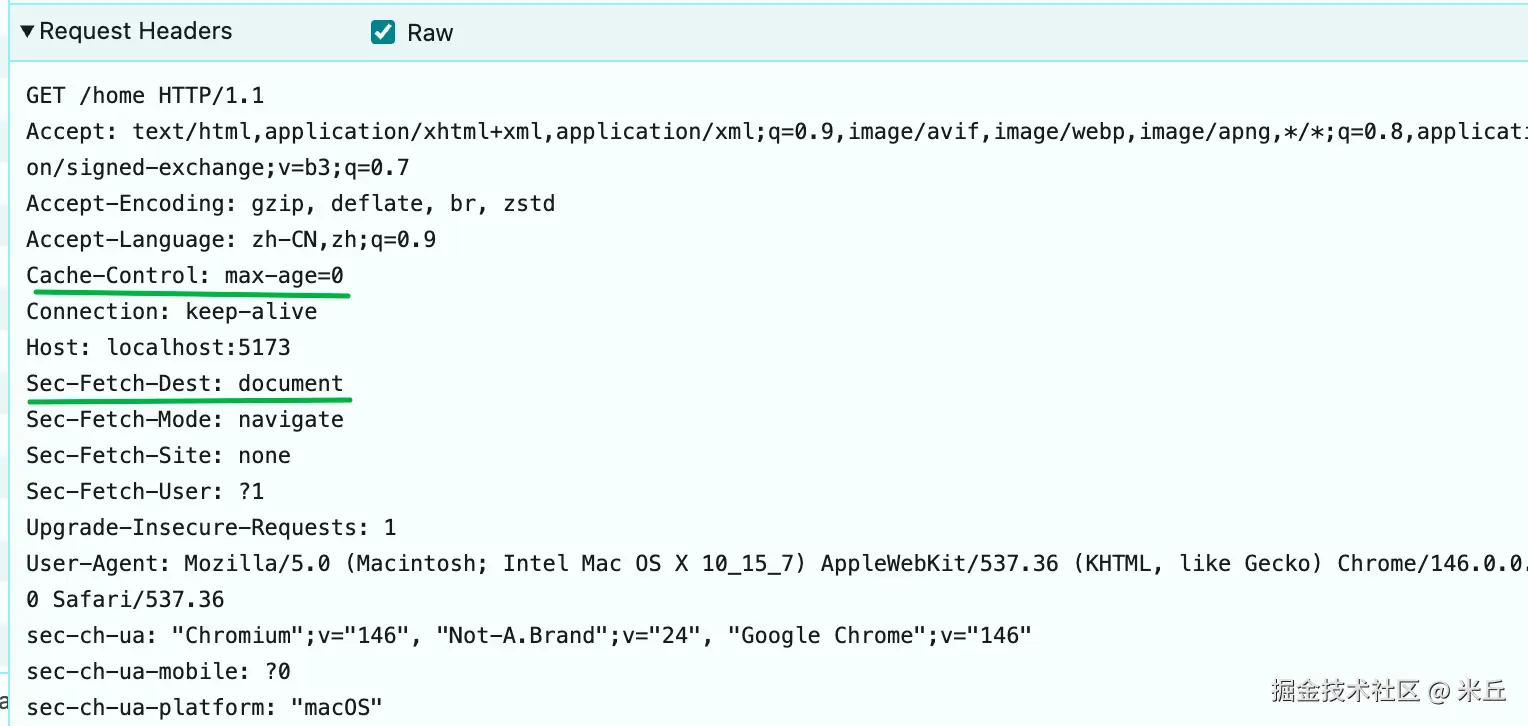
文档类请求的 SPA 回退 :若请求头的
sec-fetch-dest为document、iframe等类型,并且满足以下任一条件:(1)当前 bundle 已过时,会重新生成 bundle);
(2)或者文件原本不存在(
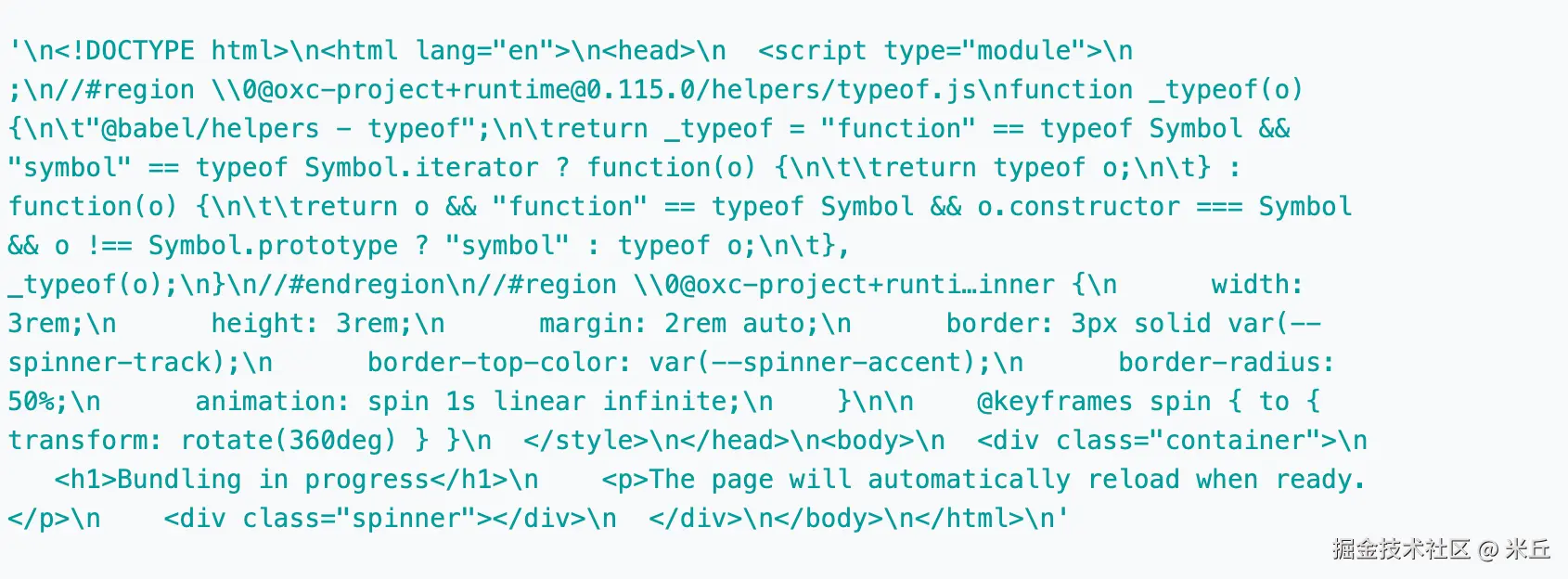
file === undefined);则调用generateFallbackHtml(server)生成一个默认的index.html作为文件内容。 -
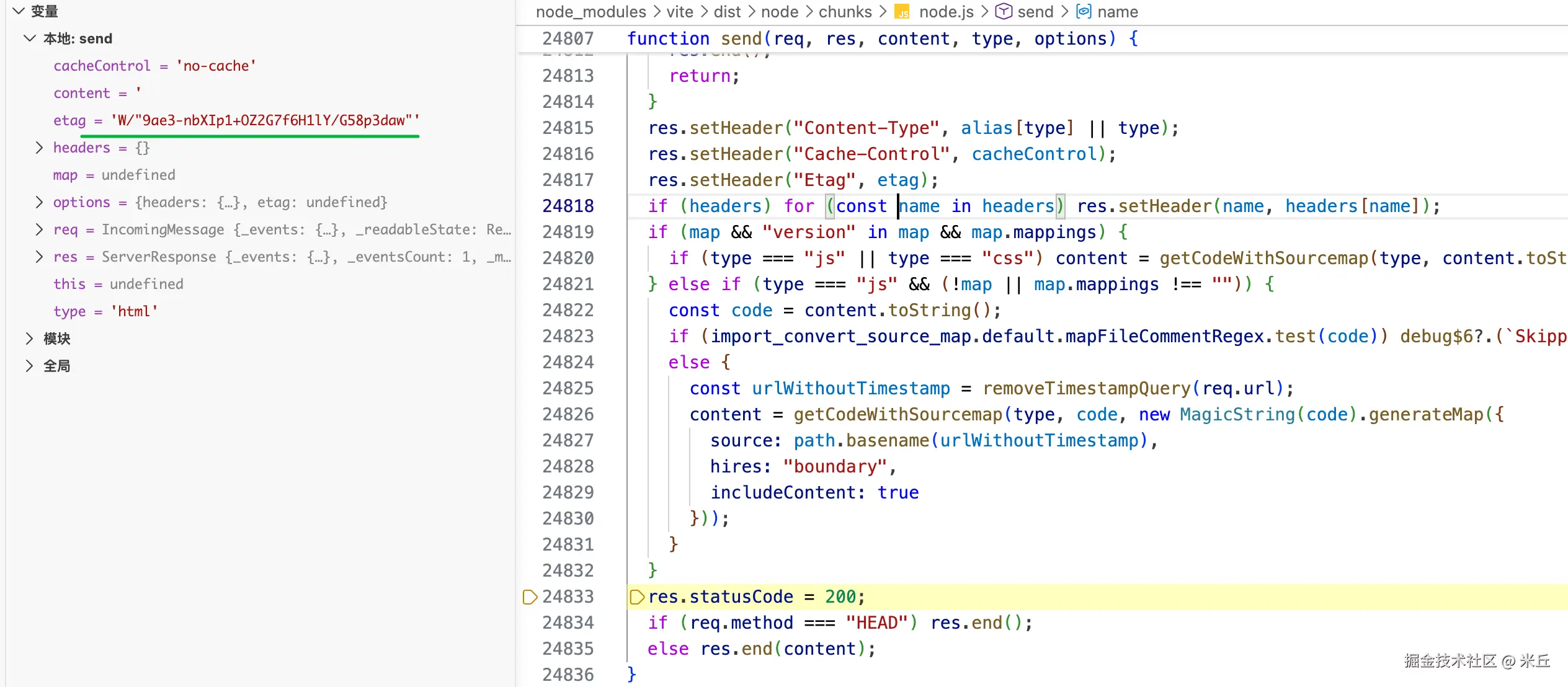
最终将文件内容(字符串或 Buffer)通过
send返回,并携带etag用于缓存。
js
  if (fullBundleEnv) {
    const pathname = decodeURIComponent(url)
    // 打包根目录的文件路径 index.html
    const filePath = pathname.slice(1) // remove first /

    let file = fullBundleEnv.memoryFiles.get(filePath)
    if (!file && fullBundleEnv.memoryFiles.size !== 0) {
      return next()
    }
    const secFetchDest = req.headers['sec-fetch-dest']
    // 处理文档类请求(SPA 回退)
    if (
      [
        'document',
        'iframe',
        'frame',
        'fencedframe',
        '',
        undefined,
      ].includes(secFetchDest) &&
      // 检查当前 bundle 是否过期
      ((await fullBundleEnv.triggerBundleRegenerationIfStale()) ||
        file === undefined)
    ) {
      // 生成一个 fallback HTML 作为文件内容
      // 生成一个默认的 HTML 入口
      file = { source: await generateFallbackHtml(server as ViteDevServer) }
    }
    if (!file) {
      return next()
    }

    const html =
      typeof file.source === 'string'
        ? file.source
        : Buffer.from(file.source)
    const headers = isDev
      ? server.config.server.headers
      : server.config.preview.headers
    return send(req, res, html, 'html', { headers, etag: file.etag })
  }
发送
js
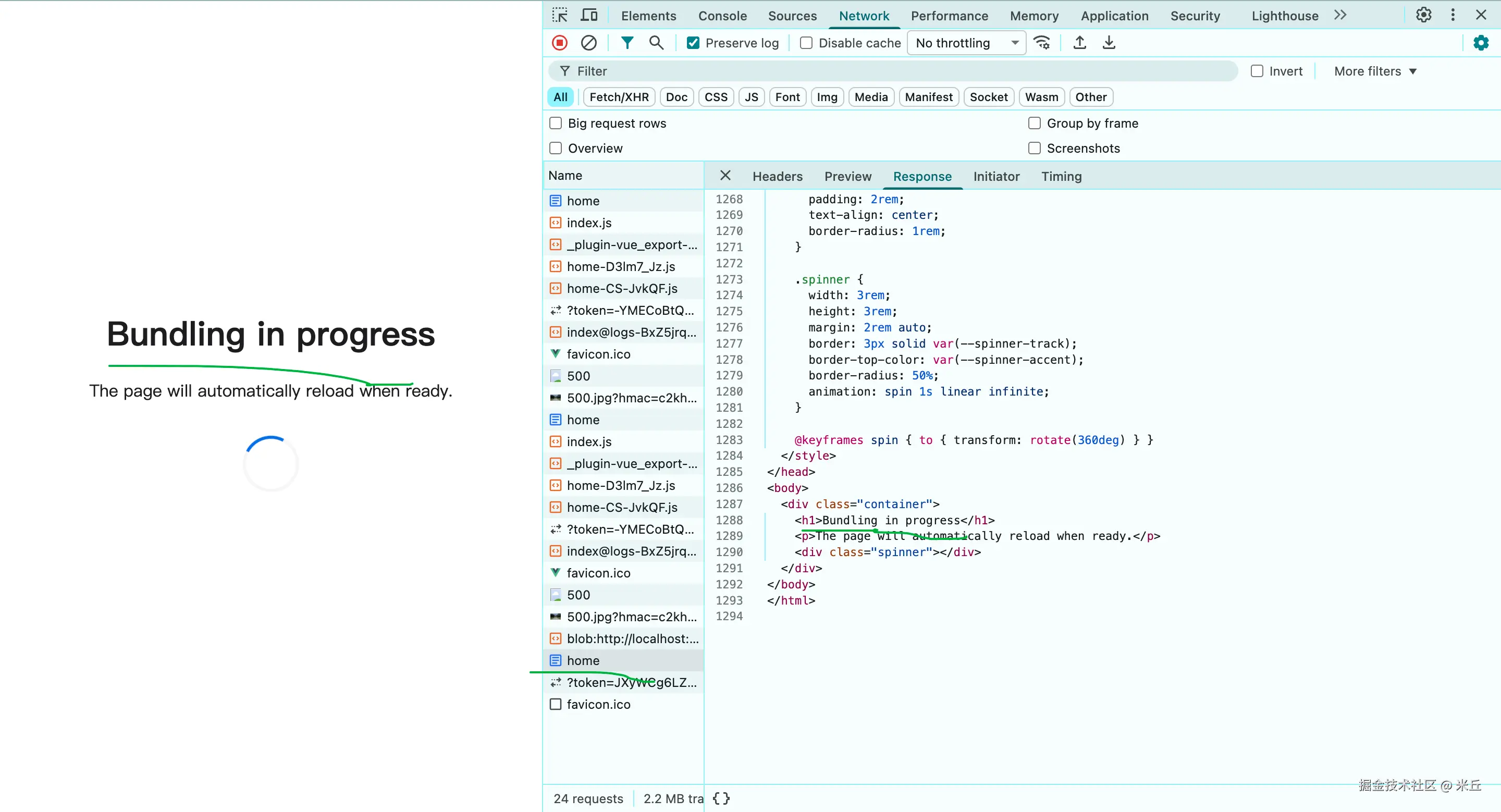
async function getHmrImplementation(
  config: ResolvedConfig,
): Promise<string> {

  // 读取client脚本文件
  const content = fs.readFileSync(normalizedClientEntry, 'utf-8')
  const replacer = await createClientConfigValueReplacer(config)
  return (
    replacer(content)
      // the rolldown runtime cannot import a module
      .replace(/import\s*['"]@vite\/env['"]/, '')
  )
}
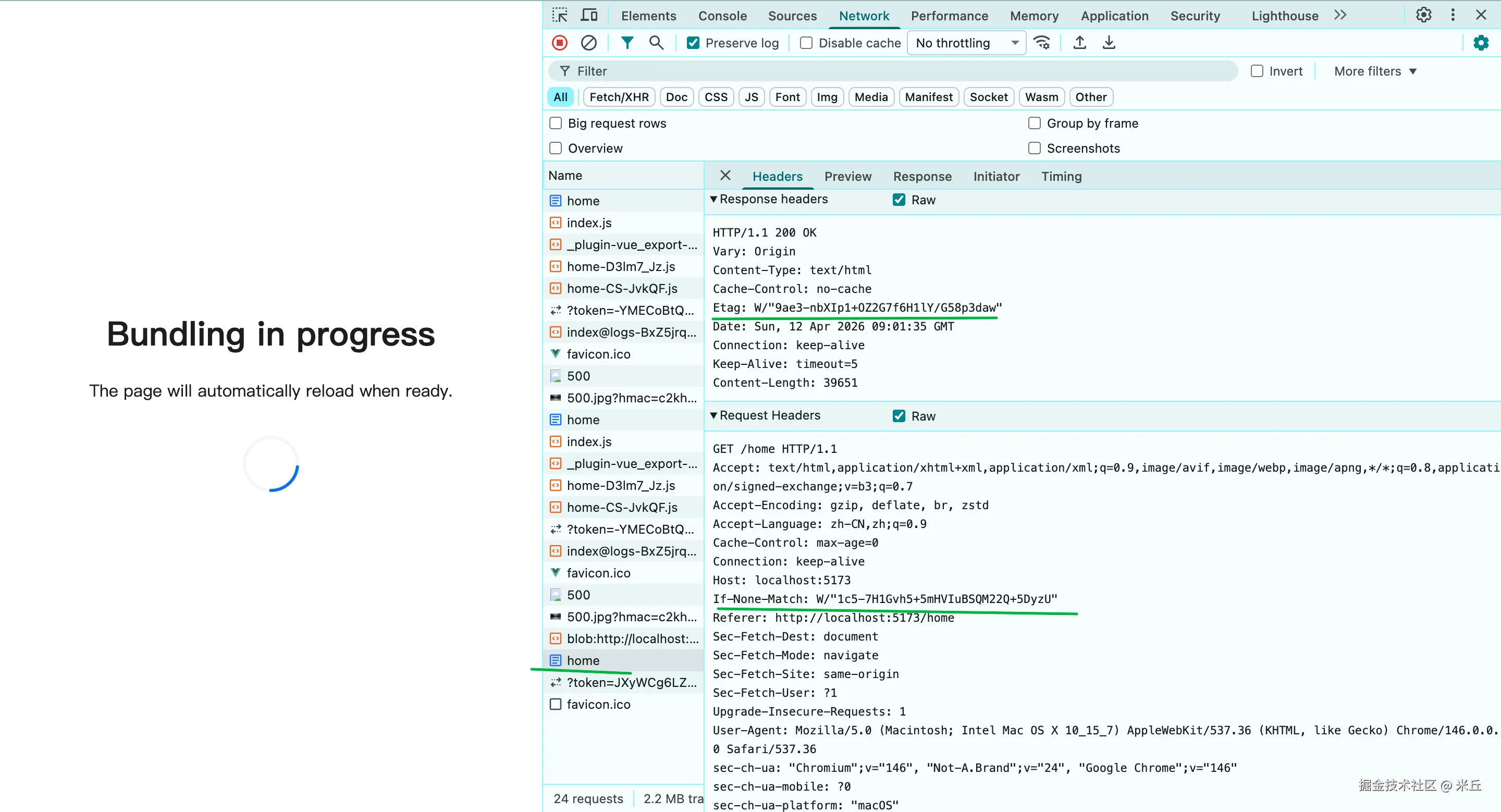
js
 async function importUpdatedModule({
    url, // 补丁文件的 URL,例如 "/hmr_patch_0.js"
    acceptedPath, // 需要热更新的模块路径
    isWithinCircularImport,
  }) {
    const importPromise = import(base + url!).then(() =>
      // 从 Rolldown 运行时中提取模块的导出
      // @ts-expect-error globalThis.__rolldown_runtime__
      globalThis.__rolldown_runtime__.loadExports(acceptedPath),
    )
    if (isWithinCircularImport) {
      importPromise.catch(() => {
        console.info(
          `[hmr] ${acceptedPath} failed to apply HMR as it's within a circular import. Reloading page to reset the execution order. ` +
            `To debug and break the circular import, you can run \`vite --debug hmr\` to log the circular dependency path if a file change triggered it.`,
        )
        pageReload()
      })
    }
    return await importPromise
}
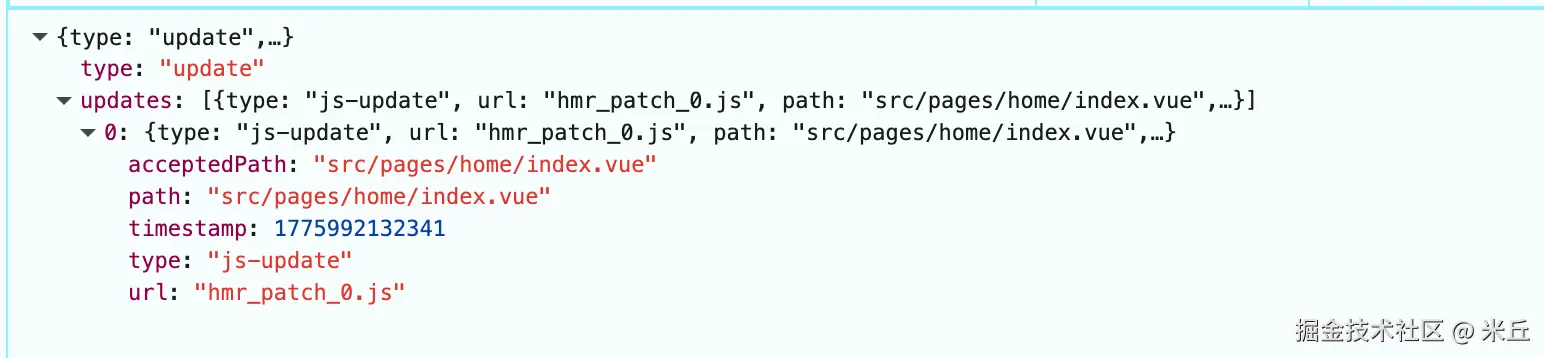
【示例】修改文件,client 的 websocket 收到更新
json
{
    "type": "update",
    "updates": [
        {
            "type": "js-update",
            "url": "hmr_patch_0.js",
            "path": "src/pages/home/index.vue",
            "acceptedPath": "src/pages/home/index.vue",
            "timestamp": 1775992132341
        }
    ]
}
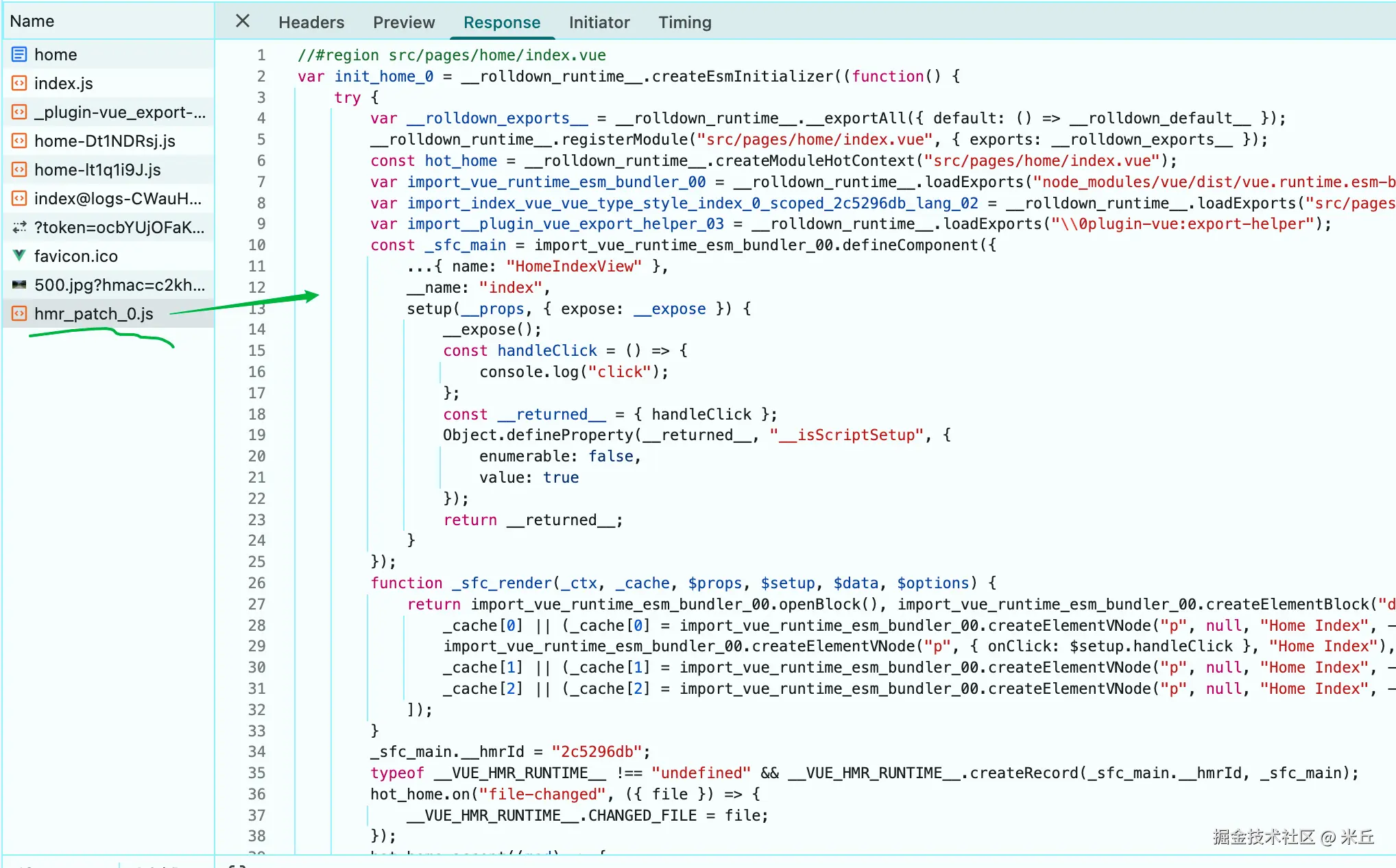
【示例】修改样式变量文件
浏览器客户端收到websocket消息,会加载补丁文件。
json
{
    "type": "update",
    "updates": [
        {
            "type": "js-update",
            "url": "hmr_patch_3.js",
            "path": "src/pages/home/index@logs.vue?vue&type=style&index=0&scoped=9217440f&lang.less",
            "acceptedPath": "src/pages/home/index@logs.vue?vue&type=style&index=0&scoped=9217440f&lang.less",
            "timestamp": 1775994912031
        },
        {
            "type": "js-update",
            "url": "hmr_patch_3.js",
            "path": "src/pages/home.vue?vue&type=style&index=0&scoped=f940dfa7&lang.less",
            "acceptedPath": "src/pages/home.vue?vue&type=style&index=0&scoped=f940dfa7&lang.less",
            "timestamp": 1775994912031
        },
        {
            "type": "js-update",
            "url": "hmr_patch_3.js",
            "path": "src/pages/home/index.vue?vue&type=style&index=0&scoped=2c5296db&lang.less",
            "acceptedPath": "src/pages/home/index.vue?vue&type=style&index=0&scoped=2c5296db&lang.less",
            "timestamp": 1775994912031
        }
    ]
}
浏览器端成功加载一个模块(包括动态 import())后,客户端会主动发送 vite:module-loaded 事件。
json
{
    "type": "custom",
    "event": "vite:module-loaded",
    "data": {
        "modules": [
            "src/pages/home/index@logs.vue?vue&type=style&index=0&scoped=9217440f&lang.less",
            "src/pages/home.vue?vue&type=style&index=0&scoped=f940dfa7&lang.less",
            "src/pages/home/index.vue?vue&type=style&index=0&scoped=2c5296db&lang.less"
        ]
    }
}服务器接收到该事件,提取出本次加载的模块列表(payload.modules),并将其注册到开发引擎(devEngine)中,关联到当前客户端 ID。
js
this.hot.on('vite:client:disconnect', (_payload, client) => {
  const clientId = this.clients.delete(client)
  if (clientId) {
    this.devEngine.removeClient(clientId)
  }
})
普通文件模式
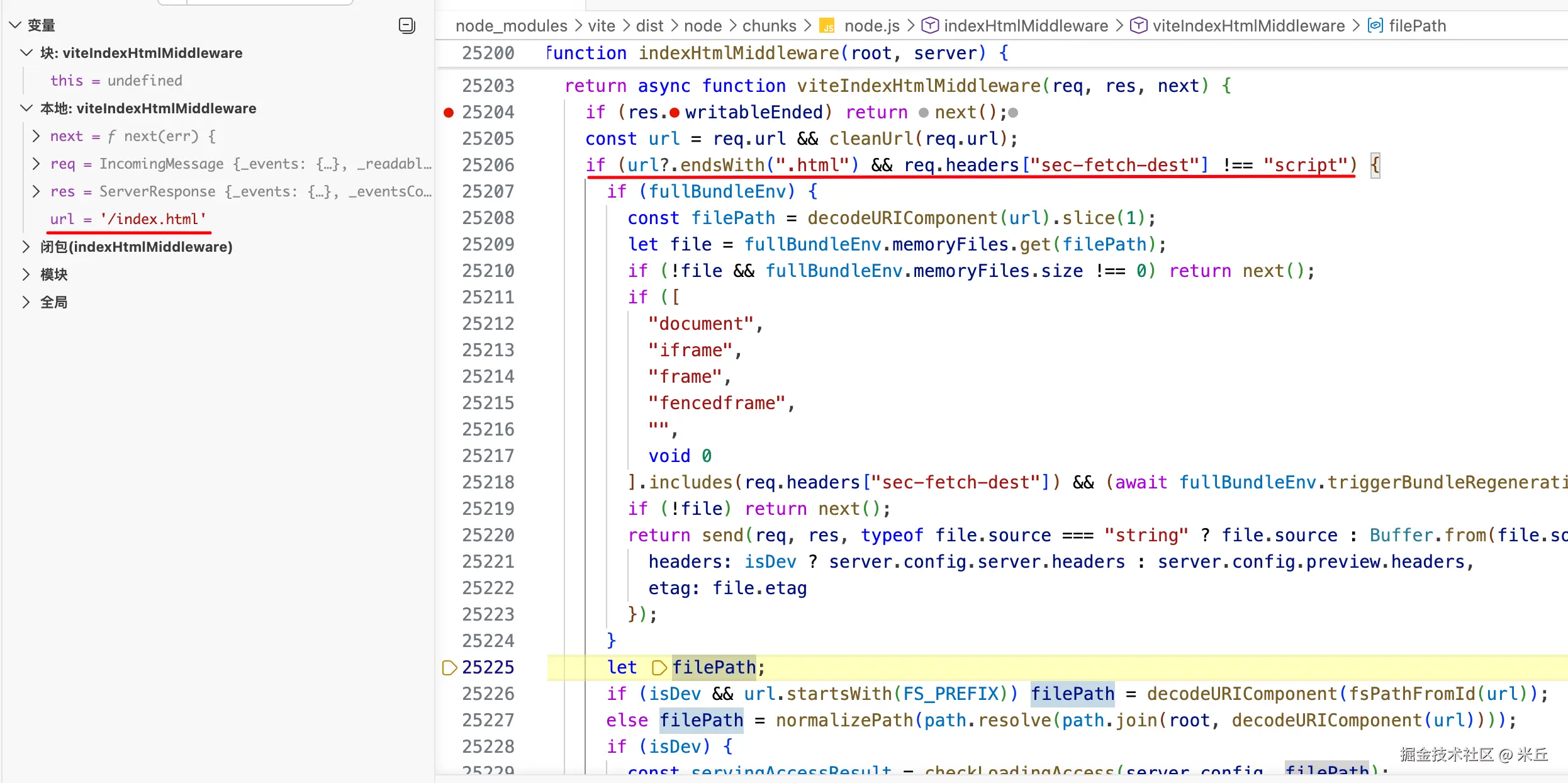
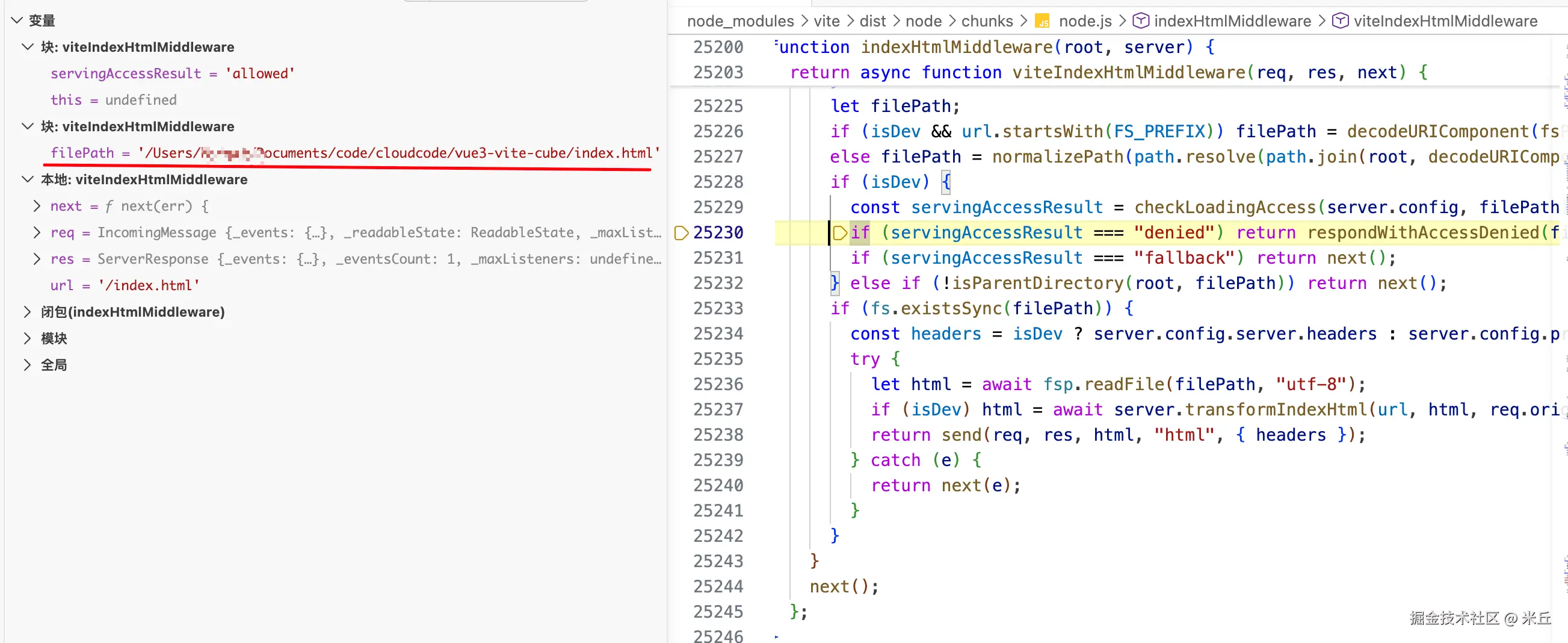
- 解析请求的文件路径
- 开发模式下的访问权限检查
- 读取 HTML 文件并进行转换,最终通过
send返回 HTML。
js
  // 根据请求 URL 确定 HTML 文件的实际文件系统路径
  let filePath: string

  // 如果是开发服务器且 URL 以 FS_PREFIX 开头(表示直接访问文件系统路径)
  if (isDev && url.startsWith(FS_PREFIX)) {
    filePath = decodeURIComponent(fsPathFromId(url))
  } else {
    // 将 URL 与服务器根目录连接,解析为绝对路径
    filePath = normalizePath(
      path.resolve(path.join(root, decodeURIComponent(url))),
    )
  }

  if (isDev) {
    const servingAccessResult = checkLoadingAccess(server.config, filePath)
    // 如果路径被拒绝访问,返回 403 错误
    if (servingAccessResult === 'denied') {
      return respondWithAccessDenied(filePath, server, res)
    }
    //
    if (servingAccessResult === 'fallback') {
      return next()
    }
    // 确保路径被允许访问
    servingAccessResult satisfies 'allowed'
  } else {
    // `server.fs` options does not apply to the preview server.
    // But we should disallow serving files outside the output directory.
    if (!isParentDirectory(root, filePath)) {
      return next()
    }
  }

  if (fs.existsSync(filePath)) {
    const headers = isDev
      ? server.config.server.headers
      : server.config.preview.headers

    try {
      // 读取 HTML 文件内容
      let html = await fsp.readFile(filePath, 'utf-8')
      if (isDev) {
        // 开发环境下,对 HTML 进行转换
        html = await server.transformIndexHtml(url, html, req.originalUrl)
      }
      // 发送 HTML 内容
      // 这里使用 send() 方法,而不是 res.end(),因为它会自动处理响应头和编码
      return send(req, res, html, 'html', { headers })
    } catch (e) {
      return next(e)
    }
  }
执行中间件
读取html文件内容
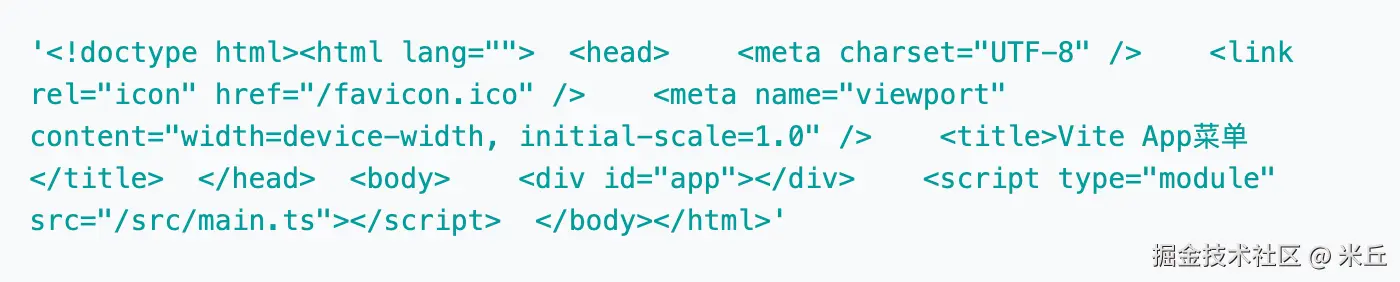
server.transformIndexHtml 其实就是执行 applyHtmlTransforms,之前中间件已经处理 createDevHtmlTransformFn
createDevHtmlTransformFn
plugin.transformIndexHtml获取具有transformIndexHtml钩子的插件,排序。- 构建转换钩子管道,在
applyHtmlTransforms中按顺序执行。 applyHtmlTransforms根据插件钩子,生成相关 tag 注入 html 中。
vite/packages/vite/src/node/server/middlewares/indexHtml.ts
js
function createDevHtmlTransformFn(
  config: ResolvedConfig,
): (
  server: ViteDevServer,
  url: string,
  html: string,
  originalUrl?: string,
) => Promise<string> {

  // 从配置的插件中解析出 HTML 转换钩子
  const [preHooks, normalHooks, postHooks] = resolveHtmlTransforms(
    config.plugins,
  )

  // 构建转换钩子管道
  const transformHooks = [
    preImportMapHook(config), // 处理导入映射的前置钩子
    injectCspNonceMetaTagHook(config), // 注入 CSP nonce 元标签
    ...preHooks,
    htmlEnvHook(config), // 注入环境变量到 HTML 中
    devHtmlHook, // 开发环境特定的 HTML 转换
    ...normalHooks,
    ...postHooks,
    injectNonceAttributeTagHook(config), // 注入 nonce 属性到标签中
    postImportMapHook(), // 处理导入映射的后置钩子
  ]

  // 创建插件上下文
  const pluginContext = new BasicMinimalPluginContext(
    { ...basePluginContextMeta, watchMode: true },
    config.logger,
  )
  return (
    server: ViteDevServer,
    url: string,
    html: string,
    originalUrl?: string,
  ): Promise<string> => {

    // 将所有转换钩子应用到 HTML 内容上
    return applyHtmlTransforms(html, transformHooks, pluginContext, {
      path: url,
      filename: getHtmlFilename(url, server),
      server,
      originalUrl,
    })
  }
}
traverseHtml
server.transformIndexHtml 对html进行转换 ------> createDevHtmlTransformFn confige 解析阶段收集了插件transformIndexHtml钩子 ------〉applyHtmlTransforms 执行上述收集的hook.handler------> injectToHead 将标签插入头部
收集所有插件的 transformIndexHtml 钩子返回的修改(可能是 HTML 字符串的替换,或者要插入的标签数组),然后将其应用到原始 HTML 上。
js
  const transformHooks = [
    preImportMapHook(config), // 处理导入映射的前置钩子
    injectCspNonceMetaTagHook(config), // 注入 CSP nonce 元标签
    ...preHooks,
    htmlEnvHook(config), // 注入环境变量到 HTML 中
    devHtmlHook, // 开发环境特定的 HTML 转换
    ...normalHooks,
    ...postHooks,
    injectNonceAttributeTagHook(config), // 注入 nonce 属性到标签中
    postImportMapHook(), // 处理导入映射的后置钩子
]【示例】执行devHtmlTransformFn

【示例】执行 htmlEnvHook
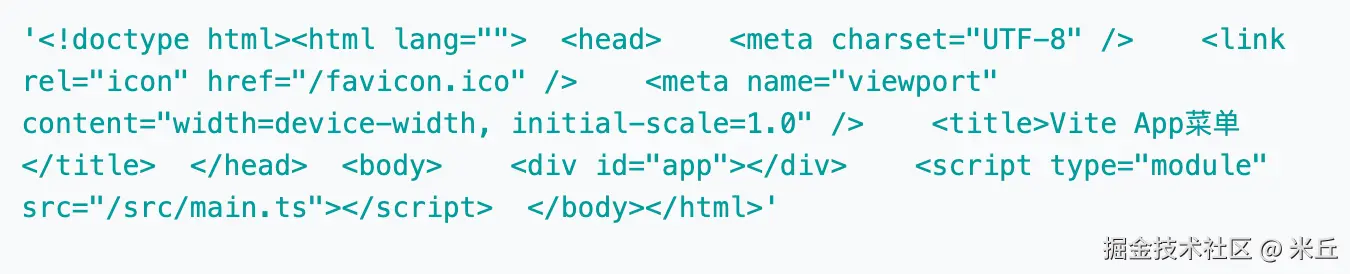
【示例】 devHtmlHook
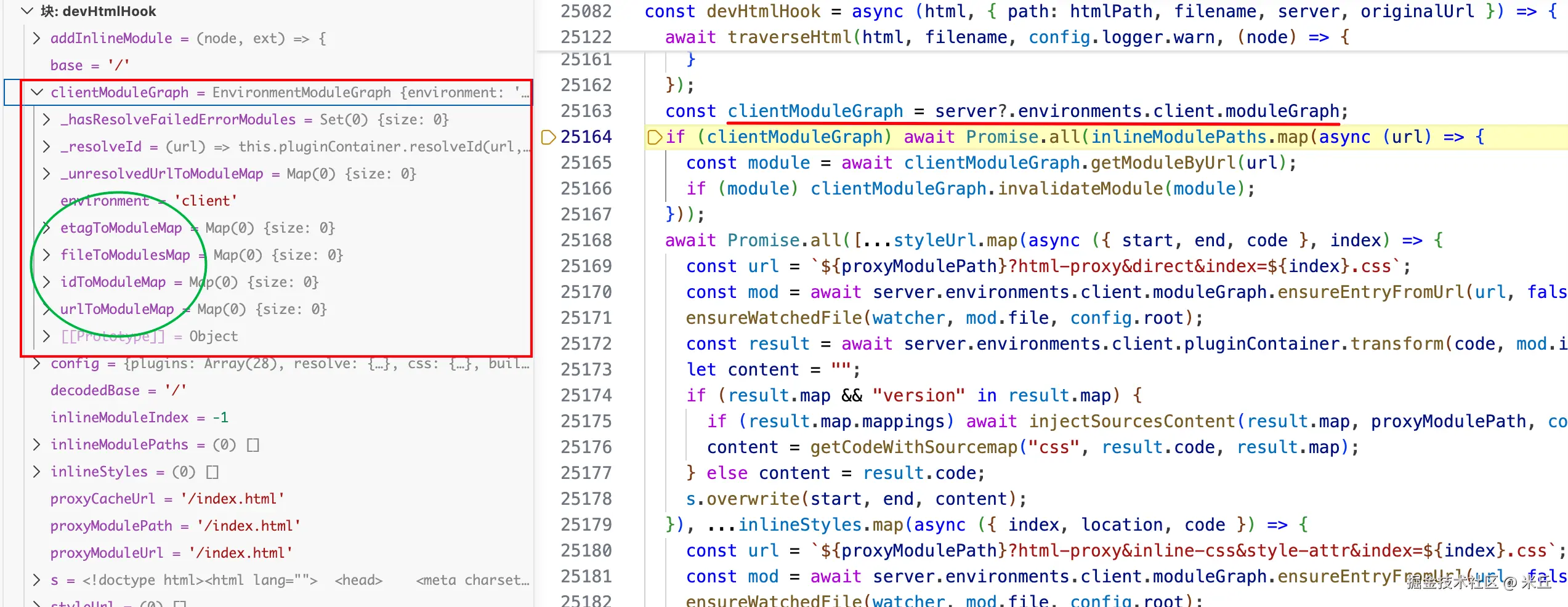

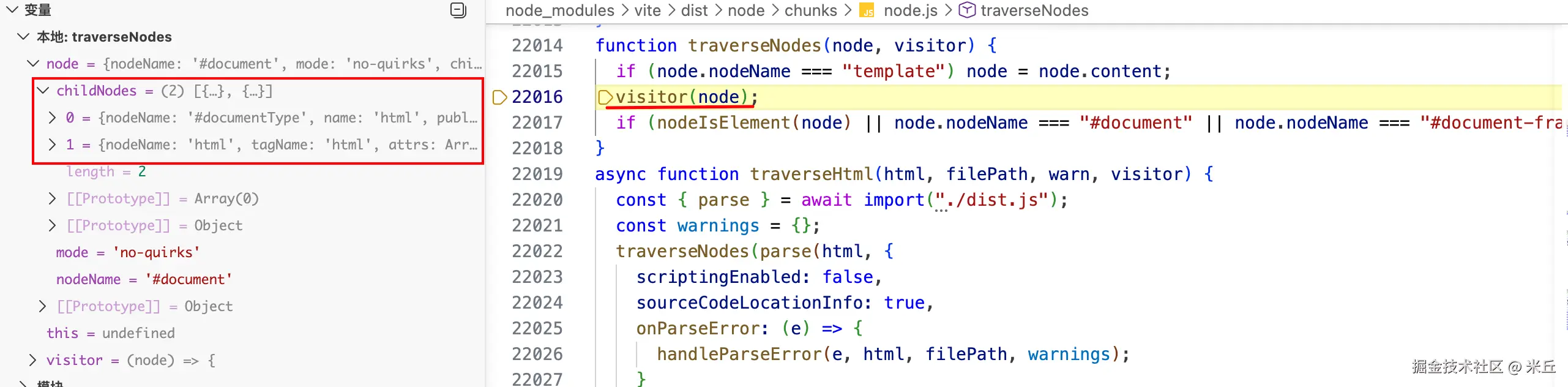
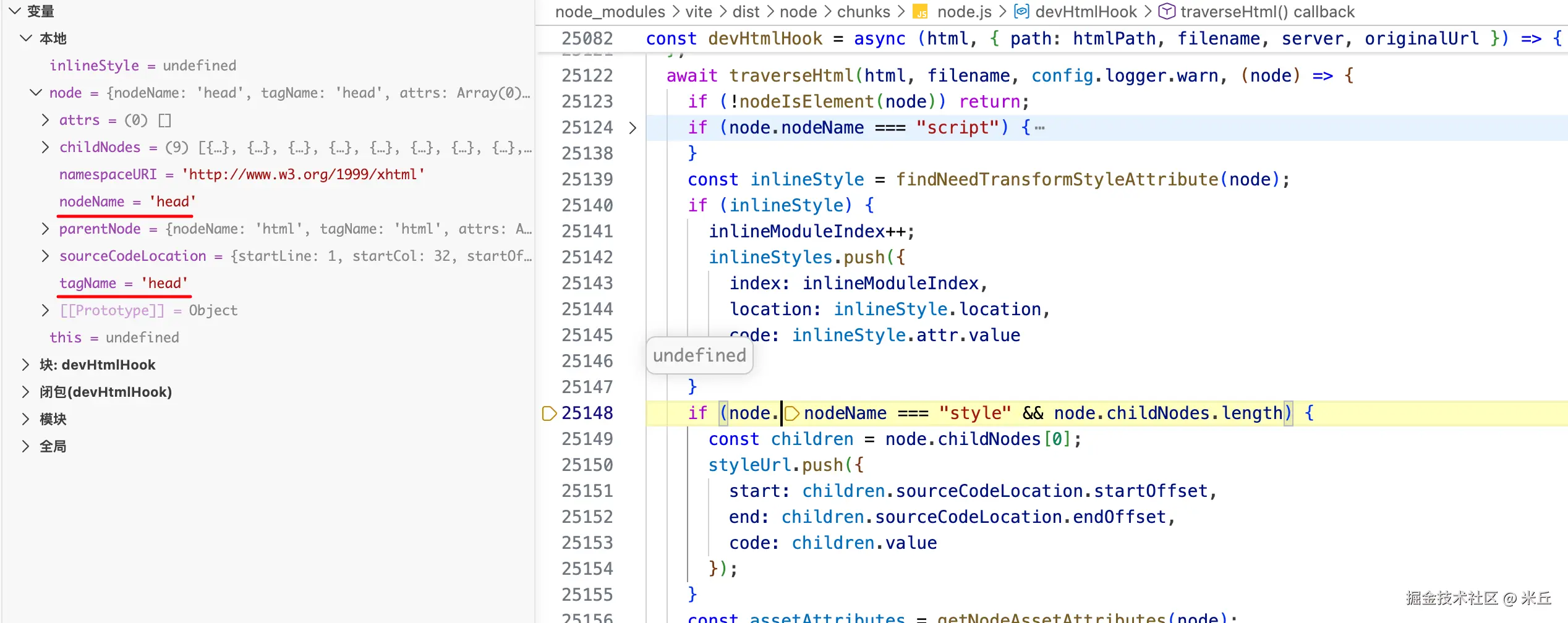
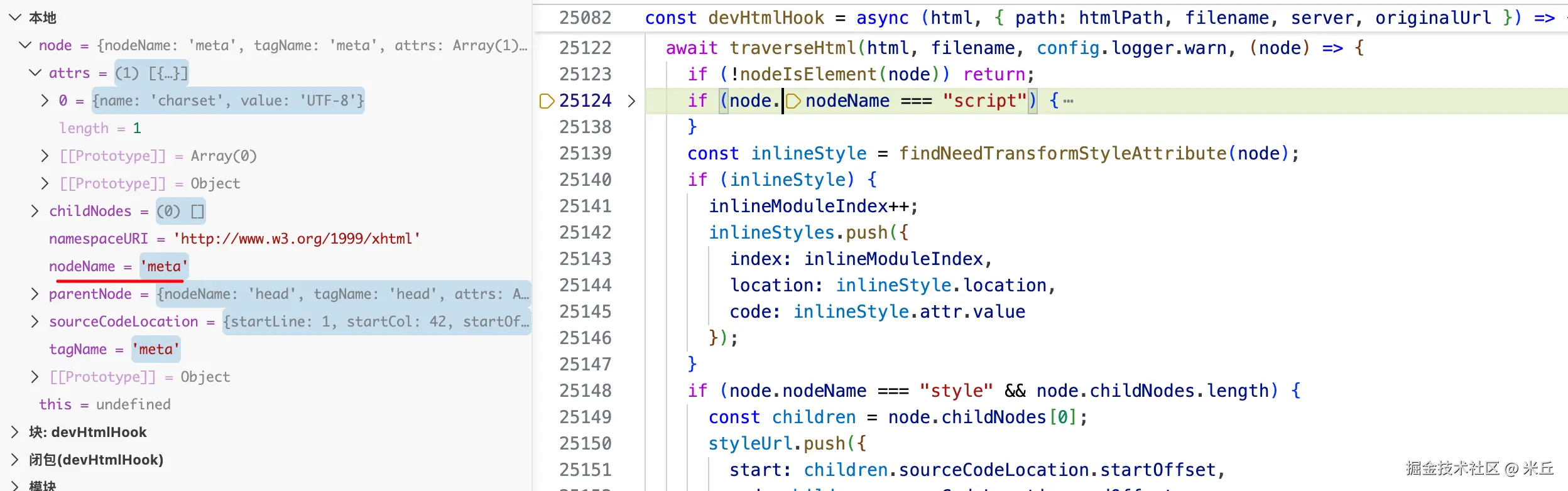
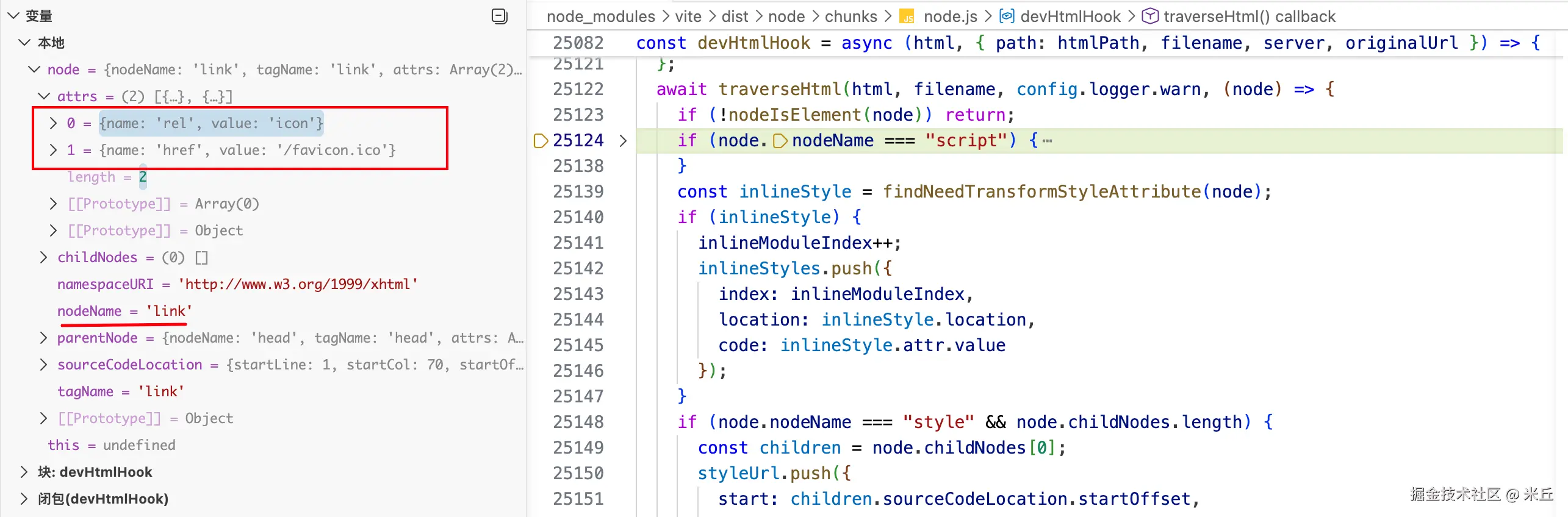
处理 html 节点
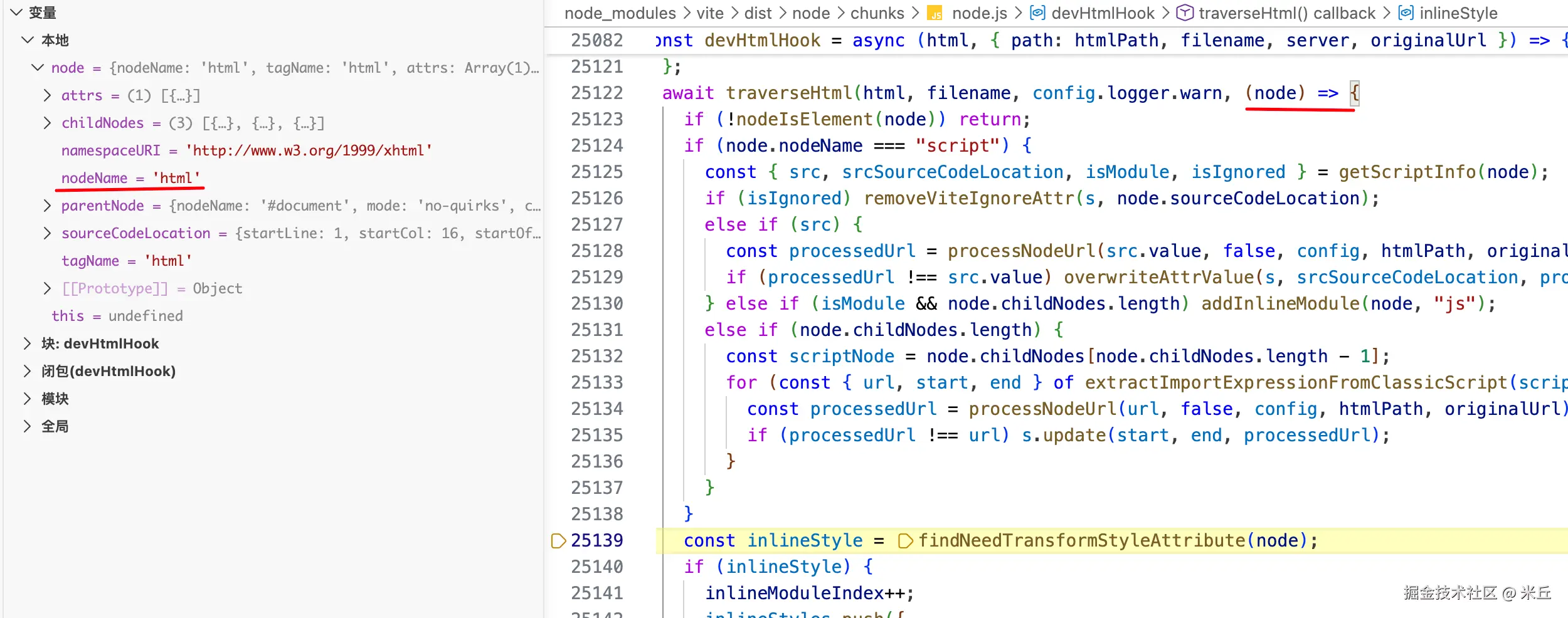
处理head节点
处理 meta 节点
处理 link 节点
applyHtmlTransforms
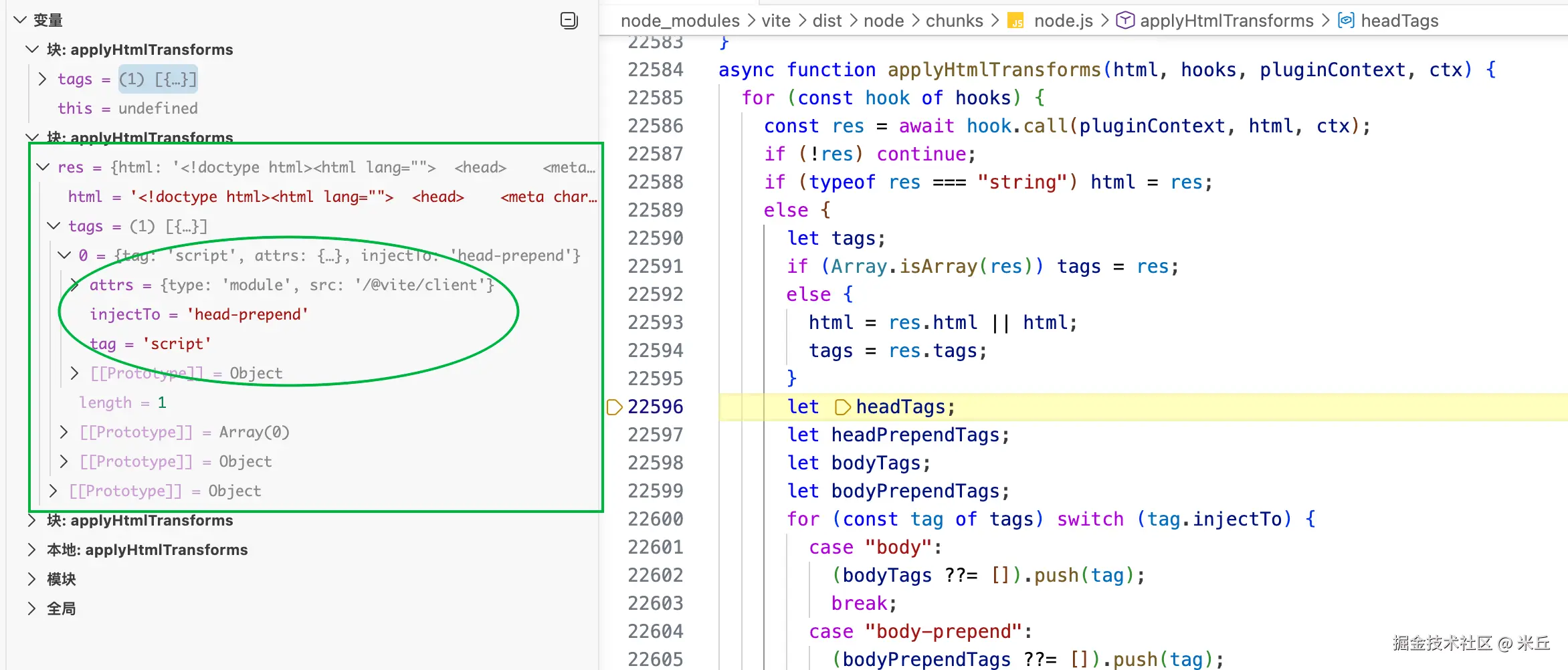
injectToHead
vite/packages/vite/src/node/plugins/html.ts
js
async function applyHtmlTransforms(
  html: string,
  hooks: IndexHtmlTransformHook[],
  pluginContext: MinimalPluginContextWithoutEnvironment,
  ctx: IndexHtmlTransformContext,
): Promise<string> {
  for (const hook of hooks) {
    const res = await hook.call(pluginContext, html, ctx)
    if (!res) {
      continue
    }
    if (typeof res === 'string') {
      html = res
    } else {
      let tags: HtmlTagDescriptor[]
      if (Array.isArray(res)) {
        tags = res
      } else {
        html = res.html || html
        tags = res.tags
      }

      let headTags: HtmlTagDescriptor[] | undefined
      let headPrependTags: HtmlTagDescriptor[] | undefined
      let bodyTags: HtmlTagDescriptor[] | undefined
      let bodyPrependTags: HtmlTagDescriptor[] | undefined

      for (const tag of tags) {
        switch (tag.injectTo) {
          case 'body':
            ;(bodyTags ??= []).push(tag)
            break
          case 'body-prepend':
            ;(bodyPrependTags ??= []).push(tag)
            break
          case 'head':
            ;(headTags ??= []).push(tag)
            break
          default:
            ;(headPrependTags ??= []).push(tag)
        }
      }
      headTagInsertCheck([...(headTags || []), ...(headPrependTags || [])], ctx)
      if (headPrependTags) html = injectToHead(html, headPrependTags, true)
      if (headTags) html = injectToHead(html, headTags)
      if (bodyPrependTags) html = injectToBody(html, bodyPrependTags, true)
      if (bodyTags) html = injectToBody(html, bodyTags)
    }
  }

  return html
}