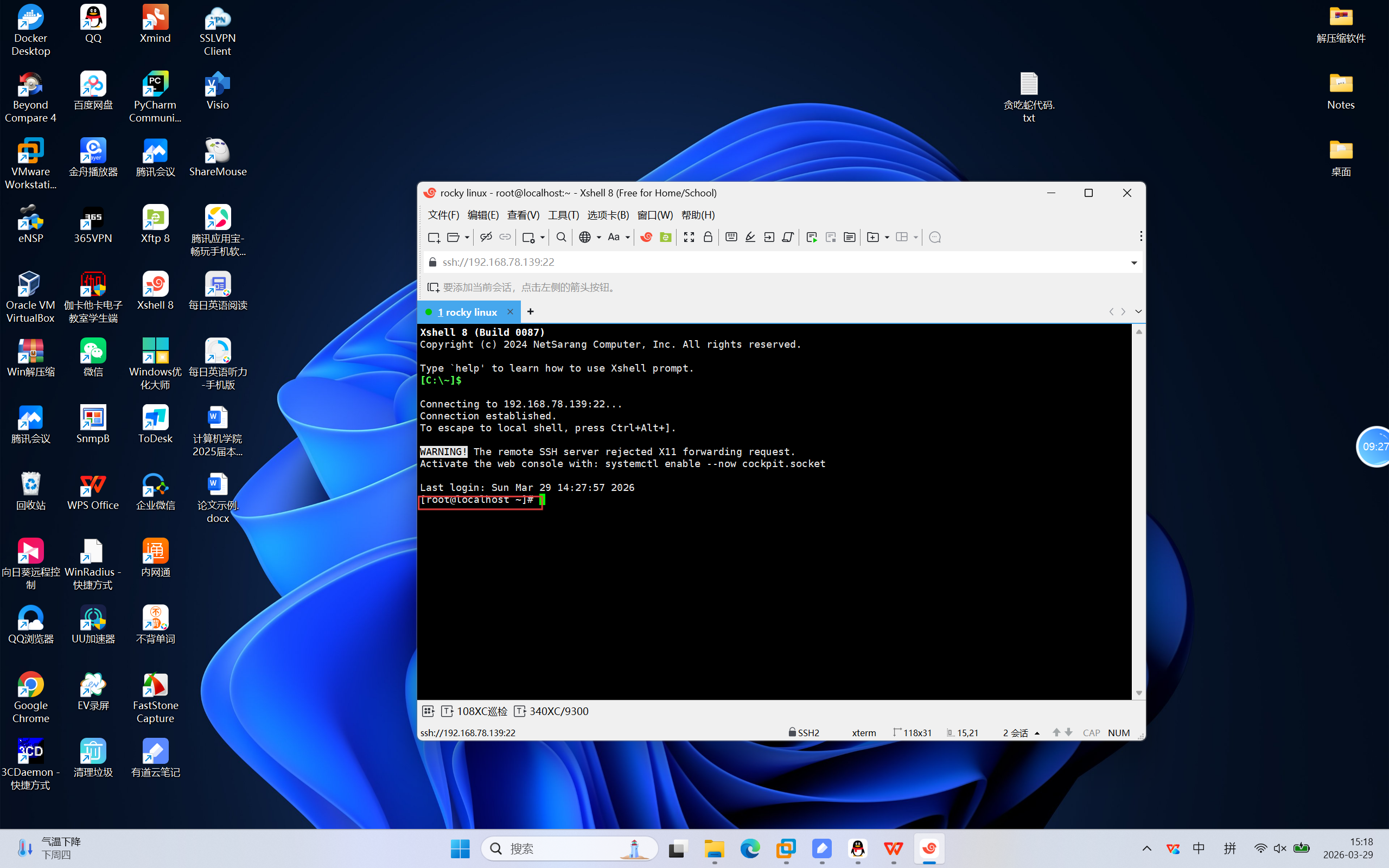
1.进入Rocky_Linux虚拟机,按Win键,点击下方的终端
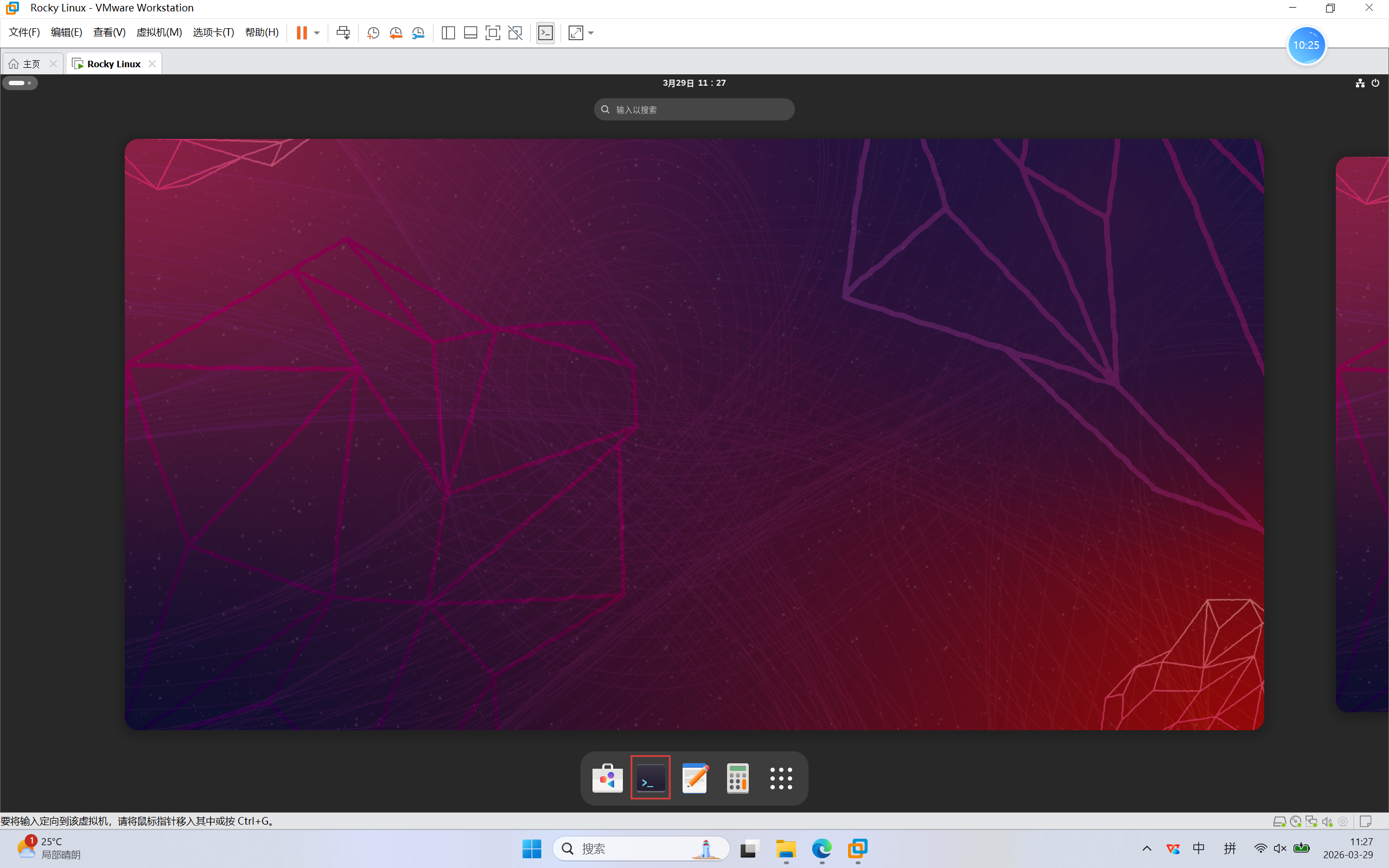
2.熟悉命令
- ls --- 查看当前目录下的文件
- pwd --- 查看当前目录的绝对路径
- cd --- 切换到指定目录
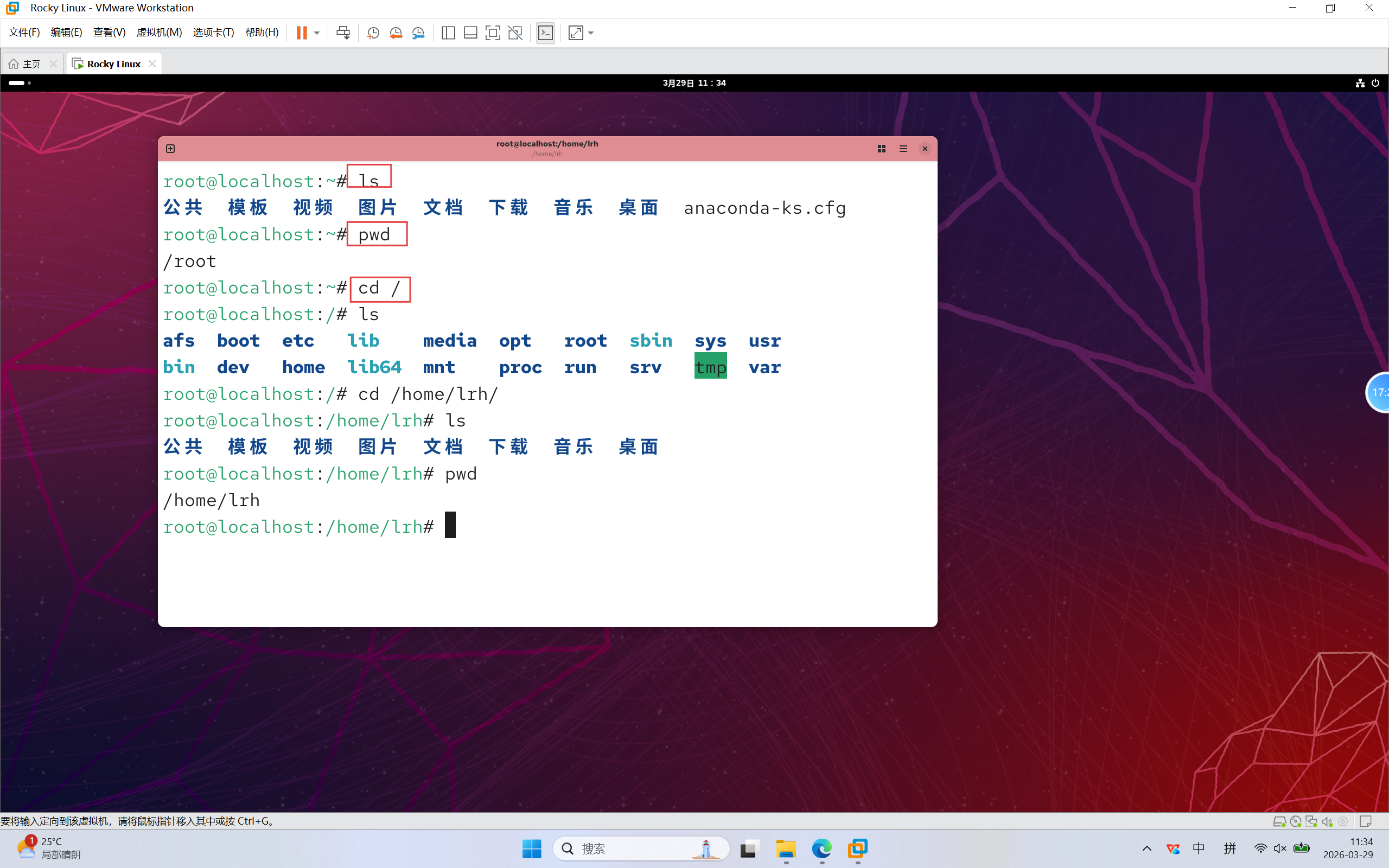
3.熟悉命令
- vi --- 打开文本文件,若不存在则创建
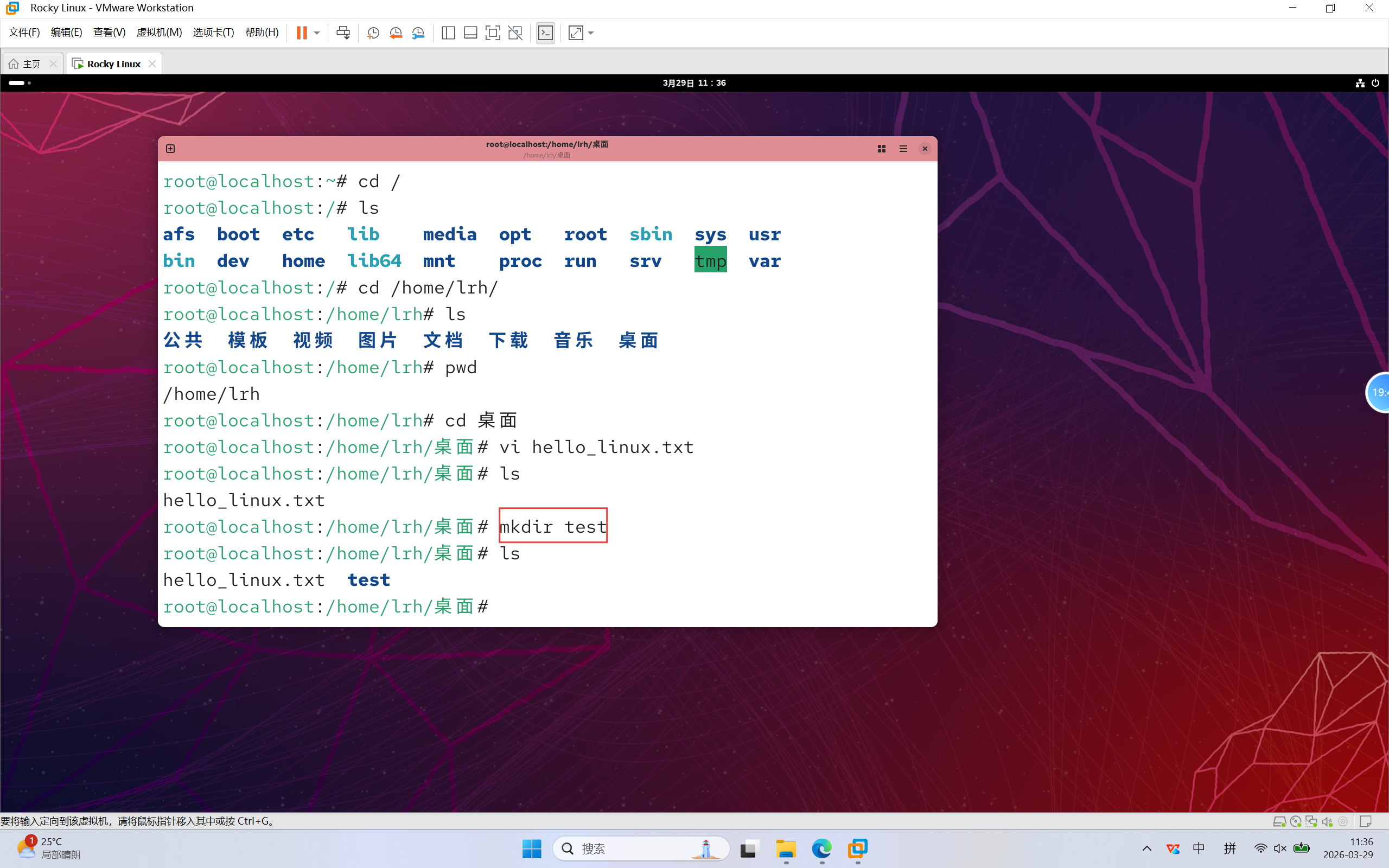
4.熟悉命令
- mkdir --- 创建文件夹
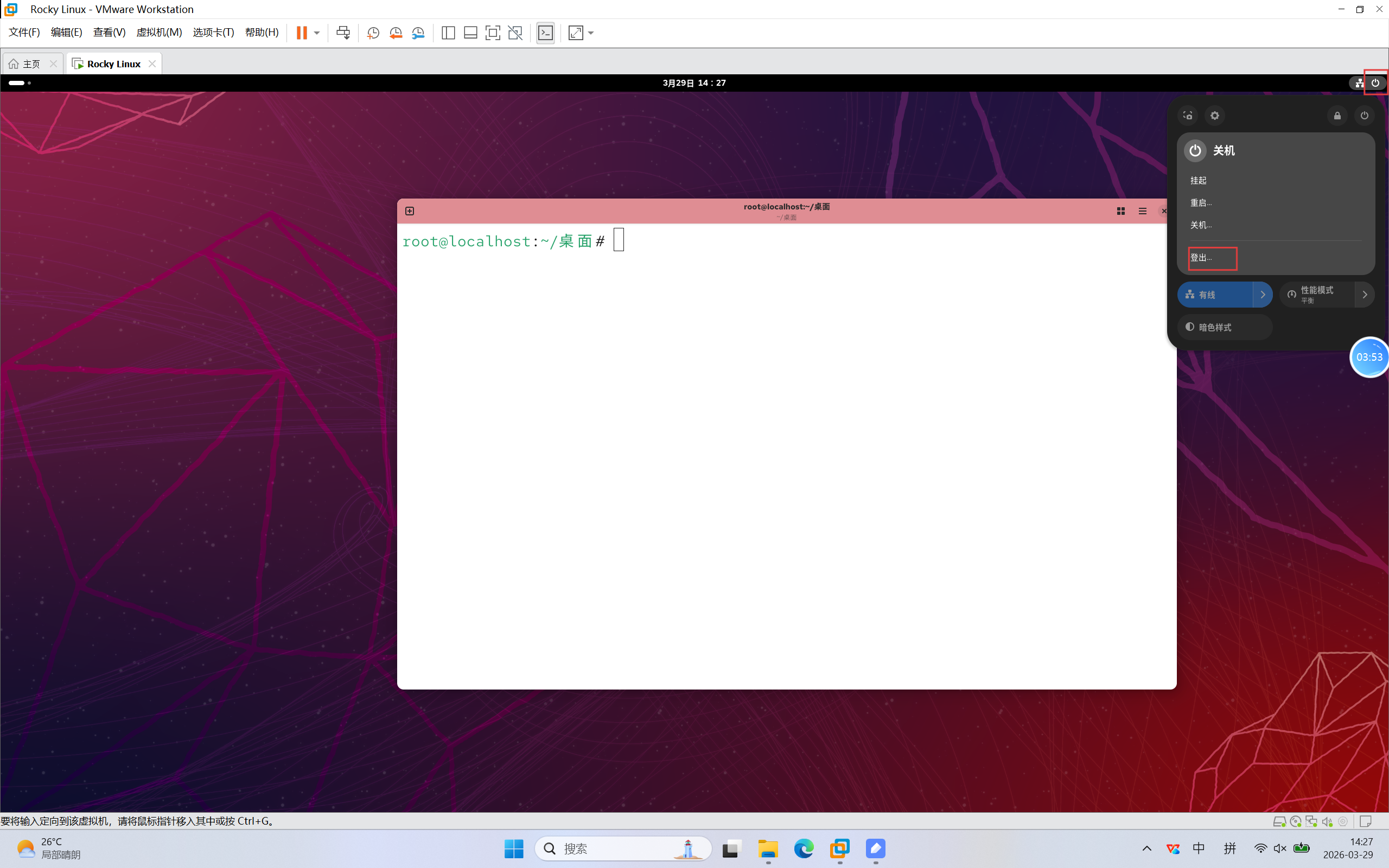
5.演示系统管理登录,如图点击登出
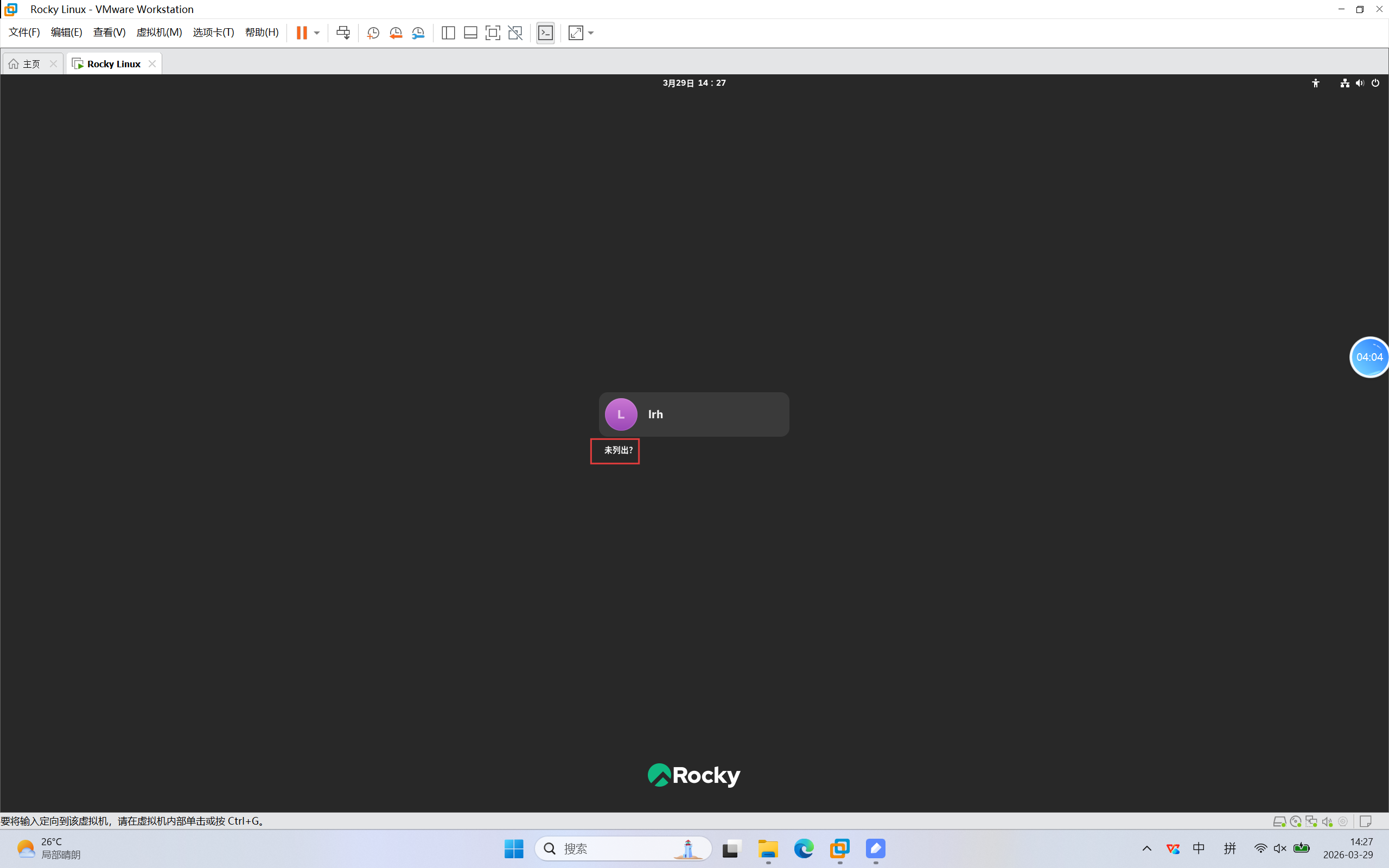
6.点击未列出
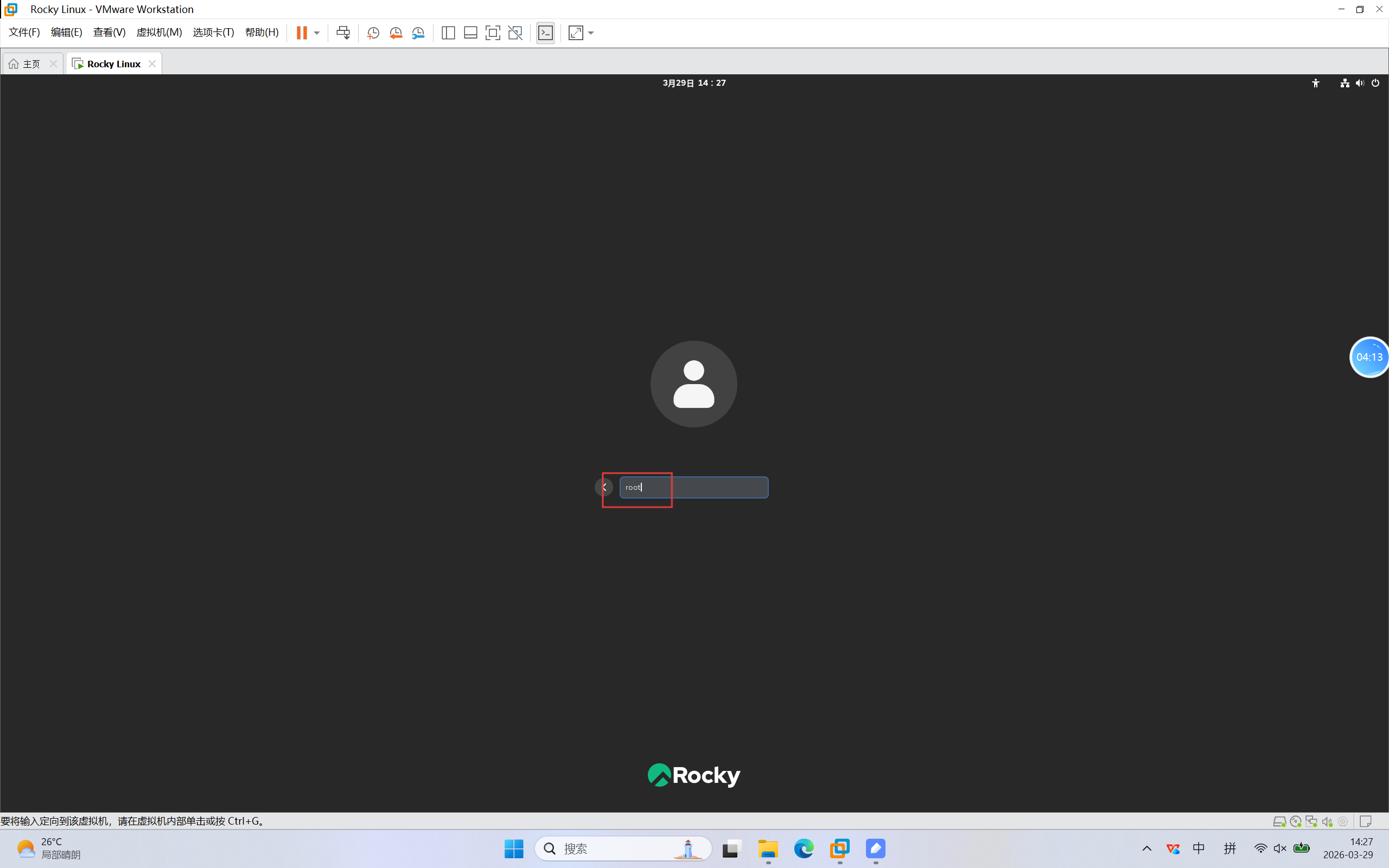
7.使用管理员账号,输入root
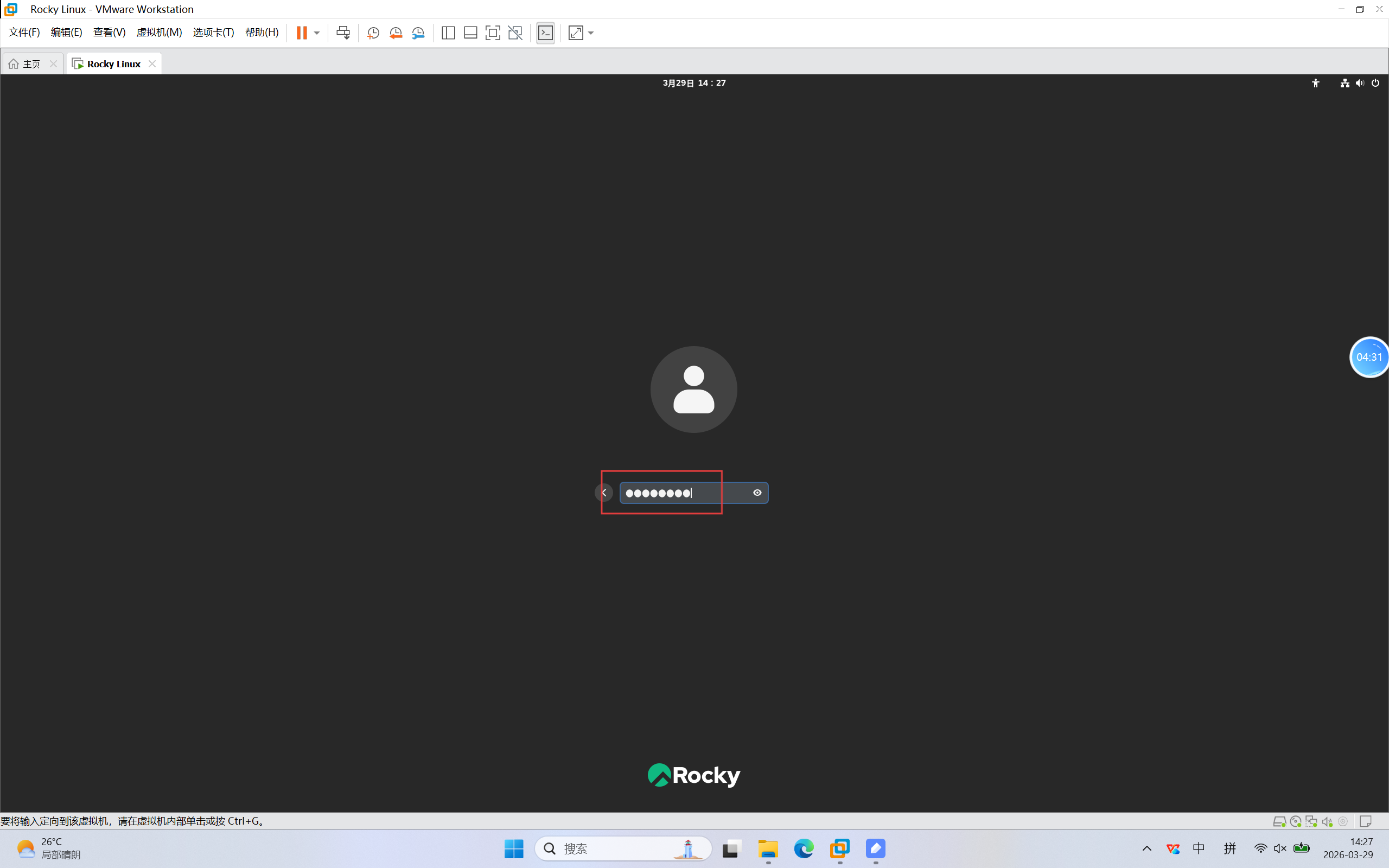
8.输入密码
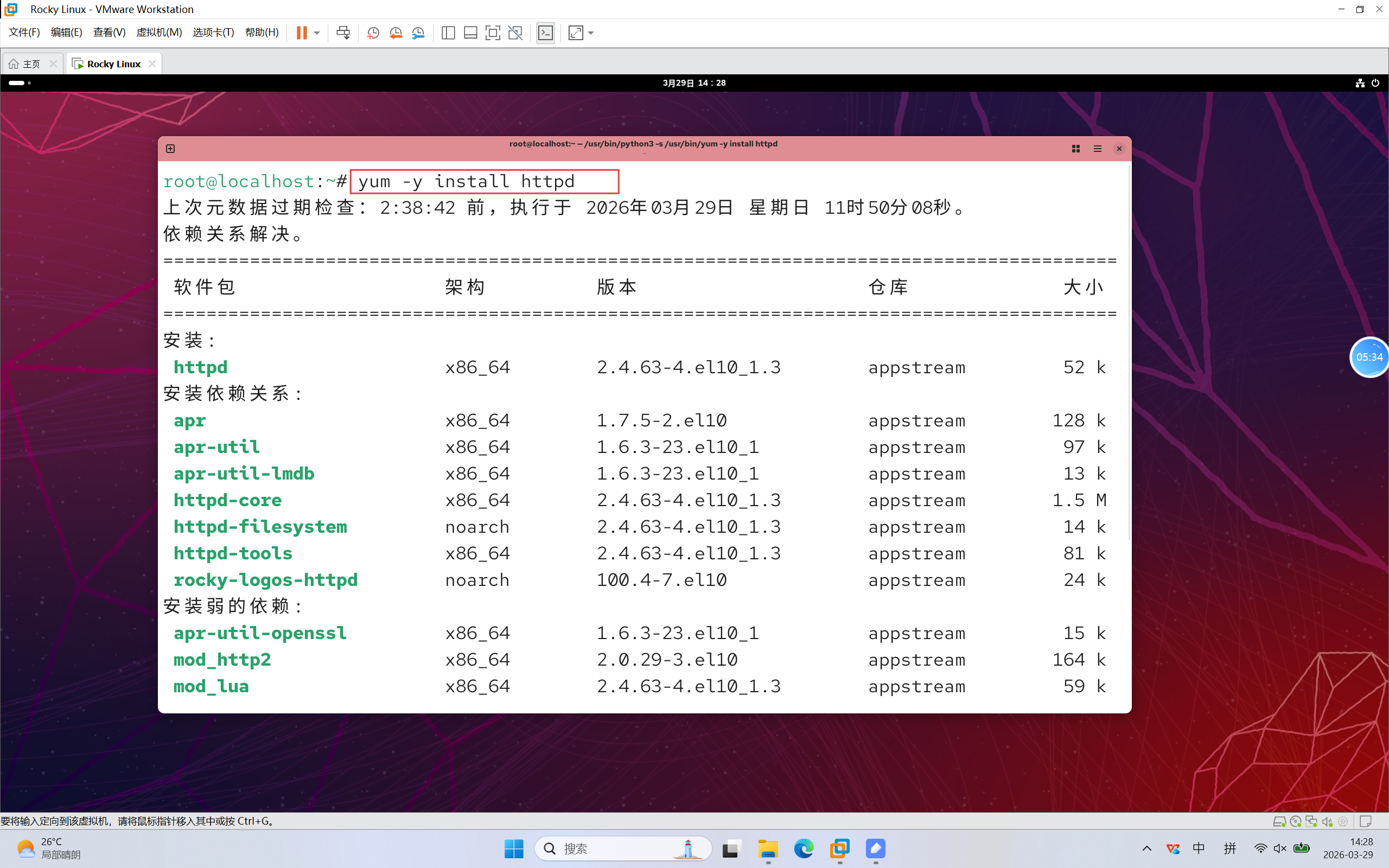
9.演示网页服务,yum安装http服务
- yum -y install --- 用于安装服务,-y是安装过程中默认确认
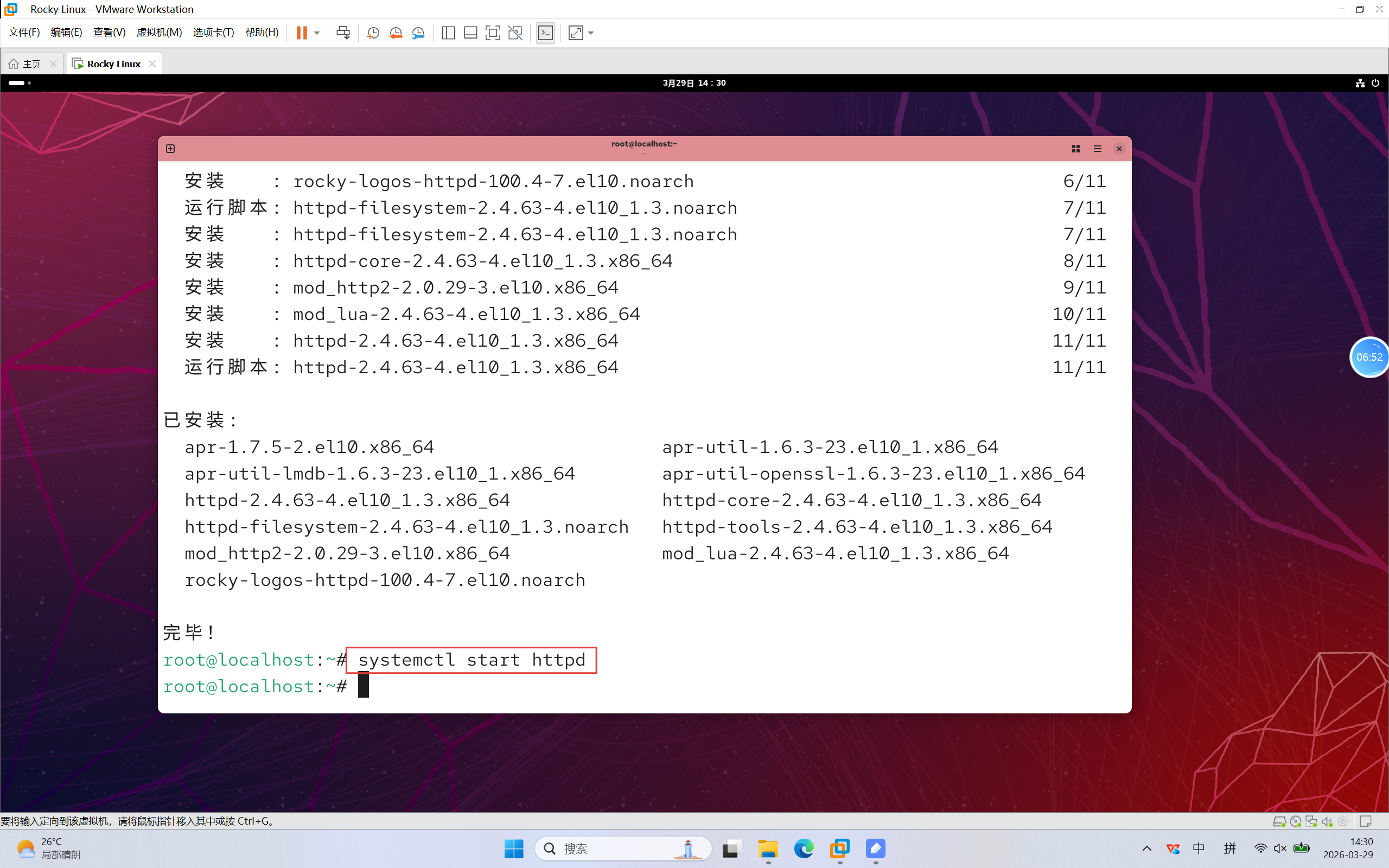
10.启动http服务
- systemctl start --- 启动服务
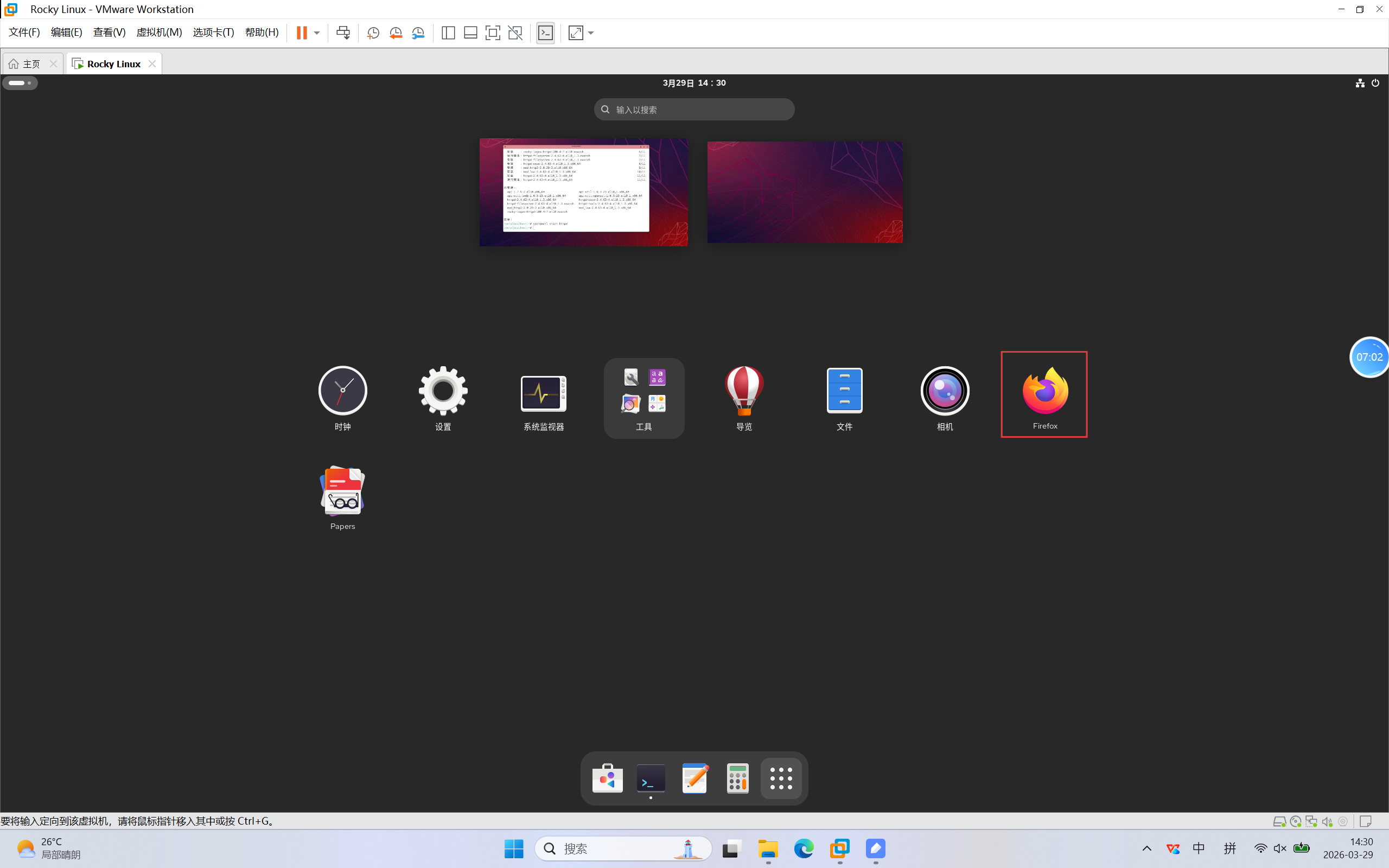
11.打开火狐浏览器
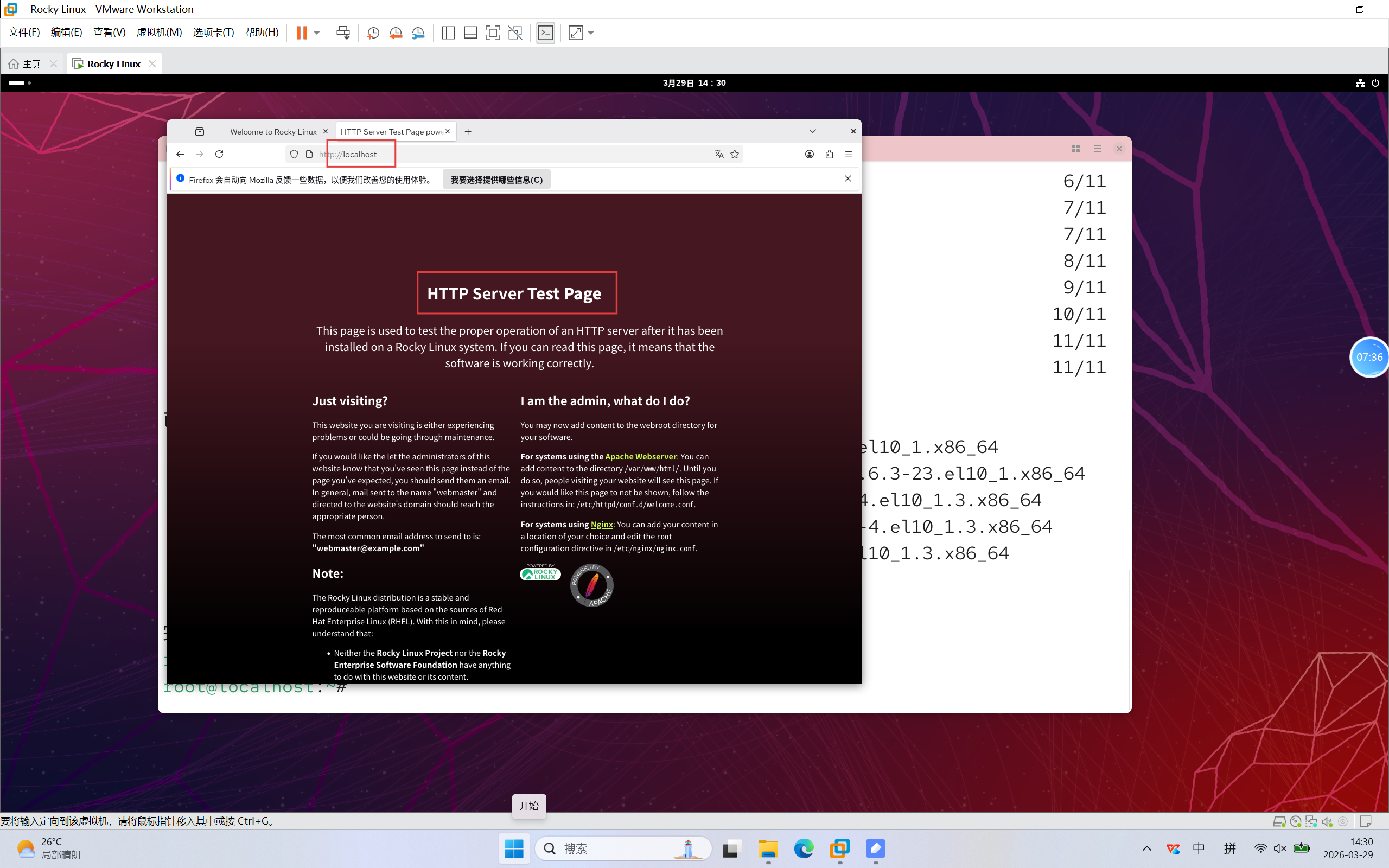
12.访问本地localhost,可以看到服务打开
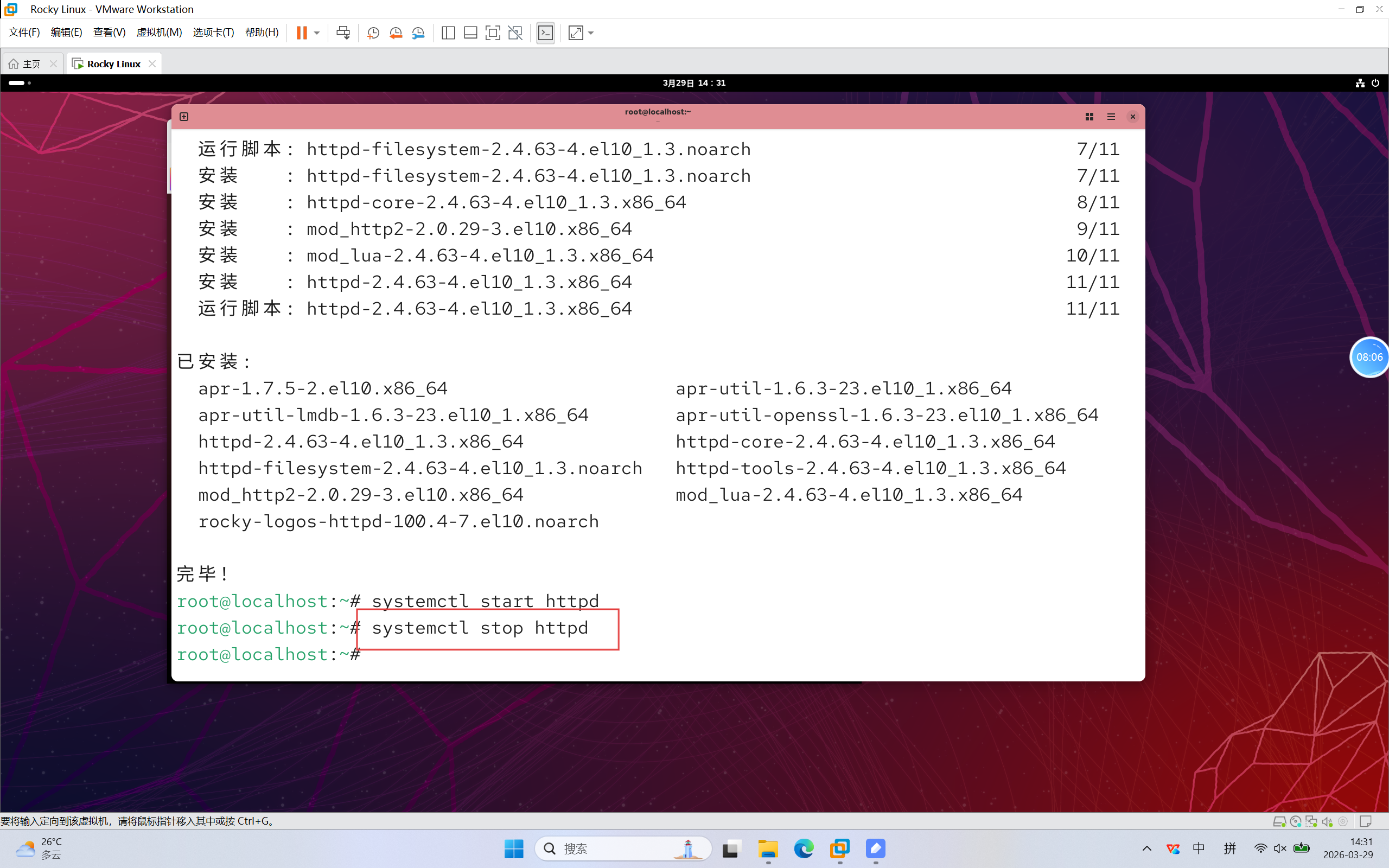
13.关闭http服务
- systemctl stop --- 关闭服务
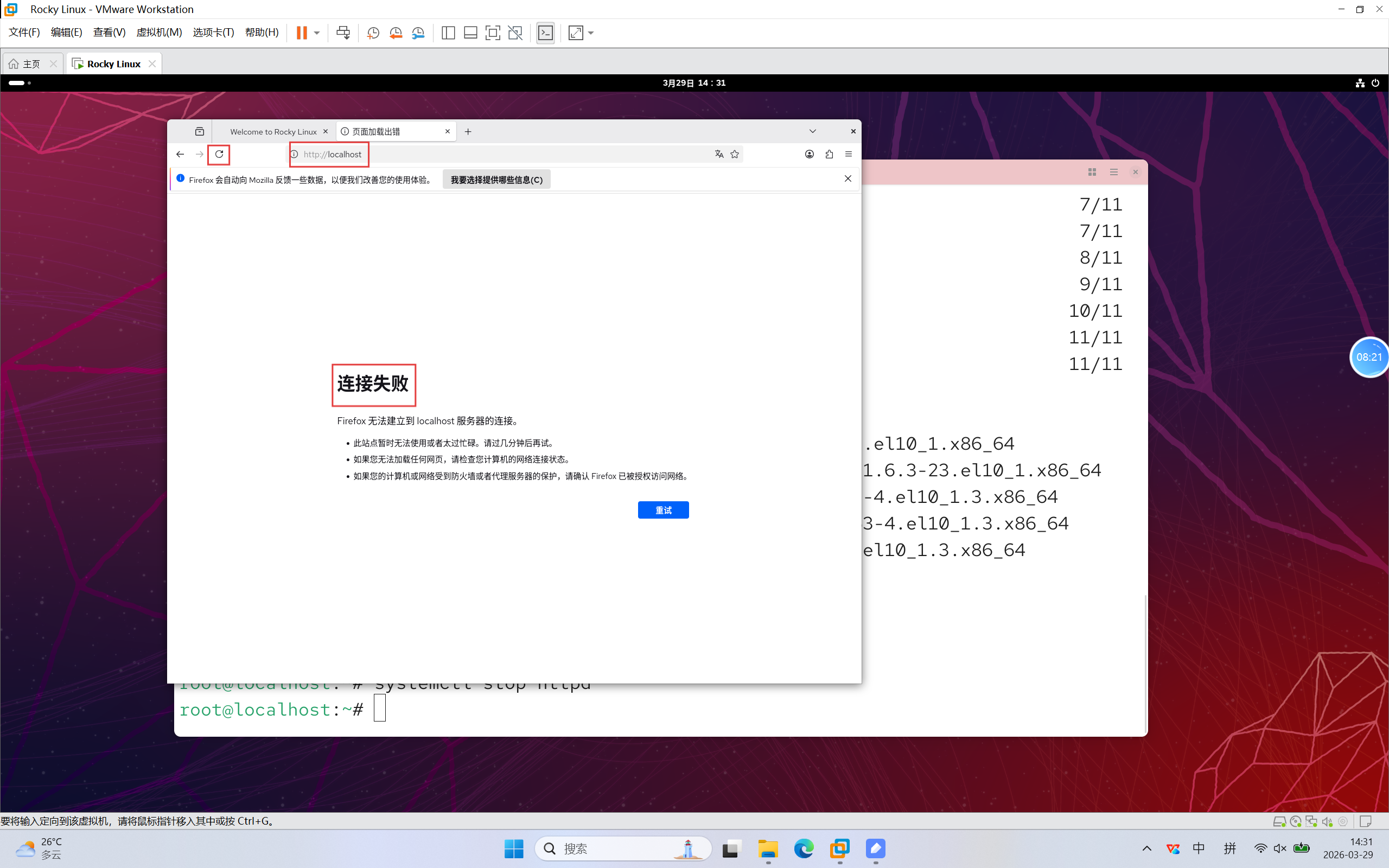
14.刷新可以看到连接失败
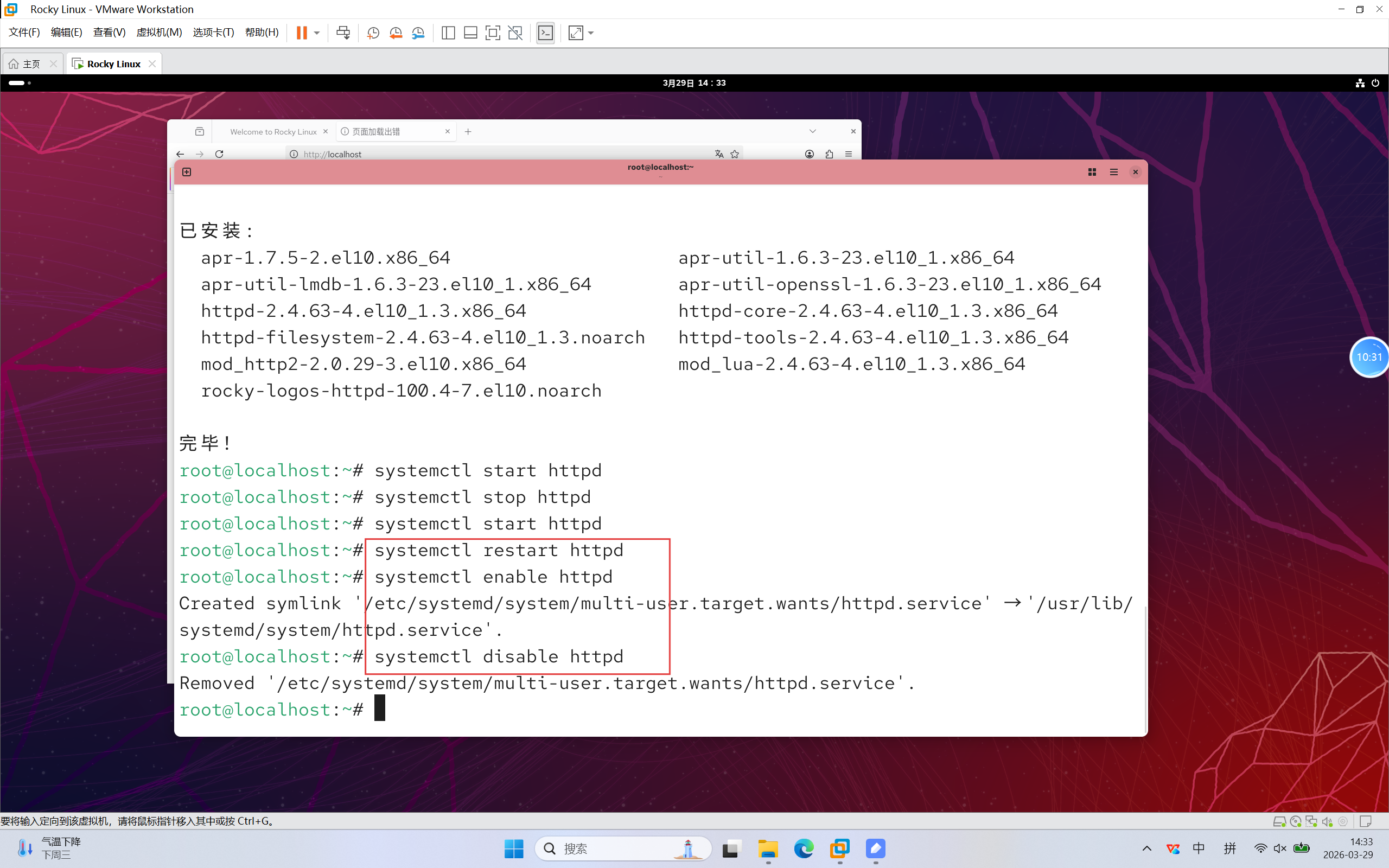
15.熟悉命令
- systemctl restart --- 重启服务,常用于修改了服务参数后重启
- systemctl enable --- 开启服务开机自启
- systemctl disable --- 关闭服务开机自启
16.打开文本编辑器
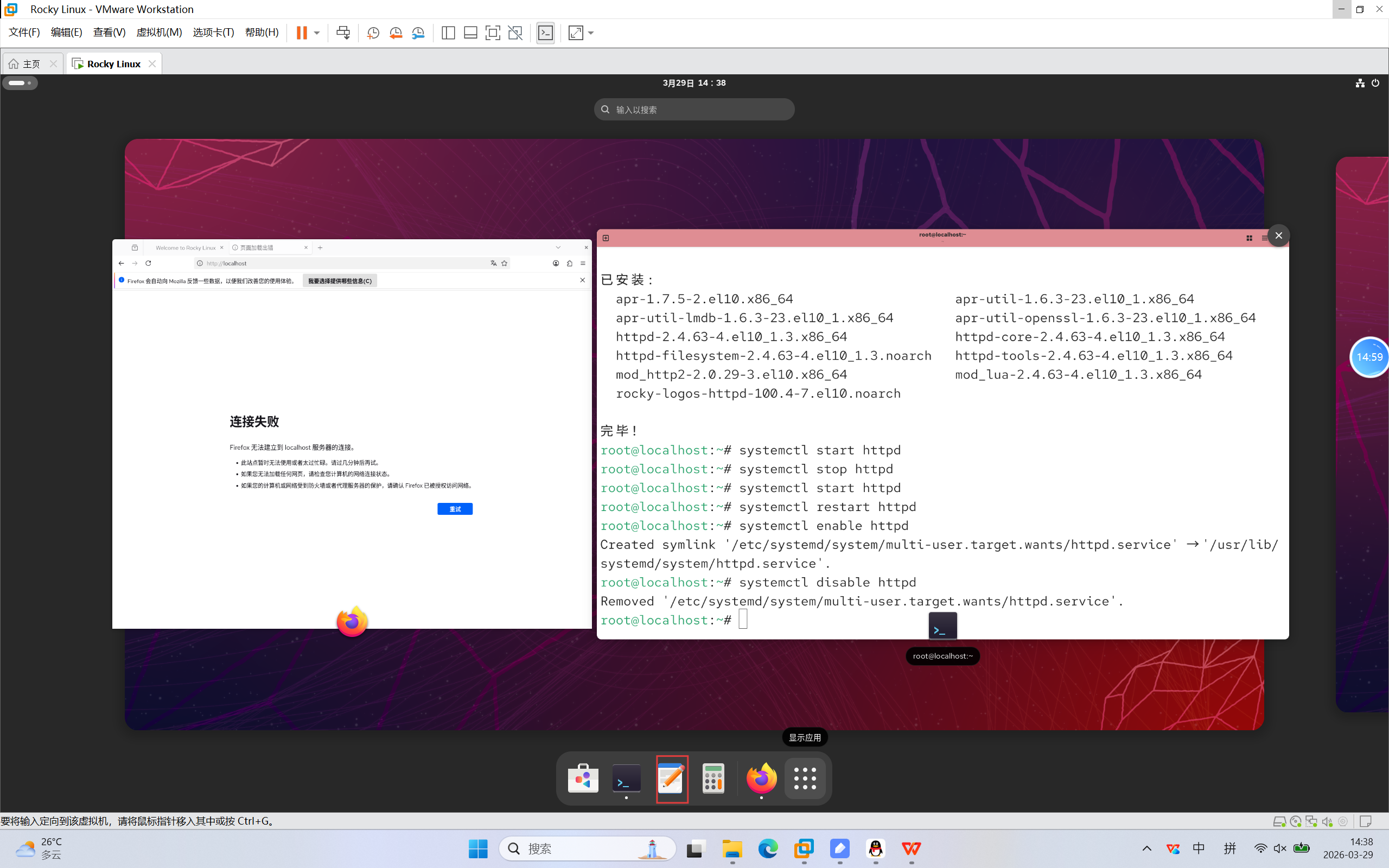
17.将以下贪吃蛇代码复制到文本中,并且保存
bash
<!DOCTYPE html>
<html lang="zh-CN">
<head>
    <meta charset="UTF-8">
    <meta name="viewport" content="width=device-width, initial-scale=1.0">
    <title>经典贪吃蛇</title>
    <style>
        * {
            margin: 0;
            padding: 0;
            box-sizing: border-box;
            font-family: 'Arial', sans-serif;
        }

        body {
            background: linear-gradient(135deg, #1a2a6c 0%, #b21f1f 50%, #1a2a6c 100%);
            min-height: 100vh;
            display: flex;
            flex-direction: column;
            align-items: center;
            justify-content: center;
            color: #fff;
            padding: 20px;
        }

        .game-container {
            background: rgba(0, 0, 0, 0.7);
            backdrop-filter: blur(8px);
            border-radius: 16px;
            padding: 20px;
            box-shadow: 0 8px 32px rgba(0, 0, 0, 0.3);
            text-align: center;
        }

        .game-header {
            display: flex;
            justify-content: space-between;
            align-items: center;
            margin-bottom: 20px;
            gap: 30px;
        }

        .info-panel {
            background: rgba(255, 255, 255, 0.1);
            padding: 10px 20px;
            border-radius: 8px;
            min-width: 100px;
        }

        .info-panel h3 {
            font-size: 16px;
            margin-bottom: 5px;
            opacity: 0.8;
        }

        #score, #speed {
            font-size: 24px;
            font-weight: bold;
            color: #ffd700;
        }

        .btn {
            background: #ff6b6b;
            color: #fff;
            border: none;
            padding: 10px 20px;
            border-radius: 8px;
            font-size: 16px;
            cursor: pointer;
            transition: all 0.3s ease;
        }

        .btn:hover {
            background: #ff4949;
            transform: translateY(-2px);
        }

        /* 游戏网格 */
        .game-grid {
            display: grid;
            grid-template-columns: repeat(20, 1fr);
            gap: 1px;
            background: #333;
            border: 2px solid #fff;
            border-radius: 8px;
            overflow: hidden;
        }

        .grid-cell {
            width: 20px;
            height: 20px;
            background: #111;
        }

        .grid-cell.snake {
            background: #00ff00;
            border-radius: 3px;
        }

        .grid-cell.food {
            background: #ff0000;
            border-radius: 50%;
        }

        /* 游戏结束弹窗 */
        .game-over {
            position: fixed;
            top: 0;
            left: 0;
            width: 100%;
            height: 100%;
            background: rgba(0, 0, 0, 0.85);
            display: flex;
            flex-direction: column;
            align-items: center;
            justify-content: center;
            z-index: 100;
            display: none;
        }

        .game-over h2 {
            font-size: 48px;
            margin-bottom: 20px;
            color: #ff6b6b;
            text-shadow: 0 0 10px rgba(255, 107, 107, 0.5);
        }

        .game-over p {
            font-size: 28px;
            margin-bottom: 30px;
        }

        .game-over .btn {
            font-size: 18px;
            padding: 12px 24px;
        }

        /* 响应式调整 */
        @media (max-width: 500px) {
            .grid-cell {
                width: 15px;
                height: 15px;
            }
            .game-header {
                flex-direction: column;
                gap: 10px;
            }
            .game-over h2 {
                font-size: 36px;
            }
            .game-over p {
                font-size: 24px;
            }
        }
    </style>
</head>
<body>
    <div class="game-container">
        <div class="game-header">
            <div class="info-panel">
                <h3>得分</h3>
                <p id="score">0</p>
            </div>
            <div class="info-panel">
                <h3>速度</h3>
                <p id="speed">1</p>
            </div>
            <button class="btn" id="restart-btn">重新开始</button>
        </div>
        <div class="game-grid" id="game-grid"></div>
    </div>

    <div class="game-over" id="game-over">
        <h2>游戏结束!</h2>
        <p>最终得分:<span id="final-score">0</span></p>
        <button class="btn" id="replay-btn">再来一局</button>
    </div>

    <script>
        // 游戏配置
        const config = {
            gridSize: 20,        // 网格尺寸(20x20)
            initialSpeed: 200,   // 初始移动间隔(毫秒)
            speedStep: 10,       // 每吃一次食物加速(毫秒)
            minSpeed: 80         // 最小移动间隔(最快速度)
        };

        // 游戏状态
        let gameState = {
            snake: [              // 蛇身(坐标数组,头部在前)
                { x: 10, y: 10 }  // 初始位置
            ],
            direction: 'right',   // 初始方向
            nextDirection: 'right',// 下一个方向(解决方向切换冲突)
            food: { x: 5, y: 5 }, // 食物位置
            score: 0,             // 得分
            speed: 1,             // 速度等级
            moveInterval: null,   // 移动定时器
            isPaused: false       // 是否暂停
        };

        // DOM 元素
        const gameGrid = document.getElementById('game-grid');
        const scoreEl = document.getElementById('score');
        const speedEl = document.getElementById('speed');
        const gameOverEl = document.getElementById('game-over');
        const finalScoreEl = document.getElementById('final-score');
        const restartBtn = document.getElementById('restart-btn');
        const replayBtn = document.getElementById('replay-btn');

        // 初始化游戏
        function initGame() {
            // 重置游戏状态
            gameState = {
                snake: [{ x: 10, y: 10 }],
                direction: 'right',
                nextDirection: 'right',
                food: generateFood(),
                score: 0,
                speed: 1,
                moveInterval: null,
                isPaused: false
            };

            // 更新 UI
            scoreEl.textContent = gameState.score;
            speedEl.textContent = gameState.speed;
            gameOverEl.style.display = 'none';

            // 创建网格
            createGrid();

            // 启动游戏
            startGame();

            // 绑定键盘事件
            bindKeyboardEvents();
        }

        // 创建游戏网格
        function createGrid() {
            gameGrid.innerHTML = '';
            gameGrid.style.gridTemplateColumns = `repeat(${config.gridSize}, 1fr)`;

            // 创建网格单元格
            for (let y = 0; y < config.gridSize; y++) {
                for (let x = 0; x < config.gridSize; x++) {
                    const cell = document.createElement('div');
                    cell.className = 'grid-cell';
                    cell.dataset.x = x;
                    cell.dataset.y = y;
                    gameGrid.appendChild(cell);
                }
            }

            // 渲染蛇和食物
            renderSnake();
            renderFood();
        }

        // 生成随机食物(不与蛇身重叠)
        function generateFood() {
            let food;
            do {
                food = {
                    x: Math.floor(Math.random() * config.gridSize),
                    y: Math.floor(Math.random() * config.gridSize)
                };
            } while (
                // 检查食物是否在蛇身上
                gameState.snake.some(segment => segment.x === food.x && segment.y === food.y)
            );
            return food;
        }

        // 渲染蛇
        function renderSnake() {
            // 清除之前的蛇
            document.querySelectorAll('.grid-cell.snake').forEach(cell => {
                cell.classList.remove('snake');
            });

            // 渲染新蛇身
            gameState.snake.forEach(segment => {
                const cell = document.querySelector(`.grid-cell[data-x="${segment.x}"][data-y="${segment.y}"]`);
                if (cell) cell.classList.add('snake');
            });
        }

        // 渲染食物
        function renderFood() {
            // 清除之前的食物
            document.querySelectorAll('.grid-cell.food').forEach(cell => {
                cell.classList.remove('food');
            });

            // 渲染新食物
            const cell = document.querySelector(`.grid-cell[data-x="${gameState.food.x}"][data-y="${gameState.food.y}"]`);
            if (cell) cell.classList.add('food');
        }

        // 移动蛇
        function moveSnake() {
            if (gameState.isPaused) return;

            // 更新方向(避免180度转弯)
            const directionMap = {
                up: { dx: 0, dy: -1, opposite: 'down' },
                down: { dx: 0, dy: 1, opposite: 'up' },
                left: { dx: -1, dy: 0, opposite: 'right' },
                right: { dx: 1, dy: 0, opposite: 'left' }
            };

            // 确保不能反向移动
            if (gameState.nextDirection !== directionMap[gameState.direction].opposite) {
                gameState.direction = gameState.nextDirection;
            }

            const { dx, dy } = directionMap[gameState.direction];
            const head = { x: gameState.snake[0].x + dx, y: gameState.snake[0].y + dy };

            // 检查碰撞(边界或自身)
            if (
                head.x < 0 || head.x >= config.gridSize || // 边界碰撞
                head.y < 0 || head.y >= config.gridSize ||
                gameState.snake.some(segment => segment.x === head.x && segment.y === head.y) // 自身碰撞
            ) {
                gameOver();
                return;
            }

            // 添加新头部
            gameState.snake.unshift(head);

            // 检查是否吃到食物
            if (head.x === gameState.food.x && head.y === gameState.food.y) {
                // 加分
                gameState.score += 10;
                scoreEl.textContent = gameState.score;

                // 加速
                gameState.speed++;
                speedEl.textContent = gameState.speed;
                restartMoveInterval();

                // 生成新食物
                gameState.food = generateFood();
                renderFood();
            } else {
                // 没吃到食物,移除尾部
                gameState.snake.pop();
            }

            // 重新渲染蛇
            renderSnake();
        }

        // 启动游戏(设置移动定时器)
        function startGame() {
            // 清除之前的定时器
            if (gameState.moveInterval) {
                clearInterval(gameState.moveInterval);
            }

            // 计算当前速度(初始速度 - 加速步数 * 速度步长,不低于最小速度)
            const currentSpeed = Math.max(
                config.initialSpeed - (gameState.speed - 1) * config.speedStep,
                config.minSpeed
            );

            // 设置新定时器
            gameState.moveInterval = setInterval(moveSnake, currentSpeed);
        }

        // 重启移动定时器(加速时调用)
        function restartMoveInterval() {
            startGame();
        }

        // 游戏结束
        function gameOver() {
            clearInterval(gameState.moveInterval);
            finalScoreEl.textContent = gameState.score;
            gameOverEl.style.display = 'flex';
        }

        // 绑定键盘事件
        function bindKeyboardEvents() {
            document.addEventListener('keydown', (e) => {
                switch (e.key) {
                    case 'ArrowUp':
                        gameState.nextDirection = 'up';
                        break;
                    case 'ArrowDown':
                        gameState.nextDirection = 'down';
                        break;
                    case 'ArrowLeft':
                        gameState.nextDirection = 'left';
                        break;
                    case 'ArrowRight':
                        gameState.nextDirection = 'right';
                        break;
                    case ' ': // 空格键暂停/继续
                        gameState.isPaused = !gameState.isPaused;
                        break;
                }
            });
        }

        // 绑定按钮事件
        restartBtn.addEventListener('click', initGame);
        replayBtn.addEventListener('click', initGame);

        // 初始化游戏
        window.addEventListener('load', initGame);
    </script>
</body>
</html>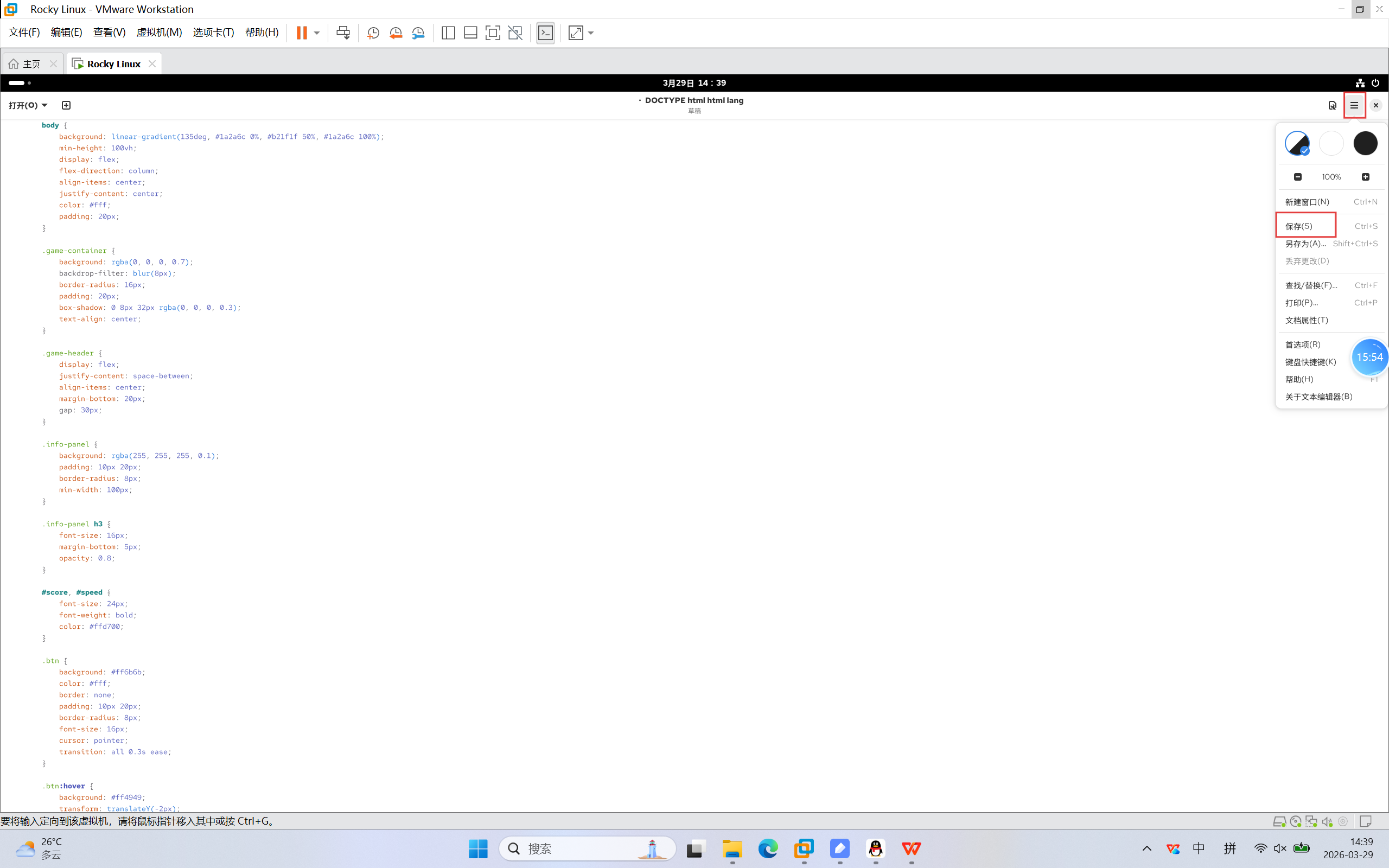
18.点击如下目录
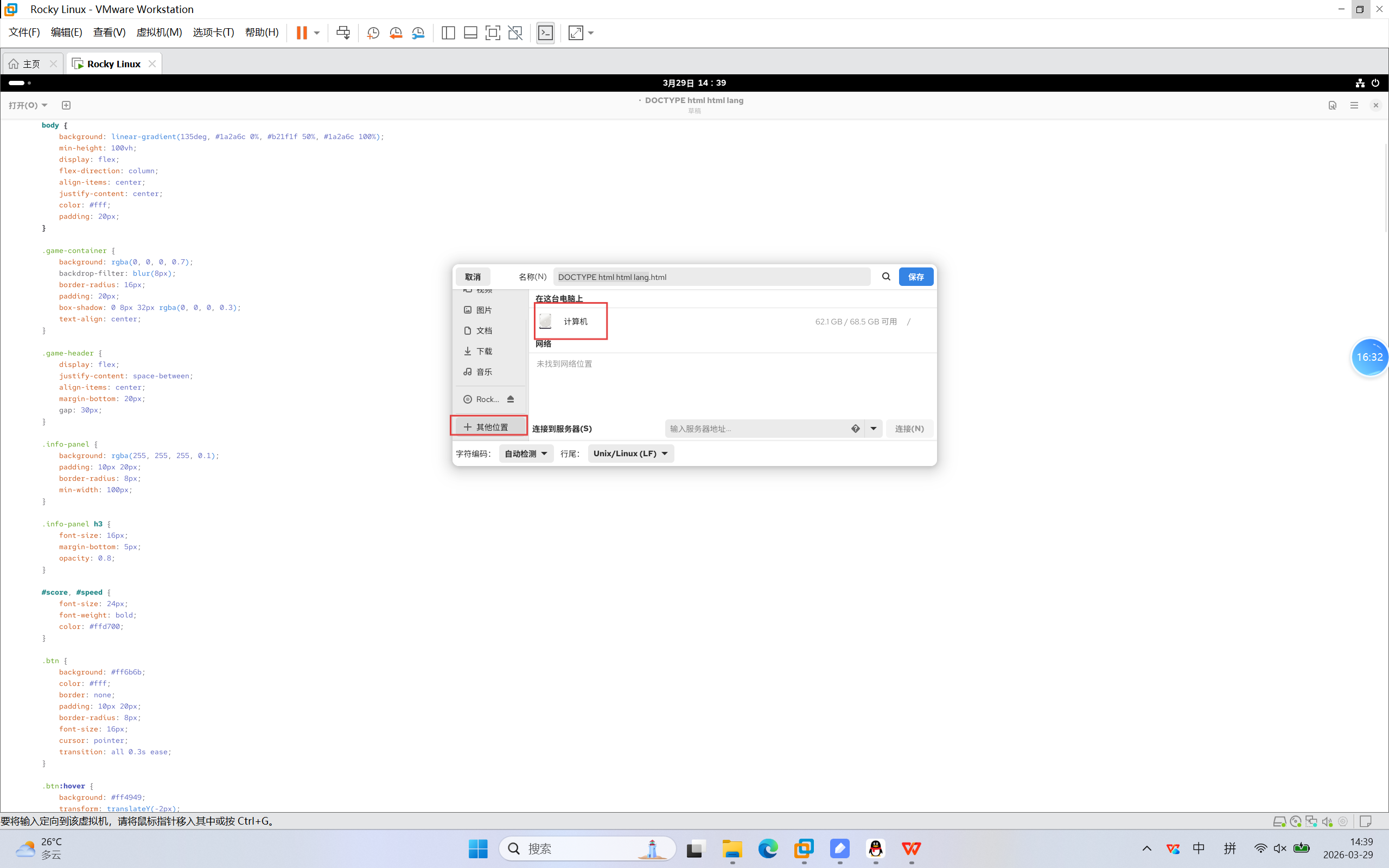
19.点击如下目录
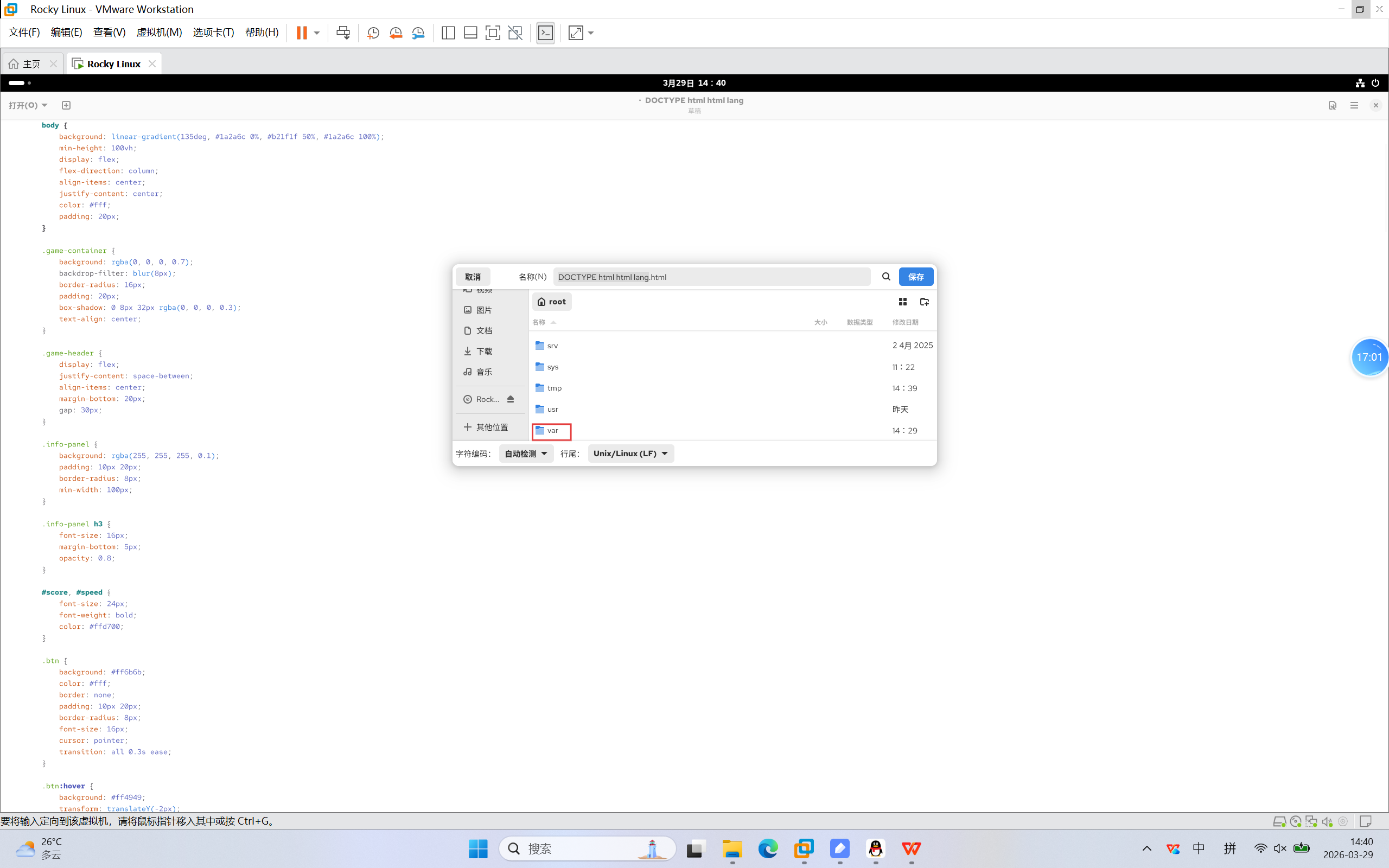
20.点击如下目录
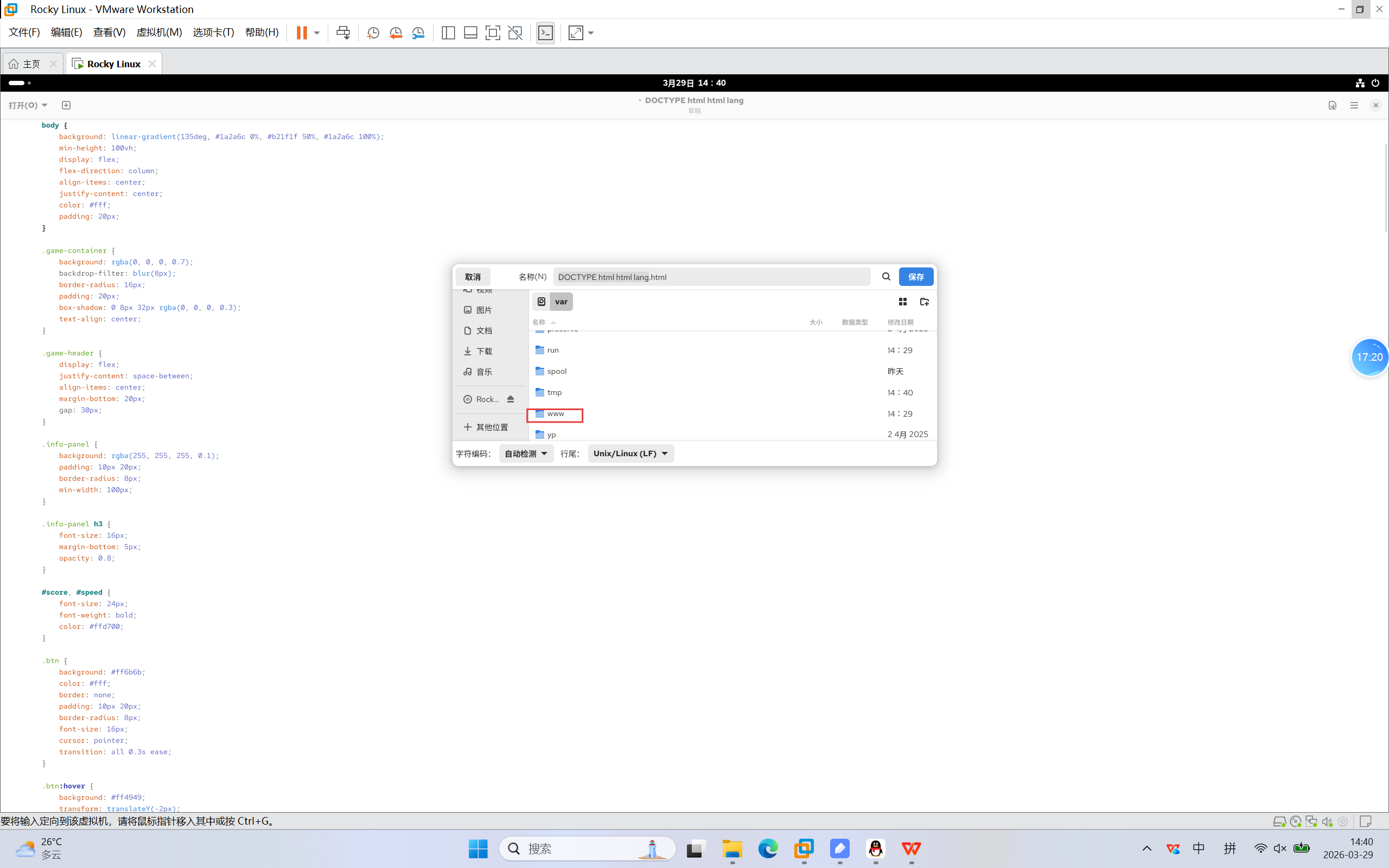
21.点击如下目录
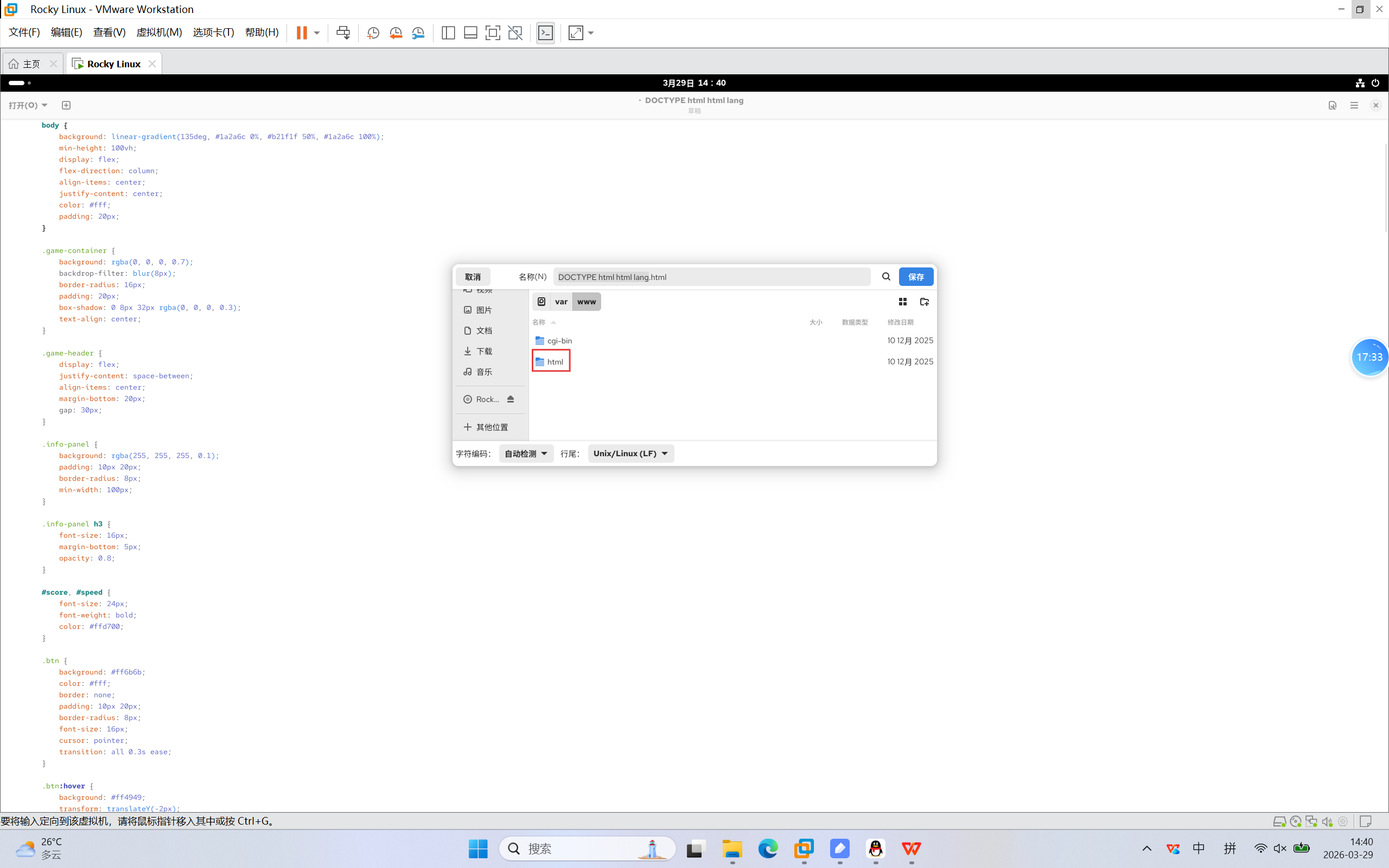
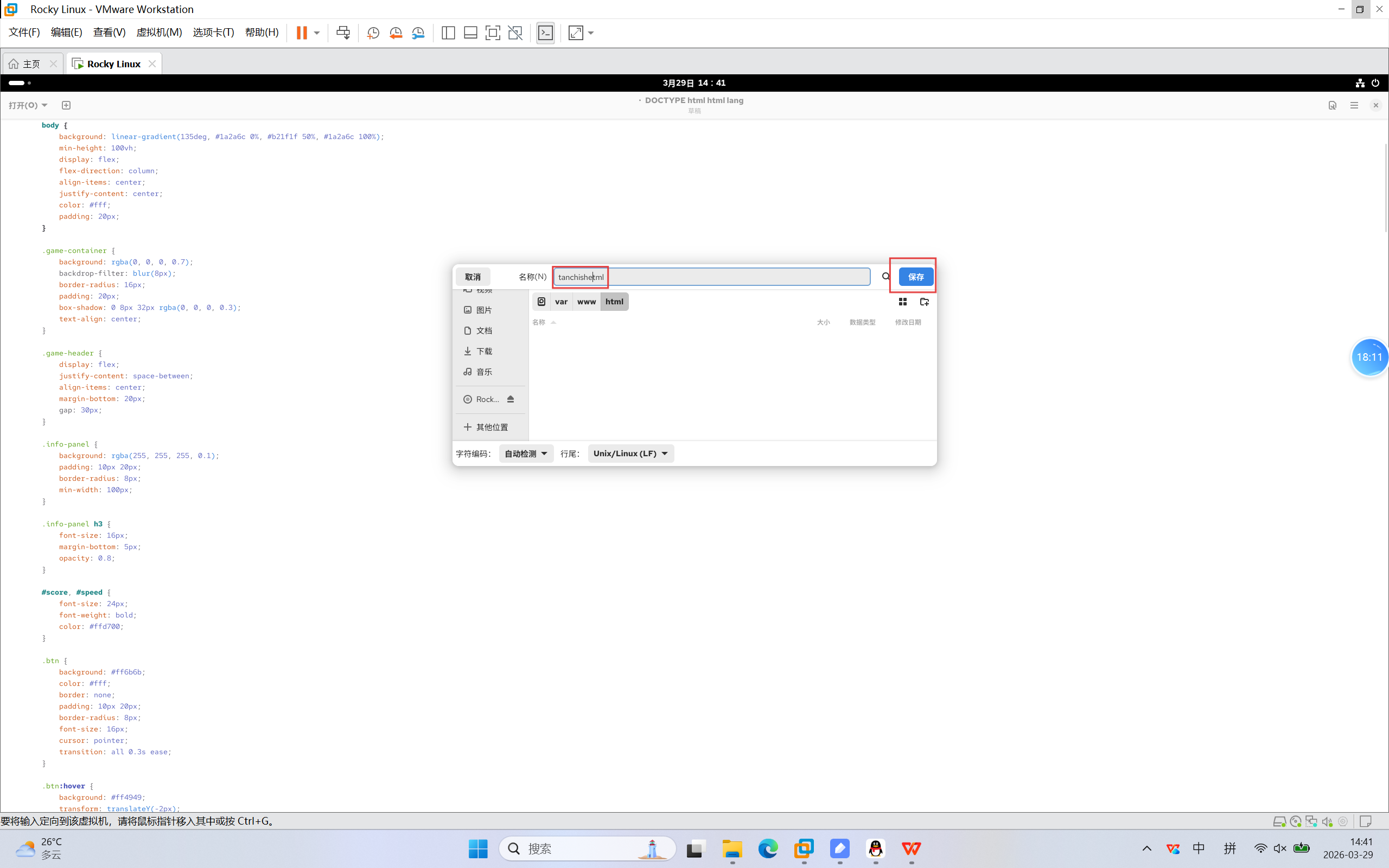
22.修改名称并保存
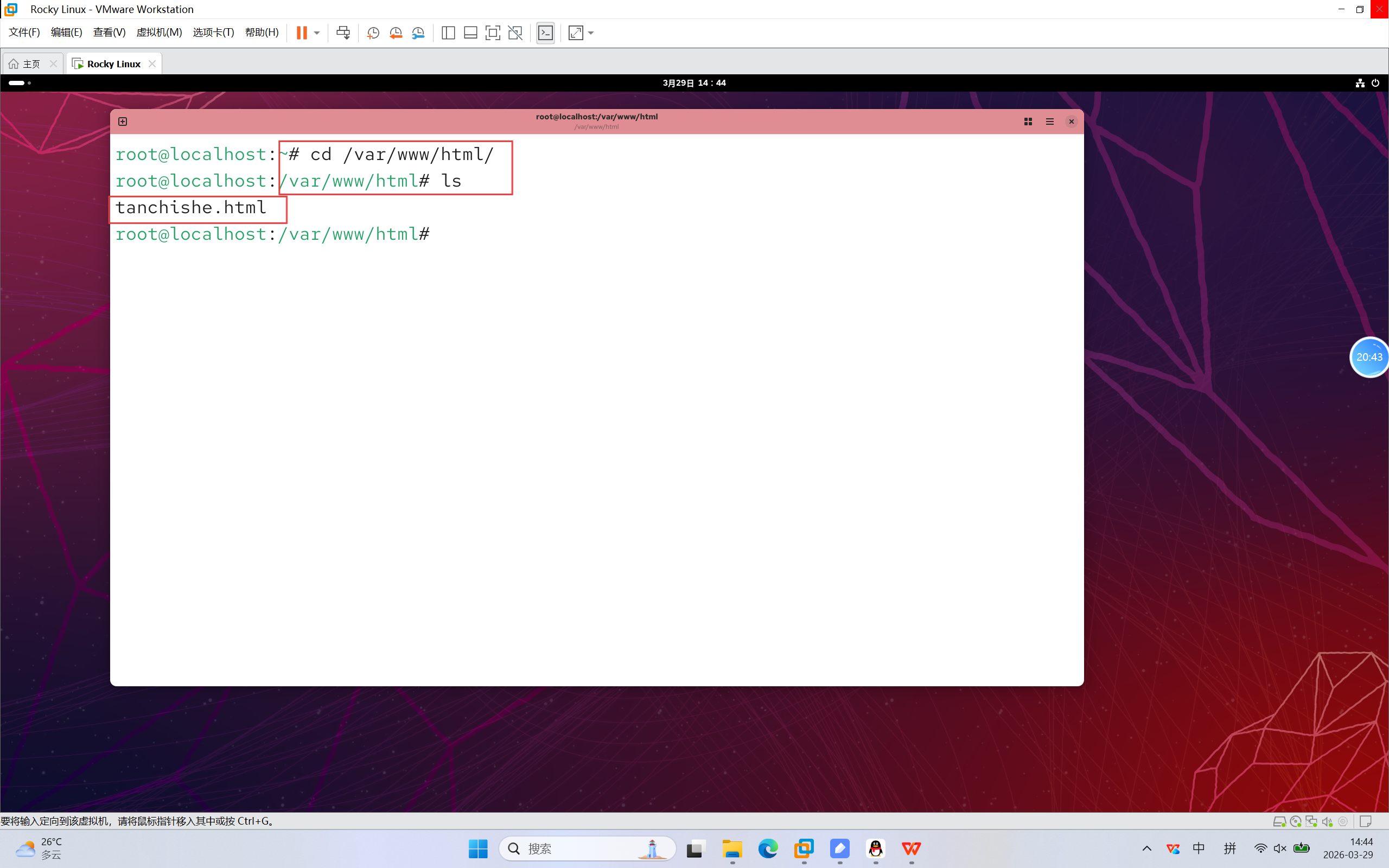
23.进入到对应目录,确认文件已经保存
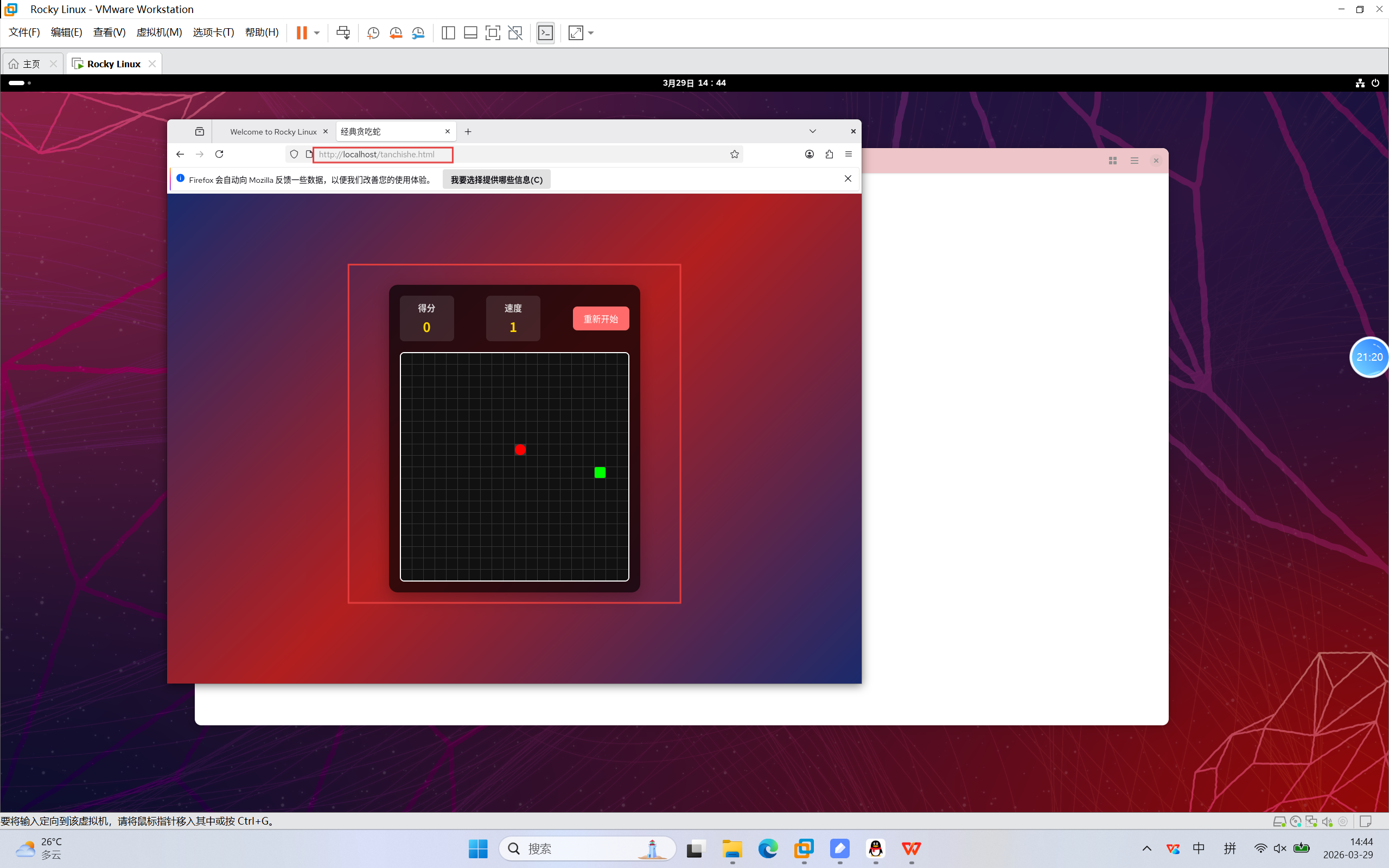
24.访问以下URL贪吃蛇成功运行
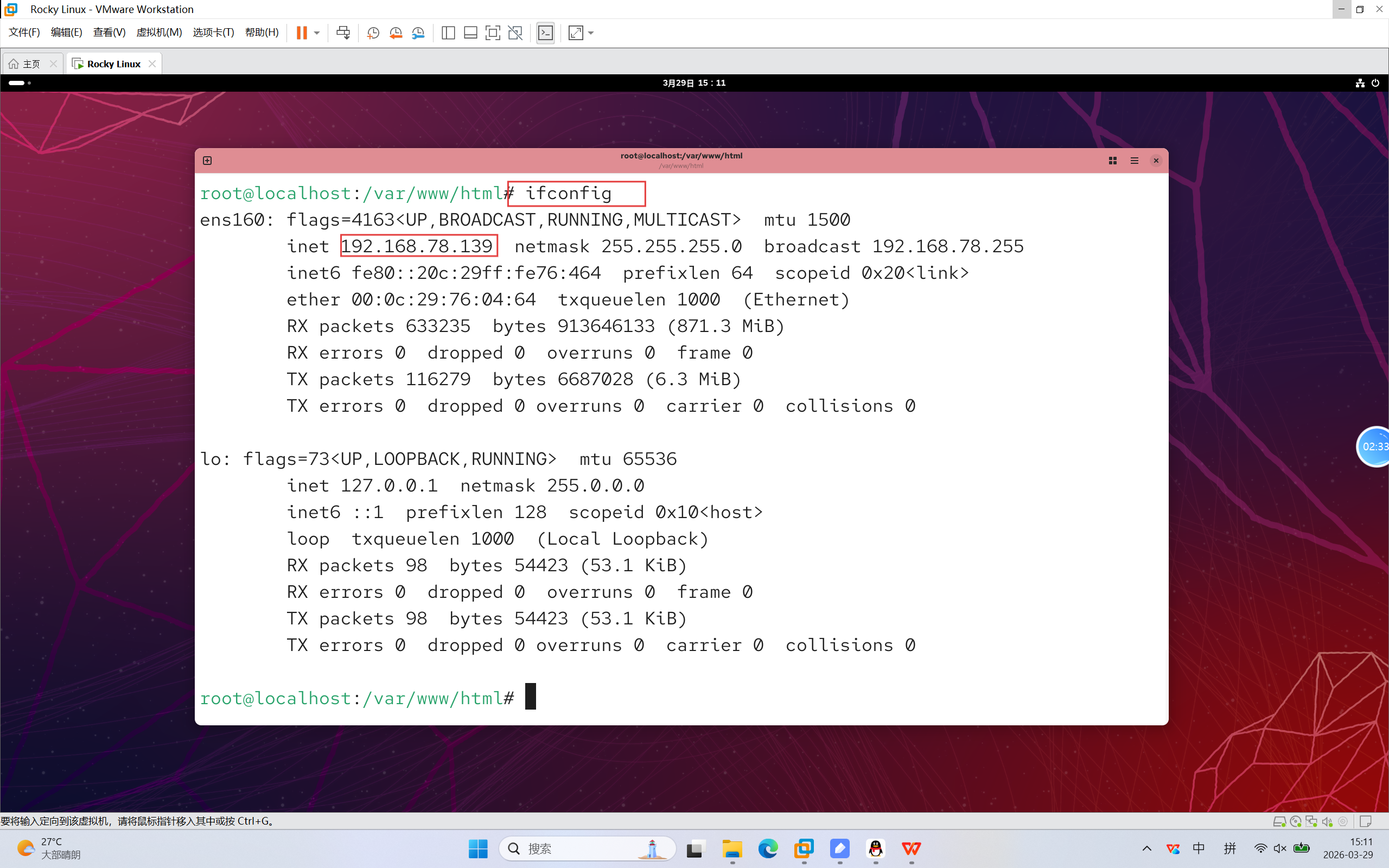
25.查看rocky linux的内网ip
- ifconfig --- 查看ip信息
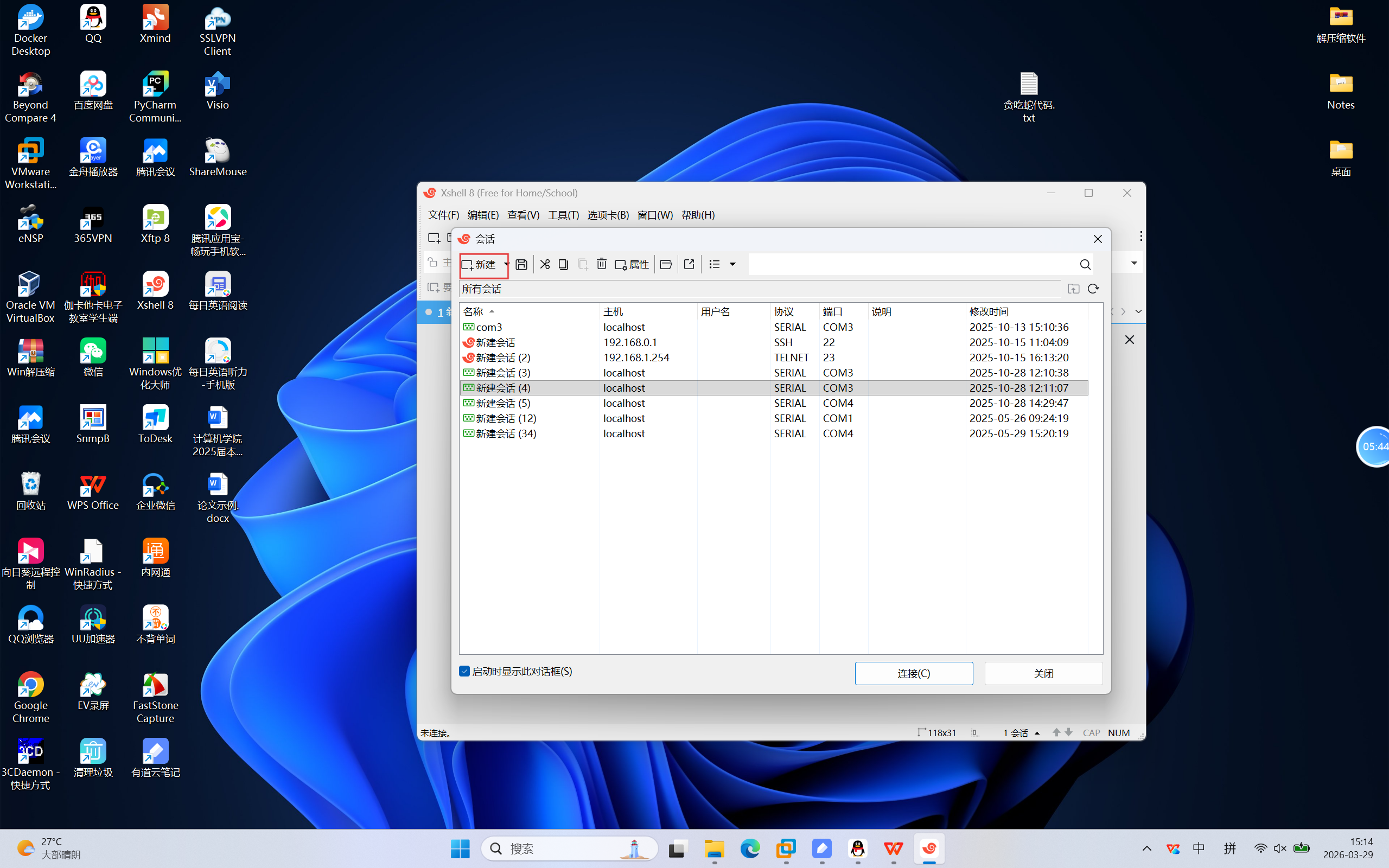
26.使用xshell访问Rocky_Linux虚拟机
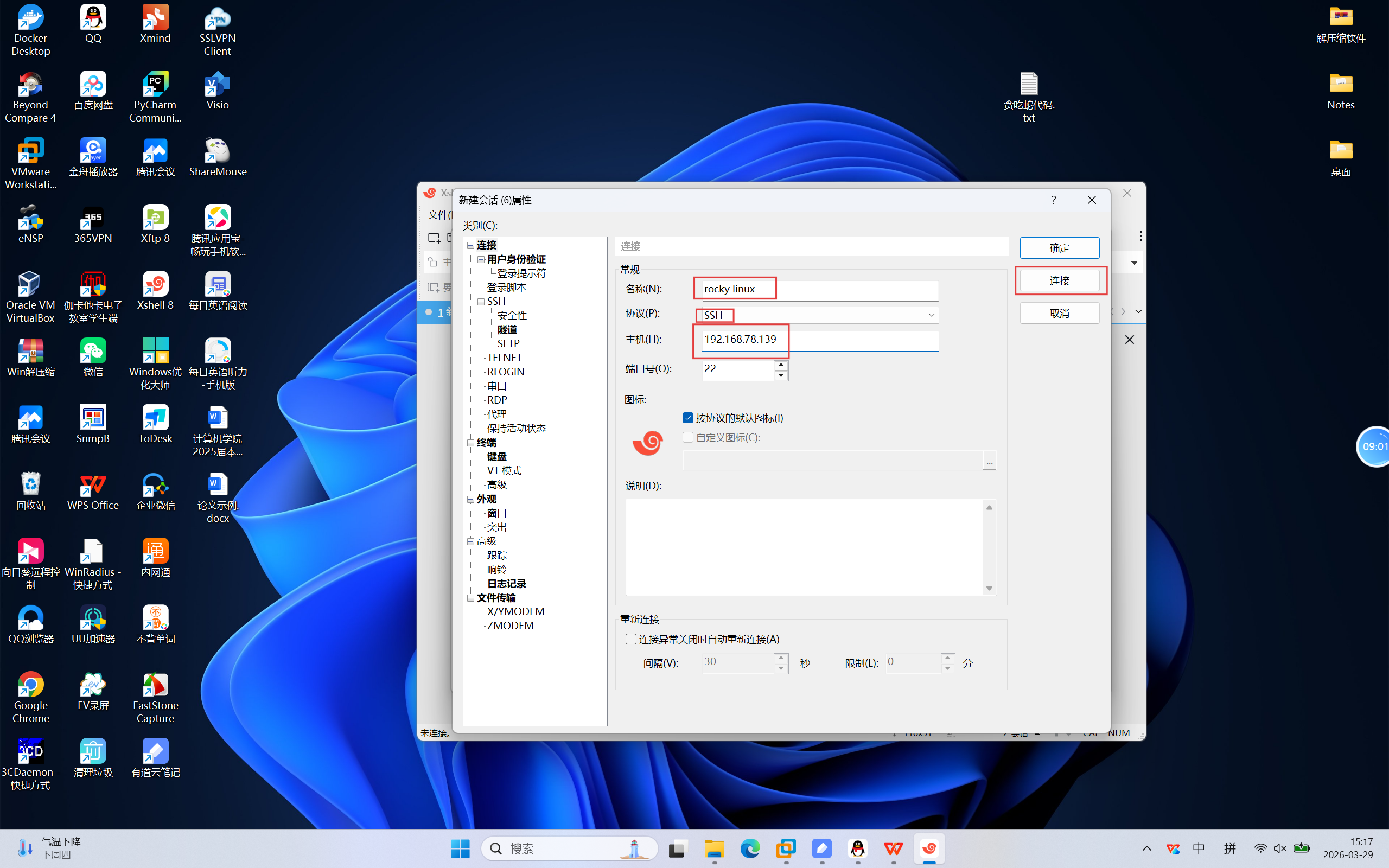
27.填写如图信息并连接
28.接受并保存
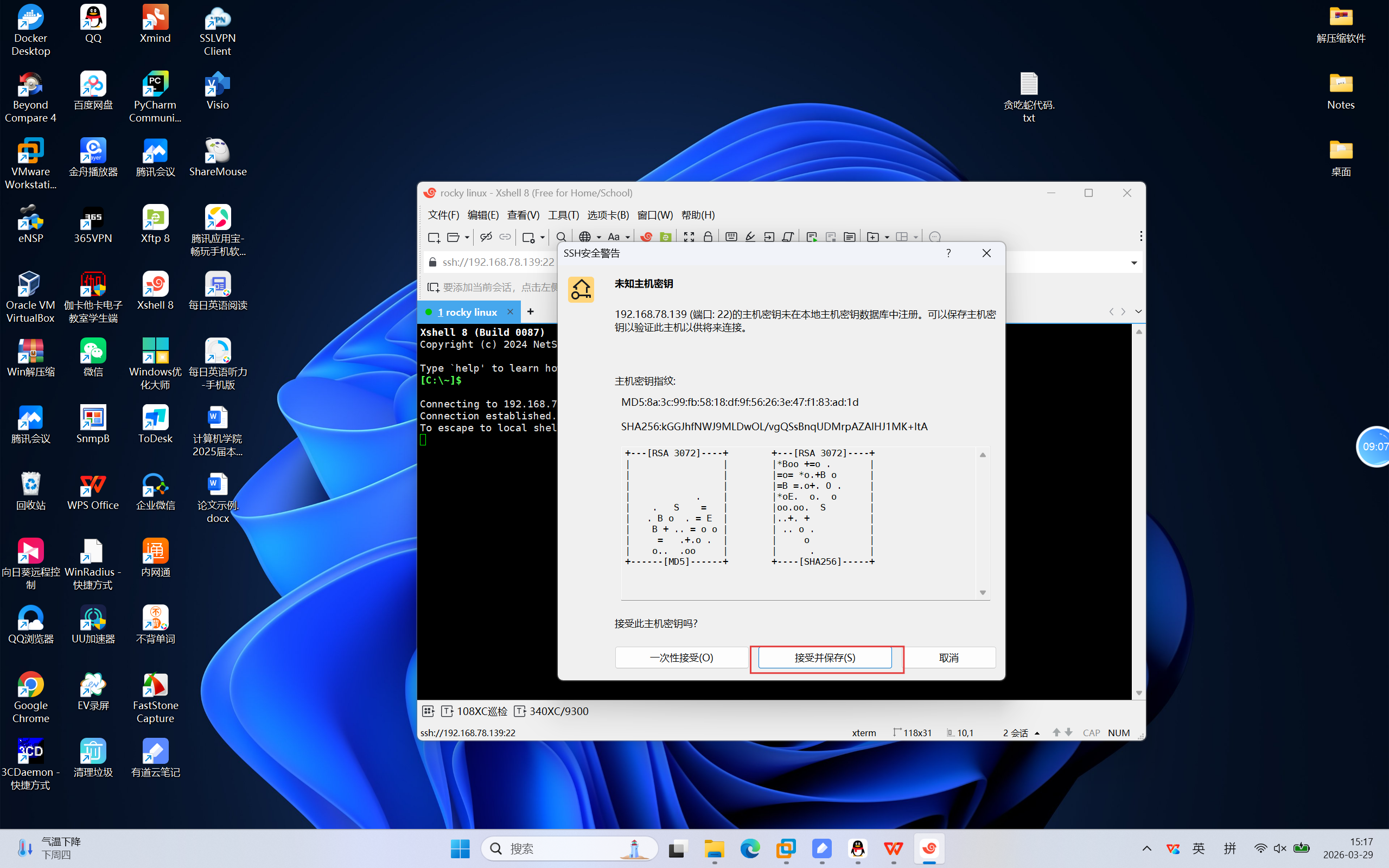
29.输入用户名
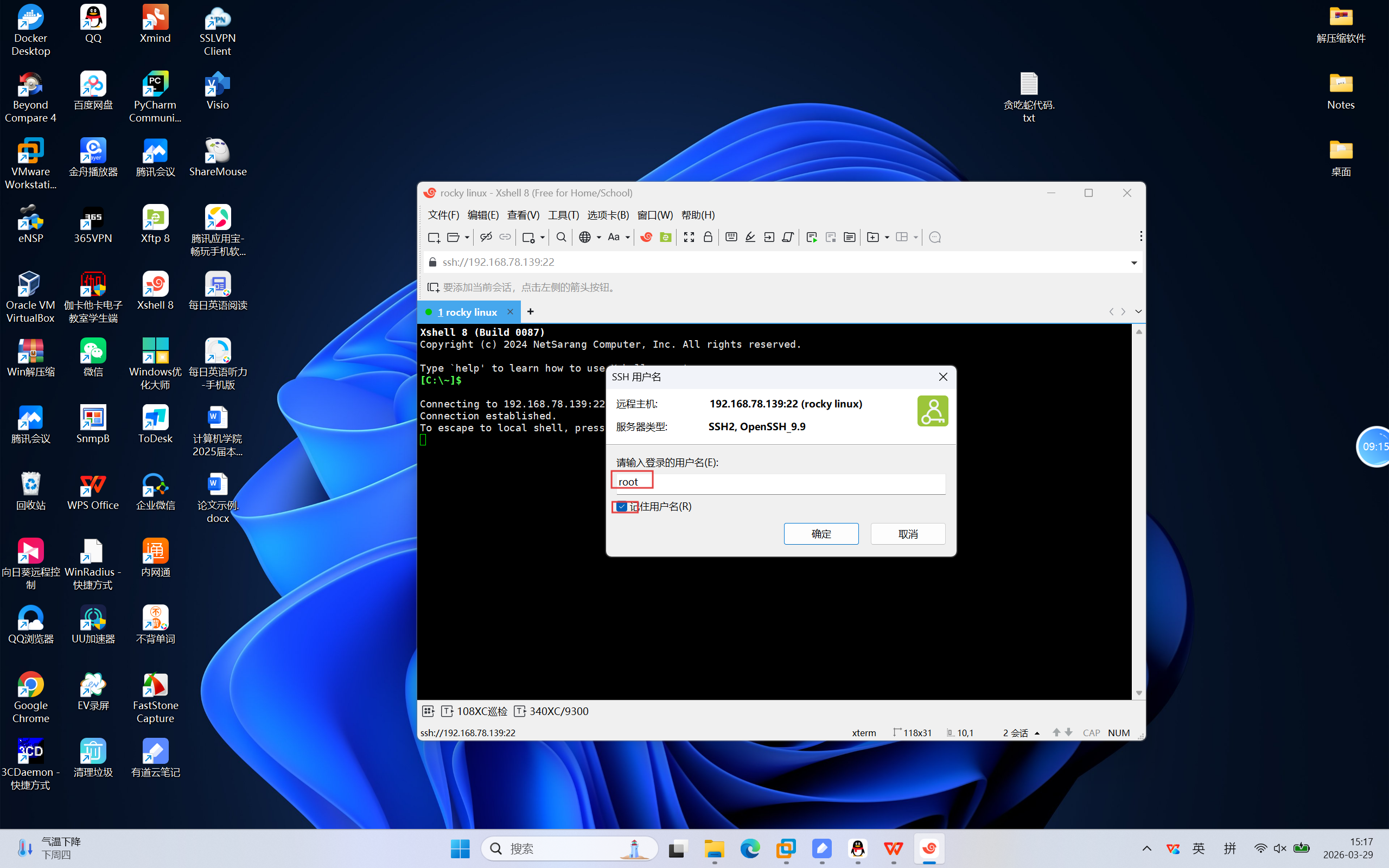
30.输入密码
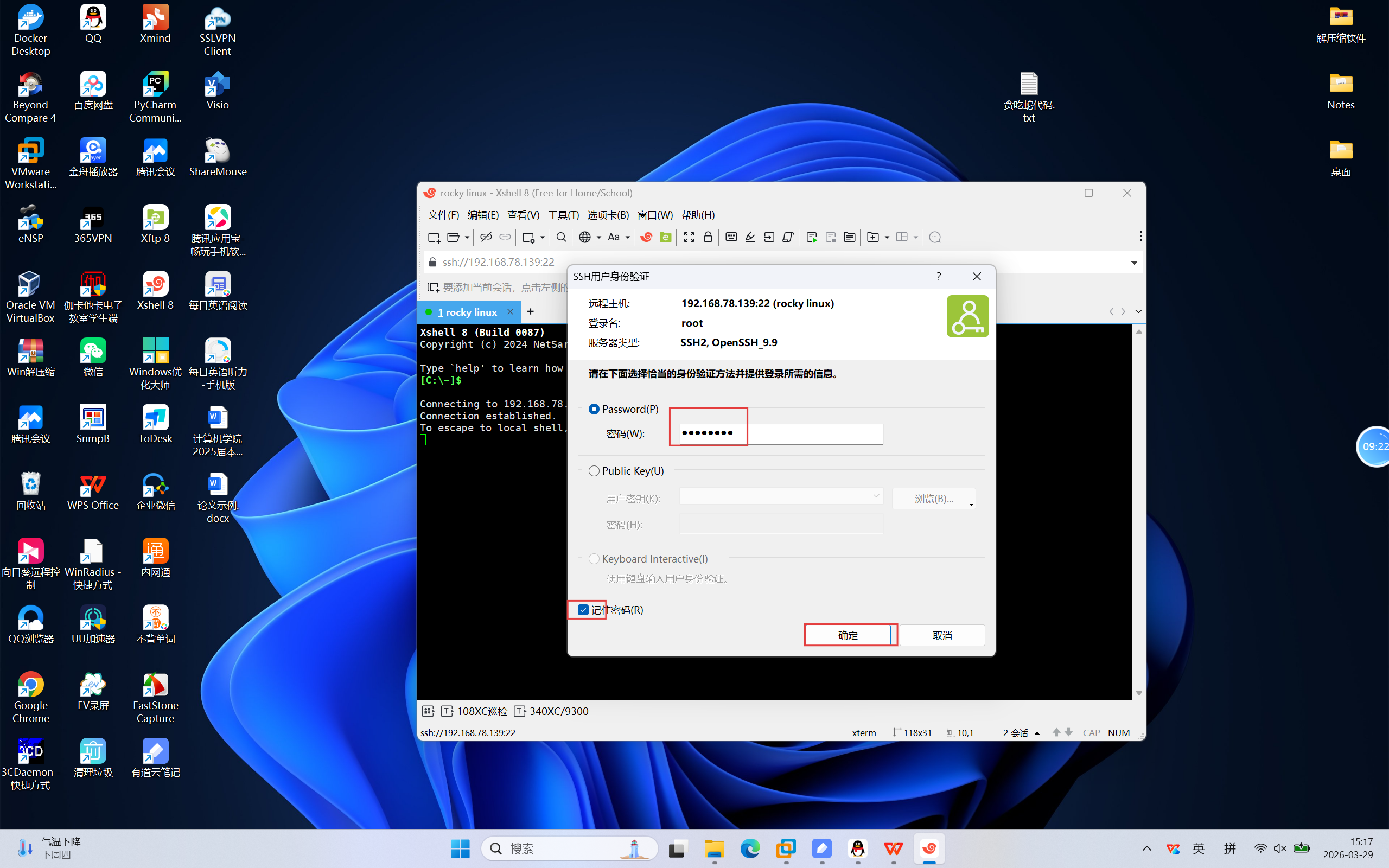
31.可以看到成功连接到rocky linux