目录
前端
动态表格的Vue-DynamicTable.Vue
html
<template>
	<!-- 动态查询和动态表格 -->
	<!-- 10px 20px 20px -->
	<div class="dynamic-table" style="padding: ;">
		<!-- 面包屑 -->
		<el-breadcrumb separator="/">
			<el-breadcrumb-item :to="{ path: '/admin' }">首页</el-breadcrumb-item>
			<el-breadcrumb-item>数据查询</el-breadcrumb-item>
			<el-breadcrumb-item>{{config.description}}</el-breadcrumb-item>
		</el-breadcrumb>

		<!-- 查询条件 -->
		<el-card class="search-card">
			<el-form :model="queryForm" inline>
				<el-form-item v-for="field in config.queryFields" :key="field.prop" :label="field.label">
					<el-input v-if="field.type === 'input'" v-model="queryForm[field.prop]"
						:placeholder="field.placeholder || '请输入'" clearable />
					<el-select v-else-if="field.type === 'select'" v-model="queryForm[field.prop]"
						:placeholder="field.placeholder || '请选择'" clearable style="width: 200px">
						<el-option v-for="opt in field.options" :key="opt.value" :label="opt.label"
							:value="opt.value" />
					</el-select>
					<el-date-picker v-else-if="field.type === 'date'" v-model="queryForm[field.prop]" type="date"
						:placeholder="field.placeholder || '选择日期'" value-format="YYYY-MM-DD" />
				</el-form-item>
				<el-form-item>
					<el-button type="primary" @click="query">查询</el-button>
					<el-button @click="resetQuery">重置</el-button>
				</el-form-item>
			</el-form>
		</el-card>

		<el-card>
			<!-- 操作按钮 -->
			<div style="margin: 15px 0;">
				<el-button type="danger" :disabled="selectedRows.length === 0" @click="batchDelete">
					批量删除({{ selectedRows.length }})
				</el-button>
			</div>
			<el-table ref="tableRef" :data="pagedData" style="width: 100%" v-loading="loading" row-key="id"
				:row-class-name="getRowClass" @selection-change="handleSelectionChange" max-height="500">
				<!-- 多选列 添加 reserve-selection 保留跨页选择-->
				<el-table-column type="selection" width="55" :reserve-selection="true" />
				<!-- 数据列 -->
				<el-table-column v-for="col in config.tableColumns" :key="col.prop" :prop="col.prop" :label="col.label"
					:width="col.width" :min-width="col.minWidth || 120" show-overflow-tooltip>
					<template #default="{ row }" v-if="col.formatter">
						{{ col.formatter(row[col.prop], row) }}
					</template>
				</el-table-column>
				<!-- 删除操作列 -->
				<el-table-column label="操作" width="100" fixed="right" align="center">
					<template #default="{ row }">
						<el-button type="danger" link size="large" @click="deleteRow(row)">
							删除
						</el-button>
					</template>
				</el-table-column>
			</el-table>

			<!-- 分页 -->
			<div style="margin-top: 15px; display: flex; justify-content: flex-end;">
				<el-pagination :current-page="page" :page-size="pageSize" :page-sizes="[10, 20, 50, 100]"
					:total="tableData.length" layout="total, sizes, prev, pager, next, jumper"
					@size-change="handleSizeChange" @current-change="handleCurrentChange" />
			</div>
		</el-card>
	</div>

</template>

<script setup lang="ts">
	import { ref, reactive, onMounted, computed } from 'vue'
	import { ElMessage, ElMessageBox } from 'element-plus'
	import axios from 'axios'
	import { useEnvironment } from '@/tools/useEnvironment.js' //引入我们的环境变量

	//表格引用
	const tableRef = ref()

	//props
	const props = defineProps({
		config: {
			type: Object,
			required: true
		}
	})

	// ✅ 关键修复:使用 computed 缓存分页数据
	const pagedData = computed(() => {
		const start = (page.value - 1) * pageSize.value
		const end = page.value * pageSize.value
		return tableData.value.slice(start, end)
	})
	//环境变量对象
	const env = reactive({
		VITE_ENV: '',
		baseUrl: ''
	})

	// 响应式数据
	const queryForm = reactive({}) //查询表单
	const tableData = ref([]) //表格数据

	const selectedRows = ref([])
	const loading = ref(false)
	const page = ref(1)
	const pageSize = ref(20)

	// 根据行数据判断是否选中,返回对应 class
	const getRowClass = ({ row }) => {
		const isSelected = selectedRows.value.some(item => item.id === row.id)
		return isSelected ? 'selected-row' : ''
	}

	//组件挂载时调用
	onMounted(() => {
		console.log('组件挂载 - 说明重新加载了')
		//获取环境变量
		const { VITE_ENV, baseUrl } = useEnvironment()
		env.VITE_ENV = VITE_ENV.value
		env.baseUrl = baseUrl.value
		//初始化查询条件
		props.config.queryFields.forEach(field => {
			queryForm[field.prop] = field.defaultValue || ''
		})
		loadData()
	});

	// 加载数据
	const loadData = () => {
		tableRef.value.clearSelection()  // 清空表格选中状态 // selectedRows 会自动通过 selection-change 事件被清空

		axios.post(`${env.baseUrl}/Universal/list?tableName=` + props.config.api)
			.then(response => {
				if (response.status == 200 && response.data.code == 'S') {
					let data = JSON.parse(response.data.data)
					tableData.value = data
				}
				else {
					console.log(response)
					tableData.value = []
					ElMessage.error('获取失败!')
				}
			}).catch(error => {
				if (error.response != undefined && error.response.data.msg != null && error.response.data.msg != undefined) {
					ElMessage.error('获取失败。' + error.response.data.msg)
				}
				else {
					ElMessage.error('获取失败。' + error.message)
				}
			})
	}

	//page-size 改变时触发
	const handleSizeChange = (newSize) => {
		pageSize.value = newSize;
	}

	//current-page 改变时触发
	const handleCurrentChange = (newPage) => {
		page.value = newPage;
	}

	// 选择变化
	const handleSelectionChange = (rows) => {
		selectedRows.value = rows
	}

	//重置数据
	const resetQuery = () => {
		//初始化查询条件
		props.config.queryFields.forEach(field => {
			queryForm[field.prop] = field.defaultValue || ''
		})
		page.value = 1 //返回第一页
		loadData()
	}

	// 删除单行
	const deleteRow = async (row) => {
		try {
			const isSelected = selectedRows.value.some(item => item.id === row.id)
			if (isSelected) {
				await ElMessageBox.confirm(`确认删除该记录?`, '提示', {
					type: 'warning',
					confirmButtonText: '确定',
					cancelButtonText: '取消'
				})
				axios.delete(`${env.baseUrl}/Universal?tableName=` + props.config.api, {
					data: JSON.stringify([row]),  // ← 放这里!
					headers: { 'Content-Type': 'application/json' }
				}).then(response => {
					if (response.status == 200 && response.data.code == 'S') {
						loadData()
						ElMessage.success(response.data.msg)
					}
					else {
						console.log(response)
						loadData()
						ElMessage.error('删除失败!' + response.data.msg)
					}
				}).catch(error => {
					if (error.response != undefined && error.response.data.msg != null && error.response.data.msg != undefined) {
						ElMessage.error('获取失败。' + error.response.data.msg)
					}
					else {
						ElMessage.error('获取失败。' + error.message)
					}
					loadData()
				})
			} else {
				ElMessage.error('没有选中,无法删除')
			}
		} catch {
			// 取消删除
		}
	}

	// 批量删除
	const batchDelete = async () => {
		const ids = selectedRows.value.map(r => r.id)
		try {
			await ElMessageBox.confirm(`确认删除选中的 ${ids.length} 条记录?`, '提示', {
				type: 'warning',
				confirmButtonText: '确定',
				cancelButtonText: '取消'
			})
			axios.delete(`${env.baseUrl}/Universal?tableName=` + props.config.api, {
				data: JSON.stringify(selectedRows.value),  // ← 放这里!
				headers: { 'Content-Type': 'application/json' }
			}).then(response => {
				if (response.status == 200 && response.data.code == 'S') {
					ElMessage.success('批量删除成功')
					loadData()
				}
				else {
					ElMessage.error('删除失败!' + response.data.msg)
					loadData()
				}
			}).catch(error => {
				if (error.response != undefined && error.response.data.msg != null && error.response.data.msg != undefined) {
					ElMessage.error('获取失败。' + error.response.data.msg)
				}
				else {
					ElMessage.error('获取失败。' + error.message)
				}
				loadData()
			})

		} catch {
			// 取消
		}
	}

	//模糊查询
	const query = () => {
		axios.post(`${env.baseUrl}/Universal/FuzzyQuery?tableName=` + props.config.api, JSON.stringify(queryForm),
			{
				headers: {
					'Content-Type': 'application/json'
				}
			},)
			.then(response => {
				if (response.status == 200 && response.data.code == 'S') {
					let data = JSON.parse(response.data.data)
					tableData.value = data
					ElMessage.success(response.data.msg)
				}
				else {
					tableData.value = []
					ElMessage.error('查询失败!')
				}
			}).catch(error => {
				if (error.response != undefined && error.response.data.msg != null && error.response.data.msg != undefined) {
					ElMessage.error('查询失败。' + error.response.data.msg)
				}
				else {
					ElMessage.error('查询失败。' + error.message)
				}
			})
	}
</script>

<style scoped>
	.search-card {
		margin-top: 20px;
		margin-bottom: 10px;
	}

	/* 穿透到子组件 */
	:deep(.el-form-item) {
		margin-bottom: 10px;
	}

	/* 选中行的背景色 */
	:deep(.selected-row) {
		background-color: #e6f7ff !important;
		/* 浅蓝色 */
	}

	/* 隐藏表头中的全选复选框 */
	:deep(.el-table__header-wrapper .el-checkbox) {
		display: none;
	}
</style>
查询条件及表格字段的配置文件
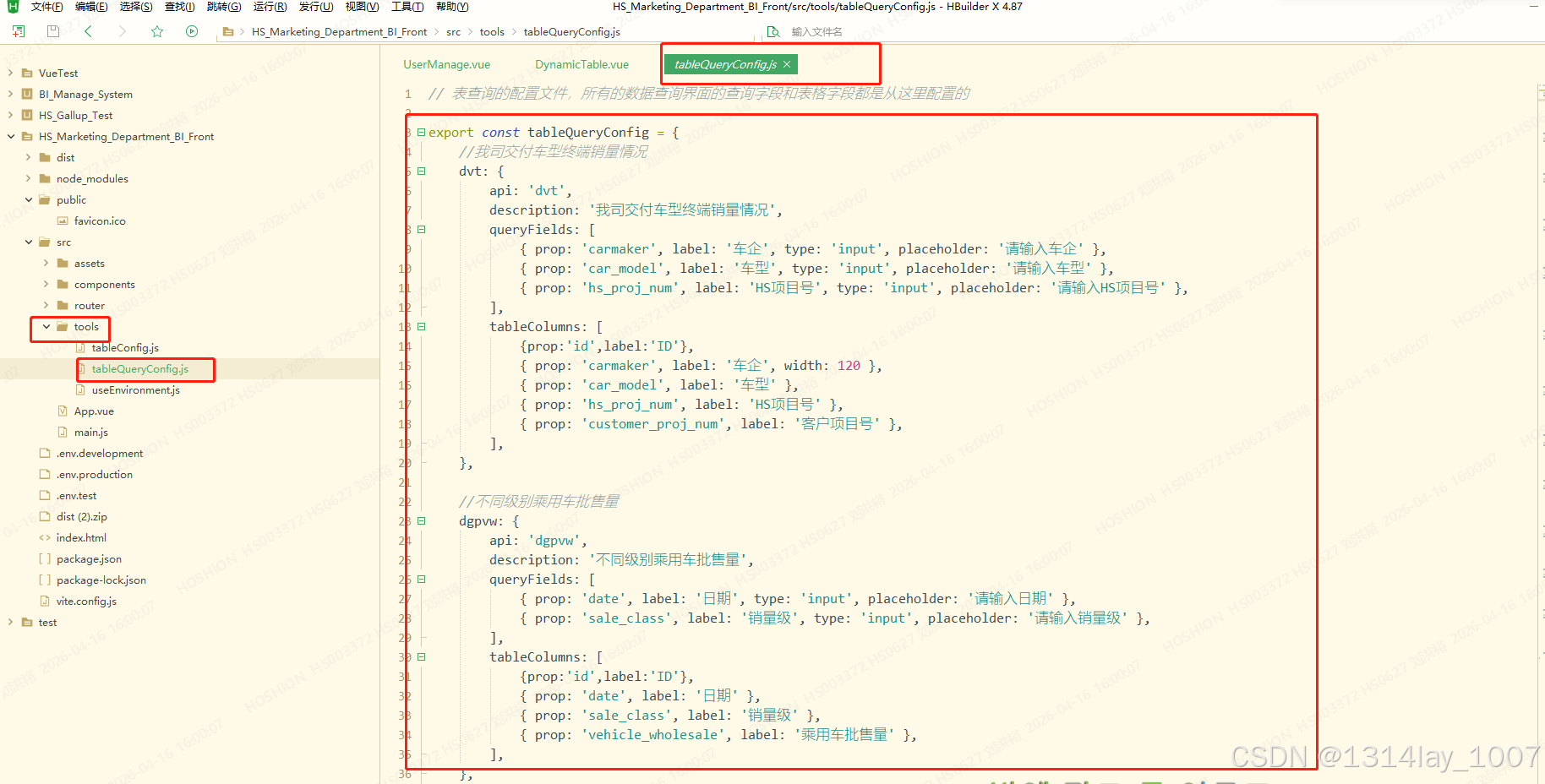
javascript
// 表查询的配置文件,所有的数据查询界面的查询字段和表格字段都是从这里配置的
export const tableQueryConfig = {
//我司交付车型终端销量情况
dvt: {
api: 'dvt',
description: '我司交付车型终端销量情况',
queryFields: [
{ prop: 'carmaker', label: '车企', type: 'input', placeholder: '请输入车企' },
{ prop: 'car_model', label: '车型', type: 'input', placeholder: '请输入车型' },
{ prop: 'hs_proj_num', label: 'HS项目号', type: 'input', placeholder: '请输入HS项目号' },
],
tableColumns: [
{prop:'id',label:'ID'},
{ prop: 'carmaker', label: '车企', width: 120 },
{ prop: 'car_model', label: '车型' },
{ prop: 'hs_proj_num', label: 'HS项目号' },
{ prop: 'customer_proj_num', label: '客户项目号' },
],
},
//不同级别乘用车批售量
dgpvw: {
api: 'dgpvw',
description: '不同级别乘用车批售量',
queryFields: [
{ prop: 'date', label: '日期', type: 'input', placeholder: '请输入日期' },
{ prop: 'sale_class', label: '销量级', type: 'input', placeholder: '请输入销量级' },
],
tableColumns: [
{prop:'id',label:'ID'},
{ prop: 'date', label: '日期' },
{ prop: 'sale_class', label: '销量级' },
{ prop: 'vehicle_wholesale', label: '乘用车批售量' },
],
},
//新能源乘用车市场销量表现不同价格段零售量
npvmr: {
api: 'npvmr',
description: '新能源乘用车市场销量表现不同价格段零售量',
queryFields: [
{ prop: 'pv_year', label: '年份', type: 'input', placeholder: '请输入年份' },
{ prop: 'pv_month', label: '月份', type: 'input', placeholder: '请输入月份' },
{ prop: 'price_range', label: '价格段', type: 'input', placeholder: '请输入价格段' },
],
tableColumns: [
{prop:'id',label:'ID'},
{ prop: 'pv_year', label: '年份' },
{ prop: 'pv_month', label: '月份' },
{ prop: 'price_range', label: '价格段' },
{ prop: 'retail', label: '零售量' },
],
},
//乘用车市场不同价格段零售量
pvmr: {
api: 'pvmr',
description: '乘用车市场不同价格段零售量',
queryFields: [
{ prop: 'date', label: '日期', type: 'input', placeholder: '请输入日期' },
{ prop: 'car_model', label: '车型', type: 'input', placeholder: '请输入月份' },
{ prop: 'price_range', label: '价格段', type: 'input', placeholder: '请输入价格段' },
],
tableColumns: [
{ prop:'id',label:'ID'},
{ prop: 'date', label: '日期' },
{ prop: 'car_model', label: '车型' },
{ prop: 'price_range', label: '价格段' },
{ prop: 'retail', label: '零售量' },
],
},
//泰国(TAIA)市场销量
Thai: {
api: 'Thai',
description: '泰国(TAIA)市场销量',
queryFields: [
{ prop: 'year_month', label: '年月', type: 'input', placeholder: '请输入年月' }
],
tableColumns: [
{ prop: 'id', label: 'ID' },
{ prop: 'year_month', label: '年月' },
{ prop: 'elec_car_registration', label: 'BEV电动汽车注册量(Autoliv)' },
{ prop: 'Thai_new_registration', label: '泰国新车总注册量' },
{ prop: 'pas_car_production', label: '乘用车产量' },
{ prop: 'pas_car_domestic', label: '乘用车国内销量' },
{ prop: 'commercial_car_production', label: '商用车产量' },
{ prop: 'commercial_car_domestic', label: '商用车国内销量' },
{ prop: 'total_car_production', label: '汽车总产量(FTI)' },
{ prop: 'BEVcar_sale', label: 'BEV乘用车销量(FTI)' },
{ prop: 'PHEVcar_sale', label: 'PHEV乘用车销量(FTI)' },
{ prop: 'domestic_car_totalsale', label: '国内汽车总销量(FTI)' },
{ prop: 'permeability', label: '渗透率' },
],
},
//印度尼西亚(GAIKINDO)市场销量
Indonesia: {
api: 'Indonesia',
description: '印度尼西亚(GAIKINDO)市场销量',
queryFields: [
{ prop: 'year_month', label: '年月', type: 'input', placeholder: '请输入年月' },
],
tableColumns: [
{ prop: 'id', label: 'ID' },
{ prop: 'year_month', label: '年月' },
{ prop: 'BEV_production', label: 'BEV产量' },
{ prop: 'PHEV_production', label: 'PHEV产量' },
{ prop: 'vehicle_production', label: 'Vehicle产量' },
{ prop: 'BEV_sale', label: 'BEV销量' },
{ prop: 'PHEV_sale', label: 'PHEV销量' },
{ prop: 'vehicle_wholesale', label: 'Vehicle批售量' },
{ prop: 'BEV_PHEV_wholesale', label: '新能源(BEV+PHEV)批售量' },
{ prop: 'permeability_product', label: '渗透率-产量' },
{ prop: 'permeability_sale', label: '渗透率-销量' },
],
},
//越南(VAMA)市场销量
Vietnam: {
api: 'Vietnam',
description: '越南(VAMA)市场销量',
queryFields: [
{ prop: 'year_month', label: '年月', type: 'input', placeholder: '请输入年月' },
],
tableColumns: [
{ prop: 'id', label: 'ID' },
{ prop: 'year_month', label: '年月' },
{ prop: 'newcar_total_sale', label: '新车总销量(不含Vinfast)' },
{ prop: 'passenger_car', label: '乘用车' },
{ prop: 'commercial_car', label: '商用车' },
{ prop: 'special_vehicle', label: '专用车' },
{ prop: 'hybrid_vehicle', label: '混动车' },
{ prop: 'Vinfast', label: 'Vinfast' },
],
},
//马来西亚(MAA)市场销量
Malaysia: {
api: 'Malaysia',
description: '马来西亚(MAA)市场销量',
queryFields: [
{ prop: 'year_month', label: '年月', type: 'input', placeholder: '请输入年月' },
],
tableColumns: [
{ prop: 'id', label: 'ID' },
{ prop: 'year_month', label: '年月' },
{ prop: 'BEVcar_sale', label: 'BEV汽车销量' },
{ prop: 'passenger_car_sale', label: '乘用车销量' },
{ prop: 'newcar_sale', label: '新车销量' },
{ prop: 'permeability', label: '渗透率' },
],
},
//欧洲新能源汽车市场情况
EU: {
api: 'EU',
description: '欧洲新能源汽车市场情况',
queryFields: [
{ prop: 'date', label: '日期', type: 'input', placeholder: '请输入日期' },
{ prop: 'country', label: '国家', type: 'input', placeholder: '请输入国家' },
{ prop: 'indicator_name', label: '指标名称', type: 'input', placeholder: '请输入指标名称' },
],
tableColumns: [
{ prop: 'id', label: 'ID' },
{ prop: 'date', label: '日期' },
{ prop: 'country', label: '国家' },
{ prop: 'indicator_name', label: '指标名称' },
{ prop: 'indicator_number', label: '指标数值' },
],
},
//新能源汽车月度单台平均装车电量
nma: {
api: 'nma',
description: '新能源汽车月度单台平均装车电量',
queryFields: [
{ prop: 'year_month', label: '年月', type: 'input', placeholder: '请输入年月' },
{ prop: 'car_model', label: '车型', type: 'input', placeholder: '请输入车型' },
],
tableColumns: [
{ prop: 'id', label: 'ID' },
{ prop: 'year_month', label: '年月' },
{ prop: 'car_model', label: '车型' },
{ prop: 'average_electricity', label: '单台平均装车电量(kWh)' },
],
},
//纯电动乘用车续航里程
per: {
api: 'per',
description: '纯电动乘用车续航里程',
queryFields: [
{ prop: 'year_month', label: '年月', type: 'input', placeholder: '请输入年月' },
{ prop: 'pv_range', label: '乘用车续航里程', type: 'input', placeholder: '请输入乘用车续航里程' },
],
tableColumns: [
{ prop: 'id', label: 'ID' },
{ prop: 'year_month', label: '年月' },
{ prop: 'pv_range', label: '乘用车续航里程' },
{ prop: 'proportion', label: '占比' },
],
},
//国内动力电池企业装车量市场分析
dbl: {
api: 'dbl',
description: '国内动力电池企业装车量市场分析',
queryFields: [
{ prop: 'year_month', label: '年月', type: 'input', placeholder: '请输入年月' },
{ prop: 'company', label: '企业名称', type: 'input', placeholder: '请输入企业名称' },
],
tableColumns: [
{ prop: 'id', label: 'ID' },
{ prop: 'year_month', label: '年月' },
{ prop: 'company', label: '企业名称' },
{ prop: 'loading_volume', label: '装车量(Gkh)' },
{ prop: 'proportion', label: '占比' },
],
},
}项目区分测试环境和正式环境
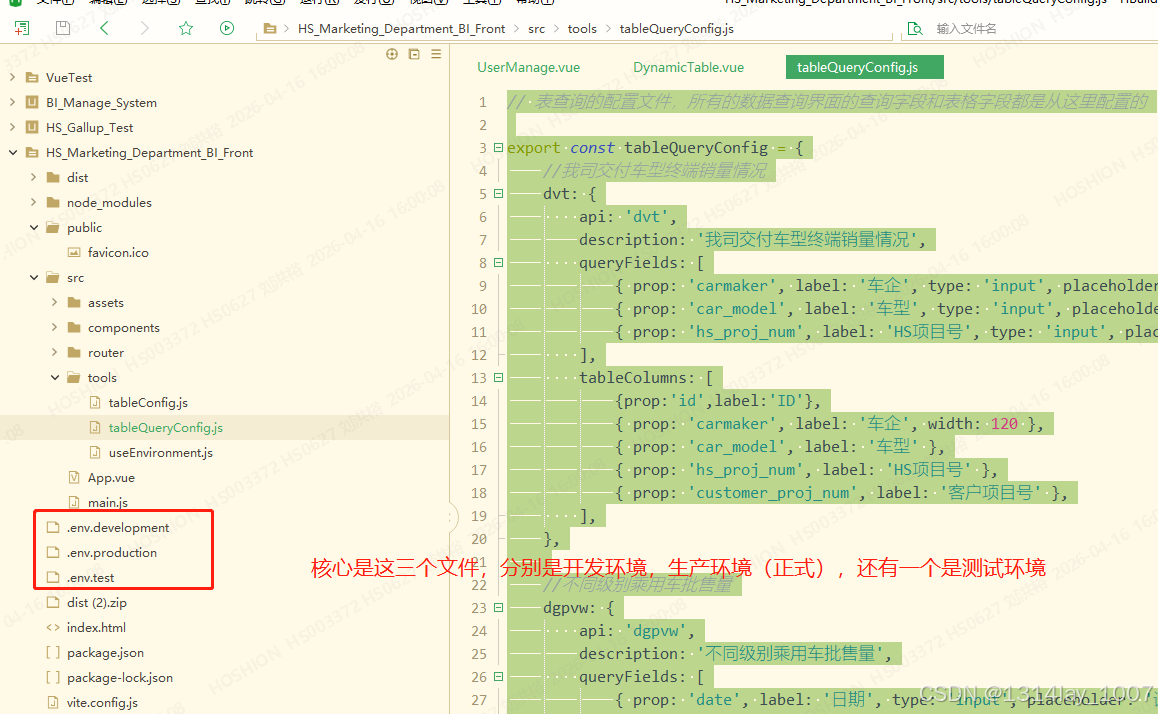
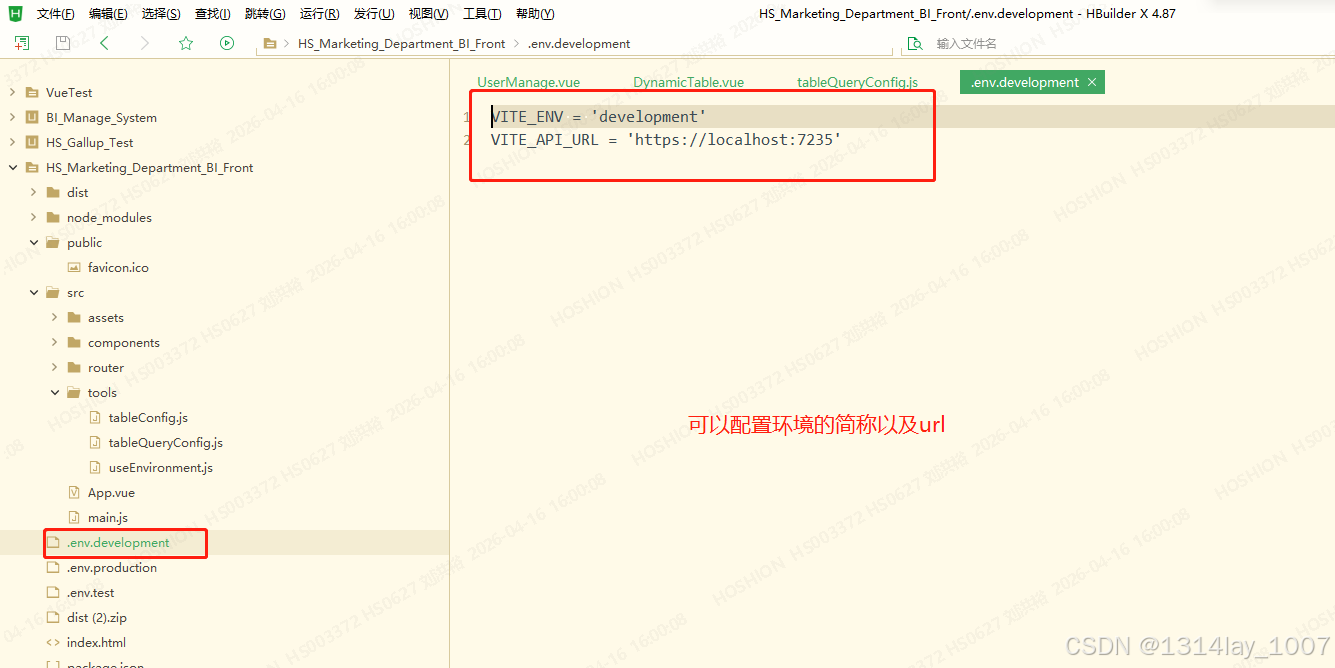
VITE_ENV = 'development'
VITE_API_URL = 'https://localhost:7235'
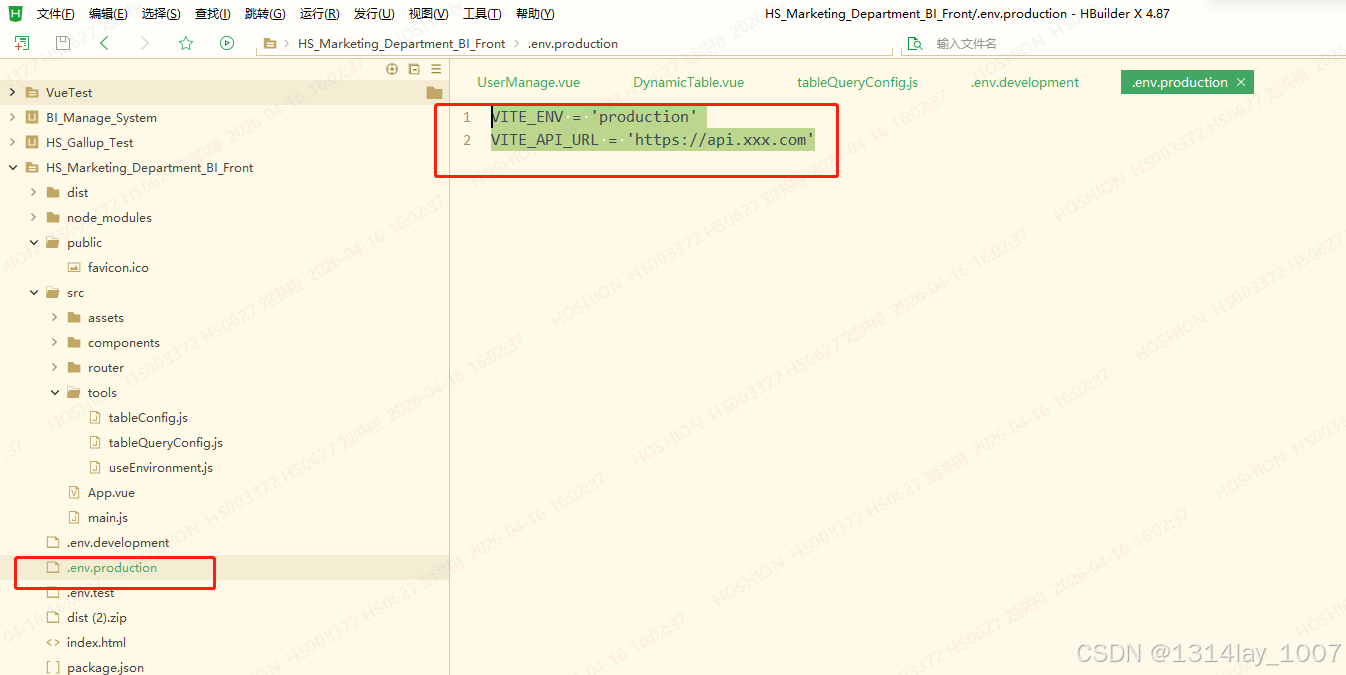
还有测试环境
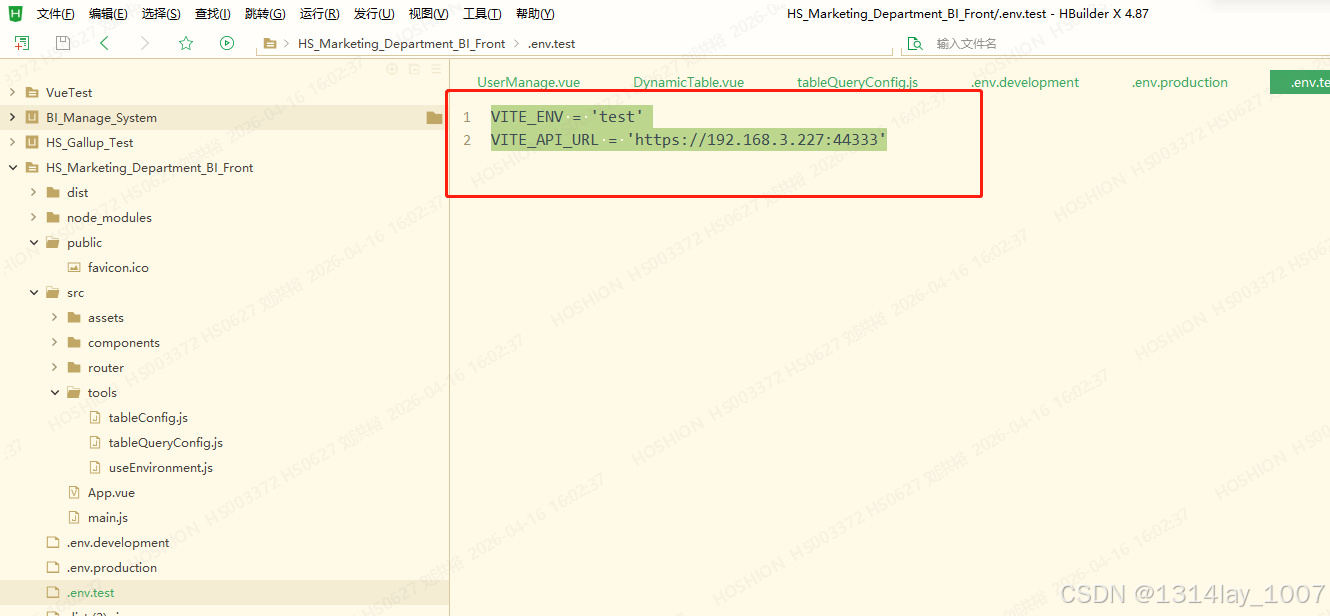
VITE_ENV = 'test'
VITE_API_URL = 'https://192.168.3.227:44333'
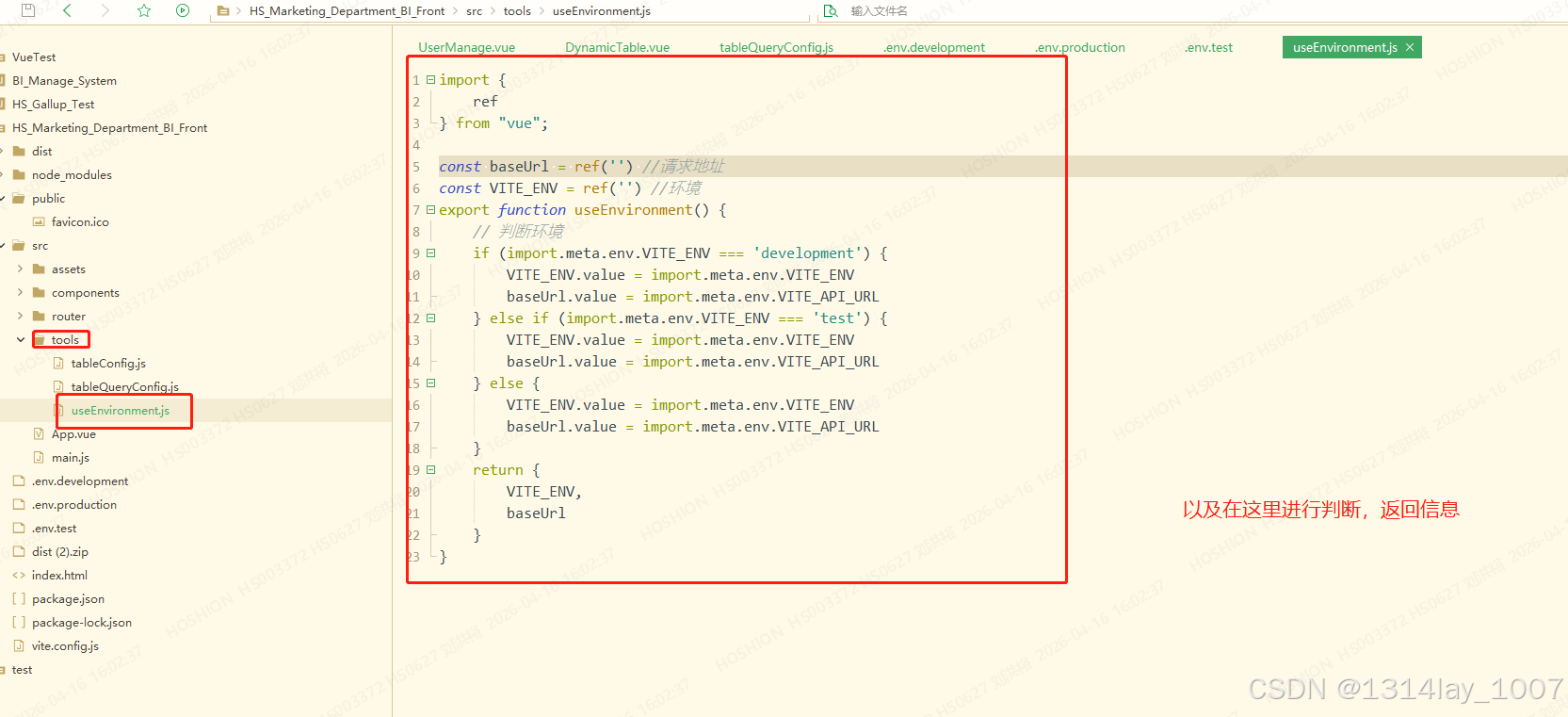
javascript
import {
	ref
} from "vue";

const baseUrl = ref('') //请求地址
const VITE_ENV = ref('') //环境
export function useEnvironment() {
	// 判断环境
	if (import.meta.env.VITE_ENV === 'development') {
		VITE_ENV.value = import.meta.env.VITE_ENV
		baseUrl.value = import.meta.env.VITE_API_URL
	} else if (import.meta.env.VITE_ENV === 'test') {
		VITE_ENV.value = import.meta.env.VITE_ENV
		baseUrl.value = import.meta.env.VITE_API_URL
	} else {
		VITE_ENV.value = import.meta.env.VITE_ENV
		baseUrl.value = import.meta.env.VITE_API_URL
	}
	return {
		VITE_ENV,
		baseUrl
	}
}
后端
通用控制器-UniversalController
cs
using HS_Marketing_Department_BI_Backend.Models;
using Microsoft.AspNetCore.Mvc;
using Microsoft.Extensions.Logging;
using Newtonsoft.Json;
using System.Text.Json;

// For more information on enabling Web API for empty projects, visit https://go.microsoft.com/fwlink/?LinkID=397860

namespace HS_Marketing_Department_BI_Backend.Controllers
{
    /// <summary>
    /// 通用控制器(动态表的查询和删除)
    /// </summary>
    [Route("[controller]")]
    [ApiController]
    public class UniversalController : ControllerBase
    {
        //日志
        private readonly ILogger<UniversalController> _logger;

        public UniversalController(ILogger<UniversalController> logger)
        {
            _logger = logger;
        }

        // 表名简称和全称的映射表。前端简称 → 真实表名
        private static readonly Dictionary<string, string> TableMap = new()
        {
            ["dvt"] = "delivery_vehicle_terminal",      // 我司交付车型终端销量情况
            ["dgpvw"] = "difgrad_pv_wholesale",         // 不同级别乘用车批售量
            ["npvmr"] = "NEPV_MS_retail",               // 新能源乘用车市场销量表现不同价格段零售量
            ["pvmr"] = "PV_market_retail",              // 乘用车市场不同价格段零售量
            ["Thai"] = "Thai_sales_volume",             // 泰国(TAIA)市场销量
            ["Indonesia"] = "Indonesia_sales_volume",   // 印度尼西亚(GAIKINDO)市场销量
            ["Vietnam"] = "Vietnam_sales_volume",       // 越南(VAMA)市场销量
            ["Malaysia"] = "Malaysia_sales_volume",     // 马来西亚(MAA)市场销量
            ["EU"] = "EU_NEV_Market",                   // 欧洲新能源汽车市场情况
            ["nma"] = "new_monthly_average",            // 新能源汽车月度单台平均装车电量
            ["per"] = "pure_elec_range",                // 纯电动乘用车续航里程
            ["dbl"] = "domestic_battery_loading"        // 国内动力电池企业装车量市场分析
        };

        /// <summary>
        /// 获取列表,全部查询:/Universal/list?tableName=dvt
        /// </summary>
        /// <param name="tableName">表名(简称)</param>
        /// <returns></returns>
        [HttpPost("list")]
        public IActionResult GetList([FromQuery] string tableName)
        {
            // bll类的命名空间
            string currentNamespace = "HS_Marketing_Department_BI_Backend.Models";
            try
            {
                // 1. 简称转全名
                if (!TableMap.ContainsKey(tableName))
                    return BadRequest($"未知表别名: {tableName}");
                var fullName = TableMap[tableName];  // "dvt" → "delivery_vehicle_terminal"

                // 2. 直接 new 创建BLL实例(不用DI!)
                var bllType = Type.GetType($"{currentNamespace}.{fullName}_BLL");
                if (bllType == null)
                    return BadRequest($"表{tableName}的BLL不存在");
                var bll = Activator.CreateInstance(bllType);  // ← 相当于 new XXX_BLL()

                // 3、查询BLL的GetList方法
                var getListMethod = bllType.GetMethod("GetList");

                // 4. 调用方法,object result = method.Invoke(instance, new object[] { 参数1, 参数2 });
                object result = getListMethod.Invoke(bll, new object[] { });

                // 安全转换,失败返回 null 不报错
                ReturnData returnData = result as ReturnData;
                string return_json;

                if (returnData == null)
                {
                    return BadRequest("返回类型不是 ReturnData");
                }
                return_json = JsonConvert.SerializeObject(returnData);
                _logger.LogInformation(return_json);
                return Ok(new { code = returnData.code, msg = returnData.msg, data = returnData.data });
            }
            catch (Exception ex)
            {
                _logger.LogError(Convert.ToString(ex));
                return BadRequest(ex);
                throw;
            }
        }


        /// <summary>
        /// 模糊查询
        /// </summary>
        /// <param name="tableName">表名(简称)</param>
        /// <param name="whereJson">where查询条件的json</param>
        /// <example>请求体:{"carmaker":"car","car_model":"22342","hs_proj_num":"hs"}</example>
        /// <returns></returns>
        [HttpPost("FuzzyQuery")]
        public IActionResult FuzzyQuery([FromQuery] string tableName, [FromBody] JsonElement whereJson)
        {
            // bll类的命名空间
            string currentNamespace = "HS_Marketing_Department_BI_Backend.Models";
            try
            {
                // 1. 简称转全名
                if (!TableMap.ContainsKey(tableName))
                    return BadRequest($"未知表别名: {tableName}");
                var fullName = TableMap[tableName];  // "dvt" → "delivery_vehicle_terminal"

                // 2. 直接 new 创建BLL实例(不用DI!)
                var bllType = Type.GetType($"{currentNamespace}.{fullName}_BLL");
                if (bllType == null)
                    return BadRequest($"表{tableName}的BLL不存在");
                var bll = Activator.CreateInstance(bllType);  // ← 相当于 new XXX_BLL()

                // 3、查询BLL的FuzzyQuery方法
                var getListMethod = bllType.GetMethod("FuzzyQuery");

                // 4. 调用方法,object result = method.Invoke(instance, new object[] { 参数1, 参数2 });
                object result = getListMethod.Invoke(bll, new object[] { whereJson });

                // 安全转换,失败返回 null 不报错
                ReturnData returnData = result as ReturnData;
                string return_json;

                if (returnData == null)
                {
                    return BadRequest("返回类型不是 ReturnData");
                }
                return_json = JsonConvert.SerializeObject(returnData);
                _logger.LogInformation(return_json);
                return Ok(new { code = returnData.code, msg = returnData.msg, data = returnData.data });
            }
            catch (Exception ex)
            {
                _logger.LogError(Convert.ToString(ex));
                return BadRequest(ex);
                throw;
            }
        }


        /// <summary>
        /// 删除数据
        /// </summary>
        /// <param name="tableName"></param>
        /// <param name="tableData"></param>
        /// <example>请求体:[{"id":28,"carmaker":"car","car_model":"hs","hs_proj_num":"cu"}]</example>
        [HttpDelete]
        public IActionResult Delete([FromQuery] string tableName, [FromBody] JsonElement tableData)
        {
            // bll类的命名空间
            string currentNamespace = "HS_Marketing_Department_BI_Backend.Models";
            try
            {
                // 1. 简称转全名
                if (!TableMap.ContainsKey(tableName))
                    return BadRequest($"未知表别名: {tableName}");
                var fullName = TableMap[tableName];  // "dvt" → "delivery_vehicle_terminal"

                // 2. 直接 new 创建BLL实例(不用DI!)
                var bllType = Type.GetType($"{currentNamespace}.{fullName}_BLL");
                if (bllType == null)
                    return BadRequest($"表{tableName}的BLL不存在");
                var bll = Activator.CreateInstance(bllType);  // ← 相当于 new XXX_BLL()

                // 3、查询BLL的Delete方法
                var getListMethod = bllType.GetMethod("Delete");

                // 4. 调用方法,object result = method.Invoke(instance, new object[] { 参数1, 参数2 });
                object result = getListMethod.Invoke(bll, new object[] { tableData });

                // 安全转换,失败返回 null 不报错
                ReturnData returnData = result as ReturnData;
                string return_json;

                if (returnData == null)
                {
                    return BadRequest("返回类型不是 ReturnData");
                }
                return_json = JsonConvert.SerializeObject(returnData);
                _logger.LogInformation(return_json);
                return Ok(new { code = returnData.code, msg = returnData.msg, data = returnData.data });
            }
            catch (Exception ex)
            {
                _logger.LogError(Convert.ToString(ex));
                return BadRequest(ex);
                throw;
            }
        }
    }

}
某个表的业务逻辑层(BLL)
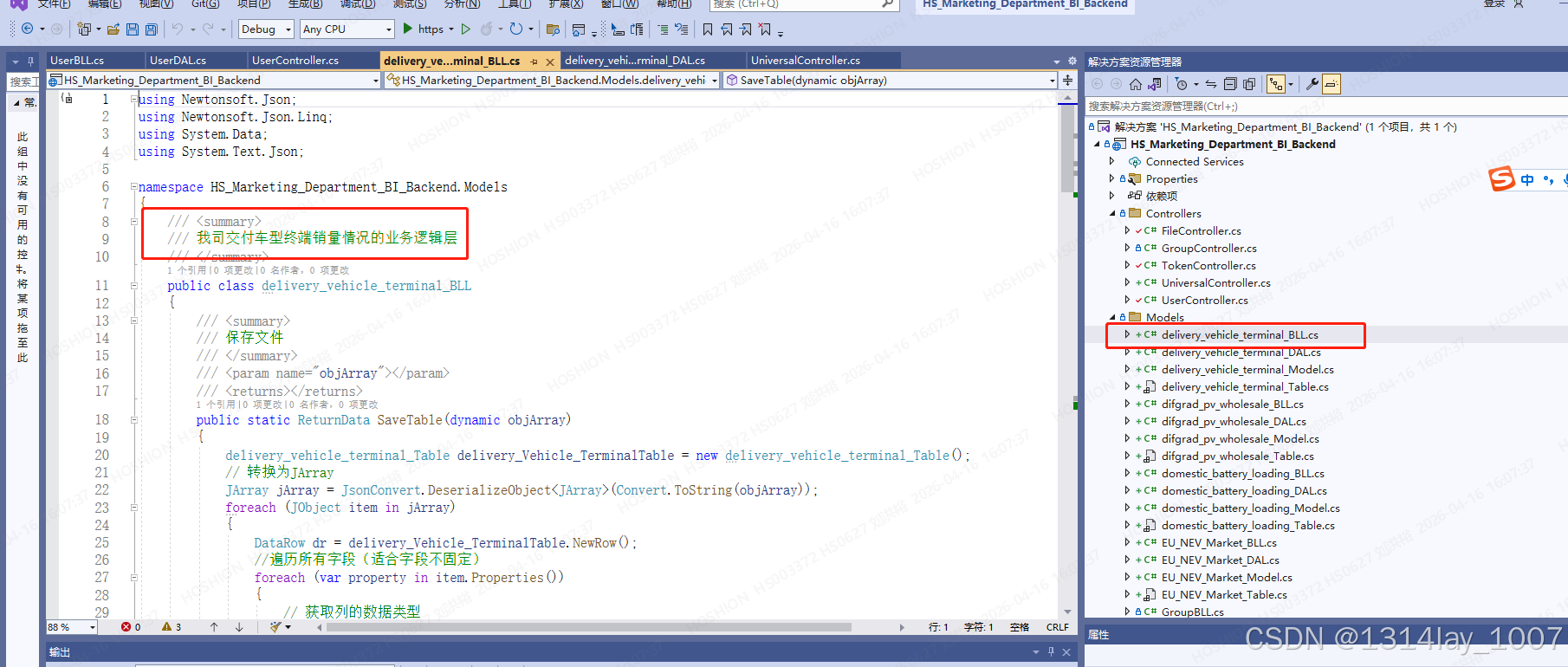
cs
using Newtonsoft.Json;
using Newtonsoft.Json.Linq;
using System.Data;
using System.Text.Json;

namespace HS_Marketing_Department_BI_Backend.Models
{
    /// <summary>
    /// 我司交付车型终端销量情况的业务逻辑层
    /// </summary>
    public class delivery_vehicle_terminal_BLL
    {
        /// <summary>
        /// 保存文件
        /// </summary>
        /// <param name="objArray"></param>
        /// <returns></returns>
        public static ReturnData SaveTable(dynamic objArray)
        {
            delivery_vehicle_terminal_Table delivery_Vehicle_TerminalTable = new delivery_vehicle_terminal_Table();
            // 转换为JArray
            JArray jArray = JsonConvert.DeserializeObject<JArray>(Convert.ToString(objArray));
            foreach (JObject item in jArray)
            {
                DataRow dr = delivery_Vehicle_TerminalTable.NewRow();
                //遍历所有字段(适合字段不固定)
                foreach (var property in item.Properties())
                {
                    // 获取列的数据类型
                    Type columnType = dr.Table.Columns[property.Name].DataType;
                    //列的值
                    JToken token = property.Value;
                    //列的名称
                    string colName = property.Name;

                    //处理null
                    if (token == null || token.Type == JTokenType.Null)
                    {
                        //如果是字符型
                        if (columnType == typeof(string) )
                        {
                            dr[colName] = string.Empty;
                        }
                        else
                        {
                            //动态创建类型的实例
                            dr[colName] =  Activator.CreateInstance(columnType);
                        }
                        continue;
                    }

                    // 数值型统一处理
                    if (IsNumericType(columnType))
                    {
                        dr[colName] = Convert.ChangeType(token.ToObject<object>(), columnType);
                    }
                    else
                    {
                        dr[colName] = token.ToObject(columnType);
                    }

                }
                delivery_Vehicle_TerminalTable.Rows.Add(dr);
            }

            return delivery_vehicle_terminal_DAL.SaveTable(delivery_Vehicle_TerminalTable);
        }

        /// <summary>
        /// 获取列表,全部查询
        /// </summary>
        /// <returns></returns>

        public static ReturnData GetList()
        {
            return delivery_vehicle_terminal_DAL.GetList();
        }

        /// <summary>
        /// 模糊查询
        /// </summary>
        /// <returns></returns>
        public static ReturnData FuzzyQuery(JsonElement whereJson)
        {
            return delivery_vehicle_terminal_DAL.FuzzyQuery(whereJson);
        }

        /// <summary>
        /// 删除数据
        /// </summary>
        /// <param name="tableData"></param>
        /// <returns></returns>
        public static ReturnData Delete(JsonElement tableData)
        {
            delivery_vehicle_terminal_Table delivery_Vehicle_TerminalTable = new delivery_vehicle_terminal_Table();
            // 转换为JArray
            JArray jArray = JsonConvert.DeserializeObject<JArray>(tableData.GetRawText());
            foreach (JObject item in jArray)
            {
                DataRow dr = delivery_Vehicle_TerminalTable.NewRow();
                //遍历所有字段(适合字段不固定)
                foreach (var property in item.Properties())
                {
                    dr[property.Name] = property.Value?.ToString() ?? string.Empty;
                }
                delivery_Vehicle_TerminalTable.Rows.Add(dr);
            }
            return delivery_vehicle_terminal_DAL.Delete(delivery_Vehicle_TerminalTable);
        }


        // 辅助方法:判断是否为数值类型
        private static bool IsNumericType(Type type)
        {
            return type == typeof(int) ||
                   type == typeof(long) ||
                   type == typeof(short) ||
                   type == typeof(byte) ||
                   type == typeof(float) ||
                   type == typeof(double) ||
                   type == typeof(decimal) ||
                   type == typeof(uint) ||
                   type == typeof(ulong) ||
                   type == typeof(ushort) ||
                   type == typeof(sbyte) ||
                   (type != null && type.IsEnum); // 枚举底层也是数值
        }

    }
}
某个表的数据访问层(DAL)
cs
using Newtonsoft.Json;
using System.Data.SqlClient;
using System.Data;
using System.Text.Json;
using System.Text;

namespace HS_Marketing_Department_BI_Backend.Models
{
    /// <summary>
    /// 我司交付车型终端销量情况的数据访问层
    /// </summary>
    public class delivery_vehicle_terminal_DAL
    {
        /// <summary>
        /// 保存我司交付车型终端销量情况表的数据
        /// </summary>
        /// <param name="delivery_Vehicle_TerminalTable"></param>
        /// <returns></returns>
        public static ReturnData SaveTable(delivery_vehicle_terminal_Table delivery_Vehicle_TerminalTable)
        {
            string connStr = DataBaseSetting.ConnStr;
            string status;
            string infor;
            string tableStr;
            SqlConnection con = new SqlConnection(connStr);
            con.Close();
            con.Open();
            SqlCommand cmd = new SqlCommand("delivery_vehicle_terminal_OperateSP", con);
            cmd.CommandType = CommandType.StoredProcedure;
            cmd.Parameters.Add("@delivery_vehicle_terminal_Table", SqlDbType.Structured).Value = delivery_Vehicle_TerminalTable;
            cmd.Parameters.Add("@flag", SqlDbType.Int).Value = 1;
            cmd.Parameters.Add("@status", SqlDbType.NVarChar, 10).Direction = ParameterDirection.Output;
            cmd.Parameters.Add("@infor", SqlDbType.NVarChar, 500).Direction = ParameterDirection.Output;
            cmd.ExecuteNonQuery();
            status = cmd.Parameters["@status"].Value.ToString().Trim();
            infor = cmd.Parameters["@infor"].Value.ToString().Trim();
            con.Close();
            ReturnData returnData = new ReturnData();
            returnData.code = status;
            returnData.msg = infor;
            tableStr = JsonConvert.SerializeObject(delivery_Vehicle_TerminalTable);
            returnData.data = tableStr;
            //返回
            return returnData;
        }

        /// <summary>
        /// 获取列表,全部查询
        /// </summary>
        /// <returns></returns>

        public static ReturnData GetList()
        {
            ReturnData returnData = new ReturnData();
            string connStr = DataBaseSetting.ConnStr;
            string sqlStr; //sql字符串
            DataSet ds = new DataSet();
            sqlStr = "SELECT top 2000 id,carmaker,car_model,hs_proj_num ,customer_proj_num FROM delivery_vehicle_terminal";
            using (SqlConnection con = new SqlConnection(connStr))
            {
                using (SqlDataAdapter command = new SqlDataAdapter(sqlStr, con))
                {
                    try
                    {
                        con.Open();
                        command.Fill(ds, "ds");
                    }
                    catch (SqlException ex)
                    {
                        con.Close();
                        throw new Exception(ex.Message);
                    }
                }
            }
            if (ds.Tables[0].Rows.Count != 0)
            {
                returnData.code = "S";
                returnData.msg = "获取成功";
                returnData.data = JsonConvert.SerializeObject(ds.Tables[0]);
            }
            else
            {
                returnData.code = "E";
                returnData.msg = "获取失败";
            }
            return returnData;
        }


        /// <summary>
        /// 模糊查询
        /// </summary>
        /// <returns></returns>
        public static ReturnData FuzzyQuery(JsonElement whereJson)
        {
            ReturnData returnData = new ReturnData();
            string connStr = DataBaseSetting.ConnStr;
            DataSet ds = new DataSet();

            //解析where子句的查询条件

            var carmaker = whereJson.GetProperty("carmaker").GetString();
            var car_model = whereJson.GetProperty("car_model").GetString();
            var hs_proj_num = whereJson.GetProperty("hs_proj_num").ToString();

            // 构建 SQL
            var sb = new StringBuilder("SELECT id,carmaker,car_model,hs_proj_num ,customer_proj_num FROM delivery_vehicle_terminal WHERE 1=1");

            //如果不为空,添加where条件
            if (!string.IsNullOrEmpty(carmaker))
                sb.Append(" AND carmaker LIKE @carmaker");
            if (!string.IsNullOrEmpty(car_model))
                sb.Append(" AND car_model LIKE @car_model");
            if (!string.IsNullOrEmpty(hs_proj_num))
                sb.Append(" AND hs_proj_num LIKE @hs_proj_num");

            using (SqlConnection con = new SqlConnection(connStr))
            {
                using (var cmd = new SqlCommand(sb.ToString(), con))
                {
                    try
                    {
                        con.Open();
                        // 参数化。@carmaker是参数名,$"%{carmaker}%"是值(拼接的字符串)
                        if (!string.IsNullOrEmpty(carmaker))
                            cmd.Parameters.AddWithValue("@carmaker", $"%{carmaker}%");
                        if (!string.IsNullOrEmpty(car_model))
                            cmd.Parameters.AddWithValue("@car_model", $"%{car_model}%");
                        if (!string.IsNullOrEmpty(hs_proj_num))
                            cmd.Parameters.AddWithValue("@hs_proj_num", $"%{hs_proj_num}%");
                        var adapter = new SqlDataAdapter(cmd);
                        adapter.Fill(ds);
                    }
                    catch (SqlException ex)
                    {
                        con.Close();
                        throw new Exception(ex.Message);
                    }
                }
            }
            if (ds.Tables[0].Rows.Count != 0)
            {
                returnData.code = "S";
                returnData.msg = "查询成功";
                returnData.data = JsonConvert.SerializeObject(ds.Tables[0]);
            }
            else
            {
                returnData.code = "E";
                returnData.msg = "查询失败,未查询到任何数据";
            }
            return returnData;
        }


        /// <summary>
        /// 删除数据
        /// </summary>
        /// <param name="delivery_Vehicle_TerminalTable"></param>
        /// <returns></returns>
        public static ReturnData Delete(delivery_vehicle_terminal_Table delivery_Vehicle_TerminalTable)
        {
            string connStr = DataBaseSetting.ConnStr;
            string status;
            string infor;
            string tableStr;
            SqlConnection con = new SqlConnection(connStr);
            con.Close();
            con.Open();
            SqlCommand cmd = new SqlCommand("delivery_vehicle_terminal_OperateSP", con);
            cmd.CommandType = CommandType.StoredProcedure;
            cmd.Parameters.Add("@delivery_vehicle_terminal_Table", SqlDbType.Structured).Value = delivery_Vehicle_TerminalTable;
            cmd.Parameters.Add("@flag", SqlDbType.Int).Value = 2;
            cmd.Parameters.Add("@status", SqlDbType.NVarChar, 10).Direction = ParameterDirection.Output;
            cmd.Parameters.Add("@infor", SqlDbType.NVarChar, 500).Direction = ParameterDirection.Output;
            cmd.ExecuteNonQuery();
            status = cmd.Parameters["@status"].Value.ToString().Trim();
            infor = cmd.Parameters["@infor"].Value.ToString().Trim();
            con.Close();
            ReturnData returnData = new ReturnData();
            returnData.code = status;
            returnData.msg = infor;
            tableStr = JsonConvert.SerializeObject(delivery_Vehicle_TerminalTable);
            returnData.data = tableStr;
            //返回
            return returnData;
        }
    }
}
某个表的模型(Model)
cs
namespace HS_Marketing_Department_BI_Backend.Models
{
/// <summary>
/// 我司交付车型终端销量情况的模型层
/// </summary>
public class delivery_vehicle_terminal_Model
{
private int id; //id
private string? carmaker; //车企
private string? car_model; //车型
private string? hs_proj_num; //HS项目号
private string? customer_proj_num; //客户项目号
public string? Carmaker { get => carmaker; set => carmaker = value; }
public string? Car_model { get => car_model; set => car_model = value; }
public string? Hs_proj_num { get => hs_proj_num; set => hs_proj_num = value; }
public string? Customer_proj_num { get => customer_proj_num; set => customer_proj_num = value; }
public int Id { get => id; set => id = value; }
}
}某个表的表类型
cs
using System.Data;

namespace HS_Marketing_Department_BI_Backend.Models
{
    /// <summary>
    /// 我司交付车型终端销量情况表
    /// </summary>
    public class delivery_vehicle_terminal_Table : DataTable
    {
        public delivery_vehicle_terminal_Table()
        {
            Columns.Add("id", typeof(int));                     //id
            Columns.Add("carmaker", typeof(string));            //车企
            Columns.Add("car_model", typeof(string));           //车型
            Columns.Add("hs_proj_num", typeof(string));         //HS项目号
            Columns.Add("customer_proj_num", typeof(string));   //客户项目号
        }
    }
}