目录
[1 前言](#1 前言)
[2 MCP server 和我们常听到的服务器 server有什么区别?](#2 MCP server 和我们常听到的服务器 server有什么区别?)
[3 使用cline演示查询天气的MCP server](#3 使用cline演示查询天气的MCP server)
[4 Cline中配置weather 服务,并聊天验证](#4 Cline中配置weather 服务,并聊天验证)
[5 总结](#5 总结)
1 前言
在学习MCP具体知识之前,我们需要了解下什么是 MCP server 以及 MCP host
| 角色 | 简单理解 | 核心职责 | 典型例子 |
|---|---|---|---|
| MCP Host | AI应用的"躯干" | 用户直接交互的AI应用,是整个系统的控制中心,负责协调和管理所有连接。 | Claude桌面版、VS Code中Cline、Cursor等IDE或聊天工具。 |
| MCP Server | 外接的"技能卡" | 提供特定功能的轻量级程序,如访问本地文件、查询数据库或调用第三方API。 | 文件系统服务器、GitHub服务器、Slack服务器、Browserbase服务器。 |
本文的介绍选择的MCP host是vscode中的插件 Cline
插件安装完成之后,打开配置图标,会让配置模型,我配置的是deepseek,
2 MCP server 和我们常听到的服务器 server有什么区别?
**服务器 server:**比如我们大考google的网站,我们访问的是google的服务器。
**MCP server:**可以是使用node.js以及python写的程序文件,只不过这个程序的执行遵循MCP协议的。
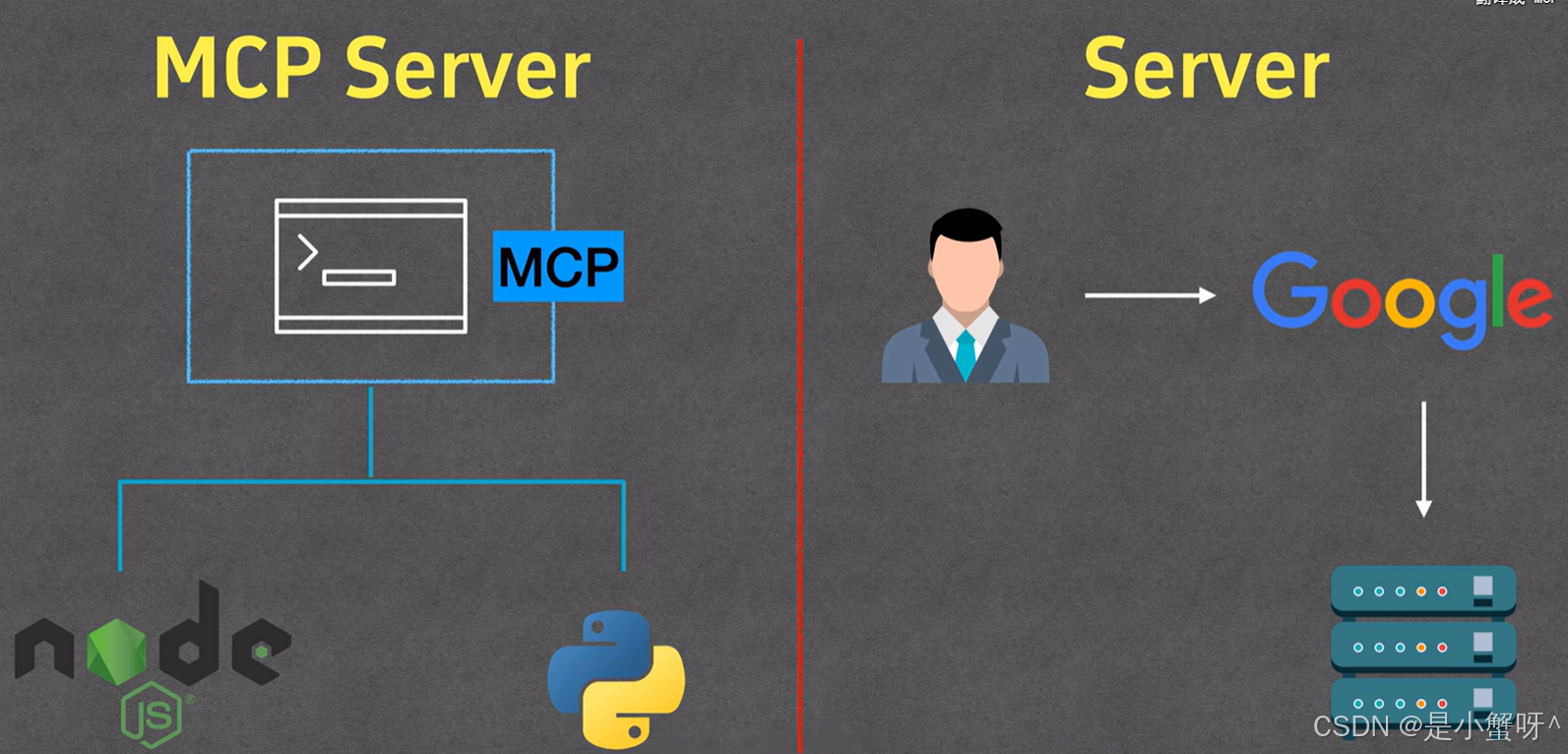
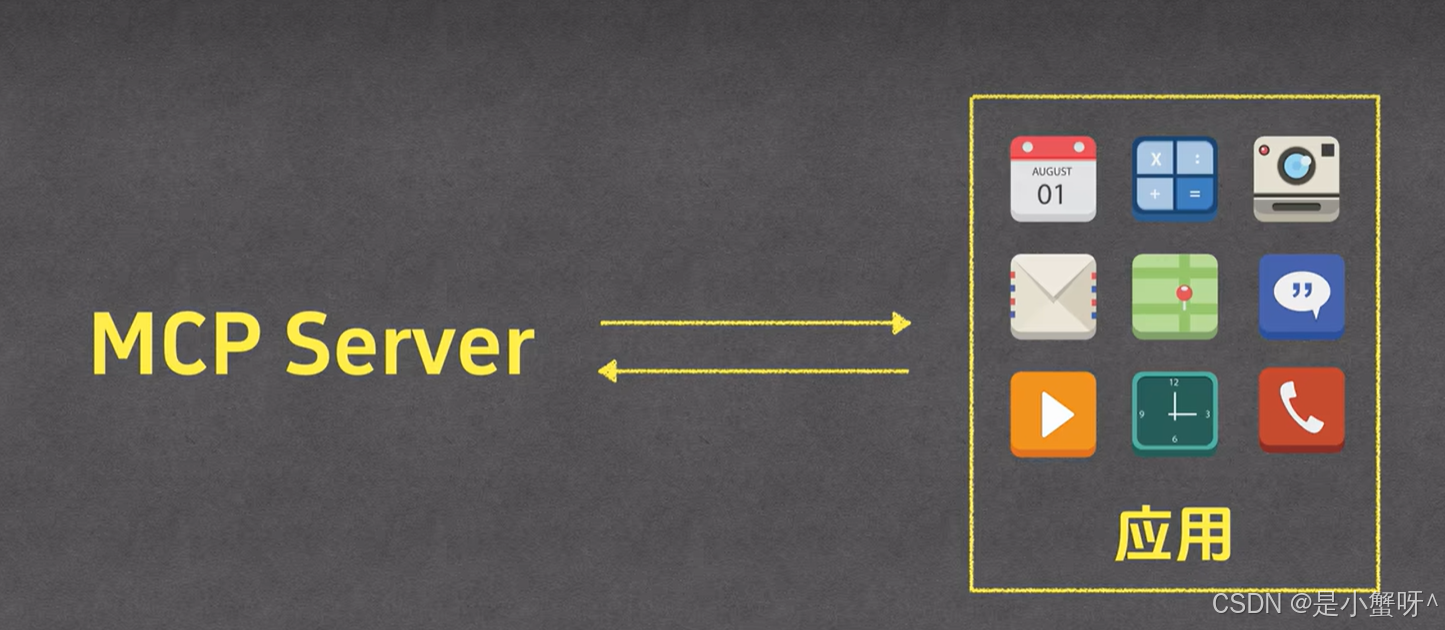
MCP server,其实不是我我们所理解的server, 我们可以将其看成我们手机里的应用,每个应用可以完成不同的功能
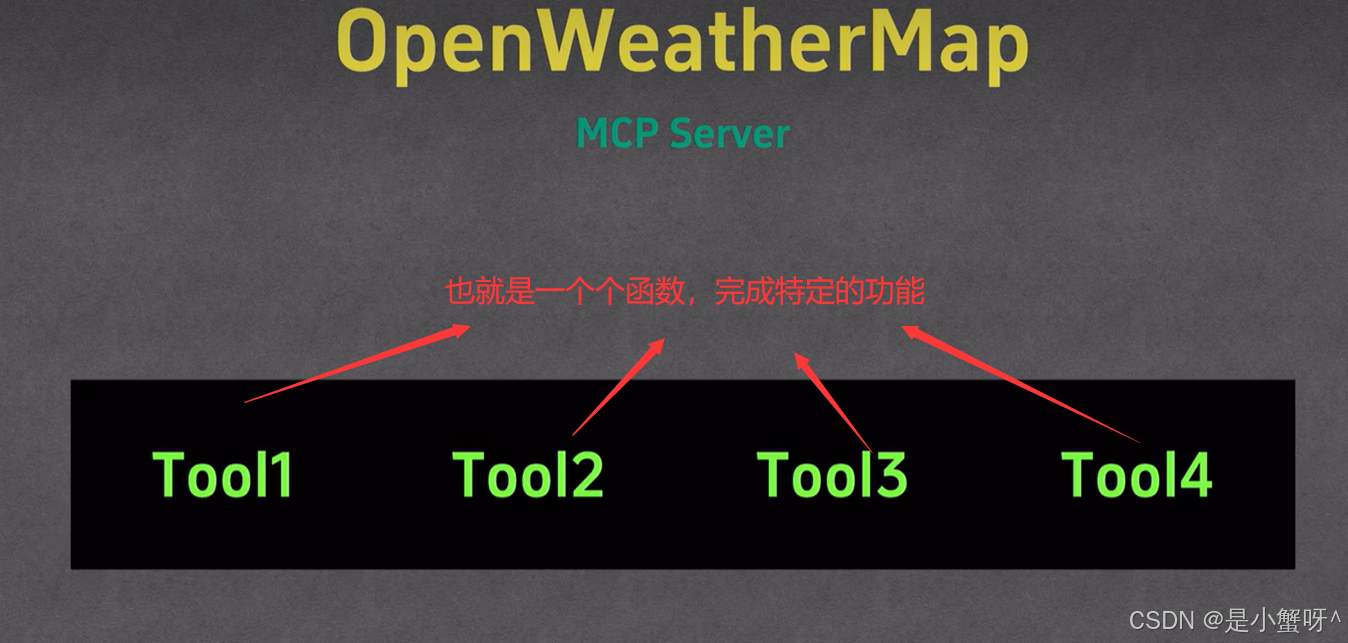
进一步看来,MCP server 其实就是一个工具tool的集合
3 使用cline演示查询天气的MCP server
python
在此之前需要使用uv创建个项目:uv init weather

创建虚拟环境:uv venv

激活虚拟环境:.venv/script/activate

装包:uv add "mcp[cli]" httpx
使用vscode打开创建的项目
编写【weather.py】
python
from typing import Any

import httpx
from mcp.server.fastmcp import FastMCP

# Initialize FastMCP server
mcp = FastMCP("weather")

# Constants
NWS_API_BASE = "https://api.weather.gov"
USER_AGENT = "weather-app/1.0"

async def make_nws_request(url: str) -> dict[str, Any] | None:
    """Make a request to the NWS API with proper error handling."""
    headers = {"User-Agent": USER_AGENT, "Accept": "application/geo+json"}
    async with httpx.AsyncClient() as client:
        try:
            response = await client.get(url, headers=headers, timeout=30.0)
            response.raise_for_status()
            return response.json()
        except Exception:
            return None


def format_alert(feature: dict) -> str:
    """Format an alert feature into a readable string."""
    props = feature["properties"]
    return f"""
Event: {props.get("event", "Unknown")}
Area: {props.get("areaDesc", "Unknown")}
Severity: {props.get("severity", "Unknown")}
Description: {props.get("description", "No description available")}
Instructions: {props.get("instruction", "No specific instructions provided")}
"""

@mcp.tool()
async def get_alerts(state: str) -> str:
    """Get weather alerts for a US state.

    Args:
        state: Two-letter US state code (e.g. CA, NY)
    """
    url = f"{NWS_API_BASE}/alerts/active/area/{state}"
    data = await make_nws_request(url)

    if not data or "features" not in data:
        return "Unable to fetch alerts or no alerts found."

    if not data["features"]:
        return "No active alerts for this state."

    alerts = [format_alert(feature) for feature in data["features"]]
    return "\n---\n".join(alerts)


@mcp.tool()
async def get_forecast(latitude: float, longitude: float) -> str:
    """Get weather forecast for a location.

    Args:
        latitude: Latitude of the location
        longitude: Longitude of the location
    """
    # First get the forecast grid endpoint
    points_url = f"{NWS_API_BASE}/points/{latitude},{longitude}"
    points_data = await make_nws_request(points_url)

    if not points_data:
        return "Unable to fetch forecast data for this location."

    # Get the forecast URL from the points response
    forecast_url = points_data["properties"]["forecast"]
    forecast_data = await make_nws_request(forecast_url)

    if not forecast_data:
        return "Unable to fetch detailed forecast."

    # Format the periods into a readable forecast
    periods = forecast_data["properties"]["periods"]
    forecasts = []
    for period in periods[:5]:  # Only show next 5 periods
        forecast = f"""
{period["name"]}:
Temperature: {period["temperature"]}°{period["temperatureUnit"]}
Wind: {period["windSpeed"]} {period["windDirection"]}
Forecast: {period["detailedForecast"]}
"""
        forecasts.append(forecast)

    return "\n---\n".join(forecasts)

def main():
    # Initialize and run the server
    mcp.run(transport="stdio")


if __name__ == "__main__":
main()运行该脚本文件:上述脚本文件就是我们所写的MCP server
python
uv run weather.py4 Cline中配置weather 服务,并聊天验证
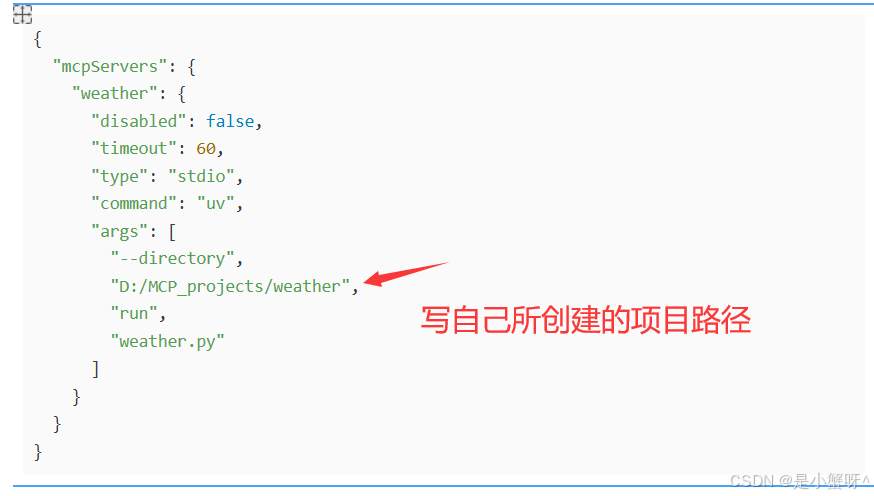
打开配置,打开cline_mcp_settings.json文件,输入以下内容:
javascript
{
  "mcpServers": {
    "weather": {
      "disabled": false,
      "timeout": 60,
      "type": "stdio",
      "command": "uv",
      "args": [
        "--directory",
        "D:/MCP_projects/weather",
        "run",
        "weather.py"
      ]
    }
  }
}
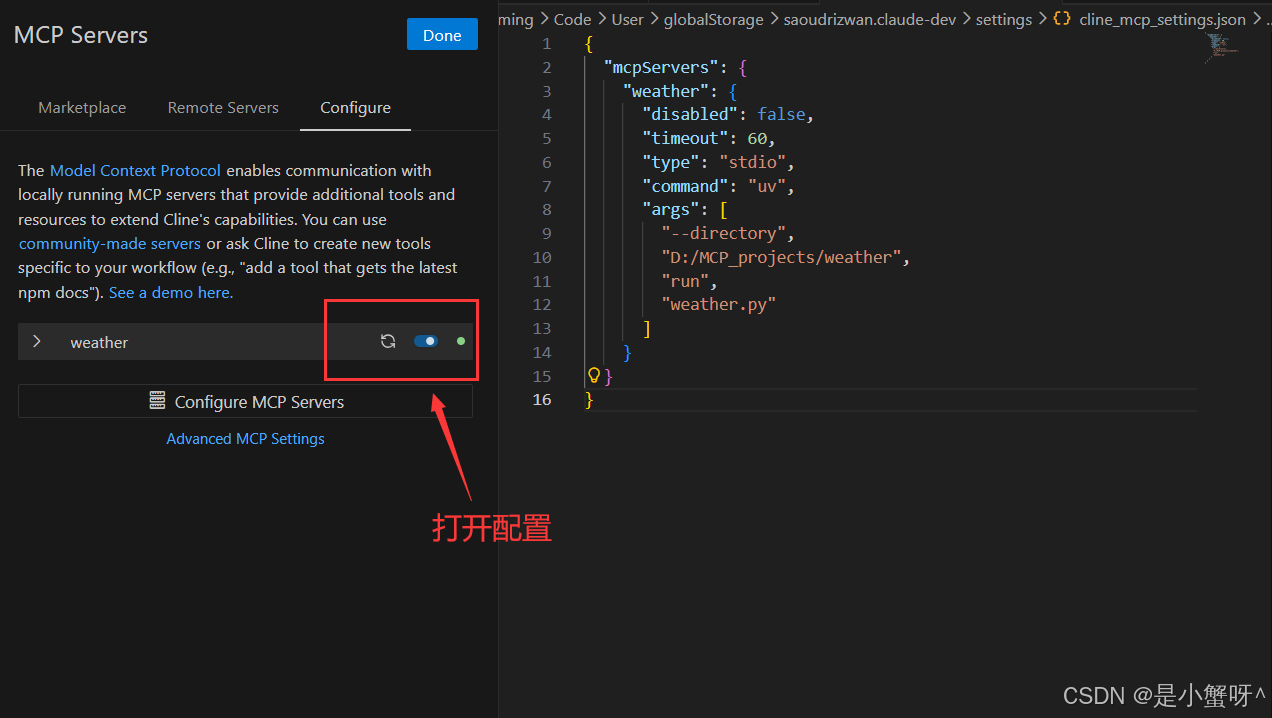
【验证】
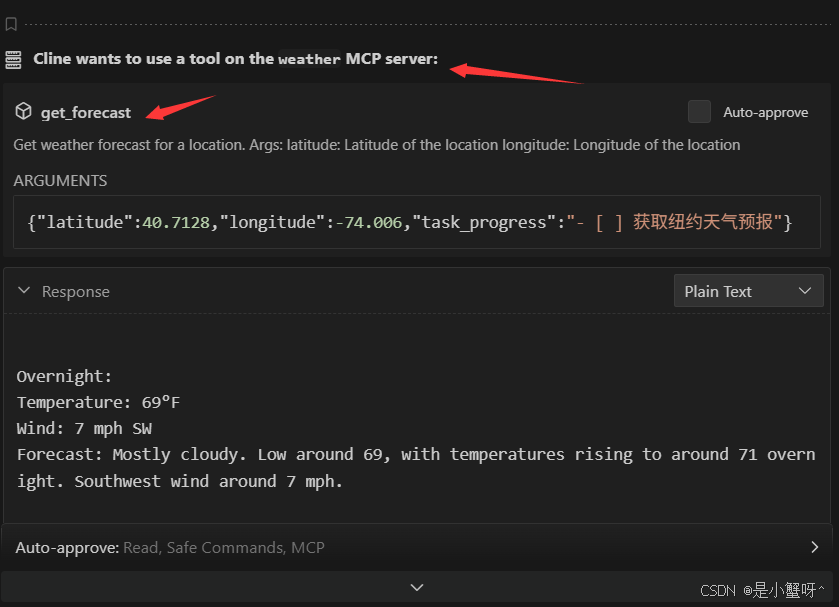
5 总结
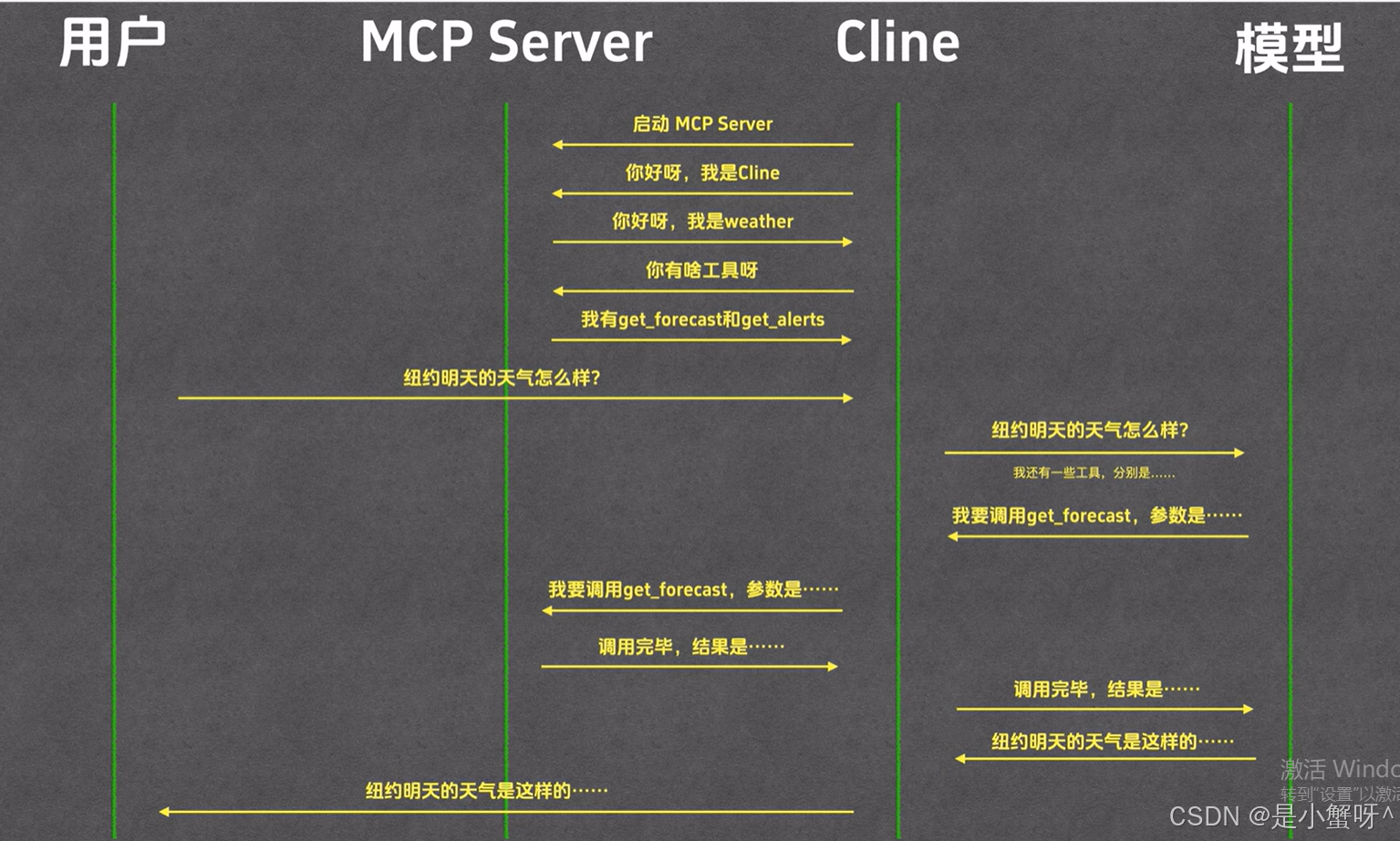
这边给出一张我特别喜欢的图,给出MCP server, MCP host(本文选的是Cline)以及模型之间的交互的过程