蜂鸟云地图简单实现
官网地址:蜂鸟云地图
1、安装
bash
npm install fengmap --save2、引入
bash
// 在当前页面中引入
import fengmap from "fengmap/build/fengmap.map.min"; // 核心包
import "fengmap/build/toolBarStyle.css"; // 样式
import {
  FMControlPosition,
  FMToolbar,
} from "fengmap/build/fengmap.plugin.ui.min"; // 控件
3、实现
javascript
<template>
  <el-card class="map-container" v-loading="mapLoding">
    <!-- 地图容器 -->
    <div id="fengmap-container" style="width: 100%; height: 100%"></div>

    <!-- 点击后展示信息 -->
    <div class="info-panel" v-if="currentInfo">
      <p>名称:{{ currentInfo.buildingName }}</p>
      <p>楼层:{{ currentInfo.floor }}</p>
      <p>经度:{{ currentInfo.lng }}</p>
      <p>纬度:{{ currentInfo.lat }}</p>
    </div>
  </el-card>
</template>

<script setup>
import { onMounted, ref, reactive } from "vue";
import fengmap from "fengmap/build/fengmap.map.min";
import "fengmap/build/toolBarStyle.css";
import {
  FMControlPosition,
  FMToolbar,
} from "fengmap/build/fengmap.plugin.ui.min";

const currentInfo = ref(null);
const mapLoding = ref(true);
onMounted(() => {
  initMap();
});

function initMap() {
  const map = new fengmap.FMMap({
    container: document.getElementById("fengmap-container"),
    appName: "蜂鸟研发SDK_2_0", // 个人申请的应用名称
    key: "57c7f309aca507497d028a9c00207cf8", // 个人申请的测试key
    mapID: "1514920297309614082", // 个人申请的地图ID
    themeID: "1580453922356207618",
    level: 3,
    mapZoom: 19.5,
  });
  mapLoding.value = false;
  // 地图加载完成
  map.on("loadComplete", () => {
    console.log("地图加载完成");
    debugger;
    mapLoding.value = false;
  });
  // 地图加载
  map.on("loaded", () => {
    // 加载工具栏控件
    let toolbarOption = {
      position: FMControlPosition.RIGHT_TOP,
      floorButtonCount: 5,
      offset: {
        x: -30,
        y: 30,
      },
      viewModeControl: true,
      floorModeControl: true,
      needAllLayerBtn: true,
    };
    let toolbar = new FMToolbar(toolbarOption);
    toolbar.addTo(map);
  });

  // 核心:地图点击事件
  map.on("click", e => {
    if (!e.level || !e.coords?.x) return;
    const lng = e.coords.x;
    const lat = e.coords.y;
    const buildingName = e.targets[0]?.name || "未找到楼栋";
    const floorName = map.getFloor(e.level).name;
    // const buildingName = map.getBuilding(e.targets[0])
    currentInfo.value = {
      buildingName: buildingName,
      floor: floorName,
      lng: lng.toFixed(6),
      lat: lat.toFixed(6),
    };

    console.log("点击点位信息:", currentInfo.value);
  });
  /* 聚焦楼层改变事件 */
  map.on("levelChanged", event => {
    const floorName = map.getFloor(event.level).name; // 根据楼层id获取楼层name
  });

  // 切换楼层(你可以绑定按钮 P1/P2/P3)
  window.switchFloor = fid => {
    map.setFloor(fid);
  };
}
</script>

<style scoped>
.map-container {
  height: calc(100vh - 105px);
  position: relative;
}
.info-panel {
  position: absolute;
  left: 20px;
  top: 20px;
  background: rgba(0, 0, 0, 0.6);
  color: #fff;
  padding: 12px 16px;
  border-radius: 8px;
  z-index: 99;
}
</style>
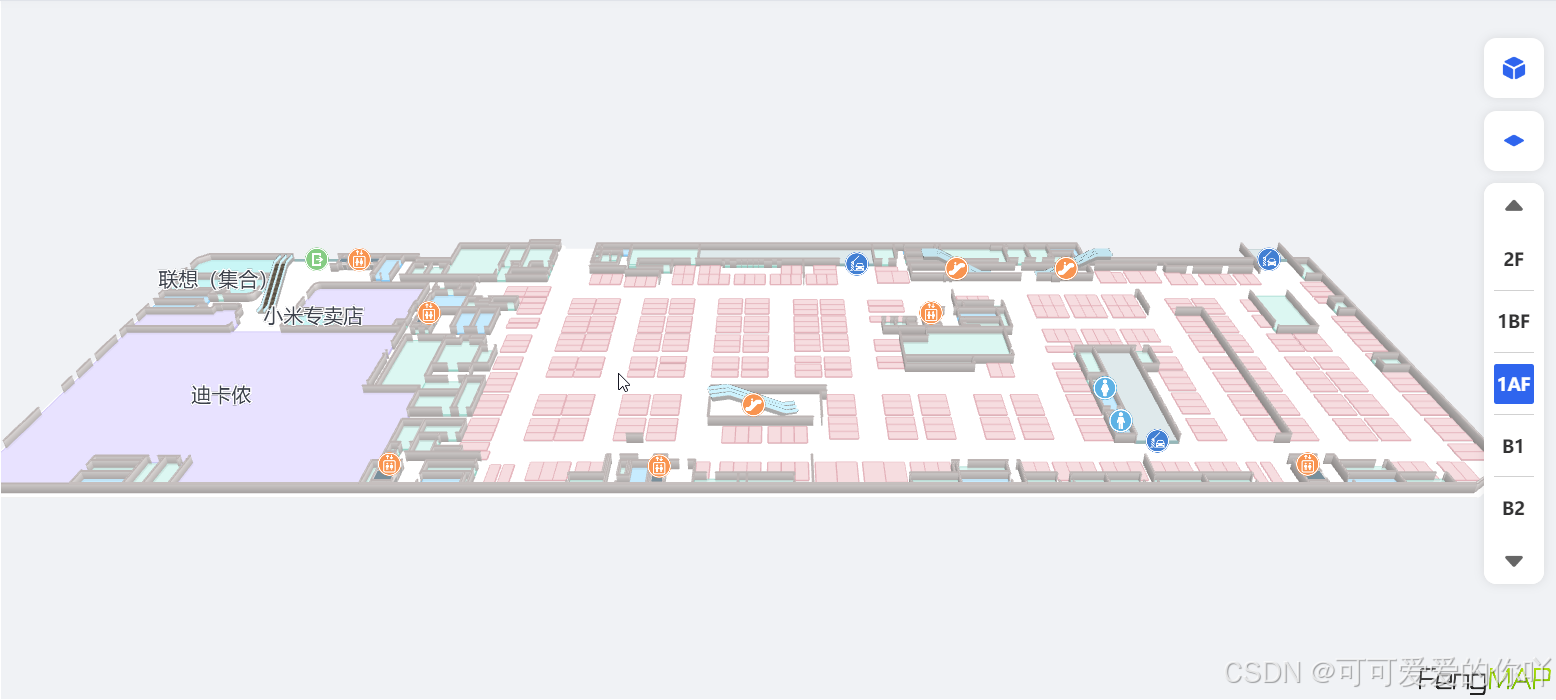
4、展示
加载后: 支持鼠标滚轮放大缩小、鼠标拖拽