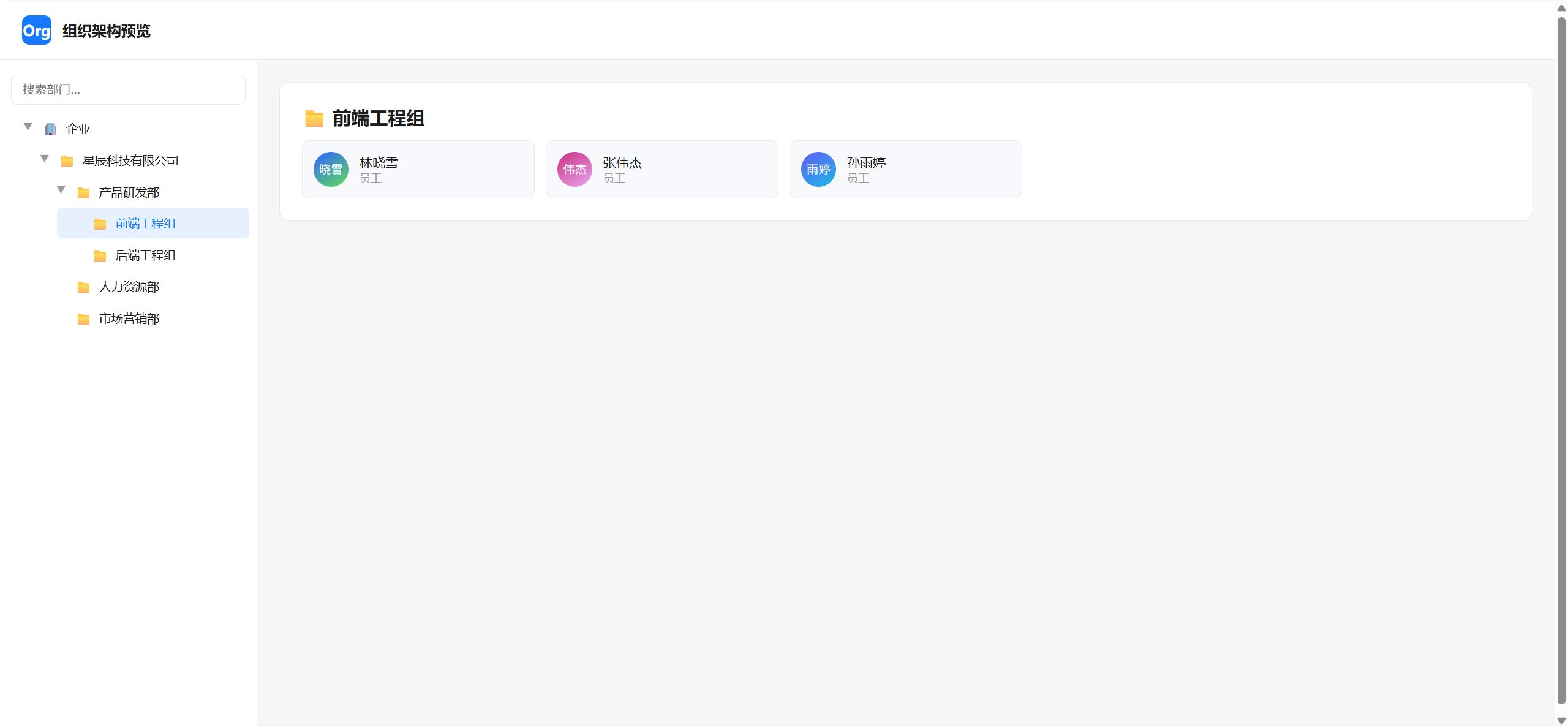
py代码案例:
bash
在这里插入代码片import requests, json, os

APP_ID     = "xxxxe"
APP_SECRET = "Rxxxxxxxqjm"
BASE       = "https://open.feishu.cn/open-apis"

# ── 鉴权 ──────────────────────────────────────────────────────
def get_token():
    r = requests.post(f"{BASE}/auth/v3/tenant_access_token/internal",
                      json={"app_id": APP_ID, "app_secret": APP_SECRET}).json()
    if r.get("code") != 0:
        raise Exception(f"Token 获取失败: {r.get('msg')}")
    return r["tenant_access_token"]

H = {"Authorization": f"Bearer {get_token()}", "Content-Type": "application/json"}

# ── 分页通用封装 ───────────────────────────────────────────────
def paginate(url, params):
    items, pt = [], ""
    while True:
        if pt: params["page_token"] = pt
        d = requests.get(url, headers=H, params=params).json().get("data", {})
        items.extend(d.get("items", []))
        pt = d.get("page_token")
        if not d.get("has_more") or not pt:
            break
    return items

# ── 拉取全量部门 ───────────────────────────────────────────────
def fetch_depts():
    items = paginate(f"{BASE}/contact/v3/departments", {
        "department_id": "0", "department_id_type": "open_department_id",
        "fetch_child": True, "page_size": 50
    })
    print(f"✅ 部门:{len(items)} 个")
    return items

# ── 逐部门拉取成员 ─────────────────────────────────────────────
def fetch_members(all_depts):
    dept_map = {}
    dept_ids = [d["open_department_id"] for d in all_depts]  # 根部门(0)通常无直属成员,跳过
    print(f"正在拉取 {len(dept_ids)} 个部门的成员...")

    for dept_id in dept_ids:
        res = requests.get(f"{BASE}/contact/v3/users/find_by_department", headers=H, params={
            "department_id": dept_id, "department_id_type": "open_department_id", "page_size": 50
        }).json()
        if res.get("code") != 0:
            continue  # 无权限则跳过,不打印噪音
        users = [{"name": u["name"], "title": u.get("job_title", ""),
                  "avatar": u.get("avatar", {}).get("avatar_72", "")}
                 for u in res.get("data", {}).get("items", [])]
        if users:
            dept_map[dept_id] = users

    print(f"✅ 成员:{sum(len(v) for v in dept_map.values())} 名")
    return dept_map

# ── 递归构建树 ────────────────────────────────────────────────
def build_tree(all_depts, member_map, parent_id):
    children = sorted([d for d in all_depts if d["parent_department_id"] == parent_id],
                      key=lambda x: int(x.get("order", 0)))
    return [{"name": d["name"], "id": d["open_department_id"],
             "members": member_map.get(d["open_department_id"], []),
             "children": build_tree(all_depts, member_map, d["open_department_id"])}
            for d in children]

# ── 主流程 ────────────────────────────────────────────────────
root_name = requests.get(f"{BASE}/contact/v3/departments/0", headers=H,
    params={"department_id_type": "open_department_id"}).json(
    ).get("data", {}).get("department", {}).get("name", "企业")

all_depts  = fetch_depts()
member_map = fetch_members(all_depts)
tree_data  = {"name": root_name, "id": "0", "members": [],
              "children": build_tree(all_depts, member_map, "0")}

# ── 生成 HTML ─────────────────────────────────────────────────
tree_json = json.dumps(tree_data, ensure_ascii=False)
html = f"""<!DOCTYPE html>
<html lang="zh-CN">
<head>
<meta charset="UTF-8"><title>组织架构图</title>
<style>
*{{box-sizing:border-box;margin:0;padding:0}}
body{{font-family:"PingFang SC","Microsoft YaHei",sans-serif;background:#f5f6f8;color:#1a1a1a}}
header{{background:#fff;border-bottom:1px solid #e8e8e8;padding:16px 24px;display:flex;align-items:center;gap:12px;position:sticky;top:0;z-index:10}}
header h1{{font-size:16px;font-weight:600}}
.layout{{display:flex;height:calc(100vh - 57px)}}
.sidebar{{width:280px;background:#fff;border-right:1px solid #e8e8e8;overflow-y:auto;padding:8px 0;flex-shrink:0}}
.main{{flex:1;overflow-y:auto;padding:24px}}
.label{{display:flex;align-items:center;gap:8px;padding:8px 16px;cursor:pointer;border-radius:6px;margin:1px 8px;transition:background .15s;font-size:13px}}
.label:hover{{background:#f0f2f5}}
.label.active{{background:#e6f0ff;color:#1677ff}}
.toggle{{width:14px;font-size:10px;color:#999;transition:transform .2s}}
.toggle.open{{transform:rotate(90deg)}}
.toggle.leaf{{opacity:0}}
.children{{padding-left:18px}}
.hidden{{display:none}}
.card{{background:#fff;border-radius:10px;border:1px solid #e8e8e8;padding:24px;margin-bottom:16px}}
.dept-title{{font-size:20px;font-weight:600;margin-bottom:12px}}
.members{{display:grid;grid-template-columns:repeat(auto-fill,minmax(220px,1fr));gap:12px}}
.member{{background:#f8f9fc;border:1px solid #e8e8e8;border-radius:8px;padding:12px;display:flex;align-items:center;gap:12px}}
.avatar{{width:38px;height:38px;border-radius:50%;background:#1677ff;display:flex;align-items:center;justify-content:center;color:#fff;font-size:14px;overflow:hidden;flex-shrink:0}}
.avatar img{{width:100%;height:100%;object-fit:cover}}
.mname{{font-size:14px;font-weight:500}}
.mtitle{{font-size:12px;color:#999}}
input{{width:calc(100% - 24px);padding:8px 12px;border:1px solid #e8e8e8;border-radius:6px;margin:8px 12px;outline:none;font-size:13px}}
</style>
</head>
<body>
<header>
  <div style="width:32px;height:32px;background:#1677ff;border-radius:8px;display:flex;align-items:center;justify-content:center;color:#fff;font-weight:bold">Org</div>
  <h1>组织架构预览</h1>
</header>
<div class="layout">
  <aside class="sidebar">
    <input placeholder="搜索部门..." oninput="search(this.value)">
    <div id="tree"></div>
  </aside>
  <main class="main" id="main"></main>
</div>
<script>
const DATA = {tree_json};
const idx = {{}};
function buildIdx(n) {{ idx[n.id]=n; n.children?.forEach(buildIdx); }}
buildIdx(DATA);

function renderNode(node, depth=0) {{
  const hasChild = node.children?.length > 0;
  const el = document.createElement('div');
  el.className = 'node'; el.dataset.name = node.name;
  const label = document.createElement('div');
  label.className = 'label';
  label.innerHTML = `<span class="toggle ${{hasChild?'':'leaf'}}">▶</span>
    <span>${{depth===0?'🏢':'📁'}}</span>
    <span style="flex:1;white-space:nowrap;overflow:hidden;text-overflow:ellipsis">${{node.name}}</span>`;
  label.onclick = e => {{
    e.stopPropagation();
    document.querySelectorAll('.label').forEach(l=>l.classList.remove('active'));
    label.classList.add('active');
    showDetail(node.id);
    if(hasChild) {{
      el.querySelector(':scope>.children').classList.toggle('hidden');
      label.querySelector('.toggle').classList.toggle('open');
    }}
  }};
  el.appendChild(label);
  if(hasChild) {{
    const ch = document.createElement('div');
    ch.className = 'children hidden';
    node.children.forEach(c => ch.appendChild(renderNode(c, depth+1)));
    el.appendChild(ch);
  }}
  return el;
}}

function showDetail(id) {{
  const node = idx[id];
  let html = `<div class="card"><div class="dept-title">📁 ${{node.name}}</div>`;
  if(node.members?.length) {{
    html += '<div class="members">' + node.members.map(m => `
      <div class="member">
        <div class="avatar">${{m.avatar?`<img src="${{m.avatar}}">`:m.name[0]}}</div>
        <div><div class="mname">${{m.name}}</div><div class="mtitle">${{m.title||'员工'}}</div></div>
      </div>`).join('') + '</div>';
  }} else {{
    html += '<div style="color:#999">暂无直属成员</div>';
  }}
  document.getElementById('main').innerHTML = html + '</div>';
}}

function search(q) {{
  document.querySelectorAll('.node').forEach(n => {{
    n.style.display = q && !n.dataset.name.toLowerCase().includes(q.toLowerCase()) ? 'none' : 'block';
  }});
}}

document.getElementById('tree').appendChild(renderNode(DATA));
showDetail(DATA.id);
</script>
</body>
</html>"""

out = "org_chart.html"
with open(out, "w", encoding="utf-8") as f:
    f.write(html)
print(f"🎉 完成!打开: {os.path.abspath(out)}")