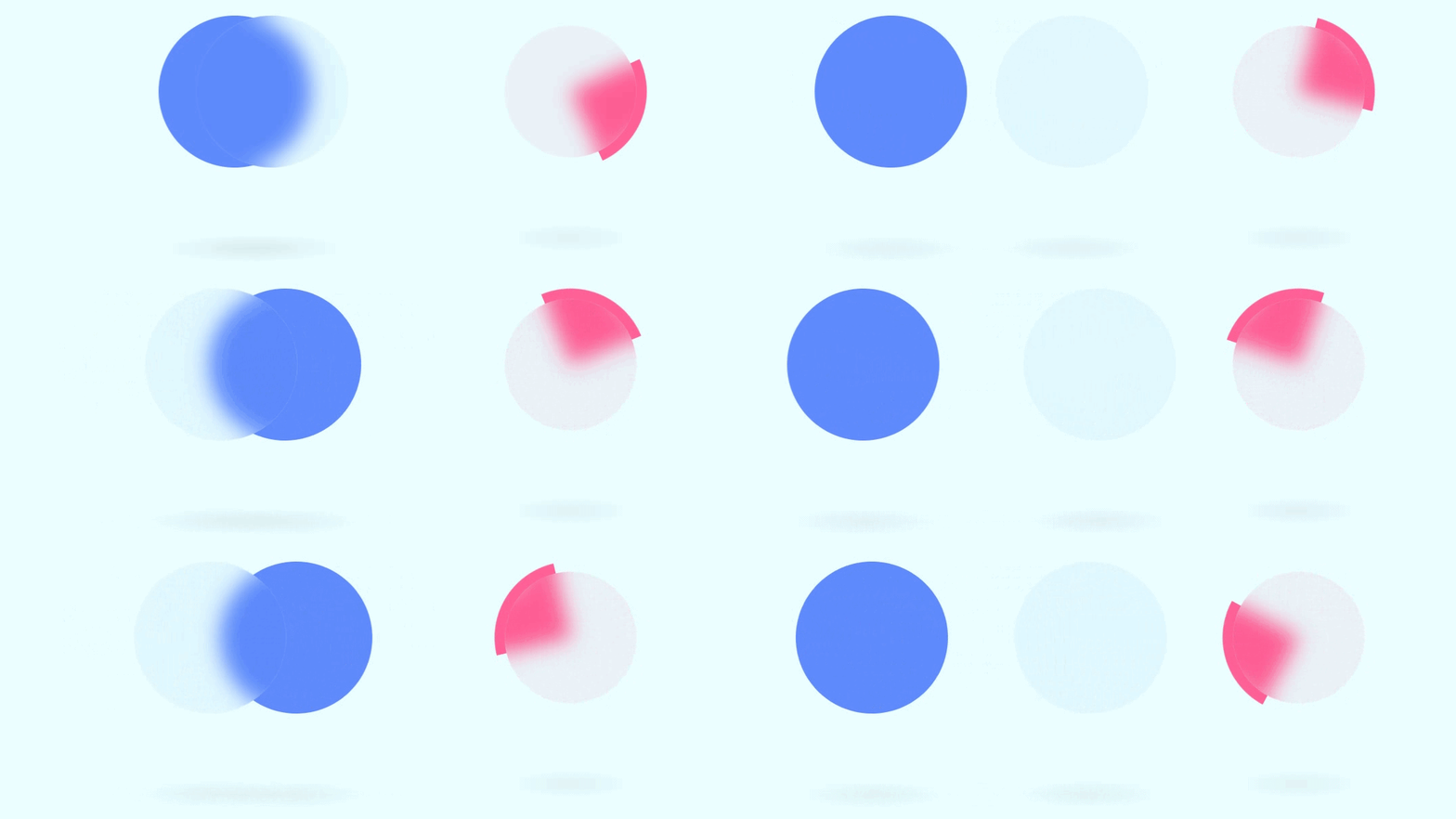
html
<!doctype html>
<html lang="zh-CN">
  <head>
    <meta charset="UTF-8" />
    <meta name="viewport" content="width=device-width, initial-scale=1.0" />
    <title>Document</title>
    <style>
      /* 全局重置:清除默认边距和内边距,统一盒模型为边框盒(方便计算宽高) */
      * {
        margin: 0;
        padding: 0;
        box-sizing: border-box;
      }

      /* 页面主体样式 */
      body {
        display: flex; /* 使用 Flex 布局 */
        background: #eafdff; /* 设置淡蓝色背景 */
      }

      /* 容器样式:用于居中展示加载动画 */
      .container {
        width: 100%; /* 宽度占满 */
        min-height: 100vh; /* 最小高度为视口高度,确保占满全屏 */
        display: flex; /* Flex 布局 */
        justify-content: center; /* 子元素水平居中 */
        align-items: center; /* 子元素垂直居中 */
        flex-wrap: wrap; /* 允许子元素换行(如果屏幕太小) */
      }

      /* 加载动画组件的通用容器 */
      .container .loader {
        position: relative; /* 相对定位,作为内部绝对定位元素的基准 */
        width: 150px; /* 宽度 */
        height: 150px; /* 高度 */
        margin: 100px; /* 外边距,用于隔开两个动画 */
      }

      /* 第一种加载动画 (.one) 的通用 span 样式 */
      .container .loader.one span {
        position: absolute; /* 绝对定位 */
        top: 0; /* 顶部对齐 */
        left: 0; /* 左侧对齐 */
        width: 100%; /* 宽度填满父元素 */
        height: 100%; /* 高度填满父元素 */
        display: block; /* 设为块级元素 */
        background: #5989ff; /* 蓝色背景 */
        border-radius: 50%; /* 圆形 */
        animation: animate ease-in-out 2s infinite; /* 应用名为 animate 的动画:平滑过渡,2秒,无限循环 */
      }

      /* 第一种加载动画的第二个 span (毛玻璃层) */
      .container .loader.one span:nth-of-type(2) {
        background: rgba(56, 109, 241, 0.05); /* 极淡的半透明蓝色背景 */
        left: 50%; /* 初始位置偏右(配合动画) */
        backdrop-filter: blur(10px); /* 关键:背景模糊,实现毛玻璃效果 */
        border: 1px solid rgba(255, 255, 255, 0.1); /* 半透明白色边框,增加质感 */
        animation-delay: -1s; /* 动画延迟 -1s,意味着从动画中间开始播放,形成交错感 */
      }

      /* 阴影效果:应用于第一种动画的 span,以及第二种动画的第一个 span */
      .container .loader.one span::before,
      .container .loader.two span:nth-of-type(1)::before {
        content: ""; /* 伪元素必须包含 content 属性 */
        position: absolute; /* 绝对定位 */
        bottom: -100px; /* 位于元素下方 100px 处 */
        left: -20%; /* 向左偏移 */
        width: 140%; /* 宽度比父元素宽 */
        height: 40px; /* 高度 */
        border-radius: 50%; /* 椭圆形状 */
        /* 径向渐变背景:模拟投影,中心微黑向四周透明过渡 */
        background: radial-gradient(
          rgba(0, 0, 0, 0.04),
          transparent,
          transparent
        );
      }

      /* 定义左右摆动的动画关键帧 */
      @keyframes animate {
        0%,
        100% {
          transform: translateX(-80px); /* 开始和结束时,向左移动 80px */
        }
        50% {
          transform: translateX(80px); /* 中间时刻,向右移动 80px */
        }
      }

      /* 第二种加载动画 (.two) 的第一个 span (内部毛玻璃球) */
      .container .loader.two span:nth-of-type(1) {
        position: absolute; /* 绝对定位 */
        top: 10px; /* 上边距 10px(比外圈小,形成内缩感) */
        left: 10px; /* 左边距 10px */
        right: 10px; /* 右边距 10px */
        bottom: 10px; /* 下边距 10px */
        background: rgba(233, 30, 90, 0.05); /* 极淡的粉红色背景 */
        border-radius: 50%; /* 圆形 */
        backdrop-filter: blur(10px); /* 背景模糊,毛玻璃效果 */
        border: 1px solid rgba(255, 255, 255, 0.1); /* 半透明白色边框 */
        z-index: 2; /* 层级设为 2,确保浮在外圈之上 */
      }

      /* 第二种加载动画的第二个 span (旋转的外圈) */
      .container .loader.two span:nth-of-type(2) {
        position: absolute; /* 绝对定位 */
        top: 0px; /* 顶部对齐 */
        left: 0px; /* 左侧对齐 */
        width: 100%; /* 宽度填满 */
        height: 100%; /* 高度填满 */
        border-radius: 50%; /* 圆形 */
        display: block; /* 块级元素 */
        z-index: 1; /* 层级设为 1,在内部球体之下 */
        overflow: hidden; /* 隐藏超出圆形的部分(用于裁剪内部旋转的色块) */
        animation: rotateCircle 1s linear infinite; /* 应用旋转动画:匀速,1秒,无限循环 */
      }

      /* 定义旋转动画 */
      @keyframes rotateCircle {
        0% {
          transform: rotate(0deg); /* 0 度 */
        }
        100% {
          transform: rotate(360deg); /* 360 度 */
        }
      }

      /* 旋转外圈内部的色块(通过伪元素实现) */
      .container .loader.two span:nth-of-type(2)::before {
        content: ""; /* 伪元素必须 */
        position: absolute; /* 绝对定位 */
        top: -50%; /* 向上偏移,为了让色块填满旋转区域 */
        left: -50%; /* 向左偏移 */
        width: 100%; /* 宽度 */
        height: 100%; /* 高度 */
        background: #ff6198; /* 粉红色背景 */
      }
    </style>
  </head>
  <body>
    <div class="container">
      <div class="loader one"><span></span><span></span></div>
      <div class="loader two"><span></span><span></span></div>
    </div>
  </body>
</html>