RTK是什么
单一 Rust 二进制文件
rtk解决什么问题
agent在执行任务时,会自动调用命令行工具执行命令,命令执行后会读取命令返回信息,agent读取信息时会消耗token,但agent只需要了解上下文即可,读取全部信息非必要。
rtk 在命令输出进入上下文窗口之前对其进行压缩。 更好的推理。更长的会话。更低的成本。
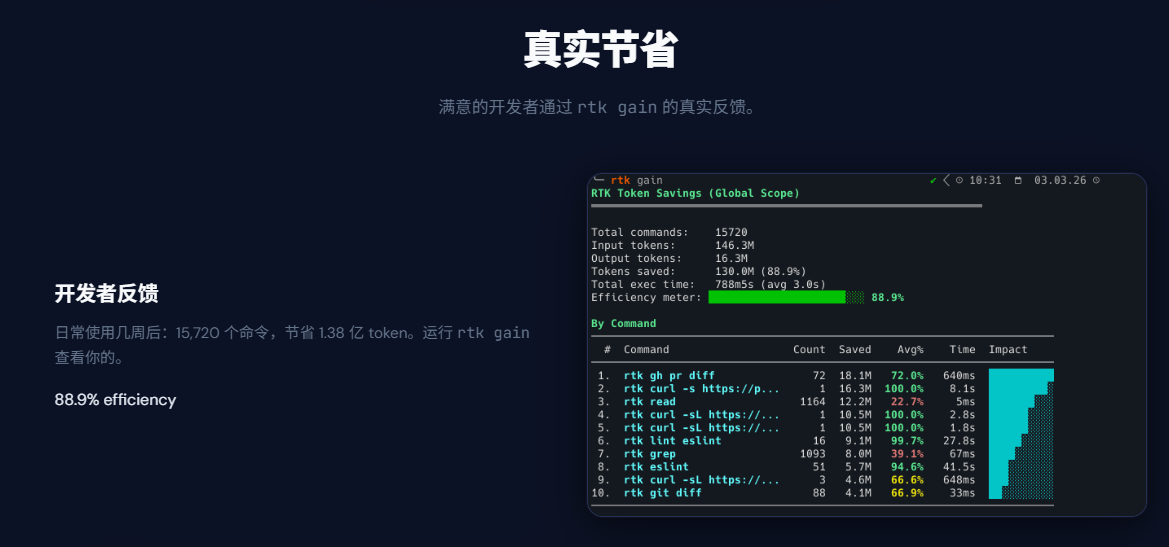
rtk原理
bash
  Claude Code          settings.json        rtk-rewrite.sh        RTK binary
       │                    │                     │                    │
       │  "git status"      │                     │                    │
       │ ──────────────────►│                     │                    │
       │                    │  PreToolUse trigger  │                    │
       │                    │ ───────────────────►│                    │
       │                    │                     │  rewrite command   │
       │                    │                     │  → rtk git status  │
       │                    │◄────────────────────│                    │
       │                    │  updated command     │                    │
       │                    │                                          │
       │  execute: rtk git status                                      │
       │ ─────────────────────────────────────────────────────────────►│
       │                                                               │  filter
       │  "3 modified, 1 untracked ✓"                                  │
       │◄──────────────────────────────────────────────────────────────│
安装记录
当前环境
操作系统:Windows 10 / 11
终端:PowerShell
Cursor:Windows 原生环境
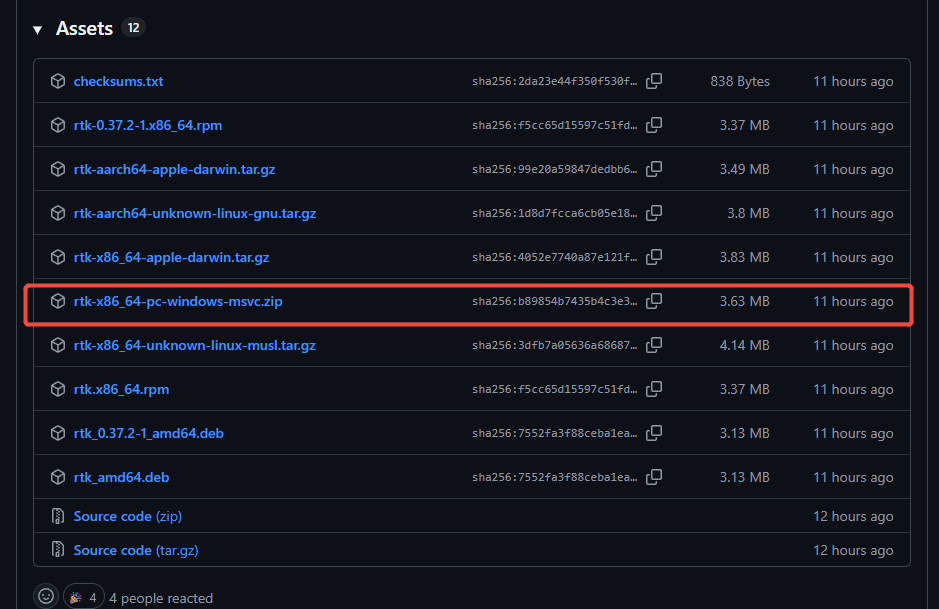
RTK 可执行文件路径:D:\software\rtk-x86_64-pc-windows-msvc\rtk.exe(此文件需要下载到本地,并将路径配置到环境变量中)
windows-rtk下载链接
安装步骤
1. 下载 Windows 可执行文件
从 RTK 发布页下载 Windows 版本压缩包,解压后拿到 rtk.exe,并放到固定目录:
bash
D:\software\rtk-x86_64-pc-windows-msvc注意:配置环境变量时,加入的是目录 D:\software\rtk-x86_64-pc-windows-msvc,不是 D:\software\rtk-x86_64-pc-windows-msvc\rtk.exe
2. 配置环境变量
3. 验证rtk是否可用
bash
rtk --version4. 初始化cursor
bash
rtk init --claude-md
rtk init -g --agent cursor
5. 终端执行测试
bash
rtk git status
rtk gain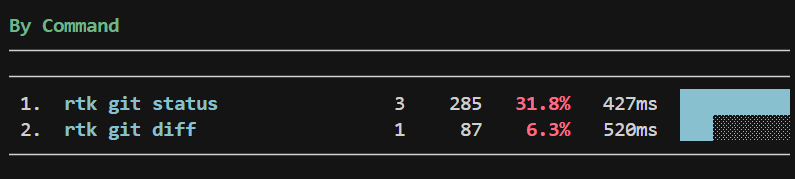
遇到问题
1、配置环境变量后,通过window + r打开的终端运行rtk --version能正常,但cursor内终端shell无法找到
在编辑器setting.json中配置路径
bash
"terminal.integrated.env.windows": {

        "Path": "D:\\software\\rtk-x86_64-pc-windows-msvc;${env:Path}" //此路径为本地路径
    }
2、在终端手动输入rtk git status后,成功,并能通过rtk gain查询节省日志,但agent中自动调起终端时并未触发
rtk安装文档中非windows系统环境,windows下需要一份命令(此为官方rewrite.sh转为window兼容写法文件,用ai自动转化)查看源文件代码仓库
bash
param()

$ErrorActionPreference = "SilentlyContinue"

# Cursor hook protocol: JSON in via stdin, JSON out via stdout.
$inputJson = [Console]::In.ReadToEnd()
if ([string]::IsNullOrWhiteSpace($inputJson)) {
  # No input: do nothing.
  "{}"
  exit 0
}

$inputJson = $inputJson.TrimStart([char]0xFEFF)

$logDir = Join-Path $env:TEMP "cursor-hooks"
New-Item -ItemType Directory -Force -Path $logDir | Out-Null
$logPath = Join-Path $logDir "rtk-hook-cursor.log"

try {
  Add-Content -Path $logPath -Value ("----- {0} -----" -f (Get-Date -Format "yyyy-MM-dd HH:mm:ss.fff"))
  Add-Content -Path $logPath -Value ("IN:  {0}" -f $inputJson)
} catch {}

# Parse Cursor tool JSON and rewrite Shell command using rtk.
$cmd = ""
try {
  $obj = $inputJson | ConvertFrom-Json
  $cmd = $obj.tool_input.command
} catch {
  $cmd = ""
}

if ([string]::IsNullOrWhiteSpace($cmd)) {
  # Fallback: some environments pass JSON that PowerShell fails to parse reliably (BOM/encoding quirks).
  # Extract the command field with a regex and JSON-decode the captured string.
  try {
    $m = [regex]::Match($inputJson, '"tool_input"\s*:\s*\{\s*"command"\s*:\s*"(?<cmd>(?:\\.|[^"\\])*)"', [System.Text.RegularExpressions.RegexOptions]::Singleline)
    if ($m.Success) {
      $cmd = ('"' + $m.Groups['cmd'].Value + '"') | ConvertFrom-Json
    }
  } catch {}
}

if ([string]::IsNullOrWhiteSpace($cmd)) {
  try { Add-Content -Path $logPath -Value "OUT: {} (no command)" } catch {}
  "{}"
  exit 0
}

# Avoid rewriting already-rewritten commands.
if ($cmd -match '^\s*rtk(\.exe)?\s+' -or $cmd -match '^\s*trk(\.exe)?\s+') {
  try { Add-Content -Path $logPath -Value "OUT: {} (already wrapped)" } catch {}
  "{}"
  exit 0
}

$rewritten = ""
try {
  $rewritten = & rtk.exe rewrite $cmd 2>$null
} catch {
  $rewritten = ""
}

if ([string]::IsNullOrWhiteSpace($rewritten) -or ($rewritten -eq $cmd)) {
  try { Add-Content -Path $logPath -Value "OUT: {} (no rewrite)" } catch {}
  "{}"
  exit 0
}

$outputObj = @{
  permission   = "allow"
  updated_input = @{
    command = $rewritten
  }
}

$outputJson = $outputObj | ConvertTo-Json -Compress

try {
  Add-Content -Path $logPath -Value ("OUT: {0}" -f $outputJson)
} catch {}

# Must return JSON to Cursor.
$outputJson
并在cursor agent设置中配置对应设置
bash
{
  "version": 1,
  "hooks": {
    "preToolUse": [
      {
        "command": "powershell -NoProfile -ExecutionPolicy Bypass -File \"C:\\Users\\lixuyan\\.cursor\\rtk-hook-cursor.ps1\"",
        "matcher": "Shell"
      }
      // {
      //   "command": "rtk hook cursor",//此为 rtk init -g --agent cursor命令自动生成,但并不触发将命令git status转为rtk git status能力
      //   "matcher": "Shell"
      // }
    ]
  }
}